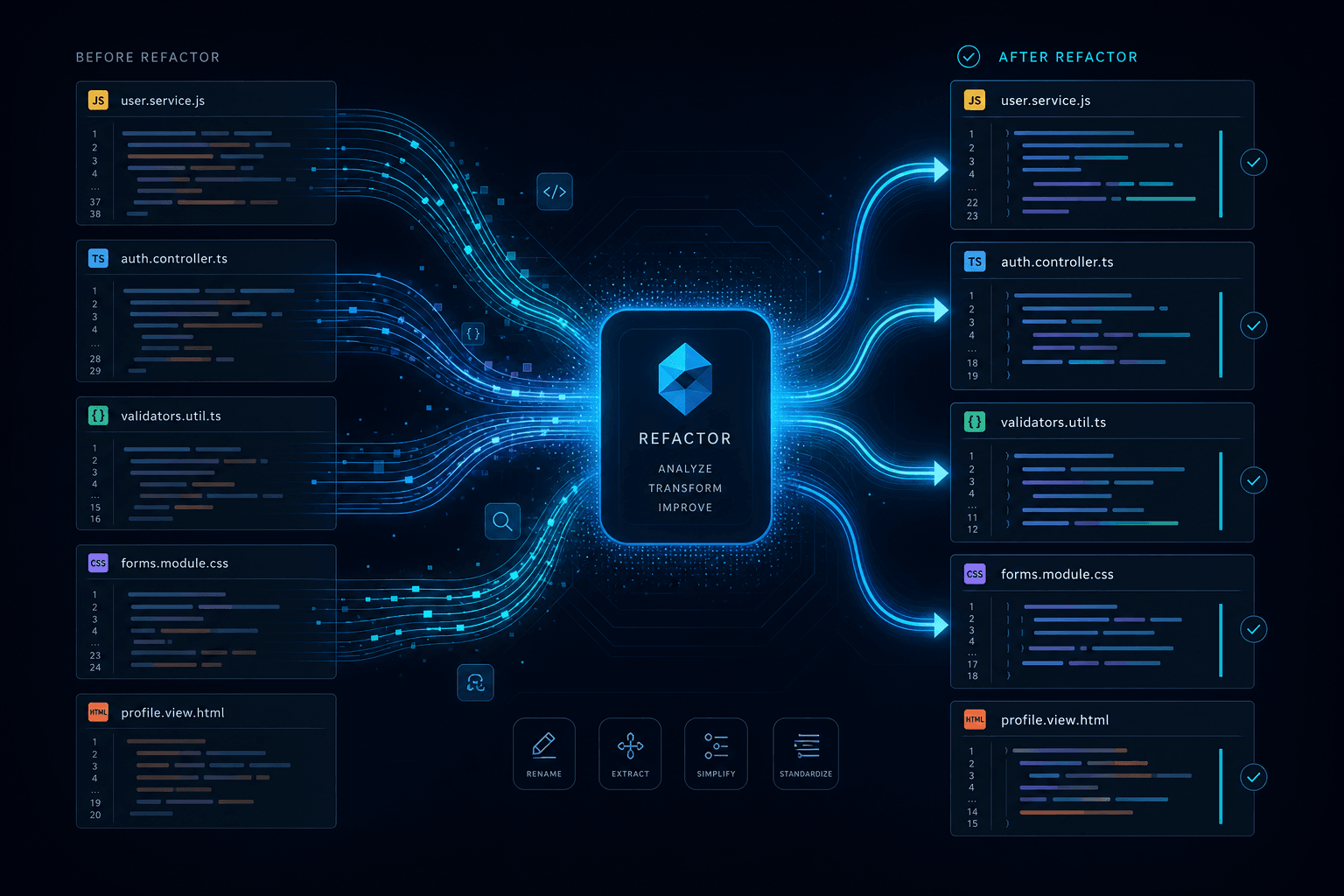
Cursor Composer Deep Dive: How I Prompted a Multi-File Refactor Hands-Off

Table of Contents
Introduction: Why I Use a Specialized Workflow for Multi-File Refactoring #
The short answer: Single-file edits with tab completion don't scale to real architectural changes. Cursor's Composer exists specifically for multi-file refactors that touch imports, types, tests, and call sites simultaneously—and using it wrong wastes credits and creates messy diffs.
I've spent the last eighteen months refactoring production codebases with AI assistance. Early on, I made every mistake: using Composer for one-line changes, using tab completion for architectural moves, prompting vaguely and hoping the model would figure it out. The results ranged from expensive (burning through $20 of credits on a single refactor) to dangerous (accepted diffs that broke type checking across fifteen files).
This post documents my personal workflow—the exact method I use to direct Cursor Composer to handle complex multi-file refactors hands-off. I'll show you when I reach for Composer versus Agent mode versus tab completion, how I structure .cursorrules files so the AI respects my architecture, and the prompting patterns I use to generate clean, reviewable diffs.
What I'll cover:
- The decision matrix I use for choosing between tab completion, Composer, and Agent mode
- How I curate context so Composer understands cross-file relationships without drowning in noise
- How I set up
.cursorrulesfiles that encode my project's constraints and prevent architectural drift - My Agent mode workflows for large-scale migrations and pattern propagation
- How I use background agents and parallel editing strategies for monorepos
- Pricing realities and credit management based on my actual usage
This is a spoke post in the AI Coding Assistants cluster. For the full comparison of Cursor against Claude Code, Google Antigravity, and OpenAI Codex, see the pillar post. For my daily handoff workflow between Cursor and Claude Code, see the May 3 workflow guide.
When Does Composer Win Over Tab Completion? #
I choose Composer over tab completion when the change spans multiple files or requires understanding cross-file relationships. Here's the decision matrix I use every day.
Tab completion—Cursor's predictive editing feature—is optimized for flow state. It predicts the next 10–50 tokens based on cursor position, recent edits, and currently open files. It's blazing fast—under 100ms—and costs nearly nothing. But it's reactive: it predicts what I'm about to type, not what I'm trying to achieve architecturally.
Composer, by contrast, is proactive. I describe intent, and it plans edits across multiple files. According to Cursor's documentation, it uses the proprietary Composer 2 model—optimized for coding at ~250 tokens per second—and can modify dozens of files in a single pass while respecting imports, types, and cross-file references.
| Factor | Tab Completion | Composer | Agent Mode |
|---|---|---|---|
| Best for | Next-line prediction, single-statement completion | Multi-file edits, controlled refactors | Large migrations, exploratory changes |
| Context window | ~4K tokens (recent + open files) | ~100K tokens (configurable file set) | ~100K tokens + tool use (terminal, browser) |
| Speed | <100ms | 10–60 seconds | Minutes to hours |
| Cost | Negligible | Moderate (Pro credits) | Higher (planning + execution) |
| Control level | High (you type, it suggests) | Medium (you review diffs) | Lower (you supervise, it plans) |
| Examples | Completing a function body, adding a prop | Renaming across files, extracting components | Migrating libraries, finding all instances of a pattern |
My rule of thumb: If I can describe the change in a single sentence and it involves only the current file, I use tab completion. If the change requires updating imports in three other files, I use Composer. If I'm not sure which files need changing or the task spans more than ten files, I use Agent mode.
Specific situations where I use Composer:
- Renaming symbols across modules: I prompt: "Rename
UserProfiletoAccountProfileand update all imports, types, and test mocks." Composer handles the cross-file references automatically. - API changes with call site updates: When I need to change a function signature, I prompt: "Change the
createUserfunction signature to accept an object instead of positional parameters, and update all 14 call sites." - Component extraction: For extracting shared logic, I prompt: "Extract these three similar form handlers into a shared
useDebouncedSearchhook, and replace the inline logic in each component." - Test generation: I prompt: "Generate unit tests for all exported functions in
utils/api.ts, using the existingvitestpatterns in the codebase."
Specific situations where I use tab completion:
- Completing a single function implementation
- Adding a CSS property
- Writing a simple conditional
- Filling in a switch case
The cost difference matters. On Cursor Pro ($20/month with usage credits), a heavy Composer session might consume $1–3 of credits. A heavy Agent mode session with multiple iterations might hit $5–10. Tab completion is effectively free. I choose accordingly.
Understanding Cursor's Three Editing Modes #
Cursor offers three distinct editing modes, and choosing the wrong one for my task type burns credits and time. Each mode has a specific scope sweet spot.
Mode 1: Tab Completion (The Flow State Engine) #
Tab completion is Cursor's original innovation. It's powered by a proprietary model trained specifically to predict code continuation based on context. According to the Cursor documentation, the model sees:
- My cursor position
- The 50–100 lines surrounding the cursor
- Recently open files (within the current session)
- Recent edit history
When I use it: Any time I'm in flow, writing or editing code line by line. Tab completion shines for:
- Function body completion
- Property access chains (
user.profile.settings.notifications) - Boilerplate reduction (React hooks, event handlers)
- Pattern continuation (I've written two similar blocks; it suggests the third)
Limitations: Tab completion doesn't plan. It predicts. If I need to update three files to maintain type consistency, tab completion will happily suggest changes that break my build. It's my responsibility to know the scope.
Mode 2: Composer (The Multi-File Editor) #
Composer is an explicit action: I open the Composer panel (Cmd/Ctrl+I), describe what I want, and optionally select context files. According to Cursor's documentation, Composer uses a different model—Composer 2—optimized for multi-file edits and code generation at ~250 tokens per second.
Key capabilities I rely on:
- Multi-file selection: I explicitly add files to the context, or let Composer suggest relevant files based on symbols
- Unified diff view: All changes are presented in a single reviewable diff
- Per-hunk acceptance: I can accept or reject changes file by file, or even hunk by hunk
- Cross-language support: Works across TypeScript, Python, Go, Rust—any language Cursor indexes
The Composer interface has two modes:
- Normal mode: I write the prompt, Composer generates edits, I review and apply
- Agent mode: Composer plans, executes, and iterates autonomously (see below)
Mode 3: Agent Mode (The Autonomous Refactorer) #
Agent mode adds autonomy to Composer. Instead of generating edits and waiting for my review, the agent:
- Reads relevant files (using Cursor's codebase index)
- Plans a set of steps
- Executes edits
- Runs commands (tests, linters)
- Iterates based on results
Agent mode is designed for tasks where the "how" isn't obvious upfront. "Migrate from React Router v5 to v6" or "Find all uses of the deprecated legacyAPI and migrate to the new SDK" are classic Agent mode tasks.
Agent mode observability:
Cursor shows an Agent sidebar with:
- Current step ("Reading 12 files", "Running npm test", "Fixing 3 errors")
- Context pills showing which files are active
- Command output (terminal integration)
- Checkpointing (commit before the agent runs; review before merging)
Critical safety practices I follow for Agent mode:
- Always commit before starting an agent session
- Use
.cursorrulesto constrain scope ("never touch/legacy/without confirmation") - Review the full diff before applying; agents can touch more files than expected
- For large refactors, I use background agents in isolated worktrees instead of my main working directory
The Composer Workflow: From Prompt to Merged PR #
The effective Composer workflow I follow has five phases: context curation, scope definition, generation, diff review, and verification. I skip any phase and I end up regenerating or fixing conflicts later.
Phase 1: Context Curation #
Composer's effectiveness depends entirely on the context I provide. With 100K tokens available, I have room—but including irrelevant files dilutes signal and wastes credits.
My context selection strategy:
- Start with the target files: The files I know need changing
- Add type definitions: If refactoring touches shared types, I include
types.tsor my schema files - Include representative call sites: If I'm changing a function signature, I add 2–3 representative files that call it (not all 50)
- Add test patterns: If I want tests generated or updated, I include a well-written existing test as a pattern reference
Pro tip: I use Cursor's "@" syntax to reference symbols directly. "@UserProfile" pulls in the definition and usages of that symbol without me manually adding files.
Phase 2: Scope Definition #
Before generating, I define what Composer should and shouldn't do. I use a template prompt structure:
My Prompt Template Structure:
- Task: [One-line description]
- Scope:
- Modify files: [list]
- Preserve: [specific behavior that must not change]
- Update: [specific changes to make]
- Tests: [whether to add/update tests]
- Constraints:
- [Any architectural rules]
- [TypeScript strictness requirements]
Example prompt I use:
- Task: Extract a shared useDebounce hook from the three search components
- Scope:
- Modify files: SearchUsers.tsx, SearchProducts.tsx, SearchOrders.tsx
- Create new file: hooks/useDebounce.ts
- Preserve: All existing debounce timing (300ms) and behavior
- Update: Replace inline useState + useEffect debounce logic with the new hook
- Tests: Update existing tests to mock the new hook if needed
- Constraints:
- Use TypeScript strict mode; explicit return types on the hook
- Keep the hook generic (accept any value type, not just strings)
- Follow the existing hook pattern in hooks/useLocalStorage.ts
This structure prevents the "please refactor" vagueness that generates messy results.
Phase 3: Generation #
I click "Submit" and let Composer work. Typical generation times I've observed:
- Simple multi-file edit (2–3 files): 10–20 seconds
- Medium refactor (5–10 files): 30–60 seconds
- Large refactor (15+ files): 1–3 minutes
During generation:
- I don't navigate away; Composer's context is tied to the current session
- If I realize I forgot context, I can add files mid-generation in some Cursor versions, but it's cleaner to cancel and restart
Phase 4: Diff Review #
Composer presents changes in a unified diff view. This is where I catch mistakes before they hit my codebase.
What I review:
- Import correctness: Did Composer add the right imports? Remove unused ones?
- Type consistency: Do function signatures match their usage? Are generics preserved?
- Test coverage: Did tests get updated to reflect changes?
- Edge cases: Did Composer handle null/undefined cases, error paths, loading states?
My review tactics:
- I use "View side-by-side" for complex changes
- I reject hunks that look suspicious; I can regenerate or manually fix
- If 80% looks good but 20% is wrong, I accept the good hunks and iterate on the rest
Phase 5: Verification #
After applying changes, I verify before moving on:
My verification checklist:
- Type checking: Run
npm run typecheckto catch type errors - Linting: Run
npm run lintto ensure code style compliance - Tests (start with affected files): Run
npm test -- src/components/SearchUsers.test.tsx - Full test suite (if confident): Run
npm test
If verification fails:
- I don't blindly accept Composer's "fix" suggestions
- I read the error and understand the root cause
- I either fix manually or craft a specific follow-up prompt
Setting Up .cursorrules for Consistent Refactors #
A well-structured .cursorrules file is the difference between coherent multi-file refactors and scattered changes that violate my project's conventions. Rules encode my architectural constraints so Composer doesn't guess.
According to Cursor's documentation, Cursor reads .cursorrules (and .cursor/rules/*.mdc files) to understand project context. These rules guide both Composer and Agent mode, constraining what the AI will suggest and how it approaches changes.
My .cursorrules Template Structure
#
I use a structured markdown format with clear sections. Here's the template structure I adapt for each project:
Section 1: Meta Rules
- Be concise by default; explain reasoning only when asked
- Before large changes (>3 files), summarize the plan and wait for my confirmation
- When unsure, ask clarifying questions rather than guessing
- Prefer editing existing code over creating new files unless I request it
- Always respect project configs (ESLint, Prettier, TypeScript strict, tests)
Section 2: Project Context
- Project type description
- Target user/audience description
- Key domain definitions (Post, Page, Component, Hook, etc.)
Section 3: Tech Stack
- Framework (e.g., Next.js 15 with App Router)
- Language (TypeScript strict mode)
- Styling (Tailwind CSS v4)
- UI Library (shadcn/ui components)
- Animation libraries
- CMS and content setup
- Testing framework
Section 4: Architecture Rules
- Directory structure constraints (API routes in
/app/api/, business logic in/lib/services/) - Data fetching patterns (React Server Components by default)
- Client component requirements (explicit "use client" directive)
- Type placement (
/lib/types.ts) - Utility organization
Section 5: Coding Style
- TypeScript preferences (explicit return types, interface vs type)
- Export conventions (named for components, default for pages)
- Error handling requirements
- File naming conventions
Section 6: Refactoring Constraints
- Directories requiring explicit confirmation (e.g.,
/legacy/) - Backwards compatibility requirements
- Import update requirements during renaming
- Post-refactor verification steps
Section 7: Safety Rules
- Secret handling (never hardcode, use environment variables)
- Database schema change policies
- Authentication pattern requirements
- Dependency addition policies
My Framework-Specific Rule Patterns #
For React + Next.js projects, I add:
- Server Components by default
- Client components need explicit "use client" directive
- Data fetching: prefer server actions or RSC fetch over useEffect
- Forms: use React Hook Form + Zod validation
- State management: Zustand for global state, React Query for server state
For Node.js + Express projects, I add:
- Routes go in
/src/routes/, business logic in/src/services/ - Dependency injection pattern requirements
- OpenAPI spec comment requirements for routes
- Centralized error middleware usage
- Repository pattern for database access (no raw queries in route handlers)
For Python + FastAPI projects, I add:
- Pydantic models for all request/response schemas
- Business logic location in
services/modules - SQLAlchemy repository pattern (no direct session use in routes)
- Type hints required on all function parameters and returns
- pytest with fixtures from
conftest.pyfor testing
Rule Evolution #
My .cursorrules files evolve with each project. When Composer makes a mistake more than once, I add or tighten a rule. I keep a changelog at the top:
My Changelog Format:
- Date-stamped entries explaining why rules were added
- References to specific incidents that triggered new rules
- Migration notes for major framework updates
Example entries I use:
- "Added 'never modify /legacy/' rule after agent touched deprecated code"
- "Added TypeScript strict mode requirement after type regression"
- "Initial rules for Next.js 15 migration"
Global vs Project Rules #
Cursor supports both global rules (in ~/.cursor/rules/) and project-specific rules (.cursorrules in repo root). I keep:
- Global rules: My personal preferences ("Prefer early returns", "Use explicit types")
- Project rules: Stack-specific constraints ("Never mix App Router and Pages Router patterns")
Project rules override global rules. This lets me maintain consistency across my personal workflow while respecting each project's unique architecture.
Agent Mode: When I Let Cursor Drive #
I use Agent mode for tasks where the path isn't obvious upfront—migrations, bug hunts, pattern propagation across a codebase. It's Composer with planning autonomy, but that autonomy requires guardrails.
Agent mode represents Cursor's most powerful—and most dangerous—capability. Unlike Composer, where I explicitly select files and review before applying, Agent mode explores, plans, and executes with minimal supervision. This is exactly what I want for large-scale refactors, and exactly what can go sideways without proper constraints.
When I Use Agent Mode #
I use Agent mode when:
- I don't know exactly which files need changing ("Find all deprecated
foo()usage") - The task is too large to manually curate context ("Migrate from Material-UI to Tailwind")
- I need iterative fixing ("Make all tests pass" where the agent runs tests and fixes failures)
- The refactor requires command execution ("Migrate the database schema and update all queries")
I don't use Agent mode when:
- I know exactly which files to change (I use Composer instead)
- The change is simple and contained (I use tab completion or Composer)
- I'm in a high-risk area (auth, payments, security-critical code)
- I haven't committed my work recently
My Agent Mode Workflow #
Step 1: Planning Phase
I always start with a planning prompt. I don't let the agent just start editing:
My Planning Prompt Template:
- Task: [High-level objective]
- Instructions:
- Identify all files that [use the old pattern]
- Identify the [new pattern] we should follow
- List each file that needs changes and what those changes are
- Identify any risks or breaking changes
- Constraint: Do not execute any edits yet. Just give me the plan for review.
I review the plan. If it looks wrong or incomplete, I refine the prompt. Only when the plan is solid do I proceed.
Step 2: Execution Phase
Once I approve the plan, I let the agent execute:
My Execution Prompt Template:
- Task: Execute the approved plan
- Instructions:
- Update [component A] first
- Then update [component B]
- Then update [component C]
- Run tests after each batch of changes
- Constraint: If tests fail, stop and fix them before proceeding to the next batch
Step 3: Verification Phase
After the agent finishes, I run my verification checklist:
- Type checking:
npm run typecheck - Linting:
npm run lint - Testing:
npm test - Manual review: I open affected files and read the changes
Agent Mode Observability #
Cursor's Agent sidebar shows:
- Current step: "Reading auth middleware", "Updating 12 files", "Running tests"
- Context pills: Active files the agent is working with
- Terminal output: Results from commands the agent runs
- Plan progress: Checkmarks on completed steps
I use this visibility to catch scope creep early. If the agent starts touching files outside the plan, I pause and redirect.
Safety Practices I Follow for Agent Mode #
1. Commit before starting
I always commit before running an agent: git add . && git commit -m "Pre-agent: before migration"
2. Use .cursorrules constraints
I add specific agent constraint rules:
- Never modify files in
/security/without my explicit confirmation - Never change environment variable names used in production
- Always preserve backwards compatibility for public APIs during refactors
- Run tests after any batch of changes; stop if tests fail
3. Checkpoints
Cursor has checkpointing. I use it. I save before major agent runs and restore if things go wrong.
4. Scope auditing
I sometimes use small MCP-based tools to compare the agent's declared scope (files it said it would touch) versus the actual diff. If they don't match, the agent overstepped.
Background Agents and Parallel Editing #
Cursor's background agents let me run up to 8 parallel workstreams in isolated Git worktrees, each on its own branch. This is how I refactor a monorepo without blocking my main editor session.
Background agents, introduced in Cursor 2.0, are cloud-based agents that clone my repo from GitHub into isolated Ubuntu VMs. They work asynchronously—I launch them from Cursor, they run in the cloud, and they open PRs when done. This lets me parallelize work that would otherwise block my local editor for hours.
How Background Agents Work #
My workflow:
- I connect my repo to Cursor (GitHub integration required)
- I launch a background agent with a specific task
- The agent clones my repo into an isolated VM
- It works on a new branch, making commits as it progresses
- When done, it pushes the branch and optionally opens a PR
- I review the PR in GitHub or pull it locally for final verification
Key capabilities:
- Parallel execution: Up to 8 background agents can run simultaneously
- Isolated environments: Each agent has its own VM and branch
- Full tool access: Agents can run tests, linters, and even browser-based verification
- PR integration: Automatic branch push and PR creation
Use Cases for Background Agents #
When I use them:
- Large-scale refactors: "Migrate all 50 components from class components to hooks"
- Multi-subsystem changes: One agent handles frontend, another handles backend API changes
- Competing implementations: I spin up 3 agents with different approaches, then compare results
- Long-running tasks: "Generate comprehensive tests for all untyped modules" (might take an hour)
When I don't use them:
- Quick tasks (the overhead of cloning and setup isn't worth it)
- Tasks requiring my local context (specific env vars, local dev server state)
- High-iteration work where I need tight feedback loops
Git Worktrees and Conflict Avoidance #
Background agents use Git worktrees—separate working directories attached to the same repo. This means:
- Each agent works on its own branch without affecting my local files
- Agents don't see each other's in-progress work (they clone from main, not from each other)
- Merge conflicts happen at PR time, not during agent execution
Conflict mitigation strategies:
Scope agents to different subsystems
- Agent A:
src/frontend/components/ - Agent B:
src/backend/api/ - Agent C:
tests/
- Agent A:
Stagger dependent tasks
- First agent: Update shared types
- Wait for PR merge
- Second agent: Update consumers of those types
Use read-only analysis agents
- One agent implements the change
- Another agent (read-only) reviews and reports issues
- The review agent doesn't create conflicts because it doesn't edit
Custom Subagents #
Beyond background agents, Cursor supports custom subagents defined in .cursor/agents/*.md files. These are specialized agents with specific instructions, models, and behaviors.
My custom subagent template:
I create a markdown file in .cursor/agents/ with frontmatter:
- name: The subagent identifier (e.g.,
security-auditor) - description: What the subagent does
- model: Which model to use (
inherit,fast, or specific model ID) - read_only: Whether the agent can edit files or just analyze (
trueorfalse) - background: Whether the subagent runs asynchronously (
trueorfalse)
Then I include instructions for the subagent's task, such as:
- Security auditing: SQL injection vulnerabilities, XSS risks, missing input validation, insecure secret handling, authentication gaps
- Documentation generation
- Test generation
- Code review
Subagent properties I configure:
- model:
inherit,fast, or specific model ID — controls which model the subagent uses - read_only:
trueorfalse— whether the agent can edit files or just analyze - background:
trueorfalse— whether the subagent runs asynchronously
The main agent can spawn multiple subagents in parallel—one for security audit, one for test generation, one for documentation—each working in its own context window.
My Parallel Agent Orchestration Pattern #
A sophisticated workflow I use with both background agents and subagents:
Planning phase (local Agent mode)
- Main agent maps the refactor scope
- Subagent (read-only, background): Security audit of files to be touched
- Subagent (read-only, background): Test coverage analysis
Implementation phase (background agents)
- Background Agent A: Implement frontend changes
- Background Agent B: Implement backend changes
- Background Agent C: Generate tests for both
Review phase (local Agent mode)
- I review all three PRs
- Local agent helps resolve any merge conflicts
- Subagent (read-only): Final security review
This parallelization would take hours if run sequentially in my local editor. With background agents, it happens simultaneously.
Prompting Patterns for Large Refactors #
The difference between a clean refactor and a mess often comes down to prompt structure. Specific patterns trigger better planning and safer execution in Composer and Agent mode.
After hundreds of refactor sessions, I've identified specific prompt structures that work consistently. These aren't theoretical—they're patterns I use daily.
Pattern 1: The Scope-First Prompt #
Bad prompts describe the goal without constraints. Good prompts define scope explicitly.
Bad prompt (vague):
- Task: "Refactor the auth system to use cookies instead of JWT"
Good prompt (structured):
- Task: Refactor authentication from JWT to session-based cookies
- SCOPE:
- Modify: /lib/auth.ts, /app/api/login/route.ts, /app/api/logout/route.ts, /middleware.ts
- Preserve: All public API routes must continue working without client changes
- Update: Token generation → session creation, token validation → session validation
- DO NOT TOUCH: /legacy/admin/ (still needs JWT for old clients)
- CONSTRAINTS:
- Use iron-session for session management (already in package.json)
- Max session age: 7 days
- Keep the same error response format for 401s
- Run tests after each batch of changes
Pattern 2: The Phased Refactor #
For large refactors, I don't ask for everything at once. I phase the work:
Phase 1: Planning (read-only)
- Task: Analyze codebase for React Query to SWR migration
- Instructions:
- List all files that import from @tanstack/react-query
- For each file, note what React Query features it uses (useQuery, useMutation, etc.)
- Identify which SWR features I'll need as replacements
- List any custom React Query hooks in /hooks/ that need complete rewrites
- Constraint: Do not make any edits. Just give me the analysis.
Phase 2: Implementation
- Task: Execute the migration plan for the first 5 files in the analysis
- Instructions:
- Replace useQuery → useSWR
- Replace useMutation → useSWRMutation
- Replace QueryClient interactions → mutate() calls
- Constraint: Preserve all existing TypeScript types. Run typecheck after each file.
Phase 3: Verification
- Task: Migrate the custom hooks in /hooks/ that use React Query internally
- Constraint: Update their public APIs to match the old signatures so callers don't need to change
This phased approach lets me catch problems early before they're replicated across 50 files.
Pattern 3: The Pattern-Reference Prompt #
When I want the AI to follow an existing pattern, I point to a reference implementation:
- Task: Create a new API route for user preferences following the pattern in /app/api/user/profile/route.ts
- Specific requirements:
- Use the same authentication check
- Use the same error handling structure
- Use the same response format
- Add comprehensive tests following the pattern in /app/api/user/profile/route.test.ts
- Route functionality:
- GET /api/user/preferences - returns user preferences
- PUT /api/user/preferences - updates user preferences
- Data structure: UserPreferences with theme options ('light', 'dark', 'system'), notifications boolean, and language string
Pattern 4: The Constraint-Heavy Prompt #
For safety-critical refactors, I load up on constraints:
- Task: Update all database queries to use the new connection pool
- MANDATORY CONSTRAINTS:
- Never modify connection strings - they're in env vars
- Preserve all SQL injection protections - use parameterized queries only
- Keep transaction handling identical - no changes to begin/commit/rollback logic
- Test files must still pass without modification (mock at the connection level)
- If any query uses a database-specific feature (window functions, CTEs), flag it for manual review instead of auto-converting
- PROHIBITED:
- No raw SQL changes (only connection acquisition changes)
- No schema changes
- No migration files
- APPROACH:
- First, show me the plan for the 3 files with the most queries
- Wait for my approval before editing
- Make changes in batches of 5 files
- Run tests after each batch
Pattern 5: The Example-Driven Prompt #
For complex transformations, I give before/after examples describing the transformation:
- Task: Refactor all class components to function components with hooks
- BEFORE pattern (class component):
- Uses class extending React.Component
- State defined as class property
- Lifecycle methods like componentDidMount
- Instance methods for handlers
- Render method for JSX
- AFTER pattern (function component with hooks):
- Uses function declaration
- State managed with useState hooks
- Lifecycle logic in useEffect hooks
- Handler functions defined as constants or useCallback
- Direct return of JSX
- SCOPE: All files in /src/components/ that use class components
- PRESERVE:
- All lifecycle logic (convert to useEffect with proper cleanup)
- All instance methods (convert to regular functions or useCallback)
- All state (convert to useState)
Pattern 6: The Question-First Prompt #
When the scope is ambiguous, I force clarification:
- Task: Improve error handling in the API layer
- Questions to answer before implementing:
- What specific error handling patterns do you see in the current code?
- What's the current behavior for 500 errors? 404s? Validation errors?
- Are there any places where errors are silently swallowed?
- Should we standardize on a specific error format (RFC 7807 Problem Details)?
- Should we add request IDs for tracing?
- Constraint: Please answer these questions before proposing any changes
This pattern prevents the AI from assuming it knows what I want and charging ahead with the wrong solution.
Pattern 7: The Rollback-Ready Prompt #
For risky refactors, I build in rollback points:
- Task: Migrate from CSS Modules to Tailwind
- APPROACH:
- Start with a single simple component: Button.tsx
- Convert its CSS Module classes to Tailwind utility classes
- Verify visually that it looks identical
- Commit that change
- Then proceed to the next 5 components
- IF SOMETHING LOOKS WRONG:
- Stop immediately
- Do not proceed to other components
- Flag the specific visual differences you notice
- CONSTRAINTS:
- Preserve all responsive behavior
- Preserve all hover/focus/active states
- Preserve all animation keyframes (move to global CSS or Tailwind config)
When NOT to Use Composer #
Composer is overkill for many editing tasks, and using it for everything wastes credits and slows me down. I know when to switch to lighter tools.
Composer is powerful but expensive in both credits and time. Here are the specific situations where I intentionally avoid it.
Use Tab Completion Instead #
Single-statement completion: If I'm in flow and just need the next 10–20 tokens, tab completion is instant and free. Composer's 10–20 second generation time breaks flow unnecessarily.
Simple property access: Chains like user.profile.settings.notifications—tab completion handles these perfectly as I type.
Boilerplate within a pattern: If I've written two similar handlers and need the third, tab completion will suggest it after I start typing the pattern.
CSS/Tailwind classes: Tab completion has seen my project's class patterns and will suggest the right utility combinations as I type.
Use Manual Editing Instead #
High-risk security code: For auth, encryption, payment handling, or any security-critical code, I don't use AI at all. I write it manually and have it reviewed. The risk of an AI-introduced vulnerability outweighs the speed benefit.
Complex algorithmic logic: If I'm implementing a custom sorting algorithm, a complex state machine, or intricate business rules, manual implementation with careful unit testing is safer than AI-generated code that might have edge case bugs.
Performance-critical paths: Hot paths where micro-optimizations matter. AI doesn't know your performance budget or the specific access patterns of your data.
Use Claude Code Instead #
Architectural analysis: When I need to understand a large codebase before refactoring, Claude Code's 1M token context window beats Cursor's 100K. I use Claude Code for the "what should we do?" phase, then switch to Cursor for the "do it" phase.
Cross-service refactors: If the refactor spans multiple repositories (frontend, backend API, shared types package), Claude Code can load all three repos simultaneously. Cursor is limited to one workspace.
Long-horizon planning: For refactors that will take weeks and need detailed migration plans, Claude Code's persistent sessions and project memory are superior to Cursor's session-scoped context.
Situations Where I Avoid Composer/Agent Mode #
- Emergency hotfix: AI might introduce new bugs; speed matters — I use manual edit with targeted test
- One-line typo fix: Massive overhead for tiny change — I use tab completion or manual
- No tests exist: AI will generate untested code confidently — I write tests first, then refactor
- Unclear requirements: AI will guess; I don't know what "right" looks like — I clarify requirements first
- Deprecation without replacement: Deleting code is dangerous without understanding callers — I use manual analysis, gradual removal
The "Pause and Think" Checklist #
Before opening Composer, I ask myself:
- Do I know exactly what needs to change? If no, I use Agent mode or plan manually first.
- Does this touch fewer than 3 files? If yes, I consider tab completion or manual.
- Is this security-critical? If yes, manual only.
- Are there good tests covering the affected code? If no, I write tests first.
- Have I committed recently? If no, I commit first (safety net).
If all five pass, Composer is the right tool.
Pricing Reality: Credits, Models, and Cost Control #
Cursor's $20/month Pro plan uses a usage-credit model where premium models consume more credits per request. Heavy Composer and Agent mode usage can burn through my monthly pool fast.
Based on Cursor's pricing page, here's how the structure works:
| Plan | Price | Credits | Best For |
|---|---|---|---|
| Hobby (Free) | $0 | ~50 premium requests/month | Trying Cursor, light usage |
| Pro | $20/month | ~$20 credit pool/month | Regular developers, moderate premium model usage |
| Pro+ | $60/month | Larger credit pool | Heavy individual usage |
| Ultra | $200/month | Very large credit pool | Power users, contractors |
| Business | $40/user/month | Shared pool + team features | Teams standardizing on Cursor |
How Credits Work #
My $20 Pro plan becomes a $20 pool of credits. Different models cost different amounts:
- Fast models (Cursor's proprietary models): Cheapest, good for most tasks
- Premium models (Claude 3.5 Sonnet, Claude Opus, GPT-4 class): 2–5x more expensive per token
- Agent mode overhead: Planning + execution + tool use adds up
Typical credit consumption:
| Task | Model | Estimated Cost |
|---|---|---|
| Simple tab completion | Fast | ~$0.001 |
| Composer edit (3 files, fast model) | Fast | ~$0.02 |
| Composer edit (5 files, Sonnet) | Premium | ~$0.10 |
| Agent mode refactor (15 files, iterations) | Premium | ~$0.50–$2.00 |
| Background agent (large refactor, 1 hour) | Premium | ~$1.00–$5.00 |
Cost Control Strategies #
1. Default to fast models
I only switch to premium models when I specifically need the extra capability. Most refactoring tasks work fine with Cursor's proprietary models.
2. Scope your requests
Vague prompts cause the AI to over-search and over-generate. I am specific about which files and what changes.
3. Use the right tool for the job
I don't use Agent mode for 2-file changes. I don't use Composer for single-line edits. I match the tool to the scope.
4. Batch similar tasks
"Update these 5 components" is cheaper than 5 separate "update this component" requests because the context is loaded once.
5. Monitor your usage
Cursor shows credits remaining in the UI. I check it weekly. If I'm burning through Pro credits, I upgrade to Pro+ rather than rationing.
6. Use background agents strategically
Background agents run in the cloud and cost the same credits, but they don't block my local session. I use them for long tasks while I do other work.
When to Upgrade #
I upgrade to Pro+ ($60) if:
- I hit the Pro credit ceiling before month-end more than once
- I use premium models daily for complex refactors
- I'm billing clients for AI-assisted work
I upgrade to Ultra ($200) if:
- I'm doing enterprise-scale refactors daily
- I run multiple background agents in parallel routinely
- The $60 plan constrains my workflow
I upgrade to Business ($40/user) if:
- I'm on a team sharing context and automations
- I need centralized billing and admin
- Multiple developers need consistent shared context
My ROI Calculation #
Even at $60/month, Cursor is cheap compared to engineering time. A refactor that takes 4 hours manually might take 1 hour with Composer. At $100/hour consulting rates, that's $300 saved per significant refactor. I use Cursor heavily for a week and measure the time saved—if it's meaningful, the higher tier pays for itself.
FAQ: Cursor Composer and Multi-File Refactoring #
Q: What is the difference between Cursor Composer and Agent mode? #
A: Composer is a reactive multi-file editor where I define the scope and it generates changes. Agent mode is proactive—it plans, explores, and executes autonomously. I use Composer when I know exactly which files need changing; I use Agent mode when I need the AI to figure out the scope. Composer presents a diff for review before applying; Agent mode can run commands and iterate but requires closer supervision.
Q: When should I use tab completion instead of Composer? #
A: Tab completion wins for single-file, single-statement changes where I'm already in flow. I use tab completion for completing function bodies, property chains, and simple boilerplate. Composer is for changes that span multiple files, require cross-file understanding, or need imports updated. Tab completion costs effectively nothing and responds in <100ms; Composer takes 10–60 seconds and consumes credits.
Q: How do I set up .cursorrules for my project? #
A: I create a .cursorrules file in my repo root with structured sections: Meta Rules, Project Context, Tech Stack, Architecture Rules, Coding Style, and Safety Constraints. I focus on constraints that prevent common AI mistakes—like "never modify /legacy/ without confirmation" or "preserve API signatures during refactors." I start small with 10–15 high-impact rules rather than hundreds of lines. I update the file as I discover new failure modes.
Q: Can Composer handle refactors across different programming languages? #
A: Yes, Composer works across mixed-language codebases. It uses Cursor's symbol index to understand cross-language relationships—for example, TypeScript types consumed by Python backend code, or Go structs serialized to JSON and consumed by JavaScript. The key is ensuring both languages are indexed (Cursor supports TypeScript, Python, Go, Rust, and more). Composer can update type definitions in one language and their consumers in another.
Q: What are background agents in Cursor and when should I use them? #
A: Background agents are cloud-based agents that clone my repo into isolated VMs and work asynchronously. I use them for long-running refactors (30+ minutes), parallel workstreams, or tasks that would block my local editor. I can run up to 8 background agents simultaneously, each on its own branch. They push PRs when done, letting me review changes without disrupting my local workflow.
Q: How many files can Composer edit at once? #
A: Composer can theoretically edit dozens of files in a single request, but the practical limit for maintainable refactors is 10–20 files at once. Beyond that, the diff becomes unwieldy and review quality drops. For larger refactors, I use a phased approach: 5–10 files per batch, with verification between batches. Agent mode can handle larger scopes by iterating, but still benefits from being scoped to specific subsystems.
Q: Does Composer preserve my code formatting and linting rules? #
A: Composer attempts to match existing code style, but it's not perfect. My best practice is running my formatter and linter after applying Composer changes. I add explicit rules to .cursorrules like "Respect project Prettier/ESLint config" and "Do not manually adjust spacing that the formatter will handle." I always verify with npm run lint or equivalent after large refactors.
Q: How do I review and accept multi-file changes safely? #
A: I use Composer's unified diff view to review changes file-by-file or hunk-by-hunk. I never blindly accept all changes—I review imports, type signatures, and edge case handling specifically. I accept changes in batches: first the core logic, then the call sites, then tests. I run typecheck and tests after each acceptance. If 80% looks good but 20% is wrong, I accept the good hunks and iterate on the rest rather than regenerating everything.
Q: Can I use Composer with my own API keys instead of Cursor's credits? #
A: No—Composer uses Cursor's proprietary Composer 2 model, which is not available through standard API endpoints. I must use Cursor's credit system. However, for terminal-based work, I can use Claude Code with my own Anthropic API key, which gives me direct billing control. I use Claude Code for planning and Cursor Composer for execution to optimize costs.
Q: What's the best way to handle merge conflicts from parallel agents? #
A: The key is preventing conflicts through careful scope assignment. I assign different agents to disjoint subsystems (e.g., one agent for frontend components, another for API routes). I use read-only agents for analysis while only one agent edits. When conflicts do occur, I resolve them manually rather than letting agents guess—AI isn't good at conflict resolution because it lacks the context of which change is "correct."
Q: How does Composer compare to Claude Code for large refactors? #
A: Composer wins for IDE-native, code-level refactors with immediate feedback; Claude Code wins for long-horizon architectural analysis and planning. Composer has better diff review and faster iteration within the editor. Claude Code has a larger context window (~1M tokens vs 100K) and better handles cross-repository refactors. I use both: Claude Code for planning and understanding, Composer for execution.
Q: Is Cursor Pro ($20/month) enough for heavy Composer usage? #
A: For my usage pattern of 2–3 significant multi-file refactors per day, Pro is sufficient. The $20 credit pool covers moderate usage of premium models. However, if I use Agent mode heavily, run background agents frequently, or rely on Claude Opus for complex refactors, I hit the ceiling. I monitor my usage in Cursor's settings. If I consistently run out before month-end, I upgrade to Pro+ ($60) rather than rationing usage.
Q: Can I constrain Agent mode to prevent it from touching certain files? #
A: Yes—I use .cursorrules with explicit safety constraints and the .cursorignore file. I add rules like "Never modify files in /security/, /auth/, or /payment/ without explicit confirmation" and "Never delete migrations or environment files." The .cursorignore file (similar to .gitignore) excludes directories from agent consideration entirely. For high-risk areas, I use read_only: true subagents that analyze but don't edit.
Q: How do I write effective prompts for multi-file refactors? #
A: I structure prompts with explicit scope, constraints, and examples. I start with a one-line task description, then define: what files to modify, what to preserve, what to update, and specific constraints. I use the phased approach for large refactors—plan first, then execute. I include before/after examples when the target pattern isn't obvious. I reference existing well-written files as patterns to follow. I never write vague prompts like "refactor this" without defining what "refactor" means.
Q: What's the difference between custom subagents and background agents? #
A: Subagents are specialized agents defined in .cursor/agents/*.md files that the main agent can spawn for specific tasks. They run in parallel with the main agent and can be read-only (for analysis) or editing. Background agents are cloud-based, long-running agents that work in isolated VMs on their own branches. I use subagents for parallel analysis during a local session; I use background agents for long-running work that would block my editor.
Conclusion and Next Steps #
Cursor Composer and Agent mode represent a genuine leap in AI-assisted refactoring—but only when I match the tool to the task and constrain it with proper rules.
Developers who get the most from Cursor follow a consistent pattern: they use tab completion for flow-state coding, Composer for controlled multi-file changes, and Agent mode for exploration and large-scale migrations. They invest time in .cursorrules that encode their architecture, and they review diffs carefully rather than accepting blindly.
The workflows in this post—context curation, phased refactoring, safety-first prompting—aren't theoretical. They're the patterns I've developed over eighteen months of shipping production code with AI assistance, after making every expensive mistake so you don't have to.
Your next steps:
Audit your current Cursor usage: Are you using Composer for single-line changes? Stop. Are you using tab completion for multi-file refactors? Switch.
Set up
.cursorrulesfor your main project: Start with the template structure I described in this post, adapt it to your stack, and refine it as you discover new failure modes.Try a phased refactor: Pick a contained refactor (5–10 files), use the planning → execution → verification workflow, and measure the difference in quality and speed.
Explore background agents: For your next large refactor, spin up a background agent and let it work while you handle other tasks. Review the PR when it's ready.
This post is part of the AI Coding Assistants cluster. For the complete comparison of Cursor, Claude Code, Google Antigravity, and OpenAI Codex, see the pillar comparison post. For my actual daily workflow combining Cursor and Claude Code, see the daily driver guide.
Ready to implement AI-native workflows in your team? I build custom AI automation systems using the exact tools and patterns covered in this post—n8n pipelines, MCP integrations, and multi-agent orchestration that actually ships. Book a 30-minute AI automation strategy call and let's discuss your workflow bottlenecks.
Written by William Spurlock, AI automation engineer and custom web designer. Building production AI workflows and immersive digital experiences for ambitious brands.
Related Posts
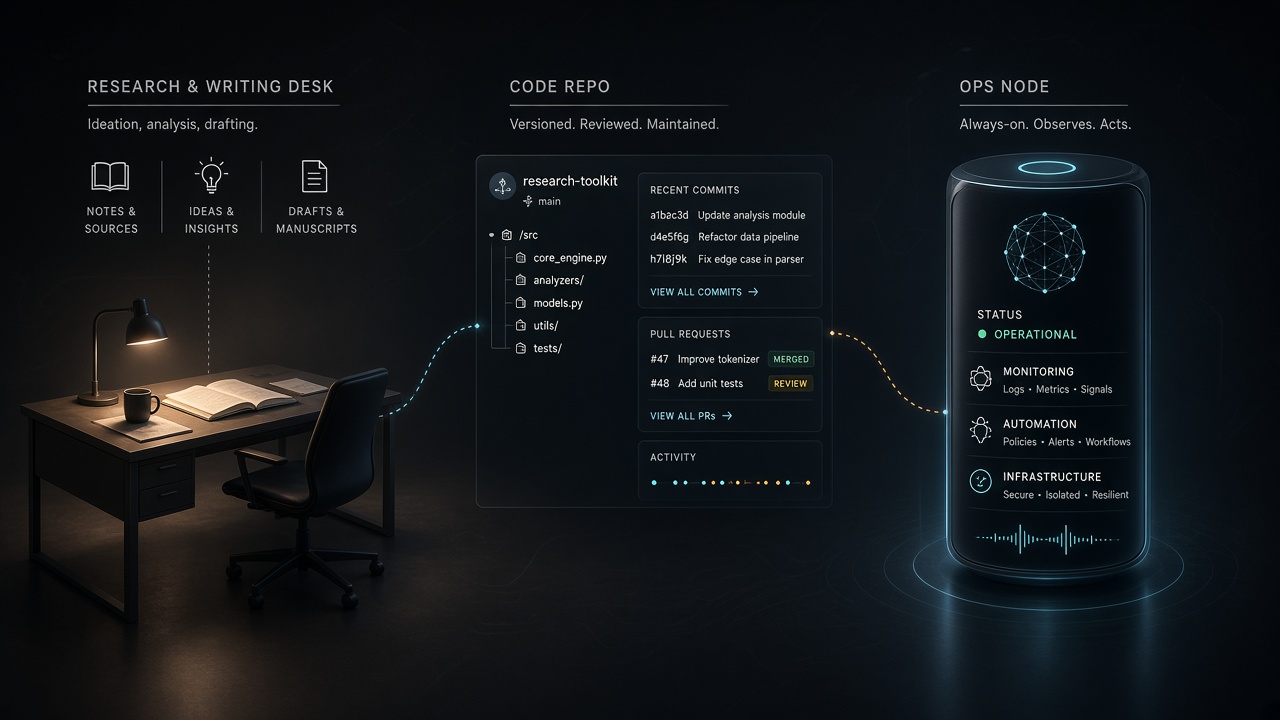
When Do I Use Abacus AI Instead of Grok Bot or Cursor?
I use Abacus AI for research, writing, and structured-data work. Grok Bot owns always-on ops. Cursor owns the repo. Here is the September 8, 2026 seat map.

GPT-6 Astra Field Guide: What I'll Run This Week
This week I run GPT-6 Astra as a named flagship lane: prompt plus context manifest, computer-use attended or off, Codex notes, and a tight n8n/MCP handoff.

Grok 4.6: Pin the ID, Watch the 200k Cliff.
I missed the August 12 Grok 4.6 pin. Today I pin grok-4.6, stay under 200k unless I mean to double the whole request, and I will not invent a Fast API ID.