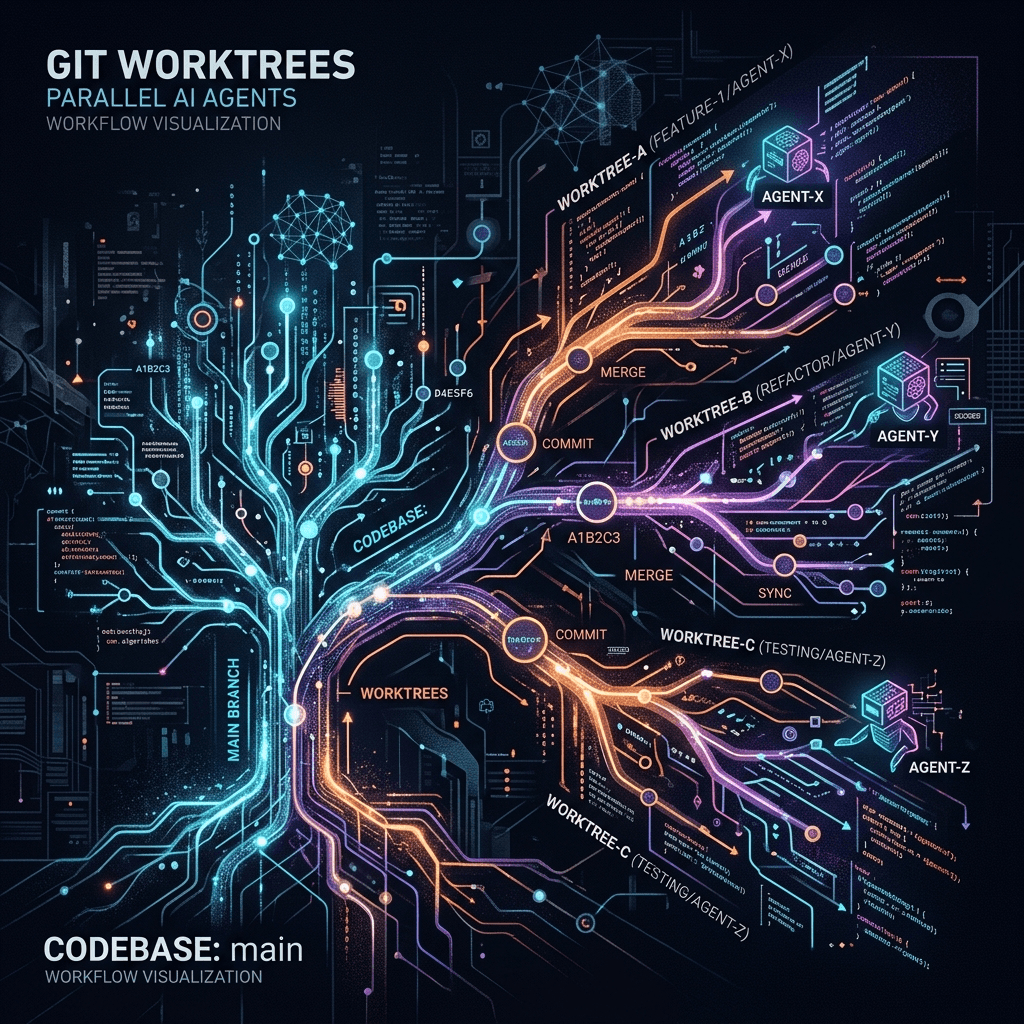
The Ultimate Guide to Git Worktrees: Supercharging AI Agents & Parallel Development

Table of Contents
1. What Actually Are Git Worktrees? #
On the surface, "Git worktrees" sounds like a hyper-complex, deep-level programming term reserved for kernel developers. The reality is remarkably simple and elegant.
A Git worktree allows you to check out multiple branches of the same repository simultaneously into different physical folders on your hard drive. They share the exact same Git history, the same .git metadata folder, and the same commits—but they act as distinct workspaces.
Think of it like opening the exact same Google Doc in two different web browser tabs. You are looking at the same core file history, but in Tab A you are drafting the introduction, and in Tab B you are aggressively editing the conclusion. Changes made in one don't instantly break your view in the other, but they all eventually merge back into the same document.
The Mechanics #
When you clone a repository normally, Git creates a single working tree (the directory where your actual files live) tied directly to a hidden .git folder. When you use a worktree, Git creates a new folder elsewhere on your system containing the files for a specific branch, but links it back to that original .git directory under the hood.
2. The Traditional Linear Nightmare (git stash)
#
Let's look at the problem Worktrees solve. Historically, developers operated sequentially.
- You are deep in the zone, working on an
auth-featurebranch. - A P0 bug is reported in production. You need to fix it right now.
- You run
git stashto save your messy, half-finished code. - You run
git checkout main. - You create a new
hotfixbranch. - You fix the bug, commit, and push.
- You
git checkout auth-feature. - You run
git stash pop. - You deal with the mental overhead of remembering what variable you were tracking 30 minutes ago.
This is the equivalent of sequential computing from the 1950s—waiting for one step to finish before the next can begin. It is tedious, error-prone, and relies heavily on your short-term memory.
3. The 2026 Catalyst: Why AI Agents Demand Worktrees #
If human context switching is bad, AI agent context switching is catastrophic.
As we push deeper into 2026, the modern developer doesn't just write code; they orchestrate it. You likely have Antigravity running terminal commands and managing your entire development environment, or perhaps Claude Code orchestrating side tasks. While Claude Code has had worktree integration for a while, Antigravity's newest feature update has fully embraced parallel worktree orchestration, making it the most dominant force in the space.
If you ask an AI agent to build a new feature, it begins mapping the codebase, reading files, and executing writes. If you try to run two agents in the same repository simultaneously without worktrees, you get Crossfighting. Agent A modifies a file that Agent B just read. Agent B tries to execute a script that Agent A just deleted. The agents become confused, hallucinate, and corrupt your codebase.
Git worktrees solve the sequential vs. parallel problem. By giving Agent A an authentication worktree, and Agent B a frontend worktree, they exist in isolated physical directories. They can cook independently at maximum speed.
4. The Danger of Context Pollution #
Another critical angle to consider is Context Pollution.
AI coding agents hold massive amounts of context in their active memory (often up to 1 million tokens or more, powered by frontier models like the newly released Claude Opus 4.7). If you use a single directory and switch branches while an agent is actively thinking or running a background process, the files physically change on the disk.
When the agent executes its next command to read a file, it reads the new branch's code. Its context window becomes polluted with functions and variables that don't belong to its assigned task. This completely derails the agent's logic.
Worktrees isolate the physical file system. An agent assigned to /project-frontend/ will never see the files morphing in /project-auth/, completely eliminating context pollution.
5. Step-by-Step: Setting Up Your First Git Worktree #
Setting up a worktree is astonishingly simple. Here is the exact actionable workflow:
Step 1: Navigate to your root repository #
cd my-saas-projectStep 2: Add a new worktree #
You use the git worktree add command, followed by the path where you want the new folder to live, and the name of the new branch you want to create (with -b).
git worktree add ../my-saas-project-hotfix -b hotfix/critical-bugStep 3: Verify your worktrees #
You can list all active worktrees linked to your repository:
git worktree listOutput:
/Users/will/my-saas-project           (branch: main)
/Users/will/my-saas-project-hotfix    (branch: hotfix/critical-bug)
Now, you have two physical folders side-by-side on your computer. You can open /my-saas-project/ in one VS Code window, and /my-saas-project-hotfix/ in another.
6. Orchestrating Parallel AI Agents with Antigravity #
Here is where the magic happens. While Claude Code has supported this for a while, Antigravity's newest architecture handles this with unmatched elegance. Let's say you want to build a backend express app and a sleek frontend UI at the same time.
Launching the Backend Agent #
- Open a terminal and navigate to your backend worktree.
- Fire up your first Antigravity agent instance.
- Prompt it: "Initialize a new Express app with a
/usersendpoint. Install dependencies, ensure AEO/AIO best practices, and commit."
Launching the Frontend Agent #
- Open a second terminal tab and navigate to your frontend worktree.
- Launch a second instance of Antigravity (or Claude Code, if you prefer mixing agents).
- Prompt it: "Build a beautiful interactive single-page site using React that will eventually consume a
/usersendpoint."
Both agents execute concurrently. Because they are in separate worktrees, they install their own node_modules, read their own files, and make their own commits. You have effectively doubled your output bandwidth.
7. The Lows: Disk Space and Dependency Hell #
It is vital to look at this from multiple perspectives. Git worktrees are not a flawless utopia; they introduce specific trade-offs that you must manage.
The Storage Tax #
Every new worktree is a full physical copy of your project files. While they share the .git database, they do not share un-tracked files. If your project has massive assets (videos, 3D models), your hard drive will fill up fast.
Dependency Duplication #
Because worktrees are separate folders, they do not share node_modules, Python venv folders, or .env files.
- The Low: If you create a new worktree, you must run
npm installagain. You also have to manually copy over your.envfiles if the agent needs API access. - The High: This is actually a blessing in disguise for dependency testing. You can upgrade a package in Worktree A and test it, while Worktree B remains safely on the old version.
8. Advanced Worktree Management (prune, list, remove)
#
To prevent your system from turning into a chaotic graveyard of abandoned folders, you need to master worktree lifecycle management.
Removing a Worktree #
When you are done with a feature, and the branch is merged, don't just delete the folder using rm -rf. Tell Git to remove it cleanly:
git worktree remove ../my-saas-project-hotfixPruning Stale Worktrees #
If you did accidentally delete the folder via your file explorer, Git will still think the worktree exists. To clean up the internal database, run:
git worktree pruneThis commands Git to scan its internal records, realize the physical folder is missing, and sever the connection.
9. Merging the Multiverse: Becoming the Maestro #
Once your parallel AI agents have finished cooking, you transition from "developer" to "maestro." You must merge their isolated realities back into the main timeline.
The beauty of worktrees is that they are just standard Git branches under the hood.
- Navigate to your primary
mainrepository folder. - Run standard merge commands:
 git merge feature/backend-auth
 git merge feature/frontend-design
If there are merge conflicts, you can actually launch a third AI agent in your main directory, ask it to read the git status, and instruct it to systematically resolve the merge conflicts between the two features.
10. Best Practices for the AI-Native Developer #
To truly leverage Git worktrees in 2026, adhere to these strict best practices:
- Keep Worktrees Adjacent: Create your worktrees side-by-side in a parent directory (e.g.,
~/projects/my-app-main,~/projects/my-app-feature). Do not nest a worktree inside another worktree. - Automate .env Copying: Write a simple bash alias that creates a worktree and automatically copies the
.envfile from the root directory into the new worktree. - Use Opus 4.7 for Long Context: If you are running multiple agents, use a model with a massive context window and flawless recall—specifically the newly released Claude Opus 4.7—to ensure that when you finally merge, the agent can hold the entire project architecture in its head for perfect AIO synthesis.
- Leverage Fast Mode: When using agents in parallel, utilize API-driven fast modes to reduce wait times. Speed is the entire point of parallelization.
FAQ Section #
Q: Do Git worktrees duplicate my entire .git history folder?
#
A: No. This is the primary advantage of Git worktrees over simply cloning the repository a second time. All worktrees link back to the central .git folder of the main repository, saving significant disk space on commit histories and packed objects.
Q: What happens if I make changes in a worktree and switch branches? #
A: Worktrees behave exactly like normal repositories. If you have uncommitted changes in a worktree, you cannot switch branches if those changes would be overwritten. You must commit, stash, or discard them—just like standard Git.
Q: Can two worktrees have the same branch checked out? #
A: No. Git strictly forbids checking out the exact same branch in two different worktrees simultaneously. This is a safety mechanism to prevent file corruption and conflicting Git history states.
Q: How do I share .env files across worktrees?
#
A: You cannot natively share them since they are untracked files. You must manually copy your .env file into the new worktree folder, or use a tool like direnv configured to pull environment variables from a centralized location.
Q: Are Git worktrees better than git stash?
#
A: For anything taking longer than 5 minutes, yes. git stash is fine for a quick 30-second fix, but it relies on your mental memory to pop it and regain context. Worktrees allow you to physically leave your mess exactly as it is in one window, and open a pristine environment in another.
Q: Does using worktrees break my IDE settings? #
A: It can. Because you are opening a new physical folder, workspace-specific settings in VS Code (stored in .vscode/) will not automatically carry over unless they are committed to the repository.
Q: Can I use Git worktrees with GitHub Actions or CI/CD? #
A: Yes, but it is entirely unnecessary. CI/CD pipelines run in ephemeral, isolated containers anyway. Git worktrees are strictly a local development workflow optimization.
Q: How do I delete a Git worktree safely? #
A: Ensure you have committed all work. Run git worktree remove <path-to-worktree>. If you simply delete the folder via your OS, you must run git worktree prune inside your main repo to clean up Git's internal references.
Q: Can AI coding agents like Antigravity and Claude Code create worktrees automatically? #
A: Yes! While Claude Code has possessed this capability for some time, Antigravity's newest feature update allows it to automatically initialize and manage Git worktrees. If you instruct these advanced agents to work on distinct, conflicting features, they will automatically isolate their environments before they begin coding.
Q: Is there a performance penalty to having too many worktrees? #
A: Git performance remains stellar regardless of how many worktrees you have. The only penalty is physical disk space (due to duplicated node_modules and raw files) and the mental overhead of remembering which folder does what.
Conclusion #
Git worktrees are no longer just an obscure power-user feature; they are a fundamental prerequisite for scaling your output in the age of AI. By physically isolating branches, you eliminate context switching, banish context pollution, and unlock the ability to orchestrate multiple AI coding agents simultaneously.
Stop stashing your thoughts. Start opening new worktrees. When you embrace parallel development, you stop acting like a single programmer and start operating like an entire engineering department.
Related Posts

How to Stop Client-Facing AI Agents From Hallucinating
Client-facing AI agents hallucinate when they answer without grounding. Here's the layered guardrail stack I use to keep agents accurate and on-script.

AI Sales Systems vs Traditional CRM Automation
Traditional CRM automation fires rules; AI sales systems reason about each lead. Here's how they differ, where each wins, and how to combine them.

The Manual Workflows With the Highest ROI When Replaced by AI Agents
Not every task is worth automating. Here are the manual workflows with the highest ROI when you replace them with AI agents, ranked by payback speed.




