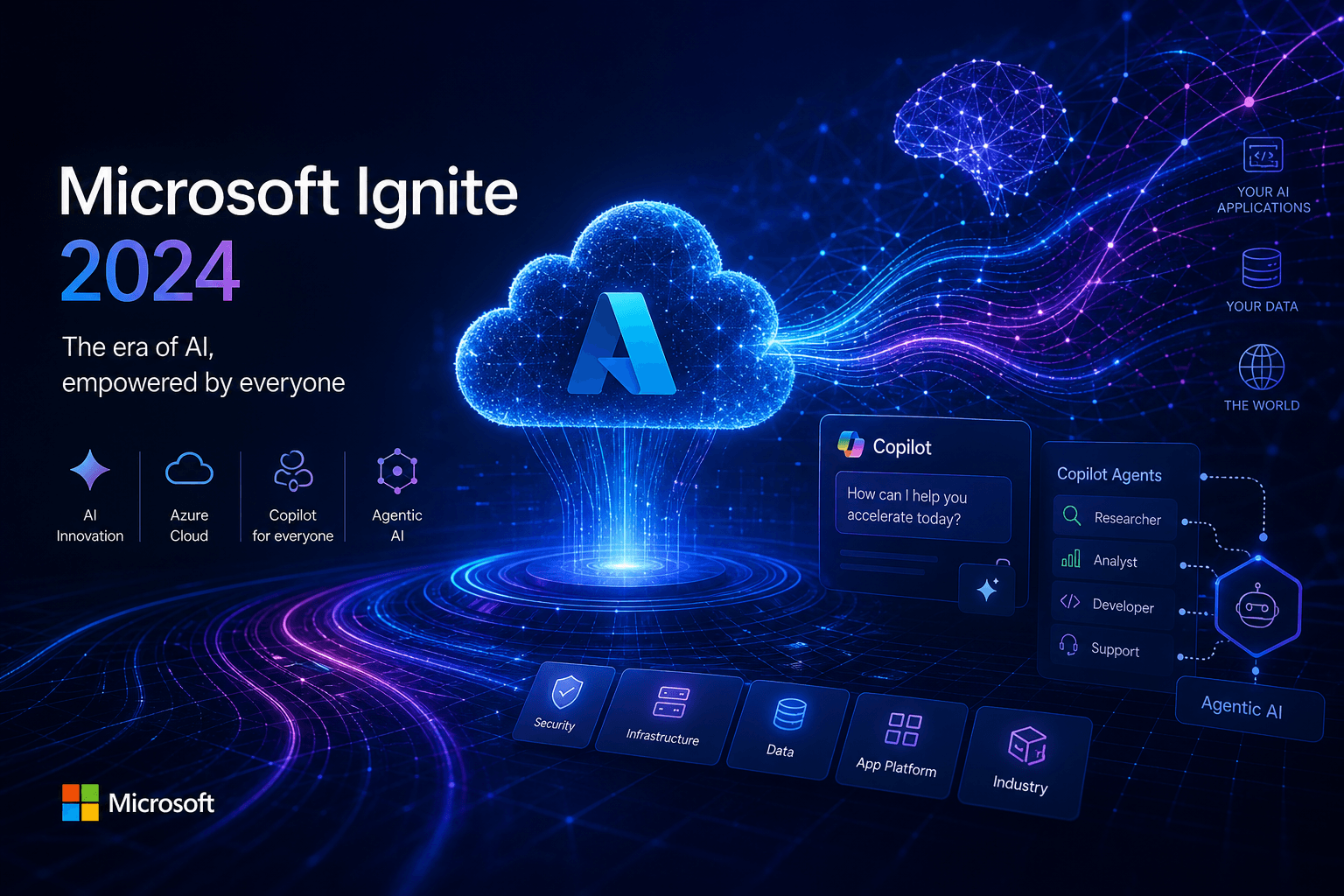
Microsoft Ignite 2024: Azure AI Foundry, Copilot Studio Agents GA, Copilot Pages — Full Coverage

Table of Contents
Microsoft Ignite 2024: Azure AI Foundry, Copilot Studio Agents GA, Copilot Pages — Full Coverage #
Microsoft is betting everything on agentic AI. Today at Ignite 2024 in Chicago, Satya Nadella and the Microsoft leadership team unveiled the most comprehensive enterprise AI platform overhaul since the launch of Azure itself. Azure AI Foundry is now live as a unified application platform, Copilot Studio agents have hit general availability with autonomous capabilities in preview, and Copilot Pages introduces a genuinely new paradigm for multiplayer AI collaboration.
This isn't incremental improvement. This is Microsoft declaring that the future of enterprise software is autonomous, agentic, and deeply integrated across every workflow. With 200,000 registered attendees and over 14,000 people on-site, Ignite 2024 marks the moment Microsoft moves from "AI experiments" to "AI infrastructure."
Here's everything that matters from today's announcements.
Azure AI Foundry: The New Unified Platform for Enterprise AI #
Azure AI Foundry represents the most significant rearchitecture of Microsoft's AI stack since Azure ML. It's not a rebrand of Azure AI Studio — it's a fundamental consolidation of the entire AI toolchain into a single, enterprise-grade platform designed to bridge the gap between research-grade AI systems and practical business applications.
The platform arrives at a critical moment. According to Deloitte research cited by Microsoft, nearly 70% of organizations have moved fewer than 30% of their Generative AI experiments into production. Azure AI Foundry exists to fix that production bottleneck.
Three Core Components of Azure AI Foundry #
| Component | Purpose | Status |
|---|---|---|
| Azure AI Foundry SDK | Unified toolchain for customizing, testing, deploying, and managing AI apps | Preview |
| Azure AI Foundry Portal | Enterprise-grade management console and visual interface | Preview |
| Azure AI Agent Service | Orchestrate, deploy, and scale enterprise-ready agents | Preview (next month) |
The Azure AI Foundry SDK is the headline feature for developers. It provides access to 25 prebuilt app templates and integrates directly with familiar tools including GitHub, Visual Studio, and Copilot Studio. The SDK unifies model selection, evaluation, safety testing, and deployment workflows that previously required navigating multiple disconnected Azure services.
Azure AI Agent Service: Enterprise-Grade Agent Orchestration #
The Azure AI Agent Service, launching in preview next month, is Microsoft's answer to the orchestration challenge that every enterprise AI team faces. It enables professional developers to deploy and scale agents that can automate business processes while maintaining enterprise security requirements.
Key capabilities include:
- Bring Your Own Storage (BYOS) for data privacy compliance
- Private networking support for sensitive enterprise environments
- Native integration with Microsoft SharePoint and Microsoft Fabric for enterprise data grounding
- Tool integration to automate actions across business systems
The Agent Service handles the complex orchestration layer that separates prototype agents from production-ready systems. It manages agent lifecycle, handles event triggering, and maintains human-in-the-loop review capabilities for critical decisions.
Expanded Model Catalog: 1,800+ Models with Industry-Specific Options #
Azure AI Foundry's model catalog now includes more than 1,800 models, and Microsoft is aggressively expanding with specialized and industry-specific options:
New Partner Models:
- Bria AI (preview): Specialized image generation models
- NTT DATA (generally available): Enterprise-focused language models
- Bayer: L.Y. Crop Protection model for agronomic decision-making
- Rockwell Automation: FT Optix Food & Beverage model for manufacturing troubleshooting
- Saifr/Fidelity Labs: Four compliance models for financial services marketing
- Paige.ai: Healthcare-specific pathology models
This breadth of model choice, combined with the unified evaluation and benchmarking tools in Foundry, means organizations can select optimal models for specific use cases without vendor lock-in.
Enhanced RAG with Azure AI Search #
Azure AI Search receives major upgrades for Retrieval-Augmented Generation (RAG) applications. The new generative query engine, available in preview, delivers up to 12.5% better relevance and is up to 2.3 times faster than last year's stack.
Key improvements include:
- Query rewriting using an SLM (Small Language Model) trained on generative AI query patterns
- New semantic ranker with an upgraded reranking model
- Zero configuration — improvements apply automatically without manual tuning
- GitHub Models integration — free Azure AI Search index provisioning directly from GitHub Codespaces
Database Integrations: GraphRAG and DiskANN #
Microsoft Research innovations are now production-ready in Azure Databases:
- GraphRAG (preview in Azure Database for PostgreSQL): Advanced RAG capabilities that enhance LLMs with private PostgreSQL datasets through graph-based knowledge representation
- DiskANN (generally available in Azure Cosmos DB, preview in PostgreSQL): High-performance vector search algorithms for low-latency, highly scalable search
- Hybrid search (preview in Cosmos DB): Combines vector and full-text search capabilities
These integrations mean organizations can build sophisticated RAG pipelines without managing separate vector databases or complex orchestration layers.
Copilot Studio: Autonomous Agents Go General Availability #
Copilot Studio has evolved from a simple chatbot builder into a full agentic platform. Today's general availability announcement for agents, combined with new autonomous capabilities in preview, positions Copilot Studio as Microsoft's low-code entry point into the agentic AI future.
Autonomous Agentic Capabilities (Preview) #
The most significant new capability is autonomous agentic functionality. Makers can now build agents that act in the background to respond to events without requiring human prompting each time.
Autonomous agents can:
- Respond to trigger events like receiving an email or file upload
- Take actions on behalf of users without real-time prompting
- Escalate to human review when confidence thresholds aren't met
- Operate across Microsoft 365, third-party systems, and custom APIs
This moves Copilot Studio beyond conversational interfaces into true workflow automation. An autonomous agent could monitor an email inbox for vendor invoices, extract data, validate against purchase orders, and queue for approval — all without human intervention until the final sign-off.
Agent Library: Pre-Built Templates #
Copilot Studio now includes an agent library with templates for common business scenarios:
- Leave management agents: Handle PTO requests, balance checks, and policy compliance
- Sales order agents: Process orders, validate inventory, and update CRM records
- Deal acceleration agents: Monitor opportunity stages and prompt follow-up actions
These templates provide starting points that makers can customize for their specific organizational needs, dramatically reducing time-to-value for agent deployments.
Multi-Modal Capabilities #
New multi-modal features expand agent capabilities beyond text:
- Image upload and analysis: Users can upload images for agent analysis and Q&A, powered by GPT-4o
- Voice-enabled agents: Organizations can embed voice experiences in apps and websites for immediate customer response (private preview)
- Advanced knowledge tuning: Makers can resolve unanswered questions by matching specific instructions to knowledge gaps and continuously adding new sources
Azure AI Foundry Integration #
The convergence of Copilot Studio and Azure AI Foundry enables sophisticated hybrid scenarios:
- Bring-your-own-knowledge via Azure AI Search indexes (preview)
- Bring-your-own-model via Azure AI model catalog (private preview)
- Access to 1,800+ models including industry-specific fine-tuned options
- Microsoft 365 Agents SDK for code-first agent development that integrates with Copilot Studio agents
This integration means organizations can start with low-code agents in Copilot Studio and progressively enhance them with custom code, Azure AI services, and specialized models as requirements evolve.
Copilot Pages: Multiplayer AI Collaboration Goes Live #
Copilot Pages is the most interesting new product category Microsoft announced today. It's a dynamic, persistent canvas designed specifically for multiplayer AI collaboration — essentially a shared workspace where teams and Copilot work together on content creation, analysis, and problem-solving.
What Makes Copilot Pages Different #
Traditional AI chat is ephemeral. You ask a question, get a response, and that interaction disappears into chat history. Copilot Pages creates durable, editable documents that persist and evolve.
Core capabilities:
- Side-by-side editing: Users work alongside Copilot in a shared canvas
- Persistent documents: Pages save and remain accessible for ongoing refinement
- Multiplayer collaboration: Teams can edit and contribute to the same Page simultaneously
- Enterprise grounding: Pages can reference and cite enterprise data sources
New Features Announced (Generally Available Early 2025) #
Microsoft outlined the roadmap for Pages with several significant enhancements:
Rich Artifacts: Support for content types beyond text, including:
- Code blocks with syntax highlighting
- Interactive charts and data visualizations
- Tables with structured data
- Diagrams and flowcharts
- Mathematical notation
Multi-Page Support: Users can create multiple Pages within a single chat session or aggregate content from multiple sessions into one Page. This enables complex project documentation where different conversations contribute to a single evolving document.
Ground on Page Content: As Pages are updated, subsequent Copilot responses automatically reference the Page content for context. This creates a feedback loop where the document itself becomes part of the prompt context.
Mobile Availability: Pages will be viewable, editable, and shareable on mobile devices, extending collaboration beyond desktop environments.
Use Cases for Copilot Pages #
Pages fills a gap between ephemeral chat and formal document creation:
- Strategic planning sessions: Teams can collaboratively build strategy documents with AI-assisted research and analysis
- Code review and architecture: Developers can document system designs with embedded code snippets and diagrams
- Research synthesis: Analysts can compile findings from multiple sources with AI-generated summaries and visualizations
- Project documentation: Project managers can maintain living documents that evolve with project status
Satya Nadella's Keynote: Three Exponentials and the Platform Shift #
Satya Nadella framed Ignite 2024 around three exponentially improving capabilities that he argues represent the most significant platform shift since the graphical user interface:
1. Universal Multimodal Interface #
AI systems now support speech, images, video, and text through a single interface. This eliminates the translation layer between human communication patterns and computer inputs. Users can show, speak, draw, or type — the AI understands all of it natively.
2. Reasoning and Planning Capabilities #
Current-generation AI demonstrates genuine reasoning and planning abilities. These aren't simple pattern matches; they're systems that can break down complex goals, identify required steps, and execute multi-step plans while adapting to changing conditions.
3. Long-Term Memory with Tool Use #
AI systems now maintain context across extended interactions and can invoke external tools to accomplish tasks. This combination of memory and tool use enables agents that operate autonomously while staying grounded in organizational context.
The Agentic Web Vision #
Nadella described a future where agents become primary actors in business workflows. Rather than humans navigating software to complete tasks, agents will handle routine work directly while involving humans for judgment, approval, and complex decisions.
This vision requires three platform layers:
| Layer | Microsoft's Offering | Purpose |
|---|---|---|
| Infrastructure | Azure AI Foundry | Build, deploy, and manage AI apps |
| Orchestration | Copilot Studio + Azure AI Agent Service | Create and govern autonomous agents |
| Experience | Microsoft 365 Copilot + Copilot Pages | User-facing AI collaboration |
New Out-of-the-Box Agents in Microsoft 365 Copilot #
Microsoft shipped multiple purpose-built agents that demonstrate the agentic vision. These aren't generic chatbots — they're specialized agents with specific domains, capabilities, and integration points.
Agents in SharePoint (Generally Available) #
SharePoint agents let employees query content across files, folders, and sites with natural language. Key features:
- User-created agents: Anyone can build agents tailored to specific SharePoint locations
- Permission awareness: Agents respect existing SharePoint permissions and sensitivity labels
- Multi-channel sharing: Agents can be shared via email, meetings, and Teams chats
- Real-time responses: Live queries against current document states
This transforms SharePoint from a document repository into an active knowledge system that answers questions and surfaces insights.
Employee Self-Service Agent (Private Preview) #
The Employee Self-Service Agent in Business Chat (BizChat) handles common workplace administrative tasks:
- Retrieve benefits and payroll information
- Start leave of absence requests
- Request IT equipment
- Get assistance for Microsoft 365 products
This agent consolidates HR and IT self-service into a single conversational interface, reducing the friction of routine administrative tasks.
Facilitator Agent (Preview) #
The Facilitator agent enhances Teams collaboration:
- In meetings: Real-time note-taking with co-authoring capabilities
- In chats: Automatic summaries of important conversation points as they happen
This addresses the persistent challenge of meeting documentation and information retention in fast-moving conversations.
Interpreter Agent (Preview Early 2025) #
The Interpreter agent provides real-time interpretation in Teams meetings:
- Support for up to nine languages simultaneously
- Voice simulation for personal voice matching
- Real-time speech-to-speech translation
This has significant implications for global organizations, potentially eliminating language barriers in international collaboration.
Project Manager Agent (Preview) #
The Project Manager agent automates project management in Planner:
- Automatic plan creation from scratch or templates
- Task assignment based on team capacity and skills
- Progress tracking and status reporting
- Reminder and notification management
- Content creation for project deliverables
This agent effectively embeds project management expertise directly into the planning tool, reducing the administrative overhead of project coordination.
Copilot Actions: Delegation for Routine Tasks #
Copilot Actions enable users to delegate repetitive tasks through customizable prompt templates. This feature, now in private preview, represents a step toward personal automation within the Microsoft 365 ecosystem.
Copilot Actions can:
- Request status updates from team members on a schedule
- Compile weekly reports from multiple data sources
- Send daily email summaries of important communications
- Gather agenda items before meetings
- Trigger based on events, schedules, or on-demand requests
The output formats are configurable — Actions can generate emails, Word documents, Teams messages, or other Microsoft 365 content types. This turns Copilot from a reactive assistant into a proactive automation engine.
Microsoft 365 Copilot: Application-Specific Enhancements #
Every application in the Microsoft 365 suite received Copilot upgrades that demonstrate the depth of Microsoft's AI integration strategy.
Copilot in PowerPoint #
Three major features are rolling out:
Narrative Builder with File Support (GA January 2025): Copilot's Narrative Builder can now combine insights from referenced documents into presentations, generating branded designs, speaker notes, and transitions automatically.
Presentation Translation (GA December 2024 for web, January 2025 for desktop): Full presentation translation into 40 languages while preserving slide design and layout.
Organization Image Support (GA Q1 2025): Access to SharePoint Organization Asset Library and Templafy image libraries for on-brand presentation creation.
Copilot in Excel #
The new start experience enables users to create task-tailored spreadsheets through natural language description. Copilot suggests and refines templates with headers, formulas, and visualizations appropriate to the specified use case — whether that's project budgets, inventory trackers, or sales reports. This is generally available by end of 2024.
Copilot in Outlook #
New meeting management capabilities include:
- Automatic scheduling of focus time or 1:1 meetings with optimal time finding
- Agenda drafting based on meeting goal descriptions
- Generally available by end of November 2024
Copilot in OneNote #
OneNote now supports multimodal note organization. Copilot can organize ideas from typed, handwritten, and voice notes within a section, providing preview organization structures that users can refine before applying. This is in preview.
Copilot in Teams: Screen Share Analysis #
A significant new capability enables Copilot to analyze content shared on screen during Teams meetings. This provides a 360-degree view of meetings by combining analysis of spoken words, chat messages, and on-screen content.
Users can ask Copilot to:
- Summarize screenshared content (e.g., "Which products had the highest sales?")
- Consolidate insights across conversation and presentation (e.g., "What was the feedback per slide?")
- Draft content based on the entire meeting (e.g., "Rewrite the spreadsheet as a table with only on-track rows")
This capability is in preview in early 2025.
Developer-Focused Announcements: Infrastructure for AI Apps #
Microsoft didn't forget developers in this wave of announcements. Azure Container Apps, AI Content Understanding, and multiple SDK updates provide infrastructure for building sophisticated AI applications.
Azure Container Apps: Serverless GPUs and Dynamic Sessions #
Serverless GPUs (Preview): Run custom AI models on NVIDIA GPUs with serverless scaling, optimized cold start, per-second billing, and automatic scale-to-zero. This eliminates infrastructure management for GPU workloads.
Dynamic Sessions (GA): Fast access to secure sandboxed environments for running LLM-generated code or extending SaaS applications. Includes a Python code interpreter pre-installed with popular libraries.
Azure AI Content Understanding (Preview) #
This new service uses generative AI to extract information from unstructured data (documents, images, video, audio) into customizable structured outputs. Pre-built templates cover:
- Call center analytics
- Marketing automation
- Content search
By processing multiple modalities simultaneously, Content Understanding reduces the complexity of building multimodal AI applications.
GitHub Copilot for Azure (Preview) #
GitHub Copilot for Azure acts as a personal guide to Azure development. The @azure command in Copilot Chat provides personalized guidance for resource management and application deployment without leaving the development environment.
Security, Governance, and Responsible AI #
Enterprise adoption requires trust. Microsoft announced multiple capabilities focused on security, compliance, and responsible AI governance.
AI Reports and Risk Evaluations #
AI Reports (private preview next month): Enable developers to document use cases, model cards, and evaluation results for fine-tuned models and generative AI applications. Compliance teams can review, export, approve, and audit these reports.
Risk and Safety Evaluations for Images (preview next month): Expands existing text-based evaluations to assess harmful content in image outputs, including text-to-image generation and meme analysis.
Microsoft Purview Integration #
Microsoft Purview now provides comprehensive data security for AI applications:
- Data Security Posture Management for AI (GA): Discovers AI risks, prevents data oversharing, and identifies sensitive data exposure
- Insider Risk Management for GenAI (preview): Detects risky AI usage patterns including prompt injection attempts
- DLP for Microsoft 365 Copilot (preview): Prevents Copilot from processing files based on sensitivity labels
Compliance Manager: AI Regulations #
Compliance Manager now includes templates for emerging AI regulations:
- EU AI Act
- NIST AI Framework
- ISO 42001
- ISO 23894
- DORA (Digital Operational Resilience Act)
This enables organizations to assess compliance posture as AI regulations shift across jurisdictions.
Industry-Specific AI Models and Partnerships #
Microsoft recognizes that generic AI models don't solve industry-specific problems. The Azure AI model catalog now includes adapted models from major industry partners:
| Partner | Industry | Model Purpose |
|---|---|---|
| Bayer | Agriculture | L.Y. Crop Protection for agronomic decision-making |
| Cerence | Automotive | CaLLM Edge for in-vehicle controls without cloud connectivity |
| Rockwell Automation | Manufacturing | FT Optix for food & beverage asset troubleshooting |
| Saifr/Fidelity Labs | Financial Services | Marketing compliance and risk interpretation |
| Siemens | Manufacturing | NX X Copilot for design task assistance |
| Sight Machine | Manufacturing | Factory Namespace Manager for data integration |
These models address the "last mile" problem of enterprise AI — adapting general capabilities to specific industry contexts where domain expertise matters.
Data and Analytics: Fabric Databases and OneLake #
Microsoft Fabric received major enhancements that unify operational and analytical data for AI applications.
Fabric Databases (Preview) #
The new SQL database in Microsoft Fabric provides:
- Automatic data replication to OneLake for instant analytical availability
- Native vector search with embedding model integration for RAG patterns
- Auto-optimizing and auto-scaling databases that provision in seconds
- Copilot assistance for natural language-to-SQL translation
- GitHub integration for CI/CD workflows
This creates a unified data platform where transactional and analytical workloads share a single source of truth.
OneLake Catalog (GA) #
The OneLake catalog provides unified discovery, management, and governance for the entire Fabric data estate:
- Explore tab: Central location for discovering accessible data with filtering by domain, type, owner, and endorsement
- Govern tab (preview early 2025): Status overview with recommended actions for data quality and compliance
Azure Managed Redis (Preview) #
Azure Managed Redis provides cost-effective caching for AI applications with up to 99.999% availability. It supports advanced search capabilities, active-active geo-replication, and various data types essential for AI app performance optimization.
Infrastructure Announcements: Silicon, VMs, and Edge #
Microsoft's infrastructure investments support the compute demands of AI workloads. Multiple hardware and virtualization announcements support this foundation.
Azure ND GB200 V6 VMs (Preview) #
Powered by NVIDIA Blackwell GB200 Superchips, these VMs represent a new standard for AI supercomputing in the cloud. They dramatically accelerate training and inference for the most advanced AI models.
Azure HBv5 VMs (Preview 2025) #
Built for high-performance computing workloads, HBv5 VMs feature custom AMD EPYC 9V64H processors with high-bandwidth memory. They deliver up to 8x higher performance than bare metal alternatives and up to 35x faster performance than legacy on-premises systems.
Azure Local (GA) #
Azure Local replaces the Azure Stack product family as Microsoft's cloud-controlled hybrid infrastructure platform. It extends Azure services to distributed locations for mission-critical workloads and AI processing at the edge.
Windows 365 Link: The Cloud PC Era Begins #
Windows 365 Link represents a new device category purpose-built for Windows 365 Cloud PC connections. This $349 device, available in preview today and GA in April 2025, provides:
- Seconds-to-boot performance with instant wake from sleep
- No local data or apps — everything streams from the cloud
- Passwordless authentication via Microsoft Entra ID
- Dual 4K monitor support with four USB ports
- 90% post-consumer recycled aluminum construction
This is Microsoft's bet that the future of endpoint computing is cloud-first, with local devices becoming thin clients for cloud-hosted desktops.
What This Means for Enterprise AI Strategy #
Microsoft has just defined the enterprise AI platform reference architecture. The combination of Azure AI Foundry, Copilot Studio, and Microsoft 365 Copilot creates a coherent stack that addresses every layer of enterprise AI deployment.
For Technical Leaders #
- Unified toolchain reduces complexity and accelerates time-to-production
- Enterprise governance capabilities address compliance requirements
- Hybrid flexibility supports both cloud and edge deployment scenarios
- Model choice prevents vendor lock-in while optimizing for specific use cases
For Business Leaders #
- Measurable ROI through Copilot Analytics and business impact reporting
- Autonomous agents automate routine work at scale
- Multiplayer collaboration via Copilot Pages transforms how teams work with AI
- Industry-specific models accelerate domain adoption
For Developers #
- SDK-first approach enables code-first AI development
- 25 prebuilt templates accelerate common application patterns
- Serverless GPUs eliminate infrastructure management for ML workloads
- GitHub integration maintains existing development workflows
FAQ: Microsoft Ignite 2024 Announcements #
What is Azure AI Foundry and how is it different from Azure AI Studio? #
Azure AI Foundry is a unified application platform that consolidates the entire AI toolchain, while Azure AI Studio evolves into the Foundry portal. Foundry provides a comprehensive SDK, enterprise management console, and unified model catalog. It's designed to bridge the gap between AI experimentation and production deployment, addressing the statistic that 70% of organizations have moved fewer than 30% of GenAI experiments into production.
When will Copilot Studio autonomous agents be available? #
Autonomous agentic capabilities in Copilot Studio are in preview now. The general availability of agents shipped today, but autonomous capabilities that enable agents to act without human prompting for each action are in preview. Organizations can start building autonomous agents today for background task execution.
What is Copilot Pages and when can I use it? #
Copilot Pages is a dynamic, persistent canvas for multiplayer AI collaboration. It's generally available now for Microsoft 365 Copilot users with Microsoft Entra accounts. New features including rich artifacts (code, charts, tables), multi-page support, and mobile availability are coming in early 2025.
How much does Azure AI Foundry cost? #
Azure AI Foundry uses standard Azure consumption pricing for underlying services including compute, storage, and model inference. The Foundry SDK and portal are available at no additional charge beyond the Azure resources consumed. Specific model inference costs vary by model and usage tier.
What happened to Azure AI Studio? #
Azure AI Studio is evolving into the Azure AI Foundry portal. Existing projects and configurations will migrate to the new Foundry portal experience. The portal provides enhanced management capabilities including subscription information, access privileges, quota usage, and cross-functional team collaboration tools.
Can I use my own models with Copilot Studio? #
Yes, through the Azure AI Foundry integration. Bring-your-own-model via the Azure AI model catalog is in private preview, enabling Copilot Studio agents to access the full catalog of 1,800+ models including custom and fine-tuned options. Bring-your-own-knowledge via Azure AI Search is in preview now.
What are the security implications of autonomous agents? #
Microsoft has implemented multiple governance layers for autonomous agents including data loss prevention, sensitivity label enforcement, insider risk management, and comprehensive audit logging. Agents respect existing permissions and can be configured with human-in-the-loop requirements for sensitive actions. The Microsoft 365 Agents SDK provides enterprise-grade security controls for code-first scenarios.
How does Copilot Pages differ from regular Copilot chat? #
Copilot Pages creates durable, editable documents while chat is ephemeral. Pages persist as collaborative documents that teams can edit together, with Copilot responses grounded in the evolving Page content. Pages support rich content types including code, charts, and diagrams that chat cannot accommodate. Think of Pages as shared documents with an AI collaborator, versus chat as transient Q&A.
What industry-specific models are available in Azure AI Foundry? #
Over a dozen industry-specific models launched today covering agriculture (Bayer), automotive (Cerence), manufacturing (Rockwell, Sight Machine, Siemens), financial services (Saifr/Fidelity Labs), and healthcare (Paige.ai). These models address domain-specific use cases with fine-tuned capabilities that general-purpose models cannot match.
How do I get started with Azure AI Agent Service? #
The Azure AI Agent Service launches in preview next month. Developers can sign up for the preview through the Azure AI Foundry portal. The service requires an existing Azure subscription and integrates with Azure AI Foundry SDK for development workflows. Documentation and quickstart templates will be available when the preview opens.
What's the difference between Copilot Studio agents and Azure AI Agent Service? #
Copilot Studio provides low-code agent development while Azure AI Agent Service targets professional developers with code-first orchestration. Copilot Studio agents integrate deeply with Microsoft 365 and are ideal for business process automation. Azure AI Agent Service offers more granular control for complex enterprise scenarios requiring custom orchestration logic.
Is Windows 365 Link a replacement for traditional PCs? #
Windows 365 Link is the first device purpose-built for cloud PC connections but targets specific use cases. At $349, it's positioned for desk-based workers with reliable internet connectivity and primarily cloud-based workflows. Traditional PCs remain appropriate for users requiring local compute power, offline capability, or specialized peripheral support.
The Bottom Line #
Microsoft Ignite 2024 marks the transition from AI experimentation to AI infrastructure. Azure AI Foundry provides the unified platform that enterprises need to move from proof-of-concept to production at scale. Copilot Studio's autonomous agents demonstrate that the agentic future isn't theoretical — it's deployable today. Copilot Pages introduces a genuinely new interaction paradigm for AI collaboration.
For organizations building enterprise AI strategies, Microsoft just laid out the most comprehensive platform stack available. The integration between Azure AI Foundry, Copilot Studio, and Microsoft 365 Copilot creates coherent paths from low-code automation to sophisticated custom development.
The question isn't whether enterprise AI will happen. The question is whether your organization will lead or follow. Microsoft has placed a very large bet that they can power whichever choice you make.
Ready to build autonomous agents and AI automation for your organization? Book an AI automation strategy call and let's discuss how to put these Ignite 2024 announcements to work in your enterprise.
Related Reading:
- GitHub Models Public Preview: OpenAI, Anthropic, Mistral on GitHub — August 2024 coverage of Microsoft's AI model marketplace strategy
- Microsoft Phi 3.5 Family: MIT SLMs Take on Llama 3.1 — Microsoft's small language model evolution
- Microsoft Autonomous Agents in Copilot Studio — Earlier agent announcements from October 2024
Related Posts

How to Stop Client-Facing AI Agents From Hallucinating
Client-facing AI agents hallucinate when they answer without grounding. Here's the layered guardrail stack I use to keep agents accurate and on-script.

AI Sales Systems vs Traditional CRM Automation
Traditional CRM automation fires rules; AI sales systems reason about each lead. Here's how they differ, where each wins, and how to combine them.

The Manual Workflows With the Highest ROI When Replaced by AI Agents
Not every task is worth automating. Here are the manual workflows with the highest ROI when you replace them with AI agents, ranked by payback speed.




