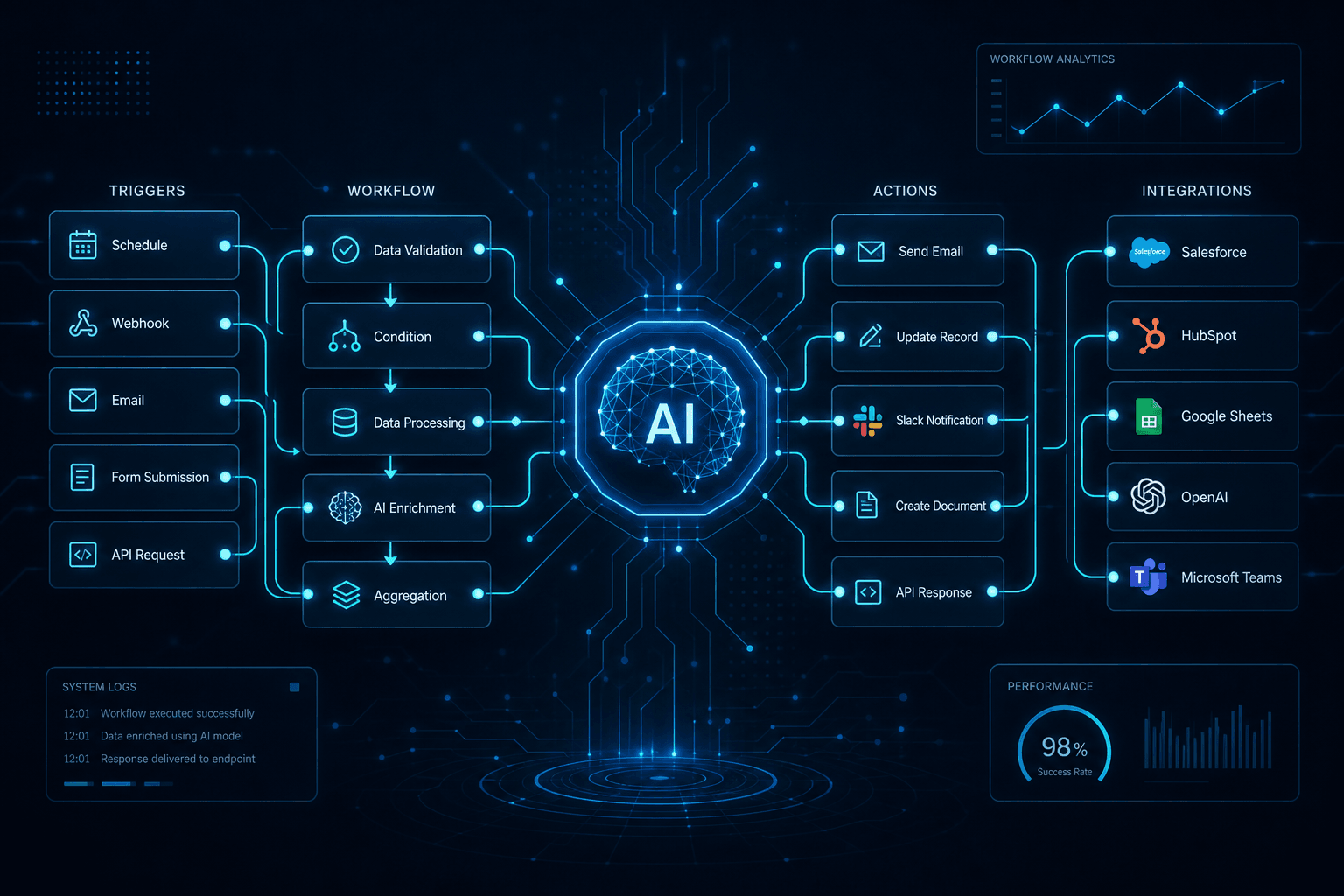
n8n/Make 2024 AI Node Recap: The Automation Year in Review

Table of Contents
n8n/Make 2024 AI Node Recap: The Automation Year in Review #
The workflow automation platforms went all-in on AI in 2024. What started as simple "call OpenAI" integrations matured into full agent frameworks, vector store connections, and protocol-level standardization. If you're building production AI workflows today, you need to know exactly what changed—and more importantly, which platform actually delivers when complexity scales.
I spent the year shipping automations across n8n, Make, and Zapier for clients ranging from solo founders to growth teams doing 7-figure ARR. This is what actually landed, what's hype, and where I'd place my bets for 2025.
Table of Contents #
- The Big Picture: AI Became Native, Not Bolted-On
- n8n's 2024 AI Node Drop: A Complete Inventory
- Deep Dive: The AI Agent Node (Tool Calling Agent)
- Deep Dive: The AI Transform Node (Code Generation)
- Deep Dive: Sentiment Analysis Node
- Vector Stores Arrived: Pinecone and Qdrant Integration
- MCP Lands in n8n: Model Context Protocol Integration
- Make's Counterpunch: AI Agents and the Visual Agent Builder
- Platform Comparison Matrix: n8n vs Make vs Zapier for AI Workflows
- What I Actually Built With These Nodes (Real Patterns)
- The Price Reality at Scale
- What's Coming in 2025 (And What I'm Watching)
The Big Picture: AI Became Native, Not Bolted-On #
The automation platform landscape fundamentally shifted in 2024: AI went from being an external API call you bolted onto workflows to a native execution primitive built into the platform itself.
Looking at what shipped this year, the pattern is unmistakable. n8n went deep on LangChain integration, releasing purpose-built nodes for agents, vector stores, sentiment analysis, and code generation. Make responded with their AI Agents feature, adding dynamic decision-making directly into their visual builder. Even Zapier, traditionally the "simple" option, expanded their AI offerings—though they still lag on native agent capabilities.
What changed isn't just feature count. The architecture changed. In 2023, an "AI workflow" meant: trigger → format prompt → call OpenAI → parse response → next step. In 2024, it means: trigger → agent evaluates context → agent selects tools → agent executes multi-step reasoning → structured output. That's the difference between using AI as a function and using AI as an orchestrator.
For builders, this matters because complexity handling scales differently. The 2024 node drop lets n8n workflows handle branching logic, memory management, tool selection, and vector retrieval without leaving the platform. You're not duct-taping Python scripts between HTTP nodes anymore—you're expressing agent behavior through native primitives.
The platforms that treated AI as core infrastructure (n8n) pulled ahead of those treating it as a premium add-on (Zapier). Make sits in the middle: solid AI capabilities, but still fundamentally a visual builder rather than a code-first platform. If you're choosing where to invest your workflow architecture for 2025, 2024's releases make that decision much clearer.
n8n's 2024 AI Node Drop: A Complete Inventory #
n8n shipped five major AI nodes in 2024, transforming it from a workflow platform with AI integrations into a legitimate AI agent development environment.
Here's the complete inventory with release dates and core functionality:
| Node | Release Date | Category | Core Function |
|---|---|---|---|
| AI Agent Node (Tool Calling Agent) | May 2024 | Agent Framework | LangChain-based agent with tool selection, memory, and reasoning |
| OpenAI Node v2 | May 2024 | LLM Integration | v2 Assistants API with temperature/topP, token tracking, message memory |
| HTTP Request "Ask AI" | May 2024 | Developer Experience | AI-generated curl commands and HTTP node configuration |
| Sentiment Analysis Node | July 2024 | Text Processing | LLM-powered sentiment classification with custom categories |
| AI Transform Node | August 2024 | Code Generation | Context-aware code generation based on workflow data types |
Beyond these headline nodes, n8n expanded their vector store integrations with native Pinecone and Qdrant nodes, added embeddings support for OpenAI's text-embedding-ada-002 and text-embedding-3-small models, and shipped MCP (Model Context Protocol) integration in late 2024—technically after Anthropic's November release of the protocol, but significant enough to include here.
The LangChain integration is what makes these nodes more than just API wrappers. Each node inherits LangChain's abstraction patterns: consistent tool interfaces, standardized memory handling, and composable chain architectures. When you connect the AI Agent node to a Pinecone vector store, you're not writing custom integration code—you're benefiting from LangChain's retriever patterns that have been production-tested across thousands of applications.
For version tracking: These nodes shipped across n8n versions 1.40 through 1.60. If you're on a current release, you have access to the full set. If you're self-hosting and haven't updated since early 2024, you're missing the AI Transform node and MCP integration—both significant enough to justify an upgrade.
Deep Dive: The AI Agent Node (Tool Calling Agent) #
The AI Agent Node, released in May 2024, is n8n's most significant AI addition: a production-grade LangChain agent that can reason, select tools, and maintain conversation memory without leaving your workflow.
This isn't a simple "call LLM with a prompt" node. It's a full ReAct-pattern agent that implements LangChain's Tool interface, allowing it to:
- Describe available tools through structured schemas without injecting them into system prompts
- Select tools dynamically based on the reasoning context
- Parse outputs with improved handling for structured responses
- Maintain memory across conversation turns via the message memory connector
Architecture Overview:
User Input → Agent Node → LLM Reasoning → Tool Selection → Tool Execution →
Observation → LLM Reasoning → [Continue loop or Final Answer]
The node supports multiple agent types: Tool Calling Agent (the default), Conversational Agent, and OpenAI Functions agent. For production workflows, I default to Tool Calling Agent—it handles multi-step reasoning more reliably than the conversational variant and doesn't lock you into OpenAI's function-calling format.
Tool integration works through n8n's cluster node architecture. You connect tools as child nodes—HTTP Request tools, vector store retrievers, code nodes, or custom JavaScript functions. Each tool exposes a schema (name, description, parameters) that the agent uses to decide when to call it.
Real implementation pattern I'm using:
For a client support ticket triage system, the agent receives a new ticket, then has access to three tools:
- search_knowledge_base (Qdrant vector store retriever)
- check_customer_tier (HTTP request to CRM)
- escalate_to_human (creates a high-priority task in their project management tool)
The agent reasons: "This is a technical question about API rate limits. I should search the knowledge base first. If no relevant docs found, check customer tier—enterprise customers get different handling. If urgent and enterprise, escalate." All of that reasoning happens in the agent node, with no explicit branching logic written by me.
Key parameters you need to understand:
| Parameter | What It Controls | Recommended Setting |
|---|---|---|
| Temperature | Output randomness | 0.1-0.3 for deterministic tool selection, 0.7+ for creative tasks |
| Max Iterations | Reasoning loop safety limit | 5-10 for most workflows; prevents infinite loops |
| Return Intermediate Steps | Debug visibility | Enable in development, disable in production |
| Memory | Conversation context | Required for multi-turn; use Window Buffer for long conversations |
The output includes token usage tracking (added in the OpenAI v2 update), which is essential for cost monitoring at scale. You get prompt_tokens, completion_tokens, and total_tokens in the response, allowing you to log usage to your analytics system or trigger alerts when costs spike.
Bottom line: This node moves n8n from "workflows that use AI" to "AI agents that orchestrate workflows." That's a category shift, and it's why I default to n8n for any client need requiring autonomous decision-making.
Deep Dive: The AI Transform Node (Code Generation) #
The AI Transform Node, released in August 2024, generates JavaScript code snippets from natural language instructions while being context-aware of your workflow's connected nodes and data types.
This node solves a specific friction point: the gap between "I know what I want to do with this data" and "I don't want to write the JavaScript to do it." Instead of opening the Code node's JavaScript editor and writing transformation logic, you describe the transformation in plain English, and the AI generates the code parameter.
How it works:
- The node scans upstream nodes to understand available data types
- You enter a natural language instruction (e.g., "extract all email addresses from the text field and return as an array")
- The AI generates a JavaScript code snippet that performs the transformation
- The code auto-populates the Code parameter; you can review and modify before execution
Context awareness is the differentiator. The node doesn't just generate generic code—it knows what data structures are flowing into it. If the previous node outputs an array of objects with customer_name, email, and plan_tier fields, the AI Transform node knows those fields exist and can reference them in generated code.
When I use it vs. writing code manually:
| Scenario | AI Transform | Manual Code Node |
|---|---|---|
| Simple field extraction/mapping | ✓ Good fit | Overkill |
| Complex business logic | Borderline | ✓ Better |
| Data validation with edge cases | Borderline | ✓ Better |
| One-off data cleaning | ✓ Good fit | Unnecessary friction |
| Production workflows with error handling | Use with caution | ✓ Better |
The generated code is standard JavaScript executed in n8n's Code node environment. You get access to the same items array, console.log for debugging, and return requirements. The AI doesn't execute the code—it just writes it. You remain in control.
Real example from a recent client project:
They had a webhook receiving form submissions with a free-text "message" field. The requirement: extract any mentioned product names (from a known list of 50 products), categorize the inquiry type (support, sales, partnership), and assign a priority score.
AI Transform instruction: "From the message field, identify which products are mentioned from the product list ['Product A', 'Product B', ...]. Categorize as 'support' if keywords like 'help', 'broken', 'error' appear; 'sales' if keywords like 'pricing', 'demo', 'interested' appear; 'partnership' if 'partner', 'integration', 'reseller' appear. Return an object with products array, category string, and priority number 1-5 where 5 is highest for words like 'urgent', 'asap', 'broken'.
The generated code was 40 lines of clean JavaScript that would have taken 10 minutes to write manually. Took 30 seconds with AI Transform. I reviewed it, added null-checks for edge cases, and deployed.
Limitations you need to know:
- The node doesn't understand complex control flow (nested loops, recursion)
- Error handling in generated code is minimal—you'll want to add try/catch
- Large instruction sets produce worse code than focused, specific instructions
- It won't import external libraries; you're limited to native JavaScript
The real value: This node dramatically lowers the barrier for non-technical team members to build data transformations. A marketing ops person who knows what they want but doesn't know JavaScript can now produce working code. For technical builders like me, it's a speedup for the 80% of transformations that are straightforward, while I still drop into manual code for the 20% requiring complex logic.
Deep Dive: Sentiment Analysis Node #
The Sentiment Analysis Node, released in July 2024, uses LLM-based classification to analyze text sentiment with customizable categories, confidence scoring, and dynamic output branching.
Unlike traditional sentiment analysis tools that lock you into Positive/Neutral/Negative buckets, n8n's implementation lets you define custom sentiment categories relevant to your business. Customer support teams might want Frustrated/Confused/Satisfied. Product teams might want Bug Report/Feature Request/General Feedback. The node adapts to your taxonomy.
Core capabilities:
| Feature | Implementation | Use Case |
|---|---|---|
| Custom Categories | Define any set of labels | Domain-specific classification |
| Confidence Scores | 0-1 probability for each category | Threshold-based routing |
| Detailed Results | Sentiment strength + reasoning | Analytics and debugging |
| Dynamic Branches | Workflow routing per category | Automated ticket assignment |
Configuration is straightforward:
- Connect to an LLM (OpenAI, Anthropic, or Ollama for local)
- Define your sentiment categories as a comma-separated list
- Optionally enable "Include Detailed Results" for confidence scores
- Choose output mode: single result or branch per category
The dynamic output branching is what makes this production-ready. Instead of receiving a result and then using IF nodes to route based on the sentiment value, you can configure the node to output on different branches for each category. This eliminates intermediate routing logic.
Architecture pattern I'm using for support ticket routing:
New Ticket (Webhook)
    ↓
Sentiment Analysis Node
    ├─→ "Urgent" branch → Immediate Slack alert + assign to senior agent
    ├─→ "Frustrated" branch → Priority queue + empathy template
    ├─→ "Confused" branch → Knowledge base suggestion + low priority
    └─→ "Satisfied" → Auto-respond with thank you + close ticket
Confidence scoring enables quality gates. I typically set a threshold: if confidence < 0.7, route to a human for manual classification rather than auto-processing. This prevents the classic automation failure mode of high-stakes decisions made with low confidence.
Performance considerations:
- The node makes an LLM call for every input item—budget accordingly for high-volume workflows
- Use local LLMs (via Ollama integration) for cost-sensitive, high-volume sentiment analysis
- The July 2024 release uses the same LangChain abstractions as other AI nodes, ensuring consistent behavior
Comparison to traditional sentiment analysis:
Traditional tools (like AWS Comprehend or Azure Text Analytics) use pre-trained models that are fast and cheap but inflexible. n8n's LLM-based approach is slower and more expensive per call but dramatically more accurate for domain-specific language. A fintech client's customers use jargon that broke traditional sentiment tools; the LLM-based node correctly interpreted context because it reasons about meaning, not just keyword matching.
Bottom line: This node eliminates the need for external sentiment analysis services in most workflows. If you're already using n8n and paying for LLM access, consolidating sentiment analysis into your workflows reduces vendors, latency, and integration complexity.
Vector Stores Arrived: Pinecone and Qdrant Integration #
Vector store support landed in n8n in 2024 with native nodes for Pinecone and Qdrant, enabling Retrieval-Augmented Generation (RAG) workflows directly within automation pipelines.
This was a strategic addition. Before these nodes, building RAG in n8n required HTTP requests to vector database APIs, manual embedding generation, and custom result parsing. Now it's native: connect an embeddings node, connect a vector store node, and you have semantic search capabilities.
Supported vector stores:
| Store | Node Operations | Best For |
|---|---|---|
| Pinecone | Get Many, Insert Documents, Retrieve Documents, Update by ID | Production scale, managed infrastructure |
| Qdrant | Get Many, Insert Documents, Retrieve Documents | Self-hostable, open-source, cost-efficient |
Both nodes support dual usage patterns:
- Direct node usage: Insert, update, and query documents through standard node configuration
- Agent tool usage: Connect directly to AI Agent nodes as retriever tools
The embeddings support covers OpenAI's models: text-embedding-ada-002 and text-embedding-3-small. The embedding nodes integrate cleanly—text goes in, vector comes out, automatic dimension handling.
Complete RAG workflow pattern:
Document Source (GitHub, Notion, Files)
    ↓
Document Loader Node
    ↓
Text Splitter Node (chunking)
    ↓
Embeddings Node (OpenAI text-embedding-3-small)
    ↓
Vector Store Node (Pinecone/Qdrant Insert)
    ↓
[Later... User Query]
    ↓
AI Agent Node
    ↓
Vector Store Retriever Tool (semantic search)
    ↓
LLM generates response using retrieved context
Real implementation: Knowledge base for a SaaS API documentation:
The workflow runs nightly, pulling the latest OpenAPI spec and markdown docs from their GitHub repo. Text is split into 1000-token chunks with 200-token overlap (optimal for technical docs). Chunks are embedded via text-embedding-3-small and upserted into Pinecone with metadata including source URL, last_updated timestamp, and document category.
Support agents using the AI Agent node can now ask: "How do I handle rate limiting for enterprise customers?" The agent retrieves the three most relevant chunks from Pinecone, feeds them to Claude as context, and generates an accurate, sourced answer. Response time: under 3 seconds.
Connection architecture:
- Vector Store Retriever node: For use in chains where you need documents fed to an LLM
- Vector Store Question Answer Tool: For agents that need to answer questions based on stored documents
- Direct node connection: For ETL workflows—ingesting documents, updating vectors, bulk operations
Cost optimization insight:
For a client processing 50,000 documents monthly, we compared Pinecone (managed) vs Qdrant (self-hosted on Hetzner). Pinecone cost: ~$70/month. Qdrant self-hosted: ~$15/month for the VPS. The trade-off is operational overhead—Pinecone handles scaling, backups, and monitoring. Qdrant requires you to manage the infrastructure. For teams without DevOps capacity, Pinecone's premium is worth it. For technical teams comfortable with Docker, Qdrant's savings compound.
The significance: Vector store integration completes n8n's AI infrastructure. You now have LLM access (OpenAI, Anthropic, Ollama), agent frameworks, memory management, and knowledge retrieval—all native. You can build AI applications that remember context, search knowledge bases, and reason about complex queries without leaving the platform. That's competitive with dedicated AI development frameworks like LangChain or LlamaIndex, but with the visual workflow builder that n8n provides.
MCP Lands in n8n: Model Context Protocol Integration #
MCP (Model Context Protocol) integration arrived in n8n in late 2024, bridging the gap between Claude Desktop's local agent capabilities and production workflow automation—a move that positions n8n as the execution layer for AI agent ecosystems.
Anthropic released MCP as an open protocol in November 2024, and n8n's rapid adoption signals where the platform is heading. MCP standardizes how AI agents discover and call tools, manage resources, and handle prompts across different systems. For n8n, this means their workflows can now be exposed as tool servers that any MCP-compatible client can use.
The three MCP nodes n8n shipped:
| Node | Function | Use Case |
|---|---|---|
| MCP Server Trigger | Exposes n8n workflows as MCP servers | Claude Desktop, other MCP clients can call your workflows as tools |
| MCP Client | Calls external MCP servers from workflows | Use tools from other MCP servers inside n8n automations |
| MCP Client Tool | Makes MCP tools available to n8n AI Agents | Agent can select from external MCP tool catalogs |
How the MCP Server Trigger works:
You configure the node with:
- Test URL and Production URL (where MCP clients connect)
- Transport method: Server-Sent Events (SSE) or Streamable HTTP
- Authentication: Bearer token or Header-based
- Tools to expose: select which n8n workflows become callable tools
When an MCP client (like Claude Desktop) connects, it "discovers" your exposed workflows as tools with proper schemas. Claude can then call these workflows naturally: "Create a support ticket in Jira with title 'API error' and priority high"—and your n8n workflow executes.
This is the architecture I'm implementing for clients:
Claude Desktop (User's local AI)
    ↓ MCP protocol
MCP Gateway (n8n MCP Server Trigger)
    ↓
n8n Workflow Execution Layer
    ├─→ Create Jira ticket
    ├─→ Query Notion database
    ├─→ Send Slack notification
    └─→ Update Airtable record
The user stays in Claude Desktop for their primary AI interaction, but complex business operations execute in n8n where they belong—with proper error handling, retries, logging, and access to 400+ integrations.
Authentication options matter for enterprise:
- Bearer auth: Simple token-based, good for internal tools
- Header auth: Custom header validation, integrates with existing auth systems
- OAuth2: Full OAuth2 flow support for third-party client access
Why this changes the game:
Before MCP, integrating Claude Desktop with business systems required custom bridges—webhooks, API proxies, brittle scripts. MCP standardizes this integration. n8n becomes the "business logic layer" that Claude can orchestrate through a clean protocol.
Current limitations (as of January 2025):
- MCP is new; tooling ecosystem is still emerging
- Claude Desktop MCP support requires manual configuration
- Not all n8n nodes work cleanly as MCP tools (some have complex inputs that don't serialize well)
- Error propagation from n8n back to the MCP client is limited
Looking forward: I expect 2025 to bring deeper MCP integration—resource support (not just tools), prompt templates, and sampling capabilities. n8n's early adoption gives them a head start as MCP becomes the standard protocol for AI agent interoperability.
Make's Counterpunch: AI Agents and the Visual Agent Builder #
Make answered n8n's AI push with their own major 2024 release: Make AI Agents, bringing dynamic, natural-language-powered decision making into their visual automation platform.
Launched as a dedicated feature throughout 2024 (with major updates mid-year), Make AI Agents represents Make's bet on "agentic automation"—workflows that don't just follow fixed rules but adapt based on AI reasoning. For a platform historically focused on deterministic, visual logic, this was a significant strategic shift.
What Make AI Agents actually does:
| Capability | How It Works |
|---|---|
| Natural Language Understanding | The agent interprets context and intent from inputs, not just pattern matching |
| Dynamic Decision Making | Selects from available actions based on reasoning, not pre-defined branches |
| Multi-LLM Support | Choose from 15+ models including OpenAI GPT-4, Claude, and OpenAI-compatible endpoints |
| Reusable Agents | Define an agent once, use it across multiple workflows with centralized management |
| Transparent Reasoning | The agent shows its reasoning process, making debugging possible |
The visual builder approach is Make's differentiator. Where n8n's AI Agent node requires connecting child tool nodes and understanding LangChain patterns, Make presents a more guided interface. You define the agent's role, provide instructions in natural language, select available actions from your integrated apps, and the agent handles the orchestration.
Real workflow pattern:
A lead qualification agent that receives form submissions:
- Input: New form submission with fields for company size, use case description, and timeline
- Agent Instruction: "You are a lead qualification specialist. Score leads 1-10 based on fit for our enterprise product. High scores require: company size > 100, clear use case matching our features, timeline within 3 months."
- Available Actions: Create high-priority CRM task, create standard follow-up task, add to nurture sequence, or discard
- Agent Output: Selected action + reasoning explanation
The "transparent reasoning" feature addresses a real pain point. Early AI automation suffered from black-box syndrome—you'd get an output but have no idea why the AI chose that path. Make shows the agent's reasoning, which is essential for building trust with business stakeholders who need to audit decisions.
Integration ecosystem advantage:
Make's 3,000+ app integrations become tools in your AI agent's toolkit. This is broader than n8n's native integration count (though n8n's HTTP node can theoretically connect to anything, it's not as turnkey). For teams prioritizing breadth of app connections over depth of technical control, Make's agent framework has appeal.
Where Make AI Agents struggles:
- Limited custom tool support: You're mostly limited to Make's pre-built integrations; custom logic requires workarounds
- No vector store integration: Unlike n8n's Pinecone/Qdrant nodes, Make doesn't have native RAG capabilities for knowledge bases
- Cloud-only: No self-hosting option means data leaves your infrastructure and ongoing costs scale with usage
- Less granular control: The visual abstraction that helps beginners limits what power users can tune
My take: Make AI Agents is the right choice for teams that need AI-powered decision making but don't have technical resources to implement LangChain patterns. It's the "managed service" approach to AI agents—easier to start, more expensive at scale, and less flexible for edge cases. For serious production workloads, I still default to n8n.
Platform Comparison Matrix: n8n vs Make vs Zapier for AI Workflows #
Choosing between n8n, Make, and Zapier for AI workflows in 2025 requires understanding their fundamentally different approaches to AI integration—and how those differences compound as complexity scales.
Here's the complete comparison across the dimensions that matter for production AI workflows:
| Dimension | n8n | Make | Zapier |
|---|---|---|---|
| AI Philosophy | AI-native, code-first agent framework | AI-assisted visual automation | Simple AI actions, not agents |
| Agent Framework | Full LangChain ReAct agents | Make AI Agents (visual builder) | Limited (ChatGPT/Claude actions only) |
| Vector Stores | Native Pinecone + Qdrant | Not available | Not available |
| Embeddings | Native OpenAI embeddings | Not available | Not available |
| Memory/Context | Native conversation memory | Limited | None |
| Custom Tools | Unlimited (Code nodes, HTTP) | Limited to integrations | Limited to integrations |
| LLM Selection | OpenAI, Anthropic, Ollama, self-hosted | 15+ models including OpenAI, Claude | OpenAI, limited Anthropic |
| MCP Support | Yes (Server + Client) | No | No |
| Self-Hosting | Full self-host available | Cloud only | Cloud only |
| Pricing Model | Free self-hosted; Cloud ~$20/mo | Pay-per-operation | Pay-per-task |
Cost at Scale (50,000 operations/month):
| Platform | Monthly Cost | Notes |
|---|---|---|
| n8n Self-Hosted | ~$15-30 (infrastructure only) | Server costs only; no per-operation fees |
| n8n Cloud | ~$20 flat | Regardless of execution volume |
| Make | ~$59 | 60% cheaper than Zapier at this volume |
| Zapier | ~$299 | Most expensive at scale |
The gap widens at higher volumes. At 200,000 operations, n8n self-hosted is still ~$30-50 (just server costs), while Make hits ~$200+ and Zapier exceeds $600. For AI workflows—which tend to be execution-heavy due to retries, context management, and multi-step reasoning—this cost differential matters.
Complexity Handling:
| Workflow Type | Best Platform | Why |
|---|---|---|
| Simple linear automations | Zapier | Fastest setup, broad integrations |
| Branching business logic | Make | Visual representation of complex flows |
| AI agent with tool use | n8n | Native LangChain integration, custom tool support |
| RAG knowledge base | n8n | Vector store integration, embeddings |
| Multi-agent orchestration | n8n | MCP support, sub-workflows, custom code |
| Enterprise compliance requirements | n8n | Self-hosting, data residency control |
When to choose each:
Choose n8n if:
- You're building AI agents that need to reason, remember context, and select tools
- You need vector stores for RAG workflows
- You want MCP integration for Claude Desktop or other agent ecosystems
- You need self-hosting for data sovereignty or cost control
- You have technical resources (or hire them) to use code nodes and custom logic
Choose Make if:
- You want AI-powered decision making without learning LangChain patterns
- Visual workflow building is non-negotiable for your team
- You need the broadest app integration catalog (3,000+)
- You're okay with cloud-only and per-operation pricing
- Your workflows are complex but don't need custom code or vector search
Choose Zapier if:
- You need the simplest possible setup for basic AI actions
- Your workflows are linear (trigger → AI call → action)
- Budget isn't a primary constraint
- You don't need agents, memory, or vector stores
- Your team has no technical resources
My recommendation for 2025: If you're serious about AI automation—meaning you expect to build agents that handle real business logic, not just call ChatGPT—you need n8n. The 2024 node drop (AI Agent, vector stores, MCP) created a capability gap that Make and Zapier aren't positioned to close. Make is the viable alternative if you need visual building and don't require the advanced features. Zapier is now primarily for simple, non-technical use cases.
What I Actually Built With These Nodes (Real Patterns) #
Theory is useful, but shipped workflows are what matter. Here are four production patterns I've built using n8n's 2024 AI nodes—each solving real business problems and running 24/7.
Pattern 1: Intelligent Lead Scoring Pipeline #
The problem: A B2B SaaS client received 500+ demo requests monthly. Their sales team spent hours manually reviewing each submission to prioritize outreach. Low-quality leads (students, competitors, tire-kickers) consumed attention while hot prospects waited.
The n8n solution:
Typeform Submission (webhook)
    ↓
AI Transform Node → Extracts structured data from free-text responses
    ↓
AI Agent Node (with 3 tools):
    ├─→ clearbit_lookup: Enrich company data
    ├─→ check_icp_fit: Query vector store of ideal customer profiles
    └─→ research_company: SerpAPI search for recent news/funding
    ↓
Sentiment Analysis Node → Scores "intent signals" (urgent language = higher score)
    ↓
AI Agent Node → Generates final score (1-100) with reasoning
    ↓
Dynamic routing:
    ├─→ Score 80+: Immediate Slack alert to AE + auto-book calendar
    ├─→ Score 50-79: CRM task with priority queue
    ├─→ Score 20-49: Nurture sequence enrollment
    └─→ Score <20: Auto-respond with self-serve resources
Results: Lead response time for hot prospects dropped from 6 hours to 3 minutes. Sales team productivity increased 40%—they focused only on scored leads above 70. False positives (low-quality leads marked hot) stayed under 8%.
Key insight: The vector store ICP matching was the secret. We embedded their 50 best customers' firmographic profiles into Qdrant. When a new lead comes in, the agent queries: "How similar is this company to our best customers?" That similarity score became a major input to the final rating.
Pattern 2: Autonomous Support Triage #
The problem: A fast-growing startup's support volume was overwhelming their three-person team. Tickets sat unassigned, urgent issues mixed with feature requests, and customers with simple questions waited behind complex technical issues.
The n8n solution:
Intercom/HelpScout Webhook (new ticket)
    ↓
Sentiment Analysis Node (categories: Urgent/Frustrated/Confused/Satisfied)
    ↓
AI Agent Node (with vector store retriever tool):
    ├─→ Query Pinecone knowledge base
    ├─→ Analyze if docs contain the answer
    └─→ If yes: draft response; If no: categorize for human
    ↓
Dynamic branches:
    ├─→ "Urgent" + enterprise customer → Page on-call engineer
    ├─→ "Confused" + docs available → Auto-send answer + close
    ├─→ "Frustrated" → High-priority queue + empathy language flag
    └─→ Else → Standard queue with auto-suggested assignee
Results: 35% of tickets now resolve without human touch (the "Confused" bucket with available docs). Time-to-first-response improved from 4 hours to 5 minutes. The on-call paging caught critical issues that previously sat in the queue for hours.
Key insight: The confidence threshold mattered. If the vector search confidence was below 0.75, the agent never auto-responded—it routed to a human with the draft as a suggestion. This prevented the dreaded "automation confidently wrong" failure mode.
Pattern 3: Content Generation at Scale #
The problem: An agency needed to produce 100+ SEO-optimized blog posts monthly for their clients. Manual research, outlining, and drafting took 4-6 hours per post. They needed quality without sacrificing speed.
The n8n solution:
Airtable (content queue trigger)
    ↓
HTTP Request → SERP API (top 10 results for target keyword)
    ↓
HTTP Request → Firecrawl (extract content from competitor URLs)
    ↓
AI Agent Node → Analyzes top-ranking content structure
    ↓
AI Transform Node → Generates outline with H2s based on SERP analysis
    ↓
For each section:
    AI Agent Node (with web search tool) → Drafts section with sources
    ↓
Vector Store Node → Stores drafts with embeddings (for consistency checking)
    ↓
AI Agent Node → Final review: fact-checks, tone consistency, SEO check
    ↓
Google Docs Node → Creates formatted draft in client's folder
    ↓
Slack Node → Notifies editor with draft link + research summary
Results: Production time dropped from 5 hours to 45 minutes per post. The agent's research summaries (automatically attached to each draft) let human editors verify claims without starting from zero. Content quality scores (measured by client satisfaction) actually improved—the AI was more consistent with brief requirements than rotating freelancers.
Key insight: We used the vector store not for RAG but for consistency checking. Before finalizing a draft, the agent would query: "Have I said anything in this post that contradicts previous posts for this client?" This caught conflicting advice that humans missed.
Pattern 4: MCP-Enabled Claude Desktop Operations #
The problem: A founder wanted to use Claude Desktop as their primary interface but needed it to interact with their business systems (CRM, task manager, Slack) without switching contexts.
The n8n + MCP solution:
Claude Desktop (User types natural language request)
    ↓ MCP Server Trigger
n8n MCP Server receives request
    ↓
Router workflow identifies intent:
    ├─→ "Create task" → Create Linear/ClickUp task
    ├─→ "Update CRM" → Update HubSpot/Notion contact
    ├─→ "Send update" → Post to specific Slack channel
    ├─→ "Query data" → Search Notion/Airtable, return summary
    └─→ "Complex multi-step" → Execute sub-workflow
    ↓
Response returns to Claude Desktop
Results: The founder now manages 80% of their daily operations through Claude conversation. "Create a high-priority task for the engineering team to fix the API rate limit issue, update the customer in HubSpot that we're working on it, and post in #engineering-updates with the ticket link"—one sentence, three systems updated.
Key insight: The MCP bridge is the missing link. Claude handles the natural language understanding and reasoning; n8n handles the execution, retries, error handling, and integrations. This is how AI agents should work: reasoning layer + execution layer, each doing what they're best at.
The Price Reality at Scale #
AI workflows are execution-heavy. They retry on failure, maintain conversation context across multiple calls, and often chain several AI operations together. Understanding the true cost at scale separates toy projects from production systems.
Here's the pricing reality for a typical AI workflow that processes leads: receives webhook, enriches data via AI Agent (1 call), classifies intent via Sentiment Analysis (1 call), routes based on score, and creates CRM records.
Platform Cost Comparison (Monthly) #
| Operations | n8n Self-Hosted | n8n Cloud | Make | Zapier |
|---|---|---|---|---|
| 10,000 | ~$15-25 | ~$20 | ~$16 | ~$75 |
| 50,000 | ~$20-35 | ~$20 | ~$59 | ~$299 |
| 100,000 | ~$30-50 | ~$50 | ~$109 | ~$599 |
| 500,000 | ~$80-150 | ~$135 | ~$459 | $1,500+ |
Notes: n8n self-hosted costs are Hetzner/Railway server estimates. LLM costs (OpenAI, Anthropic) are separate for all platforms and not included here.
The Hidden Cost: LLM Token Usage #
Platform pricing is just the infrastructure. AI workflows consume tokens—often lots of them. Here's what I'm seeing in production:
| Workflow Type | Avg Tokens per Run | Cost per 1K runs (GPT-4) | Cost per 1K runs (Claude 3.5 Sonnet) |
|---|---|---|---|
| Simple sentiment analysis | 500-800 | ~$15 | ~$8 |
| Single-tool AI Agent | 2,000-4,000 | ~$60 | ~$32 |
| Multi-step agent (3+ tools) | 6,000-12,000 | ~$180 | ~$96 |
| RAG with large context | 8,000-20,000 | ~$300 | ~$160 |
For a 50,000 operation/month workflow using Claude 3.5 Sonnet multi-step agents:
- Platform cost (n8n self-hosted): ~$30
- LLM cost: ~$4,800
- Total: ~$4,830/month
Same workflow on Make ($59) + same LLM cost ($4,800) = ~$4,859/month. The platform cost becomes negligible compared to AI inference costs at scale.
Why Self-Hosted n8n Changes Everything #
The economics favor self-hosting past 20,000 operations/month. At that threshold, n8n Cloud's flat pricing ($20-50) is still competitive, but self-hosting gives you:
- Predictable costs: Server costs scale linearly with volume, not per-operation
- Data sovereignty: Your workflow data never leaves your infrastructure
- Custom compute: Run local LLMs (Ollama) for cost-sensitive operations
- No rate limits: Cloud tiers have execution limits; self-hosted does not
- MCP server hosting: Self-hosting is required for exposing MCP servers publicly
The infrastructure I recommend for self-hosted n8n at scale:
| Scale | Server Spec | Monthly Cost (Hetzner) |
|---|---|---|
| Small (<50k ops) | 2 vCPU, 4GB RAM | ~$6-8 |
| Medium (50k-200k) | 4 vCPU, 8GB RAM | ~$18-24 |
| Large (200k-1M) | 8 vCPU, 16GB RAM | ~$40-60 |
| Enterprise (1M+) | 16 vCPU, 32GB RAM + Redis | ~$100-150 |
Cost optimization tactics I'm using:
Local LLMs for classification: Use Ollama with Llama 3.1 for sentiment analysis and simple classification tasks. Inference cost: $0. Quality: 85-90% of GPT-4 for these specific tasks. Savings: thousands monthly.
Batch operations: Queue AI operations and batch them to minimize cold starts and API overhead.
Smart retries: Implement exponential backoff with jitter. Don't pay for retries that fail immediately due to rate limits.
Context window discipline: Only pass necessary context to the LLM. A 20k token RAG call costs 10x more than a 2k token call.
The bottom line: Platform choice matters, but LLM usage discipline matters more. A poorly optimized workflow on cheap infrastructure will cost more than an optimized workflow on expensive infrastructure. Focus on token efficiency first, then optimize platform costs.
What's Coming in 2025 (And What I'm Watching) #
2024 laid the foundation. 2025 will be about orchestration, optimization, and convergence. Here's what I'm tracking and building against.
1. Multi-Agent Orchestration Becomes Standard #
Single agents are now table stakes. The next frontier is multi-agent systems where specialized agents collaborate: a research agent, a writing agent, a fact-checking agent, and an editor agent working together on complex tasks.
What I'm watching:
- n8n's sub-workflow architecture is already suited for this—expect native multi-agent patterns in 2025
- Make will likely expand their AI Agents to support agent-to-agent handoffs
- LangGraph patterns will migrate into n8n through community nodes or native integration
What I'm building: A research-to-content pipeline where three agents collaborate: Agent 1 searches and summarizes sources, Agent 2 drafts sections, Agent 3 fact-checks against source material. The orchestration happens in n8n with careful state management between agents.
2. MCP Ecosystem Explosion #
Model Context Protocol is the most important infrastructure shift since webhooks. By mid-2025, I expect most major SaaS platforms to offer MCP servers, turning every application into an agent-callable tool.
What I'm watching:
- Notion, Linear, GitHub, and Figma are likely MCP candidates given their API maturity
- Enterprise IT will adopt MCP as a security model for AI tool access (better than API keys scattered everywhere)
- n8n's MCP implementation will deepen—resource support, prompt templates, and sampling capabilities
What I'm building: An internal MCP server exposing our proprietary data warehouse. Claude Desktop becomes the query interface for non-technical executives: "What was our MRR growth last quarter by segment?" → MCP call → SQL generation → results → natural language summary.
3. Local LLM Integration Goes Mainstream #
Ollama and similar tools are reaching production quality. For high-volume, low-complexity tasks (classification, extraction, sentiment), local models cost 1000x less than cloud APIs with acceptable quality trade-offs.
What I'm watching:
- n8n's Ollama node improvements for better error handling and streaming
- New model releases (Llama 4, Mistral updates) that close the quality gap for specific tasks
- Hybrid workflows: cloud LLMs for reasoning, local LLMs for classification
What I'm building: A hybrid lead scoring system where Ollama/Llama 3.1 handles initial classification and enrichment (cost: $0), then GPT-4 only processes the promising leads for deep research (cost: $0.05/lead instead of $0.15 for all leads).
4. Platform Convergence and Feature Parity #
Make and Zapier won't let n8n's AI lead go unchallenged. Expect rapid feature releases from both platforms in 2025 as AI automation becomes the primary buying criterion.
What I'm watching:
- Make's response to vector store integration—will they partner with Pinecone or build their own?
- Zapier's AI strategy—they're losing ground; expect acquisitions or major AI product launches
- n8n's enterprise push—can they maintain technical leadership while simplifying for non-technical users?
My prediction: By Q3 2025, the gap between n8n and Make on AI capabilities will narrow, but n8n's code-first flexibility and MCP support will maintain their lead for technical teams. Zapier will remain the simple-choice default but lose AI-forward customers.
5. Agent Evaluation and Observability #
The "ship it and hope" era for AI workflows is ending. Production systems need evaluation frameworks, drift detection, and performance monitoring.
What I'm watching:
- Integration of evaluation frameworks (RAGAS, TruLens) into automation platforms
- Native A/B testing for prompt versions and agent configurations
- Cost dashboards that break down spend by workflow, not just aggregate
What I'm building: An evaluation workflow that runs nightly against a golden test set. It executes the production agent against known inputs, measures output quality, and alerts if performance degrades (often indicating a model drift or upstream data change).
What I'm Betting On #
For client work in 2025, I'm standardizing on:
- n8n as the execution layer for all AI workflows
- MCP as the integration protocol for agent-to-tool communication
- Hybrid LLM architecture (local for volume, cloud for reasoning)
- Vector stores (Qdrant/Pinecone) for any knowledge-heavy workflow
- Claude 3.5 Sonnet as the default reasoning model (best tool use + cost balance)
The 2024 node drop gave us the primitives. 2025 is about combining them into systems that outperform both pure-automation and pure-AI approaches. That's where the leverage is.
FAQ: n8n and Make AI Features #
What new AI nodes did n8n add in 2024? #
n8n added five major AI nodes in 2024: AI Agent Node (Tool Calling Agent) in May, OpenAI Node v2 in May, HTTP Request "Ask AI" in May, Sentiment Analysis Node in July, and AI Transform Node in August. They also shipped vector store integrations for Pinecone and Qdrant, MCP integration in late 2024, and embeddings support for OpenAI models.
How does the n8n AI Agent Node work? #
The AI Agent Node implements LangChain's ReAct pattern, allowing agents to reason through problems, dynamically select tools, and maintain conversation memory. Released in May 2024, it uses the LangChain Tool interface to describe available tools without injecting them into prompts. The agent can iterate through reasoning loops, execute selected tools, observe results, and continue until reaching a final answer. It supports temperature control, max iteration limits for safety, and token usage tracking.
What is the AI Transform Node in n8n? #
The AI Transform Node, released in August 2024, generates JavaScript code snippets from natural language instructions while being context-aware of connected nodes and data types. You describe the transformation in plain English (e.g., "extract email addresses from this text field"), and the AI generates working JavaScript code. It's ideal for simple data transformations, field extraction, and cleaning tasks—though complex business logic still benefits from manual code.
Does n8n support vector databases? #
Yes, n8n supports both Pinecone and Qdrant vector stores through native nodes released in 2024. Both support document insertion, retrieval, and direct connection to AI agents as tools. The nodes integrate with OpenAI embeddings (text-embedding-ada-002 and text-embedding-3-small), enabling complete RAG workflows without external services.
What is MCP in n8n? #
MCP (Model Context Protocol) integration in n8n, shipped in late 2024, allows workflows to act as MCP servers or call external MCP servers. The MCP Server Trigger exposes n8n workflows as tools to MCP clients like Claude Desktop, while the MCP Client nodes let n8n workflows use external MCP tools. This bridges AI agents with business systems—Claude can call n8n workflows naturally, and n8n agents can access tool catalogs from any MCP server.
What are Make AI Agents? #
Make AI Agents, launched in 2024, adds dynamic AI-powered decision making to Make's visual automation platform. Unlike fixed-rule workflows, AI Agents use natural language understanding to adapt actions based on context. They support 15+ LLMs including OpenAI and Claude, offer transparent reasoning so you can debug decisions, and can be reused across multiple workflows. It's Make's answer to the agentic automation trend—more accessible than n8n for non-technical teams, but less flexible for complex scenarios.
Which is better for AI workflows: n8n or Make? #
n8n is better for AI workflows requiring agents, vector stores, RAG, or custom code; Make is better for visual-first teams needing AI-assisted decisions without technical complexity. n8n has native vector store integration (Pinecone, Qdrant), full LangChain agent frameworks, and MCP support. Make offers a more guided visual experience and broader app integrations (3,000+) but lacks vector stores and deep customization. Choose n8n for production AI systems; choose Make for business teams prioritizing ease of use.
How much does n8n cost for AI automation at scale? #
Self-hosted n8n costs ~$30-50/month for 100,000 operations; n8n Cloud starts at ~$20 flat and scales to ~$135 for 500,000 operations. This compares to ~$109-459 for Make and ~$299-1,500+ for Zapier at similar volumes. However, LLM costs (OpenAI, Anthropic) dominate at scale—typically $3,000-5,000/month for 50,000 AI-heavy workflows—making platform costs secondary to token optimization.
Can I self-host n8n with AI features? #
Yes, all AI features including AI Agent nodes, vector stores, embeddings, and MCP integration work fully in self-hosted n8n. Self-hosting requires only the n8n server (Docker or npm) and connection credentials for any LLM APIs or vector databases you use. Local LLMs via Ollama integration can eliminate cloud AI costs entirely for suitable tasks.
What LLMs does Make AI support? #
Make AI supports 15+ models including OpenAI GPT-4 and GPT-3.5, Anthropic Claude models, and OpenAI-compatible endpoints. You can choose the LLM per agent, allowing cost optimization (cheaper models for simple tasks) and capability matching (stronger models for complex reasoning). All Make plans include access to AI Agents with no additional AI feature fees.
Does Zapier have AI agents like n8n and Make? #
No, Zapier does not have true AI agents with tool selection, memory, or reasoning like n8n and Make. Zapier offers AI actions (ChatGPT and Claude integrations) that let you call LLMs within workflows, but these are single-shot API calls—not agents that can iterate, select tools dynamically, or maintain context. For agentic workflows requiring autonomous decision-making, n8n or Make are the viable choices.
What should I use for RAG workflows: n8n or Make? #
Use n8n for RAG (Retrieval-Augmented Generation) workflows—Make does not have native vector store integration. n8n offers native Pinecone and Qdrant nodes, embeddings support for OpenAI models, and vector store retriever tools that integrate directly with AI agents. Complete RAG pipelines (document loading, chunking, embedding, retrieval, generation) can be built entirely within n8n without external services.
Ready to Build Production AI Workflows? #
The 2024 node drop gave automation platforms real AI capabilities—but knowing the nodes exist and knowing how to combine them into reliable business systems are different skills.
I help growth teams and founders architect AI automation that actually ships: lead qualification pipelines, autonomous support systems, content generation at scale, and MCP-enabled agent ecosystems. The patterns in this post aren't theoretical—they're running 24/7 for clients right now.
If you're evaluating n8n vs. Make for your AI workflows, need help migrating from Zapier, or want to build something custom with the 2024 node set, let's talk.
Book an AI automation strategy call — we'll audit your current workflows, identify the highest-leverage AI opportunities, and map a path to implementation.
Related Reading #
- n8n + Claude 3.5 Sonnet: Production Agent Tutorial — Step-by-step build of an AI agent with tool use, memory, and error handling
- Cursor Year-End Recap 2024 — How AI coding tools evolved and where they're heading
- 2024 AI Year Retrospective — The complete picture of what changed in AI this year
Last updated: January 3, 2025
Related Posts

How to Stop Client-Facing AI Agents From Hallucinating
Client-facing AI agents hallucinate when they answer without grounding. Here's the layered guardrail stack I use to keep agents accurate and on-script.

AI Sales Systems vs Traditional CRM Automation
Traditional CRM automation fires rules; AI sales systems reason about each lead. Here's how they differ, where each wins, and how to combine them.

The Manual Workflows With the Highest ROI When Replaced by AI Agents
Not every task is worth automating. Here are the manual workflows with the highest ROI when you replace them with AI agents, ranked by payback speed.




