The n8n Production Playbook: How I Prompted a Bulletproof Self-Hosted Automation Stack

Table of Contents
I did not hand-write the Docker Compose file for my self-hosted n8n stack. I engineered the context, then prompted it into existence. I am William Spurlock, an AI automation engineer who has shipped 500+ production automations, and the single biggest shift in how I build infrastructure in 2026 is this: the work is no longer typing config — it is curating the right context and handing it to an agent. Get the context right and a tool like Cursor or Google Antigravity stands up a bulletproof self-hosted n8n instance — Docker, PostgreSQL, queue mode, HTTPS — in one sitting.
The reason this works is also the reason it fails when done lazily: if the AI gets the wrong context, the output is wrong. Feed an agent a half-remembered blog post from 2023 and you get a broken docker-compose.yml referencing a deprecated image and missing the encryption key. Feed it the current official n8n self-hosting docs plus a tight, scoped build prompt, and you get a stack that matches what n8n actually ships today (stable 2.22.x as of this writing). This post is the exact three-step workflow I use — NotebookLM for context, Perplexity to author the prompt, and an agentic IDE to build — plus the verified stack it produces.
The 3-Step Workflow: How I Prompted a Self-Hosted n8n Stack #
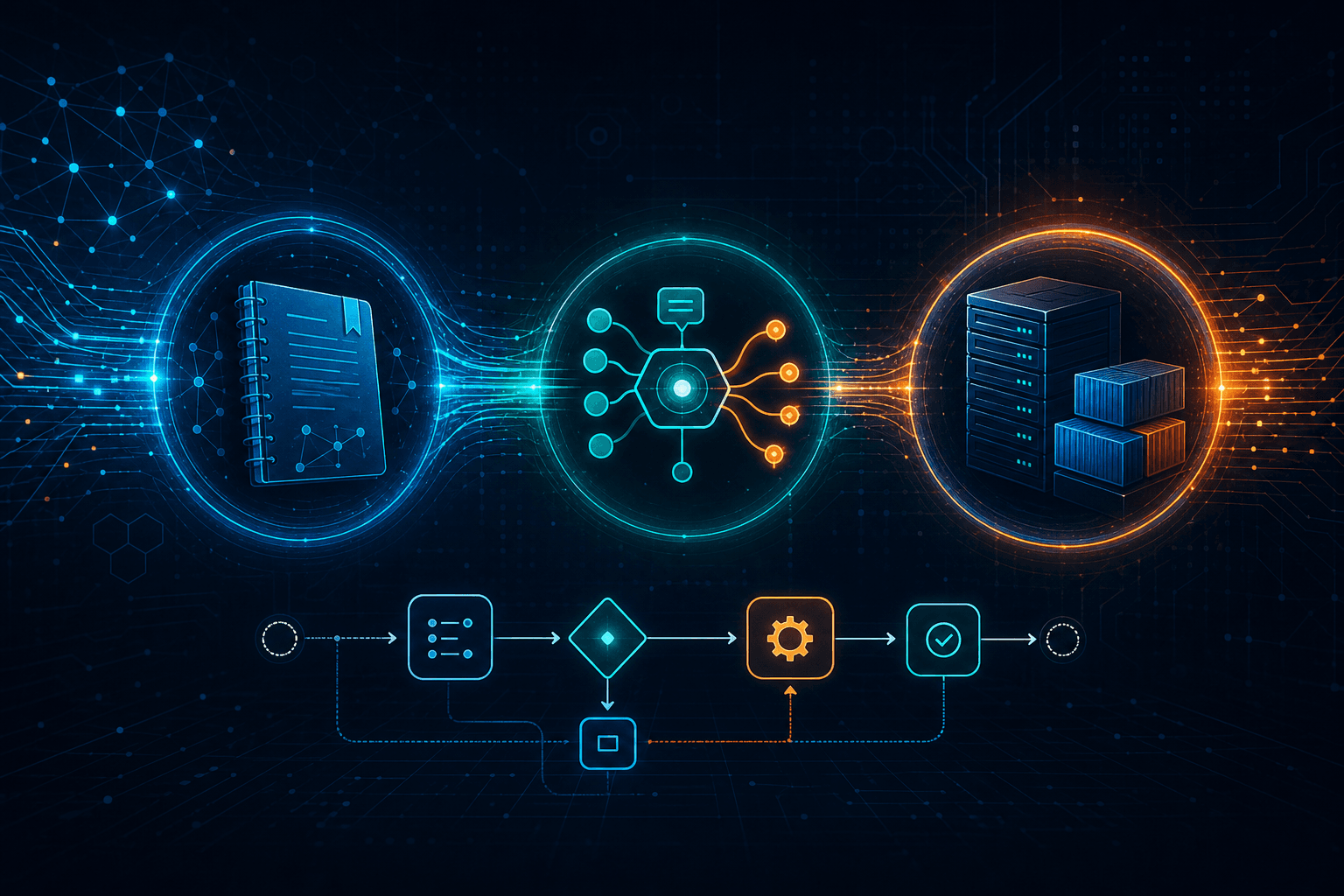
The whole build is three moves: assemble context, generate a scoped prompt, let the agent execute. None of it requires you to memorize n8n environment variables. Here is the pipeline end to end:
- Build a NotebookLM knowledge base — load every relevant n8n setup doc (Docker, Docker Compose, queue mode, configuration, security) plus 5–10 YouTube walkthroughs from creators who actually self-host n8n (Jack Roberts, David Ondrej, NetworkChuck, Techno Tim, Nate Herk). This becomes your grounded source of truth.
- Have Perplexity write the build prompt — instruct it to read only the n8n docs and produce a precise prompt for your agentic IDE that references the notebook's resources and specifies the exact stack you want.
- Hand the prompt to Cursor or Antigravity and let it cook — the agent reads the resources, writes the
docker-compose.yml, the.env, and the reverse-proxy config, then walks you through bringing it up withdocker compose up -d.
| Stage | Tool | Output |
|---|---|---|
| Context | NotebookLM | A grounded notebook of n8n docs + vetted video walkthroughs |
| Prompt | Perplexity (docs-scoped) | A precise build prompt for the IDE |
| Build | Cursor / Antigravity | Working docker-compose.yml, .env, reverse proxy, run steps |
This is not theoretical. Builders are already standing up Docker-Compose n8n stacks by directing Cursor over SSH and leaning on Claude for the command-line work (see freeCodeCamp's n8n + Decapod build), and one-command installers like kossakovsky/n8n-install and n8n's official self-hosted AI starter kit prove the "let it cook" automated build is a real, supported pattern.
Context Is the Whole Game #
Context is the most important piece of any agent build, because if the AI gets ahold of the wrong context, your output will be wrong — confidently and completely. An agent does not know that the n8n image moved to docker.n8n.io/n8nio/n8n, that SQLite is no longer appropriate for queue mode, or that the encryption key must be shared across every worker — unless you put that in front of it. Left to its training data, it will average across years of stale tutorials and hallucinate a plausible-but-broken stack.
That is why I treat context as the deliverable, not an afterthought. The model is a capable executor; the bottleneck is the quality and recency of what you feed it. A NotebookLM notebook solves this because it is a retrieval-grounded workspace: it answers and cites only from the sources you add, so it cannot drift into 2023-era advice. When I then have Perplexity write the build prompt against the live docs, and hand both the prompt and the notebook to the IDE, every layer of the pipeline is anchored to current, verifiable n8n behavior.
The payoff is leverage. Manual self-hosting guides run thousands of words because they teach you every environment variable by hand. With the context engineered correctly, you do not learn the variables — you verify the output. The agent writes the config; the docs in your notebook are the ground truth it (and you) check against.
Step 1: Build the NotebookLM Knowledge Base #
Start by creating a NotebookLM notebook and loading every n8n setup doc that covers the way you plan to deploy — all of them, not just one. Self-hosting has several valid paths (Docker single-container, Docker Compose with a reverse proxy, queue mode with Redis, the official AI starter kit), and you want the agent to see the full decision space so it picks correctly for your scale.
The n8n docs to add (as URLs or pasted text):
- Self-hosting overview — the editions and prerequisites
- Docker installation — the canonical
docker runand image (docker.n8n.io/n8nio/n8n) - Docker Compose server setup — the Traefik + n8n two-container reference
- Configuration / environment variables — the full env reference
- Queue mode — main + workers + Redis scaling
- Securing n8n — SSL, auth, hardening
Then add 5–10 YouTube walkthroughs from people who actually self-host n8n. Video transcripts give the agent the practical "gotchas" the docs gloss over — DNS records, reverse-proxy quirks, the secure-cookie flag. These are the creators I keep in the notebook, and the ones with verified self-host setup content:
| Creator | Why they're in the notebook | Verified self-host content |
|---|---|---|
| Jack Roberts | Beginner-clear n8n self-host | "Self-Host n8n in 3 minutes" |
| NetworkChuck | Full on-prem/VPS Docker build | "Run n8n Locally (Full Setup)" (358K+ views) |
| Techno Tim | Homelab-grade Docker Compose | "Self-Host n8n + Docker" |
| David Ondrej | n8n AI agents + self-host chapter | "Build & Sell n8n AI Agents" (MCP & self-host at 7:19:49) |
| Nate Herk | Deep n8n agent/workflow patterns | n8n AI automation library |
One honest note on sourcing: not every popular n8n creator publishes a dedicated VPS self-host tutorial — Nick Saraev and IndyDevDan, for instance, lean toward agency workflows and agentic coding respectively. Load creators for the specific job. For setup, weight toward Jack Roberts, NetworkChuck, Techno Tim, and David Ondrej's setup chapter.
Step 2: Have Perplexity Write the Build Prompt — Scoped to the Docs Only #
Open Perplexity and instruct it to read only the official n8n docs, then write a build prompt for your agentic IDE. The "only the docs" constraint is the entire point: it forces the prompt to be grounded in current, first-party behavior instead of Perplexity's general knowledge, which blends years of community tutorials of varying accuracy. You are using Perplexity as a docs-faithful prompt author, not as a search engine.
Here is the meta-prompt I give Perplexity:
Using ONLY the official n8n documentation at docs.n8n.io (hosting, Docker,
Docker Compose, configuration/environment-variables, scaling/queue-mode, and
securing), write a single detailed build prompt I can paste into Cursor or
Antigravity. The build prompt must instruct the agent to:

- Generate a production docker-compose.yml using the image
  docker.n8n.io/n8nio/n8n (pin a current stable tag).
- Use PostgreSQL (not SQLite) for persistence, in its own container with a
  named volume and a healthcheck.
- Put n8n behind a reverse proxy (Caddy or Traefik) that auto-issues HTTPS.
- Set required env vars: GENERIC_TIMEZONE, TZ, N8N_HOST, N8N_PROTOCOL=https,
  WEBHOOK_URL, N8N_ENCRYPTION_KEY, and DB_* connection variables.
- Persist /home/node/.n8n on a named volume.
- Leave a clearly commented, OFF-by-default queue-mode block (Redis worker
  service, EXECUTIONS_MODE=queue, shared encryption key) I can enable later.
- Output the .env template separately and never inline real secrets.

Cite the exact doc page for each decision so I can verify it.
The output is a prompt that already encodes the correct architecture, because Perplexity had to justify each line against a doc page. That citation requirement is your accuracy gate — if Perplexity cannot point to a doc for a setting, that setting does not belong in the prompt.
Step 3: Hand the Prompt to Cursor or Antigravity and Let It Cook #
Paste the Perplexity-authored prompt into Cursor or Antigravity, attach the NotebookLM sources, and let the agent build. The agent now has three aligned context layers: the scoped build prompt (what to do), the n8n docs (how n8n actually works), and the video transcripts (the practical gotchas). With that, it writes the files and walks you through the bring-up.
A realistic execution looks like this:
- Agent scaffolds the project — creates the working directory,
docker-compose.yml,.envtemplate, and aCaddyfile(or Traefik labels). - You fill the secrets — the agent leaves
N8N_ENCRYPTION_KEY, DB password, and domain as placeholders; you generate the key (openssl rand -base64 32) and paste real values into.env, never into the compose file or Git. - Agent runs the bring-up —
docker compose up -d, then tails logs until it sees the editor URL. - You verify against the notebook — when something looks off, you ask NotebookLM directly ("what's the correct DB_TYPE value for Postgres?") and it answers from the docs, not from guesswork.
This is the part skeptics doubt, so here are the receipts that it works: the freeCodeCamp Decapod walkthrough is an end-to-end account of a builder using Cursor over SSH plus Claude to assemble a multi-container n8n + Caddy + MinIO stack ("Cursor lets me play director while the AI does the heavy lifting... especially with the command line stuff"). DeployHQ documents wiring Claude Code, Cursor, or Codex to trigger n8n redeploys. And if you want the agent to skip straight to a turnkey result, it can clone kossakovsky/n8n-install — a one-command installer that provisions n8n with Postgres, Redis, dedicated task runners, and Caddy HTTPS — or n8n's own self-hosted AI starter kit. The agent's value is choosing and wiring the right one for your scale, not inventing infrastructure from scratch.
What the Agent Actually Builds: The Verified Stack #
The agent produces a two-to-three-service stack: n8n, PostgreSQL, and a reverse proxy that handles HTTPS automatically. This matches both the official Docker Compose reference (which uses Traefik) and the widely used Caddy variant. Below is the verified shape of the docker-compose.yml it writes — every value here is consistent with the current n8n docs.
services:
  postgres:
    image: postgres:16-alpine
    restart: unless-stopped
    environment:
      - POSTGRES_USER=${POSTGRES_USER}
      - POSTGRES_PASSWORD=${POSTGRES_PASSWORD}
      - POSTGRES_DB=${POSTGRES_DB}
    volumes:
      - postgres_data:/var/lib/postgresql/data
    healthcheck:
      test: ["CMD-SHELL", "pg_isready -U ${POSTGRES_USER} -d ${POSTGRES_DB}"]
      interval: 5s
      timeout: 5s
      retries: 5

  n8n:
    image: docker.n8n.io/n8nio/n8n:2.22.5
    restart: unless-stopped
    ports:
      - "127.0.0.1:5678:5678"   # bind to localhost; reverse proxy fronts it
    environment:
      - DB_TYPE=postgresdb
      - DB_POSTGRESDB_HOST=postgres
      - DB_POSTGRESDB_PORT=5432
      - DB_POSTGRESDB_DATABASE=${POSTGRES_DB}
      - DB_POSTGRESDB_USER=${POSTGRES_USER}
      - DB_POSTGRESDB_PASSWORD=${POSTGRES_PASSWORD}
      - N8N_HOST=${N8N_HOST}
      - N8N_PROTOCOL=https
      - WEBHOOK_URL=https://${N8N_HOST}/
      - GENERIC_TIMEZONE=${GENERIC_TIMEZONE}
      - TZ=${GENERIC_TIMEZONE}
      - N8N_ENCRYPTION_KEY=${N8N_ENCRYPTION_KEY}
      - N8N_RUNNERS_ENABLED=true
    volumes:
      - n8n_data:/home/node/.n8n
    depends_on:
      postgres:
        condition: service_healthy

volumes:
  postgres_data:
  n8n_data:
The reverse proxy (Caddy is the lowest-friction choice — it fetches a Let's Encrypt cert in about 30 seconds once DNS resolves) sits in front and terminates HTTPS to 127.0.0.1:5678. The environment variables that matter, straight from the n8n configuration docs:
| Variable | Purpose |
|---|---|
DB_TYPE=postgresdb |
Switches persistence from SQLite to PostgreSQL |
DB_POSTGRESDB_* |
Postgres host, port, database, user, password |
N8N_ENCRYPTION_KEY |
Encrypts stored credentials; must be stable and shared across all workers |
N8N_HOST / WEBHOOK_URL |
Public hostname so OAuth callbacks and webhooks resolve |
N8N_PROTOCOL=https |
Tells n8n it is served over TLS |
GENERIC_TIMEZONE / TZ |
Correct time for Schedule Trigger nodes and system calls |
N8N_RUNNERS_ENABLED=true |
Enables task runners for Code node execution (current recommended default) |
The .n8n volume is non-negotiable even with Postgres — the Docker docs note it still holds the encryption key, instance logs, and source-control assets.
Cloud vs Self-Hosted: When Prompting Your Own Stack Wins #
Self-hosting wins the moment you need unlimited executions, full data control, or custom community nodes — and the economics flip fast. n8n's Community Edition is free and runs unlimited executions; you pay only for a server. n8n Cloud is execution-metered, and as of 2026 the tiers are very specific (these are the correct numbers — earlier versions of this guide cited the wrong limits):
| Plan | Price (annual) | Executions/mo | Concurrency | Hosting |
|---|---|---|---|---|
| Community | Free | Unlimited | Unlimited | Self-hosted |
| Starter | €20/$20 | 2,500 | 5 | n8n Cloud |
| Pro | €50/$50 | 10,000 (Pro-1) – 50,000 (Pro-2) | 20 | n8n Cloud |
| Business | €667/$667 | 40,000 | 200+ | Self-hosted |
| Enterprise | Custom | Custom | 200+ | Cloud / Self |
Source: n8n.io/pricing. One execution is one full workflow run regardless of node count, so a workflow firing every 5 minutes burns ~8,640 executions/month — enough to blow past the Starter cap in nine days. That single fact is why high-frequency or webhook-heavy workloads belong on self-hosted infrastructure, where the only ceiling is your VPS.
The cost delta is stark: a small Hetzner or DigitalOcean box runs $5–$10/month for unlimited executions, versus $24+/month on Cloud the moment you exceed the free trial — and that gap widens with volume. Self-hosting also unlocks what Cloud restricts: n8n ships 400+ built-in integrations plus the full community node registry and unrestricted Code nodes, none of which are gated on a self-managed instance.
Queue Mode, Postgres, and the Parts You Cannot Get Wrong #
Three architecture facts decide whether your self-hosted n8n survives production, and you should bake all three into the build prompt so the agent gets them right. These are the settings where a wrong guess from stale training data quietly breaks things weeks later.
1. Use PostgreSQL, not SQLite, for anything real. n8n defaults to SQLite, which is fine for a personal instance but not recommended for queue mode. The docs recommend Postgres 13+. Migrating later is possible via export/import, but starting on Postgres saves a painful cutover.
2. Queue mode is how you scale past a single instance — and it has hard requirements. In queue mode, one main process receives triggers and webhooks while separate worker processes execute workflows, coordinated through Redis. The rules that trip people up:
- Set
EXECUTIONS_MODE=queueon the main instance and every worker. - The
N8N_ENCRYPTION_KEYmust be identical across the main process and all workers, or workers cannot decrypt stored credentials. - Worker concurrency defaults to
10; n8n recommends 5 or higher, because too many low-concurrency workers can exhaust the database connection pool. - Queue mode does not support filesystem binary-data storage — use S3 external storage if your workflows persist binary data.
- Running queue mode on SQLite is unsupported; Redis + Postgres are both required.
3. High availability (multi-main) is an Enterprise feature. Running more than one main process for failover requires N8N_MULTI_MAIN_SETUP_ENABLED=true, Postgres + Redis, identical n8n versions across processes, and a load balancer with sticky sessions — and it is available only on self-hosted Enterprise plans. For most teams, a single well-resourced main with 2–3 workers is plenty.
The smart move: prompt the agent to leave queue mode as a commented, off-by-default block in the compose file. You start single-instance, and when execution volume climbs past what one process handles comfortably (roughly the 5,000–10,000/day range), you uncomment it and add workers.
Cursor vs Antigravity for Infrastructure Prompting #
For pure infrastructure prompting, Cursor wins on tight control and Antigravity wins on hands-off, multi-step execution — pick based on how much you want to supervise. Both read your attached context and write the files; the difference is the loop.
- Cursor — Best when you want to stay in the director's chair. Its agent mode edits
docker-compose.yml,.env, and theCaddyfilein place while you review each change, and its terminal integration lets it rundocker compose up -dand read the logs back. This is the setup most builders use for VPS work over SSH, and it is what I reach for when the box already has other services on it. - Google Antigravity — Best when you want to hand off the whole sequence. Its multi-agent, browser-aware planning is built for long, multi-step tasks: provision, write config, bring up, verify, fix. If you want to describe the target stack once and come back to a running instance, Antigravity's agent loop carries further before needing input.
My rule of thumb: Cursor for a server I care about and want to watch; Antigravity for a fresh box where I'm happy to let the agent run the full loop. Either way, the context you attach — the NotebookLM docs and the scoped prompt — matters far more than the IDE you choose. For a deeper head-to-head, see my complete AI coding assistant showdown.
Where the Prompt Goes Wrong: Context Hygiene Failures #
Every failure I've seen with this workflow traces back to context, not the agent's capability. When the output is broken, the input was polluted. The common failure modes and their fixes:
- Stale image or version drift — The agent pins an old image like
n8nio/n8n:0.xor a deprecated registry path. Fix: the NotebookLM notebook must contain the current Docker docs so the correct image (docker.n8n.io/n8nio/n8n) and a current stable tag are in context. - SQLite in a queue-mode build — The agent wires Redis and workers but leaves the database on SQLite, which is unsupported. Fix: the prompt must explicitly require Postgres whenever queue mode is in play.
- Encryption key not shared — In a multi-worker build, the agent generates a key for the main process but not the workers, so credentials fail to decrypt. Fix: the prompt must state the key is shared across every process.
- Secrets inlined into compose or Git — The agent hardcodes a password into
docker-compose.yml. Fix: require a separate.envand instruct the agent to never inline real secrets — placeholders only. - Perplexity drifting off the docs — If you don't constrain it, Perplexity blends general knowledge into the prompt. Fix: the "only the official docs" instruction plus the per-decision citation requirement is what keeps it honest.
The meta-lesson holds across every agent build, not just n8n: the agent is only as correct as the context you hand it. Curate the sources, scope the prompt, demand citations, and verify the output against the same docs the agent read.
FAQ: Prompting and Self-Hosting n8n #
Do you really not write any of the Docker config yourself? #
Correct — the agent writes the docker-compose.yml, .env template, and reverse-proxy config; I curate the context and verify the output. My job shifts from typing environment variables to confirming each one is right against the official n8n docs loaded in my notebook. I still own the secrets and the final review — the agent never sees real credentials.
Can an AI agent actually set up a self-hosted n8n instance? #
Yes, and people already do it. Builders have stood up multi-container n8n + Caddy stacks by directing Cursor over SSH with Claude handling the command line (see freeCodeCamp's Decapod build), and one-command installers like kossakovsky/n8n-install automate the whole Postgres + Redis + Caddy provision. The agent's edge is choosing and wiring the right pattern, not inventing it.
What should go in the NotebookLM notebook for an n8n setup? #
Load every relevant n8n setup doc plus 5–10 video walkthroughs from people who self-host n8n. The docs to add are the hosting overview, Docker, Docker Compose, configuration, queue mode, and securing n8n. Video transcripts from creators like Jack Roberts, NetworkChuck, and Techno Tim add the practical gotchas the docs skip.
Why scope Perplexity to only the n8n docs? #
Because unscoped, Perplexity blends years of community tutorials of mixed accuracy into the prompt, and that stale context produces a broken stack. Constraining it to the official docs forces every line of the build prompt to be grounded in current first-party behavior. The per-decision citation requirement is your accuracy gate — no doc, no setting.
Is self-hosted n8n free? #
Yes — n8n's Community Edition is free with unlimited executions; you pay only for the server. A small Hetzner or DigitalOcean VPS runs roughly $5–$10/month for unlimited workflow runs (n8n.io/pricing). A Business or Enterprise license key unlocks features like SSO, Git versioning, and multi-main HA, but the core platform is free to self-host.
How many executions can self-hosted n8n handle? #
A single instance comfortably handles roughly 5,000–10,000 executions per day; queue mode scales well beyond that. Past that range, add Redis and worker processes via queue mode and scale horizontally by adding workers. At very high volumes the database (Postgres tuning, execution pruning) becomes the limiting factor before n8n's own processing capacity does.
What are the n8n Cloud execution limits in 2026? #
Starter is 2,500 executions/month, Pro is 10,000–50,000, and Business is 40,000; Enterprise is custom. Annual pricing runs €20, €50, and €667/month respectively, per n8n.io/pricing. One execution equals one full workflow run regardless of how many nodes it contains — so a workflow triggering every 5 minutes uses about 8,640 executions a month on its own.
Should I use SQLite or PostgreSQL for self-hosted n8n? #
Use PostgreSQL for anything production; SQLite is only acceptable for a personal instance. n8n defaults to SQLite but the docs recommend Postgres 13+, and queue mode does not support SQLite at all. Starting on Postgres avoids a painful export/import migration later.
When do I actually need queue mode? #
When a single instance can no longer keep up — typically past 5,000–10,000 executions per day or when you need parallel execution headroom. Queue mode splits work across a main process and Redis-coordinated workers. Until then, a single main process is simpler and cheaper; prompt your agent to leave queue mode as a commented, off-by-default block you can flip on later.
What is the minimum server spec for self-hosted n8n? #
A 1 vCPU / 2GB RAM VPS handles most single-instance n8n workloads; 2GB+ RAM and 20GB+ storage is the comfortable floor. Real-world setups run fine on a $5–$10/month Hetzner CX22 or DigitalOcean droplet. Bump RAM once you co-locate Postgres, Redis, or local AI services on the same box.
Cursor or Antigravity for standing up infrastructure? #
Cursor for a server you want to supervise change-by-change; Antigravity for a fresh box where you want the agent to run the full provision-build-verify loop. Both read your attached context and write the same files — the difference is how much you stay in the loop. The context you attach matters more than the editor; see my AI coding assistant showdown.
How do I keep my n8n credentials secure when an agent builds the stack? #
Instruct the agent to use a separate .env file with placeholder values and never inline real secrets into the compose file or Git. You generate the N8N_ENCRYPTION_KEY yourself (openssl rand -base64 32) and paste real values into .env after the agent finishes. The encryption key must stay stable — changing it later breaks every stored credential — and in queue mode it must be identical across the main process and all workers.
What is the official n8n Docker image and current version? #
The official image is docker.n8n.io/n8nio/n8n, and the current stable release is in the 2.22.x line as of late May 2026. n8n ships a new minor version most weeks, with stable for production and beta/next for testing (Docker docs). Pin a specific stable tag in production rather than relying on latest.
Can I prompt the agent to add Postgres and Redis later? #
Yes — that is the recommended path: start single-instance, then prompt the agent to add Postgres and a Redis-backed queue-mode block when volume grows. Because the agent already has your compose file and the n8n docs in context, the upgrade is an incremental edit, not a rebuild. Just remember the encryption-key-sharing and Postgres requirements that queue mode imposes.
How long does the whole prompt-to-running-stack process take? #
Once the NotebookLM context is built, generating the prompt and getting a running stack is usually a single sitting — often under an hour. Most of the time goes into curating sources once; the prompt generation and agent build are fast. Community tutorials routinely show a working Dockerized n8n in 30 minutes by hand, and the agent removes most of the typing.
Is this approach safe for production and compliance workloads? #
Yes — self-hosting is exactly what compliance-sensitive workloads need, since your data never leaves infrastructure you control. The prompt-driven method doesn't change the security posture; it just builds the stack faster. You still own hardening (HTTPS, auth, backups, secret rotation), and n8n's securing docs should be in your notebook so the agent bakes those settings in from the start.
Build Your Automation Stack the Prompt-First Way #
The stack is not the hard part anymore — the context is. Anyone can prompt an agent. The leverage is in knowing exactly which n8n docs to load, how to scope Perplexity so the prompt stays grounded, and which architecture decisions (Postgres over SQLite, shared encryption keys, queue mode boundaries) cannot be left to a model's training data. That is the difference between a stack that runs your business and one that breaks at 2 AM.
If you want a production automation system built this way — context-engineered, agent-assembled, and verified against first-party docs — that is exactly what I do for clients. Book an AI automation strategy call and I'll map the self-hosted n8n stack (and the agents on top of it) to your actual volume, compliance needs, and budget.
Keep going on the automation track:
- The Ultimate n8n AI Agent Masterclass — building autonomous, enterprise-grade workflows
- The Ultimate Guide to n8n MCP — exposing your self-hosted workflows as agent tools
- How I Prompted Claude to Build a Self-Healing n8n Error Recovery Loop — resilience on top of the stack
- The Complete AI Coding Assistant Showdown — Cursor vs. Claude Code vs. Antigravity for builds like this
Related Posts
Agent Zero Music Site Maintenance Is a Monday Report
I run Agent Zero music site maintenance as a Monday report inside one artist project. One skill stays pinned. The live page changes only after I read the file.

Abacus Hermes and OpenClaw Setup: Two Pre-Baked Agents, One Job Each
Abacus Hermes and OpenClaw setup is two pre-baked agents on SuperComputer. Claw takes the chat channels. Hermes keeps the skills. Pro is required first.

Keeping Tour Dates and Streaming Links True Without a Full-Time Manager
Keep tour dates, presaves, and streaming links true from one source of truth. An agent checks copies; a human still publishes. No full-time manager required.