NotebookLM Audio Overviews: Google's AI Podcast Feature Goes Viral

Table of Contents
NotebookLM Audio Overviews: Google's AI Podcast Feature Goes Viral #
What Is NotebookLM Audio Overviews? #
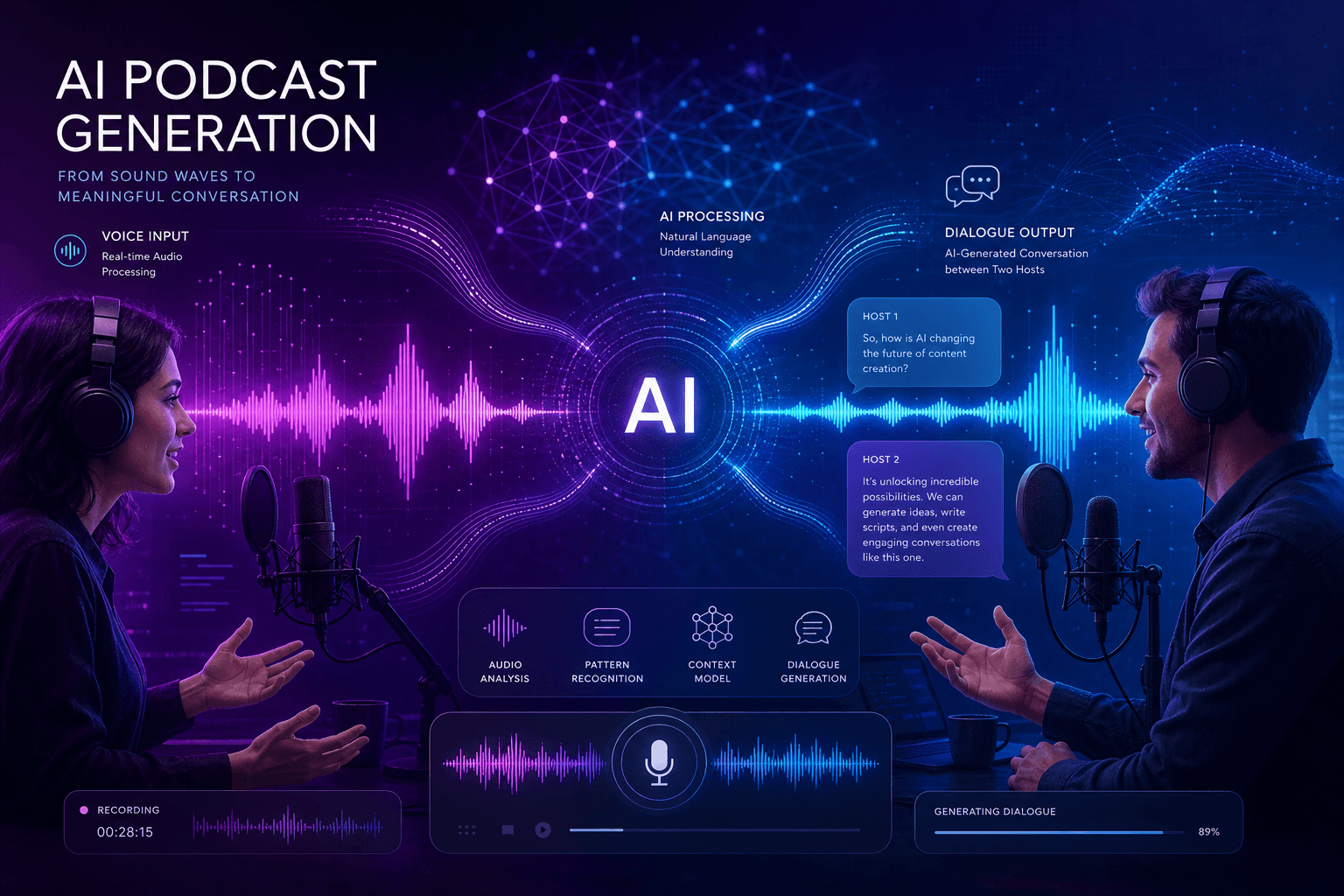
NotebookLM Audio Overviews transforms static documents into dynamic, conversational podcasts with two AI hosts discussing your uploaded sources. This feature, launched by Google's NotebookLM team in September 2024 and enhanced with new controls this month, represents one of the most compelling applications of multimodal AI for content consumption.
At its core, Audio Overviews takes any collection of sources you've uploaded to NotebookLM—PDFs, Google Slides, web pages, copied text, or Google Docs—and generates a podcast-style conversation between two AI hosts. These aren't dry, robotic recitations. The hosts engage in what Google describes as "lively" banter, summarizing your material, drawing connections between topics, and creating an engaging audio experience that you can download and take anywhere.
The feature sits at the intersection of several converging trends: the explosion of podcast consumption, advances in conversational AI voice generation, and the growing need for tools that help knowledge workers process overwhelming volumes of information. What makes Audio Overviews particularly interesting is that it's not generating generic content—it's creating personalized discussions based entirely on your sources, grounded in your materials with citations and quotes available if you want to dig deeper while listening.
This is fundamentally different from traditional text-to-speech or AI narration tools. Instead of a single voice reading your documents verbatim, you get a structured conversation that synthesizes, analyzes, and contextualizes your sources. The two-host format allows for question-answer patterns, disagreement and clarification, and the natural back-and-forth that makes podcasts engaging in the first place.
The September Launch: First Impressions #
When Google Labs unveiled Audio Overviews on September 11, 2024, the response was immediate and overwhelming. The feature captured attention across tech Twitter, productivity communities, and AI enthusiast circles in a way that few Google product launches have managed recently.
The numbers tell part of the story. NotebookLM saw a staggering 371% traffic increase in September, jumping to 3.07 million monthly visits according to data from SimilarWeb. This wasn't gradual growth from a marketing push—this was organic viral adoption driven by users sharing examples of the AI-generated conversations and expressing genuine surprise at the quality and utility of the output.
What drove this viral moment? Several factors converged:
| Factor | Impact |
|---|---|
| Novelty of format | Two-host AI conversations were unprecedented at consumer scale |
| Immediate utility | Solves a real problem—information overload—in an accessible way |
| Shareability | Users could generate unique content from their own sources and share results |
| Quality surprise | The "banter" and conversational tone exceeded expectations for AI-generated audio |
| Free access | No paywall meant zero friction for experimentation |
The launch also benefited from timing. NotebookLM had already expanded globally over the summer, adding support for Google Slides, web URLs, and improved fact-checking capabilities powered by Gemini 1.5's multimodal features. Audio Overviews arrived as the capstone feature that transformed NotebookLM from a useful research assistant into something genuinely new—a personalized podcast generator for any content you need to understand.
Early adopters quickly found creative use cases: law students turning case law into commute companions, executives prepping for board meetings, researchers digesting paper collections, and content creators repurposing their research into audio format. The feature's ability to make dense material accessible through conversation proved unexpectedly powerful.
How Audio Overviews Actually Work #
The Two-Host Conversation Format #
The two-host format is the genius of Audio Overviews—it transforms passive listening into active engagement. Rather than a monologue, you get a dialogue with distinct voices and personalities that create the structure and rhythm of a real podcast conversation.
The AI hosts follow a pattern that will be familiar to podcast listeners: one host typically takes the role of explainer or expert, while the other asks clarifying questions, expresses surprise or interest, and helps guide the listener through complex topics. This Socratic method embedded in audio format does something remarkable—it creates natural breakpoints for comprehension, allows for repetition and rephrasing without feeling redundant, and maintains attention through variety.
The "banter" element that Google emphasizes isn't just flavor text. It serves a functional purpose in the learning process. When Host B expresses curiosity about a connection Host A just made, or asks for clarification on a technical term, they're modeling the inquiry process for the listener. This makes the content more accessible while also demonstrating how to think about the material critically.
What's particularly impressive is the consistency of voice and tone across different source materials. Whether you're uploading dense academic papers or casual blog posts, the hosts maintain a professional but accessible conversational style that adapts to the content without becoming overly stiff or artificially casual.
The Technical Architecture #
Audio Overviews is built on Gemini 1.5, Google's flagship multimodal model, and uses its ability to process and synthesize information across formats. The technical pipeline involves several sophisticated steps that happen behind the scenes when you click "Generate."
First, NotebookLM processes your uploaded sources using Gemini 1.5's long context window—up to 1 million tokens in the version powering these features. This allows the system to ingest entire documents, slide decks, and web pages all at once rather than chunking them into fragments. The model identifies key themes, arguments, data points, and relationships between sources.
Next, the system generates a conversation script. This isn't a simple summarization followed by voice synthesis. The model constructs a dialogue structure with intentional pacing: introductions that set context, main segments that explore key topics, transitions between subjects, and conclusions that synthesize takeaways. The script includes markers for the two distinct host voices and notes where conversational elements—questions, reactions, summaries—should occur.
The audio generation itself uses Google's advanced speech synthesis capabilities, producing natural-sounding voices with appropriate prosody, pacing, and emotional coloring. The two voices are distinct enough to be easily distinguishable but complementary in tone. Unlike early text-to-speech systems that sounded robotic, these voices include natural pauses, emphasis on important points, and the subtle rhythm of genuine conversation.
The entire process takes anywhere from a few seconds for short documents to several minutes for large notebooks with multiple dense sources. The resulting audio file can be downloaded as an MP3, making it compatible with any podcast player or audio app.
Deep Dive Generation Process #
Generating an Audio Overview is intentionally simple, but understanding the full workflow helps you get better results. Here's the exact process:
Create a Notebook: Go to notebooklm.google.com and start a new notebook. Each notebook functions as a project container for related sources.
Add Sources: Upload at least one source. Supported formats include:
- PDF documents
- Google Docs
- Google Slides
- Web URLs (NotebookLM scrapes and processes the content)
- Copied and pasted text
Access the Notebook Guide: Once sources are processed, you'll see the Notebook Guide panel. This is where all transformations happen.
Generate or Customize: Click "Generate" for an automatic Audio Overview based on all your sources, or click "Customize" (new this month) to provide specific instructions.
Wait for Processing: Generation time varies by source volume. Small notebooks may complete in under a minute; large collections of academic papers can take several minutes.
Listen and Download: Once generated, you can play the Audio Overview directly in the browser or download the MP3 for offline listening.
The "Deep Dive" name isn't just marketing—it's descriptive. These aren't 30-second summaries. A typical Audio Overview runs 5-15 minutes depending on source complexity, providing genuine depth rather than surface-level skimming. This is content you can actually learn from, not just preview.
October 2024 Update: Customization Controls Arrive #
On October 17, 2024, Google dropped a significant update that transforms how users interact with Audio Overviews—customization controls that let you guide the AI hosts before they record. This addresses one of the most requested features since launch: the ability to steer the conversation toward what matters most to you.
Guide the Conversation Feature #
The new "Customize" button appears before generation and opens a text field where you can provide instructions to the AI hosts. Think of it like slipping the hosts a briefing note before they go on air. The system processes your instructions and incorporates them into the conversation script.
Effective customization instructions include:
- Topic focus: "Focus primarily on the methodology section and its limitations"
- Audience adjustment: "Explain this for someone new to machine learning" or "Assume the listener knows Python but not Rust"
- Format requests: "Compare the three approaches discussed in the paper and highlight which is best for real-time applications"
- Depth control: "Keep it high-level and actionable" or "Go deep on the technical implementation details"
This feature dramatically expands the utility of Audio Overviews. Before, you might generate a conversation and find the hosts spent time on background you already knew, or skimmed past details you wanted explored. Now you can calibrate the output to your actual needs. A researcher preparing to teach undergraduates can request beginner-friendly explanations; an executive prepping for a board meeting can ask for strategic implications rather than operational details.
The instruction system demonstrates the flexibility of the underlying Gemini 1.5 architecture. Your guidance gets incorporated into the script generation phase, meaning the entire conversation structure can pivot based on your needs—not just surface-level adjustments to an existing template.
Background Listening #
Background listening solves the workflow friction that could have limited Audio Overviews' utility. Previously, generating an Audio Overview meant waiting, then either listening passively or leaving NotebookLM. Now you can listen while actively working.
When you start an Audio Overview, it continues playing as you navigate through NotebookLM. This means you can:
- Query your sources with natural language questions while the podcast plays
- Click through to citations and relevant quotes without pausing the audio
- Explore connected ideas in your source materials while the hosts discuss them
- Take notes or copy key passages while listening
This multimodal workflow—audio consumption plus interactive text exploration—is where NotebookLM's true power emerges. You're not just passively receiving information; you're actively engaging with it, following curiosity sparked by the conversation, verifying claims against source materials, and building understanding through multiple channels simultaneously.
For users processing complex material, this is transformative. Imagine listening to a discussion of a research paper while being able to instantly pull up figures, check citations, or query the full text when something sparks a question. The audio guides your attention; the interactive interface lets you drill down. It's a genuinely new form of content consumption that combines the accessibility of podcasts with the depth of active research.
Removing the Experimental Label #
Google's decision to remove the "Experimental" label from NotebookLM this month signals product maturity and strategic commitment. This isn't a small cosmetic change—it's a statement about where NotebookLM sits in Google's product hierarchy.
The experimental designation, common for Google Labs projects, serves as both a warning (features may change, break, or disappear) and a classification (this isn't a core product with full support commitments). Removing it means Google is treating NotebookLM as a real product with expected stability, continued development, and user investment.
This repositioning coincides with the NotebookLM Business pilot announcement, suggesting a clear trajectory from experimental tool to enterprise offering. For individual users, it provides confidence that time invested in learning and building workflows around NotebookLM won't be wasted on a deprecated experiment. For businesses evaluating the tool, it signals that Google is serious about supporting organizational deployments.
The timing—experimental label removal alongside business features and customization controls—suggests a deliberate productization strategy. Audio Overviews isn't just a cool feature anymore; it's a core capability that Google is betting will drive adoption in both consumer and enterprise markets.
Why Audio Overviews Went Viral #
The Learning Psychology Angle #
The virality of Audio Overviews isn't just about novelty—it taps into well-established learning science. Conversational audio format uses several cognitive principles that make information more digestible and memorable.
Research on learning modalities consistently shows that dialogue-based content outperforms monologue for comprehension. When we hear a conversation, our brains engage in a form of social cognition. We track who said what, we anticipate responses, and we process information through the framework of interaction. This creates more robust memory encoding than passive listening to a single voice.
The two-host format specifically activates what psychologists call "elaborative interrogation"—the process of generating explanations and making connections between concepts. When Host B asks "So if I'm understanding this correctly..." and rephrases Host A's point, they're modeling the kind of self-explanation that research shows deepens understanding. Listeners benefit from this modeling even when they're not actively participating.
Audio also engages different cognitive resources than reading. For complex or dense material, switching modalities can overcome comprehension barriers. A paper that feels impenetrable in text form may become accessible when heard as a conversation. The hosts' tone, emphasis, and pacing provide prosodic cues that help listeners identify what's important and how ideas connect.
NotebookLM's specific implementation adds another layer: personalization. Because the conversation is grounded in your sources, not generic content, every reference connects to material you've already deemed relevant. This creates the kind of contextual learning that drives retention.
The Commute and Multitasking Use Case #
The downloadable MP3 format makes Audio Overviews slot into existing routines—most notably, the daily commute. This is where the feature shifts from interesting toy to genuine productivity tool.
Consider the math: the average American commute is 27 minutes each way. That's nearly an hour of potential learning time daily, often underutilized because reading while driving is impossible and finding relevant podcast content requires curation effort. Audio Overviews transforms dead commute time into active professional development or study time, with zero friction—you're literally listening to conversations about the exact material you need to process.
The use cases extend beyond commuting:
| Scenario | Audio Overviews Application |
|---|---|
| Gym/workout | Turn workout sessions into learning opportunities |
| Household chores | Cook, clean, or do laundry while digesting reports |
| Walking meetings | Solo walking becomes professional development time |
| Travel delays | Airport waits become productive study sessions |
| Pre-sleep wind-down | Review material without screen exposure |
The download capability is crucial here. Unlike streaming-dependent tools, Audio Overviews works offline, making it compatible with subway commutes, flights, and any context with limited connectivity. The MP3 format ensures compatibility with every podcast app and audio player.
This frictionless integration into existing routines addresses a genuine pain point for knowledge workers: the gap between "material we need to understand" and "time we have available to process it." By turning preparation time into passive consumption time, Audio Overviews effectively creates hours in the day.
Social Media Amplification #
Audio Overviews went viral because it's inherently shareable—the output is content people want to show others. This created a powerful discovery loop: users generate conversations, share them (or their reactions to them), and drive curiosity in others who then try the tool.
The novelty factor cannot be understated. Even AI-saturated feeds found space to remark on how different this feels from other AI tools. The conversations don't sound like AI output—they sound like podcasts. The hosts don't just summarize; they seem to engage, question, and explore. This quality gap between expectation (robotic text-to-speech) and reality (engaging conversation) created the kind of surprise that drives social sharing.
Community reactions across Reddit, Twitter/X, and productivity forums reveal consistent patterns:
- Quality surprise: Users express genuine shock at how good the conversations sound
- Use case creativity: People share unexpected applications—law exam prep, board meeting prep, foreign policy briefings
- Comparison requests: Constant debates about how this compares to similar tools (answer: nothing else does this yet)
- Feature requests: Enthusiasm drives demands for voice selection, speed control, and language expansion
The viral moment also benefited from timing within the broader AI narrative. Released when attention was focused on large language model capabilities but fatigue was setting in around chat interfaces, Audio Overviews represented something fresh—a genuinely new interface for AI consumption that felt immediately useful rather than experimentally interesting.
Google's own marketing leaned into this, sharing sample Audio Overviews generated from their own blog posts and encouraging users to experiment. The lack of paywall meant anyone could try it immediately, removing the friction that often kills viral moments.
Real-World Use Cases and Applications #
For Researchers and Academics #
Academic workflows are where Audio Overviews demonstrates its most immediate utility. Researchers face a constant flood of papers, preprints, and reports that must be processed to stay current. Traditional reading is thorough but slow; skimming risks missing important nuances. Audio Overviews offers a middle path—comprehensive enough to catch key insights, efficient enough to scale.
Literature reviews, the backbone of academic research, transform from week-long marathons into manageable daily listening. A researcher can upload 10-20 related papers to a single notebook, generate an Audio Overview, and get a synthesized conversation that identifies common themes, methodological differences, and gaps in the current state of the field—all while commuting or exercising.
The background listening capability is particularly valuable here. When the hosts mention a specific study or methodology, you can pause, query the sources for details, verify claims against the original text, and then return to the audio. This creates a hybrid workflow: the audio provides the guided tour, the NotebookLM interface provides the deep dive.
Graduate students report using Audio Overviews for comprehensive exam preparation—uploading core texts from their reading lists and using the conversations as review sessions. Faculty members use it to prepare for seminars, quickly getting up to speed on student paper topics or unfamiliar subfields.
The key limitation to acknowledge: Audio Overviews is a supplement, not a replacement, for critical reading. The AI hosts can introduce inaccuracies, miss nuanced methodological concerns, or overstate connections. It accelerates the survey phase of research but shouldn't replace careful analysis of primary sources for publication-quality work.
For Business Professionals #
The business applications of Audio Overviews center on information advantage—getting up to speed faster than competitors and making better-informed decisions. In corporate environments where material often arrives in dense report format, the ability to transform documents into commute-friendly conversations creates genuine competitive leverage.
Board meeting preparation is a prime example. Executives typically receive board packs—hundreds of pages of financial reports, strategic updates, and operational reviews—days before meetings. Reading everything thoroughly is often impossible; reading summaries risks missing critical details. Audio Overviews lets executives upload the entire pack, generate conversations focused on specific areas (using the new customization feature), and absorb comprehensive briefings during their commute.
| Business Use Case | Implementation Approach |
|---|---|
| Competitive intelligence | Upload competitor earnings calls, press releases, and analysis for synthesized briefings |
| Due diligence | Process acquisition target documents during the evaluation period |
| Industry research | Stay current on analyst reports and market studies |
| Policy compliance | Digest regulatory updates and compliance requirements |
| Strategic planning | Review internal strategy documents and market analysis |
Sales teams use Audio Overviews to prepare for complex enterprise deals—uploading prospect annual reports, technical requirements documents, and industry analysis to generate briefings that help them understand customer contexts. Consultants process client materials during travel to maximize billable on-site time.
The October 2024 customization update particularly benefits business users. You can now explicitly request focus on financial metrics, strategic recommendations, or operational risks depending on your role. A CFO and a CTO uploading the same board pack can generate entirely different conversations calibrated to their decision-making needs.
For Content Creators #
Content creators operate at an information throughput that makes Audio Overviews nearly essential. Whether researching a newsletter, scripting a video, or preparing a podcast, creators must process enormous volumes of source material—and do it faster than their competition.
The research phase of content creation traditionally involves extensive reading, note-taking, and synthesis. Audio Overviews compresses this by turning source materials into conversational summaries that can be consumed during time that would otherwise be unproductive. A newsletter writer preparing a deep dive on AI regulation can upload proposed legislation, regulatory commentary, and expert analysis, then listen to synthesized conversations while running errands.
Podcasters find a particularly meta use case: using AI-generated conversations to prepare for hosting real ones. Uploading guest books, previous interviews, and topic research generates briefing conversations that help identify interesting angles and questions. The format is familiar—listening to a conversation about your upcoming conversation.
Writers working on long-form journalism use Audio Overviews to maintain context across sprawling document collections. Uploading FOIA responses, court documents, and interview transcripts creates an ongoing "briefing" that helps maintain narrative coherence across weeks or months of reporting.
YouTubers and video essayists use the feature to digest academic papers and technical documentation that inform their scripts. The conversational format often surfaces connections and framings that pure reading might miss—exactly the kind of synthesis that makes for compelling content.
The limitation here is creative judgment. Audio Overviews accelerates information absorption but doesn't replace the creative work of finding angles, crafting narratives, or developing original insights. It's a powerful input tool, not an output generator.
Limitations and Caveats #
Audio Overviews is powerful but not magic. Understanding its current limitations helps set appropriate expectations and use it effectively.
| Limitation | Impact | Mitigation |
|---|---|---|
| English only | Non-English sources get processed but output is always English | Use for English documents only; translation workflows need separate handling |
| Generation time | Large notebooks can take several minutes to process | Plan ahead; generate overnight for morning commute consumption |
| Potential inaccuracies | AI hosts may misinterpret sources or hallucinate connections | Always verify claims against source materials; use citations feature |
| No interruption | Can't ask follow-up questions mid-conversation | Use background listening + source querying for interactive exploration |
| Fixed voices | No voice selection or customization | Limited mitigation; Google may add options in future updates |
| Source dependence | Quality reflects quality of uploaded sources | Curate sources carefully; remove irrelevant or low-quality documents |
The inaccuracy risk deserves emphasis. While NotebookLM is grounded in your sources—meaning it won't hallucinate information not present in your materials—it can still misinterpret, overstate connections, or fail to catch methodological limitations in research. The hosts sound confident and conversational, which can mask uncertainty. Always verify important claims, especially for professional or academic use.
Generation time is the most practical current constraint. For notebooks with dozens of dense academic papers, you might wait 5-10 minutes for an Audio Overview. This isn't prohibitive but requires planning. You can't use Audio Overviews for real-time, immediate-turnaround needs yet.
The English-only limitation is significant for global users. While Gemini 1.5 supports multiple languages in other contexts, Audio Overviews currently outputs only in English regardless of source language. This will likely expand, but for now, it's an English-centric tool.
Despite these constraints, the utility for most knowledge work scenarios remains high. The limitations define boundaries, not disqualifications.
NotebookLM Business Pilot Announced #
The October 17, 2024 update didn't just bring consumer features—it marked NotebookLM's enterprise debut with the announcement of NotebookLM Business. This represents Google's strategic bet that personalized AI content transformation is ready for organizational deployment.
NotebookLM Business will be offered through Google Workspace, bringing the consumer features—Audio Overviews included—to businesses, universities, and organizations with enhanced administrative controls and security features. Google has opened applications for a pilot program that provides early access, training resources, and email support for participating organizations.
The enterprise positioning makes sense for several reasons:
Data privacy guarantees: NotebookLM has emphasized from launch that personal data isn't used for training. The business version extends these protections with organizational controls.
Collaboration features: While details remain limited, team notebooks and shared Audio Overviews seem likely additions for the business tier.
Integration potential: Google Workspace integration suggests eventual connections with Google Drive, Docs, and other enterprise tools.
Administrative controls: Organizations will likely get user management, audit logs, and compliance features necessary for enterprise AI adoption.
With over 80,000 organizations already using the consumer version, Google has an established base to convert. The business pilot suggests a pricing model and broader availability details will arrive later this year, positioning NotebookLM Business as a potential 2025 enterprise standard for AI-powered knowledge management.
For organizations currently evaluating AI tools for research, training, and information processing, the pilot offers a low-risk entry point to test organizational workflows before general availability.
Competitive Landscape: How NotebookLM Compares #
Audio Overviews currently operates in a category of one—no other tool generates conversational podcast-style discussions from your documents. But understanding how it compares to adjacent tools helps clarify its unique value proposition.
| Tool Category | Example Tools | Comparison to NotebookLM Audio Overviews |
|---|---|---|
| Text-to-speech | ElevenLabs, Play.ht, Amazon Polly | TTS reads text verbatim; NotebookLM synthesizes and discusses |
| AI summarization | Claude, ChatGPT, Gemini chat | Creates text summaries; NotebookLM creates audio conversations |
| Podcast creation | Descript, Adobe Podcast, Anchor | Requires manual production; NotebookLM is fully automated |
| Research assistants | Elicit, Perplexity, Consensus | Focus on Q&A and citation; NotebookLM adds audio synthesis |
| Audio learning | Blinkist, Audible Originals | Pre-produced content; NotebookLM is personalized to your sources |
The fundamental difference is personalization plus conversation. ElevenLabs can read your documents beautifully, but it's still reading—not discussing, not connecting ideas across sources, not creating the structured dialogue format that makes podcasts engaging. AI summarization tools like Claude or ChatGPT can synthesize your sources, but they output text, not audio, and lack the conversational scaffolding that enhances retention.
Traditional podcast creation tools require human production—scripting, recording, editing. NotebookLM automates the entire pipeline from source documents to finished audio conversation. This isn't incremental improvement; it's a different category of tool entirely.
Research assistants like Elicit or Consensus focus on answering questions and finding relevant papers. They excel at discovery but don't transform found material into consumable audio format. NotebookLM assumes you've found your sources and focuses on helping you absorb them efficiently.
Pre-produced audio learning services like Blinkist offer professional production quality but limited content libraries. NotebookLM trades some production polish for infinite content flexibility—any document you upload becomes a podcast episode.
The competitive moat here isn't any single feature but the combination: personalized + conversational + audio + automated. Replicating this requires solving multiple hard problems—long-context understanding, dialogue generation, voice synthesis, and system integration—simultaneously.
Implementation Tips for Maximum Value #
Getting the most from Audio Overviews requires more than clicking "Generate." These implementation strategies help you calibrate outputs and integrate the feature into productive workflows.
Source Curation Best Practices #
Quality in determines quality out. Before generating:
- Remove redundant sources: Uploading three versions of the same press release wastes processing time and dilutes the conversation
- Check document quality: Scanned PDFs without OCR, corrupted files, or web pages with paywall fragments won't process well
- Consider source variety: Mixing academic papers with news coverage and opinion pieces gives hosts richer material to synthesize
- Organize by purpose: Create separate notebooks for different goals rather than dumping everything into one
Effective Customization Prompting #
The October 2024 "Customize" feature rewards specific instruction:
- Lead with the goal: "I'm preparing for a board presentation" or "I need to understand this for an undergraduate course"
- Specify depth: "Focus on high-level implications" versus "Go deep on technical methodology"
- Request structure: "Compare the three approaches and identify the best for my use case"
- Set constraints: "Keep the conversation under 10 minutes" or "Prioritize actionable recommendations"
Workflow Integration Patterns #
The Commute Workflow: Generate Audio Overviews in the evening, download to your podcast app, listen during morning commute while mentally flagging sections to revisit. Use background listening + source querying for afternoon deep dives.
The Research Workflow: Upload sources as you find them throughout the week. Batch-generate Audio Overviews on Friday for weekend consumption. Return to source materials Monday with synthesized understanding already in place.
The Prep Workflow: Before important meetings or presentations, generate customized Audio Overviews focused on the specific decisions or questions at hand. Listen during final preparation time to ensure comprehensive coverage.
Quality Verification #
Always remember Audio Overviews is a starting point, not an endpoint:
- Verify key statistics against source documents
- Check that methodological limitations mentioned in sources get appropriate weight in the conversation
- Use the citation feature to jump to original text when hosts make surprising claims
- Cross-reference across multiple generated conversations if accuracy is critical
The most effective users treat Audio Overviews as an accelerator, not a replacement for critical engagement with source materials.
The Bigger Picture: AI-Powered Content Transformation #
Audio Overviews is a signal, not just a feature. It represents where AI-powered content consumption is heading: personalized, multimodal, and frictionless. Understanding this trajectory helps builders and businesses prepare for what's coming.
The first wave of AI content tools focused on generation—creating text, images, and video from prompts. The second wave, which Audio Overviews exemplifies, focuses on transformation—taking existing content and reformulating it for different contexts, formats, and consumption patterns. This is arguably more valuable because it addresses the existing deluge of information rather than adding to it.
Several converging trends make this moment significant:
Multimodal model maturity: Gemini 1.5's ability to process documents, understand context, and generate coherent dialogue is the technical foundation. Similar capabilities are spreading across model providers.
Audio synthesis quality: The leap from robotic text-to-speech to natural conversation voices happened quickly. Expect continued improvement in prosody, emotional range, and voice customization.
Personalization at scale: The magic of Audio Overviews isn't that it creates podcasts—it's that it creates your podcasts from your sources. This personalization layer will spread across AI applications.
Workflow integration: Background listening + interactive querying shows the future of AI interfaces isn't chat-only but ambient + interactive combinations.
For businesses, this suggests opportunities in content transformation services—tools that help organizations repurpose, reformat, and redistribute their existing knowledge assets. For builders, it highlights multimodal orchestration as a high-leverage skill: the ability to coordinate AI systems that process, synthesize, and present information across text, audio, and eventually video.
TheNotebookLM approach—upload sources, select format, receive transformed output—is likely to become a standard pattern. Expect similar features for video summaries, interactive diagrams, and structured data extraction in the near future.
What Google has proven is that users don't just want AI that answers questions; they want AI that transforms how they consume information. That's a much bigger opportunity with much broader applications.
FAQ: NotebookLM Audio Overviews #
What is NotebookLM Audio Overviews? #
NotebookLM Audio Overviews is an AI feature that transforms uploaded documents into podcast-style conversations with two AI hosts. Launched in September 2024 and enhanced with customization controls in October 2024, it uses Google's Gemini 1.5 model to analyze your sources and generate natural-sounding discussions that summarize material, make connections between topics, and engage in conversational "banter." The feature is free and produces downloadable MP3 files you can listen to anywhere.
When did NotebookLM Audio Overviews launch? #
NotebookLM Audio Overviews launched on September 11, 2024. An update on October 17, 2024, added the ability to customize conversations with specific instructions and introduced background listening, allowing users to interact with sources while audio plays. Google also removed the "Experimental" label from NotebookLM during this October update, signaling the product's transition to a stable, supported offering.
How do I create an Audio Overview in NotebookLM? #
Creating an Audio Overview requires four steps: (1) Create a notebook at notebooklm.google.com, (2) Upload at least one source (PDFs, Google Docs, Google Slides, web URLs, or pasted text), (3) Click "Generate" in the Notebook Guide panel for automatic creation, or "Customize" to provide specific instructions first, and (4) Wait for processing (seconds to minutes depending on source size) then play or download the resulting MP3.
Can I customize what the AI hosts discuss? #
Yes, as of the October 17, 2024 update, you can customize Audio Overviews using the "Customize" button before generation. This feature lets you provide instructions to guide the conversation—specifying topics to focus on, setting the expertise level for your audience, requesting specific comparisons, or adjusting depth and tone. Your instructions get incorporated into the conversation script, not just post-processing.
What languages does Audio Overview support? #
Audio Overviews currently supports English output only. While NotebookLM can process sources in other languages using Gemini 1.5's multilingual capabilities, the generated conversations are always in English regardless of source language. Google has not announced timelines for additional language support, but expansion is likely given Gemini's underlying multilingual capabilities.
How long does it take to generate an Audio Overview? #
Generation time varies from seconds to several minutes depending on source volume and complexity. Small notebooks with a few short documents may complete in under a minute. Large notebooks containing dozens of dense academic papers or lengthy reports can take 5-10 minutes. The system processes sources sequentially, and Gemini 1.5's long context window allows analysis of all documents together without chunking, but synthesis time scales with material volume.
Can I download Audio Overviews for offline listening? #
Yes, Audio Overviews can be downloaded as MP3 files for offline listening. This is a core feature enabling the most popular use cases—commute listening, gym sessions, and travel. The downloaded files work with any podcast app or audio player. Generation happens online, but once downloaded, playback requires no connectivity.
Is NotebookLM free to use? #
Yes, the consumer version of NotebookLM is currently free with a Google account. There are no usage limits announced for Audio Overviews specifically, though reasonable use policies apply. Google has announced NotebookLM Business, an upcoming paid tier for organizations via Google Workspace, but pricing and availability details haven't been released. The consumer version remains free as of October 2024.
What is NotebookLM Business? #
NotebookLM Business is an upcoming enterprise version announced October 17, 2024, that will offer NotebookLM through Google Workspace with enhanced features for organizations. It promises administrative controls, team collaboration features, and additional security guarantees beyond the consumer version. Google is currently accepting applications for a pilot program that provides early access, training, and support. General availability and pricing are expected later this year.
How accurate are Audio Overviews? #
Audio Overviews are grounded in your uploaded sources but can contain inaccuracies in interpretation and synthesis. The AI hosts won't hallucinate information not present in your materials—the system is designed to be source-grounded—but they may misinterpret claims, overstate connections, or miss nuanced methodological limitations. Google explicitly warns that generated discussions "are not a comprehensive or objective view of a topic, but simply a reflection of the sources you've uploaded." Always verify critical claims against original sources, especially for professional or academic use.
Conclusion: The Future of Audio-First AI Content #
NotebookLM Audio Overviews represents a genuine leap in how AI can transform content consumption—not by creating new information, but by making existing information more accessible. The virality of the feature proves something important: users are hungry for AI that fits into their lives rather than demanding they adapt to it.
The commute test is the key metric here. Does a tool create value during time that would otherwise be lost? Audio Overviews passes decisively, turning drive time into learning time, gym sessions into research sessions, and household chores into professional development. That's not a marginal improvement; it's a category shift in productivity.
What makes this particularly relevant for builders and businesses is the underlying pattern: AI-powered content transformation. The same infrastructure that turns documents into podcasts can turn them into videos, interactive dashboards, briefing documents, or structured databases. NotebookLM is a consumer application of a much broader capability—multimodal AI that reformats information for different contexts and consumption patterns.
For organizations, the message is clear: your knowledge assets are likely underutilized because they're locked in formats that don't match how people actually consume information. The businesses that unlock this—transforming reports into audio briefings, manuals into interactive guides, research into accessible summaries—will have significant advantages in knowledge-worker productivity.
The October 2024 updates—customization controls, background listening, and the NotebookLM Business pilot—show Google is serious about this direction. The experimental phase is over. Personalized AI content transformation is now a product category.
If you're thinking about how AI can transform workflows in your organization—whether that's content processing pipelines, knowledge management systems, or automated research workflows—book an AI automation strategy call. I help teams implement production-grade AI systems that go beyond experiments to deliver real operational leverage.
Related Posts

How to Stop Client-Facing AI Agents From Hallucinating
Client-facing AI agents hallucinate when they answer without grounding. Here's the layered guardrail stack I use to keep agents accurate and on-script.

AI Sales Systems vs Traditional CRM Automation
Traditional CRM automation fires rules; AI sales systems reason about each lead. Here's how they differ, where each wins, and how to combine them.

The Manual Workflows With the Highest ROI When Replaced by AI Agents
Not every task is worth automating. Here are the manual workflows with the highest ROI when you replace them with AI agents, ranked by payback speed.




