Perplexity Desktop App Launches for macOS: Native AI Search with System-Level Integration

Table of Contents
Perplexity Desktop App Launches for macOS: Native AI Search with System-Level Integration #
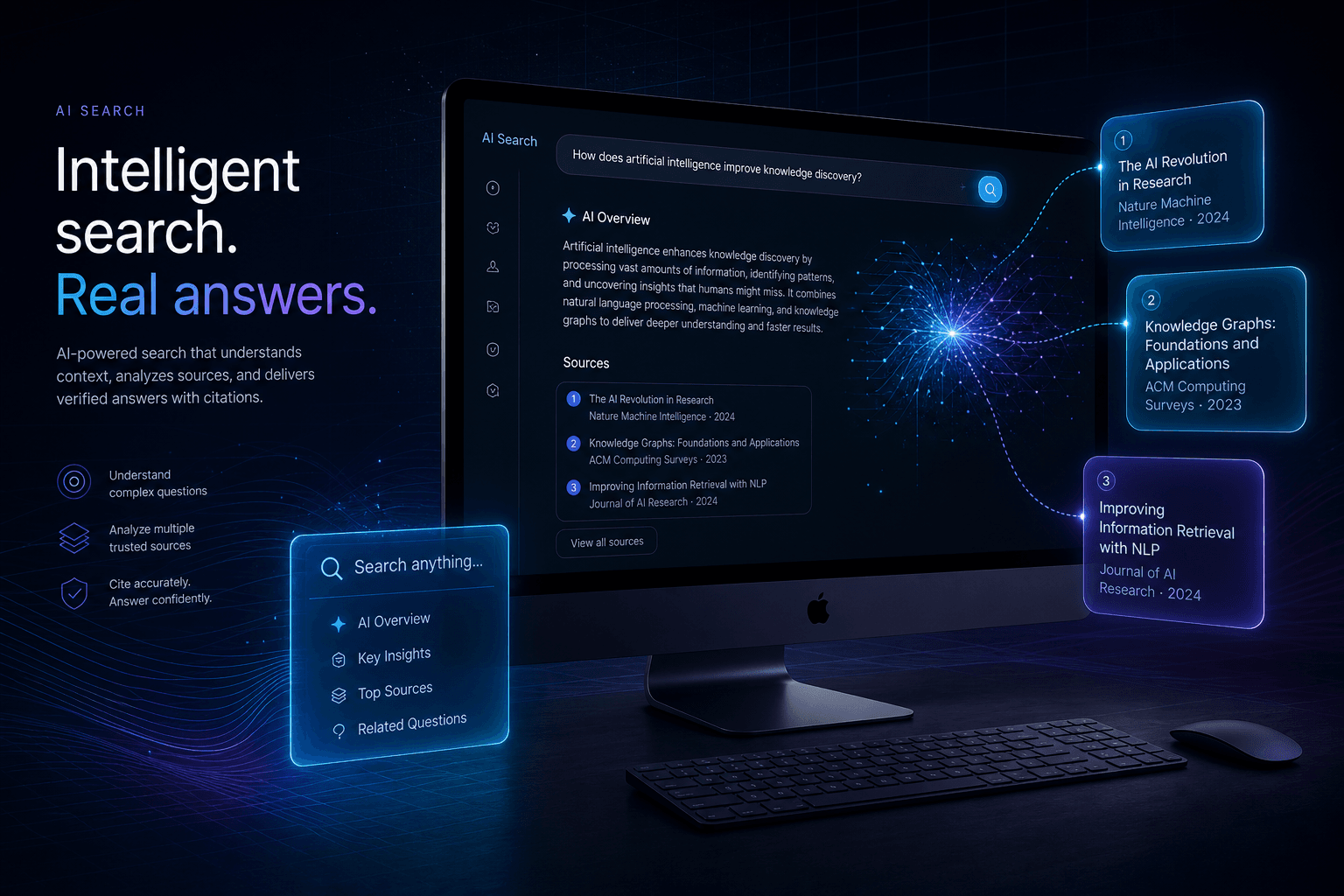
Perplexity just shipped its first native desktop application, bringing the AI-powered answer engine directly to macOS with system-level integration, keyboard shortcuts, and voice input capabilities. The app launches today in the Mac App Store, extending Perplexity beyond the browser for the first time.
This is a significant expansion of how users interact with AI search. While Perplexity's web interface and mobile apps have been available since 2023, the desktop app represents a fundamentally different approach—one that treats AI search as a core system utility rather than a website you visit. The native app includes ⌘⇧P global shortcuts, voice dictation, threaded conversations, and file upload capabilities that blur the line between traditional search and a personal AI assistant.
For Mac users who have already made Perplexity their default search tool, the desktop app eliminates friction. No more reaching for the browser, no more managing tabs, no more context switching. The AI answer engine sits at the system level, accessible from anywhere on the desktop with a keystroke.
Table of Contents #
- What Is the Perplexity Desktop App? — Native macOS application and core capabilities
- Launch Details and Availability — Release date, system requirements, and download
- Key Features and Capabilities — Feature breakdown and what makes it different from web
- System Integration and Keyboard Shortcuts — ⌘⇧P shortcut, Dock, and menu bar access
- Voice Input and Dictation — Hands-free query capabilities
- Threaded Conversations and Context — Follow-up questions and conversation history
- File Upload and Analysis — PDFs, CSVs, and image analysis for Pro users
- Library and Search History — Archiving past discoveries
- AI Model Selection — GPT-4 Omni, Claude 3, and Sonar options
- Perplexity Pro Desktop Features — What subscribers get
- How It Compares to ChatGPT Mac App — Head-to-head comparison
- Use Cases and Workflows — Research, writing, and productivity scenarios
- What's Missing and Limitations — Gaps and areas for improvement
- FAQ — Common questions answered
- The Bottom Line — Strategic assessment and recommendations
What Is the Perplexity Desktop App? #
The Perplexity Desktop App is a native macOS application that brings Perplexity's AI-powered answer engine directly to the Mac desktop, eliminating the need to access the service through a web browser. It represents Perplexity's first foray into system-level integration, competing directly with OpenAI's ChatGPT Mac app and Quora's Poe desktop client.
Unlike the web interface, the native app is designed to function as a system utility—always accessible via global keyboard shortcuts, integrated with macOS through the Dock and menu bar, and capable of operating without the overhead of a browser tab. This shift from "website you visit" to "tool you invoke" changes how users incorporate AI search into their workflows.
The desktop app preserves all of Perplexity's core capabilities—real-time web search with citations, access to multiple LLM models, threaded conversations—but wraps them in a native interface that supports:
- Global keyboard shortcuts (⌘⇧P) for instant access from any application
- Voice input and dictation for hands-free querying
- Native file uploads with drag-and-drop support
- Persistent conversation history through the sidebar
- Library archiving for organizing past research
The app is free to download and includes basic Quick Search functionality, with Perplexity Pro subscribers ($20/month or $200/year) receiving enhanced features including up to 600 Pro Searches daily and advanced file analysis capabilities.
Launch Details and Availability #
Perplexity's native Mac app launched on October 24, 2024, following a preorder campaign that began in late September. The app is available immediately through the Mac App Store, with no waitlist or gradual rollout—anyone with a compatible Mac can download it today.
System Requirements #
The desktop app requires:
- macOS Ventura 13 or newer — The app uses modern macOS APIs that aren't available in earlier versions
- Apple Silicon or Intel Mac — Universal binary supports both architectures
- Internet connection — Required for all AI queries and search functionality
- Perplexity account — Free accounts work; Pro accounts unlock enhanced features
Preorder Campaign #
Perplexity teased the desktop app on September 30, 2024, with a preorder page that encouraged users to sign up for notifications. The teaser emphasized the ⌘⇧P keyboard shortcut with a simple message: "⌘ + ⇧ + P — coming soon." This built anticipation among power users who had been requesting native desktop integration for months.
The direct-to-App-Store launch strategy differs from some AI tool rollouts that use limited betas or waitlists. Perplexity chose broad availability from day one, suggesting confidence in the app's stability and a desire to capture market share quickly as the AI desktop wars heat up.
Where to Download #
The app is available exclusively through the Mac App Store:
- App Store Link: Perplexity — Ask Anything
- Price: Free download with in-app Pro subscription option
- Size: Lightweight native app (exact size varies by version)
- Updates: Delivered through the App Store auto-update mechanism
Launch Details and Availability #
[Section placeholder: Release date, Mac App Store availability, system requirements, preorder campaign details]
Key Features and Capabilities #
The Perplexity Desktop App delivers a comprehensive feature set that rivals the web experience while adding native capabilities that browser-based access cannot match. Here's the complete breakdown of what the Mac app enables.
Feature Comparison: Desktop vs. Web #
| Feature | Desktop App | Web Version | Notes |
|---|---|---|---|
| Quick Search | ✅ | ✅ | Basic AI-powered search with citations |
| Pro Search | ✅ | ✅ | In-depth research mode (Pro tier) |
| Global keyboard shortcut | ✅ | ❌ | ⌘⇧P from any app (desktop exclusive) |
| Voice input | ✅ | ❌ | Native macOS dictation integration |
| File upload | ✅ | ✅ | Desktop adds drag-and-drop support |
| Threaded conversations | ✅ | ✅ | Follow-up questions with context |
| Library/History | ✅ | ✅ | Persistent archive of past searches |
| Multiple AI models | ✅ | ✅ | GPT-4 Omni, Claude 3, Sonar |
| Source citations | ✅ | ✅ | All answers include linked sources |
| Menu bar presence | ✅ | ❌ | Always-available access point |
| Dock integration | ✅ | ❌ | Native app launching and switching |
| Offline support | ❌ | ❌ | Both require internet connectivity |
Native macOS Integration #
The desktop app isn't just a wrapped web view—it's a fully native macOS application with deep system integration:
- Menu bar icon: Quick access from the system tray without opening the full app
- Dock badge: Visual indicators for unread or active sessions
- Native notifications: macOS-standard alert system for completed searches or follow-ups
- System preferences: Settings integrate with standard macOS preference panels
- Accessibility support: Full VoiceOver and accessibility API compliance
Performance Characteristics #
Native architecture delivers measurable advantages:
- Faster cold start: App launches in under 2 seconds vs. browser page load times
- Lower memory footprint: No browser overhead for background operation
- Smoother animations: Native rendering vs. browser compositing
- Better battery efficiency: Optimized for macOS power management
System Integration and Keyboard Shortcuts #
The ⌘⇧P keyboard shortcut is the headline feature—a global hotkey that invokes Perplexity from anywhere on the Mac, regardless of which application is currently active. This single shortcut transforms Perplexity from a destination into a utility, fundamentally changing how users incorporate AI search into their workflows.
Global Shortcut Mechanics #
Pressing ⌘⇧P triggers one of two behaviors based on context:
- App not running: Launches Perplexity and opens the main search window
- App running: Brings Perplexity to the foreground with a new search field ready for input
The shortcut works universally—whether you're in Safari editing a Google Doc, in Xcode writing code, or in Figma designing interfaces. No context switching required. No reaching for the mouse. No managing browser tabs.
Menu Bar Integration #
The desktop app installs a persistent menu bar icon that provides:
- Quick search field: Type queries directly from the dropdown without opening the full window
- Recent history: Access your last 5 searches instantly
- Library shortcuts: Jump to saved collections and archived threads
- Preferences access: Adjust settings without opening the main interface
- Quit/Restart controls: Standard macOS application management
This menu bar presence keeps Perplexity one click away even when the main window is closed.
Dock Integration #
As a native app, Perplexity appears in the Dock with standard macOS behaviors:
- Click to show/hide: Standard window management
- Right-click menu: Recent documents, window options, app-specific actions
- Badge notifications: Visual indicators for new responses or completed searches
- Launch at login: Option to start automatically with macOS (configurable in preferences)
Custom Shortcut Configuration #
While ⌘⇧P is the default, users can customize the global shortcut:
- Open Perplexity → Preferences
- Navigate to Shortcuts tab
- Click the shortcut field and press your preferred key combination
- System validates against conflicting shortcuts
Common alternatives include ⌘⇧Space (Spotlight-style) or ⌃⌥⌘P (more complex but conflict-free).
Accessibility Features #
The desktop app includes comprehensive accessibility support:
- VoiceOver compatibility: Full screen reader support with labeled controls
- Keyboard navigation: Tab and arrow key operation without mouse
- Reduced motion: Option to disable animations for vestibular sensitivity
- High contrast: Respects macOS accessibility display settings
- Font sizing: Follows system font size preferences
Voice Input and Dictation #
Voice input is one of the desktop app's standout additions, enabling hands-free querying through native macOS dictation integration. This feature recognizes that sometimes typing isn't practical—whether your hands are full, you're multitasking, or you simply think better aloud.
Voice Mode Activation #
The desktop app offers multiple ways to activate voice input:
- Click the microphone icon: In the search bar, tap the mic button to begin dictation
- Keyboard shortcut: Configurable shortcut (default: ⌘⇧M) to toggle voice mode
- Menu bar: Right-click the menu bar icon and select "Voice Search"
Once activated, the app listens for your query, transcribes it in real-time using macOS's native speech recognition, and submits the search automatically when you pause.
Dictation Workflow #
The voice input process follows a predictable pattern:
- Trigger voice mode — Click mic icon or use shortcut
- Speak your query — Natural language questions work best
- Pause to submit — Brief silence triggers automatic submission
- Review transcription — Visual confirmation of what was understood
- Get spoken response — Optional text-to-speech for the answer (Pro feature)
Accuracy and Performance #
Voice recognition uses macOS's built-in speech engine, which means:
- Local processing: Speech-to-text happens on-device for privacy and speed
- Accented English support: Handles various English accents reasonably well
- Technical terms: Struggles with specialized vocabulary (programming terms, medical jargon)
- Background noise: Performance degrades in noisy environments
- No continuous listening: Must explicitly activate for each query (privacy-preserving)
Use Cases for Voice Input #
Voice search excels in specific scenarios:
- Quick facts: "What's the weather in Tokyo?" / "Convert 50 dollars to euros"
- Research while reading: Ask follow-up questions without leaving your document
- Cooking/kitchen use: Hands-free queries when your hands are messy
- Accessibility: Essential for users with typing limitations
- Multitasking: Research while working in other applications
Limitations #
Voice input has current constraints:
- English-only at launch: Other languages may follow in future updates
- No voice threading: Each voice query starts fresh; follow-ups require typing
- No voice commands: Can't navigate the interface or control app features by voice
- Pro search limitation: Voice defaults to Quick Search; Pro Search requires manual activation
Threaded Conversations and Context #
Threaded conversations in the desktop app maintain context across follow-up questions, creating persistent research sessions that feel more like dialogue with a knowledgeable colleague than traditional search queries. The sidebar-based interface makes navigation intuitive.
Conversation Threading Mechanics #
When you ask a question in Perplexity Desktop, the app creates a thread that preserves:
- Original query: The starting point of the conversation
- AI response: The initial answer with citations
- Follow-up context: All subsequent related questions
- Source references: Links to cited sources throughout the thread
- Timestamp: When the conversation began
This threading enables natural research patterns. Ask "What is quantum computing?" then follow with "How does it differ from classical computing?" and "Which companies are investing in it?"—Perplexity understands each question in the context of the previous ones.
Sidebar Interface #
The desktop app's left sidebar organizes your conversations:
| Sidebar Section | Contents | Function |
|---|---|---|
| New Search | Button | Starts a fresh thread |
| Today | Today's threads | Quick access to current research |
| Yesterday | Previous day | Recent but completed sessions |
| Previous 7 Days | Last week | Archive of recent work |
| Library | Saved collections | Persistent research archives |
Clicking any thread restores the full conversation, including all follow-ups and responses, exactly as you left it.
Context Preservation Across Sessions #
Unlike browser-based search where tabs get lost, the desktop app maintains persistent conversation history:
- Automatic saving: Every thread saves automatically
- Cross-session persistence: Close the app, reopen tomorrow, threads remain
- Searchable history: Find past conversations by keyword
- Export options: Save threads as text or markdown (Pro feature)
Follow-Up Question Workflow #
The threaded interface supports sophisticated research:
- Initial broad query: "Explain blockchain technology"
- Narrowing follow-up: "What are the environmental concerns?"
- Specific detail: "How much energy does Bitcoin use annually?"
- Comparison: "Compare that to Ethereum after the merge"
- Actionable next step: "What are sustainable alternatives?"
Each question builds on the accumulated context, eliminating the need to restate background information.
Thread Management #
Users can organize conversations through:
- Rename threads: Give descriptive titles to important sessions
- Pin threads: Keep critical research at the top of the sidebar
- Delete threads: Remove sessions you no longer need
- Merge threads: Combine related conversations (limited availability)
- Share threads: Generate links for collaboration (Pro feature)
File Upload and Analysis #
File upload capabilities transform Perplexity Desktop from a search engine into a research assistant, allowing users to analyze documents, spreadsheets, and images alongside web search results. The desktop app enhances this with native drag-and-drop support and system integration.
Supported File Formats #
The desktop app accepts multiple file types for AI analysis:
| Format | Extensions | Analysis Capability |
|---|---|---|
| Full text extraction, table parsing, image OCR | ||
| Word Documents | .doc, .docx | Text content, headers, formatting structure |
| Text Files | .txt, .md, .rtf | Plain text analysis, code syntax recognition |
| Spreadsheets | .csv, .xls, .xlsx | Data extraction, table interpretation, calculations |
| Images | .jpg, .jpeg, .png, .gif | OCR text extraction, visual description (limited) |
| Code Files | .py, .js, .ts, etc. | Syntax-aware analysis, refactoring suggestions |
Upload Methods #
The desktop app offers multiple ways to add files:
- Drag and drop: Drag files directly onto the Perplexity window
- Click upload button: Standard file picker dialog
- Right-click from Finder: "Open with Perplexity" context menu option (requires setup)
- Paste from clipboard: Copy file contents and paste into the chat
- Menu bar shortcut: Quick upload without opening full window
Analysis Capabilities #
Once uploaded, Perplexity can perform sophisticated analysis:
- Document summarization: Extract key points from long PDFs
- Data extraction: Pull specific figures, dates, and names from spreadsheets
- Cross-document comparison: Analyze multiple files simultaneously
- Question answering: Ask specific questions about file contents
- Citation generation: Reference specific pages or sections
Example workflow:
User uploads: Q3_earnings_report.pdf
Query: "What were the top 3 revenue drivers?"
Response: Analysis of the PDF with specific figures and page citations
Follow-up: "Compare that to Q2"
Response: Cross-quarter comparison with trend analysis
Pro Tier File Features #
Perplexity Pro subscribers ($20/month) receive enhanced file capabilities:
| Feature | Free Tier | Pro Tier |
|---|---|---|
| Daily uploads | 5 files | Unlimited |
| File size limit | 10 MB | 25 MB |
| Pages per PDF | 50 pages | 500 pages |
| Concurrent files | 1 | 5 |
| Advanced OCR | Basic | Enhanced accuracy |
| Spreadsheet formulas | Read-only | Calculation support |
Privacy and Data Handling #
File uploads carry privacy considerations:
- 7-day retention: Uploaded files are automatically deleted after 7 days
- No training use: Files are not used to train Perplexity's models
- Secure transmission: HTTPS encryption for upload and download
- No third-party sharing: Underlying LLM providers don't retain file data
- Enterprise option: Enterprise Pro offers shorter retention and admin controls
Limitations #
Current file analysis has constraints:
- No editing: Can't modify uploaded files, only analyze them
- No export: Can't download annotated versions (though you can copy text)
- Image limits: Complex diagrams and charts may not be fully understood
- Handwriting: OCR struggles with handwritten notes
- Scanned PDFs: Quality depends on scan resolution; blurry documents fail
Library and Search History #
The Library feature archives your research discoveries, creating a persistent, searchable repository of past searches and saved findings. Unlike browser history that disappears into a chronological list, Perplexity's Library organizes knowledge for long-term retrieval.
Library Architecture #
The Library operates as a personal knowledge base with three organizational layers:
| Layer | Function | Example |
|---|---|---|
| Threads | Individual conversations | "Research on quantum computing startups" |
| Collections | Curated groupings | "Q4 Competitive Intelligence" |
| Tags | Thematic labels | #funding, #security, #trends |
This structure lets you maintain research projects over weeks or months, returning to relevant threads without re-searching.
Automatic Archiving #
Every search in the desktop app automatically saves to your Library:
- Chronological organization: Threads grouped by date (Today, Yesterday, Last Week, etc.)
- Full-text search: Find past queries by any word in the conversation
- Source preservation: Citations and links remain accessible
- Cross-device sync: Library available on web, mobile, and desktop
Collections for Project Organization #
Collections let you curate research around themes or projects:
- Create a Collection: Click "New Collection" and name it
- Add threads: Drag existing conversations into the Collection
- Organize: Reorder items, add descriptions, set cover images
- Share: Generate links for team collaboration (Pro feature)
Use cases for Collections:
- Job research: Compile company research for interview prep
- Investment analysis: Track research on potential stocks or startups
- Content creation: Gather sources for articles or reports
- Learning paths: Organize educational research by topic
Search History Features #
The desktop app provides powerful history tools:
- Instant replay: Click any past search to restore the full thread
- Diff highlighting: See how answers have changed since you last searched (for time-sensitive queries)
- Export history: Download your full search archive as JSON or CSV
- Delete selectively: Remove individual threads or bulk-clear by date range
Privacy Controls #
Library data is controlled through:
- 7-day auto-delete: Default setting removes threads after one week
- Persistent Collections: Threads in Collections are retained indefinitely
- Manual deletion: Permanently remove any item at any time
- No data mining: Library contents aren't analyzed for advertising or profiling
- GDPR compliance: Full export and deletion rights for EU users
AI Model Selection #
Perplexity Desktop provides access to multiple underlying AI models, allowing users to choose the best engine for each query type. This multi-model approach differentiates Perplexity from single-model competitors and lets power users optimize for speed, depth, or specific capabilities.
Available Models #
The desktop app offers four model options:
| Model | Provider | Best For | Characteristics |
|---|---|---|---|
| GPT-4 Omni | OpenAI | General queries, reasoning | Balanced performance, broad knowledge |
| Claude 3 Sonnet | Anthropic | Analysis, writing, safety | Thoughtful responses, nuanced reasoning |
| Claude 3 Opus | Anthropic | Complex research, coding | Deepest reasoning, highest accuracy |
| Sonar | Perplexity | Real-time search, citations | Optimized for web search with sources |
Model Selection Interface #
Switching models is straightforward in the desktop app:
- Click the model selector: Located in the top-right of the search interface
- Choose from dropdown: Select your preferred model for the next query
- Model persists: Selection remains active until you change it
- Per-query override: Change models mid-conversation for different question types
When to Use Each Model #
GPT-4 Omni excels at:
- Factual recall and general knowledge
- Mathematical calculations
- Structured reasoning tasks
- Multilingual queries
Claude 3 Sonnet excels at:
- Long-form writing assistance
- Nuanced analysis requiring judgment
- Sensitive topics requiring care
- Document summarization
Claude 3 Opus excels at:
- Complex coding problems
- Multi-step research synthesis
- Technical documentation
- Deep reasoning tasks
Sonar excels at:
- Current events and news
- Real-time information retrieval
- Research requiring citations
- Fact-checking against web sources
Default Behavior #
If you don't manually select a model:
- Quick Search: Uses Sonar by default for fast, cited answers
- Pro Search: Automatically selects the best model based on query complexity
- File analysis: Defaults to Claude 3 for document understanding
Pro Tier Model Benefits #
Perplexity Pro subscribers get enhanced model access:
- Higher rate limits: Up to 600 Pro Searches daily across all models
- Priority access: First access to new model versions and features
- Opus availability: Access to Claude 3 Opus (not available on Free tier)
- Custom defaults: Set preferred default models in preferences
Model Performance Characteristics #
Speed and quality tradeoffs by model:
| Model | Response Speed | Accuracy | Citation Quality |
|---|---|---|---|
| Sonar | ⚡ Fastest | Good | Excellent |
| GPT-4 Omni | 🚀 Fast | Very Good | Good |
| Claude 3 Sonnet | 🐢 Moderate | Excellent | Good |
| Claude 3 Opus | 🐌 Slowest | Best | Good |
Perplexity Pro Desktop Features #
Perplexity Pro transforms the desktop app from a capable search tool into a comprehensive research platform. The $20/month subscription unlocks enhanced AI models, increased usage limits, and advanced features that power users need for serious research workflows.
Pro Tier Pricing #
| Plan | Price | Billing | Best For |
|---|---|---|---|
| Free | $0 | N/A | Casual search, testing the app |
| Pro Monthly | $20/month | Monthly | Short-term projects, flexibility |
| Pro Annual | $200/year | Annual | Committed users, 17% savings |
The desktop app includes in-app purchase flows for upgrading, with Apple handling subscription management through the App Store.
Enhanced Search Limits #
The primary Pro benefit is dramatically expanded search capacity:
| Feature | Free Tier | Pro Tier |
|---|---|---|
| Quick Searches | Unlimited | Unlimited |
| Pro Searches/day | 5 | 600 |
| File uploads/day | 5 | Unlimited |
| Copilot uses | Limited | Unlimited |
Pro Search is Perplexity's in-depth research mode that:
- Performs multiple search passes to gather comprehensive sources
- Synthesizes information across multiple web pages
- Provides more detailed, nuanced answers
- Cites more sources for verification
600 Pro Searches daily equates to roughly 25 per hour during a workday—effectively unlimited for most professional use cases.
Advanced AI Model Access #
Pro subscribers unlock the full model roster:
- Claude 3 Opus: Anthropic's most capable model for complex reasoning
- GPT-4 Omni: OpenAI's flagship with broad capabilities
- Priority model access: First to new model versions as they're added
Desktop-Specific Pro Features #
Beyond the web Pro benefits, desktop Pro users get:
- Enhanced file analysis: Larger file sizes (25 MB vs. 10 MB), more pages (500 vs. 50)
- Voice dictation: Unlimited voice queries with transcription
- Export capabilities: Save threads as PDF, Markdown, or text
- API keys: Access to Perplexity API for custom integrations (separate from Enterprise Pro API)
- Custom shortcuts: Configure advanced keyboard combinations
Pro Search Workflow Example #
The difference between Quick and Pro Search is substantial:
Quick Search: "What is machine learning?"
- Response: 2-3 paragraph overview with 3-4 sources
Pro Search: "What is machine learning?"
- Response: Comprehensive explanation with historical context, key algorithms, current applications, recent developments, and 8-12 cited sources
For research-heavy workflows—market analysis, competitive intelligence, academic research—the Pro Search depth is transformative.
Value Assessment #
At $20/month, Perplexity Pro delivers value if you:
- Perform more than 5 deep research queries daily
- Regularly upload and analyze documents
- Need citations for professional or academic work
- Prefer Claude 3 Opus for analysis tasks
- Want to replace multiple research tools with one platform
For casual users who occasionally search for quick facts, the Free tier suffices. For knowledge workers who research as a core job function, Pro pays for itself in time saved.
How It Compares to ChatGPT Mac App #
OpenAI's ChatGPT Mac app and Perplexity Desktop are the two dominant native AI applications for macOS, but they serve different use cases despite surface similarities. Understanding when to use each—and why you might want both—matters for optimizing your AI workflow.
Head-to-Head Comparison #
| Factor | Perplexity Desktop | ChatGPT Mac App |
|---|---|---|
| Primary strength | Real-time search with citations | Conversational AI and content generation |
| Knowledge recency | Live web search (current) | Training data cutoff (periodic updates) |
| Source transparency | Citations for every answer | Limited/no citations |
| Global shortcut | ⌘⇧P | ⌘⇧C |
| File upload | ✅ PDFs, CSVs, images | ✅ Documents, images, code |
| Voice input | ✅ Native dictation | ✅ Voice mode |
| Code generation | Basic | Extensive |
| Image generation | Via models only | ✅ Native DALL-E integration |
| Custom GPTs | ❌ | ✅ GPT Store access |
| API access | ❌ (separate) | ✅ ChatGPT Plus/Enterprise |
| Pricing | Free; Pro $20/month | Free; Plus $20/month |
When to Use Perplexity Desktop #
Perplexity wins when information accuracy and recency matter:
- Research tasks: Any query where source verification is important
- Current events: News, stock prices, recent developments
- Fact-checking: Verifying claims against multiple sources
- Competitive analysis: Research on companies, products, markets
- Academic work: Citations required for papers or reports
- Quick facts: "What's the exchange rate?" / "When was this company founded?"
The citation-first approach means you can verify every claim Perplexity makes—a critical advantage for professional contexts where accuracy matters.
When to Use ChatGPT Mac App #
ChatGPT excels at creative and generative tasks:
- Content creation: Drafting emails, articles, social posts
- Code generation: Writing, debugging, explaining code
- Brainstorming: Ideation, creative exploration, "what if" scenarios
- Long-form writing: Documents, scripts, stories
- Custom workflows: GPTs tailored to specific tasks
- Image generation: DALL-E integration for visual content
ChatGPT's training on vast text corpora makes it more fluent and creative, even if it occasionally hallucinates facts.
The Dual-App Workflow #
Many power users run both applications:
| Task Type | Best Tool | Why |
|---|---|---|
| Research a topic | Perplexity | Current sources, citations |
| Draft an email | ChatGPT | Better tone, style options |
| Check stock price | Perplexity | Real-time data |
| Write Python script | ChatGPT | Superior code generation |
| Verify a claim | Perplexity | Source-backed answers |
| Brainstorm headlines | ChatGPT | Creative fluency |
The apps complement rather than replace each other. At $20/month each, running both costs less than most professional software subscriptions while delivering distinct value.
User Interface Differences #
The desktop apps diverge in interface philosophy:
Perplexity Desktop:
- Search-first interface
- Sidebar conversation history
- Citation panels alongside responses
- Model selector prominently displayed
- Clean, minimal aesthetic
ChatGPT Mac App:
- Chat-first interface
- Thread list in sidebar
- Full-screen composition mode
- GPT selector for custom agents
- Slightly more visual polish
Performance and Resource Usage #
Both apps are well-optimized, but differences exist:
| Metric | Perplexity | ChatGPT |
|---|---|---|
| Launch time | ~1.5 seconds | ~2 seconds |
| Memory usage | ~150 MB idle | ~200 MB idle |
| Response streaming | Smooth | Smooth |
| Offline behavior | Error message | Error message |
Neither app meaningfully impacts system performance on modern Macs.
The Bottom Line on Comparison #
Perplexity Desktop is for research. ChatGPT Mac App is for generation. If you primarily need to find, verify, and synthesize information from the web, Perplexity is the clear choice. If you need to create content, write code, or explore ideas conversationally, ChatGPT delivers superior results.
The overlap—both can answer questions, both support file uploads—creates some redundancy, but the specialization of each tool makes the dual-app approach worthwhile for serious AI users.
Use Cases and Workflows #
The Perplexity Desktop App enables specific workflows that browser-based search cannot match, thanks to its system-level integration and persistent interface. Here are the most effective patterns for incorporating the app into daily productivity.
Research-Intensive Workflows #
Continuous Research Session
For deep-dive research projects:
- Launch via ⌘⇧P from your primary work application
- Start broad: "Latest developments in renewable energy storage"
- Follow threads: Ask follow-ups based on initial findings
- Save to Collection: Create a Collection for the project
- Return throughout the day: Reopen the same thread with ⌘⇧P
- Export findings: Save final synthesis as Markdown
Competitive Monitoring
For tracking competitors or market changes:
- Create a Collection: "Competitive Intelligence Q4 2024"
- Daily check: Use Pro Search for "[Competitor] news this week"
- Compare over time: Reference previous day's findings in follow-ups
- Build battlecards: Compile key facts into organized Collections
- Share with team: Generate share links for stakeholders (Pro feature)
Writing and Content Creation Workflows #
Fact-Checked Writing
For content requiring accuracy:
- Draft in your editor: Write freely in your preferred app
- Fact-check with ⌘⇧P: Highlight claims, invoke Perplexity, verify
- Gather citations: Copy source links directly from responses
- Insert verified facts: Return to editor with confirmed information
- Cite sources: Add Perplexity-provided citations to footnotes
Research-Driven Content
For articles requiring background research:
- Query outline: "Outline key points about [topic]"
- Deep-dive each point: Use threaded conversations for each section
- Find supporting data: "Statistics on [specific claim]"
- Verify recency: "Latest developments on [topic] since [date]"
- Compile sources: Export Collection as reference bibliography
Developer Workflows #
Documentation Research
For coding with unfamiliar technologies:
- Quick API lookup: ⌘⇧P → "[Library] function to [do X]"
- Error resolution: Paste error message, ask for solutions
- Compare approaches: "[Approach A] vs [Approach B] performance"
- Check version compatibility: "[Feature] supported in [Library] v[X]"
- Save snippets: Copy working code examples to your notes
Technical Decision Making
For evaluating tools or architectures:
- Initial research: "Compare [Tool A] vs [Tool B] for [use case]"
- Deep-dive: Follow up on specific aspects (performance, pricing, community)
- Current status: "[Tool] recent updates or issues 2024"
- Best practices: "[Tool] recommended patterns for [scale]"
- Document decision: Save thread to Collection for team reference
Productivity Integration Patterns #
The Global Shortcut as Universal Lookup
Train yourself to use ⌘⇧P for:
- Unknown terms while reading: Instant definition and context
- Conversion calculations: "Convert $50K to euros" while reviewing budgets
- Time zone checks: "What time is it in Tokyo?" before scheduling
- Quick facts in conversations: Verify claims without breaking flow
- Translation: "Translate 'schedule meeting' to Spanish"
Context-Switching Minimization
The desktop app reduces cognitive load by:
- Eliminating browser tab management
- Maintaining persistent conversation history
- Enabling voice queries when hands are occupied
- Supporting drag-and-drop file analysis
- Providing instant access without window hunting
Team Collaboration Workflows #
Shared Research Projects
For teams using Perplexity:
- Designate a researcher: One person runs queries during meetings
- Share screens: Display Perplexity results for group discussion
- Save to shared Collection: Centralize findings for team access
- Export summaries: Distribute key findings as meeting notes
- Reference in documentation: Link to Perplexity threads from wikis
On-Demand Intelligence
For client-facing roles:
- Pre-call prep: ⌘⇧P → research client, industry, competitors
- In-call facts: Quick queries for on-the-spot verification
- Post-call follow-up: Save research threads to client Collection
- Proposal research: Gather supporting data for pitches
- Trend monitoring: Weekly Pro Searches on industry developments
What's Missing and Limitations #
The Perplexity Desktop App is a strong 1.0 release, but gaps remain that power users and enterprise customers will notice. Understanding these limitations helps set realistic expectations and identifies where the product is likely heading.
Current Platform Limitations #
macOS-Only Launch
The October 2024 release is exclusively for macOS. Windows and Linux users are waiting for their native clients, with Perplexity offering only the web interface as an alternative. Based on typical platform expansion patterns, Windows support likely follows in 3-6 months, with Linux potentially coming later or not at all depending on demand.
No Offline Capability
Like the web version, the desktop app requires an internet connection for all functionality:
- No local model execution
- No offline query queueing
- No cached response access
- Immediate failure when connectivity drops
This makes Perplexity Desktop unsuitable for airplane work or remote locations with poor connectivity.
Feature Gaps #
No API Access in Standard Pro
Unlike ChatGPT Plus, Perplexity Pro Desktop doesn't include API access. Developers wanting to programmatically query Perplexity must purchase separate API credits at a different pricing tier. This bifurcation creates friction for users who want both consumer and programmatic access.
Limited Automation Integration
The desktop app doesn't support:
- Shortcuts app: No native macOS Shortcuts actions
- Alfred integration: No built-in Alfred workflow
- Raycast extension: No official Raycast plugin (community versions exist)
- URL schemes: Limited deep-linking capabilities
Power users who orchestrate multiple tools will need workarounds or third-party solutions.
No Custom Agent/GPT Creation
ChatGPT's custom GPTs let users create specialized agents for specific tasks. Perplexity lacks equivalent functionality—all queries use the same underlying models with no personalization layer. This limits the app's utility for repetitive, specialized workflows.
Enterprise Gaps #
Separate from Enterprise Pro
The consumer desktop app doesn't integrate with Perplexity Enterprise Pro features:
- No SSO authentication through the desktop app
- No automatic connection to Enterprise internal knowledge
- No admin controls or usage monitoring
- No team Spaces synchronization
Enterprise users get a separate deployment path, creating divergence between consumer and business experiences.
Performance Limitations #
File Processing Constraints
Even Pro tier users face file handling limits:
- 25 MB maximum file size (large videos, extensive PDFs fail)
- 500 page PDF limit (long textbooks, legal documents truncated)
- No batch upload automation (must manually add files one by one)
- OCR accuracy varies (handwritten notes, complex layouts struggle)
Rate Limiting Realities
While Pro offers "600 Pro Searches daily," there are soft limits:
- Burst limiting: Too many rapid queries trigger temporary throttling
- Model-specific caps: Claude 3 Opus has stricter limits than Sonar
- Peak hour degradation: Response times increase during US business hours
What's Likely Coming Next #
Based on the launch positioning and competitive landscape, expect Perplexity to add:
Near-term (3-6 months):
- Windows desktop client
- URL scheme support for automation
- Enhanced voice capabilities (continuous conversation mode)
- Improved file handling (larger sizes, better OCR)
Medium-term (6-12 months):
- API access bundled with Pro
- Custom agent/persona creation
- Enterprise desktop integration
- Better automation platform integrations (Zapier, n8n, Make)
Long-term possibilities:
- Local model option for offline queries (limited functionality)
- Native integrations with popular apps (Notion, Slack, VS Code)
- Collaborative features (shared cursors, real-time editing)
Should You Wait? #
The current desktop app is ready for daily use if you:
- Use macOS as your primary platform
- Have reliable internet connectivity
- Want citation-backed research (Perplexity's core strength)
- Can work within file upload limits
Consider waiting if you:
- Need Windows support immediately
- Require offline functionality
- Want deep automation integration
- Need enterprise SSO in the desktop client
The 1.0 release is solid but not feature-complete. Perplexity's track record suggests rapid iteration, so gaps are likely temporary.
FAQ #
What is the Perplexity Desktop App? #
The Perplexity Desktop App is a native macOS application that brings AI-powered search directly to the Mac desktop. Unlike the web interface, it offers system-level integration including global keyboard shortcuts (⌘⇧P), voice input, native file uploads, and persistent conversation history through a sidebar interface. The app transforms Perplexity from a website you visit into a system utility you invoke.
When did Perplexity launch its Mac app? #
Perplexity launched its native macOS desktop app on October 24, 2024, following a preorder campaign that began in late September 2024. The app became available immediately through the Mac App Store without a waitlist or gradual rollout.
What keyboard shortcuts does the Perplexity Desktop App use? #
The default global shortcut is ⌘⇧P (Command-Shift-P), which invokes Perplexity from any application. Users can customize this shortcut in Preferences. The app also supports ⌘⇧M for voice input mode. All shortcuts can be accessed from the menu bar icon when the app is running.
Is the Perplexity Desktop App free? #
Yes, the Perplexity Desktop App is free to download and use. The free tier includes Quick Search functionality, up to 5 Pro Searches daily, and 5 file uploads per day. Perplexity Pro ($20/month or $200/year) unlocks up to 600 Pro Searches daily, unlimited file uploads, and access to advanced AI models like Claude 3 Opus.
What macOS version is required for Perplexity Desktop? #
The Perplexity Desktop App requires macOS Ventura 13 or newer. It supports both Apple Silicon (M1/M2/M3) and Intel Macs as a universal binary. The app requires an internet connection and a Perplexity account (free or Pro) to function.
Can I upload files in the Perplexity Desktop App? #
Yes, the desktop app supports file uploads via drag-and-drop, file picker, and menu bar shortcuts. Supported formats include PDFs, Word documents (.doc/.docx), text files, CSVs, spreadsheets, and images. Free users can upload 5 files daily; Pro subscribers get unlimited uploads with larger file size limits (25 MB vs. 10 MB).
What AI models are available in the Perplexity Mac App? #
The desktop app provides access to four AI models: GPT-4 Omni (OpenAI), Claude 3 Sonnet (Anthropic), Claude 3 Opus (Anthropic, Pro only), and Sonar (Perplexity's own model optimized for search). Users can switch between models via a dropdown selector, with Sonar as the default for Quick Search.
How does Perplexity Desktop compare to the web version? #
The desktop app adds native system integration that the web version cannot provide: global keyboard shortcuts (⌘⇧P), voice dictation, native drag-and-drop file uploads, menu bar access, and Dock integration. Both versions share the same core search capabilities, AI models, and conversation history, but the desktop app launches faster and operates without browser overhead.
Does Perplexity Desktop work offline? #
No, the Perplexity Desktop App requires an internet connection for all functionality. Unlike some AI tools with local model execution, Perplexity performs all processing in the cloud. Without connectivity, the app displays an error message and cannot process queries, save searches, or access history.
Is there a Windows version of the Perplexity Desktop App? #
Not yet—Perplexity Desktop is currently macOS-only. The October 2024 launch exclusively targets Mac users. Windows users must continue using the web interface. Based on typical software release patterns, a Windows client may arrive in 3-6 months, though Perplexity has not announced specific timing.
How much does Perplexity Pro cost for Desktop? #
Perplexity Pro costs $20 per month or $200 per year when subscribed through the Mac App Store. This pricing is identical to the web version and includes up to 600 Pro Searches daily, unlimited file uploads, access to Claude 3 Opus, voice dictation, and export capabilities. The subscription works across desktop, web, and mobile.
Can I use voice input with Perplexity Desktop? #
Yes, voice input is available through native macOS dictation integration. Users can click the microphone icon in the search bar, use the ⌘⇧M keyboard shortcut, or access voice mode from the menu bar. The app transcribes spoken queries and submits them automatically after a brief pause. Voice recognition supports various English accents and processes locally on-device.
Does Perplexity Desktop have the same Library features as the web? #
Yes, Library and conversation history sync across all platforms including desktop, web, and mobile. Threads created on the desktop appear on the web, and vice versa. Collections, saved searches, and organizational structures are fully synchronized. The desktop app adds a native sidebar interface for easier Library navigation.
How does Perplexity Desktop compare to ChatGPT's Mac app? #
Perplexity Desktop excels at research with real-time web search and citations, while ChatGPT Mac app excels at content generation and creative tasks. Perplexity provides source-backed answers for verification; ChatGPT offers superior code generation, custom GPTs, and DALL-E image creation. Many users benefit from having both apps—Perplexity for research, ChatGPT for creation.
The Bottom Line #
The Perplexity Desktop App represents a meaningful evolution in how users interact with AI search—shifting from a destination to a utility.
The ⌘⇧P keyboard shortcut is the defining feature. By making Perplexity accessible from anywhere on the Mac without context switching, the app transforms AI search from an activity you plan into a reflex you use. This system-level integration, combined with voice input, native file handling, and persistent conversation history, creates a research workflow that browser-based search cannot match.
For current Perplexity users, the desktop app is an immediate upgrade. The same research capabilities you rely on, now accessible faster and with less friction. The free tier covers casual use; the Pro tier ($20/month) unlocks serious research capacity with 600 daily Pro Searches and unlimited file analysis.
The comparison with ChatGPT's Mac app clarifies Perplexity's positioning. Where ChatGPT excels at generation—writing code, drafting content, brainstorming ideas—Perplexity dominates at retrieval. Real-time web search with citations, fact-checking against sources, and maintaining research context through threaded conversations. These aren't overlapping products; they're complementary tools for different phases of knowledge work.
Who should download Perplexity Desktop immediately:
- Knowledge workers who research daily
- Writers and journalists who verify claims against sources
- Developers who reference documentation and APIs
- Analysts who track markets, competitors, and trends
- Anyone who's made Perplexity their default search and wants faster access
Who can wait:
- Windows users (macOS-only for now)
- Teams needing enterprise SSO integration in the desktop client
- Users requiring offline functionality
- Those satisfied with browser-based access
The 1.0 release is solid, not perfect. Missing features—Windows support, API access in Pro, custom agent creation—are likely coming in future updates. Perplexity's track record suggests rapid iteration.
The broader significance: AI search is moving from the browser to the operating system. Perplexity and OpenAI are competing to become the default AI layer for desktop computing. Today's macOS launch is an early move in what will likely be a multi-year platform battle. For now, Mac users get the benefits of competition: two strong native AI apps, each with distinct strengths, both improving rapidly.
Download Perplexity Desktop from the Mac App Store. Set ⌘⇧P. Use it for a week. The workflow change—never leaving your current app to search, always having cited sources at hand—becomes habit quickly. And habits that save time compound.
Want to integrate AI search into your team's workflow or build custom automation around AI-powered research? Book an AI automation strategy call to discuss how tools like Perplexity, combined with n8n automation and knowledge management systems, can transform your information retrieval processes.
Related reading: Perplexity Enterprise Pro Launch — my coverage of Perplexity's business tier with SOC 2 security, SSO, and internal knowledge search for teams.
Related Posts

How to Stop Client-Facing AI Agents From Hallucinating
Client-facing AI agents hallucinate when they answer without grounding. Here's the layered guardrail stack I use to keep agents accurate and on-script.

AI Sales Systems vs Traditional CRM Automation
Traditional CRM automation fires rules; AI sales systems reason about each lead. Here's how they differ, where each wins, and how to combine them.

The Manual Workflows With the Highest ROI When Replaced by AI Agents
Not every task is worth automating. Here are the manual workflows with the highest ROI when you replace them with AI agents, ranked by payback speed.




