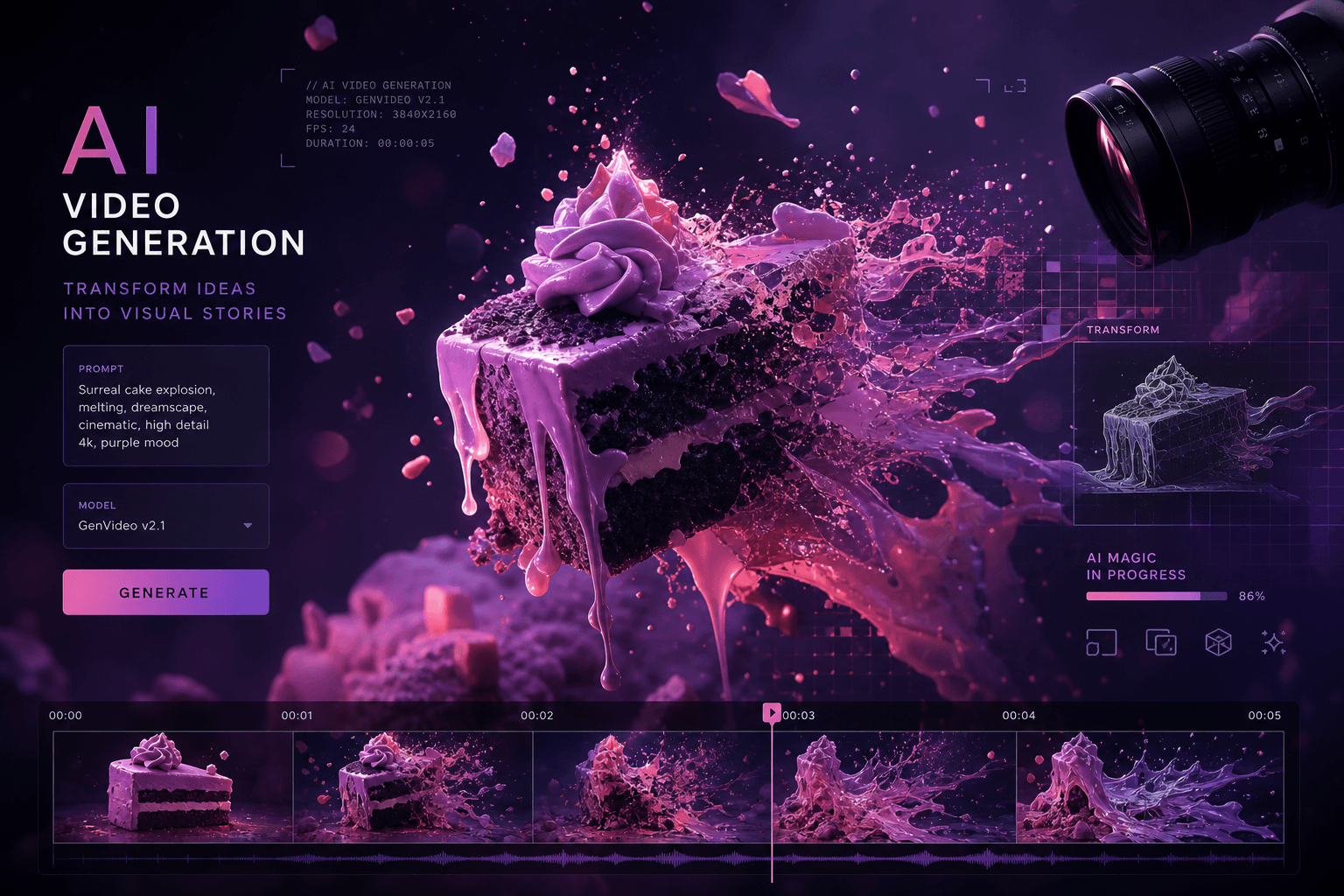
Pika 1.5 Arrives: The AI Video Generator Betting Everything on Creative Chaos

Table of Contents
Pika 1.5 Arrives: The AI Video Generator Betting Everything on Creative Chaos #
The line between video production and video sorcery just got obliterated.
Table of Contents #
- What Pika 1.5 Actually Delivers — The headline features and why "Pikaffects" matter
- The Six Pikaffects Breakdown — Explode it, Melt it, Cake-ify it, and the rest
- Camera Control Goes Cinematic — Bullet Time, Vertigo, and professional shot vocabulary
- Under the Hood: Quality Improvements — What's better in i2v and t2v workflows
- The Competitive Landscape: Pika vs. Runway vs. Luma — Three different philosophies, three different use cases
- Pricing and Access Model — Credit costs, free tier limits, and the 1.0 fallback for paid users
- Who Should Actually Use Pika 1.5 — Content creators, marketers, and the meme economy
- Limitations and Trade-offs — Generation time, credit burn, and missing features
- The Bigger Picture: AI Video's Creative Turn — Why realism isn't the only winning strategy
- FAQ — Eight common questions answered
- Closing Take — Where Pika fits in your creative stack
What Pika 1.5 Actually Delivers #
Pika 1.5 arrives today with a fundamentally different bet than its competitors: physics-defying special effects over photorealistic perfection. While Runway chases cinematic realism and Luma pushes generation speed, Pika Labs is leaning into creative chaos—and the results are already generating the kind of viral momentum money can't buy.
The flagship feature is Pikaffects, a suite of six one-click special effects that transform video subjects in ways that violate every law of physics. We're talking Explode it, Squish it, Melt it, Crush it, Inflate it, and the already-iconic "Cake-ify it" that turns any subject into hyper-realistic cake before slicing it with a knife. These aren't filters layered on top—Pika 1.5 analyzes the subject, inserts interactive props (hydraulic presses, human hands, cutlery), and renders entirely new physics that never existed in the source.
But Pikaffects aren't the only upgrade. The 1.5 release also delivers:
| Feature | What It Does | Why It Matters |
|---|---|---|
| Pikaffects | Six physics-defying transformations | Differentiates from competitors chasing realism |
| Cinematic Camera Controls | Bullet Time, Vertigo, Dolly, Crane shots | Professional-grade camera vocabulary |
| Improved Motion Quality | Running, skateboarding, flying rendered more lifelike | Better human and object physics |
| Enhanced Workflows | Upgraded image-to-video and text-to-video pipelines | Higher base quality for all generations |
| 5-Second High-Quality Clips | Consistent length with better resolution | Sweet spot for social content |
Pika raised $80 million at a $700 million valuation in June 2024—Series B led by Spark Capital with participation from Adam D'Angelo, Nat Friedman, and yes, Jared Leto. That capital is now showing up as compute horsepower. Each 5-second clip costs 15 credits (up from previous generations), reflecting the increased model demands.
The strategic read: After nearly a year of relative quiet since the 1.0 launch in late 2023, Pika needed to come back with something that wasn't just "better quality." The video generation space is crowded with Runway's Gen-3 Alpha Turbo, Luma's Dream Machine 1.5, and OpenAI's looming Sora release. Pikaffects are the differentiator—playful, meme-worthy, and instantly shareable in ways that "slightly better realism" never achieves.
The Six Pikaffects Breakdown #
Pikaffects are the most interesting innovation in consumer AI video since the category emerged. Here's how each one actually works and what it's best for:
Explode It #
Takes the subject and renders a stylized explosion—shards fly outward, debris scatters, and the subject essentially disintegrates on camera. The AI maintains lighting consistency across the exploding particles, which is what makes it look convincing rather than cartoonish.
Best for: Action sequences, product destruction reveals, dramatic transitions.
Squish It #
Compresses the subject vertically while maintaining horizontal proportions. Think of it as a cartoon anvil-drop effect, but photorealistic. The AI adds deformation physics—surfaces buckle, interiors squelch, materials behave according to their apparent texture.
Best for: Comedic content, Looney Tunes-style gags, surprising transformation reveals.
Melt It #
The subject droops, drips, and dissolves like wax or chocolate left in the sun. Pika 1.5 renders the melting with surprising attention to material properties—metallic surfaces bead up, organic surfaces run and pool.
Best for: Surreal art pieces, horror-adjacent content, liquid transformation sequences.
Crush It #
Perhaps the most technically impressive: Pika 1.5 inserts a hydraulic press (or human hands) into the frame and crushes the subject. The prop interacts convincingly with the object—press plates deform soft materials, hands grip and compress. The physics are completely fabricated but visually coherent.
Best for: Satisfying destruction content, hydraulic press video remixes, ASMR-adjacent visuals.
Inflate It #
Balloons the subject outward like it's being filled with air or water. Surface tension stretches, materials thin and become translucent at expansion points. The effect can create blob-like or bouncy motion depending on the subject.
Best for: Cartoon physics, playful product showcases, before/after transformations.
Cake-ify It #
The viral star of the launch. Pika 1.5 transforms the subject into a hyper-realistic cake replica, then renders a knife slicing through it with appropriate cake interior texture. This rides the wave of "everything is cake" meme culture but automates the VFX work that previously required skilled 3D artists.
Best for: Meme content, social virality, surreal humor, brand moments that need shareability.
How the technology works: Pika 1.5 runs subject segmentation, identifies the primary object, then runs a secondary generation pass that inserts the appropriate effect props and renders the interaction. The fact that it does this in a single click—no masking, no keyframes, no compositing—is the product breakthrough. Competitors can achieve similar results, but not without manual work in After Effects or Blender.
Camera Control Goes Cinematic #
Pika 1.5 borrows the camera vocabulary of professional cinematography and makes it accessible via text prompt. The new motion control features include shots that previously required expensive rigs, cranes, or bullet-time arrays:
| Camera Movement | Effect | Best Use Case |
|---|---|---|
| Bullet Time | Time appears to slow while camera moves dynamically around frozen action | Action sequences, dramatic reveals, product showcases |
| Vertigo | Dolly zoom effect—background compresses while subject stays fixed | Psychological tension, dramatic realizations, horror moments |
| Dolly Left/Right | Smooth horizontal camera movement | Establishing shots, parallax depth, lateral reveals |
| Crane Up/Down | Vertical sweeping movements | Grand reveals, scale establishment, God’s-eye transitions |
| Crash Zoom | Rapid push into subject | Comedy, shock moments, emphasis beats |
| Whip Pan | Fast horizontal blur transition | Scene changes, time cuts, energetic pacing |
The camera controls work through the prompt interface—you describe the shot and Pika 1.5 interprets the camera language. "Bullet time shot of a skateboarder mid-kickflip" or "Vertigo effect on a portrait" are valid inputs that the model understands.
The workflow implication: Content creators no longer need to storyboard complex camera moves and figure out how to execute them physically. The AI generates the camera behavior as part of the video synthesis. This democratizes cinematic language that previously required years of technical expertise or expensive equipment.
Quality note: The camera movements are rendered with proper motion blur and parallax—Pika 1.5 understands how objects at different depths should move relative to each other during camera motion. It's not just sliding a static image; it's re-rendering the scene from new angles.
Under the Hood: Quality Improvements #
Beyond the headline features, Pika 1.5 delivers substantial upgrades to core video generation quality. The improvements are most noticeable in human movement and environmental physics:
Image-to-Video (I2V) Enhancements #
- Better subject consistency across the 5-second clip
- Reduced morphing and identity drift
- More coherent background handling during motion
- Improved lighting preservation from source image
Text-to-Video (T2V) Improvements #
- More accurate interpretation of complex prompts
- Better handling of human activities (running, skateboarding, flying)
- Improved environmental physics (water, fire, smoke)
- Reduced "uncanny valley" effects in human faces
Motion Quality Specifics #
Pika 1.5 specifically addresses the "floaty" motion that plagued earlier AI video generations. The model now renders:
- Ground contact: Feet actually touch and push off surfaces
- Momentum conservation: Moving objects carry appropriate inertia
- Physics coherence: When a human runs, their body moves like a human body, not a drifting avatar
The technical context: These improvements come from a combination of larger training datasets, better motion capture integration, and what Pika Labs calls "physics-aware generation." The model doesn't just predict pixels—it has an implicit understanding of how objects move through space.
Trade-off acknowledgment: Generation times are longer than Pika 1.0, and significantly longer than Luma Dream Machine's near-instant outputs. The 15-credit cost per clip reflects this computational intensity. You're paying in time and credits for the quality upgrade.
The Competitive Landscape: Pika vs. Runway vs. Luma #
The AI video generation space has crystallized into three distinct philosophies. Understanding where each tool places its bets helps you choose the right one for your actual use case:
| Dimension | Pika 1.5 | Runway Gen-3 Alpha | Luma Dream Machine 1.5 |
|---|---|---|---|
| Core Bet | Creative effects & playfulness | Cinematic realism & control | Speed & accessibility |
| Output Length | 5 seconds | Up to 10 seconds | 5 seconds |
| Key Differentiator | Pikaffects (physics-defying FX) | Motion Brush, advanced camera control | Fastest generation, cleanest UI |
| Best At | Meme content, surreal transformations | Professional video, film-quality output | Quick iterations, prototyping |
| Pricing | 15 credits per 5s clip | Variable by plan | Free tier generous, fast paid tiers |
| Unique Feature | Cake-ify, Explode, Melt effects | Lip Sync, Sound Effects (competitors lack) | Two-image input for better control |
| Weakness | Slower generation, shorter clips | Expensive, rate limits | Less control than Runway |
The Strategic Positioning #
Runway Gen-3 Alpha is building the Hollywood tool. They're the ones signing deals with Lionsgate, developing features for professional filmmakers. Their Motion Brush and camera controls are designed for users who know what a dolly zoom is and why you'd use it. The quality is currently industry-leading, but you pay for it—both in subscription cost and in rate-limited generation queues.
Luma Dream Machine is building the rapid prototyping tool. Their bet is that most users want to iterate fast, test ideas, and generate volume. The interface is minimal, the generation is fast, and the results are good enough for most social content. The recent 1.5 update added image-to-video capabilities that closed the gap with competitors.
Pika 1.5 is building the viral content tool. They watched the "everything is cake" meme, the hydraulic press trend, the explosion-of-everyday-objects genre—and built automation for it. The bet is that shareability and surprise matter more than pixel-perfect realism for the majority of social video creation.
Which should you use?
- Professional video production: Runway Gen-3
- Fast iteration and volume: Luma Dream Machine
- Creative effects and virality: Pika 1.5
- Character consistency across clips: None of them are great at this yet—this is the next battleground
Pricing and Access Model #
Pika 1.5 maintains the same subscription pricing as 1.0 but increases per-generation costs to reflect the heavier compute load. Here's the current structure:
Credit Costs #
| Action | Credit Cost | Notes |
|---|---|---|
| Pika 1.5 generation | 15 credits per 5-second clip | Increased from 1.0 pricing |
| Pikaffects generation | 15 credits (faster than standard 1.5) | Optimized for speed |
| Pika 1.0 generation | Standard rates | Available to paid users only |
Subscription Tiers (Unchanged) #
- Free tier: Limited generations per month, watermark on output
- Standard/Paid tiers: Credit allotments scale with plan level
Notable Access Decision #
Paid users can still access Pika 1.0—this isn't a forced migration. The reasoning is simple: Pika 1.0 has features that 1.5 doesn't yet support, including:
- ElevenLabs-powered Lip Sync
- AI Sound Effects (SoundFX)
- Video extension (lengthening clips beyond initial generation)
- Expand (outpainting for video)
This hybrid access model is smart product management. Users who need those specific features can stay on 1.0; users who want the new effects can use 1.5. Over time, expect these features to migrate to the 1.5 stack.
Community Challenges #
Pika is running community challenges where participants can win free credits. These credits work on Pika 1.5, effectively creating a marketing loop where the most viral user-generated content also drives platform engagement.
Who Should Actually Use Pika 1.5 #
Not every AI video tool is for every creator. Here's who gets the most value from Pika 1.5 specifically:
Social Media Content Creators #
If your KPI is shares, comments, and saves, Pikaffects are a cheat code. The "Cake-ify it" effect alone has generated millions of organic impressions across TikTok, Instagram Reels, and X. The content is inherently surprising—viewers watch to the end because they want to see the transformation.
Recommended workflow: Generate with Pikaffects, post native to platform, track virality metrics separately from production-quality content.
Meme Culture Participants #
Pika 1.5 automates the visual effects work that previously required After Effects skills. The hydraulic press craze, the cake reveal format, the explosion edits—all now accessible to anyone who can click a button and upload.
This is democratization of a specific kind: not high-end cinematic production, but rapid cultural participation.
Marketing Teams Needing Quick Creative #
For social campaigns that need to move fast and feel current, Pika 1.5 generates attention-grabbing content in minutes. The effects are surprising enough to stop the scroll, which is 90% of the battle in feed-based advertising.
Experimental and Surreal Artists #
The physics-defying nature of Pikaffects opens territory that doesn't exist in traditional video tools. Artists working in surreal, dreamlike, or absurd aesthetics get a new medium that literally breaks physical laws.
Who Should Skip Pika 1.5 (For Now) #
- Film and TV professionals: Runway's longer clips and better character consistency win here
- Product photography teams: Luma's speed matters more than Pika's effects for iterative product visualization
- Anyone needing character continuity: No AI video tool excels at this yet, but Pika's 5-second limit makes it the hardest to maintain consistency across
Limitations and Trade-offs #
No tool is perfect, and Pika 1.5 has specific limitations you should know before building workflows around it.
Generation Speed #
Pika 1.5 is noticeably slower than competitors. While Luma Dream Machine generates in near real-time and Runway's Gen-3 Turbo lives up to its name, Pika 1.5 clips take longer—sometimes significantly so. Pikaffects are optimized to generate faster than standard 1.5 clips, but this is still not a rapid iteration tool.
Workflow implication: Batch your prompts. Don't sit and wait for each generation—queue up multiple ideas and review results asynchronously.
5-Second Hard Limit #
The output length is fixed at 5 seconds. This is fine for social content, memes, and many commercial use cases, but it means:
- No long-form narrative possibilities
- No extended character sequences
- Manual stitching required for longer content
Credit Burn #
At 15 credits per clip, costs escalate quickly. If you're iterating through 10 variations of a concept to find the one that works, that's 150 credits. Compare to Luma's more generous free tier and faster paid generation.
Missing Features (Still in 1.0 Only) #
- Lip Sync: ElevenLabs-powered lip synchronization remains a 1.0 exclusive
- Sound Effects: AI-generated audio to match video
- Video extension: Can't extend a 5-second clip to 10 seconds natively in 1.5
- Expand: Video outpainting isn't available
Character Consistency #
Like all current AI video tools, Pika 1.5 struggles with maintaining character appearance across multiple generations. If you need the same character in different scenes, you're in for a difficult workflow regardless of which tool you choose.
Effect Unpredictability #
Pikaffects are impressive but not perfectly controllable. The AI decides exactly how the hydraulic press crushes, how the cake slices, how the explosion scatters. You get variation, not precision.
The Bigger Picture: AI Video's Creative Turn #
Pika 1.5 represents a strategic inflection point in AI video generation: the moment when "realism at all costs" stopped being the only winning strategy.
The first wave of AI video tools was obsessed with photorealism—can we make generated video indistinguishable from camera footage? Runway pursued this with film-grade quality. Luma pursued it with speed and accessibility. OpenAI's Sora, when it eventually launches, will likely be the apotheosis of this direction.
Pika looked at this arms race and chose a different vector: creative possibility over photographic fidelity.
The Theoretical Framework #
There's a useful distinction from traditional animation that applies here:
| Approach | Goal | Example |
|---|---|---|
| Rotoscoping/Realism | Replicate reality with fidelity | Motion capture, photorealistic CGI |
| Squash-and-Stretch/Cartoon | Exaggerate physics for emotional effect | Classic Disney, Looney Tunes |
Early AI video was pure rotoscoping—model reality as accurately as possible. Pikaffects are squash-and-stretch—they deliberately violate physics for creative impact.
Why This Matters Strategically #
The realism race has diminishing returns. At some point, "slightly more realistic" doesn't open new use cases—it just improves quality within existing ones. But creative effects open entirely new categories of content:
- Meme formats that couldn't exist before
- Surreal art that would require 3D expertise
- Marketing content that stands out precisely because it breaks expectations
The Competitive Moat Question #
Pikaffects are currently a differentiation, but not necessarily a durable moat. The underlying technology—subject segmentation, physics simulation, effect rendering—is replicable. Runway or Luma could launch similar features.
But Pika has timing and mindshare. They're first to market with these specific effects, and the viral momentum they're generating creates brand association. When creators think "I want to make something explode and turn into cake," they're now more likely to think of Pika than alternatives.
The Infrastructure Implication #
For builders and agencies, this means the AI video stack is now multi-tool by necessity. No single platform wins on all dimensions:
- Use Runway for cinematic, professional output
- Use Luma for rapid iteration and volume
- Use Pika for creative effects and viral potential
The agency that builds workflows around all three—routing the right job to the right tool—will outperform the agency that standardizes on one.
FAQ #
What exactly are Pikaffects and how do they work? #
Pikaffects are one-click special effects that transform video subjects in physics-defying ways. The six current options are Explode it, Squish it, Melt it, Crush it, Inflate it, and Cake-ify it. Pika 1.5 analyzes the subject in your image or video, inserts appropriate props (like hydraulic presses or knives), and renders the transformation with fabricated but visually coherent physics. The AI handles subject segmentation, effect prop insertion, and motion rendering in a single automated pipeline—no manual masking or compositing required.
How much does Pika 1.5 cost to use? #
Each 5-second clip generated with Pika 1.5 costs 15 credits, which is higher than the previous 1.0 model to account for increased compute demands. Subscription prices remain unchanged from 1.0, so the cost difference only affects how many generations you can run per billing cycle. Free tier users have limited monthly generations with watermarked output; paid tiers scale credit allotments with plan level.
Can I still use Pika 1.0 features like Lip Sync? #
Yes, paid users can access both Pika 1.0 and 1.5. Some features remain exclusive to the 1.0 model for now, including the ElevenLabs-powered Lip Sync, AI Sound Effects (SoundFX), video extension capabilities, and the Expand feature for video outpainting. Pika Labs has not announced a timeline for migrating these features to 1.5, so the dual-access model is currently the standard.
How does Pika 1.5 compare to Runway Gen-3 Alpha? #
Pika 1.5 prioritizes creative effects over cinematic realism. Runway Gen-3 Alpha currently produces the highest-quality, most realistic AI video and supports up to 10-second clips. Pika 1.5 limits output to 5 seconds but offers Pikaffects—physics-defying transformations that Runway cannot replicate without manual post-production work. For professional film and TV work, Runway remains the choice. For viral social content and creative experimentation, Pika 1.5 offers unique capabilities.
What video length and quality does Pika 1.5 output? #
Pika 1.5 generates 5-second clips at improved quality over 1.0. The resolution and fidelity have been upgraded for both image-to-video and text-to-video workflows. The 5-second limit is fixed—there is no native extension capability in 1.5, unlike the 1.0 model which allowed clip lengthening. Quality is highest for human motion (running, skateboarding, flying) and camera control shots.
Are Pikaffects available on the free tier? #
Yes, Pikaffects are accessible to both free and paid users. This is a notable inclusion—Pika could have paywalled these viral features but chose to make them broadly available. Free users do face generation limits and watermarked output, but the core Pikaffects functionality works the same across tiers. The company is also running community challenges where participants can win additional free credits.
What camera movements are included in Pika 1.5? #
Pika 1.5 includes six cinematic camera controls: Bullet Time (slow-motion dynamic camera around frozen action), Vertigo (the dolly zoom effect), Dolly Left, Dolly Right, Crane Up, and Crane Down. These are triggered via text prompts using standard cinematography vocabulary. The camera movements include proper motion blur and parallax rendering—objects at different depths move relative to each other correctly during camera motion.
How long does Pika 1.5 take to generate videos? #
Pika 1.5 is slower than its competitors. While Luma Dream Machine generates near-instantly and Runway Gen-3 Turbo is optimized for speed, Pika 1.5 clips take noticeably longer to render. Pikaffects generations are faster than standard 1.5 clips but still not instant. The trade-off is quality and effect complexity. For batch workflows, queue multiple generations and review asynchronously rather than waiting for each clip.
Can I use Pika 1.5 for commercial projects? #
Yes, Pika 1.5 output can be used commercially with a paid subscription. The free tier is restricted to personal/non-commercial use with watermarked output. Paid subscribers receive commercial usage rights. As with all AI-generated content, the evolving legal landscape around training data and copyright means you should review Pika Labs' current terms of service and consider consulting legal counsel for high-stakes commercial deployments.
What's missing from Pika 1.5 that competitors have? #
Pika 1.5 lacks several features available elsewhere: Runway's Lip Sync and Sound Effects (AI-generated audio) have no equivalent in Pika 1.5—you must use Pika 1.0 for these. Runway's longer clip duration (10 seconds vs. Pika's 5) matters for narrative content. Luma Dream Machine's speed advantage is significant for iterative workflows. Character consistency across multiple clips remains weak across all platforms, but Pika's 5-second limit makes it the most constrained. No AI video tool currently excels at maintaining a character's appearance across different scenes and prompts.
Closing Take #
Pika 1.5 is a bet that creative possibility matters more than pixel perfection. In a field obsessed with photorealism, Pika Labs built a tool for the absurd, the surreal, and the meme-worthy. The Pikaffects aren't just features—they're a statement about what AI video can be when it's not trying to replace cameras.
For creators and agencies, the practical read is this: your AI video stack just got more interesting. You now have three genuinely different philosophies to route work through—Runway for cinematic realism, Luma for rapid iteration, and Pika for creative effects that break physics. The smart workflow uses all three.
The longer-term question is whether Pikaffects create a durable moat or just a temporary differentiation. The technology is replicable. The mindshare, less so. By being first to market with these specific viral effects, Pika has a shot at owning the category of "AI video for creative chaos." Whether that translates to sustainable competitive advantage depends on what they ship next—and how fast the competition responds.
For now, if your content strategy needs shareability, surprise, or surrealism, Pika 1.5 belongs in your toolkit. The cake-ification of digital content has begun.
Need a Website That Showcases Your Creative Work? #
If you're a content creator, agency, or brand looking to display AI-generated video content—or any creative work—with the impact it deserves, I build custom, immersive web experiences designed to convert. From scroll-driven storytelling to cinematic portfolio presentations, I specialize in the kind of 5-figure digital builds that match premium creative output with premium presentation.
Start a custom website project →
Related Reading #
- Runway Gen-3 Alpha Text-to-Video Launch — How Pika's main competitor approached the realism race
- Luma Dream Machine Free Launch — The speed-and-accessibility play that changed the market dynamics in June 2024
- AI Automation + Growth — Custom workflows for content creation at scale
Related Posts

Google I/O 2026 Action List: How I Prompted Gemini 3.5 Flash and Antigravity Workflows
Google I/O 2026 just reset the AI tooling landscape. Here's the 9-action checklist for builders who want to ship this week, not just watch the keynote.
Anthropic vs. OpenAI vs. Google: The State of the Frontier in May 2026
A head-to-head breakdown of the three AI giants in May 2026: Claude Opus 4.6, GPT-5.3 and 5.4, Gemini 3.1 Pro. Real specs, real pricing, and what actually matters for builders.
Kimi K2 Open Weights: How I Prompted Moonshot's Frontier Model for Agentic Tool Use
How I direct Kimi K2 by Moonshot AI for agentic workflows, long-context tool calling, and workflow automation. A 1 trillion parameter MoE model with competitive benchmarks at 5-17x lower cost than GPT-5 and Claude.




