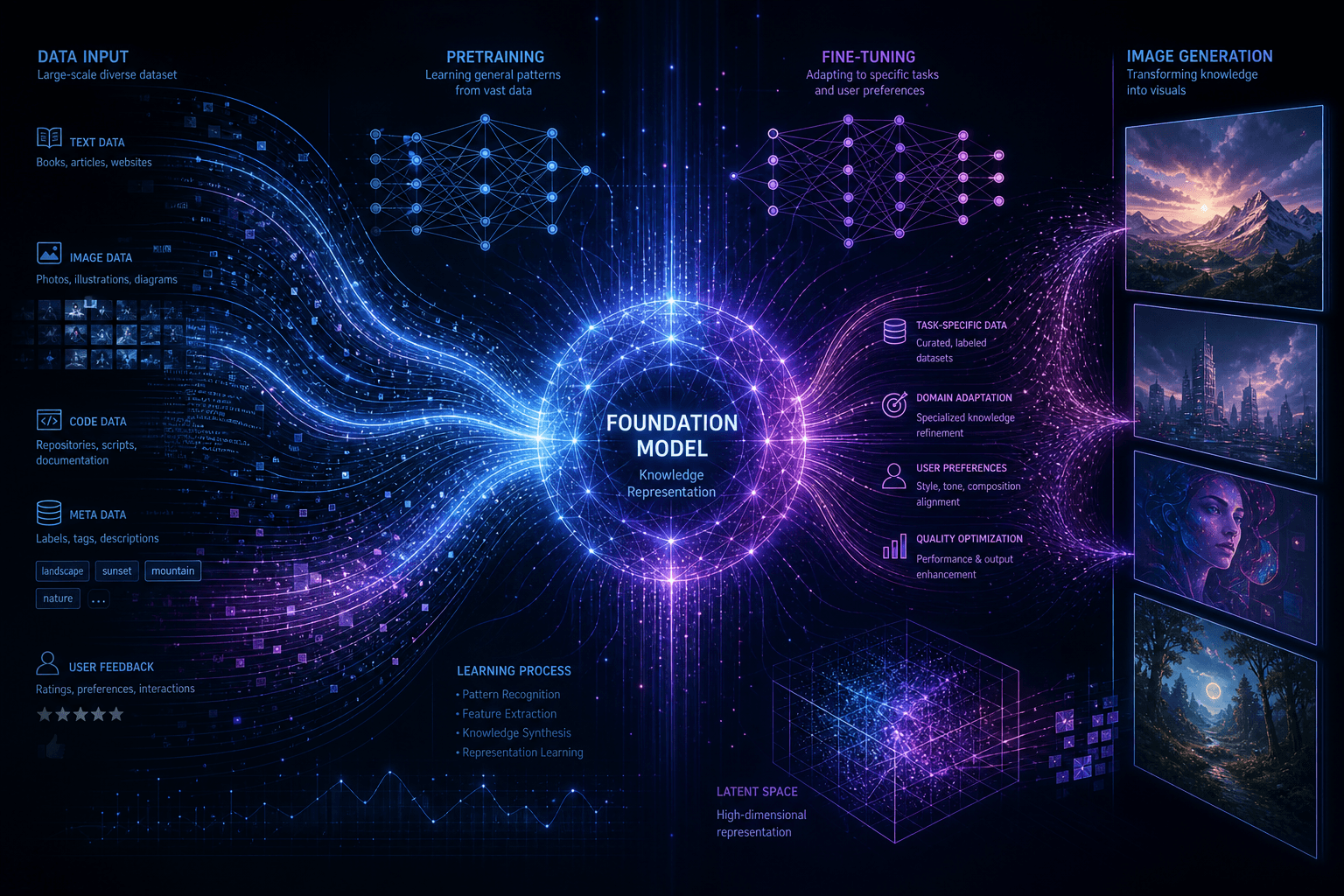
Replicate FLUX Fine-Tuning: Create Custom Image Models in Under 2 Minutes

Table of Contents
Replicate FLUX Fine-Tuning: Create Custom Image Models in Under 2 Minutes #
Fine-tuning image generation models is no longer the domain of ML engineers with GPU clusters. Replicate has launched FLUX fine-tuning capabilities that let anyone—developers, designers, creators—train custom image models on their own datasets in under two minutes for less than two dollars. This is what happens when best-in-class open-source models meet accessible infrastructure.
Table of Contents #
- What Replicate's FLUX Fine-Tuning Delivers — The breakthrough in speed, cost, and accessibility
- How FLUX Fine-Tuning Works — The LoRA technique and training mechanics
- Preparing Your Training Data — Image requirements, formats, and best practices
- The Web-Based Training Workflow — No-code model creation step-by-step
- API-Driven Fine-Tuning — Programmatic model training for production pipelines
- Trigger Words and Prompt Engineering — Activating your custom concept
- Use Cases and Applications — From brand styles to character consistency
- Community Fine-Tunes Gallery — Notable public models and inspiration
- Pricing and Hardware Specifications — Cost breakdown and H100 infrastructure
- Licensing and Commercial Use — What you can and cannot do
- Combining and Extending Fine-Tunes — Advanced techniques for power users
- FAQ: Replicate FLUX Fine-Tuning — Common questions answered
- Building Production Image Pipelines — From prototype to production system
What Replicate's FLUX Fine-Tuning Delivers #
Custom image generation models are now accessible to anyone with a ZIP file and two dollars. Replicate's FLUX fine-tuning launch fundamentally changes who can train AI models and how quickly it happens. This is not an incremental improvement—it fundamentally changes the economics from week-long training jobs on rented GPU clusters to sub-two-minute training runs that cost less than a coffee.
The core breakthrough is accessibility without compromise. FLUX.1 [dev], released by Black Forest Labs earlier this summer, already set a new standard for open-source image generation with its ability to render realistic hands, legible text, and coherent complex scenes. Now that same architecture is available for customization through Replicate's hosted infrastructure, powered by Ostris's AI Toolkit and the LoRA training technique.
Consider what this replaces. Before this launch, fine-tuning a diffusion model required:
| Requirement | Traditional Approach | Replicate FLUX Fine-Tuning |
|---|---|---|
| GPU Access | Rent A100s or own hardware | Zero setup—runs on H100s |
| Technical Expertise | PyTorch, CUDA, ML engineering | Web interface or simple API |
| Training Time | Hours to days | Under 2 minutes |
| Cost | $50–$500+ per training run | Under $2 |
| Infrastructure | Container setup, dependency hell | Upload ZIP, click button |
| Result Delivery | Download weights, self-host | Warm model + API instantly |
The implications extend beyond convenience. Teams that previously outsourced model training or avoided custom models entirely can now iterate rapidly. A marketing team can train a brand-specific style model in the morning and generate on-brand campaign assets by afternoon. A game studio can maintain character consistency across thousands of generated assets without hiring ML engineers. An agency can offer client-specific image generation as a service without building infrastructure.
Replicate's infrastructure handles the scaling. Training runs execute on 8x Nvidia H100 GPUs, the same hardware used for frontier model training. The platform manages queuing, resource allocation, and model serving automatically. When training completes, the model is immediately runnable via API—no deployment steps, no container configuration, no DevOps overhead.
The community response validates the demand. Within weeks of launch, hundreds of public fine-tunes populate Replicate's gallery, with thousands more created privately. These range from artistic styles trained on specific painters to product photography models fine-tuned on e-commerce catalogs to character models for narrative projects. Each represents a workflow that would have been impractical or impossible six months ago.
This launch sits at the intersection of three converging trends: open-source foundation models reaching production quality, efficient fine-tuning techniques (LoRA) maturing, and serverless AI infrastructure becoming reliable enough for production workloads. Replicate has packaged all three into a service that just works.
How FLUX Fine-Tuning Works #
The speed and affordability of FLUX fine-tuning stems from a technique called LoRA—Low-Rank Adaptation. Instead of retraining the entire 12-billion-parameter FLUX.1 [dev] model, LoRA learns small update matrices that modify specific behaviors while leaving the base model frozen. This is the difference between rebuilding an engine and swapping a performance chip.
Traditional fine-tuning updates every weight in the network. For a model like FLUX with billions of parameters, this requires massive compute, extensive training time, and risks catastrophic forgetting—where the model loses general capabilities by over-optimizing for the training data. LoRA sidesteps these problems entirely.
The mathematics behind LoRA is elegant. For a pre-trained weight matrix ( W_0 ), LoRA introduces a low-rank decomposition:
[ W = W_0 + BA ]
Where ( B ) and ( A ) are much smaller matrices with rank ( r \ll \min(d, k) ). During training, ( W_0 ) stays frozen while only ( B ) and ( A ) are updated. The rank is typically small—often 4, 8, or 16—meaning LoRA trains millions rather than billions of parameters.
This architecture delivers three key advantages:
Training Efficiency: Fewer parameters means faster gradient computation and less memory overhead. A full FLUX fine-tuning might require 48GB+ VRAM and hours of training. LoRA completes in minutes on standard infrastructure.
Storage Efficiency: The resulting LoRA weights are typically 50–200MB rather than 20+ GB for a full model. This matters for deployment, version control, and model switching.
Composability: Multiple LoRAs can be merged or applied sequentially. You can combine a character LoRA with a style LoRA, or blend multiple artistic styles without retraining.
Replicate implements LoRA through Ostris's AI Toolkit, an open-source training framework specifically designed for diffusion models. The toolkit handles the training loop, learning rate scheduling, data augmentation, and checkpoint management automatically. Users provide training images and a trigger word; the toolkit handles the rest.
Training executes on 8x Nvidia H100 GPUs with 80GB VRAM each. This distributed setup allows larger batch sizes and faster iteration than single-GPU training. The H100's transformer engine accelerates the attention computations that dominate diffusion model training.
The base model—FLUX.1 [dev]—provides the foundation. Released by Black Forest Labs (founded by former Stability AI researchers), FLUX.1 [dev] is an open-weight model that matches or exceeds Midjourney v6 and DALL-E 3 on most benchmarks. It uses a flow-matching diffusion architecture rather than traditional DDPM, enabling fewer inference steps and better text rendering.
Key FLUX.1 [dev] specifications:
| Specification | Value |
|---|---|
| Architecture | Flow-matching diffusion transformer |
| Parameters | ~12 billion |
| Context Window | 512 T5-XXL tokens |
| Resolution | Up to 2 megapixels natively |
| Text Rendering | Native, high accuracy |
| License | FLUX-1 Dev Non-Commercial License |
When you fine-tune FLUX.1 [dev], you're not creating a new model from scratch. You're teaching the existing model a new concept—your face, your product, your style—that it can activate when triggered. The base model's general knowledge remains intact; your concept becomes a new tool in its toolbox.
Preparing Your Training Data #
The quality of your fine-tuned model depends entirely on the quality and variety of your training data. Replicate's FLUX fine-tuning can work with as few as 2 images, but 10–20 well-chosen images consistently produce better results. The key is variety—not volume.
Image Requirements and Formats #
Replicate accepts training images in three formats with straightforward specifications:
| Format | Supported | Optimal Resolution |
|---|---|---|
| JPEG | Yes | 1024×1024 or higher |
| PNG | Yes | 1024×1024 or higher |
| WebP | Yes | 1024×1024 or higher |
Resolution matters. FLUX.1 [dev] was trained on high-resolution images, and feeding it low-resolution training data limits what it can learn about fine details. If your source images are smaller than 1024×1024, upscale them using a quality tool like Topaz Gigapixel or Real-ESRGAN before training. Pixelated or artifact-ridden training images produce pixelated outputs.
Aspect ratio is flexible. Unlike older diffusion models that required square crops, FLUX handles landscape, portrait, and square images naturally. However, maintaining consistent aspect ratios within a training set helps the model learn coherent compositions.
The Critical Importance of Variety #
Variety in training data is the single most important factor for successful fine-tuning. If you train on 20 nearly identical photos, the model learns a rigid template rather than a flexible concept. When you prompt it to generate your subject in a new context, it fails because it never saw variety during training.
For a personal portrait model (training on yourself or another person), include images with:
- Different angles: Front-facing, 3/4 view, profile shots
- Different lighting: Natural daylight, indoor ambient, harsh flash, soft diffused
- Different clothing: Casual, formal, various colors and textures
- Different backgrounds: Outdoor, indoor, studio, textured, plain
- Different expressions: Neutral, smiling, serious, laughing
- Different distances: Close-up portraits, medium shots, full body
For a product or object model:
- Different orientations: Rotated views showing all sides
- Different contexts: On its own, in use, with complementary objects
- Different lighting: Product photography vs. lifestyle shots
- Different scales: Detail shots and wide shots
For a style or artistic model:
- Consistent aesthetic: The style elements you want learned
- Varied subjects: The style applied to different content types
- Range of compositions: Portraits, landscapes, still lifes, abstracts
Caption Files (Optional but Recommended) #
While Replicate's training supports autocaptioning, providing custom caption files gives you precise control over what the model learns. For each image file, create a text file with the same name and a .txt extension:
training/
├── image_01.jpg
├── image_01.txt
├── image_02.jpg
├── image_02.txt
└── ...
Caption content should describe what is in the image, including your trigger word:
A professional portrait photo of TOK, a 35-year-old man with short brown hair, wearing a navy blazer over a white dress shirt, photographed in natural window light against a neutral gray backgroundCaptions serve two purposes. First, they teach the model what your trigger word represents. Second, they describe other elements (lighting, clothing, setting) that the model should associate with your subject but not permanently attach to it.
Data Preparation Workflow #
- Collect source images from your photo library, product shoots, or style reference collection
- Curate for quality—remove blurry, poorly exposed, or unrepresentative images
- Resize if necessary—upscale images below 1024×1024 resolution
- Organize into folders by concept if training multiple subjects
- Write captions (optional) for precise control over learning
- Package as ZIP—compress the folder for upload
The ZIP structure is simple: just a folder of images (and optional TXT caption files). No special naming conventions required, though descriptive filenames help with organization.
Common Data Preparation Mistakes #
| Mistake | Consequence | Solution |
|---|---|---|
| Too few images (<5) | Poor generalization, rigid outputs | Use 10–20 minimum |
| Lack of variety | Model memorizes specific poses/settings | Include diverse angles/lighting |
| Low resolution | Blurry, low-detail outputs | Upscale to 1024×1024+ |
| Inconsistent quality | Model learns artifacts and noise | Curate ruthlessly for best shots |
| Wrong trigger word in captions | Conflicts with other concepts | Use unique, non-dictionary trigger words |
| Over-cropping | Missing context for subject | Include some wider shots |
The Web-Based Training Workflow #
Creating a custom FLUX model requires no code, no command line, and no GPU rental. The web-based training interface on Replicate guides you through the entire process—from ZIP upload to runnable model—in a single form. The whole workflow takes under five minutes of active time, plus two minutes of waiting while H100s do the training.
Step 1: Navigate to the Training Interface #
Access the trainer at replicate.com/replicate/fast-flux-trainer/train. This loads Ostris's FLUX.1 [dev] LoRA trainer, the same training engine used for API-based training but exposed through a web form.
Step 2: Select or Create a Destination Model #
The destination field determines where your trained weights will live after training completes. You have two options:
- Existing model: Select from models you've already created on your Replicate account
- New model: Type a name to create a fresh model repository
New models default to private visibility. You can change this to public after training if you want to share your fine-tune with the community. Model names follow the format yourusername/model-name and become part of the API endpoint.
Step 3: Upload Your Training Data #
Drag and drop your prepared ZIP file into the input_images field. The interface accepts files up to several hundred megabytes, which accommodates 20+ high-resolution images comfortably.
Once uploaded, Replicate validates the ZIP contents—checking for supported image formats and confirming the archive extracts correctly. If your ZIP contains caption files (.txt files matching image names), these are automatically associated with their corresponding images.
Step 4: Configure Training Parameters #
The training form presents several parameters that control the learning process:
| Parameter | Default | Recommended | Description |
|---|---|---|---|
| trigger_word | — | Unique string (e.g., CYBRPNK) |
The word that activates your trained concept |
| steps | 1000 | 1000 | Training iterations. Don't go below 1000. |
| learning_rate | 0.0001 | 0.0001 | Step size for weight updates |
| batch_size | 1 | 1–4 | Images processed per gradient step |
| resolution | 1024 | 1024 | Training image resolution |
| autocaptioning | Enabled | Keep enabled | Automatic caption generation |
| lora_type | — | "subject" or "style" | What concept type you're training |
The trigger word is the most critical parameter. Choose something unique—like ZIKI, CYBRPNK, or MYSTYLE123—that doesn't appear in normal language. This prevents unintended activations and allows precise control over when your concept appears. Avoid TOK, which is commonly used in other fine-tuning workflows and may conflict if you later combine LoRAs.
For lora_type, select:
- "subject" when training on a person, character, product, or specific object
- "style" when training on artistic style, aesthetic, or visual treatment
Leave autocaptioning enabled unless you've manually created caption files. The autocaptioner uses a vision-language model to describe your training images, which is sufficient for most use cases.
Step 5: Optional Hugging Face Integration #
If you want backups of your LoRA weights outside Replicate, provide:
- hf_token: Your Hugging Face access token
- hf_repo_id: The repository where weights should be pushed (e.g.,
username/flux-lora-name)
After training completes, the LoRA weights are automatically pushed to your specified Hugging Face repository alongside the model on Replicate. This is useful for:
- Local inference with ComfyUI or Automatic1111
- Version control and model lineage tracking
- Sharing weights outside the Replicate ecosystem
Step 6: Launch Training #
Click Create training to start the process. The interface routes your job to Replicate's H100 cluster and displays real-time progress:
- Queueing: Job enters the training queue (typically instant)
- Preparation: Images are extracted, validated, and preprocessed
- Training: LoRA matrices are learned on 8x H100s
- Completion: Weights are saved to your destination model
Training typically completes in under two minutes for a standard 1000-step run with 10–20 images. The interface shows a progress bar and estimated completion time.
Step 7: Test Your Model #
Once training completes, the interface offers two immediate actions:
- Run trained model: Opens your model in the Replicate playground for immediate testing
- Download weights: Downloads the LoRA weights for local use
Click Run trained model to verify the training worked. The playground loads with your model pre-selected. Enter a prompt that includes your trigger word:
A professional portrait of CYBRPNK standing on a rooftop at sunset, city skyline in the background, cinematic lightingGenerate a few test images. If your concept appears consistently and correctly, training succeeded. If outputs don't match expectations—wrong subject, wrong style, poor quality—you may need to adjust your training data and retrain.
Step 8: Iterate and Refine #
Fine-tuning is iterative. Common adjustments after first training:
- Add more variety: If outputs are too rigid, add diverse training images
- Adjust steps: More steps (1500–2000) for complex concepts; fewer (500–750) for simple ones
- Refine captions: Add manual captions for precise control
- Change trigger word: If outputs conflict with existing concepts
Each retraining costs the same ~$2 and takes the same ~2 minutes, making iteration cheap and fast.
API-Driven Fine-Tuning #
Production workflows demand automation. While the web interface is perfect for experimentation, the Replicate API enables programmatic fine-tuning—training models from code, triggering trainings from user uploads, and integrating custom image generation into applications. The API exposes the same training engine with full control over parameters, destinations, and post-training actions.
Prerequisites #
Before making API calls, ensure you have:
- Replicate API token: Find this at
replicate.com/account/api-tokens - Replicate Python client (optional but convenient):
pip install replicate - Training data: ZIP file accessible to your code (local path or URL)
Set your token as an environment variable:
export REPLICATE_API_TOKEN=r8_***************************Creating a Destination Model Programmatically #
First, create a model repository that will host your fine-tuned weights:
import replicate

# Create the destination model
model = replicate.models.create(
    owner="yourusername",
    name="flux-custom-style",
    visibility="private",  # or "public"
    hardware="gpu-t4",     # Will be overridden for training
    description="Custom FLUX.1 fine-tuned on vintage 1970s cookbook photography"
)

print(f"Model created: {model.name}")
print(f"Model URL: https://replicate.com/{model.owner}/{model.name}")
This creates the model container before training. The hardware parameter is required but ignored during fine-tuning—all FLUX trainings run on H100s regardless of model settings.
Initiating Training via API #
With the destination model created, start the training run:
# Start the training process
training = replicate.trainings.create(
    version="ostris/flux-dev-lora-trainer:4ffd32160efd92e956d39c5338a9b8fbafca58e03f791f6d8011f3e20e8ea6fa",
    input={
        "input_images": open("/path/to/training-images.zip", "rb"),
        "steps": 1000,
        "trigger_word": "VINTG70S",
        "lora_type": "style",
        "learning_rate": 0.0001,
        "autocaptioning": True,
        # Optional: Push to Hugging Face
        "hf_token": "hf_***************************",
        "hf_repo_id": "yourusername/flux-vintage-70s",
    },
    destination=f"{model.owner}/{model.name}"
)

print(f"Training started: {training.status}")
print(f"Training ID: {training.id}")
print(f"Training URL: https://replicate.com/p/{training.id}")
The training object immediately returns with status "starting". Training proceeds asynchronously while your code continues execution.
Monitoring Training Progress #
Poll for completion or use webhooks for event-driven architectures:
import time

# Poll for completion
while training.status not in ["succeeded", "failed", "canceled"]:
    time.sleep(10)
    training.reload()
    print(f"Status: {training.status} | Completed: {training.metrics.get('completed_steps', 0)}/{training.input['steps']}")

if training.status == "succeeded":
    print(f"Training complete! Model version: {training.output['version']}")
else:
    print(f"Training failed: {training.error}")
For production systems, polling is inefficient. Instead, configure webhooks in your Replicate account settings to receive HTTP callbacks when training statuses change:
{
  "id": "trn_abc123",
  "status": "succeeded",
  "output": {
    "version": "abc123...",
    "weights": "https://..."
  },
  "urls": {
    "get": "https://api.replicate.com/v1/trainings/trn_abc123",
    "cancel": "https://api.replicate.com/v1/trainings/trn_abc123/cancel"
  }
}
Running Inference on Trained Models #
Once training succeeds, your model is immediately available for inference via API:
import replicate

# Generate with your fine-tuned model
output = replicate.run(
    f"yourusername/flux-custom-style:{training.output['version']}",
    input={
        "prompt": "A delicious chocolate cake, styled as VINTG70s, on a Formica countertop with avocado green kitchen decor, food photography",
        "num_inference_steps": 28,
        "guidance_scale": 7.5,
        "model": "dev",
        "width": 1024,
        "height": 1024,
    }
)

# Save the generated image
import requests
from PIL import Image
from io import BytesIO

response = requests.get(output[0])
img = Image.open(BytesIO(response.content))
img.save("generated-cake.png")
Node.js API Implementation #
For JavaScript/TypeScript applications:
import Replicate from 'replicate';
import fs from 'fs/promises';

const replicate = new Replicate({
  auth: process.env.REPLICATE_API_TOKEN,
});

// Create destination model
const model = await replicate.models.create({
  owner: 'yourusername',
  name: 'flux-brand-assets',
  visibility: 'private',
  description: 'Company brand style fine-tuned on FLUX',
});

// Start training
const training = await replicate.trainings.create({
  version: 'ostris/flux-dev-lora-trainer:4ffd32160efd92e956d39c5338a9b8fbafca58e03f791f6d8011f3e20e8ea6fa',
  input: {
    input_images: await fs.readFile('./brand-assets.zip'),
    steps: 1000,
    trigger_word: 'BRNDSTYL',
    lora_type: 'style',
  },
  destination: `${model.owner}/${model.name}`,
});

console.log(`Training started: ${training.urls.get}`);
Building Automated Training Pipelines #
The API enables sophisticated workflows:
User-Generated Content Pipeline: Users upload images through your app → images are validated and zipped → training triggers automatically → trained model is linked to user's account → user can immediately generate images through your UI.
A/B Testing Different Training Configurations: Trigger multiple trainings with identical data but different parameters (steps, learning rate, trigger words) → evaluate outputs → automatically promote the best-performing configuration.
Style Consistency Enforcement: Watch a brand asset folder (Dropbox, Google Drive, S3) for new images → trigger retraining when assets change → update downstream applications with new model versions.
Multi-Tenant Model Management: Each user or customer gets their own fine-tuned model → programmatically manage hundreds or thousands of models → track usage and costs per tenant.
The API transforms FLUX fine-tuning from a creative tool into infrastructure—reliable, scalable, and integrated into production systems.
Trigger Words and Prompt Engineering #
The trigger word is the activation key for your trained concept. Without it, your fine-tuned model behaves exactly like the base FLUX.1 [dev]—capable and general, but unaware of your custom subject or style. With it, the model renders your concept on demand, positioned in any scenario you can describe. Choosing and using trigger words correctly separates successful fine-tunes from disappointing ones.
Selecting an Effective Trigger Word #
A trigger word must be unique—something that never appears in normal text or other AI training data. If you choose a common word like cyberpunk or vintage, the model confuses your concept with its existing knowledge of those terms. Outputs become unpredictable hybrids.
Effective trigger word patterns:
| Pattern | Examples | Use Case |
|---|---|---|
| Gibberish strings | TOKV2, CYBRPNK, XJ9KLM |
Maximum uniqueness, zero conflicts |
| Proper nouns | ZIKI, BRANDONX, ACMEINC |
Personal/brand identifiers |
| Compound constructions | RETROSTYLE70S, PRODUCTLINEA |
Descriptive but unique |
| Token-like codes | MK_ULTRA, PRJ_ALPINE |
Project/organization prefixes |
Avoid these common mistakes:
- Dictionary words:
style,person,character—these are too generic - Existing LoRA triggers:
TOKis widely used; using it creates conflicts if you ever combine LoRAs - Short sequences: Two-letter triggers may appear in other contexts accidentally
- Case sensitivity confusion: While FLUX handles case, consistently using uppercase for triggers improves visual parsing
For a personal portrait model, consider using your name or a variation: ALEXM, JSMITH2024. For brand styles, use your brand identifier: ACME_STYLE, BRANDTOKENS. For artistic styles, use descriptive but constructed terms: GHIBLISKETCH, RETROFUTURISM_X.
Trigger Word Placement in Prompts #
The position and frequency of your trigger word affects output strength:
Standard activation (balanced strength):
A professional portrait photo of CYBRPNK standing on a rooftop at sunset, city skyline in the background, cinematic lighting, shallow depth of fieldStronger activation (emphasized concept):
CYBRPNK, CYBRPNK, a professional portrait photo of CYBRPNK standing on a rooftop at sunset...Style-only activation (for style LoRAs):
A delicious chocolate cake, VINTG70S, styled as vintage 1970s cookbook photography, on a Formica countertopThe trigger word should appear early in the prompt for reliable activation. In FLUX, prompt order matters—earlier tokens influence generation more strongly than later ones.
Prompt Engineering for Fine-Tuned Models #
FLUX excels at long, descriptive prompts. Unlike earlier diffusion models that degraded with too much text, FLUX uses T5-XXL text encoding with a 512-token context window. This enables rich, detailed descriptions that guide generation precisely.
Structure effective prompts in layers:
[SUBJECT WITH TRIGGER] + [ACTION/POSE] + [ENVIRONMENT/SETTING] + [LIGHTING] + [CAMERA/STYLE] + [MOOD/ATMOSPHERE]Example breakdown:
CYBRPNK standing confidently          <- Subject with trigger
on a glass observation deck             <- Environment
overlooking a neon-lit cityscape        <- Setting detail
at twilight with purple and orange sky  <- Lighting/time
cinematic composition, 85mm lens        <- Camera/style
futuristic cyberpunk atmosphere         <- Mood
Using LLMs to Generate Better Prompts #
Manually writing detailed prompts becomes tedious. Language models excel at expanding simple ideas into FLUX-optimized descriptions. Here's a template prompt for generating image prompts:
Write ten prompts for an image generation model. The prompts should describe [CONCEPT] in various scenarios. Make sure to use the word [TRIGGER_WORD] in all caps in every prompt. Make the prompts highly detailed and interesting, and make them varied in subject matter. Include specific details about setting, lighting, camera angle, and mood. [ADDITIONAL CONSTRAINTS].Example for a personal fine-tune:
Write ten prompts for an image generation model. The prompts should describe a fictitious person named ZIKI in various scenarios. Make sure to use the word ZIKI in all caps in every prompt. Make the prompts highly detailed and interesting, and make them varied in subject matter. Make sure the prompts will generate images that include unobscured facial details. ZIKI is a 43-year-old adult male. Include some reference to this in prompts to avoid misrepresenting ZIKI's age or gender.Running this through Llama 3.1 405B or Claude produces prompts like:
Close-up of ZIKI, a male street artist in his 40s, spray-painting a vibrant mural on a city wall. His face shows intense concentration, with flecks of paint on his cheeks and forehead. He wears a respirator mask around his neck and a beanie on his head.
Store generated prompts in a library for reuse. Categorize by scenario type (professional, casual, fantasy, action) to quickly find appropriate starting points.
Negative Prompts and Fine-Tuning #
FLUX supports negative prompting, though it's less necessary than with older models. When using fine-tunes, negative prompts can help suppress unwanted behaviors from the base model:
Low quality, blurry, deformed hands, extra fingers, mutated, ugly, duplicate, watermark, signatureHowever, well-trained LoRAs rarely need heavy negative prompting. If you find yourself adding extensive negative prompts to get acceptable outputs, the training data or configuration likely needs adjustment rather than the inference prompt.
Iterative Prompt Refinement #
Prompt engineering is empirical. Start with a basic activation:
Photo of CYBRPNKIf outputs are weak, add emphasis and context:
High quality professional photo of CYBRPNK, detailed facial features, natural lightingIf outputs are too rigid (same pose every time), add variety cues:
Photo of CYBRPNK in a dynamic pose, looking off-camera, natural candid moment, varied angleTrack which prompt patterns produce your favorite outputs and build a personal prompt template library.
Use Cases and Applications #
FLUX fine-tuning solves specific, recurring problems in creative and commercial workflows. The technology is not an abstract capability—it is a targeted solution for maintaining consistency, scaling production, and personalizing generation at costs that make economic sense. These are the use cases driving adoption.
Brand Style Consistency #
Marketing teams struggle with visual consistency across campaigns. When multiple designers, agencies, and AI tools contribute assets, the result is visual fragmentation that weakens brand recognition. Fine-tuning FLUX on a brand's established visual assets—product photography, campaign imagery, style guidelines—creates a model that generates on-brand content consistently.
Implementation: Train on 15–20 representative brand images showing the desired aesthetic—lighting style, color grading, composition preferences, background treatments. Use a trigger word like ACME_BRAND in every prompt. Generated assets maintain visual coherence without manual oversight of each image.
Applications:
- Social media content at scale
- Landing page imagery that matches brand guidelines
- Email marketing visuals
- Display ad creative variations
ROI calculation: If a brand produces 100 images monthly and manual design costs $50/image, automation through fine-tuning saves $5,000/month less inference costs (~$0.03/image). The training investment pays for itself in days.
Character Consistency for Storytelling #
Game studios, animation teams, and narrative projects require consistent character appearances across thousands of generated assets. Traditional workflows use character sheets and reference images, but artists still drift from the canonical appearance. Fine-tuning encodes the canonical character directly into the model.
Implementation: Train on character reference images—concept art, 3D renders, approved illustrations—from multiple angles and in varied expressions. The trigger word (character name or code) ensures the character appears correctly regardless of scene context, pose, or lighting.
Applications:
- NPC portraits for RPGs with hundreds of characters
- Visual novel character expressions and poses
- Children's book illustrations maintaining protagonist consistency
- Marketing materials featuring mascot characters
Product Photography at Scale #
E-commerce operations need product imagery for catalogs, ads, and social media. Traditional photography requires studio setup, product shipping, photographer time, and post-processing. Fine-tuned FLUX models generate product photography from 3D renders or sample photos, creating infinite variations without physical logistics.
Implementation: Train on existing product photography showing the item from multiple angles, in different contexts, with consistent lighting. The model learns the product's form, materials, and distinctive features. Generate new contexts—lifestyle shots, seasonal settings, scale comparisons—without reshooting.
Applications:
- Virtual photography for products not yet manufactured
- Context variations (product in kitchen, living room, office)
- Seasonal campaign imagery
- A/B testing different visual contexts
Portrait and Avatar Generation #
Individual creators, professionals, and influencers need consistent personal imagery for profiles, content, and marketing. Professional headshots are expensive; selfies lack polish. A personal fine-tune generates professional-quality portraits on demand.
Implementation: Train on 10–15 high-quality photos showing yourself from different angles, in varied lighting, with different expressions. The trigger word becomes your personal activation token. Generate yourself in any scenario—professional headshots, creative portraits, fantasy settings—without photo shoots.
Applications:
- LinkedIn profile photos that stand out
- Speaker bio photos for conferences
- Social media content featuring yourself
- Creative portraits for personal branding
Artistic Style Transfer #
Artists and designers develop distinctive visual styles. Replicating that style manually across every project is tedious. Fine-tuning encodes the style into a reusable model that applies it consistently to any subject matter.
Implementation: Train on 15–20 examples of the target style—paintings, illustrations, digital art, photography with consistent treatment. The model learns color palettes, brushwork or treatment characteristics, compositional preferences, and mood. Apply to new subjects while maintaining style coherence.
Applications:
- Illustration series with unified aesthetic
- NFT collections with consistent style
- Album artwork variations
- Print-on-demand designs
Architecture and Interior Design #
Interior designers and architects need visualization of spaces with consistent treatment. Training on a firm's portfolio creates a model that generates concept renderings in the firm's signature style—reducing manual illustration time while maintaining brand consistency.
Implementation: Train on past project renderings, photographs, or concept art. The model learns lighting preferences, material representations, compositional style, and atmosphere. Generate concept variations for client presentations quickly.
Production Pipeline Integration #
The most sophisticated use cases integrate fine-tuning into automated workflows:
| Pipeline | Data Source | Training Trigger | Generation Output |
|---|---|---|---|
| User-Generated Avatars | User photo uploads | New user signup | Personalized avatar generation |
| Dynamic Product Catalogs | SKU image updates | Inventory changes | Contextual product imagery |
| Campaign Asset Generation | Brand asset folder updates | Weekly automation | Social media content calendar |
| Game Asset Production | Character concept approval | Design milestones | Variation generation for QA |
These pipelines combine Replicate's API with orchestration tools like n8n or custom Python workflows. The training cost (~$2) is negligible compared to manual production costs, enabling aggressive automation that would be uneconomical with more expensive training options.
Community Fine-Tunes Gallery #
The Replicate community has generated hundreds of public fine-tunes within weeks of launch. These models demonstrate the range of what FLUX fine-tuning enables—from nostalgic aesthetics to specific artistic styles to unusual visual concepts. Exploring the gallery provides training inspiration, ready-to-use models, and evidence of what the technique achieves.
Notable Public Fine-Tunes #
Browse the full collection at replicate.com/collections/flux-fine-tunes. These models stand out for quality and creativity:
Artistic Styles
| Model | Creator | Description |
|---|---|---|
aleksa-codes/flux-ghibsky-illustration |
aleksa-codes | Studio Ghibli meets traditional Chinese landscape painting |
fofr/flux-black-light |
fofr | Black light poster aesthetic from the 1960s-70s |
davisbrown/flux-half-illustration |
davisbrown | Split-screen photo/illustration hybrid style |
shapestudio/floating-flux |
shapestudio | Surreal floating composition aesthetic |
Thematic Concepts
| Model | Creator | Description |
|---|---|---|
fofr/flux-bad-70s-food |
fofr | Grotesque 1970s cookbook photography aesthetic |
halimalrasihi/flux-red-cinema |
halimalrasihi | Red-saturated cinematic treatment |
pixelprotest/flux-monkey-island |
pixelprotest | Monkey Island game art style |
pellmellism/xkcd |
pellmellism | XKCD webcomic stick-figure style |
Character and Subject Models
Community members have trained on personal subjects, pets, products, and fictional characters. These demonstrate the flexibility of subject LoRAs across diverse subject matter.
Using Community Fine-Tunes #
Public fine-tunes are runnable immediately—no training required. Each model page includes:
- Example generations: Gallery of outputs with the exact prompts used
- Trigger word documentation: The activation string for the model
- API integration: Code snippets for using the model programmatically
- Remix capability: Fork the training with your own variations
To use a community model:
- Navigate to the model page (e.g.,
replicate.com/fofr/flux-bad-70s-food) - Review example generations to confirm the style matches your needs
- Note the trigger word from the model description
- Click Run to open the playground
- Enter prompts including the trigger word
- Adjust generation parameters as needed
Remixing and Forking #
Community models serve as starting points. If a style is close but not perfect, download the training data structure and retrain with adjustments:
- Add more variety to reduce rigidity
- Adjust training steps for different concept strength
- Change the trigger word to avoid conflicts
The remix workflow enables derivative works while crediting original creators—a pattern that accelerates aesthetic exploration.
Private vs. Public Models #
Replicate hosts thousands of private fine-tunes alongside the public gallery. Most commercial applications stay private—brands don't publish their style models, studios keep character models internal. The public gallery represents experimentation and open-source sharing rather than production use cases.
When you create your own models, visibility defaults to private. Consider making models public when:
- The model demonstrates a reusable technique others can learn from
- You're building a community around a specific style or concept
- The model has no commercial sensitivity
Keep models private when:
- Training on proprietary brand assets
- Encoding personal likenesses
- Developing commercial products using the fine-tune
Model Discovery Strategies #
Finding the right community model requires search strategy:
- Browse the collection page: Visual scan of recent and popular models
- Search by aesthetic keywords: "retro," "anime," "photography," "illustration"
- Follow active creators: Some developers consistently release quality fine-tunes
- Check example galleries: The example images reveal actual output quality better than descriptions
- Test with your prompts: Run a few generations to confirm the model works for your use case
Community models reduce time-to-production. Instead of training from scratch, you may find an existing fine-tune that covers 80% of your needs—requiring only minor prompt engineering rather than full training cycles.
Pricing and Hardware Specifications #
FLUX fine-tuning on Replicate runs on the same hardware used for training frontier AI models—at prices accessible for experimentation. The cost structure is transparent: pay only for compute time used, with no minimums, no idle charges for private models, and no hidden fees. This pricing model enables workflows that would be economically impossible with traditional cloud GPU rental.
Training Costs #
Training executes on 8x Nvidia H100 GPUs with 80GB VRAM each. H100s are Nvidia's current flagship data center GPUs, featuring the Transformer Engine for accelerated attention computations critical to diffusion models.
| Component | Specification |
|---|---|
| GPU Hardware | 8x Nvidia H100 80GB |
| Price | $0.001528 per second |
| Typical Training | ~20 minutes (1000 steps, 10–20 images) |
| Typical Cost | ~$1.85 USD |
Training time varies with configuration:
| Configuration | Estimated Time | Estimated Cost |
|---|---|---|
| 10 images, 1000 steps | 15–20 minutes | $1.40–$1.85 |
| 20 images, 1000 steps | 20–25 minutes | $1.85–$2.30 |
| 20 images, 1500 steps | 30–35 minutes | $2.75–$3.20 |
| 5 images, 500 steps | 10–12 minutes | $0.90–$1.10 |
Costs scale linearly with training steps and approximately linearly with image count. The 1000-step default strikes a balance between quality and cost—adequate for most use cases without unnecessary expense.
Inference Costs #
Once trained, your model runs like any other Replicate model. Inference pricing depends on the FLUX variant used:
| Model Variant | Hardware | Typical Cost per Image |
|---|---|---|
| FLUX.1 [dev] | H100 | ~$0.03–$0.05 |
| FLUX.1 [schnell] | H100 | ~$0.003–$0.005 |
FLUX.1 [schnell] is 10x cheaper but slightly lower quality. For production use cases where cost matters more than peak quality, use your [dev]-trained LoRA with [schnell] for inference:
output = replicate.run(
    "yourusername/your-model:version",
    input={
        "prompt": "Photo of CYBRPNK at the beach",
        "model": "schnell",  # Use schnell for cheaper inference
        "num_inference_steps": 4,  # Fewer steps for schnell
    }
)
No Idle Charges for Private Models #
Unlike some platforms that bill for model hosting, Replicate does not charge for idle private models. Your fine-tuned weights sit in storage at no cost until you run inference. This is critical for workflows with sporadic usage—training a model and using it occasionally costs only the training plus per-generation fees.
Comparison to Alternatives #
| Platform/Approach | Training Cost | Time | Infrastructure Required |
|---|---|---|---|
| Replicate FLUX | ~$2 | ~2 min | None |
| Self-hosted (Lambda Labs) | ~$4–$8 | 30–60 min | SSH, Docker, setup |
| Google Colab Pro | ~$10/month subscription | Variable | Notebook management |
| AWS SageMaker | ~$15–$50 | 30–90 min | AWS expertise, setup |
| RunPod | ~$3–$6 | 20–40 min | Container configuration |
Replicate's value is not just lower cost—it's zero infrastructure overhead. The time saved on setup, debugging, and maintenance justifies the platform even at equal compute pricing.
Cost Optimization Strategies #
For high-volume operations:
- Use schnell for inference: 10x cost reduction with acceptable quality tradeoff
- Batch generation: Process multiple prompts in parallel
- Cache generations: Store results for identical prompts to avoid regeneration
- Optimize training steps: Don't overtrain; 1000 steps is sufficient for most cases
- Monitor usage: Replicate's dashboard shows spend by model and time period
Billing and Monitoring #
Track spending through Replicate's billing dashboard. Set up alerts for unexpected spend increases. For production applications, implement client-side rate limiting to prevent runaway costs from buggy loops or abuse.
The pricing structure makes FLUX fine-tuning accessible to individuals, startups, and enterprise teams alike. A $2 experiment is low-risk; a $200/month production pipeline generating thousands of images delivers substantial value.
Licensing and Commercial Use #
Understanding licensing is critical for commercial applications. The FLUX fine-tuning ecosystem involves two distinct licensing layers: Replicate's terms for images generated on their platform, and Black Forest Labs' license for the underlying FLUX.1 [dev] model. These licenses differ in important ways that affect how you can use your fine-tuned models.
Replicate Platform Terms #
Images generated on Replicate's platform—through the web interface or API—can be used commercially. This applies regardless of whether you use the base FLUX model or your own fine-tune:
Replicate's terms: If you generate images on Replicate with FLUX.1 models and their fine-tunes, then you can use the images commercially.
This covers:
- Marketing and advertising materials
- Product imagery for e-commerce
- Content for social media
- Book covers and illustrations
- Merchandise and print-on-demand
- Client deliverables
The commercial grant is comprehensive. You own the images generated on Replicate and can use them for any commercial purpose without attribution to Replicate or Black Forest Labs.
FLUX.1 [dev] License Limitations #
The underlying FLUX.1 [dev] model carries a non-commercial license—the "FLUX-1 Dev Non-Commercial License." This license restricts how the model weights themselves can be used:
| Usage | Allowed |
|---|---|
| Generating images on Replicate | Yes, commercial use permitted |
| Generating images on other hosted platforms | Depends on platform terms |
| Generating images locally with downloaded weights | Non-commercial only |
| Redistributing model weights | No |
| Creating derivative models | Non-commercial only |
The critical distinction: if you download your LoRA weights (or the base FLUX weights) and run them on your own hardware or a non-Replicate service, the non-commercial license applies. You cannot use those locally-generated images for commercial purposes without separate licensing from Black Forest Labs.
Downloading Weights: When and Why #
Replicate allows downloading LoRA weights after training. Common reasons to download:
- Local experimentation: Testing in ComfyUI, Automatic1111, or custom pipelines
- Offline generation: Environments without internet access
- Latency reduction: Running inference on local GPUs for real-time applications
- Weight analysis: Understanding what the LoRA learned
However, downloaded weights carry the non-commercial restriction. If you generate images locally with these weights, you forfeit commercial usage rights for those images.
Safe Commercial Workflow #
For commercial projects, follow this workflow:
- Train on Replicate: Create your fine-tuned model through Replicate's interface or API
- Generate on Replicate: Run inference through Replicate's platform exclusively
- Store results locally: Save generated images to your systems (this is permitted)
- Use commercially: Deploy images in your commercial projects with confidence
Avoid:
- Downloading weights for local commercial use
- Migrating to self-hosted inference for client work
- Redistributing weights to clients or collaborators
Hugging Face Integration Note #
If you push weights to Hugging Face (configured during training), those weights are subject to the same FLUX-1 Dev Non-Commercial License. The Hugging Face repository is a backup, not a distribution mechanism for commercial use.
Future Licensing Considerations #
Black Forest Labs may release a commercially-licensed FLUX variant in the future (analogous to Stability AI's SDXL commercial license). Monitor announcements from Black Forest Labs if your use case requires local commercial inference.
For now, the Replicate-hosted workflow provides a clear commercial path without infrastructure investment. The ~$0.03 per image inference cost is effectively a licensing fee that enables commercial use without legal complexity.
Summary Table #
| Action | Commercial Use? | Notes |
|---|---|---|
| Generate on Replicate (web) | Yes | Standard workflow |
| Generate on Replicate (API) | Yes | Production applications |
| Generate locally with downloaded weights | No | Non-commercial license applies |
| Use images in client deliverables | Yes | If generated on Replicate |
| Train and keep model private | Yes | Standard practice |
| Publish model publicly | Yes | But clarify licensing to users |
When in doubt, generate on Replicate. The platform's commercial terms provide the certainty necessary for business applications.
Combining and Extending Fine-Tunes #
LoRA's architecture enables powerful composability patterns. Because LoRA weights are small modifications to the base model rather than full model copies, multiple LoRAs can be merged, layered, or sequentially applied. This creates possibilities impossible with traditional fine-tuning: combining a character from one training with a style from another, blending artistic influences, or switching between concepts without reloading the entire model.
LoRA Composition Fundamentals #
The mathematical structure of LoRA enables composition:
[ W_{combined} = W_0 + B_1A_1 + B_2A_2 + ... + B_nA_n ]
Each LoRA contributes its ( BA ) term to the frozen base weights. The contributions can be weighted, masked, or merged. This differs from full-model fine-tuning where combining two trained models requires averaging billions of parameters with unpredictable results.
Trigger Word Isolation #
Successful LoRA composition depends on trigger word uniqueness. If two LoRAs both use TOK as their trigger, the model cannot distinguish which concept to activate. The Replicate community learned this the hard way—early fine-tunes overwhelmingly used TOK, creating conflicts when users tried to combine them.
Best practices for composable LoRAs:
- Use unique trigger words that won't collide with other models
- Document trigger words clearly in model descriptions
- Test composition with popular community LoRAs before publishing
- Consider namespaced triggers:
ARTIST_STYLE,ARTIST_CHARACTER
Combining Character and Style LoRAs #
The most common composition pattern: one LoRA for a specific character or subject, another for an artistic style:
Prompt: "Portrait of CYBRPNK as a medieval knight, rendered in VANGOGH_IMPASTO style, oil painting texture, thick brushstrokes"CYBRPNK: Trigger for the character LoRA (trained on photos of a person)VANGOGH_IMPASTO: Trigger for the style LoRA (trained on Van Gogh paintings)
The result: the specific person rendered in the specific style. Neither LoRA trained on this combination; composition creates novel outputs from learned components.
Using [dev]-Trained LoRAs with [schnell] #
FLUX.1 [schnell] is the fast variant—4 steps instead of 28, roughly 10x cheaper inference. By default, LoRAs trained on [dev] are compatible with [schnell] for generation:
output = replicate.run(
    "yourusername/your-model:version",
    input={
        "prompt": "Photo of CYBRPNK in Tokyo",
        "model": "schnell",  # Use schnell for inference
        "num_inference_steps": 4,
        "guidance_scale": 7.5,
    }
)
Trade-offs:
- Speed: [schnell] generates in ~2 seconds vs. ~15 seconds for [dev]
- Cost: ~$0.003/image vs. ~$0.03/image
- Quality: Slightly reduced detail, occasional artifacts
- Consistency: Style adherence may vary
For production use cases where volume matters more than perfection—social media content, rapid prototyping, internal drafts—[schnell] composition is the economical choice.
Model Versioning and Iteration #
Treat fine-tuned models as versioned artifacts. Each training run produces a new model version with distinct weights:
| Version | Training Data | Steps | Notes |
|---|---|---|---|
| v1 | 10 images | 1000 | Initial training |
| v2 | 15 images | 1000 | Added variety |
| v3 | 15 images | 1500 | Increased steps for stronger learning |
| v4 | 20 images | 1000 | Added negative examples |
Replicate's API references specific versions:
yourusername/your-model:abc123...  <- Specific version
yourusername/your-model:latest     <- Most recent version
Pin production applications to specific versions rather than latest. This prevents unexpected behavior changes when you retrain. Maintain a changelog documenting what changed between versions.
Advanced: LoRA Weight Manipulation #
For users running LoRAs locally (outside Replicate), advanced techniques become available:
Weight Scaling: Reduce or increase a LoRA's influence by scaling its contribution:
# Scale LoRA strength to 0.7 (weaker effect)
scaled_lora = lora_weights * 0.7
Region-Based Application: Apply different LoRAs to different regions of an image using attention masking.
LoRA Merging: Permanently combine multiple LoRAs into a single weight file for simplified deployment.
These techniques require local inference infrastructure and fall under the non-commercial FLUX license. They're suitable for research, experimentation, and non-commercial creative projects.
Versioning and Deployment Strategy #
For production systems managing multiple fine-tunes:
- Namespace models clearly:
brand-style-prod,character-campaign-q3 - Tag versions with metadata: Training date, dataset version, intended use
- A/B test major versions: Route traffic between model versions to measure performance
- Maintain rollback capability: Keep previous versions active for 30 days after updates
- Document trigger words: Central registry of active triggers and their models
Composability transforms fine-tuning from a one-off training exercise into a modular system. Build a library of LoRAs—characters, styles, products—and combine them on demand for infinite variation without infinite training costs.
FAQ: Replicate FLUX Fine-Tuning #
How much does it cost to fine-tune FLUX on Replicate? #
Training costs approximately $1.85 USD for a typical 20-minute run using 1000 training steps on 10–20 images. Replicate charges $0.001528 per second for H100 GPU time. A standard training completes in roughly 20 minutes on 8x Nvidia H100 GPUs. Inference costs are separate: approximately $0.03 per image using FLUX.1 [dev] or ~$0.003 using FLUX.1 [schnell].
What is the minimum number of images needed for training? #
You can fine-tune with as few as 2 images, but 10–20 images are recommended for best results. The absolute minimum is enforced at 2 images to prevent trivial failures, but outputs from under-10-image trainings are often rigid and fail to generalize. Variety matters more than volume—10 diverse images produce better results than 50 similar ones.
How long does the training process take? #
Typical training completes in under 2 minutes of active compute time for the fast trainer, or 15–25 minutes using the standard Ostris trainer. Queue time varies but is typically minimal. The training process runs asynchronously—you can close the browser or continue working while H100s handle the computation. The API returns a training ID immediately for status monitoring.
What image formats are supported for training data? #
JPEG, PNG, and WebP formats are all supported. Images should be 1024×1024 resolution or higher for best results, though aspect ratio is flexible. Files must be packaged in a ZIP archive for upload. Optionally, you can include .txt caption files with matching filenames (e.g., photo_01.jpg + photo_01.txt) for manual caption control.
Can I use my fine-tuned model commercially? #
Yes, if you generate images on Replicate's platform. Images generated through Replicate's web interface or API can be used commercially without restriction. However, if you download the LoRA weights and generate images locally or on non-Replicate infrastructure, the underlying FLUX.1 [dev] non-commercial license applies. For commercial projects, generate exclusively on Replicate to maintain clear usage rights.
What is a trigger word and why does it matter? #
A trigger word is a unique string that activates your trained concept in prompts. The model learns to associate this word with your training data during fine-tuning. When you include the trigger word in generation prompts, the model renders your concept; without it, the model generates normally. Choose unique, non-dictionary trigger words like CYBRPNK or ZIKI to avoid conflicts with existing concepts.
Can I download the trained weights for local use? #
Yes, Replicate allows downloading LoRA weights after training completes. The download button appears on your model page. However, using these weights locally falls under the FLUX-1 Dev Non-Commercial License—you cannot use locally-generated images commercially without separate licensing from Black Forest Labs. Downloads are useful for experimentation, offline use, and integration with local tools like ComfyUI.
What is LoRA and why is it used for FLUX fine-tuning? #
LoRA (Low-Rank Adaptation) is a technique that trains small update matrices rather than full model weights. Instead of modifying all 12 billion parameters in FLUX.1 [dev], LoRA learns compact parameter updates (typically 50–200MB) that modify specific behaviors. This enables 2-minute training instead of hours, reduces storage requirements by 100x, and allows multiple LoRAs to be composed together—benefits impossible with traditional full-model fine-tuning.
How do I combine multiple fine-tuned concepts in one image? #
Include multiple trigger words in your prompt, assuming the LoRAs were trained with unique trigger words. For example: "Portrait of CYBRPNK rendered in VANGOGH_IMPASTO style, oil painting texture" combines a character LoRA with a style LoRA. Avoid trigger word conflicts by not using common triggers like TOK. Composition works on Replicate's platform without special configuration—just reference multiple trained concepts in the prompt.
Can I use my FLUX.1 [dev] fine-tune with [schnell] for faster generation? #
Yes, LoRAs trained on FLUX.1 [dev] work with FLUX.1 [schnell] for inference. Set the model parameter to "schnell" and reduce num_inference_steps to 4. This reduces inference cost by approximately 10x (from ~$0.03 to ~$0.003 per image) with modest quality trade-offs. The LoRA weights are compatible because [schnell] shares the same architecture as [dev], just with fewer inference steps and some optimization.
What is the difference between "subject" and "style" LoRA types? #
Subject LoRAs train the model to recognize specific people, characters, products, or objects. Style LoRAs train the model to apply specific visual treatments, artistic aesthetics, or photographic styles. The distinction affects how the model learns and activates—subject LoRAs create consistency in what appears, while style LoRAs create consistency in how things look. Select the appropriate type in the training form (lora_type parameter) based on your training goal.
How do I make my fine-tuned model public? #
Navigate to your model's settings page and change visibility from "Private" to "Public." Models created through the web interface default to private; API-created models respect the visibility parameter specified during creation. Once public, your model appears in Replicate's Explore section and the FLUX fine-tunes collection. Public models can be run by anyone, remixed by the community, and contribute to the growing ecosystem of shared fine-tunes.
Building Production Image Pipelines #
Individual model training is a starting point; automated pipelines are the destination. The real value of Replicate's FLUX fine-tuning emerges when integrated into production workflows—user-generated content systems, dynamic marketing pipelines, and programmatic creative generation. This requires orchestration beyond the Replicate platform itself.
From Experiment to Infrastructure #
The progression from first fine-tune to production system follows a predictable path:
| Stage | Activity | Tools | Timeline |
|---|---|---|---|
| 1. Experimentation | Manual training, web playground | Replicate web UI | Days |
| 2. Prototyping | API integration, test generation | Python/Node.js + Replicate API | 1–2 weeks |
| 3. Pipeline | Automated workflows, data flows | n8n, Make, or custom orchestration | 2–4 weeks |
| 4. Production | Multi-tenant, scaled, monitored | Full-stack with queueing, caching | 1–2 months |
Most teams stall at stage 2. They have working API calls but haven't built the surrounding infrastructure for reliable, scalable operation.
Automation Architecture Patterns #
User-Generated Avatar Pipeline
User uploads photos → Validation (n8n) → Zip packaging →
Trigger Replicate training → Webhook on completion →
Store model reference in database → Enable user generation UI
Dynamic Brand Asset Generator
Brand asset folder (Dropbox/Drive) monitored → New assets detected →
Auto-retrain style model → Update CDN cache →
Marketing team accesses refreshed model via internal tool
Programmatic Campaign Creative
Campaign brief (Airtable/Notion) → LLM generates 100 prompt variations →
Parallel generation via Replicate API → Quality scoring (automated) →
Top 20 images promoted to design team → Human curation →
Approved assets pushed to Meta/Google Ads
These patterns require:
- Workflow orchestration (n8n, Temporal, or custom)
- State management (tracking training status, model versions)
- Error handling (retry logic, failure alerts, fallback models)
- Cost monitoring (spend tracking, rate limiting)
- Integration glue (webhooks, API clients, authentication)
n8n Integration for AI Image Pipelines #
n8n excels at connecting Replicate with the rest of your stack:
Training Trigger Workflow
- Webhook receives new image uploads
- HTTP Request node validates files
- Replicate node triggers training with uploaded ZIP
- Supabase/Postgres node stores training ID for tracking
- Slack node notifies team of training start
- Wait node polls for completion
- Email node notifies user when model is ready
Generation at Scale
- Google Sheets trigger for batch generation requests
- Split in batches node for parallel processing
- HTTP Request nodes call Replicate API (concurrent)
- AWS S3 node uploads results
- Airtable node logs generation metadata
The n8n HTTP Request node handles the full Replicate API surface—training creation, status polling, and inference. No custom code required for standard workflows.
When to Build vs. Buy vs. Hire #
Build internally when:
- The workflow is standard (single model, predictable usage)
- Your team has n8n/Python expertise
- Timeline allows 2–4 weeks for proper implementation
- Cost optimization is critical
Buy existing solutions when:
- Requirements match existing products (some AI avatar apps)
- Speed matters more than customization
- Volume is low enough that SaaS pricing makes sense
Hire for custom implementation when:
- Multi-tenant model management (dozens to thousands of models)
- Complex approval workflows and quality gates
- Integration with existing creative operations infrastructure
- Need for custom UI/UX on top of the generation pipeline
- Compliance or security requirements beyond Replicate's defaults
The Custom Implementation Advantage #
A bespoke pipeline built for your specific workflow provides advantages off-the-shelf tools cannot match:
- Brand-specific prompt libraries tuned to your aesthetic
- Custom quality scoring based on your approval patterns
- Integration with your DAM, PIM, and creative tools
- Usage analytics showing which models, prompts, and styles perform
- Cost optimization through intelligent caching and batching
- Scalability to millions of generations without platform switching
For organizations where visual content is core to operations—e-commerce, media, advertising, gaming—this infrastructure becomes a competitive advantage.
Ready to move beyond experimentation? If you're building production image generation workflows, I design and implement custom AI automation systems that integrate FLUX fine-tuning into your existing operations. From n8n orchestration to multi-tenant model management to custom generation interfaces, I build infrastructure that ships.
Book an AI automation strategy call to discuss your image generation pipeline requirements, or explore recent work to see production AI systems in action.
Related Reading:
- FLUX 1 Launch: Black Forest Labs Open Image Model — The foundation model that makes fine-tuning possible
- n8n + Claude 3.5 Sonnet Production Agent Tutorial — Workflow automation patterns for AI pipelines
- GitHub Models Public Preview — Alternative model hosting options for your stack
Related Posts

Google I/O 2026 Action List: How I Prompted Gemini 3.5 Flash and Antigravity Workflows
Google I/O 2026 just reset the AI tooling landscape. Here's the 9-action checklist for builders who want to ship this week, not just watch the keynote.
Anthropic vs. OpenAI vs. Google: The State of the Frontier in May 2026
A head-to-head breakdown of the three AI giants in May 2026: Claude Opus 4.6, GPT-5.3 and 5.4, Gemini 3.1 Pro. Real specs, real pricing, and what actually matters for builders.
Kimi K2 Open Weights: How I Prompted Moonshot's Frontier Model for Agentic Tool Use
How I direct Kimi K2 by Moonshot AI for agentic workflows, long-context tool calling, and workflow automation. A 1 trillion parameter MoE model with competitive benchmarks at 5-17x lower cost than GPT-5 and Claude.




