Anthropic Computer Use Beta: Claude Can Now Control Your Computer

Table of Contents
Anthropic Computer Use Beta: Claude Can Now Control Your Computer #
Anthropic just released the most significant AI agent capability since ChatGPT: Computer Use. This beta feature enables Claude 3.5 Sonnet to actually control a computer—moving the mouse, clicking buttons, typing text, navigating interfaces, and completing complex multi-step tasks autonomously. Here's everything you need to know about this breakthrough release.
Table of Contents #
- What Is Anthropic Computer Use?
- How Computer Use Works Under the Hood
- Claude 3.5 Sonnet Upgrades Alongside Computer Use
- Real-World Use Cases and Early Adopter Stories
- Computer Use API: Getting Started
- Capabilities and Current Limitations
- Pricing and Token Economics
- Safety Measures and Responsible Deployment
- The Competitive Landscape: How Computer Use Compares
- What This Means for AI Automation Builders
Frequently Asked Questions #
What is Anthropic Computer Use and how does it work? #
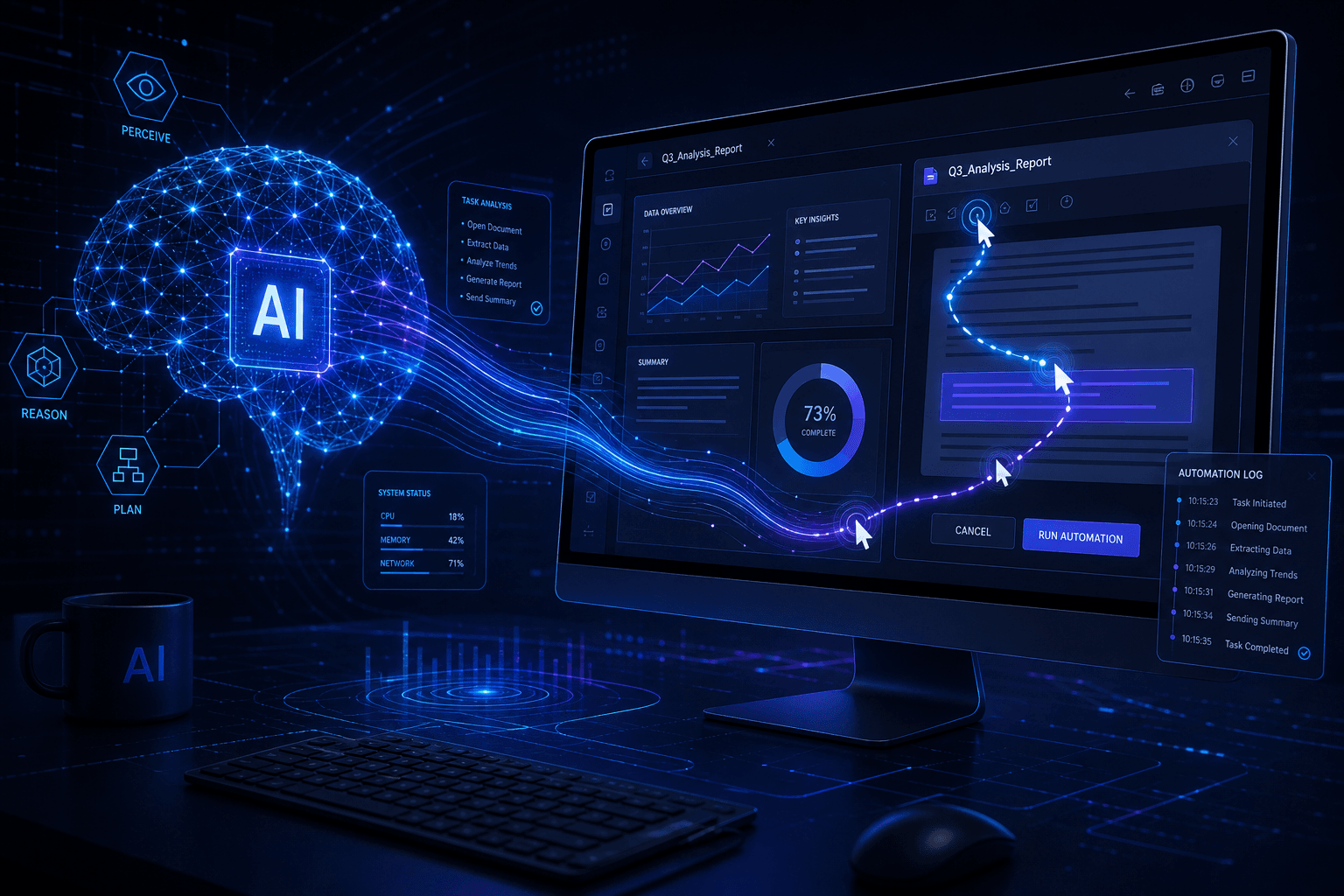
Computer Use is a beta feature that enables Claude 3.5 Sonnet to control computers by taking screenshots, analyzing the visual state, and performing actions like clicking, typing, and navigating. Claude operates through a perception-action loop: it receives a screenshot, determines the next logical step, executes that action, and repeats until the task completes. The system can handle workflows requiring dozens to hundreds of successive steps, self-correcting when it encounters obstacles. This is available today via the Anthropic API, Amazon Bedrock, and Google Cloud's Vertex AI.
How much does Computer Use cost per task? #
Computer Use typically costs $1-3 per complex task, depending on the number of steps required. The feature uses standard Claude 3.5 Sonnet pricing ($3/million input tokens, $15/million output tokens), but consumes significantly more tokens than text generation because each step requires screenshot encoding and multi-turn reasoning. Simple tasks with 5-10 steps might cost $0.20-0.50, while complex workflows with 30-100+ steps can reach $1.50-5.00 per completion. Anthropic charges no premium for Computer Use itself—you pay standard API rates for the tokens consumed.
What are the main limitations of Computer Use right now? #
Computer Use struggles with scrolling, dragging, zooming, and short-lived notifications. Since it operates on static screenshots rather than continuous video, Claude can miss brief UI elements that appear between captures. On the OSWorld benchmark testing computer control, Claude 3.5 Sonnet scored 14.9% (screenshot-only) and 22.0% (with extended steps)—far below the estimated human baseline of 70-75%. Flight booking tasks achieved only 46% success. Anthropic explicitly describes the feature as "at times cumbersome and error-prone," recommending developers start with low-risk tasks as the capability improves.
Which companies are already using Computer Use in production? #
Anthropic partnered with six companies for early access: Asana, Canva, Cognition, DoorDash, Replit, and The Browser Company. Replit is using Computer Use to evaluate applications during development for their Replit Agent product—a feature requiring dozens of steps to test UI functionality. Asana and DoorDash are exploring internal workflow automation across applications. The Browser Company reports Claude 3.5 Sonnet outperforms every model they've tested for web workflow automation. Cognition uses it for autonomous AI evaluations. These early adopters demonstrate applications from software testing to enterprise process automation.
How does Computer Use compare to other AI agent frameworks? #
Computer Use differentiates through general visual control rather than specialized function calling. LangChain and LangGraph excel at orchestrating API-based tools. AutoGPT pioneered autonomous goal-driven agents but struggled with practical reliability. MultiOn focuses specifically on browser automation. CrewAI enables multi-agent collaboration. Computer Use is the first frontier model feature that controls any visual interface—browsers, desktop apps, legacy systems—through screenshot perception and pixel-level actions. Unlike traditional RPA (UiPath, Automation Anywhere), it requires no pre-training on specific applications; Claude reasons about interfaces dynamically.
Can Computer Use handle complex multi-step workflows? #
Yes, Computer Use successfully handles workflows requiring dozens to hundreds of successive steps. Early adopters report completing tasks that require extensive navigation across multiple applications, form submissions, data transfers, and verification steps. Claude self-corrects when it encounters obstacles—retrying failed actions, adjusting strategies when paths are blocked, and continuing toward defined goals. The practical limit is currently determined by cost (each step consumes tokens) and error accumulation over long sequences. For reliable operation, workflows of 10-50 steps work well; beyond 100 steps, error rates increase meaningfully.
Is Computer Use available on Amazon Bedrock and Google Vertex AI? #
Yes, Computer Use launched simultaneously on Anthropic's API, Amazon Bedrock, and Google Cloud's Vertex AI. This multi-platform availability lets developers choose their preferred infrastructure without vendor lock-in. On Bedrock, you access it through standard AWS integration patterns. On Vertex AI, it integrates with existing GCP workflows. The Anthropic API provides direct access with the simplest setup. All three platforms offer the same core capabilities, pricing follows the standard Claude 3.5 Sonnet rates on each platform, and the Docker quickstart works regardless of which API provider you choose.
What safety measures does Anthropic have for Computer Use? #
Anthropic implemented new detection classifiers, permission-first architecture recommendations, and sandboxing guidance. The classifiers identify when Computer Use is being employed and detect potentially harmful activity. Anthropic recommends permission-first design—requiring explicit user confirmation before accessing new applications or performing consequential actions. For deployment, they mandate sandboxed environments (Docker containers or VMs with minimal privileges), dedicated test accounts without sensitive data, and isolated network configurations. The upgraded Claude 3.5 Sonnet maintains ASL-2 (Appropriate Security Level 2) under Anthropic's Responsible Scaling Policy and underwent joint pre-deployment testing by US and UK AI Safety Institutes.
How accurate is Claude at computer control tasks? #
On the OSWorld benchmark evaluating AI computer control, Claude 3.5 Sonnet scored 14.9% in screenshot-only mode and 22.0% with extended steps. This nearly doubles the next-best AI system's 7.8% but remains far below the estimated human baseline of 70-75%. In practical testing on flight booking tasks, Claude achieved 46% success. For simpler workflows—form completion, navigation of familiar interfaces, tasks with clear success states—accuracy is significantly higher. The key insight: Computer Use succeeds for many practical applications despite benchmark scores suggesting substantial room for improvement. Anthropic expects rapid capability gains as the beta progresses.
When will Computer Use come out of beta? #
Anthropic has not announced a specific timeline for Computer Use general availability. The feature released today as a public beta specifically for developer feedback—Anthropic expects the capability to "improve rapidly over time" based on real-world usage patterns. The company is actively seeking feedback at feedback@anthropic.com. For production deployments during beta, Anthropic recommends starting with low-risk tasks, implementing comprehensive monitoring, and maintaining human oversight for consequential operations. The public beta status means no enterprise SLA guarantees exist yet, though the feature is stable enough for significant production use cases among early adopters.
What Is Anthropic Computer Use? #
Anthropic Computer Use is a new API capability that allows Claude 3.5 Sonnet to control computers the same way humans do—by looking at screens, moving cursors, clicking buttons, and typing text. Released today in public beta on the Anthropic API, this feature represents the first time a frontier AI model has offered general computer control to developers.
Unlike traditional AI integrations that require specific APIs or pre-built connectors, Computer Use teaches Claude general computer skills. It can interact with any software designed for human use: browsers, spreadsheets, IDEs, terminal applications, and legacy systems that lack modern APIs. This opens automation possibilities for workflows that were previously impossible to automate without complex RPA (Robotic Process Automation) tools.
How It Works in Practice #
When you enable Computer Use, Claude receives screenshots of the computer's current state and returns a sequence of actions to take. The API provides three core tools:
| Tool | Function | Example Use |
|---|---|---|
computer |
Screenshots, mouse movement, clicking | Navigate interfaces, click buttons |
bash |
Execute shell commands | Run scripts, install packages |
str_replace_editor |
View and edit files | Modify code, update configs |
The workflow follows a simple loop: Claude analyzes the current screenshot, determines the next logical action, executes it, and repeats until the task completes. This can involve dozens or even hundreds of successive steps, with Claude self-correcting when it encounters obstacles.
Why This Matters #
Computer Use eliminates the integration bottleneck. Previously, automating a task required either: (a) a native API from the software vendor, (b) fragile screen-scraping scripts, or (c) expensive RPA licenses. Computer Use provides a general solution—Claude can interact with any interface a human can use.
For automation builders, this means you can now:
- Automate legacy applications without APIs
- Navigate complex web workflows that resist traditional scraping
- Build agents that span multiple applications in a single session
- Test software by actually using the UI rather than just hitting endpoints
How Computer Use Works Under the Hood #
Computer Use operates through a vision-based action loop that converts visual perception into precise computer interactions. The mechanism is elegantly simple in concept but technically sophisticated in implementation.
The Core Architecture #
The system works through a continuous cycle of perception and action:
- Screenshot Capture — The environment captures a screenshot of the current computer state
- Visual Analysis — Claude analyzes the screenshot, identifying UI elements, text, buttons, and interactive regions
- Action Generation — Claude determines the next logical action (move mouse, click, type, scroll)
- Coordinate Calculation — The model calculates exact pixel coordinates for mouse actions
- Execution — The action executes on the target machine
- Feedback Loop — A new screenshot captures the result, and the cycle repeats
Technical Implementation Details #
Anthropic provides a reference implementation via their anthropic-quickstarts repository. The Docker-based quickstart includes everything needed to run Computer Use locally:
# Run the Computer Use demo with Docker
export ANTHROPIC_API_KEY=your_api_key
docker run \
  -e ANTHROPIC_API_KEY=$ANTHROPIC_API_KEY \
  -v $HOME/.anthropic:/home/computeruse/.anthropic \
  -p 5900:5900 \
  -p 8501:8501 \
  ghcr.io/anthropics/anthropic-quickstarts:computer-use-demo-latest
The container provides:
- A VNC server for visual interaction
- A Streamlit interface for agent control
- Pre-configured tools for bash and file editing
- Screenshot capture and action execution logic
Screen Resolution Considerations #
Resolution matters significantly for Computer Use performance. Anthropic recommends capping screenshots at XGA (1024×768) or WXGA (1280×800). Higher resolutions can cause Claude to miss small UI elements or require image resizing that reduces accuracy.
For automation tasks, consider:
- Running target applications in a consistent resolution
- Ensuring UI elements remain visible at lower resolutions
- Testing workflows at the resolution you plan to deploy with
The Role of Tool Definitions #
Computer Use relies on three primary tool definitions that Claude calls through the API:
{
  "type": "computer_use",
  "display_width_px": 1024,
  "display_height_px": 768,
  "display_number": 1
}
The computer tool accepts actions like:
screenshot— Capture current screen statemouse_move— Move cursor to specific coordinatesleft_click,right_click— Execute mouse clickstype— Enter text via keyboardkey— Press special keys (Enter, Tab, Escape, etc.)scroll— Scroll at a specific position
Each action returns feedback that Claude uses to determine subsequent steps, creating an autonomous agent capable of extended task completion.
Claude 3.5 Sonnet Upgrades Alongside Computer Use #
The Computer Use beta launches alongside a significantly upgraded Claude 3.5 Sonnet that delivers industry-leading software engineering capabilities. Anthropic improved nearly every aspect of the model, with particularly dramatic gains in coding performance.
Benchmark Breakthroughs #
The upgraded Claude 3.5 Sonnet now leads all publicly available models on key engineering benchmarks:
| Benchmark | Previous Score | New Score | Change |
|---|---|---|---|
| SWE-bench Verified | 33.4% | 49.0% | +15.6 points |
| TAU-bench (Retail) | 62.6% | 69.2% | +6.6 points |
| TAU-bench (Airline) | 36.0% | 46.0% | +10.0 points |
The SWE-bench Verified result is particularly significant. At 49.0%, Claude 3.5 Sonnet surpasses every publicly available model—including specialized coding agents and reasoning models like OpenAI's o1-preview. This benchmark tests real-world software engineering tasks drawn from actual GitHub issues in popular Python repositories.
Real-World Performance Feedback #
Early customers report substantial improvements across production workflows:
GitLab tested the model for DevSecOps tasks and found 10% stronger reasoning across use cases with no added latency, making it ideal for multi-step software development processes.
Cognition uses the upgraded Claude 3.5 Sonnet for autonomous AI evaluations and reports substantial improvements in coding, planning, and problem-solving compared to the previous version.
The Browser Company, automating web-based workflows, notes that Claude 3.5 Sonnet outperforms every model they've tested before.
Same Price, Better Performance #
Crucially, these upgrades come at the same price and speed as the previous Claude 3.5 Sonnet. There's no pricing premium for the improved model—it's a direct replacement that delivers better results for the same cost.
Current pricing remains:
- Input: $3 per million tokens
- Output: $15 per million tokens
This pricing consistency makes the upgrade decision simple: better performance at identical cost means immediate ROI for existing Claude 3.5 Sonnet implementations.
Claude 3.5 Haiku Announced #
Alongside Computer Use and the upgraded Sonnet, Anthropic also announced Claude 3.5 Haiku—a new fast model that matches Claude 3 Opus performance on many intelligence benchmarks while maintaining Haiku's characteristic speed.
Key Claude 3.5 Haiku highlights:
- Scores 40.6% on SWE-bench Verified (outperforming the original Claude 3.5 Sonnet)
- Delivers Claude 3 Opus-level intelligence at Haiku latency
- Optimized for user-facing products and sub-agent tasks
- Text-only initially, with image input to follow
Haiku will be available later this month across Anthropic's API, Amazon Bedrock, and Google Cloud's Vertex AI.
Real-World Use Cases and Early Adopter Stories #
Anthropic partnered with six major technology companies to test Computer Use before today's beta release. These early adopters demonstrate the breadth of applications this capability enables—from software development to enterprise automation.
Early Adopter Roster #
| Company | Use Case | Task Complexity |
|---|---|---|
| Replit | App evaluation during development | Dozens of steps |
| Asana | Workflow automation | Multi-application |
| Canva | Design tool integration | UI navigation |
| Cognition | Autonomous AI evaluations | Complex reasoning |
| DoorDash | Internal process automation | Form completion |
| The Browser Company | Web workflow automation | Browser control |
Replit: Evaluating Apps During Development #
Replit is using Computer Use to develop a key feature for their Replit Agent product. The feature evaluates applications as they're being built—testing functionality, checking UI rendering, and validating behavior without human intervention.
This application showcases Computer Use's potential for software testing. Instead of writing brittle test scripts that break when UI changes, Replit can have Claude actually use the application the way a human would—clicking buttons, entering data, and verifying outputs.
Asana and DoorDash: Enterprise Automation #
Enterprise teams at Asana and DoorDash are exploring Computer Use for internal process automation. These implementations focus on tasks that span multiple applications:
- Extracting data from one system
- Transforming and validating it
- Entering it into another system
- Generating reports or notifications
Traditional automation approaches struggle with these workflows because they require navigating custom internal tools that lack APIs. Computer Use bridges this gap by treating every application as accessible through its UI.
The Browser Company: Web Workflow Automation #
The Browser Company is applying Computer Use to automate web-based workflows. This includes navigating complex web applications, extracting information from dynamic pages, and performing actions across multiple web services.
Their testing found that Claude 3.5 Sonnet outperformed every model they've evaluated—a significant endorsement given The Browser Company's focus on browser technology and web automation.
Practical Applications for Builders #
Based on these early adopter patterns, here are immediate applications for automation builders:
Software Development & Testing:
- UI testing without writing test scripts
- Cross-browser compatibility verification
- Build process automation
- Code review automation
Data Workflows:
- Web scraping resistant to DOM changes
- Form completion at scale
- Data migration between systems
- Report generation and distribution
Operations & Support:
- Ticket resolution across multiple tools
- Account provisioning workflows
- Content moderation across platforms
- Compliance checking and documentation
Task Complexity Achieved #
Early adopters report Claude successfully completing tasks requiring dozens to hundreds of successive steps. This isn't simple single-action automation—it's genuine multi-step task completion where Claude navigates obstacles, corrects errors, and continues toward defined goals.
For example, a complex task might involve:
- Opening a browser
- Navigating to a specific URL
- Logging in with credentials
- Finding a specific dataset
- Downloading files
- Opening them in a local application
- Processing the data
- Generating a report
- Emailing results
Computer Use handles this entire sequence autonomously.
Computer Use API: Getting Started #
Developers can start building with Computer Use today via the Anthropic API, Amazon Bedrock, or Google Cloud's Vertex AI. The beta is available immediately with standard API access—no special waitlist or enterprise agreement required.
API Access Points #
Computer Use is available across three major platforms:
| Platform | Availability | Notes |
|---|---|---|
| Anthropic API | Available now | Direct API access |
| Amazon Bedrock | Available now | AWS integration |
| Google Vertex AI | Available now | GCP integration |
This multi-platform availability means you can choose the infrastructure that fits your existing stack without vendor lock-in concerns.
Quick Start with Docker #
The fastest way to experiment with Computer Use is Anthropic's Docker quickstart. This provides a complete environment with all dependencies pre-configured:
# Set your API key
export ANTHROPIC_API_KEY="sk-ant-api03-..."

# Run the quickstart container
docker run \
  -e ANTHROPIC_API_KEY=$ANTHROPIC_API_KEY \
  -v $HOME/.anthropic:/home/computeruse/.anthropic \
  -p 5900:5900 \
  -p 8501:8501 \
  -it \
  ghcr.io/anthropics/anthropic-quickstarts:computer-use-demo-latest
Once running, access:
- Streamlit interface: http://localhost:8501
- VNC viewer: vnc://localhost:5900 (password:
password)
The Streamlit interface provides a chat-like experience where you can issue natural language instructions and watch Claude execute them on the virtual desktop.
Integration Architecture #
For production implementations, you'll integrate Computer Use through the standard Anthropic API with tool definitions:
import anthropic

client = anthropic.Anthropic()

response = client.messages.create(
    model="claude-3-5-sonnet-20241022",
    max_tokens=4096,
    tools=[{
        "type": "computer_use",
        "display_width_px": 1024,
        "display_height_px": 768,
        "display_number": 1
    }],
    messages=[{
        "role": "user",
        "content": "Open Chrome and search for the latest Claude documentation"
    }]
)
The API returns tool use requests that your application executes, then feeds results back to Claude for the next action.
Recommended Development Environment #
For development and testing, Anthropic recommends:
- Containerized environments — Docker provides isolation and reproducibility
- Virtual machines — For production, use VMs with restricted privileges
- Consistent resolutions — Test at 1024×768 or 1280×800 for optimal accuracy
- Dedicated test accounts — Never use Computer Use with production credentials during development
Authentication and Security Setup #
When implementing Computer Use:
- Create dedicated API keys with usage limits
- Run agents in isolated environments without sensitive data access
- Implement human confirmation for consequential actions
- Monitor token usage closely—Computer Use can consume significant tokens per task
Capabilities and Current Limitations #
Computer Use is powerful but still experimental. Anthropic is explicit about its current limitations—this is genuinely a beta release with rough edges that will improve over time. Understanding these constraints helps set appropriate expectations for what Computer Use can and cannot do today.
Current Capabilities #
Computer Use excels at:
| Capability | Detail | Reliability |
|---|---|---|
| Mouse control | Clicking buttons, moving to coordinates | High |
| Text input | Typing into forms, search boxes | High |
| Navigation | Opening apps, browsing websites | Medium-High |
| Screenshot analysis | Reading UI state, identifying elements | High |
| Multi-step sequences | Chaining 10-50+ actions | Medium |
| Error recovery | Self-correcting when stuck | Medium |
Known Limitations #
Anthropic documents several significant current limitations:
1. Scrolling, Dragging, and Zooming
These actions remain challenging for Claude. Scrolling long pages can be inconsistent, drag-and-drop interactions often fail, and zooming (both in-browser and application-level) produces unreliable results. If your workflow depends heavily on these interactions, expect manual intervention needs.
2. Short-Lived Notifications
Since Computer Use operates on screenshots rather than continuous video, it can miss brief notifications, toasts, or transient UI elements that appear and disappear between screenshot captures. For workflows with time-sensitive notifications, consider implementing longer display durations or alternative notification methods.
3. OSWorld Benchmark Performance
On the OSWorld benchmark—which evaluates AI models' ability to use computers like humans—Claude 3.5 Sonnet scored 14.9% in the screenshot-only category. While this nearly doubles the next-best AI system's 7.8%, it remains far below human-level performance of 70-75%.
With extended step limits (allowing more attempts), Claude reaches 22.0% on OSWorld. This demonstrates the capability's potential while underscoring how much room remains for improvement.
4. Flight Booking Task Success Rate
In practical testing, Claude achieved only 46% success on flight booking tasks—navigating airline websites, searching for flights, selecting options, and completing purchases. This illustrates the gap between research benchmarks and real-world complex workflows.
Performance vs. Human Baselines #
| Metric | Claude 3.5 Sonnet | Human Baseline | Gap |
|---|---|---|---|
| OSWorld (screenshot only) | 14.9% | 70-75% | ~55 points |
| OSWorld (extended steps) | 22.0% | 70-75% | ~48 points |
| Flight booking | 46% | ~90%+ | ~44 points |
These gaps are significant but not disqualifying. Computer Use succeeds in many practical applications despite falling short of human performance on complex benchmarks.
When Computer Use Works Best #
Based on current capabilities, prioritize Computer Use for:
High-success applications:
- Simple form completion
- Navigating familiar interfaces
- Tasks with clear success/failure states
- Workflows where retry is inexpensive
Lower-success applications (requiring more supervision):
- Complex multi-page transactions
- Tasks requiring precise drag-and-drop
- Workflows with time-sensitive notifications
- Applications with rapidly changing UIs
The "Cumbersome and Error-Prone" Reality #
Anthropic's own description—"at times cumbersome and error-prone"—accurately captures the current experience. Tasks that take a human 30 seconds might take Claude several minutes. Steps that seem obvious to a human occasionally confuse the model.
This is the right frame for evaluating Computer Use today: not as a human replacement, but as an automation tool for tasks where occasional errors and slower execution are acceptable trade-offs for hands-free operation.
Pricing and Token Economics #
Computer Use consumes significant tokens—significantly more than standard text generation. Understanding the cost structure helps you evaluate which tasks justify Computer Use versus alternative approaches.
Token Consumption Patterns #
Each Computer Use operation requires:
- Screenshot encoding — Screenshots are base64-encoded and included in the context
- Multi-turn reasoning — Complex tasks require dozens of API calls
- Tool call overhead — Each action generates tool use requests and results
Real-world testing suggests $1-3 per complex task is typical. One early tester reported spending approximately $1.30 to open and categorize a single URL. This isn't cost-prohibitive for high-value automation, but it rules out Computer Use for low-margin, high-volume tasks.
Claude 3.5 Sonnet Pricing #
Computer Use uses the standard Claude 3.5 Sonnet pricing:
| Token Type | Price per Million |
|---|---|
| Input | $3.00 |
| Output | $15.00 |
No premium pricing applies to Computer Use specifically—you pay standard rates for the tokens consumed.
Cost Optimization Strategies #
To manage Computer Use costs:
- Limit screenshot resolution — Higher resolution = larger base64 payloads = more tokens
- Set max iteration limits — Prevent runaway loops with explicit step caps
- Cache when possible — For repeated workflows, cache intermediate results
- Use simpler tools first — Fall back to direct APIs when available rather than UI automation
- Batch operations — Group related tasks to amortize setup overhead
Cost Comparison: Computer Use vs. Alternatives #
| Approach | Relative Cost | When to Use |
|---|---|---|
| Direct API | Lowest | When native APIs exist |
| Traditional RPA | Medium | High-volume, stable UIs |
| Computer Use | Higher | Flexible, changing UIs; rapid prototyping |
| Human operator | Highest | Complex judgment, low volume |
Computer Use fills the gap between "has an API" and "requires human judgment." It's more expensive than direct APIs but cheaper than human operators for automatable workflows.
Budgeting for Production #
For production deployments, budget approximately:
- Simple tasks (5-10 steps): $0.20-0.50 per completion
- Medium tasks (10-30 steps): $0.50-1.50 per completion
- Complex tasks (30-100+ steps): $1.50-5.00 per completion
Monitor actual usage closely during development—these are estimates, and your specific workflows may vary significantly.
Safety Measures and Responsible Deployment #
Anthropic built safety considerations directly into Computer Use's design. Given the potential risks of AI systems that can actually control computers, the company implemented multiple protective measures.
Identified Risk Vectors #
Computer Use introduces several potential risks:
| Risk Category | Description | Mitigation |
|---|---|---|
| Spam/misinformation | Automated content creation at scale | Usage monitoring, rate limits |
| Fraud | Automated scam operations | New classifiers, detection systems |
| Prompt injection | Malicious instructions via web content | Content scanning, sandboxing |
| Unauthorized access | Operating without explicit permission | User confirmation workflows |
| Data exfiltration | Sensitive information leakage | Isolated environments, monitoring |
Built-in Safety Measures #
Anthropic implemented several technical safeguards:
1. New Detection Classifiers
The company developed classifiers that can:
- Identify when Computer Use is being employed
- Detect whether harmful activity is occurring
- Flag suspicious usage patterns for review
2. Permission-First Architecture
Computer Use implementations should follow permission-first design:
- Request explicit user confirmation before accessing new applications
- Require authentication for sensitive operations
- Implement clear audit trails of all actions taken
3. Sandboxed Environments
For development and testing, always use:
- Docker containers with minimal privileges
- Virtual machines without sensitive data access
- Dedicated test accounts separate from production systems
- Network restrictions preventing outbound communication where unnecessary
Security Best Practices #
When deploying Computer Use in production:
Environment Isolation:
# Run Computer Use in isolated Docker container
docker run \
  --network=restricted \
  --cap-drop=ALL \
  --read-only \
  --security-opt=no-new-privileges \
  your-computer-use-image
Access Controls:
- Create dedicated API keys with usage limits
- Implement IP allowlisting for API access
- Require human confirmation for consequential actions
- Log all Computer Use sessions for audit purposes
Data Protection:
- Never provide access to sensitive personal data during beta
- Use dedicated test credentials for all automation
- Implement data retention policies for screenshots
- Encrypt data in transit and at rest
Anthropic's Responsible Scaling Policy #
The upgraded Claude 3.5 Sonnet was evaluated under Anthropic's Responsible Scaling Policy and maintains the ASL-2 Standard (Appropriate Security Level 2). This evaluation included joint pre-deployment testing by the US AI Safety Institute (US AISI) and the UK Safety Institute (UK AISI).
Recommendations for Safe Deployment #
- Start with low-risk tasks — Automate internal tools before customer-facing systems
- Implement kill switches — Enable immediate session termination capabilities
- Monitor token usage — Unusual consumption patterns may indicate runaway processes
- Test with synthetic data — Never use production data during beta testing
- Document failure modes — Understand what can go wrong before deploying widely
The Competitive Landscape: How Computer Use Compares #
Computer Use enters a market with established RPA vendors and emerging AI agent frameworks. Understanding the competitive positioning helps you choose the right tool for your specific automation needs.
Traditional RPA Comparison #
| Vendor | Approach | Strengths | Weaknesses |
|---|---|---|---|
| UiPath | Visual workflow design | Mature, enterprise-grade | Expensive, complex setup |
| Automation Anywhere | Bot-based automation | Enterprise features | High licensing costs |
| Blue Prism | Digital workforce | Large enterprise focus | Steep learning curve |
| Computer Use | AI-driven visual control | Flexible, general-purpose | Beta quality, higher per-task cost |
Computer Use's advantage: No pre-training on specific applications required. Traditional RPA needs structured definitions of UI elements; Computer Use reasons about interfaces dynamically.
Traditional RPA's advantage: Reliability, speed, and cost at scale. For high-volume, stable processes, RPA remains more efficient.
AI Agent Framework Comparison #
| Framework | Approach | Best For |
|---|---|---|
| LangChain/LangGraph | Code-first agents | Developers building custom solutions |
| AutoGPT | Autonomous goal-driven | Research and experimentation |
| MultiOn | Browser-focused | Web automation specifically |
| CrewAI | Multi-agent teams | Collaborative task workflows |
| Computer Use | General computer control | Any application with a visual interface |
Computer Use differentiates through its general applicability. While other frameworks specialize (web browsers, specific APIs), Computer Use handles any interface a human can see and interact with.
OpenAI and Google Competition #
As of today, no other frontier model offers equivalent computer control capabilities. OpenAI's models provide function calling and code interpreter, but not general computer navigation. Google's Gemini focuses on multimodal understanding without the action loop that Computer Use provides.
This gives Anthropic a temporary first-mover advantage in general computer control. However, the space is evolving rapidly—expect competitive responses within months.
When to Choose Computer Use #
Choose Computer Use when:
- The target application lacks a modern API
- The UI changes frequently (making RPA brittle)
- You need rapid prototyping without complex setup
- The workflow requires reasoning about visual context
- Cost per task matters less than flexibility
Choose alternatives when:
- The process is high-volume and cost-sensitive
- The application has stable, well-documented APIs
- Enterprise governance requirements mandate established vendors
- You need guaranteed sub-second response times
What This Means for AI Automation Builders #
Computer Use represents a fundamental expansion of what's automatable. For builders working in AI automation and growth engineering, this beta release changes the scope of possible solutions.
New Categories of Automatable Work #
Before Computer Use, automation builders faced a hard boundary: if it didn't have an API, it required human intervention. That boundary just shifted.
| Previously Required Humans | Now Automatable with Computer Use |
|---|---|
| Legacy system data entry | UI-based form completion |
| Cross-application workflows | Multi-app navigation and transfer |
| Visual verification tasks | Screenshot-based analysis |
| One-off research tasks | Autonomous web exploration |
| Internal tool operations | Direct UI automation |
Strategic Implications for Service Businesses #
For agencies and consultants offering AI automation services:
1. Expanded Addressable Market
Previously, you could only serve clients with modern tech stacks and well-documented APIs. Computer Use opens opportunities with:
- Legacy enterprise systems
- Niche SaaS tools without APIs
- Custom internal applications
- Government and healthcare systems
2. New Service Lines
Computer Use enables new service offerings:
- "Legacy system modernization through AI agents"
- "Cross-platform workflow automation"
- "Visual testing and verification services"
3. Pricing Considerations
With higher per-task costs than API-based automation, Computer Use projects need different pricing models:
- Value-based pricing (percentage of savings) rather than usage-based
- Hybrid human+AI workflows where Computer Use handles exceptions
- Retainer models that amortize development costs over time
Integration with Existing Stacks #
Computer Use complements rather than replaces existing automation infrastructure:
n8n + Computer Use: Use n8n for API-based orchestration, fall back to Computer Use nodes for UI-required steps.
Make/Zapier + Computer Use: Trigger Computer Use agents from existing workflow automations when API limitations are hit.
Custom Python + Computer Use: Build hybrid systems where Computer Use handles visual tasks and APIs handle structured data.
The Road Ahead #
Anthropic expects Computer Use to improve rapidly. The current 14.9% OSWorld score will increase. Error rates will decrease. Cost per task will fall as the model becomes more efficient.
Today's beta is tomorrow's production tool. Builders who start experimenting now will have operational expertise when the capability matures.
My Take #
Computer Use is the most significant AI agent release since AutoGPT proved autonomous agents were possible. The difference? Computer Use actually works for practical tasks.
Yes, it's slow. Yes, it's expensive per task. Yes, it sometimes fails. But it succeeds where nothing else could—automating workflows that resist every other approach.
For automation builders, this changes the answer to "can we automate this?" from "only if there's an API" to "probably, let me test it." That's a fundamental shift in what's possible.
Start building with Computer Use this week. The builders who master this capability in beta will be positioned to deliver solutions competitors can't match when the technology matures.
Building AI Automation That Actually Works #
Computer Use is just one component of a complete AI automation strategy. The builders who win in this new era won't just experiment with single features—they'll architect comprehensive systems that combine API-based workflows, computer control, and human oversight into reliable production pipelines.
If you're exploring how AI automation could transform your operations, I help teams design and deploy custom AI agents that handle real business workflows—from lead generation pipelines to internal process automation to cross-platform data orchestration.
Book a 15-minute AI automation strategy call →
We'll map your highest-leverage automation opportunities, identify where Computer Use fits your stack, and outline a build plan for systems that actually ship to production.
Related Reading #
- Claude 3.5 Sonnet: The Coding Benchmark Leader — The June 2024 release that started the Sonnet dominance
- n8n + AI: Building Production Workflow Automations — How to integrate AI agents into orchestrated workflows
- MCP: The USB-C for AI Agents — Understanding the protocol connecting agents to tools
Related Posts

How to Stop Client-Facing AI Agents From Hallucinating
Client-facing AI agents hallucinate when they answer without grounding. Here's the layered guardrail stack I use to keep agents accurate and on-script.

AI Sales Systems vs Traditional CRM Automation
Traditional CRM automation fires rules; AI sales systems reason about each lead. Here's how they differ, where each wins, and how to combine them.

The Manual Workflows With the Highest ROI When Replaced by AI Agents
Not every task is worth automating. Here are the manual workflows with the highest ROI when you replace them with AI agents, ranked by payback speed.




