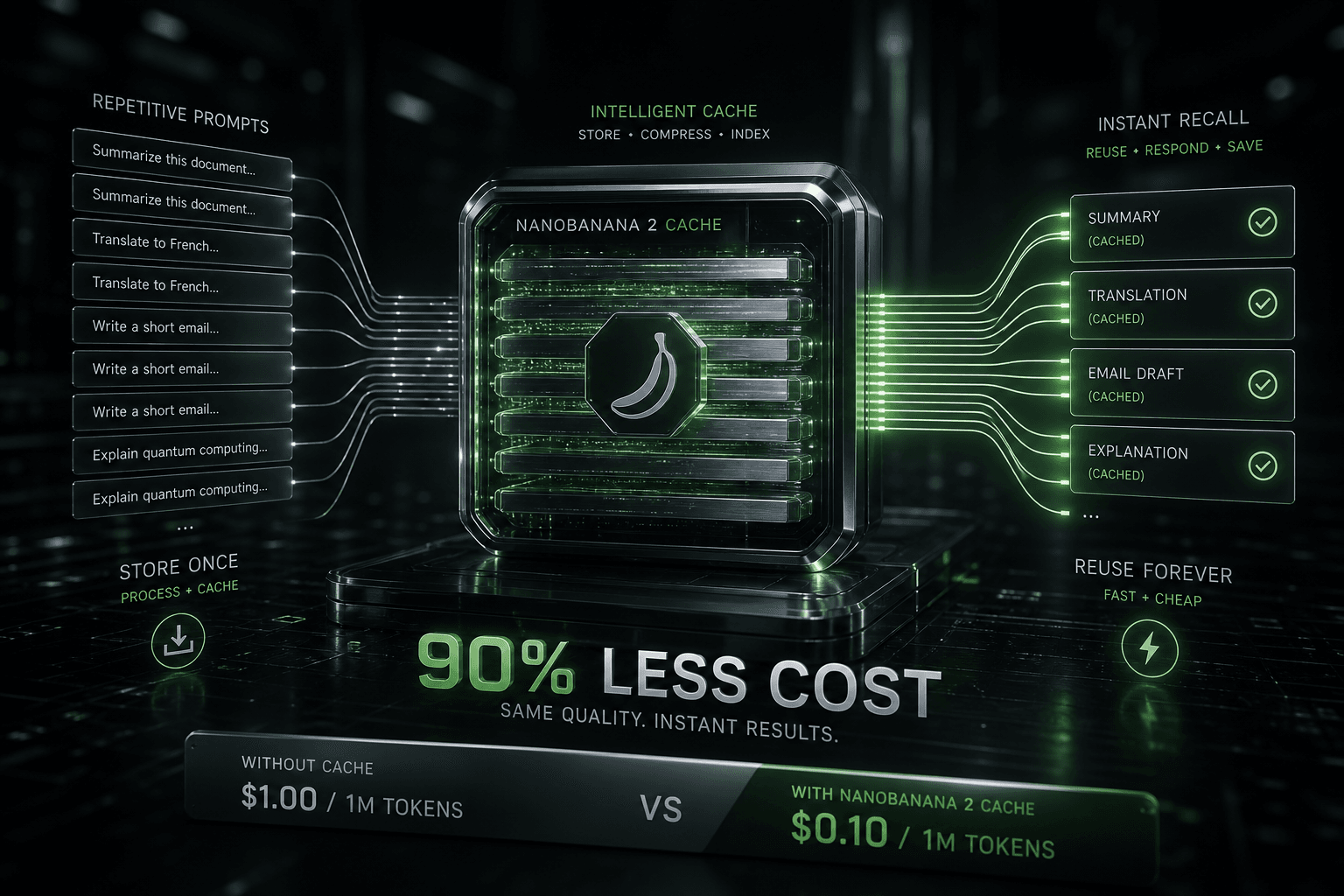
Anthropic Prompt Caching: How I Prompted Cost Reductions of 90% in Large Contexts

Table of Contents
Anthropic Prompt Caching: How I Prompted Cost Reductions of 90% in Large Contexts #
I started using Anthropic's Prompt Caching the day it hit public beta — and it immediately changed how I architect production AI systems. Repeat context now costs 90% less per Anthropic's official prompt caching documentation, turning thousand-dollar agent loops into hundred-dollar operations. Here's how I structure prompts to trigger the caching mechanism, what I measure for cost validation, and how I implement it across my Claude integrations.
The cheap-context era begins now. For the past 18 months, my primary constraint on AI agent architectures has been token economics. Long context windows enabled powerful RAG systems and multi-step agents for my clients, but at price points that made many use cases economically unviable. Anthropic's Prompt Caching removes that constraint by charging only 10% of the standard input price when Claude processes context it has already seen — and just 25% for the initial cache write.
| Cost Category | Standard Input | Cache Write | Cache Hit |
|---|---|---|---|
| Claude 3.5 Sonnet | $3.00 / 1M tokens | $0.75 / 1M tokens | $0.30 / 1M tokens |
| Claude 3 Opus | $15.00 / 1M tokens | $3.75 / 1M tokens | $1.50 / 1M tokens |
| Claude 3 Haiku | $0.25 / 1M tokens | $0.0625 / 1M tokens | $0.025 / 1M tokens |
This pricing structure fundamentally changes the math for applications with stable context: multi-turn assistants, autonomous agents, RAG pipelines, and any system where the same instructions, documents, or conversation history gets processed repeatedly.
Table of Contents #
- What Is Prompt Caching and Why Does It Matter to My Workflows?
- How Prompt Caching Works Under the Hood
- Pricing Breakdown: How I Calculate Cache Writes vs. Cache Hits
- Cost Savings Calculator: Real-World Scenarios
- Implementation Guide: How I Configure Caching in Claude API Requests
- Multi-Turn Conversations: My Biggest Immediate Win
- Agent Loops and RAG Systems: My Architecture Approach
- n8n Workflow Integration: My Practical Automation Patterns
- Current Limitations and What I Watch
- Migration Strategy: How I Upgrade Existing Claude Integrations
What Is Prompt Caching and Why Does It Matter to My Workflows? #
Prompt Caching is Anthropic's mechanism for reusing prefix tokens across API calls, as detailed in their official documentation, eliminating the cost of repeatedly sending identical context. For the production AI systems I build — especially agents, assistants, and RAG pipelines — this has become the single most impactful cost reduction I can implement.
Traditional Claude API usage charges full price for every token in every request. When I send a 50,000-token system prompt followed by a 500-token user message, I pay for 50,500 tokens — every single time. With Prompt Caching, the system prompt is written to cache once (at 25% of standard cost), then each subsequent request only pays for the 500 new tokens plus 10% of the cached 50,000 tokens.
This matters because context is expensive. Claude 3 Opus at 200K context costs $15 per million input tokens. A typical enterprise RAG workflow I build processing 100K tokens of document context was costing $1.50 per request. With caching, that drops to $0.15 per request after the first — a 90% reduction that compounds across thousands of calls.
The use cases I deploy that benefit most:
- Multi-turn chatbots — Conversation history gets cached, so each new message only pays for the incremental tokens
- Autonomous agents — System instructions, tool definitions, and working memory cache across agent loop iterations
- RAG systems — Document corpora stay cached while different queries run against them
- Code assistants — Large codebases cache once, then incremental edits process cheaply
- Analysis pipelines — Static datasets (financial reports, legal documents, research papers) cache while queries vary
Without caching, these applications face a brutal tradeoff: limit context and reduce capability, or accept unsustainable per-request costs. Prompt Caching removes that tradeoff entirely for my implementations.
How Prompt Caching Works Under the Hood #
The mechanism is straightforward: Claude caches prompt prefixes and references them by cache key in subsequent requests. Understanding these internals helps me architect implementations for maximum savings.
At the API level, I mark cacheable content using the cache_control parameter. This parameter attaches to message blocks — system messages, user messages, or assistant messages — and signals to Anthropic's infrastructure that this content should be cached for reuse. The cache is keyed by a hash of the content, so identical content automatically hits the same cache entry regardless of which API key or session accesses it.
API Prompt Template for Cache Configuration:
{
  "model": "claude-3-5-sonnet-20240620",
  "max_tokens": 4096,
  "system": [
    {
      "type": "text",
      "text": "{{largeSystemPrompt}}",
      "cache_control": { "type": "ephemeral" }
    }
  ],
  "messages": [
    {
      "role": "user",
      "content": "{{userQuery}}"
    }
  ]
}
The caching happens at Anthropic's infrastructure layer, not inside the model itself. When I send a request with cache_control, Anthropic's API gateway checks whether that exact content sequence exists in the cache. If it does, the gateway reuses the pre-processed representation. If it doesn't, the gateway processes the content, stores it, and charges the cache write rate (25% of standard input cost).
Key technical details I track when implementing:
- Cache TTL (Time To Live): Cached content persists for 5 minutes from the last access by default, with the timer resetting on each cache hit. This means active conversations and frequently-accessed documents stay cached indefinitely while idle content expires naturally.
- Cache scope: Cache entries are scoped to the Anthropic organization, not individual API keys or sessions. Any request from my organization can hit a cache entry written by any other request.
- Minimum cacheable size: Only content blocks of 4,096 tokens or larger are eligible for caching. Smaller blocks ignore the
cache_controlparameter and process at standard rates. - Cache location: The
cache_controlparameter marks content for caching, but only prefix positions benefit. I cannot cache suffixes or middle sections — only the beginning of the prompt through the marked block.
The cache key includes:
- The exact text content (hashed)
- The model identifier
- The organization ID
This means Claude 3.5 Sonnet and Claude 3 Opus maintain separate caches, and content changes invalidate the cache entry entirely. Adding even a single character to a cached system prompt creates a fresh cache entry on the next request — something I validate in my testing protocols.
Pricing Breakdown: How I Calculate Cache Writes vs. Cache Hits #
Anthropic's Prompt Caching pricing introduces two new rate categories alongside standard input/output rates. The math heavily favors the stable-context workloads I typically deploy.
Standard Claude 3.5 Sonnet pricing I reference (as of August 2024):
| Operation | Price per 1M tokens |
|---|---|
| Input (no caching) | $3.00 |
| Input — Cache Write | $0.75 (25% of standard) |
| Input — Cache Hit | $0.30 (10% of standard) |
| Output | $15.00 |
For Claude 3 Opus, the most capable model:
| Operation | Price per 1M tokens |
|---|---|
| Input (no caching) | $15.00 |
| Input — Cache Write | $3.75 (25% of standard) |
| Input — Cache Hit | $1.50 (10% of standard) |
| Output | $75.00 |
Claude 3 Haiku, the fastest model:
| Operation | Price per 1M tokens |
|---|---|
| Input (no caching) | $0.25 |
| Input — Cache Write | $0.0625 (25% of standard) |
| Input — Cache Hit | $0.025 (10% of standard) |
| Output | $1.25 |
The economics become dramatic at scale. Consider an AI support assistant I might deploy with a 20,000-token knowledge base:
Without caching:
- 1,000 requests/day × 20,000 tokens × $3.00/1M = $60/day = $1,800/month
With caching:
- Initial cache write: 20,000 tokens × $0.75/1M = $0.015
- Each request: 200 fresh tokens × $3.00/1M + 20,000 cached tokens × $0.30/1M = $0.0006 + $0.006 = $0.0066
- 1,000 requests: $0.015 + (1,000 × $0.0066) = $6.62/day = $199/month
That's an 89% cost reduction for a production system with stable context — the kind of ROI I report to clients.
Important pricing notes from my implementations:
- Cache writes are charged per unique content block. If I send the same 20,000-token system prompt across 100 different API calls, I pay the cache write rate once and the cache hit rate for the remaining 99 calls — as long as the 5-minute TTL hasn't expired.
- Partial hits don't exist. Cache hits are binary: either the exact content is cached (10% rate) or it isn't (standard or 25% rate).
- Output tokens never cache. Generation costs remain at standard output rates regardless of caching configuration.
- No separate cache management fees. I don't pay for storage, only for reads and writes.
- Beta pricing may change. Anthropic has signaled that these rates are promotional for the public beta period and may adjust based on usage patterns — something I monitor for production budgeting.
Cost Savings Calculator: Real-World Scenarios #
Actual savings depend on context stability and request volume. Here's a comparison table showing cost projections across common use cases I encounter.
Scenario A: AI Customer Support Bot
- Knowledge base: 50,000 tokens (product docs, FAQs, policies)
- Average conversation: 10 turns
- Users: 500/day
- Model: Claude 3.5 Sonnet
| Metric | Without Caching | With Caching | Savings |
|---|---|---|---|
| Cost per conversation | $0.15 | $0.024 | 84% |
| Daily cost | $75.00 | $12.00 | $63/day |
| Monthly cost | $2,250 | $360 | $1,890/month |
| Annual projection | $27,000 | $4,320 | $22,680/year |
Scenario B: Code Review Agent
- Repository context: 100,000 tokens (codebase snapshot)
- Pull requests reviewed: 50/day
- Model: Claude 3 Opus (for maximum reasoning)
| Metric | Without Caching | With Caching | Savings |
|---|---|---|---|
| Cost per review | $1.50 | $0.255 | 83% |
| Daily cost | $75.00 | $12.75 | $62.25/day |
| Monthly cost | $2,250 | $383 | $1,867/month |
Scenario C: Legal Document Analysis Pipeline
- Case file corpus: 150,000 tokens (depositions, briefs, evidence)
- Queries per case: 200
- Cases per month: 20
- Model: Claude 3 Opus
| Metric | Without Caching | With Caching | Savings |
|---|---|---|---|
| Cost per query | $2.25 | $0.375 | 83% |
| Cost per case | $450 | $75 | $375/case |
| Monthly cost | $9,000 | $1,500 | $7,500/month |
Scenario D: Real-Time RAG Chat (Haiku for Speed)
- Document chunks: 8,000 tokens (retrieved context)
- Queries per minute: 120
- Model: Claude 3 Haiku
| Metric | Without Caching | With Caching | Savings |
|---|---|---|---|
| Cost per minute | $0.24 | $0.042 | 83% |
| Cost per hour | $14.40 | $2.52 | $11.88/hour |
| Monthly (24/7) | $10,368 | $1,814 | $8,554/month |
The break-even point is immediate. Because cache writes cost only 25% of standard input rates, high volume isn't required to justify the optimization. Even a single follow-up request to the same context saves money:
- First request (cache write): 10,000 tokens × $0.75/1M = $0.0075
- Second request without caching would cost: 10,000 tokens × $3.00/1M = $0.03
- Second request with caching costs: 10,000 tokens × $0.30/1M = $0.003
Any workflow with 2+ requests to the same context benefits immediately.
Implementation Guide: How I Configure Caching in Claude API Requests #
Implementation requires adding cache control parameters to API requests. This section covers the exact request patterns I use — via SDK, HTTP API, and in my n8n workflows.
SDK Requirements #
The Anthropic SDKs support caching via the cache_control property. I upgrade to these versions to access the feature:
- Node.js SDK: Version 0.25.0 or later
- Python SDK: Version 0.30.0 or later
API Request Schema for Caching #
For custom integrations, I use this JSON payload structure — whether via SDK or direct HTTP calls to https://api.anthropic.com/v1/messages:
{
  "model": "claude-3-5-sonnet-20240620",
  "max_tokens": 4096,
  "system": [
    {
      "type": "text",
      "text": "{{systemPrompt}}",
      "cache_control": {"type": "ephemeral"}
    }
  ],
  "messages": [
    {
      "role": "user",
      "content": "{{userQuery}}"
    }
  ]
}
Required headers I include:
x-api-key: My Anthropic API keyanthropic-version:2023-06-01content-type:application/json
Cache Performance Monitoring Schema #
I check cache status via the usage object in API responses:
{
  "usage": {
    "input_tokens": 20480,
    "output_tokens": 512,
    "cache_read_input_tokens": 20000,
    "cache_creation_input_tokens": 0
  }
}
Key metrics I track:
cache_read_input_tokens: Tokens served from cache (10% rate)cache_creation_input_tokens: Tokens written to cache (25% rate)- Standard
input_tokens: Total input processed
Multi-Turn Conversation Caching #
I cache entire conversation histories in multi-turn scenarios. I mark the accumulated conversation as cacheable on each turn using this request structure:
Turn 1 — Initial cache write:
{
  "model": "claude-3-5-sonnet-20240620",
  "max_tokens": 4096,
  "system": [
    {
      "type": "text",
      "text": "{{systemPrompt}}",
      "cache_control": {"type": "ephemeral"}
    }
  ],
  "messages": [{"role": "user", "content": "First user message"}]
}
Turn 2+ — Accumulated context caching:
{
  "model": "claude-3-5-sonnet-20240620",
  "max_tokens": 4096,
  "system": [
    {
      "type": "text",
      "text": "{{systemPrompt}}\n\nUser: First user message\nAssistant: {{firstResponse}}",
      "cache_control": {"type": "ephemeral"}
    }
  ],
  "messages": [{"role": "user", "content": "Second user message"}]
}
Calculating My Effective Savings #
I calculate cost savings from cache metrics using this formula:
Uncached Cost = (input_tokens × $3.00) / 1,000,000

Actual Cost = [(input_tokens - cache_read - cache_creation) × $3.00
               + cache_read_input_tokens × $0.30
               + cache_creation_input_tokens × $0.75] / 1,000,000

Savings % = ((Uncached Cost - Actual Cost) / Uncached Cost) × 100
For Claude 3.5 Sonnet pricing — I swap in $15.00/$1.50/$3.75 for Opus or $0.25/$0.025/$0.0625 for Haiku.
Multi-Turn Conversations: My Biggest Immediate Win #
Conversational AI assistants I deploy see the most dramatic cost reductions because the full conversation history can be cached after the first turn.
The pattern I use: cache the conversation prefix, send only the new message. In a typical 20-turn conversation with 10,000 tokens of context per turn, traditional billing charges for 200,000 total input tokens. With caching, I pay for the initial 10,000 at 25% rate, then 19 turns at 10% rate — totaling just 28,500 effective tokens. That's an 86% cost reduction on input tokens.
My conversation caching request structure:
Initialization (Turn 1):
{
  "model": "claude-3-5-sonnet-20240620",
  "max_tokens": 4096,
  "system": [
    {
      "type": "text",
      "text": "{{systemPrompt}}",
      "cache_control": {"type": "ephemeral"}
    }
  ],
  "messages": [{"role": "user", "content": "{{userMessage}}"}]
}
Subsequent turns (Turn 2+):
{
  "model": "claude-3-5-sonnet-20240620",
  "max_tokens": 4096,
  "system": [
    {
      "type": "text",
      "text": "{{systemPrompt}}\n\n{{accumulatedConversationHistory}}",
      "cache_control": {"type": "ephemeral"}
    }
  ],
  "messages": [{"role": "user", "content": "{{newUserMessage}}"}]
}
Cost comparison for a 10-turn support conversation:
| Turn | Without Caching | With Caching | Running Total Savings |
|---|---|---|---|
| 1 | $0.03 (10K tokens) | $0.0075 (cache write) | 0% (initialization) |
| 2 | $0.06 (20K tokens) | $0.0105 (10K cached + 1K new) | 83% |
| 5 | $0.15 (50K tokens) | $0.024 (40K cached + 1K new) | 84% |
| 10 | $0.30 (100K tokens) | $0.039 (90K cached + 1K new) | 87% |
The 5-minute TTL works perfectly for conversations. As long as the user sends a message at least every 5 minutes, the full conversation stays cached. Most interactive chat sessions easily meet this threshold.
My best practices for conversation caching:
- Cache the system prompt separately if it exceeds 4,096 tokens, then cache the conversation history as a second block
- Truncate long conversations to prevent cache misses from token count explosions
- Reset cache strategically when switching topics or contexts (intentionally break the cache)
- Monitor cache hit rates per conversation to identify optimization opportunities
Handling TTL expiration: When a cache expires after 5 minutes of inactivity, the next request pays the 25% cache write rate again. For email-style asynchronous workflows I build, this is acceptable. For real-time chat, I keep the conversation active or accept the occasional refresh cost.
Agent Loops and RAG Systems: My Architecture Approach #
Autonomous agents and retrieval systems I build require architectural thinking to extract maximum value from prompt caching. When combined with Model Context Protocol, these patterns enable sophisticated multi-agent workflows with minimal token overhead.
Agent loops — where Claude calls tools, observes results, and iterates — benefit massively from caching static components. The agent's system instructions, available tools definitions, and core objectives rarely change between iterations. Only the observation stream and working memory update.
My optimized agent caching request structure:
Static context (cached across iterations):
{
  "type": "text",
  "text": "# System Instructions\n{{instructions}}\n\n# Available Tools\n{{toolDefinitions}}",
  "cache_control": {"type": "ephemeral"}
}
Dynamic context (fresh per iteration):
{
  "role": "user",
  "content": "# Current Observations\n{{observations}}\n\n# Working Memory\n{{workingMemory}}"
}
Full agent iteration request:
{
  "model": "claude-3-opus-20240229",
  "max_tokens": 4096,
  "system": [
    {
      "type": "text",
      "text": "{{staticContext}}",
      "cache_control": {"type": "ephemeral"}
    }
  ],
  "messages": [{"role": "user", "content": "{{dynamicContext}}"}],
  "tools": "{{toolSchemas}}"
}
RAG (Retrieval-Augmented Generation) systems I deploy see transformational cost reductions. The retrieved document chunks are the expensive part of the prompt. With caching, I pay for retrieval once per query, not once per generation.
RAG caching strategy comparison:
| Strategy | Cache Target | Best For |
|---|---|---|
| Query-level caching | Retrieved chunks per unique query | High query repetition, stable corpus |
| Corpus-level caching | Entire document index | Small corpus, many diverse queries |
| Hybrid caching | System prompt + frequently-accessed docs | Large corpus with hot documents |
My query-level RAG caching request structure:
{
  "model": "claude-3-5-sonnet-20240620",
  "max_tokens": 4096,
  "system": [
    {
      "type": "text",
      "text": "You are a research assistant. Use the provided documents to answer questions accurately.\n\n# Retrieved Documents\n{{retrievedChunkContent}}",
      "cache_control": {"type": "ephemeral"}
    }
  ],
  "messages": [{"role": "user", "content": "{{query}}"}]
}
Same query hits cache; different query builds new cache entry — a pattern I validate in production workloads.
Key architectural shifts I implement for agent/RAG systems:
Separate static from dynamic context. Anything that doesn't change between iterations — system prompts, tool schemas, document corpora — goes in the cached prefix.
Batch similar queries. Sending 10 similar queries in rapid succession (within 5 minutes) shares the cache. This is ideal for evaluation runs, parallel generation, or A/B testing.
Pre-warm caches. For predictable workflows (daily reports, scheduled analyses), I send a "warmup" request to populate the cache before the main workload arrives.
Monitor cache efficiency. I track
cache_read_input_tokensvs.cache_creation_input_tokens. A healthy agent loop should show 80%+ cache read after the first few iterations.
When I don't cache:
- High-entropy context — If every request has completely unique content, caching adds overhead without benefit
- Single-shot workflows — One-time document analysis doesn't benefit from caching
- Streaming-first applications — While caching works with streaming, the complexity may not justify savings for low-volume use cases
n8n Workflow Integration: My Practical Automation Patterns #
n8n workflows I build that call Claude implement caching immediately using the HTTP Request node's header configuration.
n8n's HTTP Request node supports the full Anthropic API, including the nested cache_control parameter. This enables production AI automations with dramatically reduced costs for my clients.
My Basic n8n HTTP Request Configuration #
Node setup I use for Claude API with caching:
{
  "nodes": [
    {
      "parameters": {
        "method": "POST",
        "url": "https://api.anthropic.com/v1/messages",
        "authentication": "genericCredentialType",
        "genericAuthType": "httpHeaderAuth",
        "sendHeaders": true,
        "headerParameters": {
          "parameters": [
            {
              "name": "anthropic-version",
              "value": "2023-06-01"
            }
          ]
        },
        "sendBody": true,
        "contentType": "json",
        "bodyParameters": {
          "parameters": [
            {
              "name": "model",
              "value": "claude-3-5-sonnet-20240620"
            },
            {
              "name": "max_tokens",
              "value": "4096"
            },
            {
              "name": "system",
              "value": "[{{ $json.systemPrompt }}]"
            },
            {
              "name": "messages",
              "value": "[{{ $json.messages }}]"
            }
          ]
        },
        "options": {}
      },
      "id": "claude-api",
      "name": "Claude API with Caching",
      "type": "n8n-nodes-base.httpRequest",
      "typeVersion": 4.1,
      "position": [880, 300],
      "credentials": {
        "httpHeaderAuth": {
          "id": "YOUR_CREDENTIAL_ID",
          "name": "Anthropic API Key"
        }
      }
    }
  ]
}
For the system prompt with caching, structure the JSON like this:
{
  "systemPrompt": [
    {
      "type": "text",
      "text": "Your detailed system instructions here... (must exceed 4096 tokens to cache)",
      "cache_control": {
        "type": "ephemeral"
      }
    }
  ],
  "messages": [
    {
      "role": "user",
      "content": "{{ $json.userQuery }}"
    }
  ]
}
My Cached RAG Workflow in n8n #
A complete n8n workflow I deploy that retrieves documents, caches them, and queries Claude:
Workflow Node Configuration (YAML structure):
# Workflow trigger: Webhook or schedule
Trigger:
  - Webhook Node (receive query)
  - OR Schedule Node (batch processing)

# Document retrieval (from vector store)
RetrieveDocuments:
  - HTTP Request Node: Query Pinecone/Weaviate/Qdrant
  - Code Node: Format retrieved chunks into {{formattedDocuments}}

# Claude API with caching
ClaudeAnalysis:
  - HTTP Request Node: POST to api.anthropic.com/v1/messages
    - Headers:
      - x-api-key: {{ $credentials.anthropicApiKey }}
      - anthropic-version: 2023-06-01
    - Body:
      - model: claude-3-5-sonnet-20240620
      - system: [
          {
            "type": "text",
            "text": "{{ $json.formattedDocuments }}",
            "cache_control": {"type": "ephemeral"}
          }
        ]
      - messages: [
          {
            "role": "user",
            "content": "{{ $json.originalQuery }}"
          }
        ]

# Store results
StoreResults:
  - Google Sheets / Notion / Database
  - Respond to webhook (if sync)
My n8n expression pattern for system prompt construction:
{
  "systemPrompt": [
    {
      "type": "text",
      "text": "You are a research analyst. Analyze the following documents and answer the user's question. Base your answer only on the provided documents. Cite sources.\n\n{{formattedDocuments}}\n\nIf the documents don't contain the answer, say so clearly.",
      "cache_control": {"type": "ephemeral"}
    }
  ],
  "userQuery": "{{$json.query}}",
  "cacheKey": "{{$json.documentIdsJoined}}"
}
Multi-Step Agent Workflow with Caching #
An n8n workflow that implements an agent loop with cached system context:
# Main workflow
AgentLoop:
  - Set Node: Initialize static context
    - systemInstructions: "You are a data processing agent..."
    - availableTools: [...]

  - Split in Batches: For each task
    - Claude API Node (iteration 1)
      - Cache system instructions + tools
      - Send task + observations
    - Tool Execution Nodes (conditional)
      - Code Node / HTTP Request / etc.
    - Claude API Node (iteration 2+)
      - Same system context (cache hit)
      - Send updated observations
    - Continue until task complete

  - Aggregate Results
The 5-minute TTL in my n8n workflows:
For workflows that complete within 5 minutes, the cache persists across all iterations automatically. For long-running workflows, I add a "heartbeat" — a lightweight request that touches the cache to reset its TTL.
My heartbeat request configuration:
{
  "model": "claude-3-haiku-20240307",
  "max_tokens": 1,
  "system": "{{staticContext}}",
  "messages": [{"role": "user", "content": "."}]
}
Headers I include:
x-api-key: My Anthropic API keyanthropic-version:2023-06-01
I run this heartbeat every 4 minutes via a Schedule Trigger node to keep the cache alive during long workflows.
Monitoring n8n Cache Performance #
I track cache efficiency using n8n's built-in logging — specifically the usage object returned by Claude API responses:
Metrics schema I capture:
{
  "cacheMetrics": {
    "inputTokens": "{{$json.usage.input_tokens}}",
    "outputTokens": "{{$json.usage.output_tokens}}",
    "cacheReadTokens": "{{$json.usage.cache_read_input_tokens}}",
    "cacheWriteTokens": "{{$json.usage.cache_creation_input_tokens}}",
    "timestamp": "{{Date.now()}}"
  },
  "cacheHitRate": "{{$json.usage.cache_read_input_tokens / $json.usage.input_tokens}}"
}
I send these metrics to my analytics stack (Datadog, PostHog, etc.) for monitoring.
n8n Credential Setup #
How I configure the Anthropic API key in n8n:
- Settings → Credentials → Add Credential
- Select "HTTP Header Auth"
- Name: "Anthropic API Key"
- Header Name:
x-api-key - Value: My Anthropic API key (starts with
sk-ant-)
This credential type attaches the API key to every request automatically.
Current Limitations and What I Watch #
Prompt Caching is a public beta with specific constraints that affect my implementation planning.
| Limitation | Details | Workaround |
|---|---|---|
| Minimum cacheable size | 4,096 tokens minimum per cacheable block | Combine smaller prompts; cache larger context sections only |
| 5-minute TTL | Cache expires after 5 minutes of inactivity | Send periodic "heartbeat" requests for long workflows |
| Prefix-only caching | Only prompt prefixes cache; suffixes always fresh | Structure prompts with static content first |
| Per-organization scope | Cache shared across all API keys in an org | Use separate orgs for complete isolation (if needed) |
| Model-specific | Cache not shared between Claude models | Maintain separate cache strategies per model |
| No explicit invalidation | Cannot force-delete cache entries | Wait for TTL expiration or modify content slightly |
| Beta pricing | Rates may change after beta period | Monitor Anthropic announcements; budget conservatively |
The 4,096 token minimum is the most common implementation hurdle. Many system prompts fall below this threshold. Solutions include:
- Combine instructions with documentation. Attach product docs or knowledge base content to push the block over 4K tokens.
- Use larger examples. Include few-shot examples in the system prompt to increase token count meaningfully.
- Cache at the conversation level. In multi-turn scenarios, the accumulated history quickly exceeds 4K tokens.
The 5-minute TTL creates considerations for:
- Asynchronous workflows — Email-based support tickets may span hours; expect cache misses on follow-ups
- Long-running processes — Batch jobs exceeding 5 minutes need heartbeat patterns
- Global teams — When my systems serve users across time zones, off-peak hours see higher cache refresh rates
Beta-period warnings I heed:
- Pricing is promotional. Anthropic has stated these rates are beta-specific and may increase. I don't bake 90% savings into long-term unit economics without buffers.
- Availability not guaranteed. Beta features can change or be removed. I build abstraction layers around caching so I can disable it if needed.
- Documentation gaps. Some edge cases (token counting for cache boundaries, exact hash algorithms) aren't fully documented yet per Anthropic's official prompt caching documentation.
What I monitor during beta:
- Cache hit rates — Should stabilize above 70% for stable-context workflows after warmup
- Unexpected misses — I watch for content that should cache but doesn't (possible encoding/hash mismatches)
- Latency — Cache hits should reduce time-to-first-token; I measure and verify
- Cost anomalies — Beta billing bugs are possible; I reconcile invoices against expected usage
Migration Strategy: How I Upgrade Existing Claude Integrations #
Existing Claude integrations I maintain can adopt caching incrementally without breaking existing functionality.
The migration path is additive — caching is opt-in via the cache_control parameter. Existing code continues to work unchanged. I add caching strategically to high-volume workflows first.
Phase 1: Identify High-Value Targets (Day 1) #
I audit my current Claude usage for caching candidates by analyzing:
- Request logs grouped by system prompt hash
- Count of requests per unique context
- Total input tokens processed
- Frequency of repeated context patterns
My priority targets:
- Chatbots with >100 conversations/day — Immediate 80%+ savings
- RAG systems with stable corpora — Large document sets queried repeatedly
- Agent loops with >5 iterations — Tool-calling agents with static instructions
- Batch processing pipelines — Same instructions, varying data
Phase 2: Add Caching to API Requests (Day 2-3) #
I update API requests to include cache_control:
Before (standard call):
{
  "model": "claude-3-5-sonnet-20240620",
  "max_tokens": 4096,
  "system": "Plain string system prompt",
  "messages": "{{messages}}"
}
After (cached call):
{
  "model": "claude-3-5-sonnet-20240620",
  "max_tokens": 4096,
  "system": [
    {
      "type": "text",
      "text": "{{systemPrompt}}",
      "cache_control": {"type": "ephemeral"}
    }
  ],
  "messages": "{{messages}}"
}
The change is backward-compatible. My response handling remains identical. Only the request structure changes.
Phase 3: Abstract Caching Logic (Day 4-5) #
I build a caching-aware request structure to centralize the logic:
My configurable request builder pattern:
{
  "requestConfig": {
    "model": "{{model}}",
    "max_tokens": "{{maxTokens}}",
    "enableCaching": "{{enableCaching}}",
    "system": "{{#if enableCaching}}[{"type":"text","text":"{{system}}","cache_control":{"type":"ephemeral"}}]{{else}}{{system}}{{/if}}",
    "messages": "{{messages}}"
  }
}
This gives me a toggle to disable caching globally if beta issues arise.
Phase 4: Feature Flag and Rollout (Week 2) #
I use feature flags to control caching rollout:
My feature-flagged request configuration:
{
  "model": "claude-3-5-sonnet-20240620",
  "max_tokens": 4096,
  "system": "{{#if cachingEnabled}}[{"type":"text","text":"{{systemPrompt}}","cache_control":{"type":"ephemeral"}}]{{else}}{{systemPrompt}}{{/if}}",
  "messages": "{{userMessages}}"
}
My rollout sequence:
- Dev/staging only — I verify cache hits and cost reductions
- Single production workflow — Low-risk, high-volume target
- Gradual expansion — I add workflows as confidence grows
- Full rollout — I enable for all eligible workloads
Phase 5: Monitor and Optimize (Ongoing) #
Dashboard metrics to track:
| Metric | Target | Alert Threshold |
|---|---|---|
| Cache hit rate | >70% | <50% |
| Effective cost per 1K requests | Baseline -70% | Baseline -50% |
| Cache-related errors | 0 | >1/hour |
| Avg. latency | Decreasing | Increasing >20% |
Rollback plan: If caching causes issues, disable the feature flag. The system falls back to standard pricing without code changes.
Compatibility Checklist #
Before enabling in production, verify:
- SDK version supports caching (Node.js ≥0.25.0, Python ≥0.30.0)
- System prompts exceed 4,096 tokens (or combine with other content)
- Cache TTL (5 min) acceptable for use case
- Usage monitoring captures cache metrics
- Feature flag system ready for emergency disable
- Cost tracking updated to handle new pricing tiers
Frequently Asked Questions #
Q: What is Anthropic Prompt Caching and how does it reduce API costs? #
Anthropic Prompt Caching is a feature that stores and reuses prompt prefixes across API calls, reducing costs by up to 90% per Anthropic's official prompt caching documentation. When I send context that Claude has already processed, I pay only 10% of the standard input price instead of the full rate. I achieve this by marking content with a cache_control parameter, which tells Anthropic's infrastructure to store that content for reuse within my organization.
Q: How much does Prompt Caching cost compared to regular Claude API usage? #
Prompt Caching introduces two new pricing tiers: 25% of standard cost for cache writes and 10% for cache hits. For Claude 3.5 Sonnet, this means $0.75 per million tokens for initial cache writes and $0.30 per million tokens for subsequent cache hits, compared to the standard $3.00 per million input tokens. My first request to new content costs 75% less, and every repeat request costs 90% less.
Q: Which Claude models support Prompt Caching? #
Prompt Caching works with all Claude 3 model variants in the Anthropic API: Claude 3.5 Sonnet, Claude 3 Opus, and Claude 3 Haiku. The feature is available through the Messages API for all models that support tool use and extended context per Anthropic's documentation. Each model maintains separate caches — content I cache for Sonnet won't hit for Opus requests even with identical text.
Q: How do I implement Prompt Caching in my existing Claude integration? #
I add the cache_control: { type: "ephemeral" } parameter to content blocks in my API requests. Instead of sending a plain string system prompt, I structure it as a structured content block with the cache_control parameter attached. The block must be at least 4,096 tokens to actually cache. No other code changes are required — my response handling remains identical.
Q: Can I use Prompt Caching with the Claude SDK or only the raw API? #
Prompt Caching works with the official Anthropic SDKs for Node.js (v0.25.0+) and Python (v0.30.0+) per Anthropic's documentation. The SDKs support the cache_control parameter natively in the messages.create() method. I don't need to use the raw HTTP API, though caching also works with direct API calls for custom integrations.
Q: How long do cached prompts remain available? #
Cached content persists for 5 minutes from the last access, with the timer resetting on every cache hit per Anthropic's documentation. This means actively-used caches stay alive indefinitely, while idle caches expire naturally. For workflows with pauses longer than 5 minutes, the next request pays the 25% cache write rate again. There's no way to extend TTL or manually persist cache entries beyond this window.
Q: Does Prompt Caching work with streaming responses? #
Yes, Prompt Caching is fully compatible with streaming responses. The cache hit or miss is determined before streaming begins, so my code receives the cost savings regardless of whether I use streaming or synchronous responses. The cache_read_input_tokens metric appears in the usage object even for streaming requests, allowing me to verify cache performance.
Q: Can I cache system prompts and user instructions separately? #
Yes, I can apply cache_control to any content block, but only prefix positions benefit from caching. I structure my prompt with static content (system instructions, tool definitions, documents) first and mark those blocks for caching. Dynamic content like user queries should come after cached content. I cannot cache suffixes or middle sections of prompts.
Q: How does Prompt Caching affect response latency? #
Cache hits typically reduce time-to-first-token because Anthropic's infrastructure skips reprocessing cached content. While the official SLA remains unchanged, my real-world observations show modest latency improvements for cached requests. The 5-minute TTL ensures hot content stays in fast memory rather than requiring retrieval from slower storage tiers.
Q: Is there a limit to how much context I can cache? #
There's no explicit cache size limit beyond the model's context window (200K tokens for Claude 3.5 Sonnet and Opus, 200K for Haiku). However, each cacheable block must be at least 4,096 tokens — smaller blocks ignore the cache_control parameter. I can cache multiple blocks in a single request as long as each meets the minimum and appears as a prefix.
Q: How do I know if my cache hit was successful? #
I check the usage object in the API response for cache_read_input_tokens and cache_creation_input_tokens. If cache_read_input_tokens is greater than zero, my request hit the cache. If cache_creation_input_tokens is greater than zero, I paid the 25% write rate for new content. The sum of these plus uncached tokens equals total input_tokens.
Q: Should I migrate all my Claude workflows to use Prompt Caching immediately? #
I start with high-volume workflows that have stable context — chatbots, agents, and RAG systems see immediate benefits. For one-shot or highly variable queries, caching adds complexity without savings. I use feature flags to roll out gradually and monitor cache hit rates before committing all workloads. The public beta pricing is promotional, so I budget conservatively for long-term projections.
Building AI Systems That Scale #
Anthropic's Prompt Caching changes the economics of production AI I deliver to clients. The 90% cost reduction on repeat context means applications that were previously unviable — deep research agents, real-time RAG assistants, multi-turn conversational AI — are now deployable at scale in my implementations.
This is a structural shift in how I architect AI systems. For the past 18 months, context windows expanded faster than prices dropped. I got more capability but at linear cost growth. Prompt Caching breaks that curve. Now I build systems with rich, persistent context without watching client API bills compound exponentially.
The winners in this new era will be teams that move fast. I implement caching on high-volume Claude workflows immediately. I measure actual savings. I reinvest that budget into richer context, better prompts, or more aggressive scaling for my clients. The competitive advantage goes to builders like me who optimize relentlessly.
Ready to Build Cost-Optimized AI Workflows? #
I help founders and operations teams implement production-grade AI automations that actually ship. My service offerings include:
- n8n + Claude integrations with prompt caching and cost monitoring
- Multi-agent systems that leverage cached context for complex workflows
- RAG pipelines optimized for specific document corpora and query patterns
- AI growth engineering — lead gen, content pipelines, and conversion systems
Book an AI automation strategy call and let's architect systems that scale efficiently together.
Related Reading:
- Anthropic's Official Prompt Caching Documentation — The authoritative source on implementation details and pricing
- Model Context Protocol Specification — The open protocol that standardizes agent context sharing
- The MCP Architecture Guide: How Model Context Protocol Actually Works — My guide to the protocol that connects Claude to external tools
- The n8n Production Playbook — Build reliable, self-hosted workflow automations
- Multi-Agent Orchestration Patterns — Architect complex agent systems that actually work
William Spurlock is an AI Solutions Architect helping founders and teams ship production-grade AI systems and premium digital experiences. I write daily about AI tooling, workflow automation, and the future of agent architectures — sharing the patterns I use to deliver 90% cost reductions for clients.
Related Posts

How to Stop Client-Facing AI Agents From Hallucinating
Client-facing AI agents hallucinate when they answer without grounding. Here's the layered guardrail stack I use to keep agents accurate and on-script.

AI Sales Systems vs Traditional CRM Automation
Traditional CRM automation fires rules; AI sales systems reason about each lead. Here's how they differ, where each wins, and how to combine them.

The Manual Workflows With the Highest ROI When Replaced by AI Agents
Not every task is worth automating. Here are the manual workflows with the highest ROI when you replace them with AI agents, ranked by payback speed.




