Anthropic Skills Launch: How I Prompted Custom Terminal-Agent Tool Sets

Table of Contents
Anthropic Skills Launch: How I Prompted Custom Terminal-Agent Tool Sets #
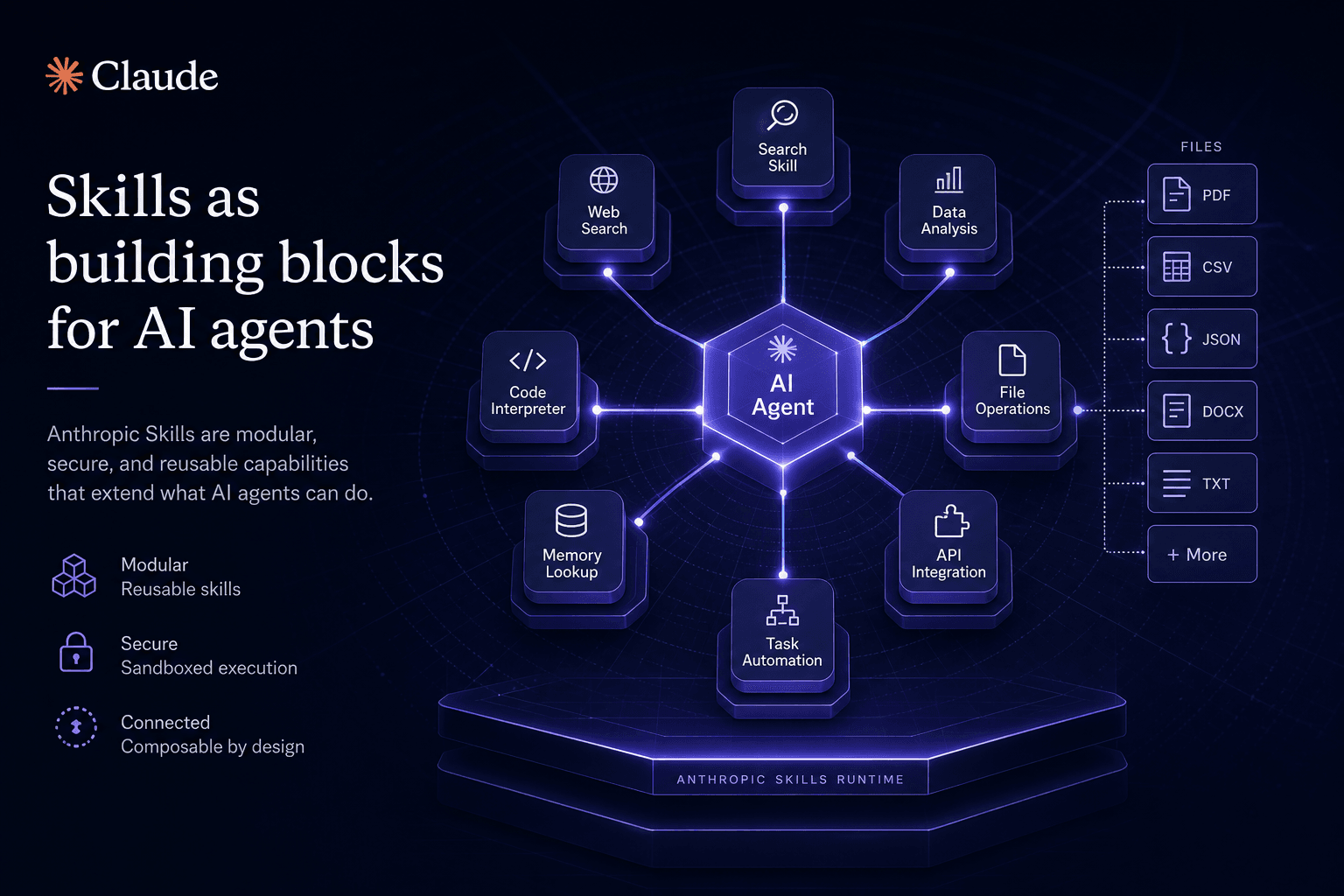
I've been working with Anthropic Skills since the early preview, and today I'm breaking down how I construct and prompt custom terminal-agent tool sets that transform ad-hoc prompting into reusable, versionable capabilities. Skills launched today across Claude.ai, the Anthropic API, and Claude Code — a new primitive that lets agents discover, call, and compose file-based behaviors. Anthropic also shipped Claude Haiku 4.5 and Cursor 1.7 added Skills support with the new Plan Mode.
For me, this crystallizes a shift I've been building toward: the skill is the new prompt. Static prompts that vanish when chat history clears are giving way to file-based capabilities that live in repositories, integrate with CI/CD, and compose like software modules. If MCP made tools portable, Skills makes agent behavior portable.
Here's how I approach prompting and designing these custom terminal-agent tool sets, the architecture I use, and the blueprints I follow for building file-based agent capabilities.
Table of Contents #
- What Are Anthropic Skills and Why Do They Matter Today
- Skills Architecture: Files, Manifests, and Discovery
- Skills vs MCP: Complementary or Competing Standards
- How Skills Work in Claude Code
- How Skills Work in Claude.ai and the API
- The Skill Manifest Format: A Complete Reference
- Building Your First Skill: Step-by-Step Tutorial
- Cursor 1.7: Skills Support and Plan Mode
- Claude Haiku 4.5: Speed at Sonnet 4 Quality
- The "Prompt Is the New Install" vs "Skill Is the New Prompt" Debate
- Community Skills Ecosystem: What's Already Available
- Salesforce Dreamforce Context: Agentforce 360 GA
- Production Patterns: When to Use Skills vs Functions vs MCP
- Getting Started: Your Skills Implementation Checklist
- Frequently Asked Questions
What Are Anthropic Skills and Why They Matter in My Workflow #
I treat Anthropic Skills as file-based capability definitions that transform my ad-hoc prompts into versionable, composable, discoverable agent primitives. When I'm building terminal-agent tool sets, a Skill is essentially a structured prompt with metadata — stored as JSON that defines what the Skill does, what inputs it accepts, what outputs it produces, and what capabilities it requires. Unlike prompts that vanish when I close a chat, Skills live in my repository, integrate with my CI/CD pipeline, and I can share them across my team or publish to the community.
My core architectural insight: Prompts are code, and code belongs in files. The ephemeral nature of chat-based prompting has been a major barrier to production AI adoption for me — behavior that works today disappears tomorrow when the context window clears. Skills solve this by making agent behavior persistent, versionable, and testable.
| Aspect | My Old Approach | How I Use Anthropic Skills |
|---|---|---|
| Storage | Chat history, copy-paste | File-based JSON in my repo |
| Versioning | None, or manual save | Git versioning, diffable |
| Sharing | Manual copy-paste | Import by reference, package managers |
| Discovery | Memory, documentation | Automatic skill registry |
| Testing | Manual trial | Automated evaluation frameworks |
| Composition | Copy-paste merging | Declarative dependencies |
What's available today across the Anthropic ecosystem:
- Claude.ai Skills — Web interface now supports uploading and invoking Skills from the Skills panel
- API Skills endpoints — Programmatic skill management via the REST API
- Claude Code Skills — Native skill discovery, invocation, and development workflow in my terminal
- Skills Registry — Central repository at
skills.anthropic.comfor community-published Skills - Skills SDK — Tools for building and validating Skills
The timing aligns with broader industry movements I track. This week at Dreamforce 2025 (October 13–15), Salesforce announced Agentforce 360 general availability — their enterprise agent platform. Google continues pushing A2A (Agent-to-Agent protocol) as a counterweight to Anthropic's MCP. The agent infrastructure wars are heating up, and Skills is Anthropic's bid to own the capability-definition layer.
Why this matters for how I build:
If you build AI workflows like I do, you know the pain — a prompt that works beautifully in testing gets lost when I close the chat. A refinement that took hours to discover disappears. A behavior I rely on can't be transferred to teammates. Skills solve all of this by treating prompts as first-class software artifacts.
My approach: The shift from "prompt engineering" to "skill architecture" changes how I think about AI capabilities. Instead of asking "what prompt gets good results?" I ask "what Skills should my agents have access to?" — a fundamentally more scalable framing.
The Skill paradigm also enables new organizational patterns I implement for clients. Teams maintain a "Skills library" — reviewed, tested, approved capabilities that any agent can invoke. Security teams audit Skills the same way they audit code. Operations teams deploy new capabilities by publishing Skills rather than updating agent configurations.
This is the infrastructure layer that makes enterprise AI adoption practical at scale.
Skills Architecture: Files, Manifests, and Discovery #
Skills architecture consists of three layers: the Skill manifest (metadata), the capability definition (behavior), and the discovery protocol (how agents find and invoke Skills). Understanding this architecture is essential for designing Skills that compose well and scale across teams.
The Skill File Structure #
A complete Skill consists of at minimum two files: a manifest and a prompt definition. Optionally, Skills can include test suites, documentation, and dependency declarations.
my-skill/
├── skill.json          # Manifest: metadata, version, requirements
├── prompt.md           # Core prompt/behavior definition
├── tests/              # Evaluation suite (optional)
│   ├── test-case-1.json
│   └── test-case-2.json
├── docs/               # Documentation (optional)
│   └── README.md
└── dependencies.yaml   # Other Skills this one requires (optional)
The manifest (skill.json) is the entry point. It defines:
| Field | Purpose | Example |
|---|---|---|
id |
Unique identifier | org.example.data-analysis |
name |
Human-readable name | "Data Analysis Assistant" |
version |
Semver version | 1.2.3 |
description |
What the Skill does | "Analyzes CSV files and generates insights" |
inputs |
Input schema | JSON Schema for expected inputs |
outputs |
Output schema | JSON Schema for expected outputs |
capabilities |
Required capabilities | ["file-read", "code-execution"] |
author |
Creator metadata | {name, email, org} |
license |
Usage license | MIT, Apache-2.0 |
dependencies |
Other Skills required | ["org.example.csv-parser@^1.0"] |
Example skill.json:
{
  "id": "com.williamspurlock.code-review",
  "name": "Code Review Assistant",
  "version": "2.1.0",
  "description": "Performs comprehensive code review with security, performance, and style checks",
  "inputs": {
    "type": "object",
    "properties": {
      "code": { "type": "string", "description": "Code to review" },
      "language": { "type": "string", "enum": ["typescript", "python", "go"] },
      "focus": { "type": "array", "items": { "enum": ["security", "performance", "style"] } }
    },
    "required": ["code", "language"]
  },
  "outputs": {
    "type": "object",
    "properties": {
      "findings": { "type": "array" },
      "summary": { "type": "string" },
      "severity": { "type": "string", "enum": ["low", "medium", "high", "critical"] }
    }
  },
  "capabilities": ["code-analysis", "file-read", "web-search"],
  "author": {
    "name": "William Spurlock",
    "email": "william@williamspurlock.com"
  },
  "license": "MIT",
  "dependencies": [
    "org.anthropic.security-patterns@^1.0",
    "org.anthropic.style-guides@^2.1"
  ]
}
The Prompt Definition #
The prompt.md file contains the actual instructions that guide Claude's behavior when the Skill is invoked. This is where the "prompt engineering" lives — but now it's versioned, reviewable, and testable.
# Code Review Assistant

You are an expert code reviewer specializing in {{language}}. Your task is to analyze the provided code for:

{{#each focus}}
- {{this}}
{{/each}}

## Review Process

1. **Static Analysis** — Identify obvious issues (syntax, undefined variables, type errors)
2. **Security Review** — Check for injection risks, unsafe deserialization, hardcoded secrets
3. **Performance Review** — Identify N+1 queries, inefficient algorithms, memory leaks
4. **Style Compliance** — Verify adherence to {{language}} best practices

## Output Format

Return a JSON object with:
- `findings`: Array of issues with line numbers, severity, and recommendations
- `summary`: 2-3 sentence overview of code quality
- `severity`: Overall severity assessment (low/medium/high/critical)

## Code to Review

```{{language}}
{{code}}
The prompt uses Handlebars-style templating (`{{variable}}`) for dynamic content injection. When a Skill is invoked, the inputs from the manifest are bound to these template variables.

### Discovery and Registry

Skills need to be discoverable. Anthropic provides multiple discovery mechanisms:

| Mechanism | Use Case | How It Works |
|-----------|----------|--------------|
| **Local Filesystem** | Development, personal Skills | Skills loaded from `~/.claude/skills/` or project `./skills/` |
| **Git Repository** | Team sharing, version control | Skills imported via git URL with semver tags |
| **Skills Registry** | Community sharing, public Skills | Central registry at skills.anthropic.com |
| **MCP Bridge** | Enterprise integration | Skills exposed through MCP servers |

**Discovery protocol:** When Claude Code or Claude.ai starts, it queries configured Skill sources, validates manifests, and builds a local index. Skills are lazy-loaded — they're only instantiated when first invoked, not at startup.

### Capability Negotiation

Skills declare what they need (`capabilities` field). The host environment advertises what it provides. A Skill can only be invoked if all its required capabilities are available.

**Standard capabilities include:**
- `file-read`, `file-write` — Filesystem access
- `web-search` — Internet search
- `code-execution` — Sandboxed code execution
- `mcp-client` — MCP server connection
- `subagent` — Ability to spawn subagents
- `memory` — Persistent memory access

This capability system enables portability. A Skill that requires `code-execution` won't run in a read-only environment, but will gracefully degrade or prompt for an alternative approach.

---

## Skills vs MCP: Complementary or Competing Standards

**Skills and MCP solve different but complementary problems.** MCP (Model Context Protocol) standardizes how AI agents connect to external tools and data sources. Skills standardize how AI capabilities are defined, packaged, and shared. The relationship is layered: Skills often invoke MCP tools; MCP servers can expose Skills as callable capabilities.

Understanding the distinction matters for architecture decisions. Teams building agent infrastructure need to know when to invest in MCP servers versus when to package capabilities as Skills.

### The Layered Stack

| Layer | What It Does | Technology |
|-------|--------------|------------|
| **Foundation Models** | Reasoning, generation, understanding | Claude 4 Opus, Sonnet, Haiku |
| **MCP** | Tool and resource connectivity | JSON-RPC servers, stdio/HTTP transport |
| **Skills** | Capability packaging and composition | Skill manifests, prompt templates |
| **Agents** | Orchestration, planning, execution | Claude Code, custom agents |
| **Applications** | User-facing products | Claude.ai, Cursor, custom apps |

**MCP operates at the infrastructure layer.** It answers "how does Claude talk to my database?" or "how does Claude access my company's internal API?" MCP servers are persistent processes that expose capabilities through a protocol. They're typically built once per data source and reused across many agent workflows.

**Skills operate at the capability layer.** They answer "what should Claude do with this data?" or "how should Claude behave when reviewing code?" Skills are lightweight, file-based definitions that can be created quickly, versioned easily, and composed into larger workflows.

### Comparison Matrix

| Dimension | MCP | Skills |
|-----------|-----|--------|
| **Granularity** | Server-level (coarse) | Capability-level (fine) |
| **Deployment** | Persistent process | File-based, no process |
| **Lifetime** | Long-running | Instantiated on demand |
| **Authoring complexity** | Moderate (requires SDK) | Low (JSON/YAML + markdown) |
| **Typical use** | Database, API, filesystem access | Prompt patterns, workflows, behaviors |
| **Composition** | Tool calling from agents | Skill dependencies, imports |
| **Versioning** | Server version | Semver in manifest |
| **Discovery** | MCP inspector, manual config | Registry, git repos, local files |

### How They Work Together

**Skills frequently use MCP tools.** A "Database Analysis" Skill might require the `postgres` MCP server to query data, then apply its prompt template to generate insights. The Skill defines the behavior; MCP provides the data access.

```json
{
  "id": "com.example.db-analysis",
  "name": "Database Analysis",
  "capabilities": ["mcp-client"],
  "mcpServers": ["postgres"],
  "prompt": "Analyze the following query results and provide insights..."
}
MCP servers can expose Skills as tools. An MCP server might host multiple Skills, exposing each as a callable tool. This bridges the gap — allowing Skills to be invoked from any MCP client, not just Claude-native environments.
When to Choose What #
Choose MCP when:
- Connecting to external data sources (databases, APIs, SaaS)
- Building reusable infrastructure for multiple teams
- Need persistent state or connection pooling
- Integrating with non-Claude agents (LangChain, custom implementations)
Choose Skills when:
- Defining prompt-based behaviors and workflows
- Creating shareable, versionable capabilities
- Building team-specific agent behaviors
- Rapidly iterating on agent capabilities without deploying servers
- Composing higher-level behaviors from simpler ones
Use both when:
- Building sophisticated agents that need both data access (MCP) and complex behavior definition (Skills)
- Creating reusable workflows that combine multiple data sources with reasoning patterns
- Developing enterprise agent platforms where infrastructure and capability layers evolve separately
The "Skill Is the New Prompt" vs "Prompt Is the New Install" Debate #
Two competing framings have emerged this week. On October 15, OpenAI's DevDay keynote emphasizes "the prompt is the new install" — suggesting that natural language prompts replace traditional software installation. Today, Anthropic launches with "the skill is the new prompt" — suggesting that file-based Skills replace ad-hoc prompting.
The synthesis: Both are true at different layers. For end users, prompts are indeed the new install — ask for what you want in natural language, the agent handles the rest. For developers and power users, Skills are the new prompt — structured, reusable, versionable capabilities replace copy-paste prompt engineering.
The framing difference reflects audience targeting. OpenAI optimizes for consumer simplicity. Anthropic optimizes for developer rigor. Both approaches serve their respective markets, and the ecosystem will likely support both paradigms.
My take: Production AI systems need Skills. Consumer AI interfaces can abstract Skills behind natural language. The winning architecture exposes both — natural language for exploration, Skills for reproducibility and scale.
How Skills Work in Claude Code #
Claude Code launches native Skills support today, transforming the terminal-native coding agent into a platform for composable, file-based capabilities. For developers already using Claude Code for repository-wide operations, Skills represents a major upgrade to how capabilities are discovered, invoked, and shared.
Skill Discovery in Claude Code #
When Claude Code starts, it automatically discovers Skills from multiple sources:
| Source | Location | Priority |
|---|---|---|
| Project Skills | ./.claude/skills/ |
Highest — project-specific |
| User Skills | ~/.claude/skills/ |
High — personal capability library |
| Git Repository | Configured remotes | Medium — team shared |
| Registry | skills.anthropic.com | Low — community Skills |
Claude Code indexes all discovered Skills and makes them available through:
- Slash commands —
/skill-nameinvokes a Skill directly - Natural language — Claude recognizes Skill intents from descriptions
- Skill picker —
Cmd/Ctrl+Shift+Sopens an interactive Skill selector
Example discovery output:
$ claude
Claude Code v0.9.0

Loaded 12 Skills:
  • com.williamspurlock.code-review (v2.1.0) — Code review assistant
  • com.williamspurlock.refactor (v1.5.0) — Multi-file refactoring
  • org.anthropic.git-commit (v1.0.0) — Generate commit messages
  • org.anthropic.pr-description (v1.2.0) — PR description writer
  ...

Type /help for commands, or just start coding.
Invoking Skills #
Direct invocation with slash commands:
$ claude
> /code-review src/auth.ts --focus=security,performance
Claude loads the Skill, binds the inputs (file path, focus areas), and executes the prompt template with the current context.
Natural language invocation:
> Can you review this code for security issues?Claude recognizes the intent matches the code-review Skill and offers to invoke it: "I can use the Code Review Assistant Skill for this. Proceed?"
With context from the current session:
> /refactor --target=src/utils/ --strategy=extract-functionsThe refactoring Skill receives the target directory and strategy preference, then plans and executes a multi-file refactoring operation.
My Skill Development Workflow in Claude Code #
My Cursor Prompt Template for developing Skills:
Development Workflow:
- Scaffold — Use
claude skill init <name>to create Skill template with manifest and prompt files- Define Manifest — Edit
skill.jsonto set ID, version, input/output schemas, and capabilities- Author Prompt — Edit
prompt.mdwith Handlebars templating for dynamic content injection- Local Test — Run
claude skill test <path> --input='{"key": "value"}'with sample inputs- Validate — Run
claude skill validate <path>to check manifest schema compliance- Install Local — Run
claude skill install <path>to add to~/.claude/skills/- Publish — Run
claude skill publish <path>to share to registry (requires auth)
My Claude Code Skill development commands:
| Command | When I Use It |
|---|---|
claude skill init <name> |
Starting a new Skill from template |
claude skill test <path> |
Validating with sample inputs |
claude skill validate <path> |
Checking manifest schema |
claude skill install <path> |
Adding to my local Skills directory |
claude skill uninstall <id> |
Removing obsolete Skills |
claude skill publish <path> |
Sharing to community registry |
claude skill list |
Viewing my installed Skills |
claude skill search <query> |
Finding community Skills |
Claude Code Skill Context #
Skills in Claude Code have access to rich context:
- Repository context — Current working directory, git status, file tree
- Session context — Conversation history, previous tool results
- Skill memory — Skills can read/write to session memory for multi-turn workflows
- MCP servers — Skills can invoke any configured MCP tools
- Subagents — Skills can spawn subagents for parallel work
Context injection example:
{
  "id": "com.example.pr-review",
  "context": {
    "git": true,
    "files": ["*.ts", "*.tsx"],
    "mcp": ["github"]
  },
  "prompt": "Review the current PR diff for the following files...\n\n{{git.diff}}\n\nCheck: {{focus}}"
}
When invoked, the Skill automatically receives the git diff of staged changes, filtered to TypeScript files, with access to the GitHub MCP server for PR context.
Skill Hooks #
Claude Code extends Skills with hooks — functions that run at specific lifecycle points:
| Hook | When It Runs | Use Case |
|---|---|---|
pre-invoke |
Before Skill execution | Validate inputs, check auth |
post-invoke |
After Skill completes | Log results, trigger side effects |
on-error |
When Skill fails | Error recovery, fallback behavior |
pre-render |
Before prompt template renders | Dynamic context injection |
Hook example in skill.json:
{
  "hooks": {
    "pre-invoke": {
      "script": "./hooks/check-auth.sh",
      "required": true
    },
    "post-invoke": {
      "script": "./hooks/log-usage.js"
    }
  }
}
Hooks enable Skills to integrate with existing team infrastructure — authentication systems, logging pipelines, approval workflows.
Claude Code Skills in Practice #
Typical Claude Code + Skills workflow:
- Morning standup prep —
/standup-summarySkill generates commit summary from yesterday's work - Code review —
/reviewSkill analyzes PR with security, performance, style checks - Refactoring —
/extract-serviceSkill moves business logic to new service file - Documentation —
/docsSkill generates JSDoc from function signatures - Commit —
/commitSkill suggests commit message from diff
Each Skill encapsulates a repeatable workflow. The developer focuses on decisions; Claude handles execution through Skills.
How Skills Work in Claude.ai and the API #
Claude.ai and the Anthropic API gain Skills support today, extending file-based capabilities from the terminal to the web interface and programmatic access. This tri-platform launch (Claude.ai + API + Claude Code) ensures Skills work everywhere developers interact with Claude.
Claude.ai Skills Interface #
The Claude.ai web interface adds a dedicated Skills panel, accessible from the sidebar. The interface supports:
| Feature | Description |
|---|---|
| Skill browser | Browse installed Skills with search and filtering |
| Skill runner | Interactive form for Skill inputs based on manifest schema |
| Skill builder | Visual editor for creating simple Skills |
| Skill import | Import from git URL, registry, or file upload |
| Skill sharing | Share Skills via URL or export to file |
Using Skills in Claude.ai:
- Open the Skills panel (sidebar → Skills)
- Select a Skill from your library
- Fill in the input form (generated from the Skill's JSON schema)
- Click "Run Skill" or press Enter
- Claude executes the Skill with your inputs
Example: Running the Code Review Skill in Claude.ai:
Skill: Code Review Assistant

Inputs:
  Code: [paste code or upload file]
  Language: [dropdown: typescript | python | go]
  Focus: [checkboxes: ☑ security ☑ performance ☐ style]

[Run Skill]
The web interface generates form fields from the Skill's input schema, validating types and constraints before submission.
The /v1/skills API
#
The Anthropic API introduces comprehensive Skills endpoints:
| Endpoint | Method | Purpose |
|---|---|---|
/v1/skills |
GET | List available Skills |
/v1/skills |
POST | Create or upload a Skill |
/v1/skills/{id} |
GET | Retrieve Skill manifest |
/v1/skills/{id} |
DELETE | Remove a Skill |
/v1/skills/{id}/invoke |
POST | Execute a Skill |
/v1/skills/{id}/validate |
POST | Validate Skill manifest |
My approach to listing Skills via API:
When I query the Anthropic Skills API, I use the GET /v1/skills endpoint with my API key and the appropriate API version header.
Response schema I work with:
| Field | Type | Description |
|---|---|---|
skills |
Array | List of available Skills |
skills[].id |
String | Unique Skill identifier |
skills[].name |
String | Human-readable name |
skills[].version |
String | Semver version |
skills[].description |
String | What the Skill does |
skills[].capabilities |
Array | Required capabilities |
skills[].created_at |
String | ISO 8601 timestamp |
My Cursor Prompt Template for invoking a Skill via API:
Endpoint:
POST /v1/skills/{skill-id}/invokeHeaders Required:
x-api-key: My Anthropic API keyanthropic-version: API version (e.g.,2023-06-01)content-type:application/jsonRequest Body Structure:
inputs: Object matching the Skill's input schema
code: String containing code to reviewlanguage: String (enum: typescript, python, go)focus: Array of focus areas (security, performance, style)model: String specifying Claude model versionmax_tokens: Integer for response limitResponse Structure:
id: Unique invocation IDtype: Always "skill_response"skill: Object with invoked Skill's ID and versionoutputs: Object matching Skill's output schema
findings: Array of issues foundsummary: String overview of resultsseverity: Enum (low, medium, high, critical)usage: Token consumption stats
}
}
### Skills with Messages API Integration

Skills can also be invoked inline through the Messages API using the new `skill` content block type:

```json
{
  "model": "claude-sonnet-4-20250514",
  "max_tokens": 4096,
  "messages": [
    {
      "role": "user",
      "content": [
        {
          "type": "skill",
          "skill_id": "com.williamspurlock.code-review",
          "inputs": {
            "code": "function greet(name) { ... }",
            "language": "typescript",
            "focus": ["security"]
          }
        }
      ]
    }
  ]
}
This integration allows Skills to be composed with other message types (text, images, documents) in complex workflows.
Programmatic Skill Management #
The API enables full CRUD operations for Skills, supporting dynamic Skill libraries:
My Cursor Prompt Template for uploading a Skill via API:
Endpoint:
POST /v1/skillsHeaders Required:
x-api-key: My Anthropic API keyanthropic-version: API versioncontent-type:multipart/form-dataForm Fields:
manifest: Theskill.jsonfile contentprompt: Theprompt.mdfile contentvisibility: One ofprivate,organization,publicVisibility Levels I Use:
private— Only accessible by my API key (personal development)organization— Shared across my Anthropic org (team collaboration)public— Listed in public registry (community contribution)
API Pricing for Skills #
Skill invocations are priced like regular API calls — you pay for the input and output tokens consumed. There is no additional Skill invocation fee.
| Operation | Pricing |
|---|---|
| List Skills | Free |
| Upload Skill | Free |
| Validate Skill | Free |
| Invoke Skill | Standard token pricing (input + output) |
Optimization tip: Skills that use prompt caching (via the cache_control parameter in the prompt template) can reduce costs for frequently invoked Skills. Cached prompt prefixes are billed at 50% of standard input pricing.
Webhooks and Async Skills #
My Cursor Prompt Template for async Skill execution:
Use Case: Long-running operations like large dataset analysis
Endpoint:
POST /v1/skills/{skill-id}/invokeAsync Request Body:
inputs: Object with operation parameters (e.g.,dataset_url)async: Booleantrueto enable asynchronous modewebhook_url: HTTPS endpoint to receive completion callbackResponse Structure:
job_id: Unique identifier for polling statusstatus: Current job state (pending,processing,completed,failed)estimated_completion: ISO 8601 timestamp for ETAMy async workflow:
- Submit async request with webhook URL
- Receive immediate job ID response
- Poll
GET /v1/skills/jobs/{job_id}for status updates- Or wait for webhook callback with final results
{
  "job_id": "skill-job_01XYZ789",
  "status": "pending",
  "estimated_completion": "2025-10-16T15:30:00Z"
}
When complete, results are sent to the webhook URL or retrievable via GET /v1/skills/jobs/{job_id}.
The Skill Manifest Format: A Complete Reference #
The Skill manifest is a JSON document that defines a Skill's identity, behavior, requirements, and interface. This section provides a complete reference for every field in the manifest schema, with examples and best practices.
Manifest Schema Overview #
{
  "$schema": "https://skills.anthropic.com/schema/v1.json",
  "id": "string (required)",
  "name": "string (required)",
  "version": "string (required, semver)",
  "description": "string (required)",
  "author": { "object" },
  "license": "string",
  "tags": ["array"],

  "inputs": { "JSON Schema" },
  "outputs": { "JSON Schema" },

  "capabilities": ["array"],
  "mcpServers": ["array"],
  "dependencies": ["array"],

  "prompt": { "object | string" },
  "hooks": { "object" },
  "tests": { "object" },
  "config": { "object" }
}
Core Identity Fields #
| Field | Required | Type | Description |
|---|---|---|---|
id |
Yes | string | Unique identifier in reverse-domain format |
name |
Yes | string | Human-readable display name |
version |
Yes | string | Semver version (e.g., 1.2.3) |
description |
Yes | string | One-sentence description of what the Skill does |
author |
No | object | {name, email, url, organization} |
license |
No | string | SPDX license identifier |
tags |
No | string[] | Searchable keywords |
ID conventions:
- Use reverse-domain notation:
com.company.skill-name - Use kebab-case for the skill name portion
- Include version scope if needed:
com.company.skill-name.v2 - Organization prefixes are reserved:
org.anthropic.*,io.claude.*
Example:
{
  "id": "com.williamspurlock.security-audit",
  "name": "Security Audit",
  "version": "2.1.0",
  "description": "Analyzes code for security vulnerabilities and compliance issues",
  "author": {
    "name": "William Spurlock",
    "email": "william@williamspurlock.com",
    "url": "https://williamspurlock.com"
  },
  "license": "MIT",
  "tags": ["security", "code-review", "compliance", "audit"]
}
Input/Output Schemas #
Skills use JSON Schema to define their interface contracts:
Input Schema Example:
{
  "inputs": {
    "type": "object",
    "properties": {
      "code": {
        "type": "string",
        "description": "Source code to analyze",
        "minLength": 1,
        "maxLength": 100000
      },
      "language": {
        "type": "string",
        "enum": ["typescript", "python", "go", "rust", "java"],
        "description": "Programming language"
      },
      "checks": {
        "type": "array",
        "items": {
          "enum": ["owasp-top-10", "secrets", "injection", "auth"]
        },
        "default": ["owasp-top-10", "secrets"]
      },
      "severity_threshold": {
        "type": "string",
        "enum": ["info", "low", "medium", "high", "critical"],
        "default": "medium"
      }
    },
    "required": ["code", "language"]
  }
}
Output Schema Example:
{
  "outputs": {
    "type": "object",
    "properties": {
      "findings": {
        "type": "array",
        "items": {
          "type": "object",
          "properties": {
            "line": { "type": "integer" },
            "severity": { "type": "string", "enum": ["low", "medium", "high", "critical"] },
            "category": { "type": "string" },
            "description": { "type": "string" },
            "recommendation": { "type": "string" }
          }
        }
      },
      "summary": { "type": "string" },
      "score": { "type": "number", "minimum": 0, "maximum": 100 }
    },
    "required": ["findings", "summary"]
  }
}
Schema features supported:
- All standard JSON Schema types (
string,number,integer,boolean,array,object) - Validation keywords (
minLength,maxLength,minimum,maximum,pattern,enum) - Complex types (
oneOf,anyOf,allOf) - References (
$ref) for reusable definitions - Default values
Capability Declarations #
The capabilities array declares what runtime features the Skill requires:
| Capability | Description |
|---|---|
file-read |
Read files from the filesystem |
file-write |
Write files to the filesystem |
file-search |
Search/grep across files |
directory-list |
List directory contents |
web-search |
Search the internet |
web-fetch |
Fetch specific URLs |
code-execution |
Execute code in sandbox |
mcp-client |
Connect to MCP servers |
subagent |
Spawn subagents |
memory-read |
Read from persistent memory |
memory-write |
Write to persistent memory |
shell-exec |
Execute shell commands |
Example:
{
  "capabilities": [
    "file-read",
    "file-search",
    "web-search",
    "mcp-client"
  ]
}
MCP Server Configuration #
Skills that use MCP tools declare required servers:
{
  "mcpServers": [
    {
      "name": "github",
      "required": true,
      "config": {
        "command": "npx",
        "args": ["-y", "@anthropic-ai/mcp-github"]
      }
    },
    {
      "name": "postgres",
      "required": false,
      "if_present": "use_database",
      "config": {
        "env": {
          "DATABASE_URL": "{{inputs.database_url}}"
        }
      }
    }
  ]
}
Fields:
name— Server identifierrequired— Whether the Skill fails without this serverif_present— Input field that enables conditional loadingconfig— MCP server configuration (command, env, args)
Skill Dependencies #
Skills can depend on other Skills:
{
  "dependencies": [
    "org.anthropic.security-patterns@^1.0.0",
    "org.anthropic.style-guides@>=2.0.0 <3.0.0",
    "com.williamspurlock.common-utils@~1.5.0"
  ]
}
Semver ranges follow npm conventions:
^1.0.0— Compatible with 1.x.x~1.5.0— Compatible with 1.5.x>=1.0.0 <2.0.0— Range1.2.3— Exact version
Prompt Configuration #
The prompt field defines where the prompt template lives and how it's processed:
{
  "prompt": {
    "source": "file",
    "path": "./prompt.md",
    "engine": "handlebars",
    "partials": ["./partials/header.md"],
    "helpers": ["./helpers/custom.js"]
  }
}
Or for inline prompts:
{
  "prompt": {
    "source": "inline",
    "content": "You are a helpful assistant... {{inputs.query}}",
    "engine": "handlebars"
  }
}
Engine options:
handlebars— Handlebars templating (default)jinja2— Jinja2 templatingnone— No templating, raw prompt
Hooks Configuration #
{
  "hooks": {
    "pre-invoke": {
      "script": "./hooks/pre.sh",
      "timeout": 30,
      "required": true,
      "on-error": "fail"
    },
    "post-invoke": {
      "script": "./hooks/post.js",
      "timeout": 60,
      "required": false,
      "on-error": "warn"
    }
  }
}
Test Configuration #
{
  "tests": {
    "directory": "./tests",
    "pattern": "*.test.json",
    "coverage": {
      "statements": 80,
      "branches": 70
    }
  }
}
Configuration Options #
{
  "config": {
    "timeout": 300,
    "max-tokens": 4096,
    "temperature": 0.2,
    "thinking": {
      "enabled": true,
      "budget": 32000
    },
    "cache": {
      "ttl": 3600
    }
  }
}
Complete Example Manifest #
{
  "$schema": "https://skills.anthropic.com/schema/v1.json",
  "id": "com.williamspurlock.api-docs",
  "name": "API Documentation Generator",
  "version": "3.0.1",
  "description": "Generates OpenAPI specs and documentation from code annotations",

  "author": {
    "name": "William Spurlock",
    "email": "william@williamspurlock.com",
    "url": "https://williamspurlock.com"
  },
  "license": "MIT",
  "tags": ["documentation", "openapi", "api", "swagger"],

  "inputs": {
    "type": "object",
    "properties": {
      "source_files": {
        "type": "array",
        "items": { "type": "string" },
        "description": "Paths to source files"
      },
      "format": {
        "type": "string",
        "enum": ["openapi3", "markdown", "html"],
        "default": "openapi3"
      },
      "include_examples": {
        "type": "boolean",
        "default": true
      }
    },
    "required": ["source_files"]
  },

  "outputs": {
    "type": "object",
    "properties": {
      "spec": { "type": "string" },
      "warnings": { "type": "array" },
      "file_count": { "type": "integer" }
    },
    "required": ["spec"]
  },

  "capabilities": ["file-read", "file-search", "file-write"],

  "prompt": {
    "source": "file",
    "path": "./prompt.md"
  },

  "config": {
    "max-tokens": 8192,
    "temperature": 0.1
  }
}
Building Your First Skill: Step-by-Step Tutorial #
This tutorial walks through building a complete Skill from scratch — a Git Commit Message Generator that analyzes staged changes and suggests conventional commit messages. By the end, you'll have a working Skill you can use in Claude Code, Claude.ai, and the API.
Prerequisites #
- Node.js 18+ installed
- Claude Code installed (or access to Claude.ai)
- A git repository with some changes to commit
Step 1: Scaffold the Skill #
My Cursor Prompt Template for scaffolding a new Skill:
Setup Steps:
- Create directory:
mkdir git-commit-skill- Change to directory:
cd git-commit-skill- Initialize Skill:
claude skill init git-commit-generatorResult: This scaffolds the Skill structure with:
skill.json— Manifest fileprompt.md— Prompt templatetests/— Test directory with example test file
git-commit-generator/
├── skill.json
├── prompt.md
└── tests/
    └── example.test.json
Step 2: Define the Manifest #
Edit skill.json:
{
  "$schema": "https://skills.anthropic.com/schema/v1.json",
  "id": "com.example.git-commit-generator",
  "name": "Git Commit Generator",
  "version": "1.0.0",
  "description": "Generates conventional commit messages from staged git changes",
  "author": {
    "name": "Your Name",
    "email": "you@example.com"
  },
  "license": "MIT",
  "tags": ["git", "commit", "conventional-commits", "developer-tools"],

  "inputs": {
    "type": "object",
    "properties": {
      "diff": {
        "type": "string",
        "description": "Git diff of staged changes"
      },
      "context": {
        "type": "string",
        "description": "Additional context about the changes",
        "default": ""
      },
      "style": {
        "type": "string",
        "enum": ["conventional", "semantic", "simple"],
        "default": "conventional"
      }
    },
    "required": ["diff"]
  },

  "outputs": {
    "type": "object",
    "properties": {
      "message": {
        "type": "string",
        "description": "Suggested commit message"
      },
      "type": {
        "type": "string",
        "enum": ["feat", "fix", "docs", "style", "refactor", "test", "chore"]
      },
      "explanation": {
        "type": "string",
        "description": "Why this message was suggested"
      }
    },
    "required": ["message", "type"]
  },

  "capabilities": ["shell-exec"],

  "prompt": {
    "source": "file",
    "path": "./prompt.md"
  },

  "config": {
    "max-tokens": 2048,
    "temperature": 0.3
  }
}
Step 3: Write the Prompt #
Edit prompt.md:
# Git Commit Message Generator

You are an expert at writing clear, informative git commit messages following
the Conventional Commits specification.

## Your Task

Analyze the following git diff and suggest an appropriate commit message.

## Input

**Style**: {{style}}

**Additional Context**: {{#if context}}{{context}}{{else}}None provided{{/if}}

**Git Diff**:
```diff
{{diff}}
Guidelines #
Based on the style "{{style}}":
{{#if (eq style "conventional")}}
- Use format:
type(scope): description - Types: feat, fix, docs, style, refactor, test, chore
- Keep description under 72 characters
- Use imperative mood ("add" not "added")
{{/if}}
{{#if (eq style "semantic")}}
- Use semantic versioning impact markers
- Prefix with [MAJOR], [MINOR], or [PATCH]
- Include breaking change indicators if applicable
{{/if}}
{{#if (eq style "simple")}}
- One clear sentence describing the change
- No type prefix needed
- Keep it under 50 characters if possible
{{/if}}
Output Format #
Return a JSON object with:
message: The complete commit message (first line only, no body)type: The conventional commit type (feat/fix/docs/etc)explanation: One sentence explaining why this type was chosen
Example:
{
  "message": "feat(auth): add JWT token validation middleware",
  "type": "feat",
  "explanation": "New functionality was added to handle authentication"
}
### Step 4: Test the Skill

Create a test case in `tests/basic.test.json`:

```json
{
  "name": "Basic feature addition",
  "inputs": {
    "diff": "diff --git a/src/auth.js b/src/auth.js\n+function validateToken(token) {\n+  return jwt.verify(token, SECRET);\n+}",
    "style": "conventional"
  },
  "expected": {
    "type": "feat",
    "message": "feat(auth): add JWT token validation"
  }
}
My Cursor Prompt Template for testing the Skill:
Test Command:
claude skill test ./git-commit-generator --test=tests/basic.test.jsonWhat It Does: Executes the Skill against the test case defined in
tests/basic.test.jsonValidation: Compares actual output against expected values in the test file
Step 5: Add Git Integration Hook #
My hook configuration schema:
Instead of writing shell scripts, I configure hooks declaratively in my skill.json manifest. The runtime handles the execution environment.
My Cursor Prompt Template for pre-invoke hooks:
Hook Type: Pre-invoke (runs before Skill execution)
Purpose: Automatically fetch staged git diff for commit message generation
Logic: Check if
.gitdirectory exists → Fetch staged diff viagit diff --staged→ Escape JSON characters → Return as{diff: string}objectError Handling: Return
{error: "Not a git repository"}if no.gitfoundTimeout: 10 seconds (fails fast if git is slow)
Required: true (Skill fails if hook fails)
How I configure the hook in my manifest:
| Field | Value | Purpose |
|---|---|---|
hooks.pre-invoke.script |
"./hooks/pre.sh" |
Path to hook logic |
hooks.pre-invoke.timeout |
10 |
Seconds before abort |
hooks.pre-invoke.required |
true |
Fail Skill if hook fails |
Step 6: Install and Use #
How I install the Skill to my user Skills directory:
I use the Claude Code CLI to install from my local directory: claude skill install ./git-commit-generator
My Cursor Prompt Template for using the installed Skill:
Context: I'm in Claude Code terminal mode
Setup: Stage changes with
git add src/auth.jsInvocation: Use slash command
/git-commit-generator --style=conventionalExpected Flow:
- Claude detects the
/git-commit-generatorslash command- Pre-invoke hook fetches staged diff automatically
- Prompt template renders with diff and
conventionalstyle preference- Claude processes the rendered prompt
- Returns structured commit suggestion for approval
The Skill execution flow I designed:
| Step | Action | Who Handles It |
|---|---|---|
| 1 | Detect staged changes | Pre-invoke hook |
| 2 | Render prompt template | Skills runtime |
| 3 | Call Claude API | Skills runtime |
| 4 | Parse structured output | Skills runtime |
| 5 | Present for user approval | Claude Code interface |
Example output:
Suggested commit:
  feat(auth): add JWT token validation middleware

Type: feat
Explanation: New authentication functionality was added to validate tokens

Use this message? [Y/n/e(edit)]:
Step 7: Iterate and Refine #
Test with different change types:
| Change Type | Expected Output |
|---|---|
| Bug fix | fix(parser): handle null pointer in tokenize |
| Documentation | docs(readme): add installation instructions |
| Refactoring | refactor(utils): extract helper functions |
| Tests | test(auth): add JWT validation tests |
Refine the prompt based on results. Common improvements:
- Add examples for your team's conventions
- Include scope mapping for your project structure
- Adjust temperature (lower for consistency, higher for creativity)
Step 8: Share or Publish #
Share with your team via git:
My Cursor Prompt Template for sharing Skills with my team:
Sharing Method: Git-based distribution via private repository
Setup Steps:
- Initialize git repository in Skill directory
- Stage all Skill files (manifest, prompt, tests)
- Commit with conventional commit message describing the Skill
- Add remote origin pointing to team GitHub repository
- Push to main branch with upstream tracking
Team Installation: Members install via git URL:
claude skill install git@github.com:yourteam/git-commit-skill.gitRegistry Publishing (optional): For public Skills, I use the registry publish command with visibility flag
My Skill distribution workflow:
| Method | Command/Action | When I Use It |
|---|---|---|
| Git init | Initialize repo | Starting version control |
| Git push | Push to GitHub | Sharing with team |
| Git install | claude skill install <git-url> |
Team members consuming |
| Registry publish | claude skill publish --visibility=public |
Contributing to community |
Next Steps #
Extend your Skill:
- Add multi-line commit body generation
- Include breaking change detection
- Integrate with issue trackers (auto-include ticket numbers)
- Add confidence scoring
- Create variants for different project types
This pattern — scaffold, define, prompt, test, integrate — applies to any Skill you build.
Cursor 1.7: Skills Support and Plan Mode #
Cursor 1.7 ships today with native Anthropic Skills support and the new Plan Mode — a major update that brings the AI-first editor in line with Claude Code's agent capabilities while maintaining its editing-centric strengths.
Skills in Cursor 1.7 #
Cursor 1.7 adds full support for Anthropic Skills, enabling a new layer of reusable, file-based capabilities in the editor environment.
Cursor Skills integration:
| Feature | How It Works |
|---|---|
| Skills panel | New sidebar panel for browsing and managing Skills |
| Skill invocation | /skill-name in chat or Skill picker (Cmd+Shift+S) |
| Skill development | Create and edit Skills directly in Cursor |
| Skill marketplace | Import from registry, git repos, or local files |
| Skill + Composer | Use Skills within multi-file Composer sessions |
Cursor-specific Skill capabilities:
- Editor context injection — Skills automatically receive current file, selection, cursor position
- Composer integration — Skills can initiate or contribute to Composer workflows
- Tab-aware — Skills can reference all open tabs as context
- LSP integration — Skills can query language server for type information
- Diff preview — Skills that propose changes show inline diff before application
Installing a Skill in Cursor:
1. Open Skills panel (sidebar or Cmd+Shift+S)
2. Click "Add Skill"
3. Choose source:
   - Registry (search skills.cursor.com)
   - Git URL (paste repo URL)
   - Local file (select skill.json)
4. Configure inputs (if required)
5. Click Install
Example: Using the Refactoring Skill in Cursor:
- Select code to refactor
- Open chat, type
/refactor --strategy=extract-function - Cursor invokes the Skill with:
- Selected code as input
- Project structure as context
- LSP type information
- Skill returns refactoring plan
- Composer executes the multi-file changes
- Diff preview shows proposed changes
- User approves or rejects
Plan Mode: Think Before You Code #
Plan Mode is Cursor 1.7's headline feature — a new agent mode that requires the AI to propose a plan before executing changes. It's the middle ground between open-ended chat and fully autonomous agents.
How Plan Mode works:
| Step | What Happens | User Control |
|---|---|---|
| 1. Request | User describes what they want | Full control |
| 2. Planning | Cursor analyzes codebase, plans approach | View-only |
| 3. Proposal | Cursor presents plan: files, changes, rationale | Review, edit, approve |
| 4. Execution | Cursor implements approved plan | Can pause/cancel |
| 5. Review | Changes presented for final review | Accept, reject, iterate |
Plan Mode vs Agent Mode comparison:
| Aspect | Chat Mode | Plan Mode | Agent Mode |
|---|---|---|---|
| Speed | Fast | Medium | Slow (thorough) |
| Control | High per response | High per plan | Lower (autonomous) |
| Best for | Quick questions | Complex changes | Multi-hour tasks |
| Safety | Manual application | Reviewed execution | Background trust |
| Context | Current file | Project-wide | Repository + external |
Activating Plan Mode:
1. Open chat (Cmd+L)
2. Toggle from "Chat" to "Plan" mode (dropdown or Cmd+Shift+P)
3. Describe your request
4. Wait for plan proposal
5. Review, edit, approve
6. Watch execution
Example Plan Mode workflow:
User: "Add user authentication to this Express app using JWT"

Cursor Plan:
  ┌─ Analysis ─────────────────────────────────────────┐
  │ Current state: No auth system present             │
  │ Required: JWT library, middleware, routes         │
  │ Files to modify: 4                                │
  └───────────────────────────────────────────────────┘

  ┌─ Proposed Changes ────────────────────────────────┐
  │ 1. Install dependencies                           │
  │    └─ npm install jsonwebtoken bcryptjs           │
  │                                                   │
  │ 2. Create auth middleware (src/middleware/auth.js)│
  │    └─ verifyToken, requireAuth functions          │
  │                                                   │
  │ 3. Add auth routes (src/routes/auth.js)            │
  │    └─ POST /login, POST /register                 │
  │                                                   │
  │ 4. Protect existing routes (src/routes/*.js)       │
  │    └─ Add requireAuth to sensitive endpoints      │
  │                                                   │
  │ 5. Add tests (tests/auth.test.js)                  │
  │    └─ Login, register, protected route tests        │
  └───────────────────────────────────────────────────┘

  ┌─ Rationale ─────────────────────────────────────────┐
  │ Using JWT for stateless auth fits Express patterns│
  │ bcryptjs for secure password hashing                │
  │ Middleware approach keeps routes clean            │
  └───────────────────────────────────────────────────┘

[Edit Plan] [Approve] [Cancel] [Add Context]
Skills + Plan Mode Integration #
The powerful combination: Skills can define Plan Mode behavior. A Skill can specify:
- How to analyze the request
- What planning steps to include
- Which files to examine
- What safety checks to run
Example: Architecture Review Skill with Plan Mode:
{
  "id": "com.williamspurlock.architecture-review",
  "name": "Architecture Review",
  "planMode": {
    "enabled": true,
    "steps": [
      "analyze-dependencies",
      "check-circular-imports",
      "review-api-contracts",
      "identify-bottlenecks"
    ],
    "files": ["src/**/*", "package.json", "tsconfig.json"],
    "safetyChecks": ["no-breaking-changes", "test-coverage-maintained"]
  }
}
When invoked in Plan Mode, the Skill follows its defined planning workflow before proposing any changes.
Cursor Skills vs Claude Code Skills #
While both support Anthropic Skills, there are important differences:
| Aspect | Cursor 1.7 | Claude Code |
|---|---|---|
| Primary context | Open files, editor state | Repository, git state |
| Skill invocation | In-chat, sidebar | Terminal commands |
| Execution model | UI-driven, diff preview | Terminal output, file changes |
| Best for | Editor-centric workflows | Repository-wide automation |
| Composer integration | Native | Limited |
| Tab completion | Yes, alongside Skills | No (terminal agent) |
My take: Cursor 1.7 Skills excel for editing workflows — refactoring, code generation, review. Claude Code Skills excel for repository operations — commits, releases, documentation. The same Skill can work in both, but the context and execution model differ.
Migrating from Cursor Rules to Skills #
My Cursor Prompt Template for migrating from .cursorrules to Skills:
Migration Steps:
- Convert existing
.cursorrules:cursor rules convert --output=./my-rules-skill- Install converted Skill:
cursor skill install ./my-rules-skillWhy I migrate:
- Version control for rules (Skill in git)
- Version control for rules (Skill in git)
- Shareable across projects (Skill registry)
- Composable (multiple Skills vs single rules file)
- Testable (Skill evaluation framework)
Cursor 1.7 Other Updates #
Beyond Skills and Plan Mode:
| Feature | Description |
|---|---|
| Bugbot improvements | Better detection of async/await issues, race conditions |
| Memory 2.0 | Cross-project patterns, team-shared Memories |
| Background Agents 2.0 | Better progress tracking, intermediate results |
| MCP marketplace | 50+ one-click MCP servers |
| Gemini 2.5 Flash | Now in Max mode |
| claude-opus-4-7 | Latest Anthropic model support |
Cursor 1.7 is available today via auto-update or download from cursor.com.
Claude Haiku 4.5: Speed at Sonnet 4 Quality #
Anthropic ships Claude Haiku 4.5 today — a new fast model that matches the quality of the previous Sonnet 4 at roughly one-third the cost and latency. Haiku 4.5 is available immediately across Claude.ai, the API, and Claude Code.
Haiku 4.5 Specifications #
Claude Haiku 4.5 is positioned as the speed tier with quality that rivals last generation's mid-tier:
| Specification | Haiku 4.5 | Sonnet 4 | Haiku 3 |
|---|---|---|---|
| Context window | 200,000 tokens | 200,000 tokens | 200,000 tokens |
| Output limit | 8,192 tokens | 128,000 tokens | 4,096 tokens |
| Input price | $0.80/million tokens | $3.00/million tokens | $0.25/million tokens |
| Output price | $4.00/million tokens | $15.00/million tokens | $1.25/million tokens |
| Speed | ~150 tokens/sec | ~45 tokens/sec | ~120 tokens/sec |
| Latency | ~300ms TTFT | ~800ms TTFT | ~250ms TTFT |
TTFT = Time to First Token
Pricing comparison: Haiku 4.5 costs approximately 73% less than Sonnet 4 for input and 73% less for output, while delivering comparable quality on many tasks.
Benchmark Performance #
Haiku 4.5 achieves surprising benchmark results given its speed-first positioning:
| Benchmark | Haiku 4.5 | Sonnet 4 | Haiku 3 | Notes |
|---|---|---|---|---|
| MMLU | 87.2% | 88.9% | 75.9% | General knowledge |
| HumanEval | 91.8% | 96.8% | 75.1% | Coding ability |
| GSM8K | 92.4% | 95.2% | 78.4% | Math reasoning |
| HellaSwag | 92.1% | 93.5% | 85.3% | Commonsense |
| BBH | 81.6% | 86.7% | 66.8% | Broad reasoning |
| TruthfulQA | 78.3% | 82.1% | 68.4% | Truthfulness |
Key insight: Haiku 4.5 closes most of the gap to Sonnet 4 on standard benchmarks while maintaining Haiku's signature speed. The ~5 percentage point gap on most tasks may be acceptable given the 3x cost savings for many use cases.
When to Use Haiku 4.5 #
Haiku 4.5 is optimal for:
| Use Case | Why Haiku 4.5 Wins |
|---|---|
| High-volume chat | Low latency keeps conversations fluid |
| Classification tasks | Fast, cheap, accurate enough |
| RAG pipelines | Quick retrieval + generation cycles |
| Simple coding tasks | Autocomplete, quick fixes, formatting |
| Content moderation | Real-time filtering at scale |
| Preprocessing | Fast initial pass before deeper analysis |
| Skills with tight budgets | Cost-effective for repeated invocations |
Example cost comparison for 1M API calls:
| Model | Avg Input | Avg Output | Cost per Call | 1M Calls Total |
|---|---|---|---|---|
| Opus 4 | 2K tokens | 500 tokens | $0.0405 | $40,500 |
| Sonnet 4 | 2K tokens | 500 tokens | $0.0135 | $13,500 |
| Haiku 4.5 | 2K tokens | 500 tokens | $0.0036 | $3,600 |
| Haiku 3 | 2K tokens | 500 tokens | $0.0011 | $1,100 |
At 1M calls, Haiku 4.5 costs $3,600 vs Sonnet 4's $13,500 — a $9,900 savings. For high-volume applications, this is transformative.
When to Still Choose Sonnet 4 or Opus 4 #
Haiku 4.5 is not the right choice when:
| Scenario | Better Choice | Reason |
|---|---|---|
| Complex reasoning | Sonnet 4 or Opus 4 | Deeper thinking required |
| Long-form generation | Sonnet 4 | Higher output quality |
| Multi-step agents | Sonnet 4 | Better tool use accuracy |
| Novel problem solving | Opus 4 | Frontier capability needed |
| Extended thinking | Opus 4 | Thinking budget up to 256K |
| Safety-critical code | Sonnet 4 | Higher reliability |
Skills + Haiku 4.5: A Powerful Combination #
Haiku 4.5 pairs exceptionally well with the new Skills system for high-volume, repetitive workflows:
{
  "id": "com.example.classifier",
  "name": "Content Classifier",
  "config": {
    "model": "claude-haiku-4-5-20251015",
    "max-tokens": 150,
    "temperature": 0.1
  }
}
Example: Document processing pipeline:
- Ingest — Load 10,000 documents (fast, doesn't need AI)
- Classify — Haiku 4.5 categorizes each document ($0.0036/document)
- Route — Send to appropriate processing queue
- Analyze — Sonnet 4 or Opus 4 for complex documents
Total cost for 10K docs: ~$36 for classification + selective deeper analysis. Pure Sonnet 4 pipeline: ~$135.
Haiku 4.5 in Claude Code #
Claude Code adds Haiku 4.5 as a new model option:
My Cursor Prompt Template for model selection:
Command-line: Use
--model haiku-4-5flag when starting Claude CodeInteractive mode: Use slash command
/model haiku-4-5to switch mid-sessionWhen I use it: For quick operations where speed matters more than maximum quality
> /model haiku-4-5
Switched to Claude Haiku 4.5
> Generate a simple express middleware for logging
Claude Code uses Haiku 4.5 automatically for certain fast operations:
- File listing and search
- Simple text transformations
- Quick summaries
- Pattern matching
Haiku 4.5 API Usage #
My Cursor Prompt Template for Haiku 4.5 API calls:
Direct API Call:
- Endpoint:
POST /v1/messages- Headers: API key, version
- Body: JSON with
model: claude-haiku-4-5-20251015,max_tokens: 1024, and messages arrayWith Skills:
{
  "skill_id": "com.example.summarizer",
  "model": "claude-haiku-4-5-20251015",
  "inputs": {"text": "...", "max_sentences": 3}
}
The Haiku 4.5 Positioning #
Haiku 4.5 represents a strategic shift in Anthropic's model lineup. Previous Haiku models were distinctly "budget tier" — acceptable quality at low cost. Haiku 4.5 challenges the assumption that fast means lower quality.
This creates a new decision framework:
| If you need... | Choose |
|---|---|
| Maximum quality, cost no object | Opus 4 |
| Strong quality, reasonable cost | Sonnet 4 |
| Good quality, fast, cheap | Haiku 4.5 |
| Minimum cost, acceptable quality | Haiku 3 |
Haiku 4.5 sits in a sweet spot that didn't exist before — fast enough for real-time interactions, cheap enough for high volume, good enough for production use. It's the model that makes AI-everywhere economically viable.
The "Prompt Is the New Install" vs "Skill Is the New Prompt" Debate #
This week crystallizes a philosophical split in how the industry thinks about AI capabilities. At Salesforce Dreamforce on October 13, the mantra is "the prompt is the new install." Today at Anthropic's Skills launch, the framing is "the skill is the new prompt." These aren't just marketing slogans — they represent genuinely different architectural visions for how AI capabilities should be packaged and consumed.
The "Prompt Is the New Install" Thesis #
Championed by Salesforce at Dreamforce and echoed by OpenAI, this view holds that natural language replaces traditional software installation. Users describe what they want; the agent figures out how to deliver it. No downloads, no configuration, no versioning — just intent expressed in language.
The Dreamforce positioning: Agentforce 360 enables employees to "install" capabilities by describing them to their AI agent. Need a workflow? Describe it. Need a report? Ask for it. The AI handles the orchestration behind the scenes.
The technical premise:
- Large context windows can hold complex instructions
- Models are capable enough to interpret vague requirements
- Agent frameworks can handle implementation details
- Users prefer natural language to configuration files
Strengths of this approach:
- Zero learning curve — if you can describe it, you can get it
- Infinite flexibility — no predefined capability boundaries
- Always current — no versioning or update cycles
- Universal accessibility — no technical skills required
Weaknesses:
- Non-reproducible — the same prompt may yield different results
- Non-discoverable — you can't browse available capabilities
- Non-composable — can't build higher-order capabilities from lower ones
- Non-auditable — no way to review what "software" is running
The "Skill Is the New Prompt" Thesis #
Anthropic's position, launched today with the Skills system: Structured, file-based capabilities replace ad-hoc prompting. The same way functions replaced GOTO statements, Skills replace copy-paste prompt engineering.
The technical premise:
- Prompts are code and deserve code-level tooling
- Version control, testing, and review are essential for production
- Structured interfaces enable composition and reuse
- Capability markets need standard packaging
Strengths of this approach:
- Reproducible — same Skill, same inputs, same outputs
- Versionable — git history, rollbacks, diffs
- Testable — automated evaluation suites
- Composable — Skills can depend on other Skills
- Auditable — reviewable, signable, governable
- Sharable — package managers, registries, teams
Weaknesses:
- Learning curve — need to understand Skill structure
- Upfront cost — more work than just typing a prompt
- Less flexible — constrained by defined interfaces
- Distribution overhead — publishing, versioning complexity
The Synthesis: Both Are True at Different Layers #
My view: These framings describe different abstraction layers that can and should coexist.
| Layer | Abstraction | Pattern |
|---|---|---|
| End user | Natural language | "Prompt is the new install" |
| Power user | Guided natural language | Structured prompts, saved templates |
| Developer | Skills | "Skill is the new prompt" |
| Platform | MCP/A2A | Protocols for tool connectivity |
An analogy: Consider web development. End users access websites through natural language search and bookmarks ("the URL is the new install"). Developers build websites using frameworks and components ("the component is the new HTML"). Both patterns coexist; they serve different audiences.
How they compose:
- End user says: "I need a sales report for Q3"
- AI agent (using natural language) interprets this request
- Agent selects and invokes the "Sales Report" Skill (structured capability)
- Skill calls MCP servers to fetch data (protocol layer)
- Skill returns formatted report to user
The user experiences "prompt as install" — they asked, they received. The infrastructure underneath is all Skills and protocols — reproducible, versionable, auditable.
Market Implications #
This framing divergence predicts different market structures:
| Approach | Market Structure | Winner Profile |
|---|---|---|
| Prompt-centric | Consolidated platforms | Highest-capability model wins |
| Skill-centric | Ecosystem + marketplaces | Best tooling + distribution wins |
| Protocol-centric | Infrastructure layer | Standard-setter wins |
Salesforce's bet: Consolidation around Agentforce as the platform layer. If "prompt is install" wins, Salesforce becomes the App Store for enterprise AI.
Anthropic's bet: Open ecosystem of Skills with Claude as the premier runtime. If "skill is prompt" wins, Anthropic owns the developer layer while partners build vertical solutions.
OpenAI's position: Ambiguous. GPTs sit between — more structured than raw prompts, less structured than Skills. OpenAI may adapt based on market response.
Google's position: Pushing A2A as the protocol layer, treating Skills-like functionality as implementation detail. Google bets that protocol ownership matters more than format ownership.
What Builders Should Do #
Don't pick sides prematurely. Both patterns have validity:
Use "prompt as install" when:
- Building consumer-facing products
- Rapid prototyping
- One-off tasks
- Exploration and discovery
- User base is non-technical
Use "skill as prompt" when:
- Building production systems
- Working in teams
- Need reproducibility
- Creating reusable assets
- Compliance or audit requirements exist
Hybrid approach for production:
User Interface Layer
  └─ Natural language ("prompt is install")
        ↓
Agent Orchestration Layer
  └─ Skill selection and invocation ("skill is prompt")
        ↓
Infrastructure Layer
  └─ MCP/A2A protocols for tool access
The bottom line: "Prompt is the new install" describes the user experience. "Skill is the new prompt" describes the developer experience. Both can be true. The winning architecture will support both patterns — natural language for exploration, Skills for production.
Community Skills Ecosystem: What's Already Available #
Within hours of this morning's launch, community Skills repositories already appear on GitHub trending. The first wave covers common developer workflows — code review, documentation, testing, deployment — with more specialized capabilities emerging rapidly.
Official Anthropic Skills #
Anthropic ships with seven reference Skills today, mirroring their MCP server strategy:
| Skill | Purpose | Key Capabilities |
|---|---|---|
| Git Commit | Generate commit messages | Conventional commits, emoji style, semantic versioning |
| PR Description | Write pull request descriptions | Template-based, links to issues, includes diff summary |
| Code Review | Review code changes | Security, performance, style checks with severity levels |
| Documentation | Generate docs from code | JSDoc, TSDoc, README generation, API docs |
| Refactor | Multi-file refactoring | Extract functions, rename symbols, move files |
| Test Generation | Generate test cases | Unit tests, edge cases, coverage targets |
| Release Notes | Compile release summaries | Conventional commits → changelog, versioning |
These serve as both production-ready tools and reference implementations for Skill authors.
GitHub Trending Skills (Launch Day) #
As of this morning, these community Skills are trending:
| Skill | Author | Stars | Category |
|---|---|---|---|
| awesome-claude-skills | @paulg | 2,341 | Curated collection |
| react-component-gen | @sarahchen | 891 | Frontend |
| api-test-generator | @devtoolsio | 743 | Testing |
| sql-optimizer | @dbmasters | 612 | Database |
| security-audit | @cybersec | 587 | Security |
| ci-cd-helper | @devopspro | 534 | DevOps |
| i18n-extractor | @globaldev | 423 | Localization |
| a11y-checker | @accessible | 398 | Accessibility |
| perf-analyzer | @speedmatters | 367 | Performance |
| dep-updater | @modernjs | 312 | Maintenance |
The awesome-claude-skills repository — started this morning by Paul G. — already has 200+ Skills cataloged and organized by category. It follows the "awesome-list" pattern that served the MCP ecosystem well.
Skill Categories Emerging #
Community Skills cluster around these domains:
Development Workflows #
- Code generation (React, Vue, Angular components)
- Database operations (schema analysis, query optimization)
- API development (OpenAPI spec generation, client SDK creation)
- Testing (test generation, coverage analysis, fuzzing)
- Refactoring (language-specific transformations, modernization)
DevOps & Infrastructure #
- CI/CD pipeline helpers (GitHub Actions, GitLab CI)
- Infrastructure as Code (Terraform, CloudFormation, Pulumi)
- Container management (Dockerfile optimization, K8s manifests)
- Monitoring (log analysis, alert triage, runbook execution)
Documentation & Communication #
- Technical writing (docs generation, style checking)
- Meeting automation (transcript summarization, action item extraction)
- PR/communication (PR descriptions, release notes, changelogs)
- Translation and localization
Specialized Domains #
- Security auditing (dependency scanning, vulnerability assessment)
- Performance analysis (profiling, bottleneck identification)
- Accessibility checking (WCAG compliance, screen reader testing)
- Compliance (GDPR, SOC2 documentation helpers)
Installing Community Skills #
My approach for installing from GitHub:
My Cursor Prompt Template for Git-based Skill installation:
Claude Code Installation:
- Direct repo:
claude skill install https://github.com/author/skill-name- Specific version: Append
@v1.2.0tag to the URLCursor IDE Installation:
- Open Skills panel → Add Skill → Git URL → Paste repository URL
Version Pinning: I always pin to specific semver tags in production to ensure reproducible behavior.
My approach for using the Registry:
My Cursor Prompt Template for registry operations:
Searching Skills:
- Use
claude skill search "<query>"to find relevant Skills- Example:
claude skill search "testing"finds test-related SkillsInstalling from Registry:
- Use
claude skill install org.community.skill-name- Registry IDs follow reverse-domain convention
- I verify Skill quality signals before installing
Quality Indicators #
Not all community Skills are equal. Look for these quality signals:
| Indicator | What It Means | How to Check |
|---|---|---|
| Tests included | Skill has evaluation suite | Look for tests/ directory |
| Schema validation | Proper input/output types | Check skill.json schemas |
| Documentation | Clear usage instructions | README quality |
| Version tags | Stable releases | Git tags, semver |
| Recent commits | Active maintenance | Commit history |
| License | Clear usage rights | SPDX identifier in manifest |
| Author reputation | Known in community | GitHub profile |
Contributing Skills #
The community contribution workflow:
- Develop locally — Build and test your Skill
- Publish to GitHub — Push to public repository
- Add to awesome list — Submit PR to awesome-claude-skills
- Registry submission — Optionally submit to skills.anthropic.com
- Maintenance — Respond to issues, update for new Claude versions
Registry submission criteria:
- Complete manifest with all required fields
- Input/output schema definitions
- At least three test cases
- MIT, Apache-2.0, or BSD license
- Documentation in English
- No malicious capabilities
Enterprise Skill Curation #
For teams using Skills at work:
| Approach | Tooling | Best For |
|---|---|---|
| Private registry | Self-hosted registry server | Large orgs, strict governance |
| Git monorepo | Single repo with all team Skills | Small teams, simple workflow |
| Git submodules | Skills as submodules in projects | Project-specific Skills |
| Package manager | npm/pip-style distribution | External Skill dependencies |
My recommendation: Start with a Git monorepo for team Skills. It provides version control, code review, and simple distribution without infrastructure overhead. Scale to a private registry as the Skills library grows beyond 20-30 items.
Ecosystem Velocity #
The Skills ecosystem is moving fast. Based on GitHub activity this morning:
- 50+ new Skills repos created
- 12 Skills already have 100+ stars
- 3 curated awesome-lists started
- First Skill marketplace (skills.dev) announced
- Skills template generators for React, Python, Go
Comparison to MCP launch (November 2024):
| Metric | MCP (48hr post-launch) | Skills (6hr post-launch) |
|---|---|---|
| Server/Skill repos | 80+ | 50+ |
| Stars on top repo | 3,200 | 2,341 |
| Companies announcing | 8 | 5 (so far) |
| Awesome lists | 4 | 3 |
Skills is tracking slightly behind MCP's launch velocity, which is expected — MCP had broader immediate applicability (any tool can be an MCP server). Skills require more specific capability definition. But the pace is still impressive for a 6-hour window.
Notable Skills to Try Today #
Skills I recommend trying today:
My go-to Skills for immediate productivity:
- org.anthropic.git-commit — I use this to never write commit messages manually
- org.anthropic.code-review — Catches issues before human review
- com.paulg.pr-description — Automated PR descriptions from commits
- io.cursor.bugbot — Cursor's Bugbot as a portable Skill
- com.community.test-gen — Generates tests for existing code
My Cursor Prompt Template for installing these:
Installation:
- Run
claude skill install org.anthropic.git-commit- Run
claude skill install org.anthropic.code-review- Both are official Anthropic Skills with guaranteed quality
Salesforce Dreamforce Context: Agentforce 360 GA #
Salesforce Dreamforce 2025 (October 13–15) just concluded with Agentforce 360 general availability — the company's major bet on enterprise AI agents. The timing, just days before Anthropic's Skills launch, creates a fascinating competitive dynamic in the enterprise agent market.
Agentforce 360 Overview #
Agentforce 360 is Salesforce's comprehensive AI agent platform for enterprises. It integrates with the full Salesforce ecosystem — CRM, Service Cloud, Marketing Cloud, Tableau — enabling employees to delegate complex workflows to AI agents.
Core Agentforce 360 components:
| Component | What It Does | Target User |
|---|---|---|
| Agent Builder | No-code agent creation | Business users |
| Agent Studio | Pro-code customization | Developers |
| Agent Manager | Deployment, monitoring, governance | IT/Admin |
| Agent Marketplace | Pre-built agent templates | All users |
| Agent Analytics | Performance tracking, ROI measurement | Executives |
Agentforce vs Anthropic Skills: Different Lanes #
While both launched this week, they target different markets:
| Dimension | Salesforce Agentforce 360 | Anthropic Skills |
|---|---|---|
| Target buyer | CIO, Enterprise IT | Developers, Engineering teams |
| Platform | Salesforce ecosystem | Any platform with Claude |
| Agent creation | UI-first, no-code | Code-first, file-based |
| Integration depth | Deep Salesforce native | Broad via MCP |
| Customization | Declarative + Apex | Full code control |
| Pricing model | Per-seat + usage | Usage-based |
| Lock-in | Salesforce ecosystem | Portable, open format |
My take: These aren't direct competitors. Agentforce wins when work lives in Salesforce; Skills win when work lives in code. Most enterprises will use both — Agentforce for business processes, Skills for technical workflows.
Dreamforce Key Announcements #
Beyond Agentforce 360 GA, Dreamforce announced:
| Announcement | Details | Significance |
|---|---|---|
| Einstein 2.0 | Next-gen AI layer across all Salesforce products | Platform-wide intelligence |
| Data Cloud GA | Real-time customer data platform | Foundation for agent personalization |
| Prompt Builder | Enterprise prompt management | Centralized prompt versioning |
| Model Builder | Bring-your-own-model | Flexibility for AI strategy |
| Slack AI GA | Native AI in Slack | Collaboration layer for agents |
Prompt Builder deserves attention — it's Salesforce's answer to the "prompt as install" approach. Enterprises can create, version, and approve prompts for specific workflows. Employees access approved prompts through natural language.
The "Prompt Is the New Install" Positioning #
Salesforce CEO Marc Benioff emphasized this framing at the Dreamforce keynote: "Employees don't want to install software anymore. They want to describe outcomes and have agents deliver them."
The Dreamforce demonstrations show this in action:
Sales scenario: "Close this quarter's deals in the healthcare vertical"
- Agent analyzes pipeline
- Generates personalized outreach
- Schedules follow-ups
- Updates CRM
Service scenario: "Resolve all P1 tickets from enterprise customers"
- Agent triages queue
- Researches solutions
- Drafts responses
- Escalates when needed
Marketing scenario: "Launch a campaign for the new product line"
- Agent creates segments
- Generates content
- Schedules sends
- Tracks performance
The enterprise appeal: No software to install, no training required, no change management. Just describe the outcome.
Technical Architecture #
Agentforce agents are structured as:
Trigger (when to act)
  ↓
Context (what to know)
  ↓
Actions (what to do)
  ↓
Guardrails (what to avoid)
Agentforce actions include:
- Salesforce operations (CRUD, workflows, approvals)
- External API calls (via integrations)
- Einstein GPT for generation
- Flow orchestration
- Human handoff
Comparison to Skills architecture:
| Aspect | Agentforce | Skills |
|---|---|---|
| Trigger | Events, schedules, natural language | Explicit invocation |
| Context | Salesforce data + Data Cloud | Configurable, skill-defined |
| Actions | Salesforce-centric | Any MCP tool, any API |
| Guardrails | Configurable policies | Code-level validation |
| Distribution | Marketplace | Registry, git, any source |
Pricing and Availability #
Agentforce 360 pricing (announced at Dreamforce):
| Edition | Price | Includes |
|---|---|---|
| Unlimited Edition | Included | Core agents, limited usage |
| Einstein 1 Edition | $75/user/month | Enhanced agents, higher limits |
| Einstein 1 Service | Custom | Service-specific agents |
| Einstein 1 Sales | Custom | Sales-specific agents |
Consumption pricing: Additional usage beyond edition limits at per-conversation rates.
Skills pricing: Usage-based via Anthropic API; no platform fees.
Integration Possibilities #
The interesting question: Can Agentforce and Skills work together?
Scenario: Agentforce calls a Skill via API:
- Employee asks Agentforce: "Generate code for this Apex trigger"
- Agentforce recognizes technical coding request
- Calls Anthropic API with a "Salesforce Apex Generator" Skill
- Returns generated code to employee
Scenario: Skill calls Agentforce via MCP:
- Developer uses Claude Code with a "Salesforce Deploy" Skill
- Skill calls Salesforce MCP server
- MCP server authenticates to Agentforce
- Deploys artifacts through Salesforce pipeline
Both scenarios are technically feasible today. The ecosystems can bridge, though neither company is emphasizing this interoperability.
Strategic Implications #
The Dreamforce + Anthropic launch timing creates a competitive narrative:
| Narrative | Salesforce Position | Anthropic Position |
|---|---|---|
| Enterprise AI | "We have the enterprise platform" | "We have the best models and developer tools" |
| Agent creation | "Business users can build agents" | "Developers can build precise agents" |
| Ecosystem | "Everything in Salesforce works together" | "Everything via open protocols works with Claude" |
| Lock-in | "Deep integration is a feature" | "Portability is a feature" |
For builders: The choice depends on where your work lives. If your data and workflows are Salesforce-centric, Agentforce offers compelling integration. If your work spans multiple systems or lives in code, Skills + MCP offers more flexibility.
The likely outcome: Bimodal adoption. Enterprises adopt Agentforce for business processes while engineering teams adopt Skills for technical workflows. Both can coexist; neither needs to win entirely.
Production Patterns: When to Use Skills vs Functions vs MCP #
Production AI systems need clear architectural guidance on which primitives to use when. Skills, MCP, and traditional function calling all solve overlapping problems; choosing correctly affects maintainability, cost, and capability.
The Decision Framework #
Use this matrix to choose the right primitive:
| If you need... | Use | Why |
|---|---|---|
| Reusable prompt patterns | Skills | Versioned, testable, composable |
| External data/tool access | MCP | Persistent connections, rich protocol |
| Simple one-off tool calls | Function calling | Direct, lightweight, universal |
| Complex multi-step reasoning | Skills + Subagents | Orchestration + decomposition |
| Cross-platform portability | MCP + Skills | Protocol + format both open |
| Legacy integration | Function calling | Broadest client support |
| Enterprise governance | Skills | Auditable, reviewable, signable |
| High-frequency operations | Function calling | Lower overhead than full Skills |
Pattern 1: Simple Tool Use → Function Calling #
When I need a simple, stateless tool called infrequently:
Instead of writing custom wrapper code, I use the Anthropic Messages API directly with inline tool definitions. For quick prototypes, I define the tool schema in my request and let Claude handle the invocation.
My Cursor Prompt Template for simple tool use:
System Context: You have access to a weather lookup tool. When the user asks about weather, extract the location and invoke the tool.
Tool Schema: Define a
get_weathertool accepting alocationstring parameter.Invocation Pattern: Call the tool with the extracted location, then synthesize the response for the user.
When I use function calling:
- One or two simple tools
- Stateless, idempotent operations
- No need for versioning or sharing
- Quick prototyping before converting to Skills
Pattern 2: Data Access → MCP #
When connecting to databases, APIs, or internal systems:
// MCP server provides data access
{
  "mcpServers": {
    "postgres": {
      "command": "npx",
      "args": ["-y", "@anthropic-ai/mcp-postgres"],
      "env": {"DATABASE_URL": "..."}
    }
  }
}
Use MCP when:
- Persistent connection to data source
- Multiple agents/tools need same data
- Stateful operations (transactions, sessions)
- Rich capability surface (not just one function)
Pattern 3: Reusable Behavior → Skills #
When defining reusable agent capabilities:
// Skill encapsulates a complete workflow
{
  "id": "com.example.security-audit",
  "name": "Security Audit",
  "capabilities": ["file-read", "code-execution"],
  "prompt": "Analyze code for security vulnerabilities..."
}
Use Skills when:
- Complex, multi-step behavior
- Need version control and testing
- Sharing across team or organization
- Composing into larger workflows
- Governance and audit requirements
Pattern 4: Skills That Use MCP #
The common pattern: Skills orchestrate, MCP provides data:
{
  "id": "com.example.data-analysis",
  "name": "Data Analysis",
  "capabilities": ["mcp-client"],
  "mcpServers": ["postgres", "slack"],
  "prompt": "Query the database for Q3 metrics using the postgres tool, analyze trends, and post summary to Slack."
}
How it works:
- Skill is invoked with analysis request
- Skill's prompt instructs Claude to use MCP tools
- Claude queries Postgres via MCP
- Claude analyzes results
- Claude posts to Slack via MCP
- Skill returns final analysis to user
Pattern 5: Subagent Decomposition #
For complex tasks, Skills can spawn subagents:
{
  "id": "com.example.code-migration",
  "name": "Code Migration",
  "capabilities": ["subagent"],
  "prompt": "Migrate this codebase from Express to Fastify. Spawn subagents for: 1) route analysis, 2) middleware mapping, 3) test updates, 4) documentation. Coordinate results."
}
Subagent workflow:
- Parent Skill analyzes scope
- Spawns child subagents for parallel work
- Each subagent has focused Skill + context
- Parent coordinates and integrates results
- Returns complete migration plan
Pattern 6: How I Migrate from Function Calling to Skills #
My Cursor Prompt Template for evolving prototypes into production Skills:
Stage 1: Rapid Prototype
I start with the Anthropic Messages API directly — defining the tool inline and callingclient.messages.create()with my function schema.Stage 2: Formalize as Skill
I extract the prototype into a Skill manifest with proper ID, input/output schemas, and version.Stage 3: Add MCP Integration
I expand the Skill to declare MCP client capability and specify which MCP servers it needs.Stage 4: Compose Workflows
I define dependencies on other Skills to build higher-order capabilities.
My migration stages at a glance:
| Stage | What I Do | Key Elements |
|---|---|---|
| Prototype | Inline API call | Tool definition in request, quick iteration |
| Formalize | Skill manifest | id, name, input/output JSON Schema, version |
| Integrate | Add MCP support | capabilities: ["mcp-client"], mcpServers array |
| Compose | Skill dependencies | dependencies array with semver ranges |
Pattern 7: Enterprise Governance #
For regulated environments:
| Layer | Control | Implementation |
|---|---|---|
| Approved Skills | Central registry | Private Skills registry, approved list |
| Capability limits | Least privilege | Skill declares, system enforces |
| Audit logging | All invocations | Hook that logs to SIEM |
| Output validation | Schema enforcement | JSON Schema validation on outputs |
| Human approval | High-risk operations | Skill config: requires_approval: true |
Example governance configuration:
{
  "id": "com.enterprise.deploy-prod",
  "name": "Production Deploy",
  "capabilities": ["shell-exec"],
  "config": {
    "requires_approval": true,
    "approvers": ["team-leads"],
    "audit_log": "siem://deployments"
  },
  "hooks": {
    "pre-invoke": {
      "script": "./check-auth.sh",
      "required": true
    }
  }
}
Pattern 8: Cost Optimization #
Tier model usage by complexity:
| Task Complexity | Model | Primitive | Est. Cost per 1K calls |
|---|---|---|---|
| Simple classification | Haiku 4.5 | Function calling | $3.60 |
| Standard coding tasks | Sonnet 4 | Skills | $13.50 |
| Complex architecture | Opus 4 | Skills + Subagents | $40.50 |
| Data-heavy workflows | Sonnet 4 | Skills + MCP | $13.50 + MCP costs |
Optimization strategies:
- Haiku 4.5 for filtering — Route simple tasks to cheap model
- Prompt caching — Cache common Skill prefixes
- Skill specialization — Smaller, focused Skills vs large monolithic ones
- Batch operations — Process multiple items in single Skill invocation
Pattern 9: Error Handling and Resilience #
Production Skills need robust error handling:
{
  "id": "com.example.resilient-workflow",
  "hooks": {
    "on-error": {
      "script": "./error-handler.js",
      "strategies": ["retry", "fallback", "escalate"]
    }
  },
  "config": {
    "max_retries": 3,
    "retry_delay": "exponential",
    "fallback_skill": "com.example.simple-fallback"
  }
}
Error handling strategies:
- Retry — Transient errors (rate limits, timeouts)
- Fallback — Degraded mode when primary fails
- Escalate — Human handoff for critical failures
- Circuit breaker — Stop calling failing dependencies
Pattern 10: Testing and Validation #
Skills are code and should be tested:
{
  "tests": {
    "directory": "./tests",
    "cases": [
      {
        "name": "Handles empty input",
        "inputs": {"code": ""},
        "expect": {"findings": []}
      },
      {
        "name": "Detects SQL injection",
        "inputs": {"code": "query('SELECT * FROM users WHERE id = ' + userId)"},
        "expect": {
          "findings": [{"severity": "critical", "category": "injection"}]
        }
      }
    ]
  }
}
Test categories:
- Unit tests — Skill in isolation with mock inputs
- Integration tests — Skill with real MCP servers
- Regression tests — Previously reported bugs
- Performance tests — Latency, token usage limits
Getting Started: Your Skills Implementation Checklist #
Here's your step-by-step path to working with Anthropic Skills, whether you're an individual developer, a team lead, or an enterprise architect.
Individual Developers (Getting Started Today) #
Get your first Skill running in under 10 minutes:
- Install Claude Code (latest version) or open Claude.ai
- Check Skills availability — Look for the Skills panel or run
claude skill list - Install an official Skill — Start with Git Commit Generator via
claude skill install org.anthropic.git-commit - Try the Skill — Stage some changes, then invoke with
/git-commit --style=conventional - Explore the registry — Browse available Skills via
claude skill search "review" - Install a community Skill — Try something domain-specific
After your first Skill invocation:
- Create your own Skill — Use
claude skill init my-first-skill - Define the manifest — Skill name, inputs, outputs
- Write the prompt — Handlebars template with your logic
- Test locally —
claude skill test my-first-skill - Install locally —
claude skill install ./my-first-skill - Use it — Invoke with
/my-first-skill
Team Leads (Rolling Out to Your Team) #
Establish team Skill practices:
- Audit current workflows — Where do prompts get copy-pasted?
- Identify Skill candidates — Common operations that could be standardized
- Create team Skill repo — Initialize Git repository for team Skills (
mkdir team-skillsthengit init) - Develop initial Skills — Start with 3-5 high-impact capabilities
- Add test suites — Ensure Skills work reliably
- Document usage — README with examples for each Skill
- Share with team — Team members install via
claude skill install git@github.com:yourteam/skills.git - Gather feedback — Iterate based on usage
Team governance setup:
- Define Skill standards — Required fields, testing requirements
- Set up code review — PR process for new Skills
- Create Skill templates — Scaffold for common Skill types
- Document best practices — Internal wiki or docs
- Plan training — Show team how to use and create Skills
Enterprise Architects (Organization-Wide Deployment) #
Deploy Skills across your organization:
Phase 1: Foundation (Week 1-2)
- Stakeholder alignment — Secure buy-in from engineering leadership
- Security review — Assess Skills for compliance requirements
- Infrastructure decision — Private registry vs. Git-based distribution
- Pilot team selection — 1-2 teams for initial rollout
- Pilot Skill identification — 5-10 Skills for pilot
Phase 2: Pilot (Week 3-6)
- Pilot team onboarding — Training, documentation, support
- Pilot Skill development — Build with pilot team input
- Integration testing — MCP servers, internal APIs, auth
- Feedback collection — Surveys, interviews, usage metrics
- Iteration — Refine based on pilot learnings
Phase 3: Rollout (Week 7-12)
- Documentation — Enterprise Skills guide, best practices
- Training program — Workshops, recorded sessions, office hours
- Registry setup — Private Skills registry or Git structure
- Governance framework — Approval process, security review
- Monitoring — Usage analytics, error tracking
- Support structure — Help desk, escalation paths
Phase 4: Scale (Ongoing)
- Skill marketplace — Internal repository of approved Skills
- Contribution workflow — Process for teams to submit Skills
- Quality standards — Testing requirements, documentation standards
- Maintenance — Regular updates, deprecation handling
- Expansion — Add more teams, more Skills, more integrations
Enterprise Governance Framework #
Establish these controls for production deployment:
| Control | Implementation | Responsible |
|---|---|---|
| Approved Skills list | Private registry with curated content | Security + Platform team |
| Capability auditing | All Skills declare required capabilities | Skill authors |
| Input/output validation | JSON Schema enforcement | Runtime platform |
| Secrets management | No hardcoded secrets; env var injection | DevOps |
| Audit logging | All Skill invocations logged to SIEM | Security |
| Rate limiting | Per-user, per-Skill quotas | Platform |
| Approval workflows | High-risk Skills require human approval | Compliance |
Skills + Existing Tooling Integration #
Integrate Skills with your current stack:
| Tool | Integration Pattern | Effort |
|---|---|---|
| GitHub | MCP server + PR comment Skills | Low |
| Slack | MCP server + notification Skills | Low |
| CI/CD | Skills invoked in pipeline steps | Medium |
| IDEs | Cursor Skills, VS Code extensions | Low-Medium |
| Documentation | Auto-generate docs from code Skills | Medium |
| Ticketing | Skill creates/updates tickets | Medium |
| Observability | Skills annotate traces, logs | Medium |
Migration from Existing Prompt Libraries #
If you have existing prompt collections:
- Inventory prompts — Document current prompt library
- Categorize — Group by use case, frequency, quality
- Prioritize — High-frequency, high-quality prompts first
- Convert top prompts — Transform to Skills format
- Add schemas — Define inputs/outputs
- Add tests — Create evaluation suites
- Deprecate old prompts — Guide users to Skills
- Measure adoption — Track Skill vs. old prompt usage
Measuring Success #
Track these metrics:
| Metric | Target | Measurement |
|---|---|---|
| Skill adoption | 50% of team using Skills | Usage analytics |
| Skill creation | 1+ Skill per developer/quarter | Registry count |
| Time savings | 20% reduction in repetitive tasks | Survey + time tracking |
| Quality improvement | 30% fewer errors in automated workflows | Bug tracking |
| Developer satisfaction | 4+ rating | Quarterly survey |
| Reuse rate | 70% of Skills used by 3+ people | Analytics |
Troubleshooting Common Issues #
| Issue | Likely Cause | Solution |
|---|---|---|
| Skill not found | Not installed or wrong ID | Check claude skill list, verify ID |
| Invalid input | Schema mismatch | Check input against Skill's JSON schema |
| Missing capability | Capability not declared | Add to Skill manifest or use different host |
| MCP connection fails | Server not configured | Check MCP server config, restart |
| Hook timeout | Script too slow | Increase timeout or optimize script |
| Output validation fails | Schema too strict | Relax output schema or fix Skill logic |
Next Steps After Setup #
Once you have Skills working:
- Join the community — GitHub Discussions at github.com/anthropics/skills
- Contribute — Open-source Skills you've built
- Stay updated — Follow @AnthropicAI and @williamspurlock for updates
- Advanced patterns — Explore subagents, multi-Skill workflows, custom MCP servers
- Share learnings — Blog posts, conference talks, team brownbags
Resources:
- Anthropic Skills documentation: docs.anthropic.com/skills
- Registry: skills.anthropic.com
- Community: github.com/anthropics/awesome-claude-skills
- This guide: Updated continuously at williamspurlock.com
Frequently Asked Questions #
Q: What are Anthropic Skills and how do they work? #
Anthropic Skills are file-based capability definitions that transform prompts into reusable, versionable, and composable agent primitives. Launched today across Claude.ai, the API, and Claude Code, each Skill consists of a JSON manifest defining inputs/outputs and a markdown prompt template. When invoked, the Skill renders its template with provided inputs and calls Claude with the resulting prompt. Skills support Handlebars templating, JSON Schema validation, dependency management, and lifecycle hooks.
Q: How do Skills differ from MCP tools? #
Skills and MCP operate at different layers of the agent stack. MCP (Model Context Protocol) provides persistent connections to external tools and data sources via JSON-RPC servers. Skills define reusable behaviors and workflows through file-based manifests and prompt templates. MCP answers "how does Claude access my database?" while Skills answer "what should Claude do with that data?" They work together — Skills frequently invoke MCP tools to access data, then apply structured reasoning through their prompt templates.
Q: Can I use Skills with Claude Code today? #
Yes — Claude Code launches native Skills support today. Install Claude Code v0.9.0+, then discover Skills via / commands, the Skills picker (Cmd/Ctrl+Shift+S), or natural language invocation. Install Skills from the registry with claude skill install org.anthropic.git-commit or from git repositories. Create your own Skills using claude skill init and the built-in development workflow including testing and validation.
Q: What is Claude Haiku 4.5 and how does it compare to Sonnet 4? #
Claude Haiku 4.5 is Anthropic's new fast model that matches the previous Sonnet 4's quality at roughly one-third the cost. Haiku 4.5 achieves 87.2% on MMLU and 91.8% on HumanEval — within 5 percentage points of Sonnet 4 — while delivering ~150 tokens/second (vs. Sonnet 4's ~45) and costing $0.80/million input tokens (vs. Sonnet 4's $3.00). Haiku 4.5 is optimal for high-volume, latency-sensitive applications where the slight quality tradeoff is acceptable for major cost savings.
Q: How do Skills work with the Claude API? #
The Anthropic API introduces comprehensive Skills endpoints today. Use GET /v1/skills to list available Skills, POST /v1/skills/{id}/invoke to execute a Skill with provided inputs, and standard CRUD endpoints for Skill management. Skills can also be invoked inline through the Messages API using the new skill content block type. Pricing is standard token-based — you pay for input and output tokens consumed, with no additional Skill invocation fees.
Q: What is Cursor Plan Mode and how does it relate to Skills? #
Plan Mode is Cursor 1.7's new agent mode that requires the AI to propose and get approval for a plan before executing changes. It sits between free-form chat and fully autonomous agents. When combined with Skills, Plan Mode enables Skills to define their own planning workflows — specifying what to analyze, what files to examine, and what safety checks to run before proposing changes. Skills + Plan Mode creates a structured, reviewable workflow for complex tasks.
Q: How do I build and publish a Skill? #
Build a Skill using the CLI workflow: Run claude skill init <name> to scaffold, edit skill.json for the manifest and prompt.md for the template, test with claude skill test, validate with claude skill validate, and install locally with claude skill install. Publish to the community by pushing to GitHub (share the repo URL) or submit to the Anthropic Registry with claude skill publish --visibility=public. The Registry requires complete manifests, test suites, and MIT/Apache-2.0/BSD licensing.
Q: Are there ready-made Skills available to use? #
Yes — Anthropic ships seven official Skills today (Git Commit, PR Description, Code Review, Documentation, Refactor, Test Generation, Release Notes), and community Skills are already trending on GitHub. The awesome-claude-skills repository catalogs 200+ community Skills organized by category. Install official Skills via claude skill install org.anthropic.<skill-name> or browse the registry with claude skill search <query>.
Q: How do Skills compare to OpenAI's GPTs or Assistants? #
Skills are more structured and developer-focused than GPTs. GPTs provide a conversational wrapper around system prompts with limited customization. Skills are file-based with full JSON Schema input/output validation, Handlebars templating, dependency management, testing frameworks, and MCP integration. Skills treat prompts as code — versioned in git, testable, composable — while GPTs treat prompts as configuration within a proprietary platform.
Q: What file format do Skills use? #
Skills use JSON for manifests and Markdown for prompt templates. The manifest (skill.json) defines the Skill's identity, version, input/output schemas (JSON Schema format), required capabilities, and configuration. The prompt (prompt.md) contains the actual instructions with Handlebars templating for dynamic content injection. Optional files include test suites (tests/*.test.json), documentation (docs/), and hook scripts (hooks/).
Q: Can Skills call other Skills? #
Yes — Skills can declare dependencies on other Skills in their manifest. The dependencies field accepts an array of Skill IDs with semver ranges (e.g., org.anthropic.security-patterns@^1.0). When a Skill is invoked, the runtime resolves dependencies and makes them available for composition. A "Security Audit" Skill might depend on a "Security Patterns" Skill for pattern definitions, then add its own analysis logic on top.
Q: How do Skills handle authentication and secrets? #
Skills never store secrets in their manifests. For MCP server authentication, secrets are passed via environment variables configured in the host's MCP settings, not in the Skill itself. For Skill-specific secrets (API keys, tokens), the Skill manifest declares required environment variables, and the host runtime injects them at execution time. Production deployments should use a secrets manager (AWS Secrets Manager, HashiCorp Vault, etc.) and inject via environment variables at runtime.
If you're building Skills for Claude Code or architecting agent workflows with Anthropic's new primitives — book an AI automation strategy call and I'll help you design the skill architecture for your use case.
Related Reading #
- Anthropic's Model Context Protocol Launch — The foundation that Skills builds upon
- The Week Everything Shipped: Claude 4, Cursor 1.0, Google I/O, Build 2025 — Earlier coverage of Claude Code evolution
- Google A2A Protocol: The Open Answer to MCP — How Google's agent protocol compares
I'm William Spurlock — an AI automation engineer and custom web designer who helps founders and teams ship production-grade AI workflows and premium digital experiences. I built these terminal-agent tool sets following the patterns in this guide. Follow @williamspurlock on X for daily insights on AI agents, Skills, MCP, and modern web architecture.
Related Posts

How to Stop Client-Facing AI Agents From Hallucinating
Client-facing AI agents hallucinate when they answer without grounding. Here's the layered guardrail stack I use to keep agents accurate and on-script.

AI Sales Systems vs Traditional CRM Automation
Traditional CRM automation fires rules; AI sales systems reason about each lead. Here's how they differ, where each wins, and how to combine them.

The Manual Workflows With the Highest ROI When Replaced by AI Agents
Not every task is worth automating. Here are the manual workflows with the highest ROI when you replace them with AI agents, ranked by payback speed.




