Apple Intelligence Ships in iOS 18.1: On-Device AI Arrives for iPhone 15 Pro

Table of Contents
Apple Intelligence Ships in iOS 18.1: On-Device AI Arrives for iPhone 15 Pro #
Introduction: The Wait Is Over #
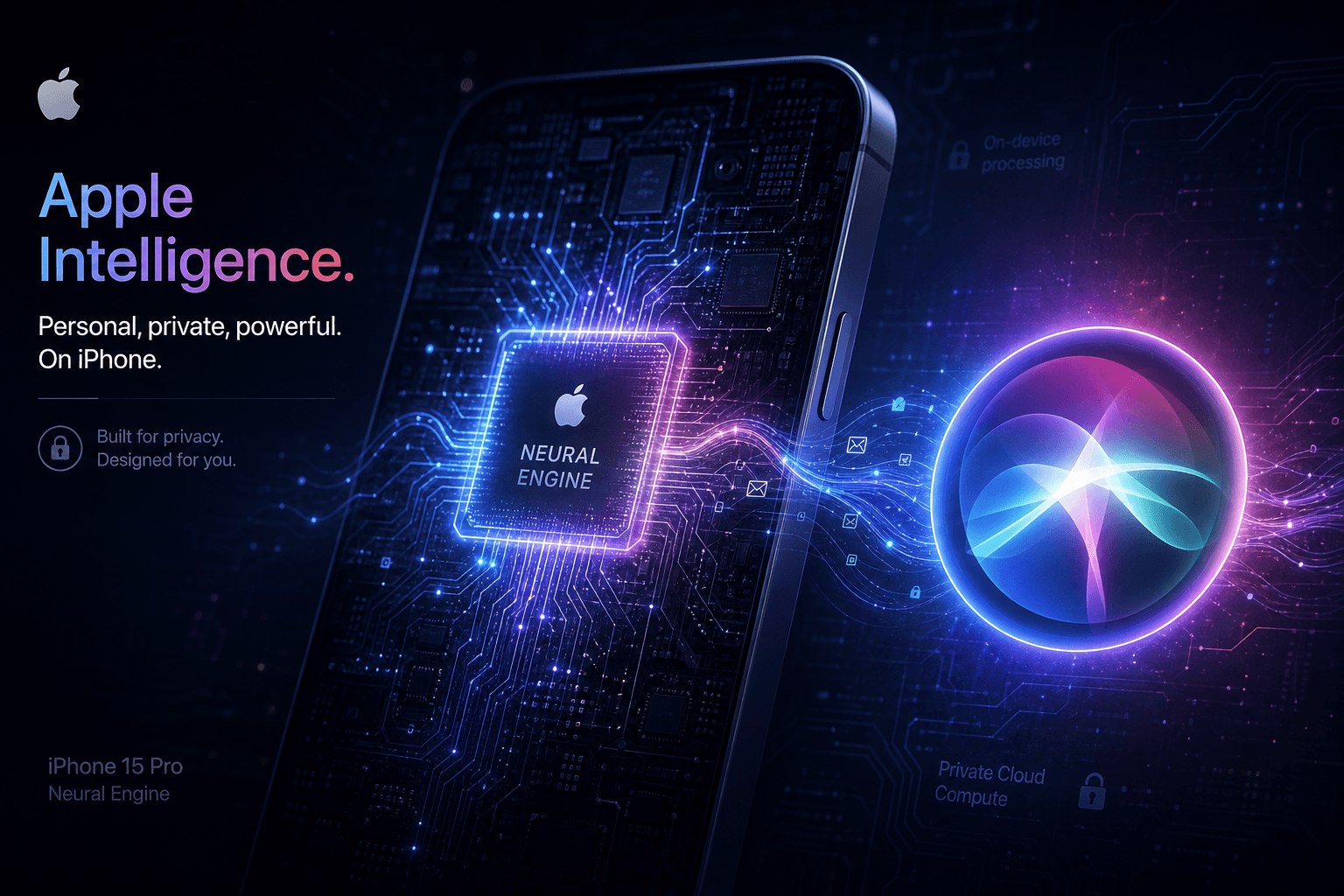
Apple Intelligence is here. After months of anticipation since its announcement at WWDC 2024, Apple has officially launched its on-device AI system with iOS 18.1, iPadOS 18.1, and macOS Sequoia 15.1. The release marks a significant inflection point for consumer AI—bringing large language model capabilities directly to iPhones without requiring cloud processing for core features.
Today's rollout isn't just a software update. It's Apple's answer to the generative AI race that has dominated tech headlines throughout 2024. While competitors have focused on cloud-based AI assistants, Apple has taken a fundamentally different approach: process as much as possible on-device using the Neural Engine, keeping user data private while delivering sub-100ms response times.
The initial feature set includes Writing Tools for system-wide text assistance, a completely rebuilt Siri with natural language understanding, notification summaries that actually make sense, and AI-powered photo management. But there's a catch—only iPhone 15 Pro, iPhone 15 Pro Max, and newer devices qualify.
What Just Shipped: The iOS 18.1 Feature Set #
Writing Tools: System-Wide AI Assistance #
Every text field on your iPhone now has AI editing capabilities. Writing Tools represents Apple's most visible Apple Intelligence feature—integrating directly into the standard text editing menu across iOS.
The implementation is surprisingly comprehensive. Users can select any text block and access options to rewrite in different tones (friendly, professional, concise), proofread for grammar and clarity, or generate summaries of longer passages. The system processes these requests entirely on-device using a 3-billion-parameter language model fine-tuned from OpenELM architecture.
What distinguishes Apple's approach from Grammarly or other third-party writing assistants is the privacy architecture. Text never leaves the device unless explicitly sent to Private Cloud Compute for more complex operations. Even then, Apple maintains that it cannot access the processed content—a claim that stands in stark contrast to cloud-first competitors.
The Writing Tools feature works in Mail, Messages, Notes, Safari, and any third-party app using standard iOS text controls. Initial testing suggests the tone rewriting is particularly effective for professional communications, while the proofreading catches contextual errors that traditional spell-checkers miss.
The New Siri: Actually Conversational #
Siri has been rebuilt from the ground up. The virtual assistant that launched in 2011 finally receives the architectural overhaul developers have been requesting for years, using on-device language models for natural language understanding.
The most immediately noticeable change is visual: when activated, a glowing light now encircles the screen edges, providing clear feedback that Siri is listening and processing. This solves the perennial problem of users not knowing whether Siri heard their request.
More significantly, Siri now handles context and interruptions gracefully. The assistant maintains conversational state when users stumble over words, change their requests mid-sentence, or ask follow-up questions without repeating context. The speech recognition model runs locally using the Neural Engine, enabling faster response times and eliminating the awkward latency that plagued previous Siri interactions.
Siri's knowledge base has also expanded dramatically. The assistant can now answer thousands of specific questions about Apple products, features, and settings—effectively serving as an interactive user manual. Ask "how do I turn on Dark Mode" or "what's the difference between iCloud and local storage" and receive accurate, contextual responses rather than web search results.
Notification Summaries and Smart Focus #
Your lock screen just got significantly smarter. iOS 18.1 introduces AI-powered notification summaries that group related alerts and present them in digestible formats rather than the overwhelming cascade that iOS users have tolerated for years.
The feature uses on-device language models to analyze notification content, identify which messages require immediate attention, and generate concise summaries of grouped alerts. A stream of Slack messages becomes "Three messages from the engineering team about the deployment timeline." Multiple news alerts compress into topic summaries.
Complementing this is the new "Reduce Interruptions" Focus mode, which uses AI to identify genuinely urgent notifications while silencing distractions. Unlike standard Do Not Disturb, this mode analyzes message content and sender patterns to surface critical communications—emergency messages from family, urgent work alerts—while filtering promotional emails and non-essential app notifications.
The practical impact is substantial. Users report their lock screens becoming genuinely useful information sources rather than anxiety-inducing notification dumps. The AI does the cognitive filtering that humans previously performed manually—checking each notification, determining importance, deciding whether to respond.
Photos Intelligence: Search and Clean Up #
The Photos app receives significant AI enhancements in iOS 18.1, addressing long-standing pain points in photo management and search.
Natural language search finally works as advertised. Users can type queries like "photos from my birthday dinner last month" or "videos of the beach at sunset" and receive accurate results. The system understands temporal references, location contexts, and visual descriptors—processing these queries on-device using vision-language models optimized for the Neural Engine.
The Clean Up tool removes distractions from photos with surprising effectiveness. Select any image, tap the Clean Up button, and the AI identifies background elements—photobombers, power lines, random objects—that can be removed while maintaining photorealistic backgrounds. This runs entirely on-device, processing typically completes in under two seconds, and results rival dedicated editing apps.
Memory Movies add AI-generated video compilations based on text descriptions. Type "a video of my summer vacation with upbeat music" and the system selects relevant photos, applies transitions, and syncs to generated or selected audio tracks. It's the kind of feature that previously required manual curation or third-party apps—now integrated directly into the native Photos experience.
The Hardware Divide: Why Only iPhone 15 Pro? #
Neural Engine Requirements #
Apple Intelligence requires the A17 Pro chip or later—a hardware limitation that has generated significant discussion since WWDC. The restriction isn't arbitrary marketing; it reflects genuine computational requirements for running 3B-parameter language models in real-time.
The A17 Pro's Neural Engine delivers 35 trillion operations per second (TOPS) of INT8 precision compute—a 2x increase over the A16 Bionic in standard iPhone 15 models. This performance jump is essential for processing language model inference without noticeable latency or excessive battery drain.
The technical challenge isn't just raw compute. Running large language models requires substantial memory bandwidth, efficient matrix multiplication units, and careful thermal management. The A17 Pro's 3nm process node and 19 billion transistors provide the efficiency necessary to sustain AI workloads without turning phones into pocket warmers.
Apple's decision to limit Apple Intelligence to Pro models effectively segments its user base. Standard iPhone 15 owners—purchased just one year ago—are already excluded from the company's flagship AI features. This creates upgrade pressure that some critics have characterized as artificial obsolescence, though the technical justification appears genuine based on independent benchmark testing.
Supported Device Matrix #
| Device Category | Supported Models | Neural Engine Performance | Key Chip |
|---|---|---|---|
| iPhone | iPhone 15 Pro, 15 Pro Max, 16 series | 35-40+ TOPS | A17 Pro, A18 series |
| iPad | iPad Pro (M1+), iPad Air (M1+), iPad mini (A17 Pro) | 11-38 TOPS | M1, M2, M3, M4, A17 Pro |
| Mac | MacBook Air/Pro (M1+), Mac Studio, Mac Pro, Mac mini | 11-38 TOPS | M1, M2, M3, M4 series |
| Vision | Apple Vision Pro | 16 TOPS | M2 + R1 |
The table reveals Apple's broader strategy. Apple Intelligence isn't merely a phone feature—it's a cross-platform capability spanning the entire ecosystem. iPad and Mac users with Apple Silicon have access, creating consistency across devices that competitors struggle to match.
Mac users with Intel processors are notably excluded, accelerating the transition to Apple Silicon that began in 2020. This represents one of the final software differentiators pushing remaining Intel Mac holdouts toward hardware upgrades.
Storage and Language Requirements #
Beyond chip requirements, Apple Intelligence demands 7GB of free storage for the language models and supporting files. This is non-trivial on base-model devices with 128GB storage, potentially requiring app uninstalls or photo offloading.
Initially, Apple Intelligence requires device and Siri language set to U.S. English. Apple has committed to expanding language support through 2025, but the October 2024 launch is English-only. Regional restrictions also apply in the European Union, where regulatory compliance has delayed full iOS feature availability—though macOS Apple Intelligence works in EU markets.
How It Works: On-Device Architecture #
The 3B Parameter Model #
Apple Intelligence runs a 3-billion-parameter language model directly on your iPhone. This is a remarkable technical achievement—just two years ago, models of this size required cloud servers with GPU acceleration.
Apple's implementation uses a fine-tuned variant of OpenELM, their open-source efficient language model architecture. Through aggressive quantization, model pruning, and Neural Engine optimization, they've compressed capabilities that previously required 40GB of GPU memory into approximately 7GB of iPhone storage.
The model handles writing assistance, Siri natural language understanding, notification analysis, and basic photo queries entirely on-device. This provides three critical advantages: sub-100ms response times (versus 1-3 seconds for cloud round-trips), offline functionality, and absolute privacy—your data never leaves the device for these operations.
For more complex requests that exceed on-device capabilities, Apple Intelligence automatically escalates to Private Cloud Compute. This hybrid architecture attempts to deliver the best of both worlds: privacy-preserving local processing for routine tasks, cloud-scale intelligence when genuinely needed.
Private Cloud Compute #
When on-device processing isn't sufficient, Apple Intelligence extends to the cloud—but differently than competitors. Private Cloud Compute represents Apple's attempt to provide cloud-scale AI without compromising the privacy that defines on-device processing.
The architecture is technically sophisticated. Requests requiring cloud processing run on Apple-owned servers using Apple Silicon chips, but with encryption and architectural guarantees that prevent Apple from accessing user data. The system uses secure enclaves, end-to-end encryption, and verifiable transparency logs to ensure data privacy.
This isn't standard cloud AI. When you use ChatGPT or Claude, your queries are processed on shared infrastructure where the provider technically could access content (even if they claim not to). Private Cloud Compute attempts cryptographic guarantees that make such access technically impossible—not merely against policy.
Whether these guarantees hold under all threat models remains debated among security researchers. But Apple's approach is genuinely different from competitors, potentially setting a standard for privacy-preserving AI infrastructure.
Neural Engine Utilization #
The Neural Engine has evolved from a co-processor for specific tasks into the primary compute unit for general AI. This shift represents years of Apple silicon development finally reaching its intended potential.
The A17 Pro's 16-core Neural Engine handles matrix multiplications, attention mechanisms, and transformer operations that comprise modern language model inference. Apple has optimized the instruction set specifically for transformer architectures, achieving efficiency that general-purpose GPU compute cannot match.
Memory bandwidth is the hidden enabler. Language model inference is memory-bound rather than compute-bound—moving data between storage and processing units consumes more energy than the calculations themselves. Apple's unified memory architecture, shared between CPU, GPU, and Neural Engine, provides the bandwidth necessary for efficient model execution.
The result is sustained AI performance without the thermal throttling that would occur if these workloads ran on general-purpose processors. Your iPhone remains cool during extended Writing Tools sessions because the Neural Engine handles the processing efficiently.
What's Missing: The December Roadmap #
Genmoji and Image Playground #
Not all announced Apple Intelligence features shipped in October. Apple has staged the rollout, with several headline capabilities scheduled for December 2024 releases (likely iOS 18.2).
Genmoji—Apple's AI-generated custom emoji feature—remains in development. This capability would allow users to describe any emoji concept and receive generated options beyond Unicode's standardized set. "A cat wearing sunglasses surfing" becomes a custom emoji you can send in Messages.
Image Playground, the standalone image generation app, is also delayed. This tool promises on-device image creation using text descriptions, similar to Midjourney or DALL-E but running locally. The delay likely reflects optimization challenges—generating high-quality images requires substantially more compute than text processing.
ChatGPT Integration #
The partnership with OpenAI hasn't materialized yet. Apple announced at WWDC that Siri would be able to escalate complex queries to ChatGPT with user permission, but this integration is absent from iOS 18.1.
When it arrives, this capability would provide access to GPT-4o's general knowledge and reasoning capabilities for questions beyond Siri's training. The implementation emphasizes user choice—you'll explicitly approve each ChatGPT interaction rather than having it happen automatically.
The delay raises questions about technical integration complexity versus business negotiations. Apple and OpenAI's partnership terms, including revenue sharing and data handling, may still be under discussion. Alternatively, the implementation may require additional safety testing given ChatGPT's broader capability surface.
Expanded Language Support #
U.S. English is just the beginning. Apple's published roadmap indicates Apple Intelligence expansion to additional languages through 2025, including Chinese, Japanese, French, German, Spanish, and others.
Language expansion for on-device AI is significantly more complex than cloud-based alternatives. Each language requires its own quantized model, optimized pronunciation dictionaries for Siri, and region-specific testing. Apple cannot simply deploy the same English models with translation layers—effective multilingual AI requires native training for each language.
The English-first approach mirrors Apple's typical software rollout pattern. They perfect the core experience in one language, then expand systematically rather than launching globally with degraded quality.
Competitive Context: How Apple Compares #
vs. Google Gemini #
Google has taken the opposite approach to on-device AI. While Apple processes everything possible locally, Gemini prioritizes cloud-based intelligence with deep Google service integration.
Gemini's advantage is capability breadth. Google's models handle more complex reasoning, broader knowledge domains, and deeper integration with Gmail, Docs, Calendar, and Search. The trade-off is privacy and latency—every query requires network transmission and server processing.
Apple Intelligence wins on privacy and responsiveness for routine tasks. Writing Tools processes grammar corrections instantly without network activity. Siri responds to device control queries without cloud dependency. For users prioritizing these characteristics, Apple's approach is superior.
However, for complex knowledge work, Gemini currently outperforms. Ask either system to analyze a lengthy document, compare multiple sources, or engage in extended reasoning chains, and Google's cloud advantage becomes apparent.
vs. Samsung Galaxy AI #
Samsung's Galaxy AI represents the closest competitor to Apple Intelligence in terms of feature parity and on-device ambitions. Launched earlier in 2024 with the Galaxy S24 series, Samsung has established a market presence that Apple now challenges.
Galaxy AI offers similar writing assistance, translation, photo editing, and search capabilities. Samsung's implementation uses a mix of on-device processing (via Qualcomm's Snapdragon AI Engine) and cloud partnerships with Google. The hybrid approach provides broader capability than pure on-device systems but with corresponding privacy trade-offs.
Where Apple Intelligence distinguishes itself is ecosystem integration. Writing Tools works across every iOS app using standard text controls. Siri enhancements apply to HomePod, Apple TV, CarPlay, and Mac. The Photos intelligence integrates with iCloud libraries spanning all devices. Samsung's Android-based implementation cannot match this vertical integration depth.
vs. Standalone AI Apps #
ChatGPT, Claude, and Perplexity remain superior for complex tasks. These dedicated AI applications run in the cloud with substantially larger models (Claude Opus at hundreds of billions of parameters, GPT-4o with extensive training).
Apple Intelligence isn't attempting to replace these tools for power users. Instead, it targets the 90% of AI use cases that are routine: quick writing adjustments, simple information queries, notification triage, and photo organization. For these tasks, the convenience of system-wide integration outweighs the capability advantages of dedicated apps.
The strategic question is whether Apple will expand toward capability parity or maintain this division. Today's Apple Intelligence handles the mundane, while power users still need ChatGPT. Whether this bifurcation persists will determine if Apple becomes a genuine AI platform or merely a convenient wrapper for basic tasks.
User Experience: First Impressions #
Setup and Activation #
Getting Apple Intelligence requires an explicit opt-in. Even on compatible devices, users must navigate to Settings > Apple Intelligence & Siri and join a waitlist to request activation. This phased rollout approach helps Apple manage server load and catch edge-case bugs before full deployment.
Wait times have varied since launch. Some users report immediate activation; others wait hours or days. The queue system appears to prioritize based on factors like device registration date, iCloud account age, or regional server capacity—not purely first-come-first-served.
Once activated, Apple Intelligence features appear throughout iOS without requiring additional setup. Writing Tools integrates into existing text editing workflows. Enhanced Siri replaces the previous version transparently. There's no separate "Apple Intelligence app"—the capabilities permeate the standard interface.
Performance and Battery Impact #
Initial testing suggests Apple Intelligence is remarkably efficient. Despite running 3B-parameter language models, the impact on battery life appears minimal for typical usage patterns.
This efficiency stems from the Neural Engine's specialized architecture. General-purpose processors would consume significantly more power performing the same matrix operations. By offloading AI workloads to dedicated silicon, Apple maintains battery performance comparable to pre-AI iOS versions.
Sustained usage—extensive Writing Tools sessions, continuous Siri interactions, batch photo processing—does generate noticeable battery drain. But casual use, the occasional grammar check or notification summary, has negligible impact. This aligns with Apple's design goal of ambient AI assistance rather than intensive AI sessions.
Reliability and Accuracy #
On-device processing delivers consistent performance regardless of network conditions. Unlike cloud-dependent AI that degrades with poor connectivity, Apple Intelligence works identically on airplanes, in subway tunnels, or during network outages.
Accuracy is generally high for the intended use cases. Writing Tools catches genuine grammatical errors, improves awkward phrasing, and maintains original meaning during tone adjustments. Siri understands context more reliably than previous versions, handling follow-up questions and conversational repairs gracefully.
The system does hallucinate occasionally, particularly with creative writing tasks or ambiguous queries. But the error rate appears lower than cloud alternatives, possibly because the constrained on-device model has less capacity for confabulation. Limited parameters may paradoxically improve reliability for routine tasks.
Business Implications #
The iPhone Upgrade Cycle #
Apple Intelligence creates powerful upgrade incentives. iPhone 14 and 15 (non-Pro) owners—millions of devices sold just last year—find themselves excluded from the company's flagship software feature. This drives trade-in programs and new device purchases.
The timing is strategic. iPhone 16 series launched in September 2024 with full Apple Intelligence support built-in. iPhone 15 Pro owners from 2023 gain retroactive capability through iOS 18.1. Everyone else must upgrade to participate.
Whether this drives the "supercycle" analysts have predicted depends on how compelling users find the AI features. Early adoption appears strong among Pro device owners, but mainstream appeal remains uncertain. If Apple Intelligence becomes genuinely essential, upgrade rates will accelerate. If it's perceived as gimmickry, the hardware divide may generate resentment rather than sales.
Services Revenue Potential #
While Apple Intelligence ships free with iOS 18.1, monetization opportunities exist. The ChatGPT integration, when it arrives, may include premium tiers. Additional cloud storage for AI model caching could drive iCloud+ subscriptions. Enterprise features for business customers present B2B revenue potential.
Apple has historically monetized hardware through services—iCloud, Apple Music, App Store commissions. Apple Intelligence extends this model. The on-device features are free, but enhanced cloud capabilities, business administration tools, and advanced personalization options could become paid add-ons.
The company has explicitly stated no immediate plans to charge for Apple Intelligence features. But the infrastructure exists for future monetization if user engagement justifies the investment.
Developer Ecosystem #
Third-party app integration remains limited in iOS 18.1. Apple has not yet opened Apple Intelligence APIs for developer use, meaning apps cannot directly tap into Writing Tools, the enhanced Siri, or notification intelligence.
This contrasts with competitors. Google provides extensive Gemini APIs for Android developers. OpenAI offers comprehensive ChatGPT integration tools. Apple's closed approach maintains quality control but limits ecosystem expansion.
Developers can benefit indirectly. Apps using standard iOS text controls automatically gain Writing Tools integration. Siri can launch third-party apps more reliably with natural language. But deep AI integration—having Writing Tools understand app-specific context, or Siri perform complex in-app actions—requires APIs Apple hasn't released.
Expect developer frameworks to expand in 2025. Apple typically perfects internal capabilities before opening them to third parties, ensuring the foundation is solid before ecosystem extension.
FAQ: Apple Intelligence in iOS 18.1 #
What devices support Apple Intelligence? #
Apple Intelligence requires iPhone 15 Pro, iPhone 15 Pro Max, or iPhone 16 series devices. The feature also works on iPad Pro and iPad Air with M1 or later chips, iPad mini with A17 Pro, and any Mac with Apple Silicon (M1 or later). Standard iPhone 15 and earlier models are not compatible due to Neural Engine requirements.
When did Apple Intelligence officially launch? #
Apple Intelligence launched on Monday, October 28, 2024, with the release of iOS 18.1, iPadOS 18.1, and macOS Sequoia 15.1. The initial rollout required users to join a waitlist through Settings to activate features.
What features are available in iOS 18.1? #
iOS 18.1 includes Writing Tools for system-wide text editing, an enhanced Siri with natural language understanding, notification summaries, the "Reduce Interruptions" Focus mode, AI-powered photo search, the Clean Up tool for photo editing, and Memory Movies generation. Features like Genmoji, Image Playground, and ChatGPT integration are scheduled for later releases.
How does on-device AI differ from cloud AI? #
On-device AI processes data locally using the device's Neural Engine rather than sending information to remote servers. This provides faster response times (sub-100ms versus 1-3 seconds), offline functionality, and enhanced privacy since data never leaves the device. However, on-device models are smaller (3B parameters versus 100B+ for cloud models), limiting capability for complex reasoning tasks.
Is my data private when using Apple Intelligence? #
For on-device features, data remains entirely private—processed locally with no network transmission. For requests requiring cloud processing, Apple uses Private Cloud Compute with encrypted servers and transparency logs designed to prevent Apple from accessing user content. This architecture differs from competitors where providers technically could access queries.
Why can't I use Apple Intelligence on my iPhone 14 or 15? #
Apple Intelligence requires the A17 Pro chip's Neural Engine delivering 35 TOPS of AI compute. iPhone 14 uses the A15 (15.8 TOPS) and iPhone 15 uses the A16 (17 TOPS)—both insufficient for running 3B-parameter language models efficiently. The limitation reflects genuine hardware requirements rather than artificial segmentation.
Will Apple Intelligence come to more languages? #
Apple has committed to expanding language support through 2025. The October 2024 launch supports U.S. English only. Planned expansions include Chinese, Japanese, French, German, Spanish, and additional languages, though specific timeline details remain unannounced.
Does Apple Intelligence work offline? #
On-device features including Writing Tools, basic Siri queries, notification summaries, and photo search work completely offline. Features requiring Private Cloud Compute need internet connectivity. The majority of routine AI assistance functions without network access, distinguishing Apple Intelligence from cloud-dependent alternatives.
How much storage does Apple Intelligence require? #
Apple Intelligence requires approximately 7GB of free storage for language models, neural network weights, and supporting files. This is substantial on base-model 128GB devices and may require storage management for some users.
Can developers integrate Apple Intelligence into their apps? #
Direct Apple Intelligence APIs are not available in iOS 18.1. Apps using standard iOS text controls automatically receive Writing Tools integration, and Siri can launch third-party apps more reliably. However, deep integration allowing apps to use Apple's language models directly requires unreleased developer frameworks expected in 2025.
When will Genmoji and Image Playground arrive? #
Apple has indicated these features will ship in December 2024, likely with iOS 18.2. The delay reflects the additional optimization required for on-device image generation compared to text processing. These capabilities were demonstrated at WWDC 2024 but didn't make the initial October launch.
How does Apple Intelligence compare to ChatGPT? #
Apple Intelligence handles routine tasks (writing assistance, basic queries, notification management) with superior privacy and speed. ChatGPT and similar cloud-based AI offer substantially greater capability for complex reasoning, creative tasks, and extended conversations. Apple Intelligence complements rather than replaces these tools for power users.
Closing: The On-Device AI Era Begins #
Apple Intelligence's launch with iOS 18.1 marks a genuine inflection point. For the first time, hundreds of millions of users have access to capable AI that processes entirely on their devices—no cloud dependency, no privacy concerns, no latency delays.
The initial feature set is conservative. Writing Tools, smarter Siri, and notification summaries won't fundamentally transform anyone's workflow overnight. But they establish the foundation for more ambitious capabilities that Apple will roll out through 2025. The architecture—on-device models with selective cloud escalation—provides a template that competitors will struggle to match without abandoning their cloud-first strategies.
For builders and businesses, Apple Intelligence signals where consumer AI is heading. Users will increasingly expect AI assistance that's instant, private, and integrated into every interface. The companies that deliver this experience natively—without requiring app launches, account creation, or network connectivity—will capture the mainstream market.
If you're exploring how AI can transform your operations, whether through on-device capabilities like Apple's approach or cloud-based automation systems, book an AI automation strategy call to discuss what's possible for your specific workflows.
And if you're looking to create digital experiences that use these emerging AI capabilities—websites that respond intelligently, applications that anticipate user needs, immersive interfaces that feel genuinely smart—start a custom website project and let's build something that puts these technologies to work.
The on-device AI era is just beginning. iOS 18.1 is day one.
Related Reading:
- Apple Intelligence Delayed to October 2024 — Why the initial September launch was pushed back
- Apple Three-Tier AI Architecture Explained — Deep dive into on-device, Private Cloud Compute, and ChatGPT integration layers
- Apple Intelligence Rumors Pre-WWDC 2024 — Early predictions and feature speculation from before the official announcement
Related Posts
Google I/O 2026 Action List: How I Prompted Gemini 3.5 Flash and Antigravity Workflows
Google I/O 2026 just reset the AI tooling landscape. Here's the 9-action checklist for builders who want to ship this week, not just watch the keynote.
Anthropic vs. OpenAI vs. Google: The State of the Frontier in May 2026
A head-to-head breakdown of the three AI giants in May 2026: Claude Opus 4.6, GPT-5.3 and 5.4, Gemini 3.1 Pro. Real specs, real pricing, and what actually matters for builders.
Kimi K2 Open Weights: How I Prompted Moonshot's Frontier Model for Agentic Tool Use
How I direct Kimi K2 by Moonshot AI for agentic workflows, long-context tool calling, and workflow automation. A 1 trillion parameter MoE model with competitive benchmarks at 5-17x lower cost than GPT-5 and Claude.




