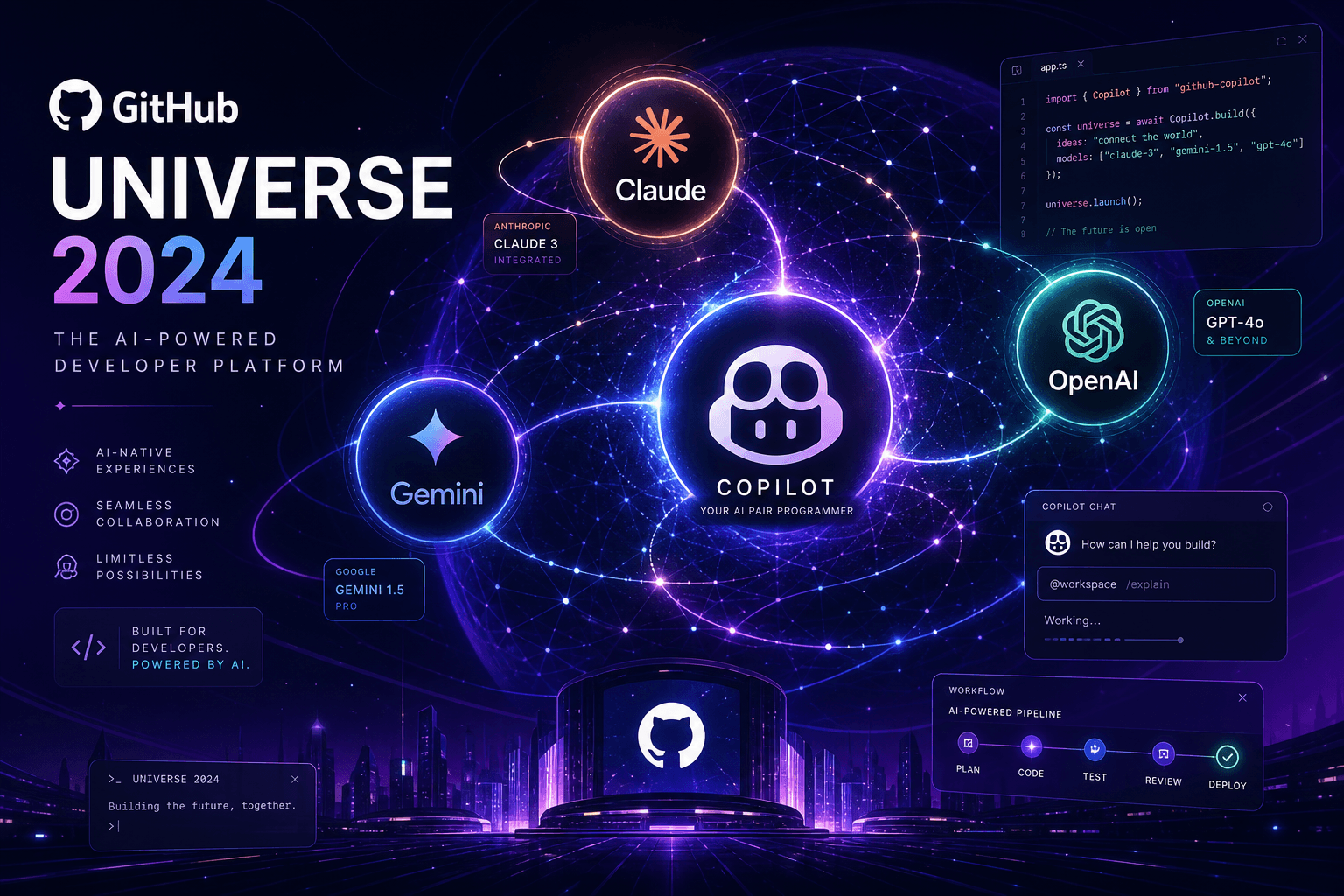
GitHub Universe 2024: Multi-Model Copilot and GitHub Spark Democratize AI-Native Development

Table of Contents
GitHub Universe 2024: Multi-Model Copilot and GitHub Spark Democratize AI-Native Development #
GitHub just made the most significant platform shift in its history. At Universe 2024, the company announced Copilot is going multi-model—letting developers choose between Anthropic's Claude 3.5 Sonnet, Google's Gemini 1.5 Pro, and OpenAI's o1-preview and o1-mini depending on the task. They also unveiled GitHub Spark, an AI-native tool that lets anyone build full-stack web apps using natural language. These aren't feature updates. They're a fundamental rearchitecture of how software gets built.
I've been building with AI coding tools since the original Copilot beta. I've watched Cursor eat market share with its aggressive agent features. I've seen Claude Code redefine what a coding assistant can do. And I've witnessed the fragmentation as developers juggle multiple subscriptions to access different models. GitHub's multi-model announcement changes the equation. Instead of forcing you to pick a favorite, they're acknowledging what every senior engineer already knows: different models excel at different tasks. Claude dominates complex reasoning. Gemini handles massive context windows. o1 brings a new class of algorithmic problem-solving.
GitHub Spark is equally significant, but for different reasons. It's not a tool for existing developers—it's a tool for the other billion people who aren't developers yet. By letting anyone describe an app in natural language and get a working full-stack implementation, Spark could expand the software creation pool by an order of magnitude. The React + TypeScript output, the automatic database and auth handling, the one-click sharing—all of it points to a future where "programming" means describing intent, not typing syntax.
This post breaks down every major announcement from Universe 2024, the technical details that matter, and what it means for how you'll build software starting today.
The Multi-Model Copilot Era: Why One Model Isn't Enough #
GitHub is betting that developers want choice, not a single AI monoculture. The multi-model Copilot announcement represents a fundamental shift from "Copilot runs GPT-4" to "Copilot runs whatever model fits the task." This isn't just about adding options—it's about recognizing that the AI landscape has fragmented into specialized tools with distinct strengths.
GitHub CEO Thomas Dohmke put it directly in the keynote: "There is no one model to rule every scenario." This statement, coming from a Microsoft-owned company that has historically bet big on OpenAI, signals something important. The exclusive OpenAI partnership that defined Copilot's early years is evolving into a platform play. GitHub wants to be the neutral ground where the best models compete for developer attention.
The technical reasoning is straightforward. GPT-4 and its variants excel at general-purpose coding assistance, but they're not the best at everything. Claude 3.5 Sonnet has demonstrated superior performance on complex reasoning tasks, architectural decisions, and refactoring large codebases. Gemini 1.5 Pro's 1 million token context window lets it ingest entire repositories for complete codebase understanding. o1-preview brings a new approach to algorithmic problem-solving through chain-of-thought reasoning.
By letting developers switch between these models mid-conversation, GitHub is acknowledging a reality that power users have already discovered: the best AI coding workflow involves multiple models. Until today, that meant multiple subscriptions, multiple IDE extensions, and constant context switching. Now it happens in a single Copilot Chat window.
The competitive pressure is real. Cursor has been eating market share with its aggressive feature development, Claude Code offers a terminal-native experience that's hard to beat for certain workflows, and developers are increasingly sophisticated about model selection. GitHub's multi-model move is a defensive necessity—but it's also a genuinely user-friendly evolution that recognizes developer agency.
| Model | Best For | Context Window | Availability |
|---|---|---|---|
| Claude 3.5 Sonnet | Complex reasoning, architecture, refactoring | 200K tokens | Rolling out this week |
| Gemini 1.5 Pro | Large codebase analysis, documentation | 1M tokens | Coming weeks |
| o1-preview | Algorithmic problems, math-heavy code | 128K tokens | Available now |
| o1-mini | Quick reasoning tasks, cost efficiency | 128K tokens | Available now |
| GPT-4o | General coding, existing Copilot workflows | 128K tokens | Available now |
Model Options: What Each Brings to Copilot #
Each integrated model brings distinct capabilities that change what Copilot can do. Understanding these differences is essential for getting the most out of the multi-model system. Here's how they break down in practice.
Claude 3.5 Sonnet: The Reasoning Powerhouse #
Choose Claude when you're doing complex architectural work or refactoring legacy systems. Claude 3.5 Sonnet has established itself as the premier model for code reasoning. It excels at understanding complex interdependencies, suggesting elegant architectural improvements, and maintaining consistency across large changes.
In my testing, Claude consistently outperforms on tasks like:
- Multi-file refactoring: Understanding how a change in one module ripples through dependencies
- Code review: Identifying subtle logic errors and architectural antipatterns
- Design pattern suggestions: Proposing appropriate patterns for new features
- Legacy code modernization: Analyzing old codebases and suggesting incremental improvements
The 200K token context window is sufficient for most realistic coding scenarios—you can fit substantial portions of a large codebase into a single conversation. Claude's training on extensive code corpora shows in its nuanced understanding of software engineering principles, not just syntax.
Claude 3.5 Sonnet rolls out progressively starting this week for Copilot users.
Gemini 1.5 Pro: The Context Window King #
Gemini's 1 million token context window changes what's possible in codebase analysis. While other models force you to cherry-pick relevant files, Gemini can ingest entire repositories—or at least substantial portions of them—in a single prompt. This enables a fundamentally different kind of assistance.
Gemini 1.5 Pro excels at:
- Repository-wide analysis: Understanding patterns across thousands of files
- Documentation generation: Creating comprehensive docs from scattered code comments
- Cross-project insights: Comparing implementations between different parts of a monorepo
- Onboarding assistance: Explaining large, unfamiliar codebases to new team members
The trade-off is that Gemini's raw reasoning capability on complex code problems isn't quite at Claude's level. But for breadth-first tasks where coverage matters more than depth, the context window advantage is decisive. You can literally paste an entire API specification, implementation, and test suite into one conversation.
Gemini 1.5 Pro launches in the coming weeks as the rollout continues.
o1-preview and o1-mini: The New Reasoning Models #
o1 brings a fundamentally different approach: thinking before answering. Unlike standard language models that generate tokens in a single pass, o1 uses chain-of-thought reasoning—it works through problems step by step internally before producing output. This makes it slower but significantly more capable on certain tasks.
o1-preview and o1-mini are best for:
- Algorithmic challenges: Complex data structure manipulations, graph problems, dynamic programming
- Mathematical code: Financial calculations, physics simulations, statistical operations
- Debugging stubborn bugs: Problems that require systematic hypothesis testing
- Test case generation: Creating comprehensive edge case coverage
The preview model is more capable but slower and more expensive. o1-mini offers faster reasoning at lower cost for tasks that don't require the full model's power. Both are available in Copilot immediately as of today's announcement.
The key insight with o1 is that it's not just "smarter GPT-4"—it's a different paradigm. Where GPT-4 tries to answer immediately, o1 simulates a junior engineer thinking through a problem on a whiteboard. For some tasks, that's exactly what you need.
How Multi-Model Copilot Works in Practice #
The implementation is surprisingly smooth—model selection happens inline, not in settings panels. GitHub has clearly thought about the user experience here. You don't need to restart your IDE or dig through configuration menus to switch models. The selector lives directly in the Copilot Chat interface.
Here's how the workflow looks:
- Open Copilot Chat in VS Code, JetBrains, or GitHub.com
- Click the model selector at the top of the chat panel
- Choose your model from the dropdown (Claude, Gemini, o1, GPT-4o)
- Ask your question or describe your task
- Switch mid-conversation if the response suggests a different model would handle the follow-up better
The model choice is per-message, not per-conversation. This is crucial—you can start with Claude for architectural advice, switch to o1 for an algorithmic sub-problem, then return to GPT-4o for routine implementation details. The conversation history carries over, so context isn't lost when you switch.
GitHub hasn't announced per-file model preferences yet, but the infrastructure clearly supports it. I'd expect to see .github/copilot.yml configuration files soon that let teams specify model defaults for specific file types or directories—Gemini for documentation, Claude for architecture files, o1 for algorithm modules.
The pricing question is still emerging. GitHub Copilot Pro ($19/month) and Copilot Business/Enterprise tiers presumably include multi-model access, but rate limits may vary by model. OpenAI's o1 models are significantly more expensive to run than standard GPT-4o, so some usage caps wouldn't be surprising.
What impressed me in the demo was the speed of context switching. There's no perceptible delay when changing models—the new model picks up the conversation thread immediately. This suggests GitHub is maintaining parallel connections or has optimized the model routing layer significantly.
GitHub Spark: Natural Language Becomes a Programming Language #
Spark represents GitHub's bet that the next billion developers won't write code—they'll describe intent. While Copilot assists existing developers, Spark is designed for everyone else. It's an AI-native tool that generates full-stack web applications from natural language descriptions, with enough sophistication to handle databases, authentication, AI integrations, and responsive design.
The technical implementation is impressive. Spark generates production-ready React + TypeScript code, automatically provisions backend infrastructure, handles database schemas and CRUD operations, and implements authentication—all from prompts like "Build a travel log app with AI image tagging and social sharing."
This isn't a no-code builder with rigid templates. Spark produces actual code that you can clone, modify, and deploy independently. It's closer to having a junior full-stack developer who works at the speed of natural language.
From Prompt to Production App #
The Spark workflow compresses weeks of development into minutes. Here's the actual flow:
- Describe your app in natural language (e.g., "A personal finance tracker with receipt photo upload, expense categorization, and monthly reports")
- Review the live preview that renders instantly in your browser
- Iterate via chat by requesting changes ("Add budget alerts" or "Make the charts dark mode")
- Export to GitHub as a full repository with complete source code
- Deploy or extend using standard tools or GitHub Codespaces
The generated stack includes:
| Component | Technology | Notes |
|---|---|---|
| Frontend | React + TypeScript | Production-grade, not toy code |
| Styling | Modern CSS/Tailwind | Responsive, accessible by default |
| Backend | Auto-provisioned | Serverless functions, no config needed |
| Database | Managed SQL/NoSQL | Schema inferred from your data model |
| Authentication | Built-in | OAuth, email, or passwordless options |
| AI Features | GitHub Models integration | Auto-configured API keys and prompts |
The assisted exploration loop is particularly well-designed. As you iterate, Spark maintains versions you can compare or revert to. Each prompt generates a new version, and you can see side-by-side diffs of how your app evolved. This encourages experimentation—you're not afraid to try "what if" ideas when reverting is one click away.
The Remix and Fork Economy #
Every Spark app is a GitHub repository, which means it's inherently shareable. This is the masterstroke. Instead of creating a proprietary app store or siloed ecosystem, GitHub built Spark on the same primitives that made open source work: repositories, forks, stars, and pull requests.
When you publish a Spark app, others can:
- View the live demo directly from your repo
- Fork it to create their own version with one click
- Remix it by describing changes in natural language
- Inspect the code to learn how it works
- Deploy their own instance without touching your infrastructure
This creates a new category of software: micro-apps that solve specific personal or team problems. A productivity tracker for your book club. A shared grocery list with price tracking. A workout logger with progress photos. These apps don't need to scale to millions of users—they just need to work for the person who built them and the small circles they share with.
The network effects are obvious. The best Spark apps will accumulate stars, get featured, and inspire derivative works. Someone will build the "Notion clone" Spark template that hundreds of others remix for their specific use cases. GitHub becomes not just where code lives, but where applications are born, shared, and evolved.
The Escape Hatch: Full Code Ownership #
Professional developers should pay attention to the export functionality. Spark isn't trying to trap you in a walled garden. Every app you build exports as a standard GitHub repository with full source code, proper dependencies, and no proprietary runtime requirements.
This matters because:
- You can clone locally and continue development in your preferred IDE
- Open in GitHub Codespaces for a browser-based dev environment with Copilot integration
- Deploy anywhere—Vercel, Netlify, Railway, AWS, your own servers
- Own your data by self-hosting the database or migrating to managed services
- Audit the code before deploying to production (the AI generates it, but you review it)
The handoff from "Spark prototype" to "production application" is intentionally smooth. A founder can validate an idea with Spark, then hand the repository to a development team for hardening. A developer can quickly scaffold an internal tool with Spark, then add enterprise authentication and audit logging before deploying to production.
This positions Spark as both a citizen developer tool and a professional prototyping accelerator. GitHub clearly learned from the limitations of previous low-code platforms that trapped users in proprietary systems.
Copilot Extensions: The Platform Play #
GitHub is turning Copilot into an extensible platform, not just a product. Copilot Extensions let third-party tools integrate directly into the Copilot Chat experience, bringing external data and capabilities into your coding workflow without context switching.
The announced partners cover the full development lifecycle:
- Docker: Generate, optimize, and debug Dockerfiles directly in Copilot Chat
- Stack Overflow: Query Stack Overflow without leaving your IDE, combining community answers with your codebase context
- Sentry: Debug production errors by pulling crash reports and stack traces into Copilot
- Atlassian (Jira): Create, update, and query issues without switching to Jira's interface
The interaction pattern is simple but powerful. Type @docker optimize this Dockerfile for production and Copilot queries Docker's best practices database, analyzes your specific Dockerfile, and returns contextual recommendations. The extension has access to both its own knowledge base and your local code context.
Extensions go GA in early 2025, but the foundation is being laid now. GitHub has released the extension SDK, and third-party developers are already building integrations. The implications are significant: Copilot becomes the universal interface for developer tools.
Instead of learning each tool's CLI or web interface, you describe what you want to do in natural language, and Copilot routes to the appropriate extension. This is how AI assistants absorb the complexity of fragmented developer workflows.
There's a catch though—extensions are being deprecated in November 2025 in favor of MCP (Model Context Protocol). This mirrors the broader industry shift toward standardized agent communication protocols. For now, extensions offer immediate value; longer term, expect MCP-based integrations to become the standard.
GitHub Models: 70,000 Developers and Counting #
GitHub Models is graduating from experiment to essential infrastructure. Launched earlier this year as a way for developers to experiment with AI models, the platform has grown to over 70,000 active experimenters. Today's announcements add features that make it a serious tool for model selection and prompt engineering.
The new capabilities include:
- Side-by-side model comparison: Run the same prompt through multiple models simultaneously and compare outputs
- Multi-modal support: Upload and analyze images, not just text
- Prompt sharing: Publish and discover prompts from the community
- GitHub Models in Codespaces: Access the playground directly from your development environment
This is strategically important. As Copilot goes multi-model, developers need a way to understand which model suits their use case. GitHub Models becomes the testing ground where you evaluate Claude versus Gemini for your specific codebase before committing to a default.
The comparison tool is particularly useful. You can input a complex refactoring task and see how Claude's reasoning compares to GPT-4o's direct approach. You can test prompt variations across models to understand which one handles your coding style best. This empirical approach beats relying on benchmark scores.
GitHub is also building model evaluation into the core platform. Expect to see repository-level analytics showing which models your team uses most, success rates for different model-task combinations, and recommendations based on your codebase patterns. This data-driven feedback loop will help teams optimize their multi-model workflows.
What This Means for the 1 Billion Developer Goal #
GitHub wants to increase the developer population from 100 million to 1 billion. This isn't marketing fluff—it's a genuine strategic objective that shapes product decisions. Spark is the most direct play at that expansion, but multi-model Copilot and Extensions support the same mission by lowering barriers for existing developers.
The math is simple. There are roughly 100 million people who identify as developers today. GitHub believes there are 1 billion people who could build software if the friction were low enough. That's not claiming a billion people will become professional software engineers—it's claiming a billion people will build software to solve their own problems, automate their own workflows, and create tools for their own communities.
Spark addresses the "last mile" problem. Previous low-code tools lowered the barrier, but not enough. They still required understanding of databases, APIs, deployment, and version control. Spark abstracts all of that behind natural language while preserving the escape hatch to real code.
The strategy has three phases:
- Enable creation: Let anyone build an app with a sentence (Spark)
- Enable iteration: Let those apps improve through conversation (Copilot integration)
- Enable distribution: Let those apps spread through GitHub's social graph (forks, stars, remixes)
If it works, GitHub becomes the platform where a billion people create, share, and evolve software. The network effects compound: more apps means more templates to remix, more shared knowledge, more examples to learn from. It's the open source model applied to applications instead of just libraries.
The timing is right. AI has reached the point where natural language interfaces actually work for software generation. A year ago, Spark would have been a frustrating demo. Today, it produces genuinely useful applications. A year from now, the quality gap between Spark-generated code and hand-written code will be indistinguishable for many use cases.
Competitive Landscape: How GitHub Stacks Up #
The AI coding assistant market is fragmenting into specialized tools, and GitHub just made its move to stay central. Cursor has been winning mindshare with aggressive agent features. Claude Code offers a terminal-native experience that serious developers love. Replit, Vercel, and others have their own AI integrations. GitHub's multi-model announcement is a response to this pressure.
| Tool | Strength | Weakness | GitHub's Response |
|---|---|---|---|
| Cursor | Multi-file agent mode, Composer | Requires separate subscription | Multi-model Copilot + Copilot Workspace |
| Claude Code | Terminal-native, best-in-class reasoning | Limited IDE integration | Claude 3.5 Sonnet in Copilot Chat |
| Replit Agent | Browser-native deployment | Locked into Replit ecosystem | Spark export to standard repos |
| Vercel AI SDK | Framework for building AI apps | Not a coding assistant | Copilot Extensions for platform plays |
| Codeium | Free tier, fast suggestions | Smaller model selection | GitHub Models playground |
GitHub's advantage remains distribution. They have 100 million developers already on the platform. They have the default IDE integration through VS Code (also Microsoft-owned, but increasingly distinct). They have the social graph and network effects that make code sharing natural.
The multi-model strategy specifically targets Cursor's advantage. Cursor won developers by offering Claude when Copilot only offered OpenAI. Now Copilot offers Claude plus Gemini plus o1 plus GPT-4o. That's a compelling value proposition for anyone paying for multiple AI coding subscriptions.
Spark competes less directly with coding assistants and more with low-code platforms like Webflow, Bubble, and Retool. But those platforms lock you into their ecosystems. Spark's export-to-repo approach is genuinely different and positions it for organic spread through GitHub's network.
The real competition isn't any single tool—it's the fragmentation of the development workflow. Developers today might use Copilot for suggestions, Cursor for refactors, Claude Code for terminal work, and ChatGPT for rubber-duck debugging. GitHub's bet is that convenience wins: if Copilot can cover 90% of those use cases in one interface, the hassle of multi-tool workflows becomes unnecessary.
Implementation Timeline and Availability #
GitHub is rolling these announcements out in waves—here's what's available when. The phased rollout lets them manage infrastructure load and gather feedback, but it also means you'll need to track what's actually live versus what's promised.
Available Immediately (October 29, 2024) #
- o1-preview in Copilot: The reasoning model is live now
- o1-mini in Copilot: The faster, cheaper reasoning variant is available
- GPT-4o: Continues as the default model
- GitHub Spark preview: Sign up at github.com/spark for early access
- GitHub Models enhancements: Side-by-side comparison is live
Rolling Out This Week (Early November 2024) #
- Claude 3.5 Sonnet: Progressive rollout starting now
- All Copilot Pro, Business, and Enterprise tiers should see it within days
- No action required—the model appears in your selector automatically
Coming Weeks (November-December 2024) #
- Gemini 1.5 Pro: The final major model addition
- Exact timing depends on Google's infrastructure coordination
- Expected before year-end
Early 2025 #
- Copilot Extensions GA: The third-party integration platform
- Extended partner ecosystem beyond the initial Docker, Stack Overflow, Sentry, Atlassian
- Marketplace for discovering and installing extensions
Pricing Notes #
- Copilot Pro ($19/month): Includes multi-model access
- Copilot Business ($19/user/month): Team features + multi-model
- Copilot Enterprise ($39/user/month): Includes Spark access
- GitHub Spark: Requires Copilot Pro+ tier ($39/month or $390/year)
The enterprise pricing for Spark makes sense—it's positioned as a professional tool for prototyping and internal tool development, not casual experimentation. But that also limits its initial spread compared to free alternatives.
If you're evaluating when to migrate workflows, my recommendation: start testing o1-preview immediately for algorithmic tasks, watch for Claude availability in your account this week, and sign up for the Spark preview if you're interested in rapid prototyping. Don't cancel your other AI subscriptions yet—multi-model Copilot is promising, but verify it covers your specific use cases before consolidating.
Frequently Asked Questions #
What is GitHub Spark and how is it different from Copilot? #
GitHub Spark is an AI-native tool for building full-stack web apps from natural language descriptions, while Copilot assists developers who are already writing code. Think of Copilot as a pair programmer for existing developers and Spark as a development team for non-developers. Spark generates complete applications including frontend, backend, database, and authentication from prompts like "Build a travel tracker with photo upload." Copilot suggests code completions and answers questions within your IDE. Spark exports to real GitHub repositories; Copilot works within your existing codebase. Spark costs $39/month (Copilot Pro+); Copilot starts at $19/month.
When will Claude 3.5 Sonnet be available in Copilot? #
Claude 3.5 Sonnet is rolling out progressively starting the week of October 29, 2024. GitHub is deploying it in waves to manage infrastructure load, so availability varies by account. All Copilot Pro, Business, and Enterprise users should see it within days. You don't need to update your IDE extension—the model simply appears in the Copilot Chat model selector when it's available for your account. If you don't see it yet, check back within 24-48 hours.
Can I switch models mid-conversation in Copilot Chat? #
Yes, you can change models at any point in a Copilot Chat conversation. The model selector appears at the top of the chat panel and lets you switch between Claude 3.5 Sonnet, Gemini 1.5 Pro, o1-preview, o1-mini, and GPT-4o per message. Your conversation history persists across model switches, so context isn't lost. This is useful for starting with Claude for architecture advice, switching to o1 for an algorithmic sub-problem, then returning to GPT-4o for implementation details.
How much does GitHub Spark cost? #
GitHub Spark requires a Copilot Pro+ subscription at $39 per month or $390 per year. This is GitHub's premium tier that sits above standard Copilot Pro ($19/month). Copilot Business ($19/user/month) and Copilot Enterprise ($39/user/month) will also include Spark access. There is no free tier for Spark during the technical preview period. GitHub hasn't announced whether pricing will change when Spark exits preview.
What kinds of apps can GitHub Spark build? #
Spark excels at personal tools, internal utilities, and simple SaaS applications with standard patterns. Examples include: productivity trackers, expense loggers, habit trackers, content planners, simple social apps, data visualization dashboards, and internal team tools. Spark generates React + TypeScript frontends with auto-provisioned backends, databases, and authentication. It's not designed for complex enterprise applications, custom native mobile apps (iOS/Android), or systems requiring specialized integrations. The generated code is production-quality React/TypeScript that you can extend or deploy anywhere.
How does multi-model Copilot compare to Cursor or Claude Code? #
Multi-model Copilot brings Cursor's multi-model advantage into GitHub's ecosystem. Cursor has offered model choice (including Claude) for months, which helped it win market share from Copilot. Now Copilot matches that capability while retaining GitHub's distribution advantage—integrated IDE support, team management, and your existing subscription. Claude Code offers a terminal-native experience with superior reasoning that some developers prefer for certain workflows. Copilot now includes Claude 3.5 Sonnet, bringing that reasoning capability into the Copilot interface. The choice depends on your workflow: IDE-centric developers may prefer Copilot's integration; terminal-heavy workflows may still favor Claude Code.
Will GitHub Spark replace traditional developers? #
Spark will change what developers work on, not eliminate the profession. For simple apps and internal tools, Spark enables non-developers to self-serve, reducing the load on engineering teams. For complex systems, Spark becomes a prototyping accelerator that developers use to validate ideas before hardening. The history of developer tools shows this pattern repeatedly: Visual Basic didn't eliminate developers, it changed what they built. WordPress didn't eliminate developers, it created a massive ecosystem. Spark will likely do the same—democratizing simple app creation while creating new work in extending, securing, and integrating those apps. Professional developers who embrace Spark as a prototyping tool will be more productive than those who ignore it.
What are Copilot Extensions and when do they launch? #
Copilot Extensions let third-party tools integrate directly into Copilot Chat, bringing external data and capabilities into your development workflow. Announced partners include Docker (Dockerfile optimization), Stack Overflow (community Q&A), Sentry (error debugging), and Atlassian Jira (issue management). Extensions go GA in early 2025, though some integrations may be available in preview before then. You interact with extensions using @-mentions in Copilot Chat: "@docker optimize this Dockerfile for production." Note: GitHub has announced that Extensions will be deprecated in November 2025 in favor of MCP (Model Context Protocol), so build on the current extension platform with migration in mind.
Can I self-host apps built with GitHub Spark? #
Yes, every Spark app exports as a standard GitHub repository with no vendor lock-in. The exported code is standard React + TypeScript that runs on any hosting platform—Vercel, Netlify, Railway, AWS, or your own servers. The database and authentication can be migrated to self-hosted alternatives or kept on managed services. This "escape hatch" is a core design principle of Spark. You can also open exported repositories directly in GitHub Codespaces for professional development with full Copilot integration, then deploy to your infrastructure of choice.
Does Spark support backend databases and authentication? #
Yes, Spark automatically provisions managed databases and implements authentication based on your natural language description. When you describe an app that needs data persistence ("a todo list that saves my items"), Spark creates the database schema, implements CRUD operations, and wires it to the frontend. For authentication, Spark supports OAuth providers (Google, GitHub, etc.), email/password, and passwordless options. The database is managed and auto-scaled—you don't configure servers or connection strings. If you need to migrate off Spark's managed infrastructure, the database schema and migration scripts export with the rest of your repository.
What happened to single-model Copilot? #
GPT-4o remains the default model, but you now have the option to switch to other models. Single-model Copilot isn't going away—it's becoming one option in a larger portfolio. Existing Copilot users will see no change unless they actively select a different model. GitHub has stated that GPT-4o will remain the default for general-purpose coding assistance, which makes sense given its speed and cost profile. The multi-model addition is additive capability, not a replacement.
Which model should I use for different coding tasks? #
Match the model to the task based on their strengths: Use Claude 3.5 Sonnet for complex architecture decisions, multi-file refactoring, and code review where reasoning depth matters. Use Gemini 1.5 Pro when you need to analyze large codebases, generate comprehensive documentation, or work with massive context that exceeds other models' limits. Use o1-preview for algorithmic challenges, mathematical code, and stubborn debugging problems where systematic reasoning beats fast generation. Use o1-mini for quicker reasoning tasks where you don't need the full o1 power. Use GPT-4o for general coding assistance, routine implementation, and when you want the fastest response. Most developers will develop an intuition for which model fits their workflow through experimentation in the GitHub Models playground.
Building the AI-Native Workflow #
These announcements fit into a larger shift: AI is becoming the primary interface for software creation. Multi-model Copilot gives developers leverage. Spark gives everyone else the ability to build. Together, they expand both ends of the software creation spectrum.
For the teams I work with, this changes the calculus on several fronts:
Internal tooling: Spark becomes the fastest path from "we need a dashboard" to working software. A PM can prototype in Spark, validate with stakeholders, then hand the repository to engineering for production hardening. What used to take weeks now takes hours.
Developer onboarding: Multi-model Copilot with Gemini's context window accelerates understanding of large, unfamiliar codebases. New team members can ask questions about entire subsystems and get coherent answers that reference patterns across hundreds of files.
Algorithmic work: o1-preview in Copilot handles the mathematical heavy lifting that previously required specialized knowledge. Statistical analysis, optimization problems, and complex data transformations get a reasoning-first approach that catches edge cases standard models miss.
Technical decision making: Claude 3.5 Sonnet in Copilot brings architectural rigor to code review and planning sessions. When you're debating implementation approaches, having a model that reasons through trade-offs is genuinely valuable.
The integration between these tools matters. Spark exports to repositories that open in Codespaces with Copilot enabled. Copilot Extensions connect to the same services your Spark app might use. GitHub Models helps you understand which model suits your specific codebase. It's a coherent platform strategy, not a collection of features.
For builders, the takeaway is clear: the cost of creating software just dropped significantly. Both the cost of writing code (multi-model Copilot) and the cost of starting from scratch (Spark) are lower than they were last week. That changes what projects are viable, what experiments are worth running, and who can participate in software creation.
What's Next #
GitHub Universe 2024 marks an inflection point. The single-model era of AI coding assistance is ending. The natural-language-to-software era is beginning. And GitHub is positioning itself as the platform where both professional developers and the next billion creators build.
The multi-model Copilot rollout is happening now—check your IDE for new model options this week. Spark is in technical preview with general availability coming. Extensions launch early next year. If you're building software today, these are tools worth evaluating immediately.
The landscape changes fast. What's true today about model capabilities will shift by December. What's constant is the direction: more leverage for developers, more access for non-developers, and more software created by more people.
If you're navigating this shift and want to implement AI-native workflows in your organization, I build custom AI automation systems and developer tooling for teams ready to operate at the new frontier. Book an AI automation strategy call to discuss how multi-model development, agent orchestration, and automated pipelines can transform your engineering velocity.
Related posts:
- Claude 3.5 Sonnet Production Agent Tutorial with n8n — Building production agents with the same Claude model now in Copilot
- Cursor Playbook: Inside Anysphere's $400M AI Editor Bet — How Cursor's multi-file agent mode compares to Copilot's new capabilities
- Google Antigravity vs. Claude Code vs. Cursor — Comparing the broader AI coding assistant landscape
Related Posts

Google I/O 2026 Action List: How I Prompted Gemini 3.5 Flash and Antigravity Workflows
Google I/O 2026 just reset the AI tooling landscape. Here's the 9-action checklist for builders who want to ship this week, not just watch the keynote.
Anthropic vs. OpenAI vs. Google: The State of the Frontier in May 2026
A head-to-head breakdown of the three AI giants in May 2026: Claude Opus 4.6, GPT-5.3 and 5.4, Gemini 3.1 Pro. Real specs, real pricing, and what actually matters for builders.

Kimi K2 Open Weights: How I Prompted Moonshot's Frontier Model for Agentic Tool Use
How I direct Kimi K2 by Moonshot AI for agentic workflows, long-context tool calling, and workflow automation. A 1 trillion parameter MoE model with competitive benchmarks at 5-17x lower cost than GPT-5 and Claude.




