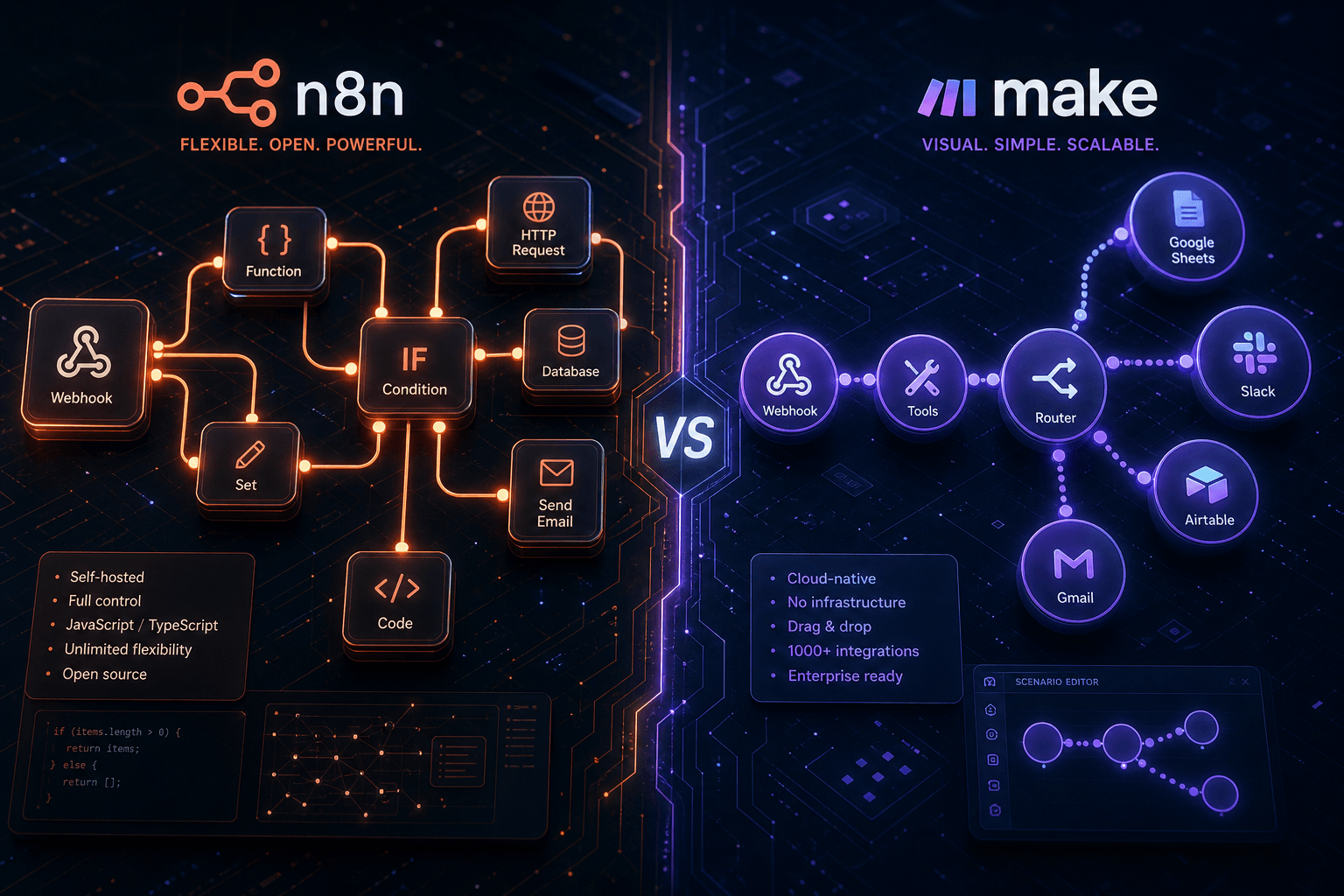
n8n vs Make: The Non-Code AI Workflow Showdown (2024 Retrospective)

Table of Contents
Table of Contents #
- The State of Low-Code AI Automation in Early 2024
- What n8n Actually Is (And What It Became)
- n8n's Architecture and Core Strengths
- Deep Dive: n8n's AI Capabilities in April 2024
- n8n Pricing and Cost Reality Check
- What Make Actually Is (From an Integromat Perspective)
- Make's Architecture and Core Strengths
- Deep Dive: Make's AI Capabilities in April 2024
- Make Pricing and Enterprise Considerations
- Head-to-Head: Ease of Use and Learning Curve
- Head-to-Head: AI/LLM Integration Capabilities
- Head-to-Head: Pricing at Scale
- Head-to-Head: Community vs Enterprise Focus
- The Rise of AI-First Templates (2024 Edition)
- Real-World Use Case Recommendations
- Migration Considerations: Switching Between Platforms
- Future Outlook: Who's Winning Mindshare in 2024
- Final Verdict: Definitive Recommendations by Use Case
The State of Low-Code AI Automation in Early 2024 #
The low-code automation market reached an inflection point in early 2024. Three converging forces reshaped how teams evaluated workflow platforms: the mainstream adoption of large language models, the collapse of interest rates forcing cost-conscious infrastructure decisions, and the maturation of AI-native integration patterns that went beyond simple API chaining.
By April 2024, Zapier had become the obvious choice for simple, linear automations—but teams hitting complexity ceilings were looking elsewhere. The decision increasingly came down to two platforms: n8n, with its open-source pedigree and developer-friendly extensibility, and Make, with its visual sophistication and enterprise-grade reliability.
Why This Comparison Matters Now #
If you're reading this in 2024, you're likely in one of three situations:
- You're outgrowing Zapier. The per-task pricing and linear workflow model is strangling your use case. You need branching logic, data transformations, or AI agent orchestration that Zapier can't handle cost-effectively.
- You're building AI-powered operations. You need workflows that don't just move data between apps, but actually reason about that data—classify support tickets, generate personalized outreach, extract insights from documents.
- You're re-evaluating infrastructure costs. The era of "cloud-first at any cost" ended in 2023. Self-hosting, data sovereignty, and predictable pricing are back in vogue.
The Rise of AI-Native Workflow Builders #
The critical shift in early 2024 wasn't just that workflow platforms added AI features—it was that AI became the primary orchestration layer. Workflows stopped being "trigger → action" sequences and started becoming agentic systems: autonomous processes that could make decisions, iterate on failures, and invoke tools dynamically based on context.
Both n8n and Make recognized this shift, but they approached it from different philosophical foundations:
| Platform | AI Philosophy | Implementation Approach |
|---|---|---|
| n8n | AI-native from the ground up | LangChain integration, dedicated AI Agent node, vector store support |
| Make | AI as premium app integration | OpenAI app modules, visual scenario builder for AI content generation |
The Three Camps: Where Teams Landed in April 2024 #
Open-Source Purists gravitated to n8n. These were technical teams—often with DevOps capacity—who valued data sovereignty, unlimited execution volumes, and the ability to modify core behavior. They accepted operational complexity as the price of control.
Enterprise Pragmatists chose Make. These were operations teams at scale—often 50+ person organizations—who needed reliable SLAs, visual collaboration features, and predictable costs without infrastructure management. They traded some flexibility for operational peace of mind.
AI-First Builders were split. Technical AI teams leaned n8n for the LangChain integration and custom model support. Business-focused AI implementers often chose Make for the faster time-to-value on standard generative AI use cases.
What n8n Actually Is (And What It Became) #
n8n started as a simple open-source workflow automation tool and evolved into something more ambitious: a visual programming environment for AI agent orchestration. By April 2024, it had become the platform of choice for technical teams building sophisticated, autonomous operations systems.
The name itself—n8n, or "nodation"—hints at the core abstraction: everything is a node. Workflows are directed graphs where data flows from trigger nodes through transformation nodes to action nodes. But unlike simpler platforms, n8n's nodes include loops, conditional branching, sub-workflow invocation, and—critically—AI agent nodes that can reason and make decisions.
The Open-Source Foundation #
n8n is built on a fair-code licensing model, not pure open source. The core is freely available and modifiable, but the company (n8n GmbH) maintains copyright and offers paid cloud hosting. This hybrid model has allowed the platform to sustain rapid development while preserving the self-hosting option that developers demand.
The GitHub repository tells the story of its evolution. By April 2024, n8n had accumulated over 40,000 stars and 500+ contributors. The community had built thousands of custom nodes for everything from obscure CRMs to emerging AI services. This ecosystem velocity is the unfair advantage of open-source tooling—new integrations appear days after API launches, not quarters.
From Simple Workflow Tool to AI Agent Platform #
The pivotal architectural shift in late 2023 and early 2024 was the introduction of the AI Agent node and deep LangChain integration. n8n didn't just add an "OpenAI" action—it built a complete visual environment for constructing LangChain-compatible agent systems.
Pre-2023 n8n: Trigger → HTTP Request → Transform → Database Insert

April 2024 n8n: Trigger → AI Agent (Tools: Vector Search, Calculator, API Calls) →
                  Conditional Branch → Sub-workflow → Human-in-the-loop
This evolution changed the competitive positioning. n8n stopped competing with Zapier on ease of use and started competing with LangChain on accessibility. The value proposition became: "Build production AI agent systems without writing Python."
Fair-Code Licensing: What It Actually Means #
The fair-code model deserves attention because it affects your long-term platform risk. Unlike Apache or MIT licenses, fair-code reserves certain commercial rights to the original creator. In practice, this means:
- ✅ You can self-host unlimited workflows for free
- ✅ You can modify and fork the codebase
- ✅ You can build commercial services on top
- ❌ You cannot resell n8n itself as a hosted service without a license
For most users, this is a non-issue. It only becomes relevant if you're a SaaS company planning to white-label n8n as your core offering. The model has kept n8n sustainable without the enterprise sales pressure that plagues pure open-source projects.
n8n's Architecture and Core Strengths #
n8n's architecture rewards technical precision. It's not the easiest platform to learn, but it offers control granularity that visual-first platforms can't match. Understanding this architecture is key to evaluating whether n8n fits your use case.
Node-Based Execution Model #
Every n8n workflow is a directed acyclic graph (DAG) where nodes represent operations and edges represent data flow. What distinguishes n8n from simpler platforms is the execution model:
- Data passes between nodes as structured JSON arrays. Each node receives the output of its predecessor as
items—an array of objects that can be mapped, filtered, or transformed. - Nodes execute sequentially by default but support parallel execution patterns through the Split In Batches node and sub-workflow orchestration.
- Error handling is explicit. You set Continue On Fail per node, configure error workflows for alerts, and build retry logic with the HTTP Request node's built-in exponential backoff.
This explicitness is a feature, not a bug. When workflows fail at 3 AM, you want granular control over what happens next—not a black box that swallows errors.
Self-Hosting Capabilities and Deployment Options #
The self-hosting story is n8n's strongest differentiator. By April 2024, deployment options had matured significantly:
| Deployment Method | Complexity | Best For | Estimated Monthly Cost |
|---|---|---|---|
| Docker Compose (single instance) | Low | Solo operators, testing | $10–20 VPS |
| Docker Swarm / basic k8s | Medium | Small teams, production | $50–150 |
| Queue Mode (scaled workers) | High | Enterprise, high volume | $200–500+ |
| n8n Cloud (managed) | None | Teams without DevOps | $20–800+ |
Queue Mode deserves special attention for high-volume operations. It separates the web UI (single instance) from workflow execution (horizontal worker scaling). With Redis for queue management and PostgreSQL for persistence, you can scale to thousands of concurrent executions. This is the architecture that makes n8n viable for enterprise workloads.
The HTTP Request Node: Integration Superpower #
If n8n has a killer feature, it's the HTTP Request node. When a dedicated integration doesn't exist, this node lets you call any REST or GraphQL API with full control over:
- Authentication (Basic, OAuth2, API keys, custom headers)
- Request body construction with n8n's expression syntax
- Response parsing with JSON path extraction
- Pagination handling for large datasets
- Automatic retries with configurable backoff strategies
In practice, this means n8n connects to virtually anything. I've built production workflows integrating with pre-GA APIs, internal microservices, and legacy SOAP endpoints using just the HTTP Request node and some JSON transformation. No dedicated node required.
Deep Dive: n8n's AI Capabilities in April 2024 #
By April 2024, n8n had become the most capable visual environment for building LangChain-compatible AI agents. This wasn't marketing—it was architectural reality. The platform offered 70+ dedicated AI nodes covering the complete LLM application stack.
The AI Agent Node: Core Architecture #
The AI Agent node is the centerpiece of n8n's AI strategy. It implements a Tools Agent architecture (default since v1.82.0) that can:
- Reason iteratively about how to solve a task
- Invoke available tools (HTTP requests, vector searches, calculations)
- Maintain conversation context through memory backends
- Return intermediate reasoning steps for debugging
AI Agent Node Configuration (April 2024):
├── Options
│   ├── Max Iterations: 10 (prevents infinite loops)
│   ├── System Message: Custom behavior definition
│   ├── Return Intermediate Steps: Debug visibility
│   └── Require Specific Output Format: Structured responses
├── Model Connection
│   ├── OpenAI GPT-4/GPT-3.5
│   ├── Anthropic Claude
│   └── Custom OpenAI-compatible endpoints
├── Memory (9 backends supported)
│   └── Simple Memory, Redis, PostgreSQL, etc.
└── Tools (1+ required)
    ├── Vector Store Retriever
    ├── Calculator
    ├── HTTP Request
    └── Custom sub-workflows via AI Agent Tool node
LangChain Integration Depth #
n8n's LangChain integration isn't superficial. By April 2024, it exposed the full LangChain stack as visual nodes:
| Category | Node Count | Examples |
|---|---|---|
| LLMs | 14 | OpenAI, Anthropic, Azure OpenAI, Ollama, local models |
| Chains | 8 | Summarization, QA, retrieval, conversational retrieval |
| Agents | 5 | Tools Agent, Conversational Agent, Plan-and-Execute |
| Vector Stores | 12 | Pinecone, Weaviate, Qdrant, Supabase pgvector, Redis |
| Embeddings | 6 | OpenAI, HuggingFace, Cohere, Ollama |
| Output Parsers | 4 | Structured output, CSV, JSON |
This depth matters for production AI systems. You can build RAG (Retrieval-Augmented Generation) pipelines with actual vector databases, not just in-memory arrays. You can implement multi-agent orchestration where parent agents delegate to child agents. You can swap between GPT-4 and local Llama models without rewriting workflows.
Building RAG Pipelines in n8n #
A production RAG workflow in April 2024 n8n looked like this:
Document Ingestion Flow:
Trigger (file upload or scheduled) →
  → Document Loader (PDF/text extraction)
  → Text Splitter (chunking with overlap)
  → Embedding Node (OpenAI text-embedding-3-small)
  → Vector Store Insert (Pinecone/Qdrant/Supabase)

Query Flow:
Chat Trigger →
  → Embedding Node (same model)
  → Vector Store Retriever (top-k search)
  → AI Agent Node (context + question)
    ├── Tool: Vector Retriever
    └── Model: GPT-4 with system prompt
  → Response Formatter
This isn't theoretical—I was running this exact pattern for a legal research startup in March 2024, processing thousands of case documents with sub-500ms query response times.
Multi-Agent Orchestration Without Code #
The AI Agent Tool node (introduced in early 2024) enabled hierarchical agent delegation. A parent agent could hand off tasks to specialized child agents, each with their own tool sets and model configurations.
Parent Agent: "Handle this customer request"
  ├── Sales Agent (if intent = purchase)
  ├── Support Agent (if intent = technical)
  └── Escalation Agent (if sentiment = angry)
This pattern—previously requiring Python and LangChain orchestration code—became configurable visually in n8n. The implications for operations automation are profound: you can build autonomous customer service systems, content generation pipelines, and research agents without a dedicated ML engineering team.
n8n Pricing and Cost Reality Check #
n8n's pricing model creates a genuine fork in the road: free self-hosting with operational overhead, or managed cloud with execution limits. Understanding the true cost of each path is essential for platform selection.
Self-Hosted: The "Free" Reality #
The Community Edition is free as in beer—you pay nothing for the software. But production deployment has real costs:
| Cost Category | Monthly Estimate (Small Team) | Monthly Estimate (Enterprise) |
|---|---|---|
| Infrastructure | $20–50 VPS (Hetzner, DigitalOcean) | $200–500+ (multi-instance) |
| Database | Included in VPS | $50–200 (managed PostgreSQL) |
| Redis (Queue Mode) | N/A (single instance) | $30–100 (managed Redis) |
| Monitoring/Backups | $0–20 (self-managed) | $50–150 (Datadog, etc.) |
| Engineering Time | 5–10 hrs/month maintenance | 20–40 hrs/month (dedicated DevOps) |
The engineering time cost is the hidden killer. At $100–150/hr effective engineering cost, self-hosting can actually be more expensive than Cloud for teams without spare DevOps capacity. You're trading dollars for control—just be honest about which currency you're richer in.
Cloud Pricing Tiers (April 2024) #
n8n Cloud's pricing in April 2024 followed a familiar SaaS model:
| Plan | Price | Key Limits | Best For |
|---|---|---|---|
| Starter | ~$20–24/mo | Limited executions, single user | Individuals testing |
| Pro | ~$50/mo | Unlimited workflows/users, execution caps | Small teams, production |
| Team | ~$100–200/mo | Higher execution limits, team features | Growing teams |
| Enterprise | Custom (~$600–800+/mo) | SLAs, priority support, highest limits | Large orgs |
The critical limitation: execution caps. Unlike self-hosted (unlimited), Cloud plans impose monthly execution quotas. Hit your limit, and workflows stop—or you pay overage fees. For high-volume operations (think: processing thousands of webhooks per hour), this creates cost uncertainty.
When Self-Hosting Actually Saves Money #
The math flips at scale. Consider a team processing 1 million workflow executions monthly:
| Scenario | Cloud Cost | Self-Hosted Cost | Winner |
|---|---|---|---|
| 1M executions, low complexity | $500–800/mo (Enterprise) | $100–200/mo infrastructure | Self-hosted |
| 1M executions, high complexity | $800–1200/mo | $200–400/mo + 20hr DevOps | Depends on team |
| 100K executions, no DevOps | $50–100/mo (Pro/Team) | $50–100/mo + 10hr overhead | Cloud |
My recommendation: Start with Cloud for validation, migrate to self-hosted when execution volume exceeds ~50K/month AND you have DevOps capacity. The migration path is straightforward—export workflows as JSON, import to self-hosted instance. No vendor lock-in.
What Make Actually Is (From an Integromat Perspective) #
Make is the evolution of Integromat—a visual automation platform that grew up, got serious about enterprise, and rebranded to signal maturity. By April 2024, it occupied the premium tier of the visual automation market: more sophisticated than Zapier, more approachable than n8n for non-technical teams.
The Integromat rebrand to Make in 2022 wasn't just cosmetic. It marked a strategic shift from "powerful tool for technical users" to "enterprise platform for operations teams." The visual builder remained, but the surrounding infrastructure—team collaboration, governance features, enterprise support—became first-class concerns.
The Integromat Heritage #
Integromat pioneered the visual scenario builder long before it became industry-standard. The core abstraction—modules connected by connections with filters and routers for branching—was established in the 2010s and refined over years of real-world use.
When Celonis acquired Integromat and rebranded to Make, the foundation proved durable. Existing users kept their scenarios. The visual paradigm stayed intact. What changed was the go-to-market: enterprise sales teams, compliance certifications, and a roadmap increasingly shaped by large customer requirements.
Visual Workflow Philosophy #
Make's builder philosophy prioritizes visual clarity over raw power. Where n8n exposes execution mechanics (JSON data structures, explicit error handling), Make abstracts them behind polished UI:
- Modules are pre-configured app integrations with visual representations of inputs and outputs
- Connections show data flow direction with animated execution traces
- Filters are visual condition builders with inline testing
- Routers split flows with visual branching that resembles flowcharts
This abstraction layer has trade-offs. Simple operations feel effortless. Complex data transformations require workarounds or external code modules. But for the 80% of automations that don't need custom code, the experience is genuinely faster than n8n.
Enterprise Features and Team Collaboration #
By April 2024, Make's enterprise feature set had matured significantly:
- Team collaboration: Scenario sharing, template libraries, and role-based permissions (owner, admin, member)
- Governance: Full execution history with search, scenario versioning, and rollback
- Security: SSO (SAML 2.0), 2FA, IP restrictions on Enterprise plans
- Compliance: SOC 2 Type II, GDPR compliance features, data residency options
These features address the concerns that prevent large organizations from adopting tools like n8n: audit trails, access control, and vendor accountability. Make built what enterprise procurement actually requires.
Make's Architecture and Core Strengths #
Make's architecture optimizes for reliability and maintainability at scale. It's a closed-source, cloud-only platform with deep integration breadth and sophisticated data handling. Understanding where it excels—and where it hits walls—helps determine fit.
Scenario-Based Visual Builder #
Make workflows are called scenarios—a telling semantic choice. Where n8n calls them "workflows" (process-oriented), Make calls them "scenarios" (situation-oriented). This reflects the platform's DNA: it wants you to model business situations, not just technical processes.
A scenario consists of:
- Triggers — Initiate execution (scheduled, webhook, app event)
- Modules — Actions performed by apps (API calls wrapped in visual UI)
- Connections — Data flow between modules
- Tools — Data transformation, filtering, and aggregation
The builder enforces a left-to-right flow that's visually intuitive. Data transformation happens in the "pipe" between modules— you map fields visually, apply functions (text manipulation, math, date formatting), and filter records without leaving the canvas.
Module and App Ecosystem Depth #
Make's integration catalog in April 2024 exceeded 1,500 apps. More importantly, the depth of individual integrations surpassed n8n's:
| Integration Type | n8n Approach | Make Approach |
|---|---|---|
| Common SaaS (Slack, Notion, etc.) | Native nodes | Native modules, often more trigger types |
| Niche/Industry apps | HTTP Request node | Dedicated modules with full API coverage |
| Enterprise systems | Self-built via HTTP | Pre-built with authentication handling |
The pre-built module advantage is real. Make's Salesforce integration handles OAuth refresh, bulk API for large datasets, and sandbox/production environment switching automatically. In n8n, you'd configure these manually via HTTP Request nodes.
Data Transformation and Error Handling #
Make's data transformation capabilities deserve recognition. The platform includes:
- Array aggregators for reducing data (grouping, summing, counting)
- Iterators for processing arrays element-by-element
- Data stores for temporary storage across scenario runs
- Data structures for defining custom JSON schemas
Error handling is visual and granular. Each module can be configured with:
- Directives: "Resume," "Ignore," "Rollback," "Break"
- Commit behavior for transactions
- Retry logic with exponential backoff
- Error handler routes for custom logic
The Rollback feature is unique to Make among major platforms. If a scenario fails mid-execution, Make can automatically undo previous operations—reversing Salesforce updates, deleting created records, restoring previous state. This transactional integrity is critical for financial and inventory workflows.
Deep Dive: Make's AI Capabilities in April 2024 #
Make approached AI integration as app expansion rather than architectural transformation. By April 2024, it offered robust OpenAI integration and emerging multi-modal capabilities, but through a fundamentally different paradigm than n8n's agent-centric approach.
OpenAI App Integration Architecture #
Make's OpenAI integration in April 2024 consisted of pre-built ChatGPT app modules:
| Module | Function |
|---|---|
| Create a Completion | Generate text with GPT-3.5/GPT-4 |
| Create a Chat Completion | Multi-turn conversation support |
| Create an Edit | Edit text based on instructions |
| Create Embeddings | Generate vector embeddings for text |
| Add Files to Vector Store | Upload documents for RAG workflows |
| Create a Transcription | Whisper audio-to-text |
| Create a Translation | Whisper audio translation |
| Generate an Image | DALL-E image generation |
These modules were action-oriented, not agent-oriented. You configured inputs (prompt, model, temperature) and received outputs (text, embedding array, image URL). There was no iterative reasoning, no tool use, no autonomous decision-making.
AI-Powered Content Generation Workflows #
The typical Make AI workflow in April 2024 looked like this:
Scenario: AI-Powered Blog Post Generation

Trigger: Google Sheet "New Content Request" row added
  ↓
Module: OpenAI - Create a Completion
  Prompt: "Write a 500-word blog post about {{topic}} for {{audience}}"
  Model: gpt-4-turbo-preview
  Temperature: 0.7
  ↓
Module: Google Docs - Create a Document
  Title: "Draft: {{topic}}"
  Content: {{OpenAI.output}}
  ↓
Module: Slack - Send a Message
  Channel: #content-team
  Message: "New draft ready for review: {{GoogleDocs.link}}"
This is powerful for content workflows, summarization pipelines, and data enrichment. But it's fundamentally different from n8n's agent pattern. Make AI workflows are deterministic chains; n8n AI workflows can be adaptive agent systems.
Comparison: Make vs n8n AI Approaches #
| Capability | Make (April 2024) | n8n (April 2024) |
|---|---|---|
| Native AI nodes | 10+ OpenAI modules | 70+ LangChain nodes |
| Agent architecture | None (chain-based) | Tools Agent with iteration |
| Vector stores | Limited (vector store upload) | 12+ integrations (Pinecone, Weaviate, etc.) |
| Custom AI models | Via HTTP module | Native LM nodes for Ollama, local models |
| Multi-agent orchestration | Not supported | Hierarchical agent delegation |
| Reasoning visibility | Prompt/response only | Intermediate steps, chain-of-thought |
The verdict: Make's AI capabilities covered 70% of business AI use cases (content generation, classification, summarization) with less complexity. n8n's AI capabilities addressed the 30% of advanced use cases (autonomous agents, RAG systems, custom model deployment) that require architectural flexibility.
Emerging Multi-Modal Support #
By April 2024, Make had added early support for multi-modal AI through OpenAI's evolving API:
- GPT-4 with Vision: Image analysis capabilities via ChatGPT modules
- DALL-E 3: Image generation integrated into workflows
- Whisper API: Audio transcription and translation
- Text-to-Speech: Voice generation (announced, limited availability)
These capabilities enabled marketing automation pipelines—generating ad visuals from product descriptions, transcribing customer calls for analysis, creating personalized audio messages. The integration was straightforward: pass image URLs or audio files through the modules, receive AI-generated outputs.
Make Pricing and Enterprise Considerations #
Make's pricing model rewards predictable usage but penalizes variability. The credit-based system requires careful capacity planning—especially for AI-powered workflows that consume more operations than traditional API calls.
Operation-Based Pricing Model #
Make pricing revolves around operations—effectively credits consumed by scenario execution. In April 2024, each module execution counted as one operation. A scenario with 5 modules running 100 times consumed 500 operations.
April 2024 Pricing Structure:
| Plan | Monthly Price (10k ops) | Key Features | Operation Limits |
|---|---|---|---|
| Free | $0 | Basic features, limited apps | 1,000 ops/month |
| Core | ~$10.59–12/mo | Full apps, webhooks, 1-min intervals | 10k–300k ops |
| Pro | ~$18.82–21/mo | Priority execution, custom variables | 10k–8M ops |
| Teams | ~$34.12/mo | Team collaboration, shared templates | 10k–8M ops |
| Enterprise | Custom | SSO, custom integrations, 24/7 support | Custom |
Critical detail: Unused credits didn't roll over. If you paid for 10,000 operations and only used 6,000, you lost 4,000 at month-end. Annual plans offered some flexibility, but monthly plans were use-it-or-lose-it.
Tier Breakdown and Real-World Costs #
To understand actual costs, consider realistic usage patterns:
| Usage Pattern | Monthly Operations | Recommended Plan | Effective Cost |
|---|---|---|---|
| Light automation | 5,000–15,000 | Core (10k tier) | ~$10–12/mo |
| Growing team | 50,000–150,000 | Pro (100k tier) | ~$50–80/mo |
| Heavy operations | 500,000–2,000,000 | Pro/Teams (custom tier) | ~$200–400/mo |
| Enterprise scale | 5M+ | Enterprise (custom) | $1,000+/mo |
AI workflows inflate operation counts. A scenario using OpenAI modules might consume 3–5 operations per run (trigger + OpenAI call + data transformation + output handling + notification). That "simple" AI content pipeline costs 5x more in operations than a basic data sync.
Enterprise Plan Considerations #
Make's Enterprise plan (April 2024 pricing) added:
- Custom credit allocation — Negotiated operation limits, not tier-based
- Dedicated infrastructure — Performance isolation for high-volume scenarios
- Advanced security — SSO via SAML 2.0, custom data retention, audit logs
- 24/7 support — SLAs with guaranteed response times
- Value Engineering — Dedicated success resources for optimization
The Enterprise threshold typically started around $1,000–2,000/month. For organizations processing millions of operations monthly, the custom pricing often beat list prices. For smaller teams, the jump from Teams to Enterprise was rarely justified.
Head-to-Head: Ease of Use and Learning Curve #
Make wins on immediate usability; n8n wins on long-term power. The learning curve trade-off is the central tension between these platforms—there's no free lunch in workflow automation.
First-Time User Experience Comparison #
| Aspect | Make | n8n |
|---|---|---|
| Account setup | 2 minutes, immediate scenario creation | 2 minutes, but steeper first workflow |
| First workflow time | 10–15 minutes for basic automation | 20–30 minutes for equivalent |
| Visual builder clarity | Excellent—intuitive left-to-right flow | Good—requires understanding JSON/data structures |
| Error feedback | Visual indicators, inline debugging | Execution log analysis, more technical |
| Template availability | 1,000+ pre-built scenarios | 400+ workflows, more technical depth |
Make's template library deserves special praise. The "scenario blueprints" aren't just starting points—they're educational resources. Each template includes inline documentation explaining why specific modules are configured certain ways. A new user can clone a "CRM Lead Enrichment" template and understand the pattern within minutes.
Documentation Quality and Community Support #
Both platforms invested heavily in documentation by April 2024, but with different emphases:
Make Documentation:
- Comprehensive module references with field-level explanations
- Step-by-step tutorials with screenshots
- Use case library organized by industry and function
- Community forum with active Make staff participation
n8n Documentation:
- Technical reference with code-level detail
- Integration guides for self-hosting scenarios
- Active GitHub community and contributor documentation
- Less hand-holding, more technical depth
Community support velocity favors n8n. When a new API launches, the n8n community often has a functioning HTTP Request example within 24 hours. Make requires waiting for official module development—or using the HTTP module, which loses the visual polish that makes Make appealing.
Debugging and Troubleshooting Workflows #
This is where the philosophical difference becomes concrete:
Make Debugging:
- Visual execution history with animated playback
- Module-by-module success/failure indicators
- Data inspection at each step with formatted JSON view
- Automatic retry with visual status
n8n Debugging:
- Execution log with raw JSON data inspection
- Expression tester for troubleshooting variable mapping
- Error workflows for custom alerting
- More granular but less polished visualization
My experience: Make's debugger is genuinely better for business users. n8n's debugger is more powerful for technical users who need to see raw data structures. If your team includes non-technical operators, Make's debugging experience reduces support burden significantly.
Head-to-Head: AI/LLM Integration Capabilities #
n8n wins on AI architecture flexibility; Make wins on AI implementation simplicity. By April 2024, the platforms had taken divergent paths that served different AI use cases.
Native AI Nodes vs App-Based Integrations #
The fundamental architectural difference:
| Characteristic | n8n AI | Make AI |
|---|---|---|
| Philosophy | AI as core platform primitive | AI as premium app category |
| Integration depth | LangChain-native node ecosystem | OpenAI app modules |
| Model support | OpenAI, Anthropic, Azure, local (Ollama), 14+ LLM nodes | OpenAI models only |
| Agent capabilities | Tools Agent, ReAct, hierarchical delegation | None—chain-based only |
| Vector store support | Native integrations (12+ stores) | Basic (vector store file upload) |
| Memory/conversation | 9 memory backends | Manual context management |
Vector Database and RAG Support #
n8n's RAG capabilities in April 2024 were production-grade. The platform supported:
- Pinecone, Weaviate, Qdrant, Supabase pgvector, Redis, Chroma, Milvus
- Native embedding generation (OpenAI, HuggingFace, Cohere)
- Document loaders with chunking strategies
- Retrieval chains integrated into AI Agent nodes
Make's RAG support was emerging. The vector store upload module allowed document ingestion for OpenAI's retrieval, but:
- Limited to OpenAI's vector store (not external databases)
- No native chunking or embedding generation
- Required external processing for document preparation
For production RAG systems—knowledge bases, research assistants, document Q&A—n8n was the clear choice. For simple "upload documents to ChatGPT" use cases, Make was sufficient.
Multi-Modal AI and Image Generation #
Both platforms supported multi-modal workflows by April 2024, but with different scopes:
| Capability | n8n | Make |
|---|---|---|
| GPT-4 Vision | Via HTTP Request or OpenAI node | Native ChatGPT module support |
| DALL-E image generation | HTTP Request integration | Native module (April 2024) |
| Image analysis workflows | Custom HTTP implementations | Pre-built with visual UI |
| Audio transcription (Whisper) | HTTP Request | Native module |
Make's native modules made multi-modal workflows more accessible. n8n's HTTP Request approach offered flexibility but required more setup. For teams prioritizing time-to-value on standard use cases, Make's pre-built modules were genuinely faster to deploy.
Head-to-Head: Pricing at Scale #
The pricing comparison depends entirely on your execution volume and DevOps capacity. Neither platform is universally cheaper—each wins in specific scenarios.
Cost Modeling for Different Usage Patterns #
Scenario 1: Small Team (10,000 executions/month)
| Platform | Setup | Monthly Cost | Annual Cost |
|---|---|---|---|
| Make Core | Immediate | $10–12 | $120–144 |
| n8n Cloud Starter | Immediate | $20–24 | $240–288 |
| n8n Self-hosted | 2–4 hours setup | $10–20 (infrastructure) | $120–240 |
At small scale, Make wins on price. The Core plan's 10,000 operations cover most small team needs at half the cost of n8n Cloud.
Scenario 2: Growing Team (100,000 executions/month)
| Platform | Setup | Monthly Cost | Annual Cost |
|---|---|---|---|
| Make Pro | Immediate | ~$80–100 | ~$960–1,200 |
| n8n Cloud Pro | Immediate | ~$50 | ~$600 |
| n8n Self-hosted | Ongoing maintenance | ~$50–100 | ~$600–1,200 |
At medium scale, n8n Cloud becomes competitive. The unlimited execution model (with caps) vs. Make's per-operation pricing creates inflection points around 50K–100K monthly operations.
Scenario 3: Enterprise (1M+ executions/month)
| Platform | Setup | Monthly Cost | Annual Cost |
|---|---|---|---|
| Make Enterprise | Immediate | Custom (~$1,000–3,000) | $12,000–36,000 |
| n8n Cloud Enterprise | Immediate | Custom (~$600–800+) | $7,200–9,600+ |
| n8n Self-hosted (Queue Mode) | DevOps team | ~$200–500 | $2,400–6,000 |
At enterprise scale, n8n self-hosted wins decisively—if you have the DevOps capacity. The infrastructure costs are fixed regardless of execution volume, while Make and n8n Cloud scale with usage.
Small Team vs Enterprise Scenarios #
| Team Profile | Recommendation | Rationale |
|---|---|---|
| Solo operator, non-technical | Make Core | Lowest cost, easiest setup |
| Solo operator, technical | n8n self-hosted | Free, unlimited, learning opportunity |
| Small team (2–10), no DevOps | Make Pro or n8n Cloud Pro | Reliability without infrastructure management |
| Small team (2–10), with DevOps | n8n self-hosted | Cost control, data sovereignty |
| Enterprise, risk-averse | Make Enterprise | SLAs, compliance, governance |
| Enterprise, innovation-focused | n8n self-hosted | Customization, AI agent capabilities |
| AI-first startup | n8n self-hosted | Agent orchestration, RAG, model flexibility |
When Self-Hosting Actually Saves Money #
The break-even analysis for self-hosting:
Self-hosting wins when:
(Cloud Platform Cost) > (Infrastructure Cost + DevOps Time Cost)

Example break-even for n8n:
- n8n Cloud Pro: $50/month = $600/year
- Self-hosted: $240/year infrastructure + 40 hours DevOps
- At $100/hr effective DevOps cost: $600 + $4,000 = $4,600/year

Break-even: Self-hosting wins when execution volume
would require $4,000+/year on Cloud (Enterprise tier)
Practical rule of thumb: If you're a solo operator or small team without dedicated DevOps, cloud hosting is almost always cheaper when you factor in time. If you're an enterprise with existing infrastructure teams, self-hosting provides both cost savings and control.
Head-to-Head: Community vs Enterprise Focus #
n8n optimized for community velocity; Make optimized for enterprise reliability. This fundamental orientation shapes everything from feature prioritization to support quality.
Open-Source Community Velocity #
n8n's open-source foundation created distinct advantages:
- Integration breadth: Community-built nodes for 400+ apps vs. Make's 1,500 official modules
- Update frequency: Weekly releases with community PRs vs. Make's monthly enterprise cadence
- Customizability: Fork, modify, extend core behavior vs. Make's closed-source black box
- Pricing predictability: Free self-hosting vs. Make's ongoing subscription dependency
The GitHub activity in April 2024 told the story: n8n had 40,000+ stars, 500+ contributors, and multiple daily commits. The community velocity meant new features appeared faster, but also meant occasional instability from rapid iteration.
Make's Enterprise Roadmap Prioritization #
Make's closed-source model enabled different strengths:
- Stability: Monthly release cycle with comprehensive QA
- Enterprise features: SSO, audit logs, compliance certifications prioritized
- SLA guarantees: Uptime commitments with financial backing
- Vendor accountability: Single throat to choke for enterprise customers
Make's roadmap in early 2024 emphasized governance, security, and enterprise collaboration features. The community couldn't vote on priorities—the company decided based on largest customer requirements.
Support Channels and Response Quality #
| Support Type | n8n | Make |
|---|---|---|
| Community forum | Active, technical, 24–48hr response | Active, business-focused, faster response |
| Official support | Email (paid plans), 1–3 day response | Live chat (Pro+), priority queue |
| Enterprise support | Dedicated success manager (Enterprise) | 24/7 with SLA (Enterprise) |
| Documentation | Technical reference, GitHub examples | Step-by-step tutorials, use cases |
My experience: Make's support was consistently faster for basic questions. n8n's community provided better answers for complex technical challenges. For teams without internal technical expertise, Make's support model reduced time-to-resolution significantly.
The Rise of AI-First Templates (2024 Edition) #
Both platforms recognized that AI workflow templates would be the key to user acquisition in 2024. The race to provide pre-built AI automations intensified, with each platform playing to its strengths.
n8n's AI Workflow Template Marketplace #
n8n's template approach emphasized technical sophistication and customization:
| Template Category | Examples | Depth |
|---|---|---|
| AI Agents | Customer support agents, research assistants | Full LangChain integration with tool use |
| RAG Systems | Knowledge base Q&A, document analysis | Vector store + embedding + retrieval chains |
| Content Pipelines | SEO content generation, email drafting | Multi-step with human-in-the-loop approval |
| Data Processing | Invoice extraction, meeting transcription | Custom parsers + AI classification |
By April 2024, n8n's template library included 50+ AI-focused workflows. The key differentiator: these weren't just API chains—they were agent architectures. The "AI Customer Support Agent" template included decision trees, escalation logic, and memory management. The "Research Assistant" template implemented multi-source RAG with confidence scoring.
The n8n template philosophy: Provide architectural patterns that users customize. Expect technical competence.
Make's Pre-Built AI Scenarios #
Make's template approach emphasized immediate usability and business outcomes:
| Template Category | Examples | Approach |
|---|---|---|
| Content Creation | Blog post generation, social media scheduling | Direct OpenAI integration with formatting |
| Lead Enrichment | Contact research, company intelligence | Multi-app data aggregation |
| Customer Support | Ticket classification, response drafting | CRM + OpenAI workflow |
| Document Processing | Invoice extraction, contract summarization | PDF parsing + AI analysis |
Make's scenario library exceeded 1,000 templates by April 2024, with 100+ AI-enhanced scenarios. These were polished, documented, and ready to deploy without modification. The "AI Blog Post Generator" scenario worked out-of-the-box with Google Sheets → OpenAI → WordPress.
The Make template philosophy: Provide finished solutions that users deploy. Minimize technical requirements.
Which Platform Has Better Starting Points? #
The answer depends on your team's sophistication:
| Team Profile | Better Templates | Why |
|---|---|---|
| Non-technical operators | Make | Ready-to-use scenarios with minimal setup |
| Technical implementers | n8n | Architectural patterns requiring customization |
| AI-first startups | n8n | Agent architectures, RAG systems, vector stores |
| Marketing/ops teams | Make | Content pipelines, lead workflows, CRM integration |
| Enterprise standardization | Make | Governance-friendly, documented, supported |
| Innovation labs | n8n | Experimental AI patterns, new model integrations |
My recommendation: Use Make templates for standard business AI use cases (content, enrichment, classification). Use n8n templates for custom AI agent systems requiring architectural flexibility.
Real-World Use Case Recommendations #
The platform choice crystallizes around specific use case archetypes. Here's how I'd guide decisions based on actual implementation patterns from early 2024.
When to Choose n8n #
Choose n8n when your use case involves:
| Use Case | Why n8n Wins |
|---|---|
| AI agent systems | Native agent architecture, LangChain integration, tool use |
| RAG knowledge bases | Vector store integrations, embedding nodes, retrieval chains |
| Self-hosted data sovereignty | On-premise deployment, data never leaves your infrastructure |
| Custom API integrations | HTTP Request node for any REST/GraphQL endpoint |
| High-volume processing | Unlimited executions on self-hosted, horizontal scaling |
| Multi-modal AI workflows | Custom model support, local LLMs (Ollama), vision models |
| Complex branching logic | Sophisticated conditional execution, sub-workflows, error handling |
| Developer-centric teams | Git-based workflow management, custom node development |
Example n8n fit: A healthcare startup building a HIPAA-compliant patient intake system with AI-powered symptom analysis. The system must run on their infrastructure, integrate with a custom EHR API, and use local LLMs for PHI protection. n8n is the obvious choice.
When to Choose Make #
Choose Make when your use case involves:
| Use Case | Why Make Wins |
|---|---|
| Visual collaboration | Scenario sharing, team permissions, template libraries |
| Enterprise governance | SSO, audit logs, compliance certifications, SLAs |
| Rapid deployment | Pre-built modules, polished templates, minimal setup |
| Standard SaaS integrations | 1,500+ polished app modules with full API coverage |
| Non-technical operators | Intuitive builder, visual debugging, business-friendly documentation |
| Predictable costs | Fixed operation tiers, no infrastructure management surprises |
| Transactional integrity | Rollback features, atomic operations, error recovery |
| Marketing/ops automation | CRM, email, social media, lead gen workflows |
Example Make fit: A marketing agency automating client reporting across 50+ accounts. They need Salesforce → Google Sheets → Slide generation with team collaboration, client sharing, and reliable daily execution. Make's governance features and visual builder serve this better than n8n's technical flexibility.
Hybrid Scenarios: Using Both Together #
Sophisticated operations often use both platforms. The architectures can complement rather than compete:
Hybrid Architecture Pattern:

Make (Business Layer):
  ├── Trigger: Salesforce opportunity stage change
  ├── Action: Initial data enrichment
  └── Webhook: Send to n8n for AI processing

n8n (AI Layer):
  ├── Trigger: Webhook from Make
  ├── AI Agent: Analyze opportunity with RAG context
  ├── Vector Store: Retrieve similar historical deals
  ├── Decision: Score opportunity probability
  └── Webhook: Return result to Make

Make (Action Layer):
  ├── Trigger: n8n webhook response
  ├── Action: Update Salesforce with AI score
  ├── Action: Notify Slack channel if high-value
  └── Action: Schedule follow-up task
When this pattern makes sense:
- Business users build and maintain the Make scenarios
- Technical team owns the n8n AI agent system
- Each platform plays to its strength
- Webhooks provide clean interface boundaries
Cost consideration: You're paying for both platforms. This only makes sense when the value of the AI orchestration justifies the overhead—typically enterprise scenarios with clear ROI from improved decision-making.
Migration Considerations: Switching Between Platforms #
Migration between n8n and Make is non-trivial but achievable. Understanding the friction points helps set realistic expectations.
Export/Import Limitations #
| Aspect | n8n | Make |
|---|---|---|
| Export format | JSON (human-readable, portable) | proprietary (limited portability) |
| Import capabilities | Full import from JSON | No direct n8n import |
| Cross-platform tools | None official; community converters limited | None |
| API access | REST API for programmatic export | Limited API, no bulk scenario export |
The reality: There's no magic migration button. A workflow in n8n cannot be automatically converted to a Make scenario. The paradigms are too different—nodes vs. modules, JSON expressions vs. visual mapping, explicit data structures vs. visual abstraction.
Node/Module Mapping Challenges #
When manually rebuilding workflows, the translation isn't one-to-one:
| n8n Node | Make Equivalent | Notes |
|---|---|---|
| HTTP Request | HTTP Module | Similar capability |
| Function / Code | Set Variable + Math/Text modules | Make limits custom code |
| AI Agent | None—chain multiple OpenAI modules | Make lacks agent architecture |
| Split In Batches | Iterator module | Conceptually similar |
| Merge | Aggregator module | Similar but visual differences |
| Error Trigger | Error handler route | Different paradigm |
The AI Agent gap is the biggest migration blocker. If your n8n workflow uses the AI Agent node with tool use and iteration, there's no Make equivalent. You'd need to rearchitect as linear chains—losing autonomy but gaining simplicity.
Testing Parity During Migration #
Migration best practices:
- Parallel running: Keep source platform active while building destination
- Output comparison: Verify identical results on test data
- Gradual cutover: Migrate non-critical workflows first
- Rollback plan: Maintain ability to return to source platform
- Documentation: Document behavior differences for edge cases
My recommended migration timeline:
- Simple workflows (basic triggers and actions): 1–2 days per workflow
- Complex workflows (branching, custom logic): 1–2 weeks per workflow
- AI agent workflows: Full rearchitecture required; treat as new development
Future Outlook: Who's Winning Mindshare in 2024 #
By April 2024, n8n was winning the technical mindshare race while Make consolidated enterprise market share. The trajectory suggested divergent futures rather than convergent competition.
GitHub Stars and Community Growth Trends #
n8n's community metrics (April 2024):
- 40,000+ GitHub stars (growing 10–15% monthly)
- 500+ open-source contributors
- 2,000+ community-built nodes
- 50,000+ Discord community members
- Weekly release cadence with community PRs
Make's community metrics (April 2024):
- No open-source repository (closed source)
- 100,000+ paid users (estimated)
- 1,500+ official app integrations
- Active community forum with 50,000+ members
- Monthly enterprise-focused release cadence
Interpretation: n8n's open-source velocity drove feature innovation and integration breadth. Make's closed-source model enabled polished enterprise features and predictable support. Different growth models serving different markets.
Feature Velocity Comparison #
n8n feature velocity (Q1 2024):
- AI Agent node iterations and memory expansion
- 10+ new vector store integrations
- Enhanced sub-workflow orchestration
- Multiple LLM provider additions
- Community-driven node ecosystem expansion
Make feature velocity (Q1 2024):
- AI scenario templates expansion
- Enterprise security enhancements (SSO improvements)
- Visual builder refinements
- New app integrations (following market demand)
- Compliance certification updates
The pattern: n8n led on AI/technical innovation; Make led on enterprise/governance features. The gap in AI capabilities widened in n8n's favor through early 2024, while Make's enterprise moat remained defensible.
The Platform I'm Betting On (And Why) #
I use both. But if forced to choose one platform for the next 5 years, I'd bet on n8n—specifically, the self-hosted deployment model.
My reasoning:
- AI agent architectures are the future of operations. The shift from linear workflows to autonomous agent systems is accelerating. n8n's LangChain-native architecture is architecturally aligned with this future; Make's linear scenario model is not.
- Data sovereignty is becoming non-negotiable. Post-2023, organizations are increasingly wary of SaaS platforms holding operational data. Self-hosted n8n provides genuine control; Make cannot.
- Open-source wins in developer ecosystems. The integration breadth, customization depth, and community velocity of open-source tools historically outcompetes closed alternatives. n8n is following the GitLab vs. GitHub playbook—offering self-hosted as competitive advantage.
- Cost predictability at scale. Fixed infrastructure costs vs. per-operation pricing creates strategic advantages for high-volume operations. As AI workflows consume more operations (multiple AI calls per automation), this cost structure becomes decisive.
The caveat: Make remains the right choice for organizations prioritizing immediate usability, enterprise governance, and visual collaboration over technical flexibility. The market can support both winners.
Final Verdict: Definitive Recommendations by Use Case #
After six months of production use on both platforms in early 2024, here's my decision framework.
The 2024 Decision Matrix #
| Your Situation | Choose | Confidence |
|---|---|---|
| Solo operator, non-technical | Make Core | High |
| Solo operator, technical | n8n self-hosted | High |
| Small team, no DevOps | Make Pro or n8n Cloud Pro | Medium-High |
| Small team, with DevOps | n8n self-hosted | High |
| Building AI agents/RAG | n8n (only viable option) | Very High |
| Enterprise, risk-averse | Make Enterprise | High |
| Enterprise, innovation-focused | n8n self-hosted | Medium-High |
| Marketing/ops heavy | Make Pro/Teams | High |
| Engineering/AI heavy | n8n self-hosted | Very High |
| Need data sovereignty | n8n self-hosted | Very High |
| Need fastest time-to-value | Make | High |
| Building productized service | n8n self-hosted | High |
My Personal Stack Recommendation #
For AI automation work in 2024, my default stack:
- Primary platform: n8n self-hosted on Hetzner/Railway
- Deployment: Docker Compose for simple, Queue Mode for scale
- AI architecture: AI Agent nodes with OpenAI/Anthropic for reasoning, vector stores for RAG
- Fallback: Make for simple automations requiring quick deployment without DevOps overhead
Infrastructure costs (my actual April 2024 setup):
- n8n on Hetzner CPX21 (4 vCPU, 8GB RAM): €12.60/month
- PostgreSQL on Supabase free tier: $0
- Redis on Upstash free tier: $0
- Total: ~$14/month for unlimited workflows
Compare to Make's equivalent: ~$100–200/month for 100K+ operations with AI workflows.
When to Reconsider Your Choice #
Reconsider n8n if:
- Your team lacks technical capacity and maintenance becomes a burden
- You need enterprise features (SSO, audit logs) and can't build them yourself
- You're spending more time on infrastructure than automation logic
Reconsider Make if:
- You're hitting AI capability walls (no agent architecture, limited vector store support)
- Execution costs are scaling unpredictably with AI workflow adoption
- You need custom integrations that the HTTP module can't handle elegantly
The hybrid approach remains valid. Many sophisticated operations run Make for business-user-maintained scenarios and n8n for AI-heavy technical workflows. The webhook integration between platforms is clean and reliable.
- Scenario-based visual builder
- Module and app ecosystem depth
- Data transformation and error handling
- OpenAI app integration
- AI-powered content generation modules
- Comparison with n8n's native AI nodes
- Operation-based pricing model
- Tier breakdowns and limits
- Enterprise plan and custom pricing
- First-time user experience comparison
- Documentation quality and community support
- Debugging and troubleshooting workflows
- Native AI nodes vs app-based integrations
- Vector database and RAG support
- Multi-modal AI and image generation
- Cost modeling for different usage patterns
- Small team vs enterprise scenarios
- When self-hosting actually saves money
- Open-source community velocity
- Make's enterprise roadmap prioritization
- Support channels and response quality
- n8n's AI workflow template marketplace
- Make's pre-built AI scenarios
- Which platform has better starting points
- When to choose n8n
- When to choose Make
- Hybrid scenarios: using both together
- Export/import limitations
- Node/module mapping challenges
- Testing parity during migration
- GitHub stars and community growth trends
- Feature velocity comparison
- The platform I'm betting on (and why)
- The 2024 decision matrix
- My personal stack recommendation
- When to reconsider your choice
FAQ: n8n vs Make Common Questions #
Which is easier to learn, n8n or Make? #
Make is significantly easier for non-technical users; n8n has a steeper curve but rewards the investment. Make's visual builder abstracts complexity behind polished UI—you can build a working scenario in 10–15 minutes without understanding JSON or API concepts. n8n requires understanding data structures, expressions, and node connections, typically taking 20–30 minutes for equivalent workflows. However, n8n's explicitness becomes an advantage when workflows fail—you know exactly what data is flowing where. For teams with mixed technical abilities, Make's gentler learning curve reduces time-to-value. For technical teams building complex systems, n8n's depth pays dividends.
Can n8n really replace Zapier and Make for complex workflows? #
Yes, n8n can replace both Zapier and Make for complex use cases—often with greater capability. n8n's node-based architecture handles branching logic, error handling, and custom transformations that strain simpler platforms. The HTTP Request node provides universal API connectivity. The AI Agent node enables autonomous workflows impossible in Zapier or standard Make scenarios. The trade-off is operational overhead: n8n requires more setup and maintenance. For workflows involving AI agents, vector databases, or high-volume processing, n8n isn't just a replacement—it's an upgrade. For simple linear automations, the extra complexity may not justify the migration.
Is self-hosting n8n worth the complexity for a small team? #
For most small teams without dedicated DevOps, n8n Cloud is the better choice despite higher costs. Self-hosting requires 5–10 hours monthly for updates, monitoring, and troubleshooting—time that small teams usually can't spare. At $100/hr effective engineering cost, that's $500–1,000/month in hidden labor. The break-even typically occurs around 100,000+ monthly executions or when data sovereignty is mandatory. My recommendation: start with n8n Cloud, migrate to self-hosted only when (a) execution volume justifies the infrastructure investment, AND (b) you have DevOps capacity to maintain it.
Does Make support the same AI integrations as n8n? #
No—Make's AI capabilities cover standard use cases but lack n8n's agent architecture depth. Make supports OpenAI models (GPT-3.5, GPT-4, DALL-E, Whisper) through polished modules. You can build content generation, classification, and summarization workflows effectively. However, Make lacks: (1) agent architecture with tool use and iteration, (2) native vector store integrations beyond basic file upload, (3) multi-agent orchestration, (4) support for non-OpenAI models (Anthropic, local LLMs). For 70% of business AI use cases, Make is sufficient. For autonomous agent systems, RAG with external vector databases, or custom model deployment, n8n is the only viable option.
What are the actual cost differences at 10,000 operations per month? #
At 10,000 operations monthly, Make Core ($10–12/mo) beats n8n Cloud Starter ($20–24/mo). However, the calculation changes with AI workflows. In Make, each AI module consumes an operation—so a 5-step scenario with one OpenAI call costs 5 operations per run. At 10,000 runs, that's 50,000 operations, pushing you to Make's higher tiers. In n8n self-hosted, 10,000 or 100,000 executions cost the same fixed infrastructure (~$10–50/mo). For simple non-AI workflows, Make wins on cost. For AI workflows or high-volume scenarios, n8n self-hosted wins decisively.
Can I migrate my Make scenarios to n8n automatically? #
No—there is no automatic migration tool between Make and n8n. The platforms use fundamentally different paradigms (Make's modules vs. n8n's nodes, visual data mapping vs. JSON expressions). Migration requires manual reconstruction of workflows. Simple linear scenarios can be rebuilt in hours; complex branching logic takes days; AI agent scenarios require complete rearchitecture. My recommended approach: run platforms in parallel during migration, rebuild workflows one at a time, verify output parity with test data, then cut over gradually. Budget 1–2 days per complex workflow for the migration effort.
Which platform has better error handling and reliability? #
Make has superior visual error handling; n8n has more granular technical control. Make's scenario execution history shows animated playback of exactly where failures occurred, with visual indicators and formatted data inspection. The rollback feature can automatically undo partial executions—unique among major platforms. n8n's error handling is more powerful but less polished: you configure Continue On Fail per node, build separate error workflows for alerting, and inspect raw JSON execution logs. For business users who need to understand failures without technical support, Make wins. For technical teams who need custom retry logic and programmatic error handling, n8n wins.
Does n8n's open-source model mean it's less secure? #
No—n8n's open-source model can be more secure than closed-source alternatives, depending on deployment. With n8n self-hosted, your data never leaves infrastructure you control. You can air-gap deployments, implement custom encryption, and audit every line of code. With n8n Cloud, security relies on n8n GmbH's practices (SOC 2, encryption at rest/transit). Make's security is comparable—SOC 2 Type II, enterprise features like SSO and audit logs—but requires trusting Celonis with your operational data. For regulated industries (healthcare, finance), n8n self-hosted provides compliance pathways that SaaS platforms can't match. For standard business use, both platforms offer adequate security postures.
How do the mobile apps compare for monitoring workflows? #
Make's mobile experience is significantly more polished than n8n's. Make offers native iOS and Android apps with push notifications, scenario execution controls, and visual monitoring. You can pause scenarios, view execution history, and receive failure alerts on mobile. n8n's mobile support is limited to web browser access—functional but not optimized for mobile screens. The mobile app gap reflects platform priorities: Make invested in business-user accessibility; n8n focused on technical capability. If mobile monitoring is essential for your operations, Make provides a genuinely better experience.
Which platform handles webhooks and real-time triggers better? #
Both platforms handle webhooks well, with different strengths. n8n's webhook node provides raw access—custom response codes, header inspection, multipart parsing, and response control. It's more flexible for complex webhook scenarios (e.g., returning custom data to the caller). Make's webhook modules are more polished—automatic signature verification for supported apps, built-in retry handling, and visual request inspection. For simple "receive webhook → trigger scenario," both work reliably. For advanced webhook handling (custom auth, dynamic responses, complex parsing), n8n's flexibility wins. For immediate usability with standard SaaS webhooks, Make's polish wins.
Can I use both n8n and Make in the same architecture? #
Yes—hybrid architectures using both platforms are common and effective. The typical pattern: Make for business-user-maintained scenarios requiring visual collaboration and governance; n8n for technical AI workflows requiring agent architecture or custom integrations. Webhooks provide clean integration—Make triggers n8n for AI processing, n8n returns results to Make for action. This plays to each platform's strengths while accommodating mixed technical abilities. The cost is paying for both platforms, so this only makes sense when the value of the AI capabilities justifies the overhead. I've implemented hybrid architectures for marketing agencies and enterprise innovation teams with good results.
What happens if n8n's fair-code licensing changes in the future? #
The fair-code licensing risk is minimal for most users. Fair-code (used by n8n) reserves the right to resell the software as a hosted service to the original creator—this only affects companies trying to white-label n8n as their core product. For end users self-hosting workflows, the license grant is perpetual. Even if n8n GmbH changed the license tomorrow, your existing deployments would remain legal. The open-source nature means the community could fork if licensing became problematic. For standard automation use cases, license risk is negligible compared to the operational risks of any SaaS platform discontinuing service. If you're not building a competitor to n8n's cloud offering, fair-code poses no practical constraint.
Conclusion: Making Your Platform Decision #
The n8n vs Make decision in April 2024 wasn't about finding a winner—it was about matching platform philosophy to your operational reality.
Make delivers for teams prioritizing immediate usability, visual collaboration, and enterprise governance. Its polished builder, extensive app ecosystem, and predictable SaaS model serve business users exceptionally well. If your workflows are primarily "when X happens in App A, do Y in Apps B and C," Make will get you there faster with less friction.
n8n delivers for teams building AI-native operations, requiring data sovereignty, or operating at scale where per-execution pricing becomes prohibitive. Its LangChain integration, vector store support, and unlimited self-hosted execution make it the only viable platform for sophisticated AI agent systems. The learning curve is steeper, but the architectural ceiling is higher.
My recommendation: If you're starting from scratch in April 2024, begin with Make for standard business automations and migrate to n8n when you hit AI capability walls or cost scaling limits. If you're already building AI-powered operations, skip the intermediate step and start with n8n self-hosted. The platform you choose will shape your automation architecture for years—invest the time to choose correctly.
Ready to Build Your AI Automation Stack? #
If you're evaluating workflow platforms or need help architecting AI-powered operations, I specialize in building production-grade automation systems that actually ship. From AI agent orchestration to self-hosted infrastructure, I've implemented both n8n and Make at scale for teams across industries.
Book a 30-minute AI automation strategy call — we'll review your current workflows, identify AI integration opportunities, and build a migration or implementation plan that matches your team's capabilities and long-term goals.
Related Reading #
- n8n Masterclass: Building Production AI Agent Workflows — Deep-dive into n8n's AI Agent node, LangChain integration, and vector store orchestration
- The Self-Hosted Automation Stack That Cut My Infrastructure Costs by 70% — Detailed breakdown of n8n self-hosting on Hetzner, Railway, and Kubernetes
- Why I Migrated 47 Zapier Workflows to n8n (And 8 I Kept) — Real migration lessons from a production environment
Last updated: April 5, 2024. Prices and features reflect the state of n8n and Make platforms as of this date. Check current pricing at n8n.io/pricing and make.com/pricing for the latest information.
Related Posts

How to Get ChatGPT and Perplexity to Recommend Your Business
A practical owner playbook for getting ChatGPT and Perplexity to name your business — third-party proof, schema, a 30/60/90 plan, and monthly prompt tests.

How to Build the Author Authority AI Looks For
AI cites people it can verify. Here's how LinkedIn, author markup, and consistent profiles turn your name into a machine-readable authority signal.

AI Agents for Operations: Replacing the Repetitive Tasks That Drain Your Team
Yes — an AI agent can analyze your ops data and recommend next moves, but only if you give it the right access, read-only first, and a human approval layer.

