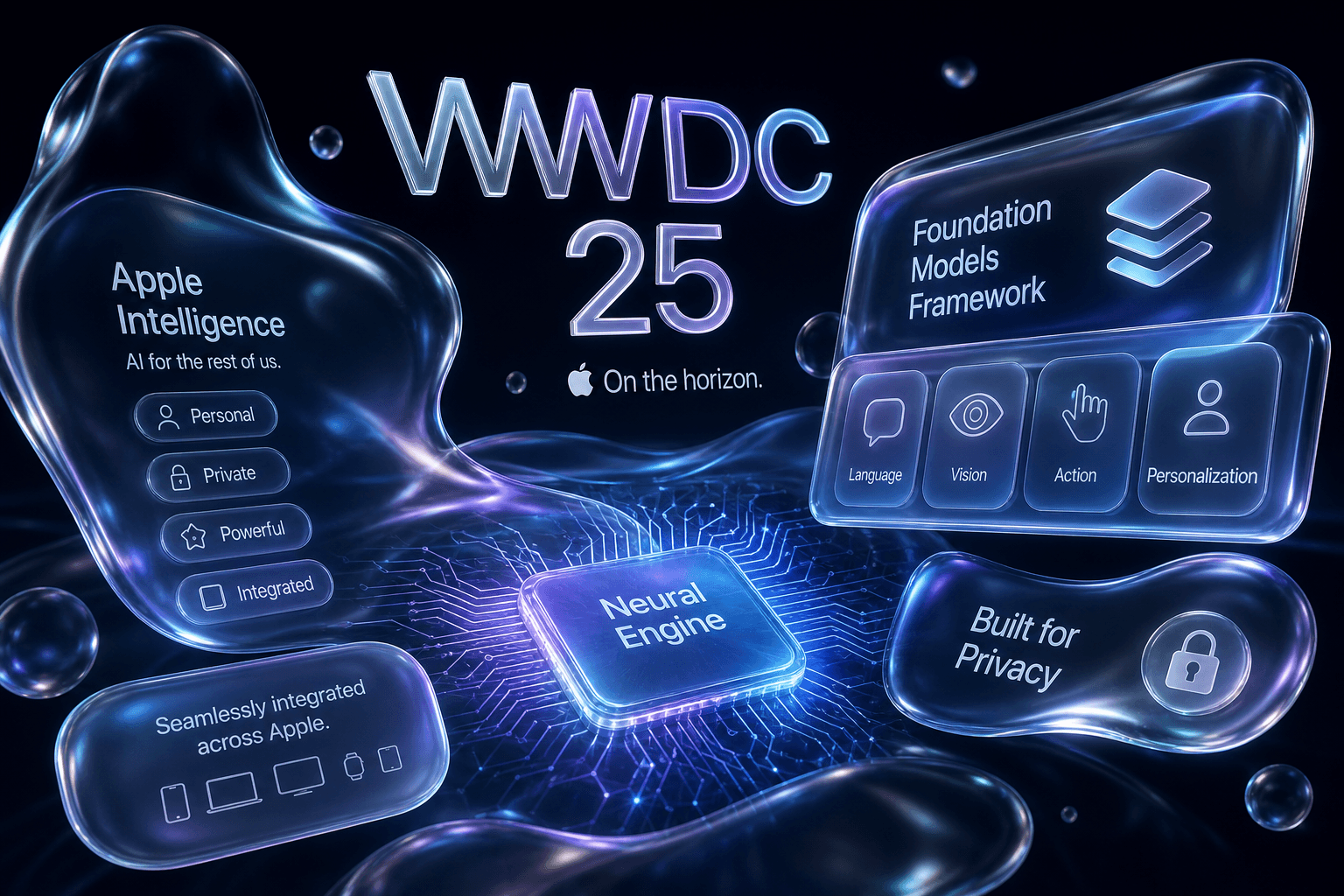
WWDC 2025: Liquid Glass, Foundation Models Framework, and Apple's AI Year Two

Table of Contents
Table of Contents #
- What Is Liquid Glass and Why Did Apple Redesign Everything?
- How Does the Foundation Models Framework Change iOS Development?
- What Are the Visual Changes in Liquid Glass Across All Platforms?
- How Does the Foundation Models Framework API Actually Work?
- What Is Visual Intelligence and How Does It Expand Beyond the Camera?
- What Are the New AI Features in Genmoji v2 and Live Translation?
- How Does ChatGPT Integration Evolve in Image Playground?
- What Does the Year-Based Versioning Mean for iOS 26 and Beyond?
- What Else Shipped During AI Week June 2025?
- FAQ: WWDC 2025 and Apple's AI Year Two
- The Bottom Line: What Apple's AI Year Two Means for Builders
What Is Liquid Glass and Why Did Apple Redesign Everything? #
Liquid Glass is Apple's new cross-platform visual design language that replaces the flat, opaque interfaces of the past decade with translucent, glass-morphic elements that refract light and depth across iOS 26, iPadOS 26, macOS 26, watchOS 26, tvOS 26, and visionOS 26—marking the most significant visual overhaul in Apple's interface history since the iOS 7 redesign in 2013.
This isn't a minor refresh. At the WWDC 2025 keynote today, Apple demonstrated a complete rethinking of how digital interfaces relate to physical space. Liquid Glass introduces materials that behave like actual glass—bending light, showing depth through parallax, and responding to device movement with subtle refraction shifts. The system uses multi-layer translucent surfaces that create a sense of dimensional depth previously impossible with flat design.
The Design Philosophy Behind Liquid Glass #
Apple's design team frames Liquid Glass as a response to two converging pressures: the maturity of OLED displays with true blacks and infinite contrast, and the spatial computing paradigm established by visionOS. The new设计语言 treats interface elements as physical objects existing in a shared space rather than flat planes painted onto screens.
Key visual principles:
- Refractive translucency: Interface elements show what's beneath them through realistic glass refraction rather than simple opacity reduction
- Depth-responsive motion: Tilting your device changes how light appears to pass through interface layers
- Unified material system: The same glass logic applies whether you're on a 44mm Apple Watch or a 100-inch Vision Pro display
- Adaptive chromatic response: Glass elements shift subtly based on wallpaper and ambient context
Typography and Motion Language #
Liquid Glass brings new typographic standards. San Francisco—the system typeface since 2015—receives a Liquid Glass optical variant with adjusted weights and tracking designed specifically for legibility against translucent, shifting backgrounds. Dynamic type scaling now responds to the perceived depth of the interface layer it's rendered on.
The motion language shifts from the linear, ease-out curves of previous iOS generations to spring-physics simulations that mimic how glass actually moves—slight overshoot on settling, momentum preservation, and subtle wobble when elements collide. A modal presentation in iOS 26 doesn't just slide up; it appears to rise through layers of glass with appropriate light response at each depth plane.
| Design Element | iOS 18 Era | Liquid Glass (iOS 26) |
|---|---|---|
| Primary surfaces | Opaque white/black | Multi-layer translucent glass |
| Button treatment | Flat fills with slight radius | Floating glass pills with depth |
| Modal presentation | Slide from bottom with mask | Emerge through depth layers |
| Control Center | Opaque panel with icons | Glass shelf with floating controls |
| App icons | Flat with limited depth | Dimensional with glass backing |
Why This Redesign Matters for Digital Experience Design #
As someone who builds premium digital experiences, Liquid Glass establishes new expectations for what "premium" interface design means in 2025. The glass-morphic aesthetic isn't just visual polish—it fundamentally changes how users perceive hierarchy, depth, and interactivity.
The implications for custom web and app design are immediate:
- CSS glass-morphism has limits: Browser-based
backdrop-filterblur can't achieve the refractive accuracy of native Liquid Glass. Premium experiences increasingly require native implementation. - Motion budgets increase: The physics simulations that sell glass realism require more animation frames and computational resources. Static designs feel dated immediately.
- Typography becomes contextual: Text legibility against shifting translucent backgrounds demands dynamic contrast adaptation that most design systems don't account for.
Liquid Glass represents Apple betting that spatial computing aesthetics—the visual language introduced with Vision Pro—are the future of all computing interfaces, not just immersive headsets. By bringing visionOS design principles to every platform simultaneously, Apple is preparing its entire ecosystem for a spatial future while giving users immediate visual delight on existing hardware.
How Does the Foundation Models Framework Change iOS Development? #
The Foundation Models Framework opens Apple's on-device foundation models to third-party developers for the first time, allowing any iOS 26 app to run inference through Apple Intelligence's optimized language models without network calls, API keys, or cloud dependencies—transforming what privacy-first, low-latency AI apps can achieve.
This is the developer story of WWDC 2025. While Liquid Glass gets the visual headlines, the Foundation Models Framework fundamentally alters the AI app landscape. Today at the Platforms State of the Union, Apple demonstrated APIs that let developers access the same on-device models powering Writing Tools, Genmoji, and notification summaries—directly within their own apps.
What the Foundation Models Framework Actually Provides #
Apple Intelligence launched in October 2024 as a closed system—Apple's apps only, Apple's models only, Apple's integration patterns only. The Foundation Models Framework announced today breaks that wall open while maintaining Apple's privacy architecture.
Core capabilities exposed to developers:
- Text generation and completion: Access to Apple's optimized on-device language models for summarization, expansion, rewriting, and structured output generation
- Embedding generation: Create semantic embeddings locally for search, clustering, and similarity matching without network round-trips
- Classification and analysis: Run classification tasks, sentiment analysis, and content moderation entirely on-device
- Vision-language integration: Combine on-device vision models with language models for image understanding and description
What developers don't get:
- Raw model weights or the ability to fine-tune Apple's foundation models
- Training data insights or model architecture details beyond public documentation
- The ability to run arbitrary LLMs—only Apple's optimized models are available through the framework
Architecture and API Structure #
The Foundation Models Framework operates as a system-level service available through Swift APIs. Apps don't bundle models—the models live in the OS and are shared across all apps using the framework, minimizing storage overhead while maintaining sandbox boundaries.
import FoundationModels

// Check availability and model capabilities
if FoundationModels.isAvailable {
    let capabilities = try await FoundationModels.availableCapabilities()

    // Request text generation with specific parameters
    let request = TextGenerationRequest(
        prompt: "Summarize this article in three bullet points",
        maxTokens: 150,
        temperature: 0.7
    )

    let response = try await FoundationModels.generateText(request)
    // Response generated entirely on-device
}
The framework handles model loading, memory management, and inference optimization automatically. Developers specify what they want; the system handles the computational details.
| Capability | Processing Location | Latency Target | Privacy Level |
|---|---|---|---|
| Text generation (short) | On-device Neural Engine | <200ms | Maximum |
| Text generation (long) | On-device Neural Engine | 1-3s | Maximum |
| Embedding generation | On-device Neural Engine | <100ms | Maximum |
| Vision-language tasks | On-device Neural Engine | 500ms-2s | Maximum |
| Complex reasoning | Private Cloud Compute | 2-5s | Cryptographically verified |
Implications for AI-Powered App Development #
The Foundation Models Framework creates new possibilities for app categories previously blocked by privacy requirements, latency constraints, or offline usage patterns.
Immediate use cases that become viable:
- Healthcare journaling apps: Process sensitive entries with AI assistance without sending data to third-party APIs
- Legal document analysis: Summarize contracts and identify key clauses with on-device processing that satisfies client confidentiality requirements
- Offline travel translation: Real-time translation in areas without connectivity, powered by local models
- Secure enterprise apps: AI features in environments where cloud AI is explicitly prohibited by security policy
- Low-latency creative tools: Text expansion and suggestion in writing apps without network delay
The Competitive Landscape Shift #
Before today, developers building AI-powered iOS apps faced a binary choice: use cloud APIs (OpenAI, Anthropic, Google) with inherent privacy tradeoffs and latency costs, or build custom on-device ML pipelines requiring significant ML engineering investment. The Foundation Models Framework creates a third path: capable, private, zero-configuration on-device AI.
This doesn't eliminate cloud AI APIs—it changes when and why you reach for them. Apps can now implement a tiered architecture:
- Foundation Models Framework for privacy-sensitive, latency-critical, offline-capable tasks
- Private Cloud Compute for requests that exceed on-device capabilities but still require Apple's privacy guarantees
- External APIs (OpenAI, Anthropic) for specialized capabilities beyond Apple's model scope
The framework effectively raises the baseline for what users expect from "AI-powered" apps. Features that previously required cloud infrastructure and API budget now happen instantly on-device at zero marginal cost to the developer.
What Are the Visual Changes in Liquid Glass Across All Platforms? #
Liquid Glass delivers platform-specific implementations of a unified glass-morphic design language: iOS 26 features floating translucent Control Center elements and depth-responsive app icons; iPadOS 26 introduces multi-window glass layering; macOS 26 brings refractive menu bars and dimensional window chrome; watchOS 26 shows glass-morphic complications with light-reactive depth; tvOS 26 implements focus-responsive glass cards; and visionOS 26 serves as the reference implementation that other platforms now align toward.
Apple's WWDC 2025 keynote demonstrates that Liquid Glass isn't a single template applied identically everywhere—it's a material system with platform-appropriate expressions. The same underlying glass physics behave differently on a 44mm wrist screen versus a 100-foot TV projection.
iOS 26: Glass on the Phone #
The iPhone implementation of Liquid Glass establishes the mobile baseline. Control Center receives the most visible transformation—it's no longer an opaque panel but a floating glass shelf that appears to hover above your current screen content. The new Control Center uses three distinct glass layers:
- Background layer: The system wallpaper visible through heavily blurred glass
- Control layer: Individual controls rendered as floating glass pills with subtle depth
- Modal layer: Expanded controls that emerge through the glass stack with parallax motion
App icons on the Home Screen gain dimensional backing—each icon now sits on a thin glass substrate that responds to device tilt, creating the illusion of physical presence. The Dock becomes a continuous glass plane that extends the depth language of Control Center.
The Lock Screen transforms into a layered glass composition. Notifications arrive as individual glass cards that stack with physical separation, swipe away with momentum physics, and settle with the slight wobble of actual glass objects.
iPadOS 26: Multi-Window Glass Architecture #
The iPad implementation solves the complexity challenge of multi-window interfaces. Stage Manager windows in iPadOS 26 are now rendered as distinct glass panes with visible depth separation. When multiple windows overlap, the glass refraction creates visual hierarchy—front windows show more definition, background windows blur progressively through simulated glass layers.
Key iPadOS 26 glass features:
- Window chrome: Each window gets a glass header bar that matches the depth of its content
- Split View dividers: The divider between apps becomes a visible glass plane with refractive properties
- Slide Over panels: Temporary panels appear as floating glass sheets that cast subtle "shadows" on underlying content
- Apple Pencil integration: Glass elements respond to pressure and tilt with appropriate light shifts
macOS 26: Desktop Glass Physics #
macOS 26 applies Liquid Glass principles to desktop windowing in ways that fundamentally change the Mac visual experience. The menu bar becomes a continuous glass plane that extends the depth of the desktop wallpaper. Menu items appear as floating elements on this glass surface.
Window chrome receives dimensional treatment. The traditional flat title bar transforms into a glass header that extends the content area's visual logic. Window corners retain their rounded profile but now include subtle glass edge highlighting that responds to window focus state.
The Dock in macOS 26 abandons its 2D shelf appearance for a glass platform that appears to recede into the desktop depth. Running app indicators are now subtle glass glows rather than simple dots.
watchOS 26: Micro-Scale Glass #
On Apple Watch, Liquid Glass faces the constraint of 44mm displays where every pixel matters. watchOS 26 implements "micro-glass"—simplified glass physics optimized for small screens.
Complications become dimensional glass elements with depth. The Digital Crown interaction triggers glass-depth animations—scrolling through complications creates parallax between glass layers. Notifications arrive as glass cards that stack with appropriate physics for the small form factor.
| Platform | Glass Implementation | Key Visual Signature |
|---|---|---|
| iOS 26 | Floating shelf and pill controls | Control Center glass shelf |
| iPadOS 26 | Multi-pane layered glass | Stage Manager depth separation |
| macOS 26 | Desktop window glass chrome | Unified menu bar glass plane |
| watchOS 26 | Micro-scale glass elements | Dimensional complications |
| tvOS 26 | Focus-responsive glass cards | Parallax focus depth |
| visionOS 26 | Reference spatial glass | Full environmental integration |
tvOS 26: Glass at Scale #
The Apple TV implementation of Liquid Glass translates glass physics to the 10-foot interface. Focused elements gain dimensional glass backing with parallax response to Siri Remote movement. Unfocused items recede through progressive glass blur.
Interface cards in tvOS 26 behave like actual physical panels floating in the viewing environment. The selection state triggers glass-depth animation that reinforces the spatial relationship between items.
visionOS 26: The Reference Implementation #
Vision Pro's visionOS 26 serves as the reference Liquid Glass implementation that other platforms approximate. In visionOS, glass elements exist in actual spatial depth—they're not simulating dimensionality on flat screens, they're rendered as dimensional objects in your physical environment.
The cross-platform unification means that when Apple designs a new system component—say, a redesigned date picker—the visionOS implementation defines the target glass physics, and other platforms adapt those physics to their 2D constraints. This creates genuine visual consistency across an ecosystem that spans watches to room-scale immersive displays.
How Does the Foundation Models Framework API Actually Work? #
The Foundation Models Framework exposes a Swift-native API surface with four primary request types—TextGenerationRequest, EmbeddingRequest, ClassificationRequest, and VisionLanguageRequest—each routing to optimized on-device models with automatic fallback to Private Cloud Compute when requests exceed local capability thresholds, all operating through a unified FoundationModels service namespace that handles model lifecycle, memory pressure, and thermal management without developer intervention.
This isn't a thin wrapper around remote endpoints. The framework Apple demonstrated today at the Platforms State of the Union is a comprehensive on-device ML infrastructure that manages the entire inference pipeline while exposing clean, typed Swift interfaces.
API Architecture and Request Types #
The Foundation Models Framework organizes capabilities by task type rather than model type. Developers don't request specific models—they request outcomes, and the framework routes to appropriate on-device or cloud infrastructure.
Text Generation API:
import FoundationModels

struct ArticleSummaryRequest: TextGenerationRequest {
    let articleText: String

    var systemPrompt: String {
        "Summarize the following article in 3 key bullet points. Be concise and factual."
    }

    var userPrompt: String {
        articleText
    }

    var parameters: GenerationParameters {
        GenerationParameters(
            maxOutputTokens: 200,
            temperature: 0.3,  // Lower for factual tasks
            topP: 0.9
        )
    }
}

// Execute the request
let request = ArticleSummaryRequest(articleText: longArticle)
do {
    let response = try await FoundationModels.generateText(request)
    print(response.text)  // On-device generated summary
} catch FoundationModelsError.insufficientCapabilities {
    // Framework automatically attempted Private Cloud Compute fallback
    // If this error reaches you, even cloud couldn't handle it
    print("Request exceeds available capabilities")
}
Embedding Generation API:
// Generate semantic embeddings for local search
let texts = ["Introduction to Swift", "Advanced Swift Patterns", "SwiftUI Basics"]
let embeddingRequest = EmbeddingRequest(
    texts: texts,
    model: .default  // Framework selects optimal on-device embedding model
)

let embeddings = try await FoundationModels.generateEmbeddings(embeddingRequest)
// embeddings: [Embedding] - each a high-dimensional vector suitable for
// similarity comparison, clustering, or search indexing

// Calculate cosine similarity locally
let similarity = embeddings[0].cosineSimilarity(to: embeddings[1])
Classification Request API:
// On-device content classification
let classificationRequest = ClassificationRequest(
    text: userGeneratedContent,
    categories: [.toxicity, .sentiment, .spam],
    threshold: 0.7
)

let classification = try await FoundationModels.classify(classificationRequest)
// classification.toxicity.score: Double (0.0-1.0)
// classification.toxicity.label: .safe, .lowRisk, .highRisk
Hardware Requirements and Capability Detection #
The Foundation Models Framework requires Apple silicon with Neural Engine capabilities—effectively the same hardware that supports Apple Intelligence generally. The framework exposes availability APIs so apps degrade gracefully on older devices.
// Check general availability
if FoundationModels.isAvailable {
    // Device supports on-device inference
}

// Check specific capability availability
let capabilities = try await FoundationModels.availableCapabilities()

if capabilities.contains(.largeContextGeneration) {
    // Can handle requests up to 32K context window
}

if capabilities.contains(.visionLanguage) {
    // Can process images with language instructions
}
Hardware tiers for Foundation Models Framework:
| Device Tier | Neural Engine | Context Window | Concurrent Requests |
|---|---|---|---|
| A17 Pro (iPhone 15 Pro) | 35 TOPS | 8K tokens | 2 |
| M1/M2 (iPad/Mac) | 11-15.8 TOPS | 16K tokens | 4 |
| M3/M4 (newer devices) | 18-38 TOPS | 32K tokens | 6 |
Automatic Tier Escalation and Fallback #
One of the framework's most sophisticated features is automatic request routing. When a request exceeds local capabilities—whether due to context length, complexity, or current system load—the framework can transparently escalate to Private Cloud Compute.
// Configure automatic fallback behavior
let config = RequestConfiguration(
    allowCloudFallback: true,  // Default: true
    maxLatency: .seconds(5),   // Timeout for total request
    priority: .userInitiated   // Framework queues accordingly
)

let request = TextGenerationRequest(
    prompt: veryLongDocument,
    configuration: config
)

// If on-device can't handle this, framework routes to PCC
// Developer code doesn't change—same API, different execution site
let response = try await FoundationModels.generateText(request)
The framework handles:
- Context window overflow: Automatically segments and routes large requests
- Memory pressure: Monitors system state and degrades or routes accordingly
- Thermal throttling: Reduces inference frequency when devices overheat
- Battery state: Can opt-out of heavy on-device inference when battery is low
Error Handling and Edge Cases #
The Foundation Models Framework uses Swift's typed throws for predictable error handling:
do {
    let response = try await FoundationModels.generateText(request)
} catch FoundationModelsError.insufficientCapabilities {
    // Neither on-device nor PCC can handle this request
    // Present UI to break request into smaller chunks
} catch FoundationModelsError.contentPolicyViolation {
    // Generated content violated safety policies
    // Framework includes policy details in error
} catch FoundationModelsError.rateLimited {
    // Personal Cloud Compute rate limit hit
    // Retry with backoff recommended
} catch FoundationModelsError.deviceNotSupported {
    // Running on hardware without Neural Engine
    // Degrade to non-AI path
}
Integration Patterns for Production Apps #
For production implementation, Apple recommends several architectural patterns:
Progressive Enhancement:
func generateContentSuggestion(input: String) async -> String {
    // Check if we can use on-device AI
    if FoundationModels.isAvailable {
        do {
            let request = TextGenerationRequest(prompt: input)
            let response = try await FoundationModels.generateText(request)
            return response.text
        } catch {
            // Fall through to local heuristic
        }
    }

    // Fallback: local non-AI suggestion engine
    return localSuggestionEngine.suggest(for: input)
}
Batch Processing for Embeddings:
// Efficient batch embedding generation
let batchRequest = EmbeddingRequest(
    texts: documentCorpus,
    batchSize: 100  // Framework optimizes batch processing
)

// Returns embeddings suitable for Core Data indexing
// or on-device vector search with Core ML
let embeddings = try await FoundationModels.generateEmbeddings(batchRequest)
The Foundation Models Framework represents a mature, production-ready API that transforms on-device ML from experimental feature to standard development practice. The combination of typed Swift APIs, automatic resource management, and transparent cloud fallback creates infrastructure that developers can build on confidently.
What Is Visual Intelligence and How Does It Expand Beyond the Camera? #
Visual Intelligence in iOS 26 expands from a camera-app feature to a system-wide capability that operates across any app displaying visual content—letting users extract information, identify objects, and take action on anything they see on their device screen, not just what they point their camera at.
When Apple introduced Visual Intelligence with iPhone 16 in October 2024, it was essentially a camera mode: point your phone at something, tap a button, get information. The WWDC 2025 announcement today transforms Visual Intelligence into ambient screen intelligence—available wherever visual content appears, integrated with the new Liquid Glass interface, and connected to the broader Apple Intelligence ecosystem.
From Camera to Screen: The Expanded Surface Area #
The original Visual Intelligence required explicit camera activation. Users had to open Camera, frame a subject, and invoke the feature. The iOS 26 implementation removes these friction points.
New Visual Intelligence entry points:
- Photos app: Long-press any photo to invoke Visual Intelligence overlay with extracted objects, text, and suggested actions
- Safari: Right-click or long-press images on web pages to identify products, translate text, or extract information
- Messages: Tap the Visual Intelligence icon on received images to get context without leaving the conversation
- System screenshot tool: New "Analyze" button in the screenshot markup interface triggers Visual Intelligence on the captured screen content
- Quick Look: Preview any image file and invoke Visual Intelligence for instant analysis
- Spotlight: Drag any image into Spotlight search for Visual Intelligence-powered identification
This expansion changes Visual Intelligence from a "point and learn" tool to an "inspect anything" capability. The same underlying computer vision models—now accessible through the Foundation Models Framework to third-party developers as well—power recognition across the entire visual surface of the operating system.
Contextual Action Integration #
Visual Intelligence in iOS 26 doesn't just identify what you're looking at—it suggests contextually appropriate actions based on the content type and your current context.
| Content Type | Visual Intelligence Recognition | Suggested Actions |
|---|---|---|
| Product image | Brand, model, price range | Open in Safari, add to Shopping List, compare prices |
| Text in foreign language | Detected language, translation | Translate in-place, copy translation, speak aloud |
| Event poster (concert, show) | Event name, date, venue | Add to Calendar, share with Contacts, get directions |
| Phone number or email | Contact information | Add to Contacts, start Message, initiate Call |
| Animal or plant | Species identification | Open Wikipedia, copy taxonomy, save to Notes |
| QR code / barcode | Encoded data | Open URL, copy text, connect to Wi-Fi, add pass |
| Document | Document type, key fields | Summarize, create PDF, extract text to Notes |
| Landmark or building | Location identification | Get directions, view in Maps, read history |
These actions are generated through integration with App Intents—the same framework that powers the enhanced Siri capabilities announced today. Visual Intelligence doesn't just see; it understands what you might want to do with what it sees.
Integration with Liquid Glass Design #
The Visual Intelligence interface has been redesigned for Liquid Glass. Recognition results appear as floating glass panels that overlay content with appropriate depth and translucency. When Visual Intelligence identifies multiple elements in an image—say, a person, a product logo, and text—it renders each as a separate selectable glass element with dimensional separation.
The interaction model matches the broader iOS 26 glass physics. Selecting a recognized element triggers a glass-depth animation. Dismissing results causes them to recede through the visual stack with appropriate momentum. The design language makes Visual Intelligence feel like it's inspecting the actual dimensional layers of your content.
Privacy Architecture for Visual Analysis #
Visual Intelligence processes everything it can on-device using the same Neural Engine infrastructure that powers other Apple Intelligence features. When you invoke Visual Intelligence on a screenshot, that image never leaves your device unless you explicitly choose an action that requires it—like searching for a product online.
The on-device processing is particularly important for the expanded scope. When Visual Intelligence can operate on any image you view—including sensitive content in Messages or private documents—the privacy guarantee that analysis happens locally becomes critical. Apple emphasizes that even the new system-wide Visual Intelligence capabilities maintain the same on-device-first architecture as the original camera implementation.
Developer Access Through Vision Framework Integration #
Third-party developers can leverage Visual Intelligence capabilities through enhanced Vision framework APIs that expose the same recognition models Apple uses internally:
import Vision

// Request Visual Intelligence-style analysis
let request = VNRecognizeContentRequest { request, error in
    guard let results = request.results as? [VNRecognizedContent] else { return }

    for content in results {
        print("Recognized: \(content.description)")
        print("Suggested actions: \(content.suggestedActions)")
    }
}

// Process any image
let handler = VNImageRequestHandler(cgImage: image)
try? handler.perform([request])
This democratizes the capabilities Apple demonstrated in the original Visual Intelligence launch. Any app can now offer "tap to identify" functionality with the same underlying computer vision quality.
The expansion of Visual Intelligence represents Apple recognizing that visual understanding is a fundamental OS capability, not a camera feature. In iOS 26, seeing becomes a system service.
What Are the New AI Features in Genmoji v2 and Live Translation? #
Genmoji v2 introduces granular customization controls for every generation parameter—style intensity, color palette, expression range, and accessory combinations—while Live Translation expands to 35 languages with real-time conversation mode, offline neural translation for 12 major languages, and system-wide availability in any app with text input.
These aren't the headline features of WWDC 2025, but they represent the maturation phase of Apple Intelligence: the features announced last year are now deeper, more capable, and more integrated. Apple is shipping AI Year Two by refining what worked.
Genmoji v2: From Novelty to Design Tool #
The original Genmoji, introduced in October 2024, generated custom emoji from text descriptions with limited control beyond the initial prompt. Genmoji v2 transforms this from a fun messaging feature into a genuine creative tool.
New customization controls in Genmoji v2:
- Style intensity slider: Control how stylized versus realistic the generated emoji appears
- Color palette locking: Constrain generation to specific color schemes (brand colors, team colors, mood palettes)
- Expression range: Define emotional intensity from subtle to exaggerated
- Accessory combinations: Stack multiple accessories with layer control
- Base character selection: Start from existing emoji and modify, or generate from scratch
- Animation readiness: Generate Genmoji optimized for the new animated sticker format
The interface presents these controls through a Liquid Glass panel that slides up from the emoji keyboard. Adjustments preview in real-time using on-device inference—drag the style slider and watch the preview update instantly without network delay.
Genmoji v2 comparison to v1:
| Capability | Genmoji v1 (iOS 18) | Genmoji v2 (iOS 26) |
|---|---|---|
| Generation control | Text prompt only | 6+ parameter controls |
| Style options | Animation, Illustration, Sketch | + Fine-tuned intensity slider |
| Color control | Random per generation | Palette locking and selection |
| Accessories | Single accessory | Stacked with layer order |
| Animation support | Static only | Animated sticker export |
| Batch generation | 4 variations | 8 variations with filtering |
| Size export | Standard emoji | Multiple resolutions for different use cases |
Genmoji v2 also introduces Style Transfer—the ability to take an existing Genmoji and apply stylistic transformations while preserving the core concept. Turn your "cat wearing sunglasses" into a pencil sketch version, an origami version, or a neon-lit version without re-describing the subject.
Live Translation: From App to System Service #
Live Translation launched as a standalone Translate app feature. In iOS 26, it becomes a system-wide service available in any text field, conversation, or content view.
Expanded language coverage:
Live Translation now supports 35 languages for online translation and 12 languages for on-device neural translation without network connectivity:
Full online set (35 languages): Arabic, Chinese (Simplified), Chinese (Traditional), Czech, Danish, Dutch, English, Finnish, French, German, Greek, Hebrew, Hindi, Hungarian, Indonesian, Italian, Japanese, Korean, Malay, Norwegian, Polish, Portuguese, Romanian, Russian, Slovak, Spanish, Swedish, Thai, Turkish, Ukrainian, Vietnamese, and others.
On-device neural set (12 languages): English, Chinese (Simplified), French, German, Japanese, Spanish, Italian, Portuguese, Korean, Dutch, Russian, Arabic.
The on-device languages use optimized neural models stored locally—about 200MB per language pair—that run inference entirely through the Neural Engine. This enables translation in airplane mode, in areas without connectivity, or in contexts where users prefer not to send content to cloud services.
Real-Time Conversation Mode #
The most significant Live Translation upgrade is Conversation Mode—a dedicated interface for face-to-face bilingual conversation that dynamically routes audio through on-device speech recognition, translation, and text-to-speech.
How Conversation Mode works:
- Two users select their respective languages
- Each speaks naturally into the device (or uses connected AirPods as input)
- Speech recognition transcribes each utterance on-device
- Translation happens through the appropriate route (on-device if supported, cloud if necessary)
- Translated text displays on screen in Liquid Glass conversation bubbles
- Text-to-speech speaks the translation aloud in the listener's language
The entire pipeline operates with target latency under 2 seconds for on-device language pairs. The interface uses the new glass-morphic conversation design—each utterance appears as a translucent bubble with the original text above and translation below, color-coded by speaker.
System-Wide Translation Integration #
iOS 26 makes Live Translation available anywhere text appears:
- Keyboard: Long-press the globe key to translate current input field
- Selection menu: Highlight any text and tap "Translate" in the context menu
- Safari: Auto-detect foreign pages with one-tap translation overlay
- Camera: Point camera at foreign text for instant AR overlay translation
- Quick Look: Preview and translate documents without opening dedicated apps
The translation service is now part of the standard editing interaction model. Users don't launch a translation app—they translate within whatever context they're already working in.
Quality Improvements and Domain Specialization #
Apple claims translation quality improvements of 25-40% over iOS 18 for supported language pairs, measured by BLEU score against professional human translations. The models have been fine-tuned for:
- Conversational context: Better handling of informal speech, slang, and regional expressions
- Domain adaptation: Improved translation of technical, medical, and legal terminology
- Gender accuracy: Reduced bias in gendered language translations
- Named entity preservation: Better handling of proper nouns, brand names, and locations
Genmoji v2 and Live Translation demonstrate Apple's approach to AI Year Two: take the features that users adopted in Year One and make them powerful enough for professional use cases while keeping the interaction model simple enough for casual users.
How Does ChatGPT Integration Evolve in Image Playground? #
ChatGPT integration in Image Playground brings GPT-4o's visual understanding capabilities directly into Apple's native image generation interface—enabling conversational image refinement, style coaching from uploaded references, and intelligent composition suggestions that blend OpenAI's world knowledge with Apple's on-device rendering engine.
The original ChatGPT integration announced at WWDC 2024 was Siri-centric: when Siri encountered a question it couldn't answer, it could offer to route to ChatGPT with explicit user permission. The WWDC 2025 evolution embeds ChatGPT deeper into specific creative workflows—starting with Image Playground, where conversational AI guidance enhances the image creation process itself.
ChatGPT as Creative Director in Image Playground #
Image Playground with ChatGPT integration transforms from a templated generation tool into a collaborative creative session. The new "Coach" mode lets users have back-and-forth conversations with GPT-4o about their image concept before and during generation.
ChatGPT Image Playground capabilities:
- Concept development: Describe rough ideas and get specific, actionable prompts that Image Playground can execute
- Style reference analysis: Upload reference images and ChatGPT identifies the visual characteristics to apply
- Iterative refinement: After each generation, discuss what worked and what didn't, then adjust parameters conversationally
- Composition coaching: Get advice on layout, focal points, and visual hierarchy before generating
- Cross-style blending: Request combinations of styles that might not be obvious from the standard presets
The interface presents ChatGPT as a glass-morphic side panel in Image Playground—sliding in from the right with conversation history, maintaining the dimensional depth of the Liquid Glass design language.
How the Integration Differs from Siri ChatGPT #
| Aspect | Siri ChatGPT (iOS 18) | Image Playground ChatGPT (iOS 26) |
|---|---|---|
| Invocation | Siri offers when stumped | User explicitly opens Coach panel |
| Context | General knowledge queries | Creative/artistic guidance specific to image generation |
| Conversation length | Single exchange typical | Multi-turn collaborative sessions |
| Output | Text responses only | Suggestions applied to Image Playground parameters |
| Visual input | Limited | Full image upload and analysis supported |
| Session persistence | Ephemeral per query | Maintains context across generation iterations |
| Privacy handling | Same OpenAI terms | Enhanced logging controls for creative content |
The key distinction: Siri ChatGPT answers questions; Image Playground ChatGPT collaborates on creative output. It's the difference between asking "what is Impressionism?" and asking "how do I apply Impressionist techniques to this sunset photo concept?"
Technical Implementation: Hybrid Architecture #
The ChatGPT Image Playground integration uses a hybrid architecture that preserves Apple's on-device generation while leveraging OpenAI's reasoning:
┌─────────────────────────────────────────────────────────────┐
│               Image Playground with ChatGPT                  │
├─────────────────────────────────────────────────────────────┤
│                                                              │
│  User Conversation         GPT-4o Analysis                   │
│  ───────────────────►      ───────────────────►              │
│                              ↓                               │
│                    Structured suggestions                    │
│                    (style, composition,                     │
│                     concepts, themes)                        │
│                              ↓                               │
│  ┌─────────────────────────────────────────────────────┐    │
│  │           Image Playground Generation Engine         │    │
│  │                                                      │    │
│  │  • Theme selection        • Style intensity         │    │
│  │  • Concept weights        • Color palette           │    │
│  │  • Composition hints      • Accessory placement     │    │
│  │                                                      │    │
│  │  [On-device Apple Intelligence models]              │    │
│  └─────────────────────────────────────────────────────┘    │
│                              ↓                               │
│  Generated image ◄────────────┘                               │
│                                                              │
│  Feedback loop to ChatGPT for next iteration                 │
└─────────────────────────────────────────────────────────────┘
GPT-4o never generates the actual image—it generates structured recommendations that feed into Apple's on-device generation pipeline. The final pixels come from Apple Intelligence models; the creative direction comes from conversational AI collaboration.
Privacy and Content Controls #
Given that Image Playground can involve personal photos as reference material, Apple and OpenAI have established specific privacy terms for this integration:
- Reference image handling: Photos uploaded as style references are processed by GPT-4o for visual analysis but not retained by OpenAI after the session ends
- Opt-in per session: ChatGPT coaching must be explicitly enabled for each Image Playground session—it doesn't activate by default
- Content logging: Users can choose whether conversation history contributes to model improvement (default: no)
- IP masking: All ChatGPT requests from Image Playground route through Apple's servers with IP address obfuscation
Users retain the option to use Image Playground without ChatGPT entirely. The integration is additive, not required. All on-device generation capabilities work independently of network connectivity or OpenAI availability.
Implications for Creative Workflows #
For designers, marketers, and content creators, the ChatGPT Image Playground integration represents a new workflow pattern: AI-augmented creative direction rather than AI-replaced creation. The human remains the creative director, ChatGPT serves as an informed creative assistant offering suggestions and analysis, and Apple Intelligence handles the actual pixel generation.
This three-layer model—human intent, AI guidance, on-device execution—may become the template for how Apple integrates external AI capabilities across its creative tools. The pattern preserves privacy (final output generated locally), maintains creative control (human makes all final decisions), and leverages the best capabilities of each system (OpenAI's reasoning, Apple's rendering).
What Does the Year-Based Versioning Mean for iOS 26 and Beyond? #
Apple replaces sequential version numbering with calendar-year-based versioning across all operating systems—iOS 26, iPadOS 26, macOS 26, watchOS 26, tvOS 26, and visionOS 26—creating immediate platform alignment and establishing a predictable release cadence where version numbers now indicate the year of release rather than a monotonically increasing sequence.
The version number change announced today at WWDC 2025 is superficially simple: iOS 18 becomes iOS 26 because it's releasing in 2026. But this shift represents deeper strategic realignment of how Apple thinks about platform versioning, release synchronization, and user communication about software age.
The Version Number Math #
Apple is jumping from iOS 18 to iOS 26—skipping numbers 19 through 25. The same jump applies to all platforms:
| Platform | Previous Version | New Version (WWDC 2025) |
|---|---|---|
| iOS | 18 | 26 |
| iPadOS | 18 | 26 |
| macOS | 15 (Sequoia) | 26 |
| watchOS | 11 | 26 |
| tvOS | 18 | 26 |
| visionOS | 2 | 26 |
This alignment means all Apple platforms share the same major version number for the first time in the company's history. A user running "version 26" has the current release regardless of device type.
Why Year-Based Versioning Makes Sense Now #
Several converging factors make calendar-year versioning logical in 2025:
1. Annual Release Cadence Solidification
Apple's platforms have settled into a predictable annual release pattern. Major versions ship every fall like clockwork. Calendar-year versioning acknowledges this reality rather than pretending the sequential numbers carry independent meaning.
2. Cross-Platform Feature Parity
Apple Intelligence, Liquid Glass, and the Foundation Models Framework ship simultaneously across iOS, iPadOS, and macOS. Different version numbers for the same feature set (iOS 26, macOS 26) creates artificial confusion. Unified numbering signals unified capabilities.
3. User Comprehension
For non-technical users, "iOS 26" immediately communicates that this is the 2026 release. "iOS 18" requires mental math ("we're in 2025, iOS came out in 2007...") to determine currency. Year-based numbers are self-documenting.
4. Enterprise and Education Planning
IT administrators and institutional buyers plan around calendar years and fiscal years. Software that follows the same pattern reduces coordination friction.
Developer Implications #
For developers, the versioning change has practical technical and strategic implications.
API Availability Checking:
// Previous pattern - checking specific iOS version
if #available(iOS 18.0, *) {
    // Use iOS 18 features
}

// New pattern - year-based version check
if #available(iOS 26.0, *) {
    // Use iOS 26 features (Liquid Glass, Foundation Models Framework)
}
The technical mechanism remains identical—only the numbers change. However, the semantic clarity improves: checking for iOS 26 availability means checking for 2026-era capabilities.
Marketing and Documentation:
Developer documentation, marketing materials, and support articles can now reference "the 2026 release" and apply universally across platforms. Feature parity tables become simpler when versions align.
| Feature | iOS | iPadOS | macOS | watchOS | tvOS |
|---|---|---|---|---|---|
| Liquid Glass | 26 | 26 | 26 | 26 | 26 |
| Foundation Models | 26 | 26 | 26 | — | — |
| Visual Intelligence | 26 | 26 | 26 | — | — |
| Genmoji v2 | 26 | 26 | 26 | — | — |
Deprecation Planning:
Year-based versioning makes deprecation timelines more intuitive. "This API is deprecated in 26" implies roughly a year of remaining support. "This API was introduced in 25" immediately signals relative maturity.
Historical Context: Platform Version Divergence #
The unified version numbers represent a reversal of historical divergence:
- iPhone OS 1.0 launched in 2007
- Mac OS X (predecessor to macOS) had already reached version 10.4 by that point
- The platforms never shared numbering, reflecting their independent origins
- iPadOS split from iOS at version 13 in 2019
- visionOS started fresh at version 1 in 2024
The convergence to version 26 signals that these are no longer separate platforms with different release paces—they're unified expressions of a single Apple software platform with device-appropriate interfaces.
Future Release Pattern #
Assuming Apple maintains annual major releases, the pattern becomes predictable:
- WWDC 2025: Announce iOS 26 (releasing fall 2025)
- WWDC 2026: Announce iOS 27 (releasing fall 2026)
- WWDC 2027: Announce iOS 28 (releasing fall 2027)
The version number always matches the year of public release. This creates a simple mental model: if it's 2027 and you're not on version 28, your software is roughly a year behind.
For a company that has sometimes struggled with version number communication—remember the "Mac OS X 10.10" awkwardness or explaining why iPadOS 17 corresponded to iOS 17 but macOS Sonoma was version 14—the year-based system offers clarity. iOS 26, iPadOS 26, macOS 26, watchOS 26, tvOS 26, and visionOS 26 all mean the same thing: the current Apple platform release for 2026.
What Else Shipped During AI Week June 2025? #
WWDC 2025 lands in the most concentrated AI release window of 2025: OpenAI ships o3-pro with enhanced reasoning capabilities on June 10, Mistral releases the Magistral family of reasoning models on June 10, and Meta announces a $14.3 billion investment in Scale AI on June 12—creating a competitive landscape where Apple's platform-focused announcements exist alongside frontier model advances and infrastructure consolidation.
The week of June 9-13, 2025 demonstrates that the AI industry no longer operates on independent company timelines. Major releases cluster competitively, with each company attempting to capture narrative momentum during the industry's most watched week.
OpenAI o3-pro: Reasoning at Scale #
OpenAI releases o3-pro on June 10, the day after Apple's WWDC keynote. The model represents an evolution of the o-series reasoning models that began with o1 in September 2024.
o3-pro capabilities:
- Extended reasoning chains: Up to 10x longer internal thought processes than o1-pro
- Code generation accuracy: 87.3% on SWE-bench Verified (compared to o1-pro's 79.2%)
- Mathematical reasoning: 96.7% on AIME 2025 problems
- API availability: Available through OpenAI API with 200K context window
- Pricing: $15 per million input tokens, $60 per million output tokens
The timing is notable. OpenAI historically avoids overlapping with major competitor announcements, preferring to own distinct news cycles. Shipping o3-pro immediately after WWDC suggests competitive pressure to demonstrate continued frontier leadership even as Apple captures mainstream attention.
Mistral Magistral: European Reasoning #
Mistral releases the Magistral model family on June 10, the same day as o3-pro—a direct confrontation in the reasoning model space. As a French company with strong European presence, Mistral frames Magistral as the GDPR-compliant, EU-sovereign alternative to American reasoning models.
Magistral specifications:
- Magistral Small: 8B parameters, on-device capable, competitive with o3-mini
- Magistral Medium: 32B parameters, API-only, targeting o3-pro performance tier
- Magistral Large: 70B parameters, highest reasoning capability in the family
- Architecture: Mixture-of-Experts with specialized reasoning pathways
- Availability: Apache 2.0 license for Small, commercial terms for Medium/Large
Mistral's release timing alongside o3-pro creates a narrative of "reasoning model day"—establishing that sophisticated internal deliberation is now table stakes for frontier models.
Meta's $14.3B Scale AI Investment #
On June 12, Meta announces a $14.3 billion investment in Scale AI, the data labeling and AI infrastructure company. The deal gives Meta:
- Preferred access to Scale's labeling infrastructure for training data generation
- Integration with Scale's enterprise AI deployment tools for Meta's business customers
- Data flywheel advantages as Scale processes more Meta-generated training data
The investment signals Meta's recognition that data quality—not just model scale—determines frontier model capabilities. As synthetic data becomes more prevalent, human-in-the-loop verification through Scale provides competitive differentiation.
Competitive Landscape Context #
| Company | Announcement | Date | Strategic Significance |
|---|---|---|---|
| Apple | WWDC 2025 (Liquid Glass, Foundation Models) | June 9 | Platform lock-in through on-device AI |
| OpenAI | o3-pro reasoning model | June 10 | Maintaining frontier model leadership |
| Mistral | Magistral reasoning family | June 10 | European AI sovereignty play |
| Meta | $14.3B Scale AI investment | June 12 | Data infrastructure moat building |
The clustering reveals strategic positioning:
- Apple focuses on platform integration and privacy-first on-device execution
- OpenAI competes on raw reasoning capability and developer API access
- Mistral targets regulatory-conscious enterprises and open-weight advocates
- Meta invests in the data layer that underpins all model training
What This Week Means for Builders #
For developers and technical decision-makers, AI Week June 2025 presents both opportunity and complexity:
The opportunity: Multiple viable paths for AI integration now exist. On-device through Apple, cloud reasoning through OpenAI or Mistral, and hybrid approaches combining both.
The complexity: The landscape fragments. Model capabilities diverge. Pricing schemes multiply. Integration patterns differ across platforms.
The WWDC announcements matter most for iOS/macOS-native builders. The o3-pro and Magistral releases matter most for cross-platform and web builders. The Meta/Scale deal matters most for enterprises building custom models at scale.
This week establishes that AI isn't consolidating around a single winner—it's expanding into specialized domains with different leaders. Apple's platform play, OpenAI's frontier research, Mistral's open-weight offerings, and Meta's infrastructure investments can coexist because they serve different use cases, compliance requirements, and technical constraints.
For builders, the job is choosing the right tool for each job rather than betting everything on a single provider. AI Week June 2025 makes multi-model architectures not just viable but necessary.
FAQ: WWDC 2025 and Apple's AI Year Two #
What is Liquid Glass? #
Liquid Glass is Apple's new cross-platform visual design language that replaces flat, opaque interfaces with translucent, glass-morphic elements. It introduces refractive materials that bend light and show depth across iOS 26, iPadOS 26, macOS 26, watchOS 26, tvOS 26, and visionOS 26. The design language creates dimensional interfaces where elements appear to float at different depths, respond to device movement with appropriate light shifts, and maintain visual consistency from Apple Watch to Vision Pro.
What is the Foundation Models Framework? #
The Foundation Models Framework is Apple's new API that lets third-party developers access on-device foundation models previously exclusive to Apple's own apps. Through Swift APIs, developers can perform text generation, embedding creation, classification, and vision-language tasks using Apple Intelligence models that run entirely on the Neural Engine. The framework handles model loading, memory management, and automatic fallback to Private Cloud Compute when requests exceed on-device capabilities. This enables privacy-first AI features without cloud dependencies or API costs.
Which devices support iOS 26 and Apple Intelligence features? #
iOS 26 requires iPhone 15 Pro or newer, while iPadOS 26 requires M1 or later iPad models, and macOS 26 requires Apple silicon Macs. The Neural Engine capabilities in A17 Pro and M-series chips provide the TOPS (trillion operations per second) necessary for on-device foundation model inference. Older devices can run iOS 26 for basic features but won't have access to Apple Intelligence capabilities including the Foundation Models Framework, Visual Intelligence, or Genmoji v2.
How does Genmoji v2 differ from the original Genmoji? #
Genmoji v2 adds granular customization controls including style intensity sliders, color palette locking, expression range adjustment, and accessory stacking capabilities. Where Genmoji v1 offered basic text-to-emoji generation with limited style presets, v2 provides professional creative control over every generation parameter. The update also introduces Style Transfer for applying different aesthetics to existing Genmoji and animated sticker export for the new animated sticker format.
Can any app now use Apple Intelligence on-device models? #
Any iOS 26 app running on compatible hardware can access Apple Intelligence models through the Foundation Models Framework, subject to standard App Store review guidelines. Developers don't need special entitlements or approval beyond normal app review. The framework APIs are available to all developers through Xcode 16, with capabilities automatically adapting to device hardware. Apps must implement graceful degradation for users on older devices without Apple Intelligence support.
What does year-based versioning mean for future iOS releases? #
Apple now uses calendar-year-based version numbers, so iOS 26 releases in 2026, iOS 27 will release in 2027, and so on. This replaces sequential numbering (iOS 18, 19, 20) with version numbers that immediately indicate release timing. All Apple platforms now share the same major version number—iOS 26, iPadOS 26, macOS 26, watchOS 26, tvOS 26, and visionOS 26 all represent the 2026 platform release with unified feature availability.
Is Visual Intelligence different from the iPhone 16 feature? #
Visual Intelligence in iOS 26 expands from a camera-only feature to a system-wide capability available across any app displaying visual content. While the iPhone 16 implementation required opening Camera and pointing at physical objects, the iOS 26 version works on any image, screenshot, or visual content on your device. New integration points include the Photos app, Safari, Messages, system screenshots, Quick Look, and Spotlight—letting users extract information from anything they see on screen.
How does the new ChatGPT Image Playground integration work? #
The ChatGPT Image Playground integration adds a conversational "Coach" mode where GPT-4o provides creative guidance during image generation. Users can have back-and-forth conversations about their image concept, upload reference images for style analysis, and get specific recommendations for Image Playground parameters. Unlike the Siri ChatGPT integration which answers general questions, Image Playground ChatGPT collaborates on creative output—suggesting composition, style combinations, and iterative refinements while Apple Intelligence handles the actual pixel generation on-device.
What were the other major AI announcements the same week as WWDC? #
AI Week June 2025 included OpenAI's o3-pro reasoning model launch on June 10, Mistral's Magistral reasoning model family release on June 10, and Meta's $14.3 billion investment in Scale AI announced June 12. OpenAI's o3-pro achieved 87.3% on SWE-bench Verified code generation tasks. Mistral's Magistral comes in three sizes with open-weight licensing for the smallest variant. Meta's Scale AI investment secures data labeling infrastructure for future model training. These releases established "reasoning model day" as a competitive battleground alongside Apple's platform announcements.
When will iOS 26 and Liquid Glass be available? #
iOS 26 developer beta releases immediately following WWDC in June 2025, with public beta arriving in July 2025 and general release scheduled for September 2025. The staggered release follows Apple's traditional pattern: developers get immediate access for testing and integration, public beta expands to adventurous users after initial stabilization, and general release coincides with new iPhone hardware launches. Full Liquid Glass implementation requires iOS 26 on compatible devices—older iOS versions won't support the glass-morphic design language.
The Bottom Line: What Apple's AI Year Two Means for Builders #
WWDC 2025 marks the maturation of Apple Intelligence from an ambitious announcement to a platform developers can actually build on—with Liquid Glass establishing new visual expectations for premium interfaces and the Foundation Models Framework finally opening the on-device AI capabilities that privacy-conscious apps have been waiting for.
This is Apple's AI Year Two, and the difference from the October 2024 launch is stark. Then, Apple Intelligence was a promise with limited developer access and gradual rollout. Today, it's infrastructure: available APIs, unified design language, and clear hardware requirements that let builders plan with confidence.
The strategic takeaways:
For teams building native iOS experiences, the Foundation Models Framework is the headline. You can now implement AI features that run entirely on-device without cloud dependencies, API costs, or privacy complications. This changes what's possible for healthcare, legal, finance, and any category where data sensitivity matters.
For teams building cross-platform or web-first products, Liquid Glass raises the bar for what "premium" means visually. The glass-morphic aesthetic with dimensional depth, responsive light, and physics-based motion is coming to user expectations everywhere—even if web technology can't fully replicate it yet.
For the broader AI landscape, this week confirms that the market is fragmenting into specialized domains rather than consolidating around a single winner. Apple's platform integration, OpenAI's frontier reasoning, Mistral's open-weight accessibility, and Meta's infrastructure investments can coexist because they serve fundamentally different use cases.
The builders who thrive in this environment will be those who understand which tool belongs in which layer of their stack—not those who bet everything on a single provider.
Related Reading #
- Apple Intelligence Unveiled at WWDC 2024: Everything You Need to Know — How Apple's three-tier AI architecture began and what Year One delivered
- The Week Everything Shipped: Claude 4, Cursor 1.0, Google I/O, Build 2025 — The other major AI week of 2025 and how the competitive landscape evolved
- Choosing the Right LLM in 2026: Claude vs. GPT vs. Gemini for Production — Strategic framework for selecting AI models across different use cases
Ready to build AI-powered systems or immersive digital experiences?
Whether you're integrating the Foundation Models Framework into your iOS apps, building privacy-first AI automations, or creating premium web experiences that establish new visual standards—let's talk.
For AI automation and growth engineering: Book a 15-minute AI strategy call to discuss how on-device AI, custom agents, and n8n workflows can transform your operations.
For custom web design and immersive digital experiences: Start a project inquiry and let's build something that pushes the boundaries of what web interfaces can be.
— William Spurlock, June 9, 2025
Related Posts
Google I/O 2026 Action List: How I Prompted Gemini 3.5 Flash and Antigravity Workflows
Google I/O 2026 just reset the AI tooling landscape. Here's the 9-action checklist for builders who want to ship this week, not just watch the keynote.
Anthropic vs. OpenAI vs. Google: The State of the Frontier in May 2026
A head-to-head breakdown of the three AI giants in May 2026: Claude Opus 4.6, GPT-5.3 and 5.4, Gemini 3.1 Pro. Real specs, real pricing, and what actually matters for builders.
Kimi K2 Open Weights: How I Prompted Moonshot's Frontier Model for Agentic Tool Use
How I direct Kimi K2 by Moonshot AI for agentic workflows, long-context tool calling, and workflow automation. A 1 trillion parameter MoE model with competitive benchmarks at 5-17x lower cost than GPT-5 and Claude.




