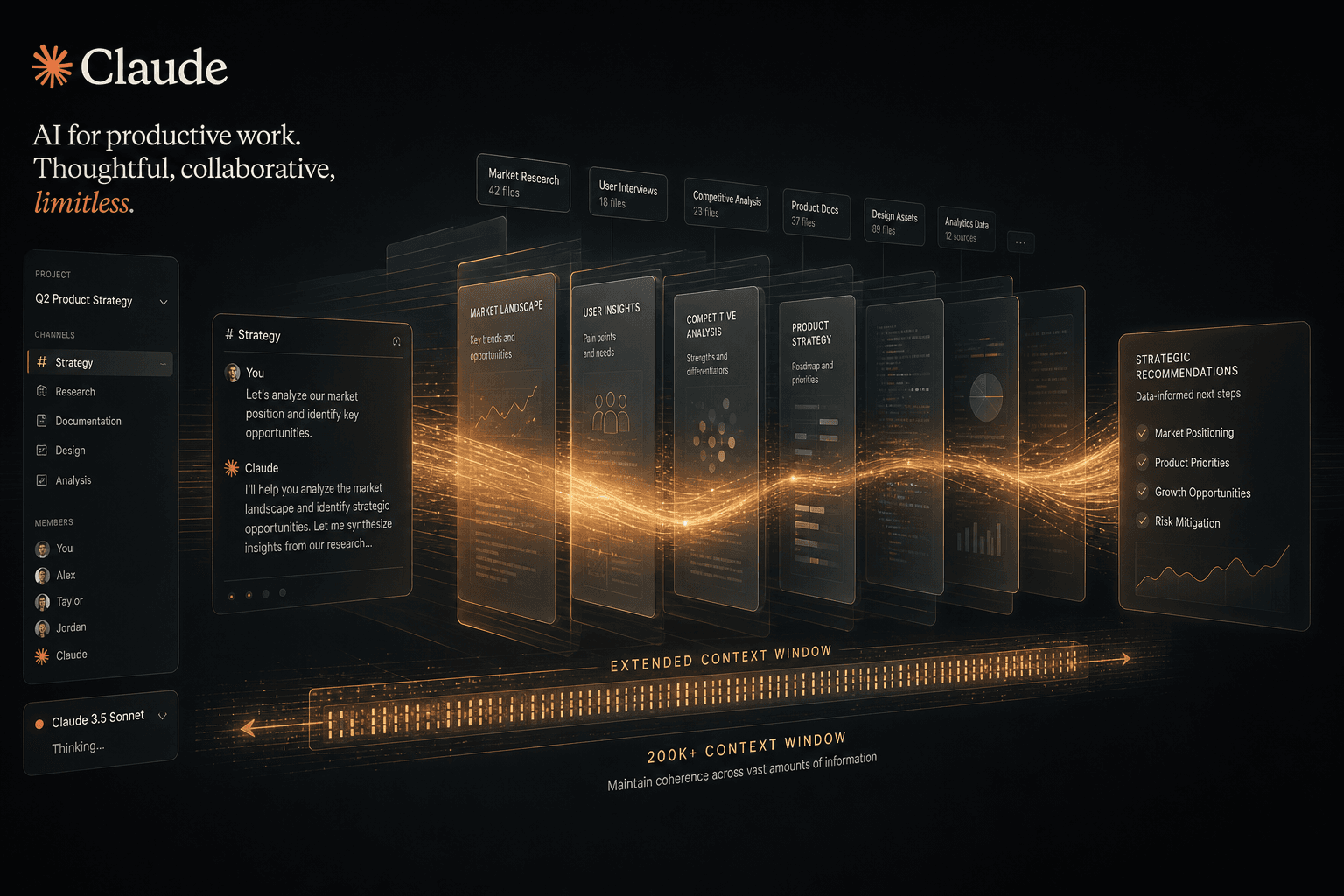
Anthropic Projects + Larger Context: How Artifacts Became a Workspace

Table of Contents
Anthropic Projects + Larger Context: How Artifacts Became a Workspace #
Anthropic just launched Projects, and it fundamentally changes how teams work with Claude. What was a powerful chatbot is now a persistent workspace with 200K token context windows, organized knowledge, and collaborative features that compete with dedicated project management tools.
Table of Contents #
- Projects Is Here: What Anthropic Announced Today — The June 25, 2024 launch details and core capabilities
- From Chatbot to Workspace: Claude's Evolution — How Claude transformed from conversational AI to full workspace
- How Project Organization Works in Practice — Setting up projects, adding context, custom instructions
- The 200K Context Window: What Actually Fits — Technical breakdown of context capacity and real-world equivalents
- Artifacts and Projects: The Complete Workflow — How Artifacts integrate into project workspaces
- Team Collaboration Features Explained — Sharing, activity feeds, permissions, and team workflows
- Real Use Cases: Coding, Research, and Content Workflows — Specific implementations across different domains
- Pricing and Availability: Pro and Team Plans — Subscription requirements and feature tiers
- How Claude Projects Compares to Competitors — ChatGPT, other AI workspaces, and traditional tools
- What's Coming Next: The Road Ahead — Native integrations and future feature roadmap
Projects Is Here: What Anthropic Announced Today #
Anthropic launched Projects on June 25, 2024, transforming Claude from a conversational interface into a persistent workspace for knowledge work. This release, available immediately to Claude Pro and Team subscribers, represents the most significant expansion of Claude's capabilities since the original model launch.
The announcement comes just one week after Claude 3.5 Sonnet's release on June 21, 2024 — a deliberate one-two punch that pairs a dramatically more capable model with the infrastructure to actually use it at scale. Anthropic is clearly signaling that Claude's future isn't as a chatbot you visit for quick answers, but as a collaborative partner embedded in complex, ongoing work.
What Projects Actually Does #
Projects lets users organize conversations into named workspaces with persistent context. Each project includes:
- 200K token context window — the equivalent of a 500-page book worth of documents, code, and reference material
- Knowledge base uploads — style guides, codebases, research documents, interview transcripts, past work
- Custom instructions per project — tailored tone, role perspectives, output formats
- Shared activity feeds — team members can share conversation snapshots and see how others are using Claude
- Artifacts integration — side-by-side code editing, document creation, and visual output
The feature addresses what Anthropic calls the "cold start problem" — the friction of re-explaining context every time you start a new chat. With Projects, Claude arrives already informed about your work, your standards, and your goals.
Launch Availability and Requirements #
Projects is live today for all Claude Pro ($20/month) and Claude Team ($25/user/month) subscribers. Free tier users cannot create Projects, though they can access Artifacts through the separate feature preview. The rollout is immediate — no waitlist, no gradual expansion.
Anthropic paired this launch with a privacy commitment: data shared within Projects will not be used to train Anthropic's generative models without explicit user consent. This addresses enterprise concerns about proprietary code and sensitive documents being absorbed into base model training.
From Chatbot to Workspace: Claude's Evolution #
Claude's trajectory mirrors the broader shift in AI tooling from transactional queries to persistent collaboration. What began as a conversational model in March 2023 is now, fifteen months later, a workspace platform that competes with dedicated knowledge management tools.
The evolution happened in distinct phases. Claude 1.0 and 2.0 established the model's reasoning capabilities and safety profile. Claude 2.1 introduced the 200K context window in November 2023, proving Anthropic could handle book-length inputs. Claude 3.0 (March 2024) brought the Opus/Sonnet/Haiku tier system, letting users choose capability versus speed. Claude 3.5 Sonnet (June 21, 2024) delivered peer-beating coding performance and visual reasoning.
But model capabilities were only half the equation. The interface remained fundamentally conversational — start a chat, get a response, lose the context when you close the tab. Projects completes the transformation by adding persistent structure around those powerful models.
The Workspace Metaphor Shift #
Compare Claude's evolution to other productivity tools:
| Phase | Interface Metaphor | User Mental Model |
|---|---|---|
| Claude 1.0–2.0 | Chat window | "I'm texting with an AI" |
| Claude 2.1–3.0 | Chat with long memory | "The AI remembers a lot, but starts fresh each time" |
| Claude 3.5 + Projects | Project workspace | "The AI knows my work and lives inside my projects" |
This shift matters because it changes how teams operationalize AI. A chatbot requires constant re-orientation. A workspace maintains state, accumulates knowledge, and becomes more valuable the more you use it. Projects is Anthropic's bet that AI assistants will be judged not by their single-turn brilliance, but by their ability to sustain context across weeks of collaborative work.
Why Artifacts Matter in This Evolution #
Artifacts — launched alongside Projects today — are the other half of the workspace equation. While Projects provides the persistent knowledge layer, Artifacts provide the persistent output layer. Code snippets, documents, diagrams, and designs appear in a dedicated window where you can edit, iterate, and build alongside Claude.
Together, Projects + Artifacts create a complete loop: feed context in through project knowledge, generate outputs through Artifacts, refine collaboratively, and preserve everything in an organized workspace. This is the architecture that lets Claude move from answering questions to actually completing complex workstreams.
How Project Organization Works in Practice #
A Claude Project is a container that groups related conversations around a persistent knowledge base with custom behavioral instructions. In practice, this means you create a project for each major workstream — a client engagement, a research initiative, a product feature, a content series — and Claude maintains context across all conversations within that container.
Creating a project takes seconds. From the Claude.ai interface, you name the project, upload relevant documents, and optionally define custom instructions. Once established, every conversation within that project automatically has access to the full knowledge base and follows the custom behavioral rules you've defined.
Building Your Knowledge Base #
The knowledge upload system accepts multiple document types. Based on Anthropic's documentation, supported formats include:
- Text documents —
.txt,.md,.doc,.docxfor style guides, research notes, interview transcripts - Code files —
.js,.ts,.py,.json,.yaml, and other common programming formats for codebase context - Data files —
.csv, structured data exports for analysis tasks - Documentation — API docs, technical specifications, process documents
The key constraint is total token count, not file count. With 200K tokens available per project, you can upload substantial reference material. A typical approach: upload your codebase's core modules, a style guide document, and a few thousand lines of relevant documentation. Claude then grounds every response in this material, eliminating the need to paste context repeatedly.
Custom Instructions: Tuning Claude's Behavior #
Each project supports custom instructions that shape how Claude responds. These go beyond simple personality tweaks — they let you define role perspectives, output formats, and domain-specific behaviors.
Examples of effective custom instructions:
- Tone specification — "Respond with the concise, direct style of a senior staff engineer. Avoid introductory phrases and get straight to the mechanism."
- Role perspective — "Answer questions from the perspective of a data analyst who prioritizes statistical rigor over intuitive explanations."
- Output formatting — "Always provide code examples in TypeScript with explicit type annotations. Include error handling in every function."
- Domain expertise — "This project involves healthcare compliance. Apply HIPAA-aware reasoning to all recommendations."
Custom instructions stack on top of Claude's base capabilities. They're not replacing the model's knowledge — they're orienting it to your specific context, standards, and workflow preferences.
The 200K Context Window: What Actually Fits #
A 200K token context window holds approximately 500 pages of standard text, or roughly 150,000 words. This isn't a theoretical limit — it's the actual working memory available to Claude within each project, and it fundamentally changes what kinds of work are possible.
To understand what's possible, you need to know what a "token" represents. In Claude's tokenizer, one token averages about 0.75 words of English text. Code tends to be token-denser due to punctuation and special characters. So 200K tokens translates to different real-world capacities depending on your content type.
Real-World Capacity Breakdown #
| Content Type | Approximate Fit in 200K Tokens |
|---|---|
| Standard prose | 150,000 words (~500 pages) |
| Technical documentation | 100,000–120,000 words |
| Code (Python/TypeScript) | 80,000–100,000 lines |
| JSON API responses | Varies by structure density |
| Conversation history | Depends on previous turns |
What this means practically: you can upload a complete mid-size codebase, a full book manuscript, hundreds of pages of research, or extensive documentation libraries. Claude sees it all simultaneously and can reason across the entire corpus.
The Near-Perfect Recall Advantage #
Anthropic's context window implementation is particularly noteworthy because Claude 3.5 Sonnet maintains high accuracy even at the extremes of its context range. Unlike earlier models where performance degraded significantly on information buried deep in long prompts, Claude 3.5 Sonnet demonstrates what Anthropic calls "near-perfect recall" — the ability to find and reference specific details regardless of their position in the context.
This matters for Projects because you're not just storing documents — you're creating a searchable, queryable knowledge base. Ask Claude to reference a specific section of an uploaded contract, find a function in your codebase, or synthesize themes across fifty research papers. The model actually sees and can act on all of it.
Managing Context Efficiently #
While 200K tokens is generous, large projects can still hit limits. Effective strategies:
- Prioritize active documents — keep current working files in the project, archive older versions
- Use focused projects — create separate projects for distinct workstreams rather than one monolithic container
- Reference external sources strategically — for massive codebases, upload core modules rather than entire repositories
- Leverage conversation threading — older conversation history within a project consumes tokens; start fresh threads when context grows unwieldy
The 200K window is large enough that most individual projects won't need aggressive management. But understanding the mechanics helps you design project structures that stay performant as they accumulate knowledge.
Artifacts and Projects: The Complete Workflow #
Artifacts create a dedicated workspace alongside your Claude conversations where generated content lives, evolves, and integrates with project knowledge. When enabled, any code snippet, document, diagram, or design Claude generates appears in a persistent panel — not as disposable chat output, but as an editable, versioned asset.
The Artifacts feature launched alongside Projects today, and the integration is immediate. Within a project, Artifacts maintain state across conversations. The React component you built in yesterday's chat appears in today's session. The documentation draft you started last week persists for continued refinement.
How the Artifacts Panel Works #
When you ask Claude to generate something substantial — a code block over ~15 lines, a structured document, a visualization — it renders in the Artifacts panel rather than inline in the chat. This panel sits beside (or toggles with) the conversation view and provides:
- Syntax-highlighted code editing — modify generated code directly in the panel
- Live preview for frontends — React, Vue, and HTML artifacts render interactively
- Version history — see iterations as Claude refines based on your feedback
- Export capabilities — download code, copy documents, or save images
For developers, this changes the coding workflow fundamentally. Instead of copying code from chat into your editor, testing, finding issues, and returning to chat with error messages, you can iterate directly in the Artifacts panel. Claude sees your edits and continues the conversation with the updated version as context.
The Projects + Artifacts Workflow Loop #
Combine Projects' persistent knowledge with Artifacts' persistent outputs, and you get a complete collaborative loop:
1. Upload knowledge → Codebase, style guide, requirements docs
2. Prompt with context → "Build a dashboard using our design system"
3. Generate in Artifacts → Component appears in side panel
4. Edit and iterate → You or Claude refine the code
5. Preserve in project → Artifact persists for future sessions
6. Reference across chats → "Update the dashboard from yesterday with new data"
This loop eliminates the constant context-restoring that made earlier AI coding assistants feel like starting over with every chat. Your codebase stays uploaded. Your components stay accessible. Your project context accumulates value over time.
Artifacts Currently in Preview #
Artifacts are available through a feature preview accessible via the account menu in Claude.ai's left panel. While Projects require Pro or Team subscriptions, Artifacts are rolling out to all tiers including free users — though free users won't have the persistent project structure that makes Artifacts most powerful.
The preview status means Anthropic is actively gathering feedback and refining the interface. Early reports suggest strong performance on code generation, document drafting, and diagram creation, with some limitations on extremely complex interactive applications.
Team Collaboration Features Explained #
Claude Team subscribers can share conversation snapshots into shared project activity feeds, turning individual AI sessions into collective organizational knowledge. This feature addresses a critical gap in earlier AI tooling: the isolation of productive AI workflows within individual accounts.
The collaboration model is intentionally lightweight but powerful. Team members working within a shared project can publish conversation snapshots — not full chat logs, but curated highlights of productive exchanges — to an activity feed visible to all project participants.
How Activity Feeds Work #
When a team member has a particularly useful or innovative conversation with Claude, they can share a snapshot to the project feed. Other team members see:
- The initial prompt that sparked the productive exchange
- Key outputs — code, analysis, documents, or insights generated
- Context about the problem being solved
- Attribution to the team member who shared
This isn't about surveillance or monitoring — there's no automatic logging of all team Claude usage. Instead, it's opt-in sharing of high-value interactions. The result is inspiration and cross-pollination: a data analyst sees how a colleague used Claude to parse a tricky JSON structure; a marketer discovers a prompt pattern that generates brand-aligned copy.
Shared Knowledge Accumulation #
Over time, project activity feeds become repositories of organizational best practices. New team members can browse how experienced colleagues interact with Claude. Existing members discover techniques they hadn't considered. The AI skills of the team compound as learnings spread.
Anthropic's early customer North Highland, a change and transformation consultancy, reports that Claude has helped teams complete content creation and analysis tasks up to 5x faster. With Projects, those efficiency gains can now be systematically captured and shared rather than remaining trapped in individual workflows.
Team Plan Requirements #
Collaboration features require Claude Team subscription at $25 per user per month. Team plans include:
- Shared projects with unified knowledge bases
- Activity feeds for conversation sharing
- Centralized billing and user management
- Higher usage limits than individual Pro accounts
- Shared custom instructions — team-wide behavioral standards
Individual Pro subscribers ($20/month) can create personal projects but cannot share them or access team collaboration features. Free tier users cannot create projects at all.
Real Use Cases: Coding, Research, and Content Workflows #
Projects isn't a theoretical feature — it enables specific, high-leverage workflows across development, research, and content operations. The common thread: any work that benefits from sustained context, accumulated knowledge, and iterative refinement.
Software Development Workflows #
For engineering teams, Projects changes how AI-assisted development works:
Codebase-Aware Refactoring
Upload your repository's core modules, API contracts, and style guide. Ask Claude to refactor a feature while respecting existing patterns. The model sees your actual code — not generic examples — and generates changes that fit your architecture. Review in Artifacts, iterate, commit.
Documentation Generation
Feed Claude your codebase plus your documentation style guide. Generate API docs, README files, or internal wikis that match your existing documentation voice. The 200K context window accommodates substantial codebases for comprehensive doc generation.
Code Review Preparation
Before submitting a PR, paste the diff into a project with your team's review standards as custom instructions. Claude flags issues, suggests improvements, and checks against your style guide — functioning as a first-pass reviewer that knows your conventions.
Research and Analysis Workflows #
For knowledge workers processing large information volumes:
Literature Synthesis
Upload dozens of research papers, interview transcripts, or market reports to a project. Query across the corpus: "What themes emerge about customer retention?" "How do these studies define success metrics?" Claude reasons across all uploaded material simultaneously.
Due Diligence Analysis
For investors or consultants, create projects for each target company. Upload 10-Ks, pitch decks, competitive analyses, and industry reports. Claude maintains awareness of the full dataset as you probe specific questions about financial health, market position, or risk factors.
Interview Analysis
Researchers can upload transcripts from user interviews or stakeholder conversations. Claude identifies patterns, extracts quotes by theme, and synthesizes findings — all while maintaining awareness of the full interview corpus.
Content and Marketing Workflows #
For teams producing content at scale:
Brand Voice Consistency
Upload style guides, tone documentation, and examples of successful content as project knowledge. Custom instructions enforce voice requirements. Every piece Claude generates — from blog posts to social copy — aligns with established brand standards.
Content Series Management
Create a project per content series or campaign. Claude sees previous installments, maintains narrative continuity, and references earlier themes. The 200K context accommodates substantial series archives.
SEO Content Operations
Upload keyword research, competitive analysis, and search intent documentation. Claude generates outlines and drafts that target specific queries while maintaining awareness of the broader SEO strategy.
Pricing and Availability: Pro and Team Plans #
Claude Projects requires a paid subscription — either Pro at $20/month or Team at $25/user/month. Free tier users cannot create or access Projects, though they can use Artifacts through the separate feature preview.
The pricing structure reflects Anthropic's positioning: Projects is a professional productivity tool, not a casual consumer feature. The cost lands in the same territory as other team knowledge tools like Notion ($10–$15/user), Slab (now part of Slack), or specialized documentation platforms.
Plan Comparison #
| Feature | Claude Free | Claude Pro | Claude Team |
|---|---|---|---|
| Price | $0 | $20/month | $25/user/month |
| Projects | ❌ No | ✅ Personal only | ✅ Shared team projects |
| Context window | Standard | 200K tokens | 200K tokens |
| Artifacts | ✅ Preview available | ✅ Full access | ✅ Full access |
| Activity feeds | ❌ No | ❌ No | ✅ Team sharing |
| Usage limits | Lower | Higher | Highest |
| User management | N/A | Individual | Admin console |
When to Choose Each Plan #
Free tier suits casual users who want to explore Artifacts and standard Claude conversations. You cannot use Projects, making this tier unsuitable for sustained professional work.
Claude Pro fits individual knowledge workers who need persistent project organization but don't require team collaboration. Consultants, solo developers, researchers, and writers who want Claude to remember their work across sessions.
Claude Team is designed for organizations where AI workflows need to be shared, standardized, and collaboratively improved. The $5/user premium over Pro pays for the activity feeds, shared knowledge bases, and centralized management that make team-wide AI adoption feasible.
Enterprise Considerations #
Anthropic hasn't announced an Enterprise tier yet, though the Team plan includes basic admin features. For large organizations, key questions include SSO integration, audit logging, and data residency — features that typically arrive in dedicated enterprise offerings.
The privacy commitment applies across tiers: Anthropic states that data shared within Projects won't be used for model training without explicit consent. This addresses the primary enterprise objection to uploading proprietary code or sensitive documents.
How Claude Projects Compares to Competitors #
Claude Projects enters a competitive landscape that includes OpenAI's ChatGPT, emerging AI workspaces, and traditional knowledge management tools. The comparison reveals Anthropic's strategic positioning: deeper context, stronger privacy commitments, and a focus on sustained collaboration rather than transactional queries.
Claude Projects vs. ChatGPT #
As of June 2024, ChatGPT offers organization features but not full project workspaces:
| Capability | Claude Projects | ChatGPT (June 2024) |
|---|---|---|
| Context window | 200K tokens | ~32K (GPT-4) / ~128K (GPT-4 Turbo) |
| Persistent knowledge | ✅ Upload documents to project | ❌ No persistent knowledge base |
| Custom instructions per project | ✅ Yes | ⚠️ Custom instructions (single, global) |
| Side-by-side code editing | ✅ Artifacts panel | ❌ No equivalent |
| Team sharing | ✅ Activity feeds | ⚠️ Team sharing (limited) |
| Code execution | ❌ Preview only | ✅ Code interpreter available |
ChatGPT's advantage is broader adoption and the code interpreter feature, which Claude lacks. Claude's advantages are the massive context window, project-specific knowledge bases, and the Artifacts panel for iterative code work.
Claude Projects vs. AI-Native Workspaces #
Several startups are building AI-native collaboration tools (Granite, Multi, others). These typically offer:
- Real-time collaborative editing with AI assistance
- Persistent AI memory across team interactions
- Integration with existing tools (Slack, Notion, GitHub)
Claude Projects competes by leveraging Claude 3.5 Sonnet's superior coding capabilities and the 200K context window that most competitors can't match. The tradeoff: dedicated AI workspaces often have richer integrations, while Claude Projects focuses on the core interaction loop.
Claude Projects vs. Traditional Knowledge Tools #
Notion, Confluence, and similar tools offer structured knowledge management but lack integrated AI assistance. The comparison here is different — Claude Projects isn't replacing these tools, but potentially sitting alongside them:
- Notion remains the source of truth for structured documentation
- Claude Projects becomes the workspace where AI-assisted work happens
Some teams will integrate both: documents live in Notion, active AI-assisted work happens in Claude Projects, and finished outputs sync back to the knowledge base. Anthropic has hinted at native integrations coming, which would bridge this gap.
What's Coming Next: The Road Ahead #
Anthropic has signaled that Projects represents the foundation of a broader platform strategy, with native integrations and expanded knowledge types coming in the next several months. The June 25, 2024 launch is explicitly positioned as a beginning, not a final destination.
The company's announcement mentions two specific expansion areas: making Claude easier to use, and expanding the types of project knowledge available through native integrations with popular applications and tools.
Likely Integration Targets #
Based on typical enterprise AI workflows and Anthropic's focus on knowledge work, expect integrations with:
- GitHub — direct repository syncing for code-aware projects
- Notion / Confluence — bidirectional sync with documentation platforms
- Slack — bringing project insights into team communication channels
- Google Workspace / Microsoft 365 — document and spreadsheet integration
- Figma — design context for creative projects
These integrations would transform Projects from a manual upload system into a live connection to organizational knowledge. A project linked to a GitHub repository would stay current as code changes. A project connected to Notion would access the latest documentation without manual updates.
The Platform Vision #
Anthropic's language about "the future of work with Claude" suggests they're building toward something more comprehensive than a chat interface with file storage. The combination of Projects, Artifacts, and Claude 3.5 Sonnet's capabilities points toward:
- Persistent AI collaborators that maintain context across weeks of work
- Shared team intelligence where AI skills compound through collaboration
- Integration into existing workflows rather than replacement of current tools
For teams investing in Claude Projects today, the immediate value is the 200K context window and persistent organization. The longer-term bet is on Anthropic's ability to execute integrations that make Claude an invisible layer across the entire productivity stack.
Frequently Asked Questions #
Q: What is Claude Projects and when did it launch? #
Claude Projects is a workspace feature that lets users organize conversations into persistent containers with custom knowledge bases and instructions. Anthropic launched Projects on June 25, 2024, alongside the Artifacts feature and one week after Claude 3.5 Sonnet's release. Projects are available to Claude Pro and Team subscribers immediately.
Q: How much context can a Claude Project hold? #
Each Claude Project includes a 200K token context window — approximately 500 pages of standard text or 150,000 words. This capacity accommodates substantial codebases, extensive documentation, research paper collections, or book-length manuscripts. Claude 3.5 Sonnet maintains near-perfect recall even at maximum context length.
Q: What's the difference between Claude Projects and Claude Artifacts? #
Projects provide the persistent knowledge layer; Artifacts provide the persistent output layer. Projects organize conversations and store uploaded documents, while Artifacts display generated content (code, documents, diagrams) in a side panel for editing and iteration. Projects require Pro/Team subscriptions; Artifacts are available in preview to all tiers.
Q: Can I share Claude Projects with my team? #
Yes, but only with Claude Team subscription ($25/user/month). Team plan users can create shared projects with unified knowledge bases and post conversation snapshots to activity feeds that inspire teammates. Individual Pro subscribers can only create personal projects without sharing capabilities.
Q: What plan do I need to use Claude Projects? #
Claude Projects requires either Pro ($20/month) or Team ($25/user/month) subscription. Free tier users cannot create Projects. Pro users get personal projects with 200K context. Team users get shared projects, activity feeds, and centralized management.
Q: How does Claude Projects compare to ChatGPT's organization features? #
Claude Projects offers significantly larger context (200K vs. ~32K–128K tokens), persistent knowledge uploads, and side-by-side Artifacts editing — features ChatGPT lacks as of June 2024. ChatGPT offers custom instructions and limited team sharing, but no equivalent to Projects' document uploads or the Artifacts panel for code iteration.
Q: Can I upload codebases to Claude Projects? #
Yes, codebases are a primary use case for Projects. You can upload .js, .ts, .py, .json, .yaml, and other code files to a project knowledge base. With 200K tokens available, most mid-size codebases fit comfortably. Claude then grounds coding assistance in your actual patterns, styles, and architecture.
Q: What are custom instructions in Claude Projects? #
Custom instructions let you define project-specific behavioral rules that shape how Claude responds. You can specify tone ("concise, direct"), role perspective ("answer as a data analyst"), output formats ("always use TypeScript"), or domain expertise ("apply HIPAA-aware reasoning"). These stack on top of Claude's base capabilities.
Q: Is my data in Claude Projects used for training? #
No — Anthropic explicitly states that data shared within Projects will not be used to train generative models without explicit user consent. This privacy commitment applies across all subscription tiers and addresses enterprise concerns about uploading proprietary code or sensitive documents.
Q: What file types can I add to a Claude Project? #
Projects support text documents (.txt, .md, .doc, .docx), code files (.js, .ts, .py, .json, .yaml, and more), data files (.csv), and documentation formats. The constraint is total token count, not file count — 200K tokens accommodates substantial reference libraries.
Q: How does the activity feed work in Claude Team? #
Team members can publish curated snapshots of productive Claude conversations to a shared project activity feed. These snapshots include the prompt, key outputs, and problem context — not full chat logs. Other team members see these highlights and learn from colleagues' techniques, creating a compounding knowledge base of effective AI workflows.
Q: Will Claude Projects integrate with external tools? #
Anthropic has announced native integrations with popular applications are coming in the coming months. Likely targets include GitHub, Notion, Confluence, Slack, and productivity suites. These integrations would enable live connections to organizational knowledge rather than requiring manual uploads.
Work With Claude, Not Just Chat With It #
Claude Projects transforms AI from a tool you visit into a workspace where you live. The combination of 200K token context, persistent knowledge bases, Artifacts for iterative creation, and team collaboration features creates something genuinely new: an AI assistant that remembers, accumulates knowledge, and grows more valuable the more you use it.
For teams building with AI, this changes the operational calculus. The cold start problem that plagued earlier AI workflows — re-explaining context, re-pasting code, re-establishing standards — disappears. Upload your knowledge once, define your standards once, and Claude arrives ready to work.
The timing is significant. Launching one week after Claude 3.5 Sonnet, Projects signals Anthropic's platform ambitions clearly. They aren't just shipping better models; they're building the infrastructure for AI-native work. The integrations promised for coming months — GitHub, Notion, productivity suites — will complete the picture.
For now, the value is immediate. Teams can start organizing work into Projects today, accumulate knowledge, and establish the collaborative patterns that will compound as the platform expands. Individual practitioners can create persistent workspaces that maintain context across weeks of complex work.
If you're building AI-assisted workflows for your team — or want to — the intersection of powerful models and persistent organization is where the leverage lives. This is the infrastructure layer for the next phase of AI-augmented work.
Related posts:
- Claude 3.5 Sonnet: The New Best Model for Coding Just Dropped — The model powering today's Projects launch
- Cursor vs. Claude: Which AI Editor Should You Choose? — How Claude compares for coding workflows
Build AI-Native Workflows for Your Team #
Projects is the infrastructure. Claude 3.5 Sonnet is the engine. The real leverage comes from combining them into workflows that compound — automated pipelines, knowledge systems, and collaborative processes that make your team faster and more consistent.
I build custom AI automation systems using Claude, n8n, MCP servers, and agent architectures. If you want to move beyond chat-based AI and build persistent, automated workflows for your team, let's talk.
Book an AI automation strategy call — we'll look at where AI can eliminate bottlenecks in your current processes and design workflows that actually ship.
William Spurlock is an AI automation engineer and custom web designer who helps teams build production-grade AI workflows and premium digital experiences.
Related Posts
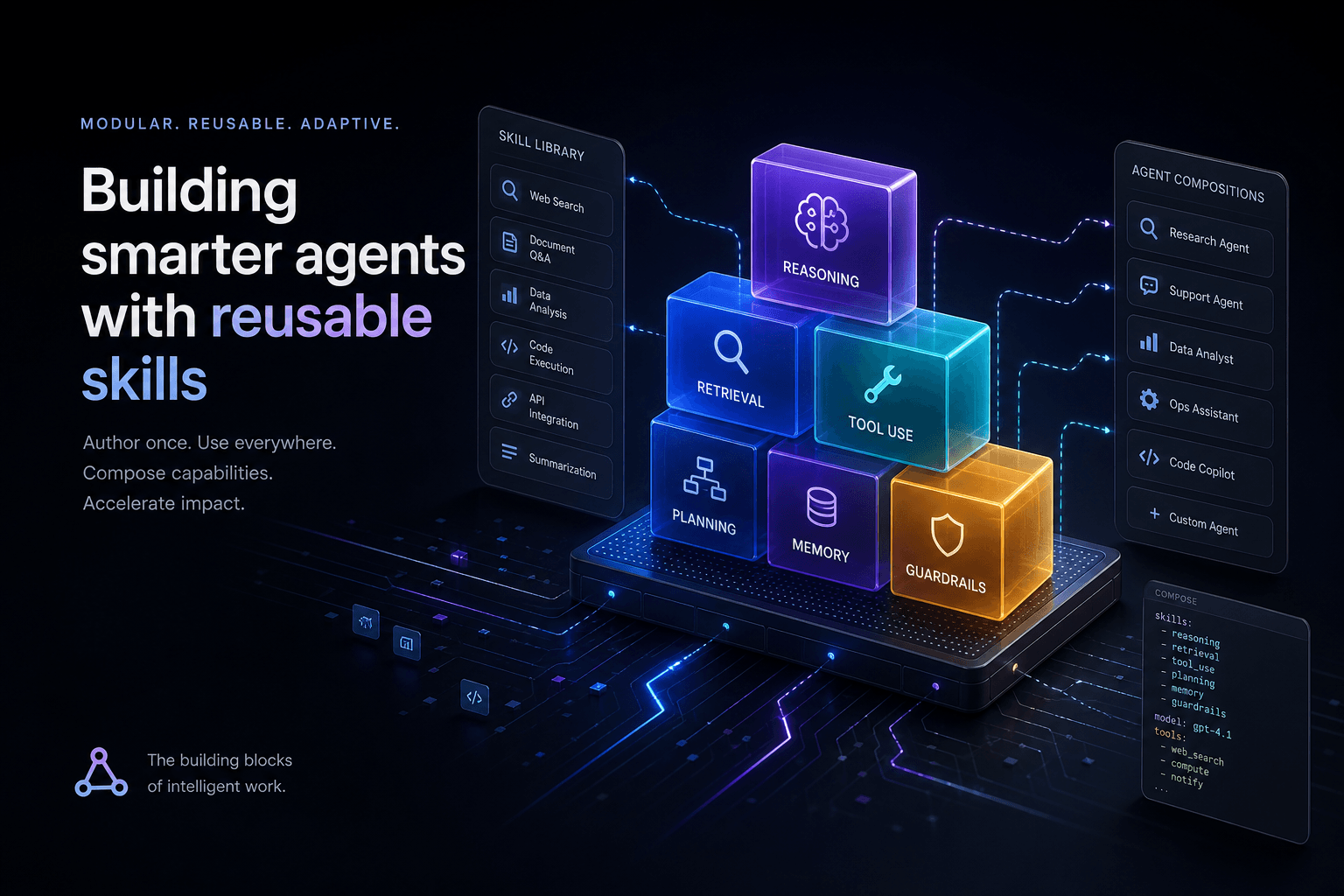
Claude Code Skills: The Complete Authoring Guide
The definitive guide to authoring Claude Code Skills. Learn how to build reusable agent capabilities that save hours and standardize quality across your projects.
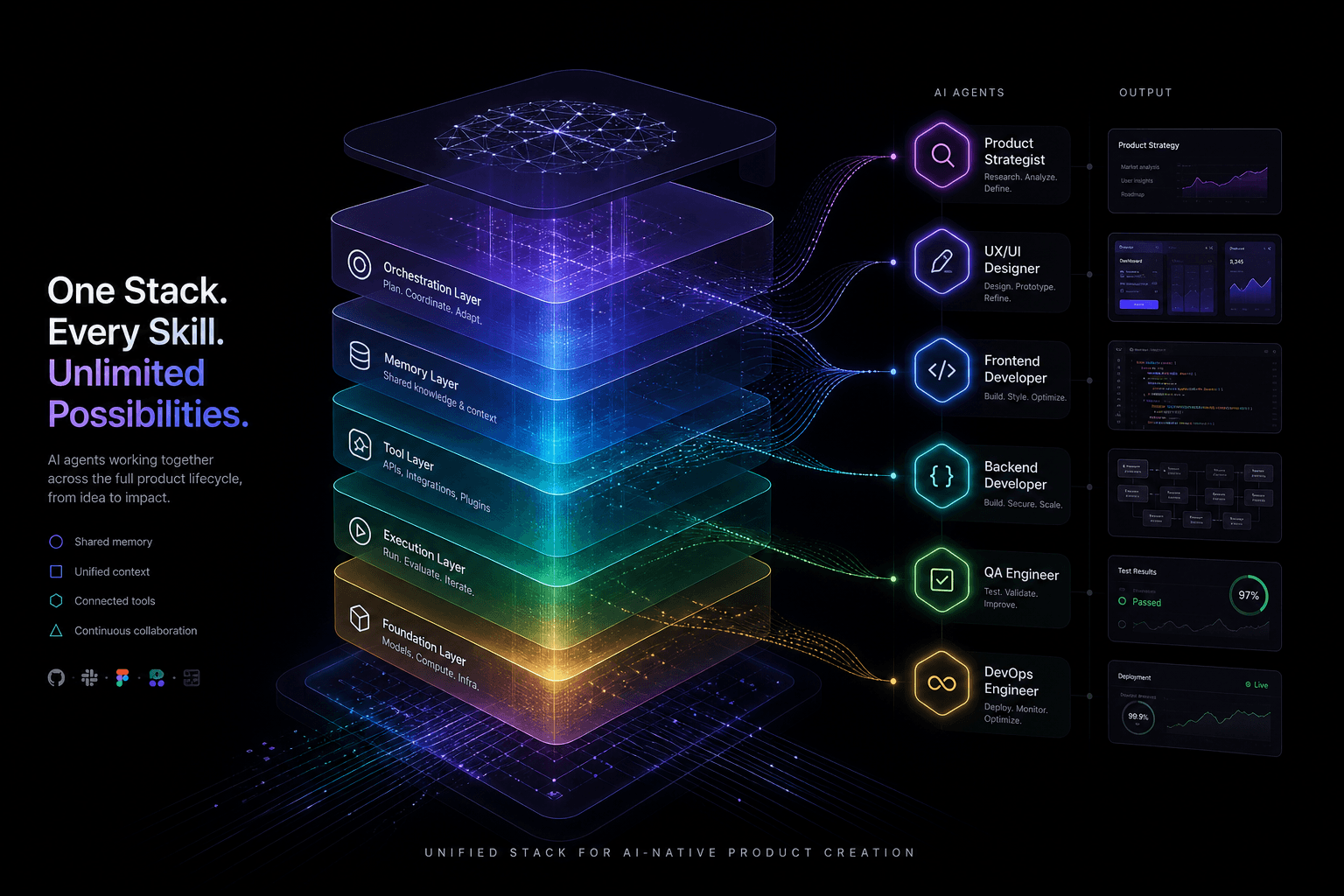
The Agentic Design Stack in 2026: Claude Code, Codex, AI Studio, Antigravity, Cursor, and Stitch Compared
The complete 2026 agentic stack comparison: which AI agent to reach for based on the job—design, build, review, or coordinate.
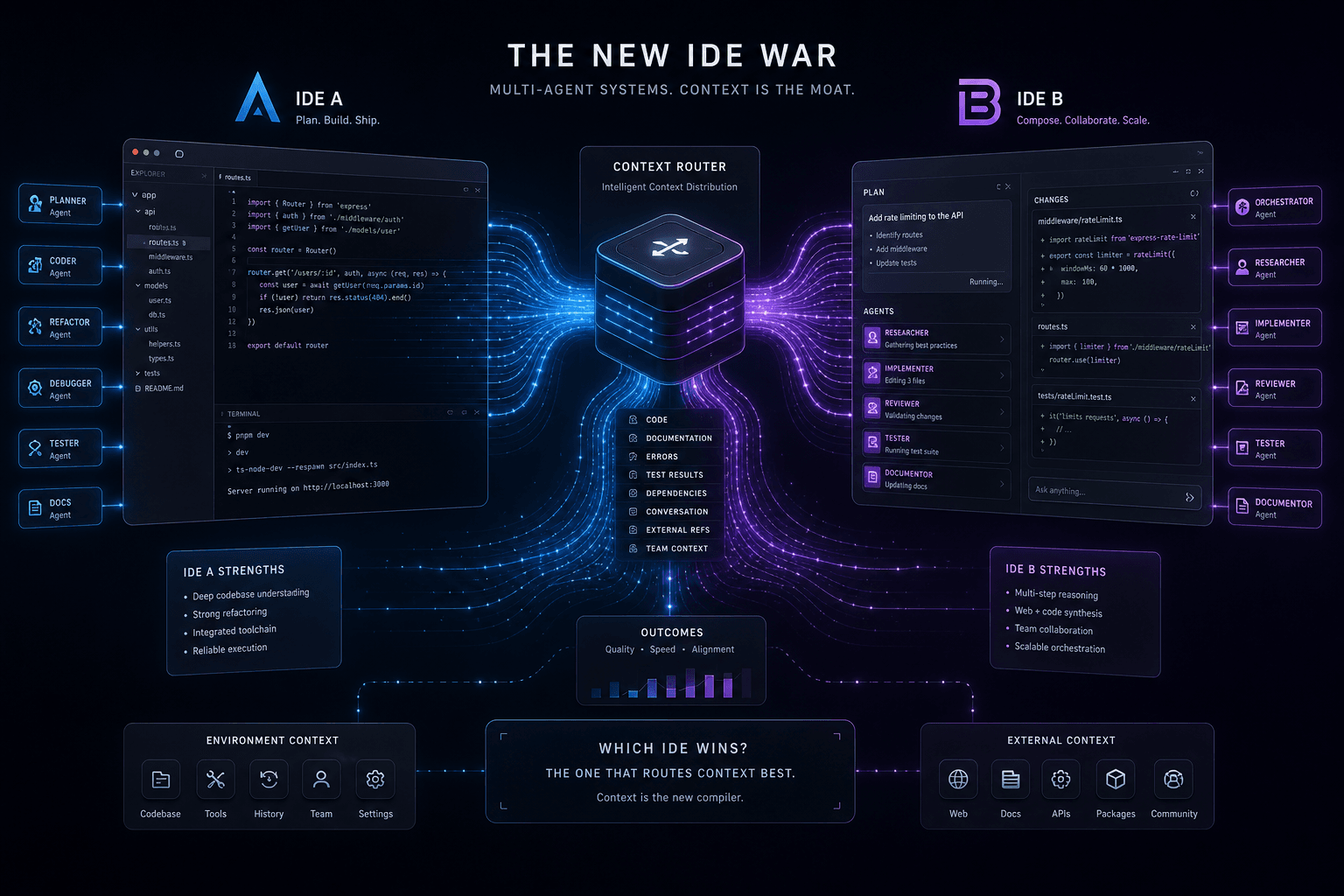
Antigravity vs. Claude Code: The Multi-Agent IDE Decision Framework for Context-Heavy Builds
The definitive 2-way decision framework for choosing between Google Antigravity and Claude Code on context-heavy builds. When to dump everything vs. scope tightly, and which tool handles browser-use, multi-agent orchestration, and handoffs better.




