Antigravity vs. Claude Code: The Multi-Agent IDE Decision Framework for Context-Heavy Builds

Table of Contents
Antigravity vs. Claude Code: The Multi-Agent IDE Decision Framework for Context-Heavy Builds #
Every AI coding assistant claims it handles large codebases and multi-file changes. Cursor is still the editor I actually live in every day because it's model-agnostic, lets me choose subagent models and workflow straight from the prompt, and gives me cloud agents when I want them. But once the question narrows to a context-heavy build where the real choice is Google Antigravity 2.0 vs. Claude Code, these are the two I compare most often.
I've shipped production code with both through multiple client projects in 2026. I've hit the wall with each. The wall just looks different. This post is my decision framework for choosing between them, not a broad feature comparison like my complete AI coding assistant showdown, but a focused 2-way analysis centered on the four factors that actually matter for context-heavy work: how they handle large context, browser integration, multi-agent orchestration, and session handoffs.
The TL;DR is simple but incomplete without the nuance that follows:
| Factor | Choose Antigravity | Choose Claude Code |
|---|---|---|
| Context strategy | When you need to dump 500K+ tokens and let the model find patterns | When you need precise, scoped context with surgical accuracy |
| Browser requirements | Visual verification, scraping, or UI testing is core to the task | The task is code-only or you have external browser tooling |
| Orchestration style | Visual monitoring of parallel subagents matters | File-based, terminal-native workflows are your preference |
| Handoff model | You want to fire-and-forget cloud agents | You want persistent project memory across sessions |
The rest of this post breaks down each dimension with the specific decision thresholds I've learned through actual usage—not marketing comparisons, but the criteria that determine success or failure on your specific codebase.
When You Reach for One vs. the Other: The Core Distinction #
Choose Google Antigravity 2.0 when context is the problem and browser integration is the solution. Choose Claude Code when orchestration depth and persistent project memory matter more than raw context volume.
The architectural divergence between these two tools runs deep. Antigravity is built on Gemini's long-context architecture—it was designed assuming you'll dump massive amounts of context and let the model pattern-match across it. Claude Code is built on Anthropic's agent philosophy—context is precious, precision beats volume, and subagents handle parallel work through deliberate orchestration rather than pattern recognition across giant dumps.
This isn't a matter of better or worse. It's a matter of fit. A 40-file Next.js refactor requiring visual verification against a live staging site? Antigravity wins. A distributed system refactor requiring 12 parallel subagents each with custom system prompts and tool access? Claude Code wins. The task characteristics determine the tool choice, not brand preference or habit.
The Context Problem: Long Dumps vs. Scoped Slices #
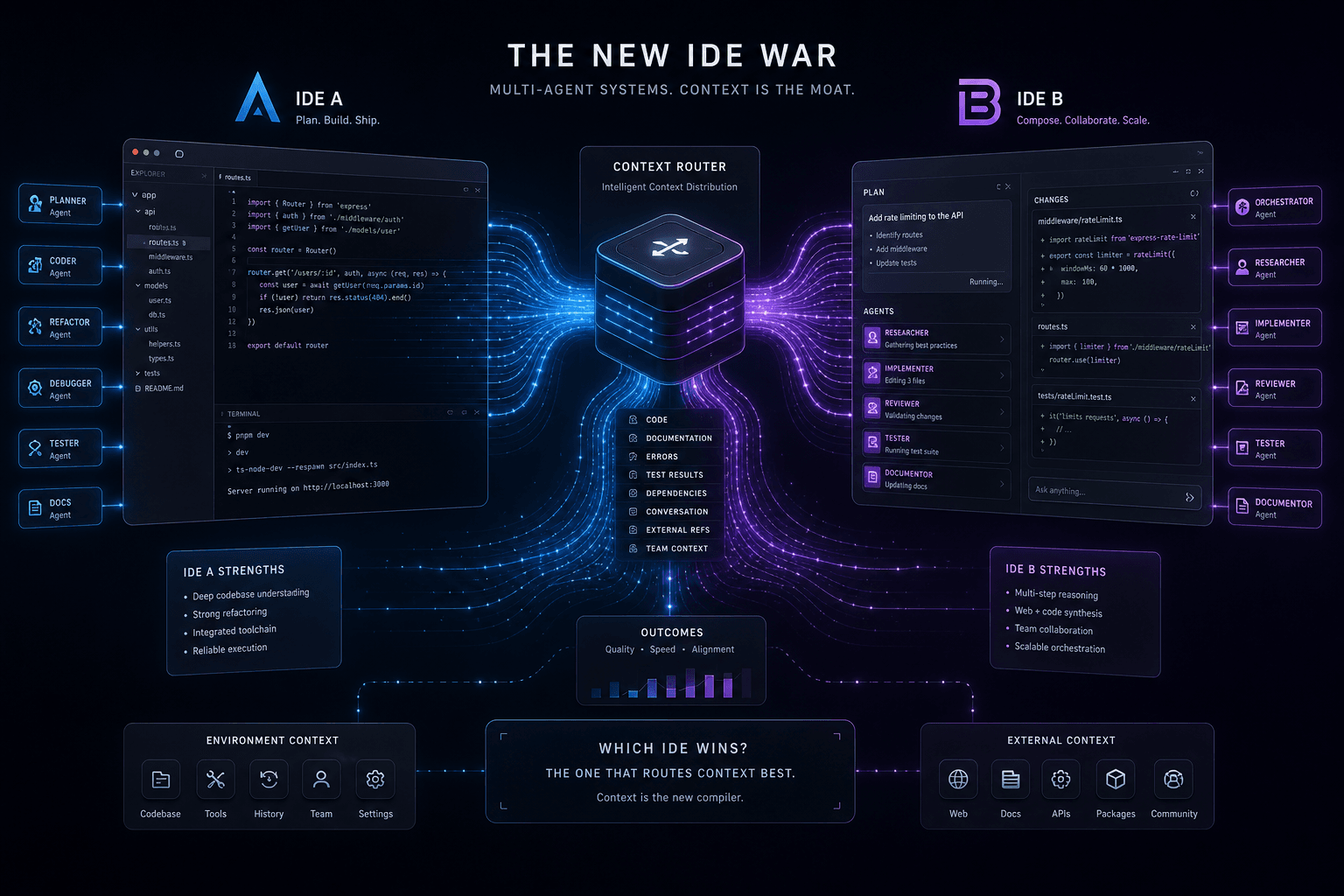
Antigravity treats context as volume: more corpus, broader patterns, more willingness to let Gemini hunt across the whole mess. Claude Code treats context as precision: staged inputs, scoped slices, and subagents with tighter briefs. The decision between them comes down to which context philosophy matches your task, not who has the prettier context-window number on the landing page.
Google's newly released Gemini 3.5 Flash (with the larger Gemini 3.5 Pro announced and expected next month) model that powers Antigravity ships with a 1 million+ token context window as of May 2026. Anthropic's Claude Opus 4.7 and Claude Sonnet 4.6 now also ship 1 million-token context windows on paid plans, while 200K is the older legacy/default number many people still quote. That fact update matters, but it does not make the two tools behave the same.
Antigravity's Long-Context Native Approach #
Antigravity's Agent Manager and CLI (agy) assume you'll feed it the whole codebase. The Gemini 3.5 Flash model underlying most Antigravity operations can ingest approximately 750K–1M+ tokens in a single context window, enough for:
- A complete medium-sized React/Next.js application (40–60 components, styles, tests)
- A full microservice backend with API routes, database models, and service logic
- A comprehensive documentation corpus—design specs, API docs, Notion exports, PDFs—alongside the code
The workflow is straightforward: you point Antigravity at a directory, a GitHub repo, or a Notion workspace export, and it ingests. The model pattern-matches across the entire corpus, finding relationships and inconsistencies that scoped approaches might miss. This is powerful for architectural work, dependency analysis, and refactoring across module boundaries where the right answer may be hiding in files you would never think to include manually.
I use this approach when:
- I'm unfamiliar with a codebase and need to understand the full architecture quickly
- The task requires identifying patterns across 30+ files (naming conventions, error handling patterns, API design)
- I'm refactoring a cross-cutting concern (logging, auth, error handling) that touches every layer
- The documentation and code need to be cross-referenced (design system implementation vs. Figma spec)
Claude Code's Scoped Context Philosophy #
Claude Code inverts the model. Rather than dumping everything first, you assemble context deliberately through:
- SKILL.md files: Domain-specific context modules loaded only when relevant
- @-mentions: Precise file and directory inclusion with
codebase,docs, or explicit paths - CLAUDE.md: Project-wide context that persists across sessions
- Hooks: Event-triggered context injection when specific file patterns change
The old "Claude Code is capped at 200K" story is out of date. The more useful way to think about it is this: even with a 1M paid-plan ceiling available, Claude Code still gets its best results when you stay deliberate about context assembly. Anthropic built the product around scoped inclusion, reusable project memory, and subagent handoffs. Broad dumps are possible now; selective context is still the native move.
I use Claude Code's scoped approach when:
- The task is bounded to a specific domain (API layer changes, database migrations, UI component work)
- I'm working iteratively and need the model to stay focused on the current slice
- Context pollution from irrelevant files would confuse the reasoning
- I want reproducible, documented context scoping via SKILL.md files in version control
The Crossover Point: When Scope Beats Volume #
The decision isn't purely about codebase size—it's about task type. Here's my crossover framework:
| Task Characteristic | Context Strategy | Preferred Tool |
|---|---|---|
| Greenfield architecture (new project, no existing patterns to respect) | Scoped—define the structure deliberately | Claude Code |
| Brownfield refactoring (change existing patterns across existing code) | Volume—find all instances and relationships | Antigravity |
| Cross-cutting concerns (auth, logging, error handling) | Volume—touch points are everywhere | Antigravity |
| Component isolation (single feature, bounded context) | Scoped—relevant files only | Claude Code |
| Documentation-heavy tasks (specs, requirements, external docs) | Volume—correlate docs with code | Antigravity |
| Precise implementation (exact API compliance, strict types) | Scoped—minimize distraction | Claude Code |
The practical threshold I've found: when a task touches more than 25-30 files, or when I can't predict which files matter without reading them first, Antigravity's volume approach usually wins the first pass. Below that threshold, or when I know exactly which files matter, Claude Code's precision produces cleaner results with less drift.
Both tools support the opposite approach to some degree—Antigravity has scoped blueprints, Claude Code can ingest larger contexts with @codebase—but the architectural bias of each tool shapes how naturally each approach works.
Browser-Use and Seeing the Page: Where Antigravity Pulls Ahead #
Antigravity's native browser integration is the decisive advantage for any task requiring visual verification or web interaction. Claude Code requires external tools; Antigravity bakes it into the agent architecture.
If the acceptance criteria include "open the page, click through it, and tell me what broke," Antigravity gets simpler fast. If the job ends at diffs, tests, and terminal output, Claude Code stays in the fight.
Antigravity's Built-in Browser Agent #
Antigravity's browser-aware agent matters because sight collapses the loop between implementation and verification. I can point an agent at a staging URL, attach screenshots or a brand PDF, tell it what "done" looks like, and let it click through the page while its coding sibling fixes what it finds. That is a very different operating mode from "here is a screenshot somebody attached after the fact."
The sweet spot is work where the browser is not just a proof layer but part of the task itself:
| Browser-heavy job | Why Antigravity fits |
|---|---|
| Responsive QA | The agent can inspect breakpoints, scroll states, and missing elements directly on the live page. |
| Visual regression checks | It can compare a reference screenshot or design export against what shipped. |
| Scraping and pattern capture | The same system can browse, collect, and hand findings back to implementation agents. |
| UI testing on staging | It can click real flows instead of reasoning from DOM snippets alone. |
In practice, I use Antigravity when I need a browser agent to do any of these four things at the same time: inspect, navigate, verify, and report. That is especially useful on marketing sites, immersive builds, and anything animation-heavy where the last 10% happens in the page, not in the repo. It's the same reason I point founders to Antigravity 2.0 Subagent Recipes when they need real browser-aware delivery instead of a purely terminal-native assistant.
Claude Code's Browser Workarounds #
Claude Code can absolutely participate in visual work, but it needs help. The typical stack is a browser MCP server, screenshots, DOM snapshots, test output, and a human who knows when the screenshots are enough. That is workable when the browser is secondary. It gets clumsy when the browser is the task.
Here's the practical difference:
| Claude Code visual workflow | What works | Where it drags |
|---|---|---|
| Browser MCP server | Good for structured browser actions if you've already wired the toolchain. | You are still assembling the capability yourself instead of inheriting it as the default. |
| Screenshots as context | Good for bug reports, spacing issues, and one-off reviews. | The model only sees the snapshots you bothered to capture. |
| Playwright or test artifacts | Good for repeatable regression checks. | Great for engineering confidence, weaker for visual taste and open-ended inspection. |
| Manual review loop | Good when a human is already in the chair. | Slower if you're trying to delegate the whole verify-fix-verify cycle. |
This is where the narrower Antigravity vs. Claude Code framing matters. In my actual day-to-day work, Cursor covers a lot of agentic and subagent use cases without forcing me to leave my main editor. But if I am specifically comparing these two for visual tasks, I reach for Antigravity first because it starts with a browser-capable agent instead of treating the browser like an add-on.
Decision Matrix: Visual Tasks #
The decision gets easy once you ask whether "seeing the page" is optional or mandatory.
| Task | Pick | Why |
|---|---|---|
| Fix a layout issue already documented with screenshots | Claude Code | The browser evidence already exists, so scoped implementation is enough. |
| Audit a landing page on staging and fix what the eye catches | Antigravity | The agent needs to browse, inspect, and verify on its own. |
| Port interaction patterns from a live competitor page | Antigravity | The browser is part of the discovery layer, not just the QA layer. |
| Refactor component logic after design is already approved | Claude Code | This is repo work, not browser work. |
| Run parallel browser checks across multiple routes | Antigravity | This is where its browser agents start pulling real weight. |
My rule is simple: if browser-use is a hard requirement, Antigravity is the default. If browser-use is just a nice final check, Claude Code can stay in the mix.
Multi-Agent Orchestration: Two Philosophies #
Antigravity feels like managing a squad from a control tower. Claude Code feels like dispatching specialists from inside the repo. Both can fan work out. The difference is where the control surface lives and how explicit you want each handoff to be.
Antigravity's Agent Manager Pattern #
Antigravity's Agent Manager is built around visible coordination. You see the agent list, the broad role split, the browser state, and the outputs coming back. That makes it strong for wide, exploratory work where you want multiple agents roaming different parts of the problem at once.
My default Antigravity fan-out looks like this:
- Discovery agent goes through the repo and surfaces the real dependency map.
- Browser agent checks the live page or target workflow if the task touches UI.
- Implementation agent applies the change once the map is clear.
- Review agent verifies the output against the brief, screenshots, or staging URL.
This pattern works because Antigravity assumes context abundance. I do not have to over-design each brief up front. I can give the manager a big objective, attach the repo and reference material, and let the agents divide the terrain.
Claude Code's Task Tool Architecture #
Claude Code takes the opposite path. Its Task tool architecture is built for smaller, sharper specialists with clear contracts: one agent reviews the diff, one agent rewrites docs, one agent checks a bounded subsystem, one agent verifies tool output. Skills, hooks, and CLAUDE.md turn those handoffs into repeatable operating rules.
That is why Claude Code punches above its weight on deep implementation work. It is the premium all-in-one Anthropic bundle: coding assistant, skills system, hooks, their own automation layer, and the broader always-on agent direction wrapped into one stack. It is complete and capable. It is also locked to Anthropic models at a premium price, which matters if you care about model choice or want cheaper subagents on routine tasks.
Where Antigravity says "here is the manager surface," Claude Code says "here is the repo surface." If your brain likes explicit briefs, file-based task slices, and durable project memory, that repo-native feel is a real advantage.
Comparing Fan-Out Patterns #
Here's how the same workload feels in each system: "audit a 40-file marketing site, fix the content model mismatch, and verify the live staging pages."
| Fan-out dimension | Antigravity pattern | Claude Code pattern |
|---|---|---|
| Primary control surface | Agent manager dashboard | Repo and terminal workflow |
| Best first move | Load big context, assign broad roles | Scope files, define specialists, dispatch tasks |
| Browser involvement | Native and central | External tooling and attachments |
| Agent briefs | Broader role prompts | Tighter, more explicit contracts |
| Best use case | Wide exploratory sweeps | Deep bounded refactors |
| Failure mode | Too much breadth without enough acceptance criteria | Too much setup if the task is still fuzzy |
I use Antigravity when the work benefits from broad fan-out before the problem is fully shaped. I use Claude Code when I already know the lanes and want stronger control over how each subagent behaves.
Handoffs and Session Continuity #
Antigravity is better when I want to throw a task over the wall for a while. Claude Code is better when I want the repo itself to remember how work should continue tomorrow. Both support handoffs, but they preserve continuity in different places.
Antigravity's Cloud Agent Handoffs #
Antigravity's cloud-agent model is built for asynchronous motion. I can hand it a repo, a staging URL, a stack of screenshots, and a clear acceptance list, then come back later to review what happened. That is useful when the task is long-running, browser-heavy, or just annoying enough that I do not want to babysit every intermediate step.
The handoff pattern is simple:
| Handoff element | What I give Antigravity |
|---|---|
| Objective | One crisp sentence with the business result, not just the code task |
| Context | Repo path, URLs, docs, screenshots, PDFs |
| Acceptance criteria | What must be true on the live page or in the output |
| Return format | Diff summary, issue list, verification notes |
The better this packet is, the more real autonomy you get. Antigravity rewards front-loaded context packaging because the cloud agent can keep moving without me.
Claude Code's Project Memory System #
Claude Code stores continuity closer to the project. CLAUDE.md, skills, and hooks act like institutional memory for the repo: naming rules, product constraints, review rituals, environment details, and trigger-based behavior all live near the code. That means I do not just resume a task; I resume a working relationship with a project that already "knows" how it should be handled.
That is powerful for client work where the same repo comes back week after week. Instead of rebuilding the brief every time, I keep durable instructions in the project and let the agent inherit them. This is why Claude Code remains appealing even now that the context-window gap is smaller than people think: the continuity story is not just about raw tokens. It is about memory shape.
The Human-in-the-Loop Question #
Neither tool removes the human. They just move the human to different checkpoints.
| Situation | Better fit | Why |
|---|---|---|
| You need true async progress while you do other work | Antigravity | The cloud handoff model is the point. |
| You want repeatable repo memory over weeks or months | Claude Code | CLAUDE.md, skills, and hooks compound over time. |
| You need visual taste calls, copy judgment, or final QA | Human stays in the loop | Neither tool replaces taste. |
| You need one system to run your whole daily agent workflow | Cursor | This is still why I live in Cursor day to day instead of treating either of these as my main home base. |
My rule here is blunt: delegate labor, not judgment. Let Antigravity carry long browser-heavy passes. Let Claude Code carry repo memory and scoped execution. Keep the final quality bar in human hands.
Prompt Direction Patterns: Context Assembly in Each Tool #
The quality ceiling in both tools comes from context assembly, not clever phrasing. The winning move is never "write a smarter prompt." It's "package the right context in the format that tool naturally wants."
The Antigravity Context Manifest #
Antigravity likes a big, explicit context packet. I treat it like a manifest: objective, sources, references, routes to check, and the outputs I want back. Because it is comfortable with large context windows, I can often hand it the raw materials instead of pre-editing them down to a tiny slice.
A good Antigravity brief looks more like this than a clever paragraph:
goal: "Fix the homepage build so the live staging page matches the approved brand direction"
repo: "./site"
urls:
  - "https://staging.example.com"
reference_media:
  - "./brand.pdf"
  - "./homepage-desktop.png"
  - "./homepage-mobile.png"
deliverables:
  - "ranked issue list"
  - "patched files"
  - "browser verification notes"
agents:
  - "architect"
  - "browser-checker"
  - "implementer"
That manifest style works because Antigravity is comfortable being pointed at whole surfaces: the repo, the live site, the screenshots, the source docs. The craft is in completeness and ordering, not minimalism.
The Claude Code Context Strategy #
Claude Code wants a staged context strategy. I usually give it four layers:
| Layer | What goes there | Why it matters |
|---|---|---|
| Root task prompt | The immediate objective and definition of done | Keeps the current loop sharp |
@-mentions |
Exact files, folders, or docs for this pass | Reduces drift from irrelevant context |
| Skills / hooks | Repeatable behavior and domain rules | Encodes how the project should be handled |
CLAUDE.md |
Durable repo memory | Preserves continuity across sessions |
The big mistake people make with Claude Code in 2026 is assuming the bigger paid-plan context window means they should suddenly stop curating inputs. I do the opposite. I use the extra headroom as safety margin, then still feed the model in slices because the product's real strength is deliberate sequencing.
Cross-Tool Context Portability #
Context is more portable than people think if you store it as artifacts instead of vibes.
| Artifact | Antigravity-friendly form | Claude Code-friendly form |
|---|---|---|
| Objective | Context manifest goal | Root task prompt |
| Repo map | Broad repo attachment | Focused file list and @-mentions |
| Visual references | URLs, screenshots, PDFs | Screenshots, notes, route list |
| Operating rules | Blueprint notes | Skills, hooks, CLAUDE.md |
| Verification output | Browser notes and issue list | Checklists and follow-up tasks |
If I start in Antigravity and move to Claude Code, I carry forward the issue list, route list, screenshots, and acceptance criteria. If I move the other direction, I convert my Claude Code working notes into a bigger manifest and let Antigravity take over the browser-heavy or discovery-heavy layer. This is also why I do not let tool identity become theology. The real asset is the context packet.
The Decision Matrix: Task-by-Task Breakdown #
Pick Antigravity for browser-aware discovery and broad pattern hunts. Pick Claude Code for scoped repo execution and durable project memory. Keep Cursor as the daily driver around both. That's the short version. The useful version is task-by-task:
| Work type | Best fit | Why |
|---|---|---|
| Unknown legacy repo audit | Antigravity | It is happier taking the whole dump and surfacing patterns you did not know to ask about. |
| Cross-cutting refactor across many layers | Antigravity | Broad context plus parallel discovery gives it a head start. |
| Live-site visual QA and fix loop | Antigravity | Native browser agents close the verify-fix-verify cycle. |
| Bounded subsystem refactor | Claude Code | Scoped context and specialist subagents stay tighter. |
| Long-running client repo with recurring rules | Claude Code | CLAUDE.md, skills, and hooks compound over time. |
| Prompt-first daily coding and mixed-model subagents | Cursor | This is still the cleanest home base if you want model choice and cloud agents. |
| Async queue-and-forget PR review | OpenAI Codex | I use Codex here before I reach for either Antigravity or Claude Code. |
If you want the fastest single question to ask, ask this one: is my biggest risk not seeing enough, or not scoping tightly enough? If the risk is missing the pattern, pick Antigravity. If the risk is drifting off the exact implementation lane, pick Claude Code.
Workflow Integration: How I Use Both #
I do not run my studio inside a false Antigravity-vs-Claude-Code binary. Cursor is my everyday model-agnostic driver, then I pull in Antigravity or Claude Code for the specialized passes they are unusually good at. That stack shape matters more than any one-vs-one winner.
Here's the actual flow I use on context-heavy builds:
| Phase | Tool I reach for | Reason |
|---|---|---|
| Daily implementation loop | Cursor | I can choose any model, direct subagent workflow in the prompt, and use cloud agents without switching ecosystems. |
| Broad discovery or browser-heavy validation | Antigravity | It sees the page and handles giant context packets well. |
| Scoped execution with durable repo memory | Claude Code | Skills, hooks, and CLAUDE.md make repeat passes cleaner. |
| Async PR review or queue-and-forget code passes | Codex | This is the niche where I want a cloud review lane, not an IDE loop. |
On a real client project, I might start in Cursor for the day-to-day build, switch to Antigravity to inspect staging and fan out browser-aware agents, then use Claude Code for a narrower cleanup pass where project memory matters. That does not mean I am indecisive. It means I am matching the tool to the bottleneck.
If you only take one workflow lesson from this post, make it this: you do not need to leave Cursor to get agentic or multi-agent work done. Antigravity is the specialist I bring in for browser-aware parallel validation. Claude Code is the specialist I bring in when Anthropic's all-in-one repo memory stack is the right fit.
Pricing Reality Check: Cost Models Compared #
The expensive part is not just tokens. It's wrong-tool loops, lock-in, and how much human babysitting the workflow creates. Raw model pricing matters, but the real bill shows up in how often you have to re-run a task because the tool's default philosophy fought the job.
I look at pricing in three layers:
| Cost layer | Antigravity | Claude Code | What I actually watch |
|---|---|---|---|
| Context-heavy runs | Usually friendlier when I need giant Gemini dumps repeatedly | Can get expensive fast once I am living inside Anthropic's premium stack | How often the task needs huge repeated passes |
| Platform shape | Strong when browser agents reduce manual QA time | Premium all-in-one bundle with clear lock-in to Anthropic models | Whether the bundle saves enough time to justify the lock-in |
| Human overhead | Lower on browser-heavy work because it can verify more by itself | Lower on recurring repo work because project memory compounds | Which tool removes the more expensive human loop |
Claude Code is complete. I get why people pay for it. But it has a real "lottery school" pricing vibe if you are buying into the entire Anthropic ecosystem while giving up model choice. Antigravity can be cheaper on giant-context work, especially when the browser agents save me another manual QA pass. Cursor stays my default daily seat partly because I do not like paying a lock-in tax unless the task clearly earns it.
The Verdict: Build Your Own Decision Framework #
Do not turn this into a brand loyalty fight. Keep Cursor as your daily driver if you want a model-agnostic agent stack, then choose Antigravity or Claude Code based on the bottleneck in front of you. Antigravity wins when the job needs browser-aware agents and broad pattern-finding across a huge context packet. Claude Code wins when the repo needs durable memory, scoped execution, and Anthropic's tighter task discipline.
My framework is this:
| If your biggest bottleneck is... | Reach for... |
|---|---|
| Unknown terrain across many files | Antigravity |
| Visual verification on a live page | Antigravity |
| Repeat work in the same repo with persistent operating rules | Claude Code |
| Everyday agentic development with model choice | Cursor |
| Async review with minimal babysitting | Codex |
That is the whole game. Match the tool to the failure mode. If you keep forcing every job through the same assistant, you'll mistake familiarity for fit. I would rather keep my daily work in Cursor, bring in Antigravity when I need parallel browser agents, and use Claude Code when the Anthropic bundle's memory system is worth the premium.
Frequently Asked Questions #
Which is better for large legacy codebases? #
Antigravity usually wins the first pass on large legacy codebases when you do not know where the dependencies are buried. It is happier swallowing a giant code-and-doc dump and surfacing patterns you did not know to ask about. Claude Code can now work with 1M-token paid-plan contexts too, but I still prefer it once I know the slice I want to change rather than when I am still hunting for the map.
Can Claude Code match Antigravity's browser capabilities? #
No, Claude Code is a terminal-native tool that requires external MCP servers or manual screenshots for visual verification. Antigravity ships with a native browser-use subagent that can click, scroll, and verify UI changes in real-time. If your definition of "done" includes checking the CSS on a live staging URL, Antigravity is the only tool that can close the loop autonomously.
How do the subagent systems compare for parallel tasks? #
Claude Code's Task tool is built for deep, file-based management across parallel workstreams. It handles complex handoffs between subagents with surgical precision, making it better for distributed system refactors. Antigravity's Agent Manager is more visual and better for monitoring broad, context-heavy moves, but it lacks the granular control that Claude's skill-based architecture provides.
Which tool is better for visual UI development? #
Antigravity is the clear winner for UI development because it can actually see what it's building. I've used it to verify GSAP timelines and Tailwind responsive breakpoints by letting the agent browse the local dev server. Claude Code is flying blind on the visual layer, which works for logic but fails for the "last mile" of UI polish.
Can I use both tools on the same project? #
I use both on the same project when the project actually needs both, and I still keep Cursor as the daily home base around them. I'll use Antigravity for the initial architectural dump and visual verification, then swap to Claude Code for the precise, iterative logic work where I need persistent project memory in CLAUDE.md. The context is portable if you package it as issue lists, screenshots, manifests, and acceptance criteria instead of keeping it in your head.
How do context limits affect practical usage? #
Less than people think at the headline level, more than people think at the workflow level. Both ecosystems now reach 1M-class context on current paid tiers, so the real difference is not "1M vs. 200K." The real difference is that Antigravity is built to treat giant context as the normal operating mode, while Claude Code is built to reward selective scoping, @-mentions, skills, and subagent briefs. One reduces curation. The other turns curation into a strength.
Which has better MCP integration? #
Claude Code was built from the ground up to treat MCP as a first-class citizen. The integration is one config line and it handles complex tool-calling across servers better than Antigravity's current implementation. While Antigravity supports MCP, it feels like an add-on compared to the terminal-native, tool-heavy philosophy of the Anthropic stack.
How do skills compare to blueprints? #
Skills are persistent, version-controlled context modules; blueprints are one-off task templates. I prefer skills because they live in my repo and get better with every session. Blueprints are great for standardizing how Antigravity agents approach a specific task, but they don't offer the same level of iterative project memory that a well-crafted SKILL.md provides.
Is Antigravity's browser-use reliable for production? #
It's reliable enough to handle 90% of visual verification tasks, but you still need a human for the final 10%. It can catch broken layouts or missing elements on a staging site, which saves me hours of manual checking. Just don't expect it to have "taste"—it can verify that a button exists and is the right hex code, but it won't tell you if the animation feels right.
Which tool should I learn first as a solo developer? #
If you're only deciding between these two, learn the one that matches the next real job on your plate: Antigravity for browser-heavy big-context work, Claude Code for scoped repo-native multi-agent work. I would not call Claude Code the universal first pick, and I definitely would not tell a solo developer to ignore Cursor. My actual everyday recommendation is still Cursor as the daily driver, then Antigravity or Claude Code as the specialist layer when the work calls for them.
How do handoffs work in each system? #
Antigravity uses a cloud-agent model where the work happens in a persistent remote environment. You can fire off a task and check back later, which is great for long-running refactors. Claude Code is more terminal-bound; it's designed for a tight loop between your local machine and the agent, with CLAUDE.md serving as the handoff mechanism between sessions.
What's the pricing comparison for heavy usage? #
Antigravity is usually easier on the budget when I am running repeated giant-context passes, while Claude Code gets expensive faster if I buy into the full Anthropic bundle for heavy daily use. The important comparison is not just token math. It is whether browser agents or project memory save enough human time to pay for themselves. I use Antigravity for the heavy browser-aware lifting, Claude Code for narrower high-value passes, and Cursor for most daily work so I do not pay lock-in costs unless the task clearly earns them.
Related Reading #
- The Complete AI Coding Assistant Showdown — My comprehensive analysis of the 2026 landscape across all major IDEs and agents.
- Antigravity 2.0 Subagent Recipes — How to wire up parallel workstreams and browser-use agents for high-speed delivery.
- Claude Code Subagents Masterclass — Advanced orchestration patterns using the Task tool and custom SKILL.md modules.
If you're ready to stop fighting your tools and start shipping, let's talk. I help solo founders and small teams architect agentic systems that actually work in production. Book an AI automation strategy call and we'll map out a stack that fits your codebase, your context limits, and your delivery goals.
Related Posts
Claude Code Skills: The Complete Authoring Guide
The definitive guide to authoring Claude Code Skills. Learn how to build reusable agent capabilities that save hours and standardize quality across your projects.
The Agentic Design Stack in 2026: Claude Code, Codex, AI Studio, Antigravity, Cursor, and Stitch Compared
The complete 2026 agentic stack comparison: which AI agent to reach for based on the job—design, build, review, or coordinate.
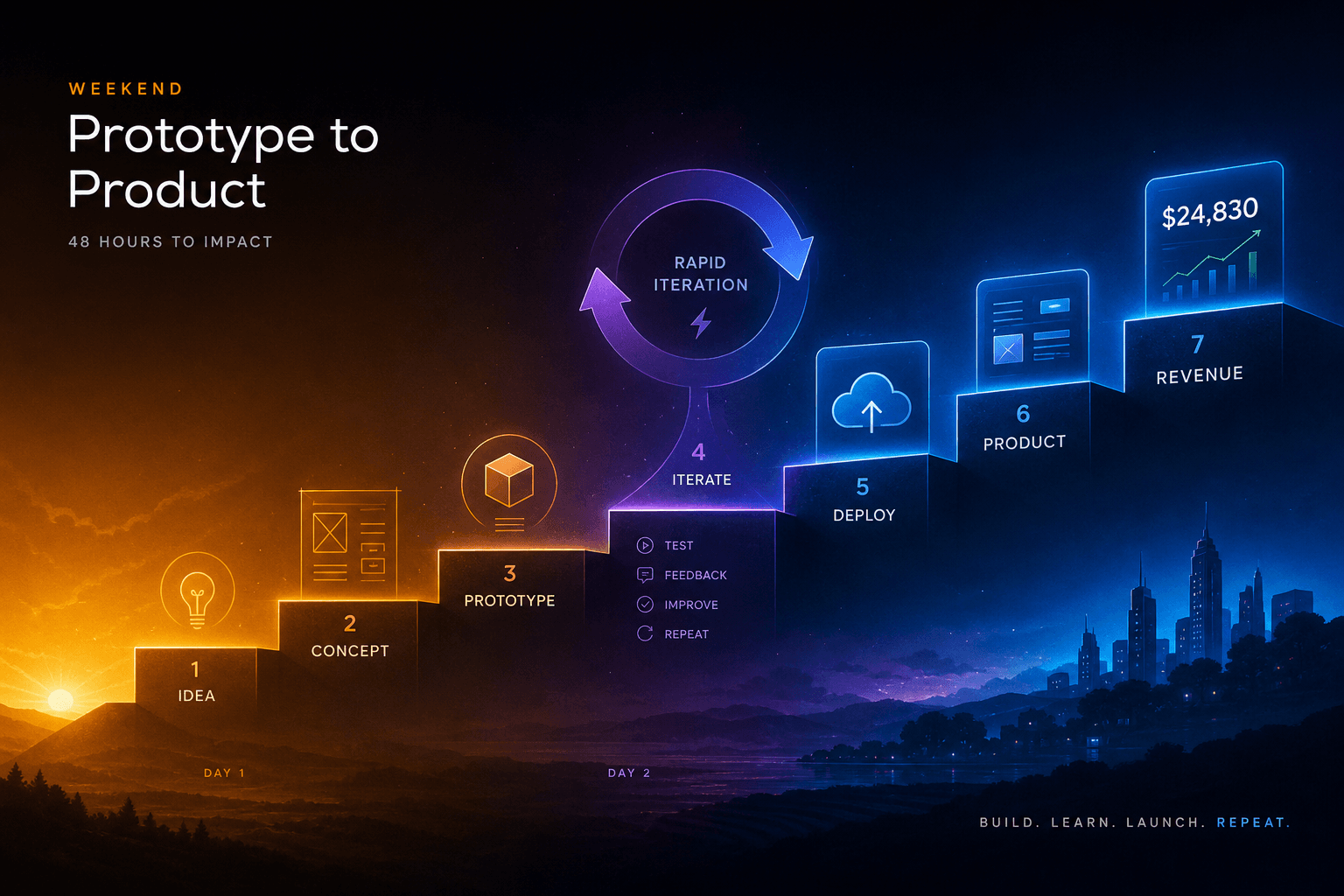
The Vibe-Code-to-Revenue SOP: Going From Idea to Deployed App in One Weekend with AI Studio + Antigravity
The complete weekend SOP for shipping from AI Studio prototype to Antigravity-hardened production app with real payments. Hour-by-hour playbook for founders who ship.