The Agentic Design Stack in 2026: Claude Code, Codex, AI Studio, Antigravity, Cursor, and Stitch Compared

Table of Contents
The Agentic Design Stack in 2026: Claude Code, Codex, AI Studio, Antigravity, Cursor, and Stitch Compared #
The 2026 AI stack is no longer about picking one tool. It's about knowing which agent to reach for based on the job: design, build, review, or coordinate. After running hundreds of production workflows across these six systems, here's the decision matrix that actually maps jobs to winners.
I'm William Spurlock—AI automation engineer and custom web designer running a hybrid studio on these tools daily. This post covers the complete agentic design stack as of May 2026, from UI generation to production deployment. If you're trying to decide where to invest your attention (and budget), this is the guide I wish existed six months ago.
For a deeper four-way comparison focused purely on coding assistants, see my complete AI coding assistant showdown. This post adds the design layer—Stitch, AI Studio, Antigravity—and frames everything as an assembled stack rather than a single-tool choice.
The New Reality: Six Specialists, Not One Generalist #
Stop trying to find the "best" AI coding assistant. In 2026, the question is which specialist wins for this specific job. I run a hybrid AI automation + web design studio. My stack has six seats, not one.
The landscape shifted dramatically in early 2026. Google launched Antigravity 2.0 at I/O on May 19, transforming from a single IDE into a five-surface agent platform. Google Stitch matured from a single-screen demo into a multi-screen design canvas with voice input and real-time collaboration. OpenAI shipped Codex with async review capabilities that actually work in CI/CD. Claude Code doubled down on its skill + hook architecture. Cursor kept refining the in-editor experience.
The result: six distinct tools with clear sweet spots and sharp edges. Cursor and Claude Code go head-to-head for the coding seat—I run Cursor because it's model-agnostic and I can hand each subagent its own model and workflow straight from the prompt. Trying to use Codex for real-time pair programming wastes its async strengths. Using Stitch for backend API design is asking a painter to do plumbing.
This post maps the six-agent stack I've assembled for production work. Each section covers what the tool wins at, when to reach for it, and—critically—what context to feed it for best results. No code blocks, no syntax tutorials. Just the prompts and context assemblies that drive outcomes.
The Master Decision Matrix: Job → Best Agent #
This table is the entire post distilled. Bookmark it. Everything after is nuance and context.
| Job | Best Agent | Why It Wins | Key Context to Feed It |
|---|---|---|---|
| UI design from brief/concept | Google Stitch | Generates complete design systems from natural language, voice, or sketches; exports to Figma, HTML/CSS, React | Conversion goal (not layout specs), brand PDF/moodboard, reference screenshots |
| Design-to-production handoff | Google AI Studio | Bridges visual design to working code; Gemini long context handles brand docs + design files together | Design export, brand guidelines PDF, component requirements |
| Daily + agentic coding | Cursor | Model-agnostic (run any model), per-subagent model + workflow control from the prompt, cloud agents, tab model + Composer | .cursorrules, current file context, screenshots, per-agent model/workflow specs |
| Multi-file refactor | Cursor Composer | 200K context window, handles repo-wide changes with rules-based scoping | Target files list, refactoring rules, test expectations |
| Subagents + cloud-run coding | Cursor | Spawn subagents and assign each its own model and workflow; offload long jobs to cloud agents | Subagent model/workflow specs, task decomposition, repo context |
| All-in-one premium platform | Claude Code | Bundles coding, skills, hooks, and Anthropic's own automation + agent layer into one package—complete, but locked to Anthropic models at a premium cost | CLAUDE.md, skill definitions, hooks |
| Async code review | OpenAI Codex | Purpose-built review mode; runs in background via --background; GitHub integration |
PR diff, base branch, review focus areas, acceptance criteria |
| Multi-agent parallel work | Google Antigravity | Runs up to 5 agents simultaneously; browser-use via Chrome extension; scheduled tasks | Agent definitions, task decomposition, browser extension enabled |
| Research + implementation | Antigravity | Browser subagent can navigate, test, capture screenshots while code agents build | Live site URLs, test scenarios, visual regression criteria |
| Project memory + context store | Notion | Persistent docs, specs, meeting notes that all agents can reference; AI triage | Project briefs, specs, meeting transcripts, decision logs |
| Cross-tool coordination | Claude Code + Notion | Claude skills can read/write Notion; maintains continuity across sessions | Notion page URLs as context, structured task lists |
The pattern here: no single agent wins every fight. Stitch generates UI but doesn't build production backends. Cursor codes beautifully and runs subagents on any model, but doesn't research across the web. Antigravity coordinates parallel browser work but needs more setup. The power comes from knowing which tool to reach for—and what to feed it.
Design Agents: Google Stitch and AI Studio #
When the job is UI design—going from concept to visual system—Stitch and AI Studio are the only tools that actually understand layout, hierarchy, and brand. Coders should not be forcing design out of code agents.
Design and coding are different jobs. In 2025, we all tried to make Cursor generate beautiful UI from text descriptions. It worked, barely, with enough prompt massaging. In 2026, that's the wrong tool for the job. Google built Stitch specifically for this transition—from intent to visual system—and AI Studio for the handoff to production code.
Both tools sit in Google's ecosystem but serve different phases. Stitch is the design studio. AI Studio is the bridge. One generates the vision; the other generates the markup that implements it. Using them together is the fastest path from "I need a landing page that converts" to shipped code.
Key differentiator from code agents: these tools understand visual hierarchy, brand systems, and conversion psychology. They don't just generate markup—they generate design decisions with rationale you can review, reject, or refine.
Google Stitch: From Brief to UI in Minutes #
Stitch wins when you have a text brief and need a complete UI system fast. Feed it your conversion goal, not your layout preferences.
Google Stitch launched publicly at I/O 2025 and matured significantly with Stitch 2.0 in March 2026. The current version (as of May 2026) runs at stitch.withgoogle.com and offers features that no other tool matches for rapid UI generation:
What Stitch does uniquely well:
- Multi-screen generation: Up to 5 interconnected screens in a single prompt, with logical navigation flows built automatically
- Voice input: Speak your brief aloud; the AI interviews you to clarify goals
- DESIGN.md export: A portable markdown file capturing your design system (colors, typography, spacing) that any agent can read
- Figma export: Editable frames with preserved layout structure—not just flat images
- Code export: HTML/CSS, Tailwind CSS, React components, Vue code
The "vibe design" approach: Instead of specifying "put the CTA button here, use this color," you describe the emotional goal: "I want users to feel confident and secure when signing up." Stitch interprets that intent and generates designs accordingly. The results are often better than what you would have specified manually because the AI understands conversion patterns you might not consciously know.
Pricing (May 2026): 350 Standard generations and 200 Experimental generations per month on the free tier. Pro tier at $20/month removes limits. Compare that to Figma's professional plan at $15/editor/month—Stitch is a no-brainer for early-stage design exploration.
What to feed Stitch for best results:
- Conversion goal first: "I need a landing page that drives demo bookings for a B2B SaaS product"
- Brand context: Upload a brand PDF, moodboard images, or reference screenshots
- Voice clarification: Use voice mode to answer the AI's questions about audience, tone, and priority actions
- Annotated feedback: Screenshot the generated design, mark changes, upload with notes
When to reach for Stitch:
- Early concept exploration (generate 10 directions cheap, pick 1)
- Design system scaffolding (colors, typography, component hierarchy)
- Multi-screen flows (onboarding, checkout, dashboards)
- Rapid client pitches (shareable links, instant iteration)
When NOT to use Stitch:
- Backend architecture or API design (it doesn't do logic)
- Complex interaction design requiring custom animations (export to Figma, then Cursor)
- Production code requiring specific framework constraints (use AI Studio for the handoff)
Stitch outputs the vision. The next step is either Figma for polish or AI Studio for code generation. Don't expect Stitch to ship production React—it generates the blueprint that production tools implement.
Google AI Studio: Design-to-Production Handoff #
AI Studio is the bridge from visual design to working code. Use it when you have a brand PDF, moodboard, or reference site and need production-ready markup.
Google AI Studio sits at aistudio.google.com and serves a specific purpose that no other tool in the stack matches: Gemini's 1 million token context window combined with native multimodal input. You can upload a 50-page brand guidelines PDF, a Figma export zip, three reference website screenshots, and a voice memo describing the project—and AI Studio processes all of it as a single context assembly.
What AI Studio does uniquely well:
- Long-context design handoffs: Feed it a Stitch export, a brand PDF, and component requirements; it generates the React/Tailwind implementation
- Multimodal prompting: Combine images, PDFs, and text in a single prompt without the context window anxiety that plagues other tools
- Structured output: Native JSON mode for generating design tokens, component props, and content schemas
- Grounding with Google Search: Verify generated recommendations against current best practices without leaving the tool
The "vibe code" reality: In early 2026, the term "vibe coding" became shorthand for "describe what you want and let the AI figure out the implementation." AI Studio is where that actually works for production sites. Not because the code is perfect on first generation—it rarely is—but because the iteration loop is so fast. You paste a screenshot of the generated site, describe what's wrong, and get a revised implementation in seconds.
Pricing (May 2026): Free tier includes 1,500 requests/day with the Gemini 3.5 Flash model. Paid tier at $20/month (Google AI Pro) increases rate limits and adds enterprise features. This is substantially cheaper than the compute costs you'd burn iterating in other environments.
What to feed AI Studio for best results:
- Stitch export or Figma file: The visual design system as starting point
- Brand guidelines PDF: Colors, typography, spacing rules as constraints
- Reference screenshots: "Match this section from stripe.com" or "Avoid this pattern I saw on a competitor"
- Component inventory: "I need these 7 components: hero, feature grid, pricing table, testimonial carousel, FAQ accordion, CTA section, footer"
- Framework constraints: "Use React, Tailwind CSS, shadcn/ui components, Next.js App Router"
The AI Studio → Antigravity handoff: Once AI Studio generates the initial markup, the move to Antigravity (which we'll cover later) is immediate. Export the code, open in Antigravity, and use the multi-agent system to refine, test, and extend. This handoff is where Google Studio shines as a true platform rather than a collection of point tools.
When to reach for AI Studio:
- Converting visual designs to component code
- Generating content schemas and data structures
- Building marketing sites from brand PDFs
- Creating prototype implementations for stakeholder review
When NOT to use AI Studio:
- Real-time pair programming (too slow, too web-based)
- Complex backend logic requiring iterative debugging
- Multi-file refactors across large existing codebases (use Cursor or Claude Code)
AI Studio is the design-to-code bridge. It doesn't replace Stitch (which comes before) or Cursor (which comes after for polish). It owns the translation layer between visual intent and working implementation.
Build/Refactor Agents: Cursor and Claude Code #
When the job is writing, editing, or refactoring code, Cursor and Claude Code are the two real contenders—and they're direct competitors. The difference isn't context budget. It's philosophy: Cursor is open and model-agnostic; Claude Code is a premium all-in-one package locked to Anthropic's models. I run Cursor.
Cursor: My Pick for Daily and Agentic Coding #
Cursor is what I reach for across daily coding, subagents, and agentic work—because it doesn't lock me to one vendor's models. I run any model, assign each subagent its own model and workflow right in the prompt, and push long jobs to cloud agents. The tab model and Composer are still unmatched for editor-native iteration on top of all that.
Cursor, made by Anysphere, has become the default editor for developers working with AI. Not because it's the newest—it's been around since 2023—but because the iteration speed on in-editor features outpaces everyone else. As of Cursor 1.8 (May 2026), the tool has three killer features that no competitor matches for day-to-day coding:
Tab model completion: Cursor's predictive tab completion is trained on your codebase and understands context across files. It doesn't just autocomplete the current line—it predicts the next 3-5 edits you probably want to make based on patterns it has learned from your project. This sounds like a small feature until you experience it. A 200-line component that might take 15 minutes to write manually comes together in 4-5 minutes with aggressive tab-accepting.
Composer for multi-file changes: The Composer interface (Cmd+I) is where Cursor separates from standard IDE experiences. You describe a change that spans multiple files—"add a new API endpoint with validation, error handling, and a corresponding React hook"—and Cursor generates the full implementation across all relevant files. The 200K context window (as of May 2026) handles most mid-size refactors in a single pass.
MCP integration: Cursor's Model Context Protocol support lets you wire external tools directly into the editor. Connect to your Notion docs, GitHub issues, or custom databases. The agent can read from and write to these sources without you leaving the editor context. This is the foundation of the context-first workflow: your specs live in Notion, your code lives in Cursor, and the agent moves between them.
The .cursorrules file: This is Cursor's answer to Claude Code's CLAUDE.md—a standing context file that every prompt inherits. I keep mine scoped to project conventions: naming patterns, preferred libraries, testing requirements. It saves the repetition of "use TypeScript strict mode" or "prefer functional components" on every prompt.
Any model, per-subagent, from the prompt: This is the real reason I prefer Cursor over Claude Code for agentic work. I'm not married to one vendor's models. I point Cursor at whatever model fits the job, and when I spawn subagents I specify the model and the workflow each one runs directly in the prompt—a cheap model for the grunt search, a stronger one for the synthesis pass. Cursor's cloud agents then let me kick off long-running work that keeps going after I close the laptop. Claude Code runs subagents too, but only on Anthropic's models and only inside Anthropic's bundle. That flexibility gap is the whole ballgame for me.
Pricing (May 2026): $20/month for Pro, which includes unlimited completions and Composer usage. There's a free tier with 2,000 completions/month and limited Composer requests. For professional use, the Pro tier is non-negotiable.
What to feed Cursor for best results:
.cursorrulesfile: Project conventions and constraints as standing context- Screenshots for UI work: Paste a screenshot directly into the chat; Cursor sees it and implements matching markup
- Current file context: The active file and recent files are automatically included—no need to paste code
- MCP connections: Wire up your Notion, GitHub, or other sources for broader context access
The Composer context budget: Cursor's 200K context window sounds large, but it fills fast on big refactors. The skill is learning to scope your requests: "refactor these 12 files" not "refactor this 500-file codebase." For larger moves, use Claude Code with subagents (covered next) or break the work into sequenced Composer sessions.
When to reach for Cursor:
- Daily coding, debugging, and iteration
- UI implementation from screenshots or descriptions
- Multi-file refactors under 100K tokens of context
- MCP-connected workflows requiring external data
When NOT to use Cursor:
- Pure async PR review you want to queue and forget (hand that to Codex)
- Heavy browser-research-plus-build sweeps where Antigravity's parallel browser agents earn their keep
- When a client specifically wants the all-in-one Anthropic bundle and is fine paying for it
Cursor is my daily and agentic driver. It's the tool I keep open all day—coding, spawning subagents on whatever model fits, kicking off cloud runs. The other agents in this stack supplement it; none replace it for the core coding loop.
Claude Code: The Premium All-in-One Package #
Claude Code is Anthropic's all-in-one play—coding, skills, hooks, subagents, and increasingly their own automation and agent layer, all in one bundle. It's a complete package and it's genuinely capable. The catch: you're locked to Anthropic's models and you pay a premium "lottery school" price for the convenience of one vendor owning the whole loop.
Anthropic's Claude Code is not an editor plugin. It's a terminal-native agent that operates on your entire codebase with durable memory, subagent orchestration, and a skill system that extends its capabilities. Released in public beta in early 2025 and refined through 2026, Claude Code has become the choice for tasks that don't fit in a single editor session.
What Claude Code does uniquely well:
- Durable project memory: The
CLAUDE.mdfile persists across sessions. Explain your architecture once; reference it forever - Subagent orchestration: Farm out parallel tasks to cheap models, then synthesize results
- Skill system: Package reusable capabilities as SKILL.md files that auto-trigger based on context
- Hook system: Attach behavior to agent lifecycle events (start, before/after tool use, completion)
- Multi-session work: Start a refactor, close your laptop, resume the next day with full context intact
The subagent pattern: Claude Code's most powerful feature for large-scale work is the ability to spawn subagents. Imagine you need to audit 200 files for a deprecated API usage. In Cursor, you'd manually work through them or risk a context overflow. In Claude Code, you spawn 10 subagents, assign 20 files each, and have them report back. The parent agent synthesizes the findings into a unified report. This pattern is what makes Claude Code viable for work at scales that would choke other tools.
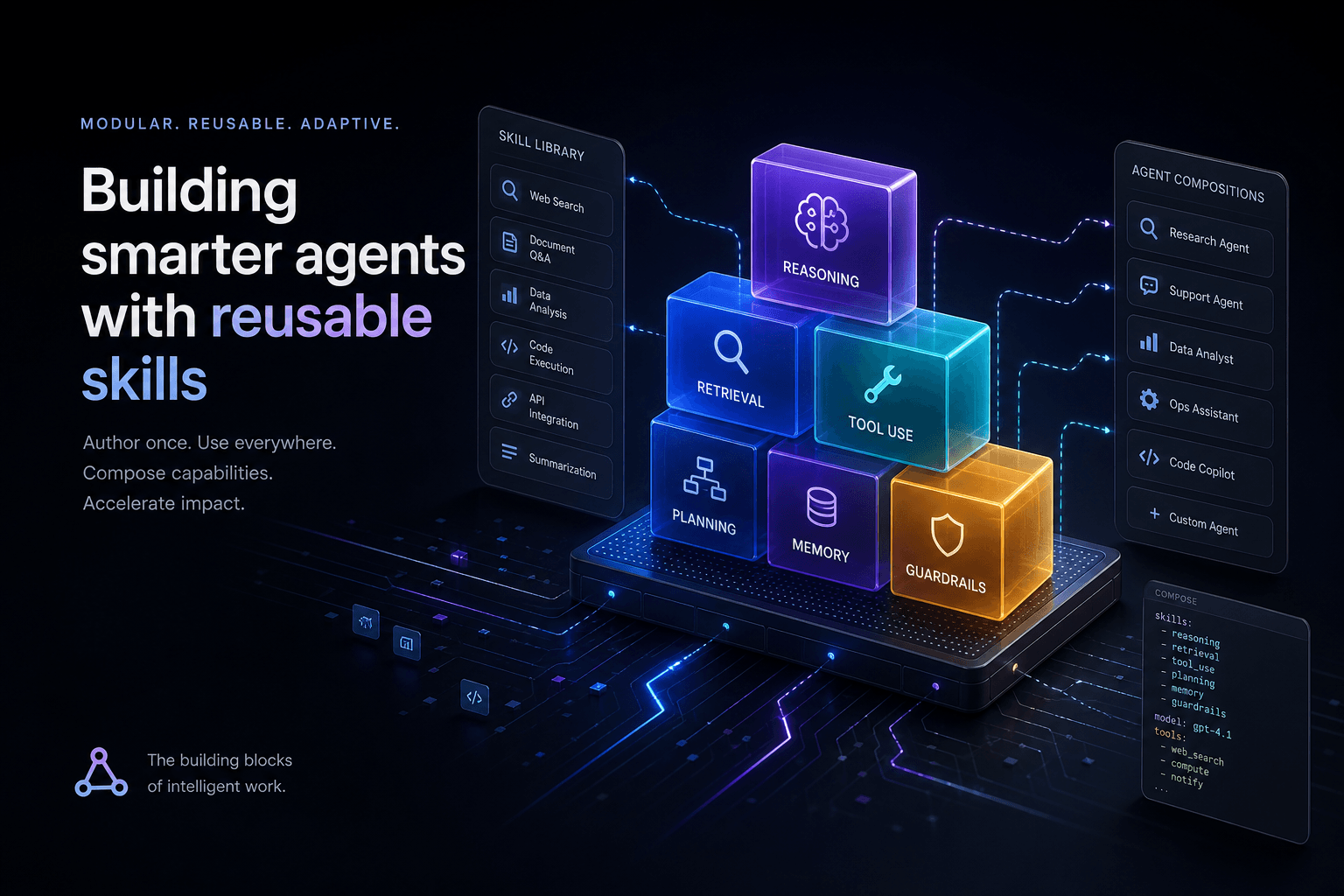
Skills and hooks as automation: A SKILL.md file is a scoped capability—like "refactor React class components to hooks" or "generate migration SQL from model changes." Hooks let you automate behavior: "before every file edit, run the linter" or "after completing a task, update the Notion task status." Together, they turn Claude Code from a coding assistant into a programmable automation platform.
Where Anthropic is taking it: Claude Code is no longer just a coding agent. Anthropic is building out their own automation layer—their answer to n8n-style workflows—and their own autonomous agent solutions (the OpenClaw-style always-on loop) inside the same product. That's the all-in-one bet: one vendor, one bill, the whole stack from coding to automation to agents. It's powerful, and it's a lot of lock-in. You're not assembling a stack anymore; you're renting Anthropic's.
Pricing (May 2026): Claude Code is free to use; you pay for API calls to Anthropic's models. On the Anthropic API, Claude Sonnet 4.6 costs $3/million input tokens and $15/million output tokens. For heavy use, the Max plan at $100/month provides 5x rate limits. Most solo practitioners find the pay-as-you-go model sufficient.
What to feed Claude Code for best results:
CLAUDE.md: Comprehensive project context—architecture, conventions, constraints- Skill definitions: SKILL.md files for recurring task types
- Hooks configuration: Automate repetitive context-loading and status-update tasks
- Subagent specifications: Clear task descriptions for parallel work distribution
The context manifest pattern: For complex jobs, I create a context-manifest.md listing the files, URLs, and resources relevant to the current task. Claude Code reads this first, then knows exactly where to look. This is context engineering in practice: instead of hoping the agent finds the right files, you tell it explicitly.
When to reach for Claude Code:
- Multi-session projects requiring memory across days
- Large-scale refactors spanning 50+ files
- Automation requiring lifecycle hooks and skills
- Parallel work that would overflow single-agent context windows
- Cross-tool coordination (Notion, GitHub, external APIs)
When NOT to use Claude Code:
- Quick in-editor iteration (slower than Cursor)
- Real-time pair programming (terminal-based, not editor-native)
- Tasks requiring immediate visual feedback (use Cursor or Stitch)
Claude Code is the complete package for teams that want everything in one bundle and don't mind the Anthropic lock-in or the premium bill. For me, the model flexibility and per-subagent control in Cursor win out—I'd rather assemble my own stack than rent one vendor's. If you genuinely value one company owning the whole loop from code to automation to agents, Claude Code is the strongest all-in-one on the market. Just know what you're trading away to get it.
Async Review Agent: OpenAI Codex #
Codex is not a pair programmer. It's a reviewer you hand a PR to and check back on later. Its sweet spot is code review and long-running tasks that don't need real-time feedback.
OpenAI's Codex, released in May 2025 and refined through early 2026, occupies a distinct niche in the agentic stack. Unlike Cursor (in-editor, real-time) or Claude Code (terminal-based, multi-session), Codex is designed for background execution. You submit a task, it runs in OpenAI's cloud, and you review the results when it's done.
What Codex does uniquely well:
- Async code review: Feed it a PR diff, base branch, and review criteria; get structured feedback in minutes
- Background task execution: Start a long-running task, disconnect, check back later
- GitHub integration: Native connection to PRs, issues, and repository context
- Cloud compute: No local resource constraints; let OpenAI's infrastructure handle the work
- Review mode vs agent mode: Purpose-built interfaces for code review (structured feedback) vs implementation (code generation)
The review workflow: Here's how I use Codex for PR review. I open a PR in GitHub, copy the diff URL, and feed it to Codex with instructions: "Review this PR against our style guide in CLAUDE.md. Flag any issues with error handling, test coverage, or TypeScript strictness." Codex returns structured feedback—specific line comments, severity ratings, suggested fixes. I copy relevant suggestions back to GitHub. The entire workflow takes 5 minutes and catches issues I'd likely miss in manual review.
The background agent pattern: For long-running tasks—migrating a database schema, updating dependencies across a monorepo, generating tests for legacy code—Codex runs while you do other work. The --background flag (CLI) or equivalent web interface queues the task. You get a notification when results are ready. This is impossible in Cursor (which blocks your editor) and awkward in Claude Code (which requires a persistent terminal). Codex owns this pattern.
Pricing (May 2026): Codex is included with ChatGPT Pro ($20/month) with usage limits. Heavy usage requires the Codex Enterprise tier with custom pricing. For teams already on ChatGPT Pro, this is effectively free for light-to-moderate use.
What to feed Codex for best results:
- PR diff URLs: Direct links to GitHub diffs for review
- Base branch context: The reference implementation to compare against
- Review focus areas: Specific concerns ("check error handling") rather than general review
- Acceptance criteria: Clear definition of done for implementation tasks
The Cursor → Codex handoff: My typical workflow uses Cursor for the initial implementation, then hands to Codex for review. Cursor writes the code in real-time; Codex reviews it asynchronously. This separates the creative act (coding) from the evaluative act (reviewing), which cognitive science suggests are different mental modes. Codex forces me to wait for feedback, which paradoxically improves my code quality—I write more carefully knowing an AI reviewer is coming.
When to reach for Codex:
- Code review of PRs (your own or teammates')
- Long-running tasks you want to queue and forget
- CI/CD integration for automated review
- Tasks requiring cloud compute (large models, heavy processing)
When NOT to use Codex:
- Real-time iteration (too slow, too async)
- Tasks requiring immediate feedback
- Work requiring local context (file system access, local dev servers)
Codex is the async reviewer and background worker. It complements rather than competes with Cursor and Claude Code. The three tools form a natural progression: Cursor for the initial implementation, Claude Code for cross-session coordination, Codex for review and background tasks.
Multi-Agent Coordination: Google Antigravity #
Antigravity wins when one agent isn't enough. Its multi-agent system with browser-use capabilities makes it the choice for research-heavy, context-dense builds.
Google Antigravity, launched at I/O 2025 and significantly expanded to version 2.0 in May 2026, is the most ambitious agent platform in this stack. Where Cursor, Claude Code, and Codex are single-agent systems, Antigravity runs multiple agents simultaneously—up to 5 in the current version—with specialized roles and a browser-use subagent that can navigate, test, and capture visual feedback.
What Antigravity does uniquely well:
- Multi-agent parallelism: Run 5 agents on different parts of a problem simultaneously; synthesize their outputs
- Browser-use subagent: An agent that can actually browse the web, test live sites, capture screenshots, and report back
- Scheduled tasks: Set agents to run at specific times—morning reports, nightly regression tests, weekly audits
- Research + implementation: One agent researches while others build; feedback loop informs construction
- Google ecosystem integration: Native connections to Google Search, Maps, Docs, and other services
The multi-agent pattern: Here's how the parallel agent system works in practice. I recently built a site that needed to match a competitor's navigation pattern. I spawned 3 agents in Antigravity: one to analyze the competitor's site structure (browser-use agent), one to generate the React component code, and one to audit for accessibility compliance. The browser agent returned a hierarchy screenshot and breakdown; the code agent generated a matching implementation; the audit agent flagged contrast and ARIA issues. Total elapsed time: 8 minutes. In a single-agent system, this would require sequential work—browse, then code, then audit—with context accumulation and fatigue.
The browser-use subagent: This is Antigravity's secret weapon. The subagent operates a Chrome extension that navigates to URLs, clicks buttons, fills forms, and captures screenshots. You can say: "Test this signup flow on staging and tell me where users might drop off." The agent navigates the site, documents the flow, and reports friction points. For user experience work, this is the difference between guessing and knowing.
Pricing (May 2026): Free tier includes 50 multi-agent sessions and 100 browser-use actions per month. Pro tier at $25/month removes limits and adds priority compute. For teams doing serious web work, this pricing undercuts the engineering time savings by an order of magnitude.
What to feed Antigravity for best results:
- Agent definitions: Clear role descriptions for each parallel agent
- Task decomposition: How to break the problem into parallel subtasks
- Browser extension enablement: Required for web testing and research
- Synthesis instructions: How to combine parallel outputs into coherent results
The research → build → test loop: Antigravity excels at workflows requiring external validation. Research agents gather context from live sites or documentation. Build agents implement. Test agents verify. This loop catches issues that would otherwise ship—"the button looks wrong on mobile" or "the API response format changed."
When to reach for Antigravity:
- Complex builds requiring parallel workstreams
- Research-heavy implementations ("match this reference site")
- Testing and validation workflows
- Scheduled automation (reports, audits, monitoring)
- Cross-referencing implementation against live sources
When NOT to use Antigravity:
- Quick single-file edits (overkill; use Cursor)
- Daily pair programming (designed for coordination, not iteration)
- Projects requiring deep local context (prefers cloud-based resources)
Antigravity is the coordination layer for complex projects. It doesn't replace Cursor for coding or Stitch for design—it coordinates the work that spans too much context for a single agent to hold. The learning curve is steeper than other tools, but for the right jobs, the parallelism pays for itself immediately.
The Context Store: Notion as Agent Operating Surface #
Notion is not an agent. It's the surface agents read from and write to. Your specs, meeting notes, and project memory live here—and agents can access them.
Notion has quietly become the connective tissue of the agentic stack. In 2026, with the full launch of Notion Mail, Calendar, and deep AI integration, it's evolved from a documentation tool into an operating surface for agent workflows. Every agent in this stack can read from and write to Notion—making it the persistent memory that survives individual sessions.
What Notion does uniquely well:
- Project memory: Specs, decisions, meeting notes, and context that persists across agent sessions
- Agent-readable structure: Pages with clear hierarchies that agents can navigate and extract context from
- AI triage: Notion's AI can sort Mail, prioritize Calendar events, and surface relevant docs
- Cross-agent handoffs: Claude Code skills can read Notion pages; Cursor MCP can query databases
- Living documentation: Update specs as the project evolves; agents always see current state
The Notion → agent workflow: My standard project setup includes a Notion database with: project brief, design references, technical constraints, meeting notes, and decision log. When I start work in Cursor or Claude Code, I point the agent at the brief page first. The agent reads the context, understands constraints, and generates code that aligns with documented decisions. When the session ends, I update the decision log with any new choices. The next session picks up exactly where this one left off.
Notion as AI triage: With Notion Mail and Calendar (launched widely in early 2026), the platform now handles the intake layer of work. Emails route to databases with AI-suggested priorities. Calendar events link to relevant project pages. Meeting notes auto-generate from video calls and link to follow-up tasks. This triage layer means agents can see not just what was decided, but what's coming next.
Pricing (May 2026): Notion's AI features require the Plus plan at $10/month per member (billed annually). This includes unlimited AI responses, Mail, Calendar integration, and advanced database features. For solo practitioners, this is the price of having a context store that every agent can read.
What to put in Notion for agent access:
- Project briefs: Goals, audience, constraints, success criteria
- Design references: Screenshots, links, exported Figma files
- Technical specs: Architecture decisions, API contracts, component requirements
- Meeting notes: Decisions made, action items, open questions
- Decision logs: Why choices were made (critical for future agent context)
The context manifest pattern in Notion: I maintain a "Current Context" page for active projects. It lists: relevant database pages, recent decisions, open blockers, and next milestones. Every agent session starts by reading this page. It takes 30 seconds to scan but saves 10 minutes of explaining context on every new session.
When to use Notion in the agent workflow:
- Persisting context across agent sessions
- Documenting decisions so future agents (or humans) understand why
- Managing project intake (Mail, Calendar triage)
- Creating handoff points between tools (Stitch → AI Studio → Cursor)
When NOT to rely on Notion:
- Real-time iteration (too slow for the coding loop)
- Large binary assets (use R2 or equivalent for heavy files)
- Secrets or credentials (use dedicated secret management)
Notion is the memory layer. None of the agents in this stack replace it—Claude Code has session memory but not durable storage; Cursor has no memory across restarts. Notion is where the project lives between agent sessions. Treat it as infrastructure, not an afterthought.
Context Engineering: The Cross-Cutting Craft #
The skill that separates effective agent users from frustrated ones is context engineering. Knowing what to feed an agent, when to point vs paste, and how to scope context for accuracy.
The 2026 agentic stack is powerful, but only if you feed it correctly. Context engineering—the deliberate assembly and delivery of information to agents—has become the primary skill differentiator. Two developers with the same tools can have 10x different output quality based on how they provision context.
The three principles of context engineering:
1. Point, don't paste (when possible)
Cursor and Claude Code can read files directly. Instead of pasting code into the chat, point to the file path. This keeps context clean, references current state (not a snapshot), and lets the agent see surrounding context. The exception: when you need to isolate specific lines for focused discussion.
2. Scope tightly for accuracy
Agents have attention budgets. Feed them exactly what they need and no more. For a refactor of 12 files, list those 12 files. Don't point to the entire codebase and hope the agent finds the right ones. Context precision directly correlates with result quality.
3. Media is context
Screenshots, PDFs, videos, and voice memos are first-class context. Stitch and AI Studio accept images directly. Cursor and Claude Code can analyze screenshots. A 30-second screen recording of a bug is worth 500 words of description. Use the richest context format that captures the information.
The context manifest pattern: For complex tasks, I create a context manifest—a structured list of what the agent needs to know. It includes: relevant files with paths, external URLs to reference, screenshots or media with descriptions, and specific constraints or requirements. The agent reads the manifest first, then proceeds with full context. This pattern eliminates the "I didn't know about that file" errors.
When to point vs paste:
- Point: File paths, Notion page URLs, GitHub PR links, documentation URLs
- Paste: Code snippets for specific discussion, error messages, terminal output, small examples
Context formats by tool:
- Stitch: Brand PDFs, moodboard images, voice memos, conversion goals
- AI Studio: Design exports, brand guidelines, reference site URLs, framework constraints
- Cursor:
.cursorrules, screenshots, active file context, MCP-connected resources - Claude Code:
CLAUDE.md, skill definitions, hooks, subagent specs, context manifests - Codex: PR diff URLs, GitHub issue links, review criteria, acceptance criteria
- Antigravity: Agent definitions, task decomposition, browser extension access, scheduled timing
- Notion: Project briefs, decision logs, meeting notes, spec pages
The diminishing returns threshold: More context is not always better. After ~100K tokens, Claude Code's attention degrades. After ~200K, Cursor's does. The skill is knowing what to include and what to omit. Prioritize: current state (what the code looks like now), requirements (what needs to change), constraints (what must not change), examples (similar work done well).
Context engineering is the meta-skill of the agentic era. The tools will keep improving, but the ability to provision them with the right information at the right scope will remain the bottleneck for high-quality output.
How I Run My Studio Stack Day-to-Day #
A concrete example of the six-agent stack in practice. How a real project moves through Stitch → AI Studio → Antigravity → Cursor → Claude Code → Notion.
Theory is useful. Here's how the full stack actually runs for a typical client project—a $25K immersive brand site I shipped last month.
Phase 1: Design conception (Stitch)
The client brief: "A premium brand site for our AI infrastructure platform. We want to feel enterprise-grade but approachable. Think Linear meets Stripe." I fed Stitch this goal—not layout specs. Voice input clarified: "What's the primary conversion? Demo requests. What's the audience? Technical decision-makers at mid-market SaaS companies."
Stitch generated 5 screen concepts in 12 minutes. I picked the strongest, iterated on the hero section with annotated screenshots ("make the headline larger, add subtle animated gradient"), and exported the design system to Figma and a DESIGN.md file. Total time: 45 minutes.
Phase 2: Design to code handoff (AI Studio)
I uploaded the Stitch export, the client's brand PDF (47 pages), and a reference screenshot of a site with animation quality I wanted to match. The prompt: "Generate a Next.js 15 App Router site using React, Tailwind CSS, shadcn/ui components, and GSAP for the hero animation. Match the brand colors exactly. Include all 5 screens from the Stitch export."
AI Studio generated the initial implementation in 8 minutes. Not perfect—the mobile navigation was broken and the GSAP timeline needed refinement—but the structure was right. I saved the code to a GitHub repo. Total time: 20 minutes.
Phase 3: Research and validation (Antigravity)
Before polishing, I needed to verify the site matched competitor quality and worked correctly. I spawned 3 agents in Antigravity: browser agent to analyze 3 reference sites and report on their animation patterns; code agent to audit for accessibility (ARIA labels, contrast ratios); and performance agent to check against Core Web Vitals thresholds.
The browser agent reported that competitors used scroll-triggered reveals with scrubbed timelines. The accessibility agent flagged 4 contrast issues. The performance agent suggested image format changes. Total time: 15 minutes.
Phase 4: Production polish (Cursor)
With research findings in hand, I opened the repo in Cursor. Composer handled the multi-file changes: fixing mobile navigation, implementing scroll-triggered animations, optimizing images, addressing contrast issues. MCP integration pulled the Notion project spec for reference. Tab completion handled the repetitive component patterns.
This phase took the longest—about 4 hours of focused work—but Cursor made it continuous. No context switching, no tool hopping. Just the design feedback loop: implement, preview, adjust. Total time: 4 hours.
Phase 5: Architecture review (Claude Code)
Before deploying, I handed the codebase to Claude Code for architectural review. The task: "Review this Next.js 15 app for production readiness. Check error boundaries, loading states, SEO metadata, and security headers. Generate a deployment checklist."
Claude Code found 3 missing error boundaries, suggested 2 performance optimizations, and produced a 12-point deployment checklist. I addressed the critical issues in Cursor, then updated the Notion project page with the checklist for future reference. Total time: 30 minutes.
Phase 6: PR review (Codex)
Final step: code review. I opened a PR on GitHub, copied the diff URL, and fed it to Codex: "Review this PR for TypeScript strictness, error handling, and test coverage. Focus on the API routes and data fetching patterns."
Codex returned 8 specific line comments. 3 were false positives. 5 were legitimate improvements—missing error handling in a fetch wrapper, a type safety gap, a redundant variable. I fixed the valid issues, merged the PR. Total time: 20 minutes.
Notion as the persistent layer:
Throughout the project, Notion held: the initial brief, design references, meeting notes with the client, decisions log (why we chose GSAP over Framer Motion), and the deployment checklist. Every agent session started by reading relevant Notion pages. The project memory persisted across tools and sessions.
Total project time: ~6 hours of active work across all phases. Without the agentic stack, this project would have taken 40-60 hours of manual work. The power comes from using the right agent for each phase—and feeding them the context they need to work autonomously.
Common Mistakes When Adopting the Agentic Stack #
Most failures come from using the wrong agent for the job. Here are the three errors I see most often and how to avoid them.
After onboarding dozens of developers to this stack, I've identified recurring failure patterns. These aren't tool bugs—they're workflow mismatches. Avoid these and you'll get 80% of the value immediately.
Mistake 1: Assuming you have to leave Cursor for agentic or multi-agent work
You don't. Cursor runs subagents, lets you assign each one its own model and workflow from the prompt, and offloads long jobs to cloud agents. The real mistake is the opposite reflex—reaching for a heavier, locked-in platform the moment a task gets agentic, when Cursor already handles subagents and cloud runs with far more model flexibility. Reach for Antigravity specifically when you need parallel browser agents researching live sites, and reach for Codex for async review you want to queue and forget. For most agentic coding, Cursor is enough.
Mistake 2: Expecting Stitch to generate production code
Stitch exports code. That code will run. But it's not production-ready—it's a starting point. The generated React often has accessibility gaps, the CSS may not handle edge cases, and the component structure rarely matches project conventions. Treat Stitch output like a high-fidelity prototype, not a shipped product. The handoff to AI Studio or Cursor for production polish is mandatory, not optional.
Mistake 3: Skipping the context setup
Every agent works better with proper context. A .cursorrules file in your repo. A CLAUDE.md for Claude Code. A Notion project page with the brief and references. Developers who skip this setup get mediocre results and conclude "AI doesn't work for my project." The reality: they didn't provision context. Spending 10 minutes on context setup saves 2 hours of explanation across the project lifecycle.
Three more subtle errors:
Using Codex for real-time iteration: Codex is async by design. Waiting 5 minutes for a response kills the creative flow of coding. Use Cursor for real-time, Codex for review.
Ignoring the browser-use subagent in Antigravity: Many developers use Antigravity as a single-agent environment, missing the point. The parallelism and browser-use capabilities are the product. If you're not spawning multiple agents, you're using 20% of the tool.
Not updating Notion as the project evolves: A stale context page is worse than no page—it misleads agents with outdated information. The discipline of updating your decision log as choices are made is what makes multi-session work viable.
Future Trajectory: Where Each Agent Is Heading #
The 2026 stack is solid, but each tool has a clear trajectory. Here's where I expect each agent to double down—and where gaps may open.
The agentic design stack will look different by the end of 2026. Based on release patterns, roadmap hints, and where each company is investing, here are my projections:
Claude Code: Deeper skills marketplace and MCP expansion
Anthropic is clearly betting on the skill + hook architecture as the differentiator. I expect a formal skills marketplace by Q3 2026—curated SKILL.md files for common tasks, possibly with paid tiers for enterprise-specific capabilities. The MCP integration will expand to more data sources, making Claude Code the default coordination layer for complex business workflows. The risk: if they don't nail the discoverability problem (finding the right skill for the job), developers will default to simpler tools.
OpenAI Codex: CI/CD integration and review automation
OpenAI is positioning Codex as the enterprise review layer. I expect deeper GitHub/GitLab integration, automated review policies ("all PRs get Codex review before human review"), and potentially a hosted CI/CD runner that uses Codex agents for testing and deployment. The risk: competition from GitHub's own Copilot features could squeeze Codex's niche.
Google AI Studio + Antigravity: Convergence into a unified platform
Google's trajectory points toward a unified Google Studio platform where AI Studio, Antigravity, and potentially Stitch share context and state. The browser-use subagent will gain more capabilities (form filling, authenticated sessions, visual regression testing). The risk: Google's history of sunsetting products creates adoption hesitation for teams making long-term stack decisions.
Cursor: Model-agnostic agentic depth
Cursor's edge is that it isn't betting on one model—any model, per-subagent model and workflow control, and cloud agents. I expect that openness to deepen: more cloud-agent capacity, finer per-subagent control, and durable memory via MCP context stores like Notion. The risk: the all-in-one platforms try to out-bundle it. But bundles trade flexibility for lock-in, and that's the trade I won't make.
Google Stitch: Motion and interaction design
Stitch's path forward is clear: deeper animation and interaction capabilities. Currently, Stitch generates static designs well but exports motion work to other tools. I expect native support for scroll-triggered animations, micro-interactions, and possibly direct Lottie or Rive export. The risk: if animation becomes the default expectation, Stitch must catch up or stay limited to simpler design work.
Notion: Agent-native workflows and deeper AI integration
Notion's 2026 releases (Mail, Calendar, full AI) suggest a trajectory toward being the default agent operating surface. I expect more agent-native features: automatic task creation from meeting notes, AI-suggested project structures, and deeper integration with coding agents (Cursor MCP expansion, Claude Code Notion skills). The risk: feature bloat could dilute the core value of simple, structured documentation.
The consolidation question:
Will this six-tool stack collapse to fewer tools? Possibly. But the specializations are deep enough that I expect at minimum a four-tool core remains: design (Stitch/AI Studio), in-editor coding (Cursor), coordination (Claude Code/Antigravity), and memory (Notion). The exact tool names may change, but the functional roles will persist because they map to genuinely different cognitive modes: visual design, iterative coding, complex coordination, and persistent memory.
FAQ: Choosing Your Agentic Stack #
Which AI coding assistant is best for beginners? #
Start with Cursor. Its editor-native experience feels like an upgraded IDE rather than a new paradigm. The tab model helps you code faster immediately, and the Composer interface guides you through multi-file changes without requiring deep context engineering knowledge. Once comfortable, add Claude Code for complex coordination. Skip the full stack until you've mastered one tool deeply—depth beats breadth for beginners.
Should I use Claude Code or Cursor for my project? #
They're direct competitors, and I pick Cursor. Cursor is model-agnostic—I run any model, assign each subagent its own model and workflow in the prompt, and push long jobs to cloud agents. Claude Code is Anthropic's all-in-one bundle: coding, skills, hooks, and their own automation and agent layer, locked to Anthropic models at a premium price. Choose Claude Code if you want one vendor owning the whole loop and you're fine paying the "lottery school" bill. Choose Cursor if you want flexibility and control over which model does what.
How does Google Antigravity compare to Claude Code? #
Antigravity wins parallel work with browser research; Claude Code wins sequential coordination with durable memory. Both handle complex tasks, but their sweet spots differ. Antigravity's multi-agent system excels when you need 5 agents working simultaneously—researching, building, testing. Claude Code's skill + hook architecture excels when you need careful sequencing, persistent project memory, and lifecycle automation. For research-heavy builds, reach for Antigravity. For long-running, multi-session architecture work, reach for Claude Code.
What is the best AI tool for UI design in 2026? #
Google Stitch for rapid concept exploration, Figma for final polish. Stitch generates design systems from briefs faster than any other tool—5 interconnected screens in minutes. But it's not a replacement for detailed interaction design or final production assets. My workflow: Stitch for early exploration and client presentations, export to Figma for refinement, then hand off to AI Studio or Cursor for production code. Don't force design work into code agents; use tools built for visual thinking.
Can OpenAI Codex replace Cursor or Claude Code? #
No—Codex complements rather than replaces them. Codex is purpose-built for async review and background tasks. It lacks the real-time iteration speed of Cursor and the coordination depth of Claude Code. The right mental model: Cursor for writing, Codex for reviewing, Claude Code for coordinating. Teams trying to use Codex as a daily editor report frustration with latency. Teams using it as a reviewer report catching issues they'd miss manually.
How do I choose between Stitch and AI Studio for design? #
Stitch comes first, AI Studio second. Stitch generates the visual design system from your brief and brand context. AI Studio converts that design to working code. Stitch owns the design phase; AI Studio owns the design-to-code handoff. You can use AI Studio alone for design-to-code work if you have existing designs in Figma. But for generating new design systems from concept, Stitch has no equivalent.
What role does Notion play in an agentic workflow? #
Notion is the persistent memory layer that survives across agent sessions. It stores project briefs, design references, meeting notes, and decision logs. Every agent in the stack can read from Notion (via MCP, skills, or direct API). Without Notion, each agent session starts from zero context. With Notion, agents pick up where previous sessions left off. It's not optional infrastructure—it's what makes multi-session work viable.
Is it worth paying for multiple AI coding assistants? #
For professional work, yes—the productivity gains compound. The stack described in this post costs approximately $75/month total: Cursor Pro ($20), Claude Code API usage (~$20-30), Codex included with ChatGPT Pro ($20), Antigravity Pro ($25), Notion Plus ($10), Stitch Pro ($20). That's less than a single day's engineering cost. A 40-hour project that takes 6 hours with this stack saves $1,500-2,500 in billable time. The ROI is immediate and compounds across projects.
How do I feed context to AI agents effectively? #
Point, don't paste; scope tightly; use rich media. Point agents to file paths, Notion URLs, and documentation rather than pasting content. Scope context to exactly what the agent needs—listing 12 files for a refactor, not the whole codebase. Use screenshots, PDFs, and videos when they capture information more efficiently than text. Create a context manifest for complex tasks: a structured list of relevant resources that the agent reads first.
Which agent is best for refactoring large codebases? #
Cursor handles it across scales—Composer for single-pass refactors, subagents for the big ones. For most refactors, Composer in one session is enough. For 50+ file sweeps, spawn Cursor subagents and give each its own model and workflow, or push the long run to a cloud agent. Reach for Antigravity only when the refactor needs live browser research—auditing deprecated API usage against current docs—running alongside the code changes.
Can these AI agents work together on the same project? #
Yes—it's the expected workflow. The post's "Day-to-Day" section describes a real project using Stitch → AI Studio → Antigravity → Cursor → Claude Code → Notion in sequence. Each tool owns a phase, then hands off to the next. Notion provides continuity, storing context that survives tool transitions. The agents don't literally call each other (yet), but they read and write shared resources—GitHub repos, Notion pages, file systems—that enable effective collaboration.
What is the future of AI coding assistants beyond 2026? #
Convergence around specialized roles, not monolithic tools. I expect the 2027 stack to feature fewer tool names but the same functional roles: design generation, in-editor coding, coordination, and memory. The current separate tools (Stitch/AI Studio, Cursor, Claude Code/Antigravity, Notion) may merge into platforms, or they may remain separate but with deeper interoperability. The certainty: context engineering—the skill of provisioning agents with the right information—will remain the primary differentiator regardless of which tools you use.
Related Reading #
- The Complete AI Coding Assistant Showdown — Deep comparison of Cursor, Claude Code, Codex, and Antigravity focused purely on coding tasks
- AI Studio to Antigravity Revenue SOP — My production workflow for shipping sites from design brief to deployed revenue machine
- The Hybrid Studio Stack — How I run a solo AI automation + web design studio on these tools
Build Your Agentic Stack #
The 2026 AI design stack rewards specialization. The power isn't in finding one perfect tool—it's in knowing which agent to reach for, and what context to feed it.
I've shipped hundreds of production sites and thousands of automations on this stack. The patterns in this post are distilled from what actually works—filtered from the hype, tested against real deadlines, and refined through iteration.
If you're building a production web project and want guidance on stack selection, context assembly, or workflow design:
Book a strategy call — We'll audit your current tools, map the right stack to your workflow, and define the context patterns that'll ship your next project faster.
Related Posts
Claude Code Skills: The Complete Authoring Guide
The definitive guide to authoring Claude Code Skills. Learn how to build reusable agent capabilities that save hours and standardize quality across your projects.
Antigravity vs. Claude Code: The Multi-Agent IDE Decision Framework for Context-Heavy Builds
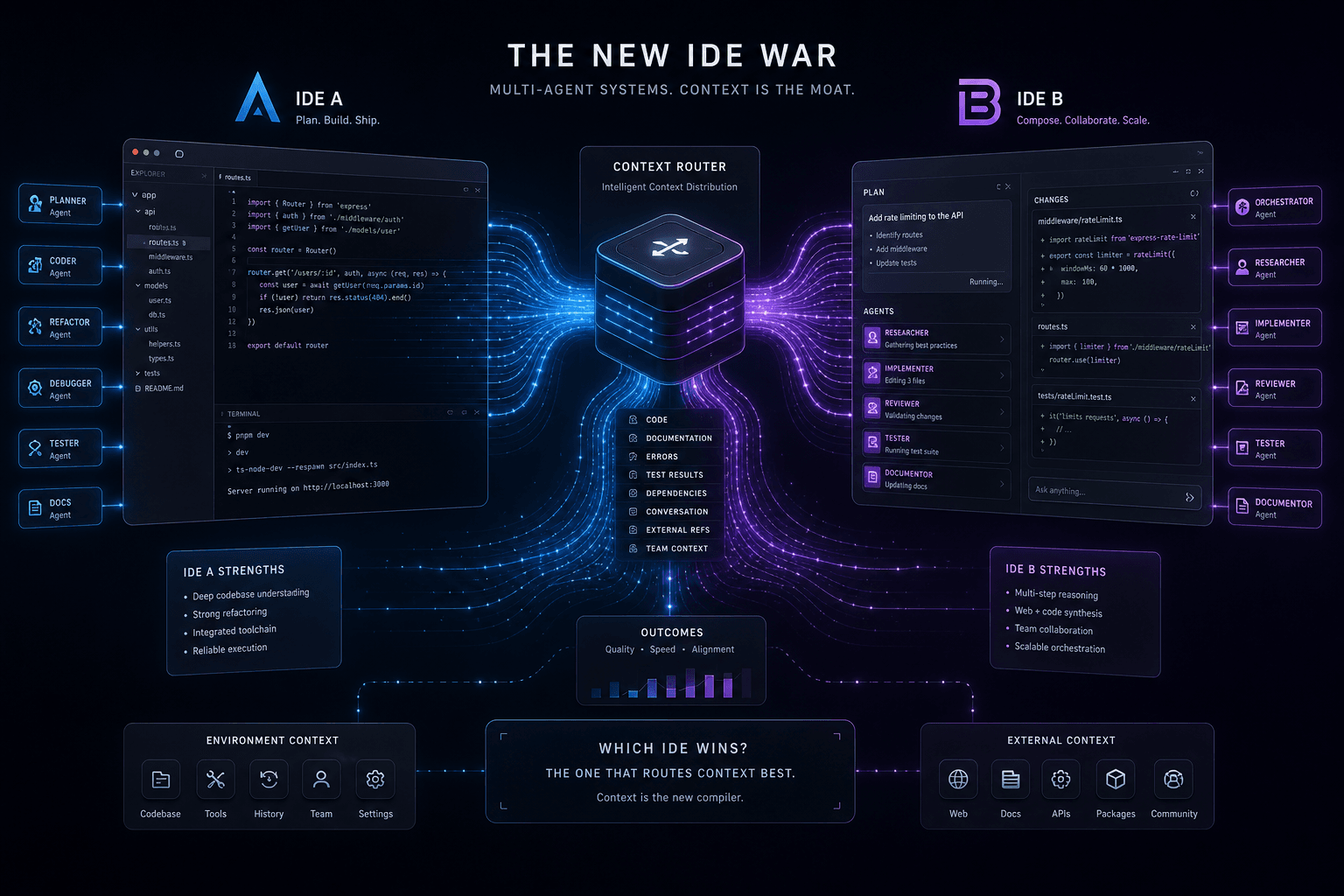
The definitive 2-way decision framework for choosing between Google Antigravity and Claude Code on context-heavy builds. When to dump everything vs. scope tightly, and which tool handles browser-use, multi-agent orchestration, and handoffs better.
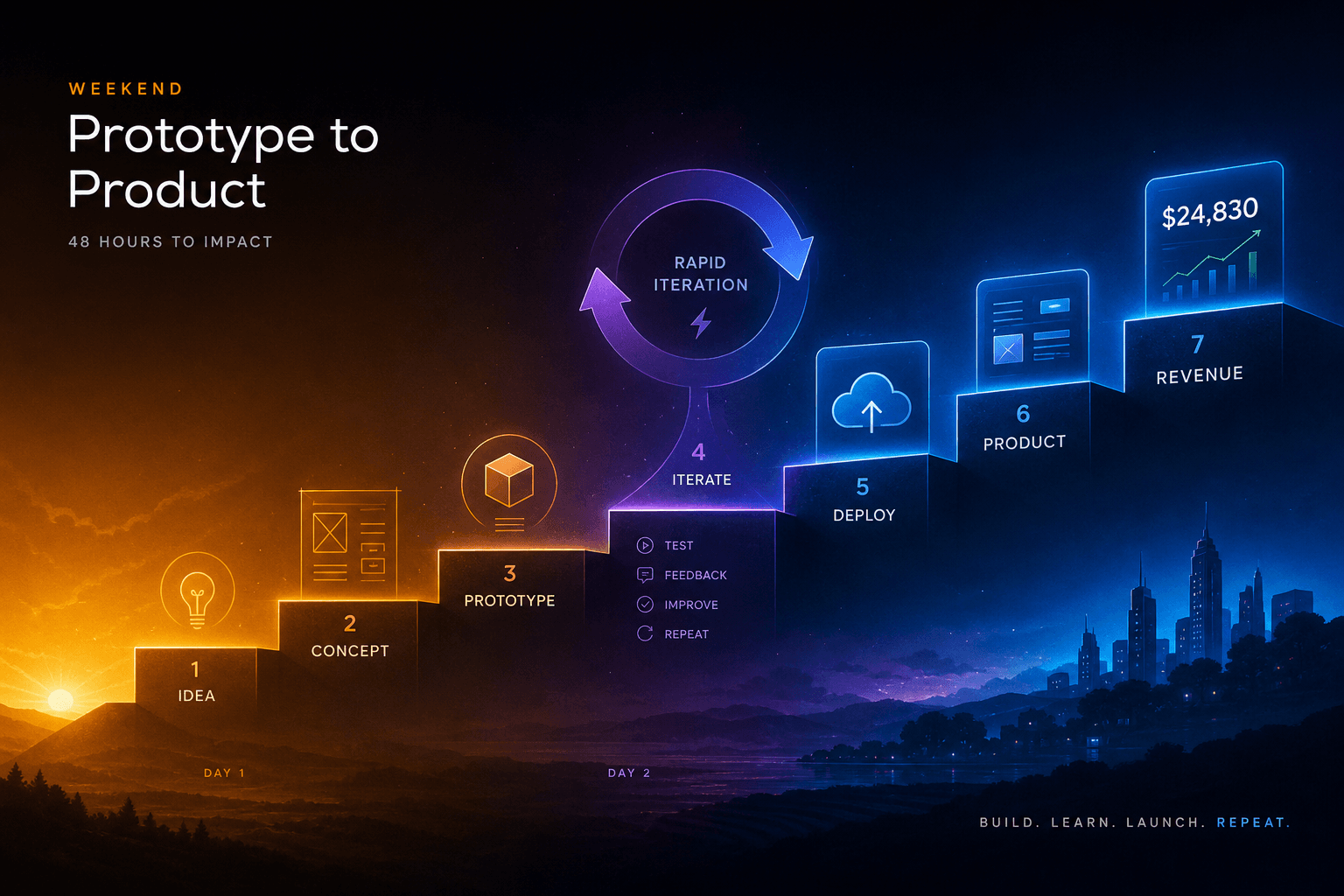
The Vibe-Code-to-Revenue SOP: Going From Idea to Deployed App in One Weekend with AI Studio + Antigravity
The complete weekend SOP for shipping from AI Studio prototype to Antigravity-hardened production app with real payments. Hour-by-hour playbook for founders who ship.