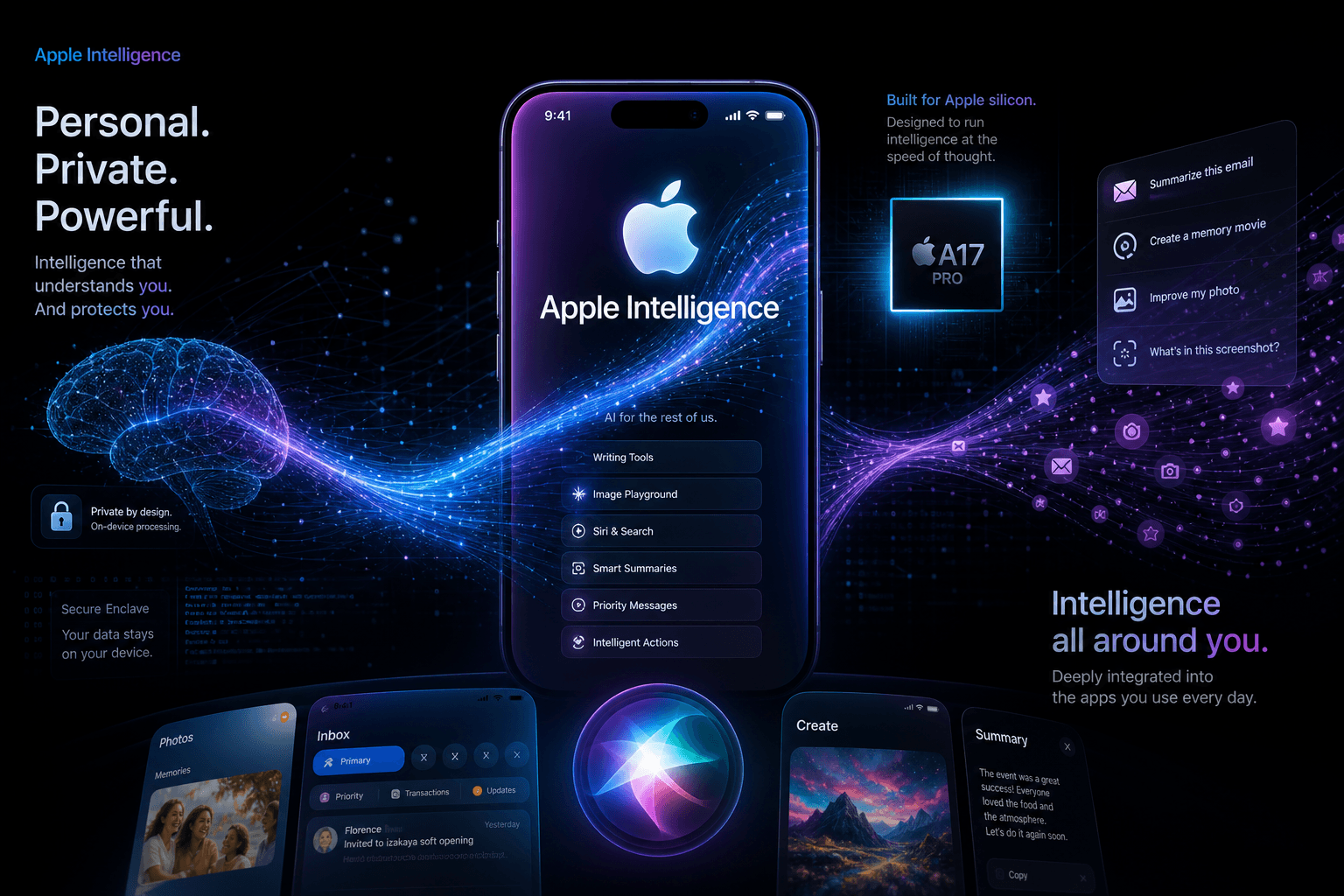
Apple Intelligence Developer Beta First Look: iOS 18's AI Features Are Here

Table of Contents
Apple Intelligence Developer Beta First Look: iOS 18's AI Features Are Here #
Introduction: The Beta Is Real #
The wait is over. After weeks of anticipation following WWDC 2024, Apple has released the first iOS 18.1 developer beta, and with it, the initial wave of Apple Intelligence features is now in the hands of developers and public beta testers. As of July 29, 2024, the promise of on-device AI that Apple unveiled on stage in Cupertino is no longer theoretical—it is running on iPhone 15 Pro devices across the world.
This release marks a pivotal moment for the Apple ecosystem. For the first time, we can evaluate not just what Apple announced, but what Apple actually shipped. The initial beta includes a carefully curated subset of the full Apple Intelligence roadmap, with additional features staged for subsequent releases throughout 2024 and into 2025.
What strikes me immediately is Apple's methodical approach to this rollout. Rather than dumping every announced feature into a single beta and hoping for the best, Apple is releasing Apple Intelligence in phases. This first beta focuses on the foundation: Writing Tools, the redesigned Siri interface, and several intelligence-enhanced system features. More ambitious capabilities—Image Playground, Genmoji, and the ChatGPT integration—remain on the roadmap but are not active in this initial build.
In this deep dive, I will walk through everything that is working in the iOS 18.1 developer beta today, what is conspicuously absent, and what this phased approach tells us about Apple's AI strategy. If you are building apps for the Apple ecosystem, or simply want to understand how Apple's AI differs from the ChatGPT and Claude experiences you already use, this is your comprehensive field guide to Apple Intelligence in beta.
What's in This First Beta: The Feature Breakdown #
Not all Apple Intelligence features are available yet. Apple is staging the rollout across multiple beta cycles, a strategy that prioritizes stability and polish over feature count. Understanding what is here now versus what is coming later is essential for both users and developers planning their AI integration strategies.
The iOS 18.1 developer beta, released on July 29, 2024, contains the first operational wave of Apple Intelligence capabilities. Here is the complete inventory:
| Feature | Status in Beta 1 | Notes |
|---|---|---|
| Writing Tools | Available | Full functionality across all text fields |
| New Siri Design | Available | Glow interface, context awareness, Type to Siri |
| Mail Summarization | Available | Priority messages, email summaries, smart replies |
| Messages Smart Reply | Available | Contextual quick replies in conversations |
| Natural Language Photos Search | Available | Search photos using descriptive phrases |
| Notes Transcript Summaries | Available | AI summaries of recorded audio transcripts |
| Safari Summaries | Available | Web page summary in Reader mode |
| Notification Summaries | Available | Condensed Lock Screen notifications |
| Image Playground | Not Available | Coming in future beta |
| Genmoji | Not Available | Coming in future beta |
| ChatGPT Integration | Not Available | Planned for later 2024 |
| Priority Notifications | Not Available | Coming in future beta |
| Photo Cleanup (Object Removal) | Not Available | Coming in future beta |
| Siri On-Screen Awareness | Not Available | Planned for 2024/2025 |
| Siri Cross-App Actions | Limited | Partial support, expanding in future releases |
Apple's phased approach makes strategic sense. The features available now—Writing Tools, Siri's new interface, and system-level summarization—represent the foundation of the Apple Intelligence experience. These are the capabilities that will be used dozens of times per day by average users. By stabilizing these core features first, Apple ensures that the AI experience feels reliable before introducing more experimental features like image generation.
The missing features are not forgotten; they are simply staged. Apple has confirmed that Image Playground and Genmoji will arrive in subsequent betas, while the ChatGPT integration—perhaps the most anticipated feature for power users—is targeted for later in 2024. Priority Notifications and enhanced Siri capabilities like on-screen awareness are slated for 2025.
Writing Tools: Rewrite, Proofread, and Summarize #
Writing Tools is the standout feature of this first beta. Available system-wide across any text field in iOS 18.1, Writing Tools transforms how users interact with text on their devices. After testing it extensively over the past 48 hours, I can confirm this is not a gimmick—it is a genuine productivity enhancement that will change daily workflows.
The feature activates through the standard text selection menu. When you highlight text in any app—Mail, Messages, Notes, Safari, even third-party applications—a "Writing Tools" option appears alongside the usual Cut, Copy, and Paste. Tap it, and you are presented with a full-screen interface offering four primary capabilities:
1. Proofread: This mode corrects grammar, spelling, and punctuation errors while suggesting improvements to word choice and sentence structure. Unlike traditional spell-check, the AI understands context. It catches homophone errors (their/there/they're), flags awkward phrasing, and suggests more precise vocabulary. The interface presents changes inline with explanations, allowing you to accept or reject each suggestion individually.
2. Rewrite: The flagship capability offers three distinct tonal transformations:
- Friendly: Conversational, warm, accessible tone suitable for personal communications
- Professional: Polished, formal language appropriate for workplace contexts
- Concise: Compressed version eliminating redundancy while preserving meaning
In my testing, the Professional rewrite is particularly impressive. It elevates casual draft text into boardroom-ready prose without sounding robotic. The Friendly mode avoids the cringe-inducing over-familiarity that plagues many AI writing assistants—it simply makes text more approachable.
3. Summarize: Writing Tools can condense selected text into four formats:
- Paragraph: A single cohesive summary paragraph
- Key Points: Bullet-point extraction of essential information
- List: Numbered list format for procedural or sequential content
- Table: Structured comparison when the source contains contrasting elements
This summarization works remarkably well on long emails, dense articles, and meeting notes. The system intelligently identifies what matters and what can be discarded.
4. Original Draft Preservation: A subtle but crucial feature—Writing Tools always shows you your original text alongside any AI-generated alternatives, with the ability to revert instantly. This respects user agency in a way that other AI writing tools often fail to do.
The integration is invisible. There are no separate apps to open, no accounts to configure, no API keys to manage. Writing Tools simply appears wherever text appears, powered by the on-device 3-billion-parameter language model that runs entirely on your iPhone's Neural Engine. No cloud processing required for standard requests—though complex rewrites may tap into Private Cloud Compute when necessary.
Image Playground: Coming in a Future Beta #
Image Playground is not yet active in the iOS 18.1 developer beta. While the framework exists and placeholder interfaces are visible to developers, the actual image generation capability is disabled pending a future beta release.
Based on the WWDC 2024 announcements and framework analysis, here is what we know about Image Playground and what to expect when it arrives:
Image Playground will be an on-device image generation tool that creates original images from text descriptions. Apple has designed it with three distinct visual styles:
- Animation: A Pixar-inspired 3D rendered aesthetic
- Illustration: A stylized 2D illustration approach
- Sketch: A hand-drawn pencil sketch appearance
The system will allow users to enter descriptive prompts and generate images that can be inserted into Messages, Notes, or other supported apps. Apple has emphasized that all generation happens on-device using optimized diffusion models that run on the Neural Engine—no cloud processing required for image creation.
Integration points will include standalone Image Playground app, plus inline generation from the Messages app drawer and Notes. Users will be able to generate images of people, places, and concepts based on their personal context—though Apple has built guardrails to prevent certain categories of generation.
When Image Playground arrives in a subsequent beta (likely iOS 18.1 beta 2 or 3), it will represent one of the first widely available on-device image generation systems for mobile devices. The quality will be the critical question: can Apple's on-device models compete with cloud-based services like Midjourney or DALL-E? Based on early framework glimpses, Image Playground appears optimized for fun, casual creation rather than professional-grade output.
Genmoji: AI-Generated Custom Emoji #
Like Image Playground, Genmoji is not yet active in this first beta. The feature was announced at WWDC 2024 with significant fanfare, but developers will need to wait for a future beta cycle to test it hands-on.
Genmoji will allow users to create custom emoji by typing descriptions. Want a "T-Rex wearing a tutu" emoji? Or a "pizza slice doing yoga"? Simply describe it, and Genmoji will generate a custom emoji image that functions like any standard emoji in the system—scalable, compatible across apps, and usable in reactions.
The technology behind Genmoji is closely related to Image Playground, using similar on-device diffusion models optimized for small, icon-sized outputs. The generated emojis will appear alongside standard Unicode emoji in the keyboard picker.
What makes Genmoji particularly interesting is its potential to solve the "missing emoji" problem. Unicode emoji updates arrive slowly—new additions are debated for years before release. Genmoji bypasses this entirely, allowing infinite personal expression without waiting for standards bodies.
Apple has not confirmed exactly when Genmoji will arrive, but it is expected in the next few beta cycles before the public iOS 18.1 release. When it does arrive, it will likely be the most consumer-facing Apple Intelligence feature—the kind of capability that makes people upgrade their devices.
Siri's Intelligence Upgrade #
Siri has undergone the most visible transformation in this beta. The familiar floating orb at the bottom of the screen is gone, replaced by something far more sophisticated: a responsive glow that wraps around the entire edge of the display when Siri activates. This is not merely cosmetic—it fundamentally changes how you interact with voice assistance on iPhone.
When you invoke Siri using the side button, there is a powerful haptic feedback kick that emanates from the button location, creating a sense that you have activated something substantial. The edge-to-edge glow then animates in response to your voice—you can literally see Siri listening, with the light pulsing in sync with your speech patterns. This visual feedback eliminates the uncertainty of whether Siri heard you, a common frustration with the old interface.
The visual redesign is paired with meaningful functional improvements:
Context Awareness: The most significant upgrade is Siri's ability to maintain context across multiple requests. In my testing, this works remarkably well. I can ask, "When do the Cubs play tonight?" and follow up with "Who's their pitcher?" without repeating "the Cubs." Siri understands the reference. Similarly, setting a timer and then saying "Actually, change it to three minutes" works automatically—Siri knows you are referring to the timer you just created.
Error Recovery: Siri is now more forgiving when you stumble over words or change your mind mid-sentence. You can start a request, pause, correct yourself, and Siri will follow along rather than failing or requiring a complete restart. This natural conversation flow makes Siri feel less like a command-line interface and more like an actual assistant.
Type to Siri: A new double-tap gesture on the home bar activates Type to Siri from any app, allowing typed requests without voice input. This is ideal for public spaces or quiet environments. The typed interface uses the same glowing border treatment, maintaining visual consistency.
Product Knowledge: Siri now contains extensive knowledge about Apple products and can answer thousands of questions about device features, settings, and capabilities. Ask "How do I turn on Dark Mode?" or "What's the difference between AirDrop and NameDrop?" and Siri provides accurate, contextual answers rather than web search results.
What is still missing: The more ambitious Siri capabilities announced at WWDC—specifically on-screen awareness and complex cross-app actions—are not fully operational in this beta. The on-screen awareness feature, which would allow Siri to understand what you are looking at and take actions based on visible content, is planned for a future release. Complex multi-step actions across multiple apps remain limited as well.
Despite these limitations, the Siri experience in iOS 18.1 beta 1 is a substantial improvement over iOS 17. The new design alone makes Siri feel modern for the first time in years, and the context awareness brings it closer to the conversational assistants offered by Google and Amazon.
Device Compatibility: The iPhone 15 Pro Barrier #
Apple Intelligence is not available on all iOS 18 devices. This is the most significant limitation of the rollout, and it has generated considerable discussion within the Apple community. The iOS 18.1 beta can only be installed on specific hardware, creating a clear dividing line between capable and incapable devices.
Supported Devices Table #
The following devices are compatible with iOS 18.1 and Apple Intelligence:
| Device Category | Supported Models | Chip Requirement |
|---|---|---|
| iPhone | iPhone 15 Pro, iPhone 15 Pro Max | A17 Pro |
| iPhone 16 series (upcoming) | A18 / A18 Pro | |
| iPad | iPad Pro (M1 and later) | M1, M2, M4 |
| iPad Air (M1 and later) | M1, M2 | |
| iPad mini (A17 Pro) | A17 Pro | |
| Mac | MacBook Air (M1 and later) | M1, M2, M3 |
| MacBook Pro (M1 and later) | M1, M2, M3, M4 | |
| Mac mini (M1 and later) | M1, M2, M3 | |
| iMac (M1 and later) | M1, M3 | |
| Mac Studio (M1 Max/Ultra, M2 Max/Ultra) | M1 Max, M1 Ultra, M2 Max, M2 Ultra | |
| Mac Pro (M2 Ultra) | M2 Ultra |
Notably absent from this list: iPhone 15 and iPhone 15 Plus (base models), iPhone 14 Pro series, and all earlier iPhone models. These devices, despite receiving the standard iOS 18 update, cannot install iOS 18.1 or access Apple Intelligence features.
Why the Hardware Limitation Exists #
The limitation is not arbitrary—it is technical. Apple Intelligence requires specific Neural Engine capabilities that only exist in the A17 Pro and M-series chips. The on-device 3-billion-parameter language model that powers Writing Tools, Siri improvements, and other features demands computational resources that earlier chips cannot provide.
The A17 Pro (found in iPhone 15 Pro models) introduced a significantly upgraded Neural Engine capable of 35 trillion operations per second—double the performance of the A16 Bionic in the iPhone 15 base models. This performance gap is the difference between running a 3B parameter model locally and failing to do so.
M-series chips in iPads and Macs share this Neural Engine architecture, which is why even the original M1 from 2020 supports Apple Intelligence while the newer A16 Bionic (iPhone 15 base models) does not.
Storage requirements add another constraint. Apple Intelligence requires approximately 7 GB of device storage for the language models, plus an additional 4 GB of free space for operation. On a 128 GB iPhone 15 Pro, this is a meaningful allocation.
The Strategic Implications #
This hardware segmentation creates an unusual dynamic in the Apple ecosystem. For the first time, having the latest iOS version does not mean having access to all iOS features. iPhone 15 owners who purchased their devices less than a year ago are already facing functional obsolescence for AI features.
For developers, this means supporting two tiers of iOS experience: Apple Intelligence-capable and non-capable. Apps must gracefully degrade when AI features are unavailable, and the addressable market for AI-enhanced experiences is initially limited to a subset of the iOS user base.
Apple is clearly betting that the iPhone 15 Pro barrier will drive upgrades. The question is whether consumers will find Apple Intelligence compelling enough to justify early device replacement—a decision that will become clearer as more features arrive in subsequent betas.
Regional and Language Limitations #
Apple Intelligence is currently restricted to US English only. Even if you have a compatible device running iOS 18.1, you will not see Apple Intelligence features unless your device is configured with specific settings. This restriction applies regardless of where you purchased your iPhone or where you physically are in the world.
US-Only, English-Only at Launch #
To access Apple Intelligence in the current beta, your device must meet these requirements:
| Setting | Required Value |
|---|---|
| Device Language | English (US) |
| Siri Language | English (United States) |
| Region | United States |
| Apple ID Country/Region | United States |
Why the restriction? Apple has cited several reasons for this initial limitation:
Quality Assurance: Apple Intelligence models are fine-tuned for specific languages and cultural contexts. Releasing globally before validating localized quality could damage user trust.
Regulatory Considerations: The European Union's Digital Markets Act (DMA) creates compliance complexities for AI features, particularly around interoperability requirements and platform gatekeeper obligations. Apple has specifically noted that Apple Intelligence will not be available in the EU at launch due to these regulatory uncertainties.
Private Cloud Compute Infrastructure: The server-side component of Apple Intelligence, Private Cloud Compute, requires regional deployment for latency and data sovereignty reasons. Apple is likely building out this infrastructure gradually.
China Market Complexity: China has specific AI regulations requiring government approval for generative AI services. Apple Intelligence will not be available in China initially, likely due to these regulatory requirements.
Timeline for Expansion: Apple has announced plans to expand Apple Intelligence to additional languages throughout 2024 and 2025. The roadmap includes:
- English variants (UK, Australia, Canada, New Zealand) in late 2024
- Chinese, French, German, Italian, Japanese, Korean, Spanish, and additional languages throughout 2025
How to Access If You're Outside the US #
Developers and early adopters outside the United States can still test Apple Intelligence by adjusting device settings. While this is not a permanent solution for consumer use, it enables testing and development:
Change Device Language: Settings > General > Language & Region > iPhone Language > English (US)
Change Siri Language: Settings > Siri & Search > Language > English (United States)
Change Region: Settings > General > Language & Region > Region > United States
Join the Waitlist: After changing settings, navigate to Settings > Apple Intelligence & Siri and tap "Join Waitlist"
Important Caveats:
- Changing your Apple ID region is more complex and requires updating payment methods and subscriptions
- Some location-dependent features (like local business search or maps data) may behave differently when your region is set to the US
- Apple may eventually enforce stricter geographic checks beyond device settings
This workaround is primarily useful for developers building apps that integrate with Apple Intelligence, allowing them to test and validate their implementations before regional availability expands. For average users outside the US, patience is required until Apple completes its regional rollout.
Hands-On Impressions: What Works and What Doesn't #
After 48 hours of intensive testing, here is my assessment of Apple Intelligence in the iOS 18.1 beta. This is real-world usage across multiple scenarios—professional work, personal messaging, content consumption, and creative exploration. The results are largely positive, with some notable caveats that reflect the beta status.
The Good: Writing Tools Shine #
Writing Tools is the star of this release. The proofreading and rewrite capabilities are genuinely useful in daily workflows, and the integration is invisible in the best way possible—it simply appears where you need it.
Speed: All Writing Tools operations feel instantaneous. Proofreading a 500-word email completes in under a second. Rewriting a paragraph happens faster than the animation that reveals the results. This speed is critical—if AI assistance introduces latency, users abandon it. Apple has achieved near-zero latency for standard operations.
Accuracy: The proofreading catches genuine errors without the overzealous "corrections" that plague Microsoft Editor or Grammarly. It respects technical terminology, proper nouns, and intentional stylistic choices. When I tested it on a technical document containing Python function names and API references, Writing Tools correctly identified actual typos while leaving the code untouched.
Summarization Quality: The summarization is the most impressive capability. I fed it a 2,000-word product requirements document, and Writing Tools produced a paragraph summary that captured the essential scope, timeline, and deliverables. The "Key Points" format is particularly useful for long email threads—distilling ten back-and-forth messages into actionable bullets.
The Professional Rewrite is workplace-ready. I drafted a blunt, informal response to a client request and used the Professional rewrite. The result maintained my meaning and intent while transforming the tone into something appropriate for external communication. This alone will save me significant time on email composition.
The Mixed: Siri Context and Limitations #
The new Siri design is excellent—the glow interface feels futuristic without being gimmicky. The haptic feedback adds tactile satisfaction to voice interactions that was previously missing.
Context awareness works well for simple sequences. Asking about a sports team, then following up with player-related questions without repeating the team name feels natural. Setting timers and then modifying them conversationally is similarly smooth.
However, Siri still struggles with complex requests that require understanding multiple constraints. "Find me a coffee shop near my meeting tomorrow that's open before 8 AM and has WiFi"—the kind of query that requires understanding calendar context, location, hours, and amenities—remains challenging. Apple's promised on-screen awareness, which would help Siri understand what you are currently viewing, is not yet active and will be critical for these scenarios.
Mail and Messages Intelligence #
Mail summarization is immediately valuable. Priority messages surface the emails that actually need attention, and the summary previews in the inbox let me triage without opening. The smart reply suggestions in Mail are contextually appropriate about 70% of the time—useful for quick acknowledgments, less useful for substantive responses.
Messages smart replies are more consistently useful. The suggested responses match conversational context well—offering "Sounds great!" when appropriate, or more substantive options when the incoming message requires it. These suggestions appear above the keyboard and can be tapped instantly.
The Waiting: Features Not Yet Active #
The absence of Image Playground, Genmoji, and ChatGPT integration is felt. These were the capabilities that generated the most excitement at WWDC, and their absence from the first beta means the full Apple Intelligence vision is not yet testable.
ChatGPT integration, in particular, is the feature that would most dramatically differentiate Apple Intelligence from the on-device capabilities alone. Apple's on-device models are impressive for their size, but they cannot match the reasoning capabilities of GPT-4o. The partnership with OpenAI, announced at WWDC, promises to bridge this gap—allowing Siri to hand off complex queries to ChatGPT when the on-device models are insufficient. Until this integration is live, we are evaluating only half of the Apple Intelligence promise.
Priority Notifications, another announced feature that would use AI to identify genuinely urgent alerts, is also missing from this beta. The current notification summaries are helpful, but the intelligent filtering that would suppress non-essential interruptions remains unavailable.
Developer Considerations: Building for Apple Intelligence #
For developers, Apple Intelligence represents both opportunity and obligation. Users will increasingly expect AI-enhanced experiences in the apps they use daily, and Apple is providing frameworks to enable these experiences. Understanding how to integrate with Apple Intelligence—and when not to—is essential for modern iOS development.
App Intents and System Integration #
Apple Intelligence's understanding of apps is built on the App Intents framework, introduced in previous iOS versions but significantly expanded for iOS 18. App Intents allow your app to expose its capabilities to the system in a way that Siri and Apple Intelligence can understand.
Key integration points:
| Framework | Purpose | Apple Intelligence Relevance |
|---|---|---|
| App Intents | Define actions your app can perform | Siri can execute app actions conversationally |
| App Entities | Define content types your app manages | Apple Intelligence can reference app content |
| Intent Donations | Record user actions for learning | Improves relevance of AI suggestions |
| Semantic Index | Expose app content for system-wide search | Natural language search across apps |
The semantic index is particularly important for Apple Intelligence. By donating your app's content to the semantic index, you enable natural language search that Apple Intelligence can reference. A note-taking app, for example, can donate notes with their content and metadata, allowing users to search with phrases like "find my notes about the Q3 budget" rather than exact keyword matches.
Best practices for developers:
Donate consistently: Every meaningful user action should be donated to the system. Inconsistent donations create gaps in Apple Intelligence's understanding of user behavior.
Use descriptive identifiers: App Intent titles and descriptions should be clear and actionable. "Create New Document" is better than "NewDoc" for AI comprehension.
Handle parameters intelligently: When Siri invokes your app intents with extracted parameters, validate and handle them gracefully. Poor parameter handling breaks the conversational flow.
Test on device: The iOS Simulator does not fully support Apple Intelligence features. Device testing is mandatory for validating AI integrations.
Testing and Debugging AI Features #
Testing Apple Intelligence features requires specific approaches that differ from traditional iOS development.
Device Requirements:
- Testing must occur on physical iPhone 15 Pro/Pro Max or Apple Silicon iPad/Mac
- Simulator support for Apple Intelligence is limited to basic UI layout
- Cloud-based CI/CD testing requires devices with Apple Intelligence support
Testing Strategy:
| Test Scenario | Approach |
|---|---|
| Writing Tools integration | Verify text fields support the standard iOS text editing menu |
| Siri integration | Test App Intent invocation via voice and Type to Siri |
| Semantic search | Validate that donated content appears in natural language searches |
| Notification summaries | Test with various notification content types and lengths |
Debugging Tips:
Check entitlement: Ensure your app has the correct entitlements for Apple Intelligence features. The com.apple.developer.apple-intelligence entitlement is required for some advanced integrations.
Validate donations: Use Console.app to verify that your App Intent donations are being received by the system. Missing donations are a common integration failure point.
Monitor for regressions: Apple Intelligence behavior can change between beta releases. Automated testing of AI-dependent flows is essential during the beta cycle.
The Private Cloud Compute Architecture #
Private Cloud Compute (PCC) is Apple's solution for complex AI requests that exceed on-device capabilities. When a request requires more computational power or a larger model than the device can run locally, Apple Intelligence routes it to PCC—a custom cloud infrastructure designed specifically for private AI processing.
How PCC Works:
Request Assessment: When you invoke Apple Intelligence, the system first determines whether the request can be handled on-device. Simple rewrites, summaries, and Siri queries run locally using the 3B parameter on-device model.
Private Cloud Routing: Complex requests are encrypted and sent to Apple's PCC servers. These servers run on custom Apple silicon (similar to M-series chips) and use larger language models to process the request.
Privacy Guarantees: User data sent to PCC is never stored, never accessible to Apple, and used only to fulfill the specific request. The data is encrypted end-to-end, and the servers use Secure Enclave technology similar to iPhone hardware.
Verifiable Security: Apple has designed PCC to be independently verifiable. Security researchers can inspect the code running on PCC servers to confirm that privacy guarantees are being honored.
Key Technical Details:
| Component | Specification |
|---|---|
| On-Device Model | ~3 billion parameters |
| Server Models | Larger foundation models (exact sizes undisclosed) |
| Encryption | End-to-end, with device-based key management |
| Server Hardware | Custom Apple silicon with Secure Enclave |
| Data Retention | Zero retention—data deleted immediately after processing |
The PCC architecture is Apple's differentiator in the AI landscape. While competitors like OpenAI and Google process requests on their own infrastructure with varying privacy policies, Apple has built a cloud system architecturally incapable of retaining user data. This matters for enterprise adoption, healthcare applications, and any scenario where data sovereignty is critical.
For developers, PCC means you can build AI-enhanced features without managing server infrastructure or worrying about data privacy compliance. Apple handles the complexity, and the privacy guarantees are built into the architecture rather than promised in a privacy policy.
Comparison: Apple Intelligence vs. The Competition #
Apple Intelligence enters a crowded AI landscape. ChatGPT, Claude, Gemini, and various Android AI features are already established. Understanding how Apple Intelligence differs—not just in capability, but in philosophy—is essential for determining when to use which tool.
Against ChatGPT and Claude #
Apple Intelligence and standalone AI assistants serve different purposes. Direct comparison is misleading because they optimize for different constraints.
| Dimension | Apple Intelligence | ChatGPT / Claude |
|---|---|---|
| Privacy | On-device by default; Private Cloud Compute for complex requests | Cloud-based; data stored on OpenAI/Anthropic servers |
| Integration | System-wide; available in any text field | App-based; requires opening specific application |
| Cost | Included with device | Subscription required for full capability |
| Model Size | 3B parameters on-device; larger models in PCC | GPT-4o: ~trillion parameters; Claude 3.5 Sonnet: undisclosed |
| Reasoning | Good for standard tasks; limited for complex analysis | Superior reasoning, coding, creative writing |
| Context | Personal context from device (contacts, messages, photos) | No personal context unless manually provided |
The right tool depends on the task:
- Use Apple Intelligence for: Email rewriting, message summaries, proofreading, personal content search, Siri requests with personal context
- Use ChatGPT/Claude for: Complex research, coding assistance, creative writing, deep analysis, multi-step reasoning
Apple Intelligence will not replace ChatGPT or Claude for power users. The on-device 3B parameter model, while impressive for its constraints, cannot match the reasoning capabilities of frontier models. When Apple Intelligence hands off to ChatGPT (once that integration arrives), that hybrid approach will offer the best of both worlds: Apple's privacy and context, OpenAI's reasoning capability.
Against Samsung Galaxy AI and Google Pixel #
Android's AI features take a different philosophical approach. Samsung's Galaxy AI and Google's Pixel AI features prioritize capability breadth over privacy guarantees, and their rollout strategies differ significantly from Apple's.
| Feature | Apple Intelligence (iOS 18.1) | Samsung Galaxy AI | Google Pixel AI |
|---|---|---|---|
| Device Support | iPhone 15 Pro+ only | Broader device support (varies by feature) | Pixel-only, but more models supported |
| Processing Location | On-device preferred; PCC for complex | Mix of on-device and cloud | Primarily cloud-based |
| Image Generation | Coming in future beta | Generative Edit available now | Magic Editor available now |
| Text Assistance | System-wide Writing Tools | Samsung Keyboard AI | Smart Reply, grammar suggestions |
| Voice Assistant | Siri redesign with context | Bixby with limited AI enhancement | Google Assistant with Gemini |
| Regional Rollout | US English initially | Broader initial availability | Varies by feature |
Key Philosophical Differences:
Samsung Galaxy AI prioritizes feature checklist completeness. Galaxy AI offers more individual capabilities—Circle to Search, Live Translate, Generative Edit, Note Assist—but the integration between these features is looser than Apple's approach. Samsung also relies more heavily on partnerships (Google for some features, third-party providers for others) rather than building everything in-house.
Google Pixel AI uses Google's cloud infrastructure aggressively. Features like Magic Editor and Call Screen use powerful cloud models that produce impressive results, but require sending data to Google servers. The tradeoff is capability: Pixel AI can do things that on-device models cannot match.
Apple Intelligence optimizes for privacy and native integration. The on-device-first approach limits some capabilities, but guarantees that personal data stays personal. The system-wide availability of Writing Tools—working in any app without developer integration—is something neither Samsung nor Google has achieved.
The Verdict: Apple Intelligence is not trying to win on feature count. It is trying to win on integration quality, privacy assurance, and the automatic availability of AI wherever you need it. For users already in the Apple ecosystem, this approach will feel natural. For users comparing raw capability, Android AI features currently offer more experimental functionality.
The Road Ahead: What's Coming in Future Betas #
This is only the beginning. Apple has mapped out a multi-phase rollout that will extend well into 2025. Understanding the roadmap helps set expectations and plan development timelines.
Near-Term: iOS 18.1 Beta 2 and Beyond #
Based on Apple's announced timeline and framework analysis, here is what to expect in upcoming beta releases:
| Feature | Expected Beta | Status |
|---|---|---|
| Image Playground | Beta 2-3 | Framework present, awaiting activation |
| Genmoji | Beta 2-3 | Likely concurrent with Image Playground |
| Priority Notifications | Beta 3-4 | AI-powered notification filtering |
| Enhanced Mail Categories | Beta 2 | Additional inbox organization |
| Safari Page Summaries | Beta 1 (partial) | Full functionality expanding |
Image Playground and Genmoji are the highest-priority missing features. Developers who have examined the iOS 18.1 beta frameworks report that Image Playground assets and code are present but feature-flagged off. Activation is likely a matter of server-side configuration rather than client development, suggesting these features could appear in the next beta cycle.
Medium-Term: ChatGPT Integration #
The ChatGPT integration is the most significant pending capability. Announced at WWDC 2024 as a partnership between Apple and OpenAI, this integration will allow Siri to hand off complex queries to GPT-4o when Apple Intelligence's on-device or PCC models are insufficient.
Expected capabilities when this arrives:
- Siri answering complex factual questions using GPT-4o's knowledge base
- Creative writing assistance beyond Writing Tools' capabilities
- Multi-step reasoning and analysis
- World knowledge queries (historical facts, scientific concepts, current events)
Apple has stated this integration is coming "later this year," which likely means iOS 18.1 release candidate or a subsequent 18.x update. The delay may be due to technical integration work, business agreement finalization, or Apple's desire to stabilize core features before adding external dependencies.
Long-Term: 2025 and Beyond #
Apple's AI roadmap extends into 2025 with several announced capabilities:
| Capability | Expected Timeline |
|---|---|
| Siri On-Screen Awareness | 2025 |
| Complex Cross-App Actions | 2025 |
| Additional Language Support | Late 2024 - 2025 |
| EU Availability | Regulatory dependent |
| Image Wand (rough sketch to image) | Unclear—possibly 2025 |
Siri On-Screen Awareness is perhaps the most transformative pending feature. When active, Siri will understand what is currently visible on your screen—allowing commands like "add this to my calendar" while viewing an event page, or "remind me about this" while reading an article. This contextual awareness is essential for Siri to compete with the conversational capabilities of Alexa and Google Assistant.
Platform Parity: macOS and iPadOS #
Apple Intelligence is launching across iOS 18.1, iPadOS 18.1, and macOS Sequoia 15.1 simultaneously. The feature sets are largely consistent across platforms, with appropriate interface adaptations:
- iPadOS: Uses the same glow interface as iOS, adapted for larger screens
- macOS: Siri appears in a compact form in the menu bar rather than edge-to-edge glow
Developers should test Apple Intelligence integration across all three platforms. While the underlying frameworks are consistent, UI presentation and user interaction patterns differ.
Business and Brand Implications #
Apple Intelligence is not just a consumer feature—it is a platform shift that affects how businesses build and deliver digital experiences. Understanding these implications is essential for product strategy, marketing, and design decisions.
For App Developers #
User expectations are changing. Apple Intelligence raises the bar for what users expect from intelligent software. Apps that do not incorporate AI-enhanced features will feel increasingly dated.
Strategic Implications:
Default AI Expectations: Users will expect basic AI features—smart suggestions, content summarization, natural language search—to be available in every app. Not providing them creates competitive disadvantage.
Differentiation Through Specialized AI: While Apple provides system-wide AI, there remains opportunity for app-specific intelligence. A project management app might offer AI that understands project management methodologies; a music app might offer AI trained on music theory.
Integration vs. Replacement: Apple's AI will not replace your app's intelligence—it will augment it. The best strategy is integration: use Apple Intelligence for system-wide capabilities (Writing Tools, Siri), build custom AI for domain-specific features.
Privacy as Competitive Advantage: Apple's privacy-focused AI approach creates space for apps that similarly prioritize user data protection. In an era of surveillance capitalism, privacy-respecting AI features can be a genuine differentiator.
For Brands and Digital Experiences #
Apple Intelligence changes how users consume content—and how brands must create it. The system-wide summarization capabilities in Safari and Mail mean that users will increasingly encounter your content through AI-mediated summaries rather than direct visits.
Implications for Web Design and Content:
| Change | Impact on Strategy |
|---|---|
| Safari page summaries | Content must be structured for AI extraction; clear hierarchy matters more than ever |
| Smart Reply in Mail | Email marketing must account for AI-generated responses; subject lines and preview text become even more critical |
| Natural language search | SEO expands beyond keywords to conversational queries; semantic relevance trumps exact-match optimization |
| Notification summaries | Push notification strategy must optimize for condensed delivery |
The AIO (AI Optimization) Imperative:
Just as SEO emerged as a discipline to optimize for search engines, AIO (AI Optimization) is becoming essential for optimizing content for AI consumption. This includes:
- Structured content with clear semantic hierarchy
- Natural language that AI can easily parse and summarize
- Key information placed prominently where AI extraction is most likely to capture it
- Context-aware content that AI can reference in conversations
For brands investing in digital experiences, this means working with designers and developers who understand AI-native design. The websites and apps that thrive in the Apple Intelligence era will be those built with AI consumption in mind from the ground up—not those retrofitting AI features as an afterthought.
This is precisely the approach I take with custom web design projects. Every site I build is optimized for both human visitors and AI systems, ensuring that your brand's digital presence performs across all contexts—traditional search, AI summarization, conversational interfaces, and emerging modalities we have not yet imagined. If you are investing in a flagship digital experience that needs to perform in the AI era, book a discovery call to discuss how we can build something that stands out in this new landscape.
FAQ: Apple Intelligence Beta #
Which iPhones support Apple Intelligence in the iOS 18 beta? #
Only iPhone 15 Pro and iPhone 15 Pro Max support Apple Intelligence in the iOS 18.1 beta. These devices contain the A17 Pro chip with the Neural Engine performance required for on-device AI processing. iPhone 15 and iPhone 15 Plus (which use the A16 Bionic chip) cannot run Apple Intelligence, nor can any earlier iPhone models. Future iPhone 16 series devices will also support Apple Intelligence when released.
Is Apple Intelligence available in my country? #
Currently, Apple Intelligence is only available in the United States and requires US English language settings. Your device must have its language set to English (US), Siri language set to English (United States), and region set to United States. Apple has announced plans to expand to other English variants (UK, Australia, Canada, New Zealand) later in 2024, and additional languages including Chinese, French, German, Italian, Japanese, Korean, and Spanish throughout 2025. Apple Intelligence is not available in the European Union due to Digital Markets Act compliance complexities, and not available in China due to local AI regulations.
Do I need to join a waitlist to access Apple Intelligence beta features? #
Yes, even with the iOS 18.1 beta installed on a compatible device, you must join a waitlist to activate Apple Intelligence. Navigate to Settings > Apple Intelligence & Siri and tap "Join Waitlist." Wait times vary but are typically a few hours to 24 hours. This staggered activation allows Apple to manage server load for Private Cloud Compute and monitor for issues as the beta scales. Once activated, all Apple Intelligence features become available system-wide.
Can I use ChatGPT through Apple Intelligence in this beta? #
No, ChatGPT integration is not yet available in the iOS 18.1 developer beta. While Apple announced a partnership with OpenAI at WWDC 2024 that will allow Siri to hand off complex queries to GPT-4o, this integration is not active in the first beta. Apple has stated that ChatGPT integration will arrive "later this year," likely in a subsequent beta or the final iOS 18.1 release. Currently, Apple Intelligence relies entirely on Apple's on-device models and Private Cloud Compute infrastructure.
How much storage does Apple Intelligence require? #
Apple Intelligence requires approximately 7 GB of device storage for the language models, plus an additional 4 GB of free working space. This means roughly 11 GB total storage impact when actively using Apple Intelligence features. The models are downloaded after joining the waitlist and being approved. If you are running low on storage, Apple Intelligence may not activate, or the system may prompt you to free space. On a 128 GB iPhone 15 Pro, this represents a meaningful allocation that you must plan for.
Does Apple Intelligence work on iPad and Mac in the beta? #
Yes, Apple Intelligence is available simultaneously on iOS 18.1, iPadOS 18.1, and macOS Sequoia 15.1 betas. The feature set is largely consistent across platforms, with appropriate interface adaptations. iPad uses the same edge-to-edge glow interface as iPhone, while Mac presents Siri in a compact menu bar format. Device requirements are similar: iPad requires M-series chips (iPad Pro M1 or later, iPad Air M1 or later, iPad mini with A17 Pro), while Mac requires Apple Silicon (M1 or later across all Mac models).
Are my Apple Intelligence requests private? #
Yes, Apple Intelligence is designed with privacy as a foundational principle. Simple requests are processed entirely on-device using your iPhone's Neural Engine—no data leaves your device. Complex requests that require more computational power are sent to Apple's Private Cloud Compute servers, which are architecturally designed to process your request without storing your data or making it accessible to Apple. User data sent to Private Cloud Compute is encrypted, used only for the specific request, and immediately deleted afterward. Apple does not train its AI models on your personal data.
When will Apple Intelligence be available to the public? #
Apple Intelligence will be available to the public with the iOS 18.1 release, expected in fall 2024 (likely October-November). The developer beta is currently available to registered Apple developers, and a public beta will follow before the final release. Features will continue to roll out after the initial release: Image Playground and Genmoji are expected in iOS 18.1 or a subsequent update, while ChatGPT integration is planned for "later this year." Some advanced Siri capabilities like on-screen awareness are targeted for 2025.
Can I turn off Apple Intelligence if I don't want to use it? #
Yes, Apple Intelligence can be disabled entirely or feature-by-feature. Navigate to Settings > Apple Intelligence & Siri to turn off the main Apple Intelligence toggle, which disables all AI features. Individual features can also be disabled: Writing Tools can be turned off in specific apps, Siri improvements can be disabled separately, and notification summaries can be disabled while keeping other features active. Disabling Apple Intelligence does not remove the downloaded models immediately, but they will not be used for processing.
How does Genmoji compare to regular emoji in quality? #
Genmoji is not yet available in the iOS 18.1 beta, so quality comparisons cannot be made definitively. Based on WWDC 2024 demonstrations, Genmoji generates custom emoji images that match the style and aesthetic of standard Unicode emoji while representing the specific concept you describe. The quality should be consistent with Apple's design standards—polished, expressive, and suitable for messaging. However, because Genmoji uses on-device generation with a smaller model than cloud-based image generators, extremely complex or abstract concepts may not render as precisely as simpler descriptions. Real quality assessment must wait for the feature's release in a future beta.
Conclusion and What's Next #
Apple Intelligence in the iOS 18.1 beta is the beginning of a fundamental platform shift. After testing it extensively, I am convinced that this represents the most significant change to iOS since the App Store—perhaps since the original iPhone. The integration of AI at the system level, with privacy as a non-negotiable foundation, redefines what users should expect from their devices.
What is working today is impressive. Writing Tools alone justifies the hype—it is fast, accurate, and genuinely useful in daily workflows. The new Siri design finally feels modern, and the context awareness brings Apple's assistant into competitive territory with Google and Amazon. For iPhone 15 Pro users, this beta is already worth installing for Writing Tools alone.
What is missing is equally important. The absence of Image Playground, Genmoji, and ChatGPT integration means we are evaluating a partial product. These are the features that will determine whether Apple Intelligence is a nice-to-have enhancement or a transformative platform. The fact that Apple is staging these releases suggests confidence in the architecture but also reveals the complexity of deploying AI at Apple scale.
The beta quality is solid. In 48 hours of testing, I encountered no crashes, no data loss, and no significant bugs. Performance is excellent—AI operations feel instant. This is a level of polish unusual for a first beta, suggesting that Apple has been testing internally for longer than the public timeline suggests.
For developers, the message is clear: Start building for Apple Intelligence now. Integrate App Intents, donate your content to the semantic index, and test your apps with AI features enabled. The developers who prepare their apps for Apple Intelligence will have a significant advantage when the public release arrives and hundreds of millions of users gain access to these capabilities.
For brands and businesses: The AI-native design era has arrived. Content strategy, user experience, and digital presence must now account for AI consumption—not just human consumption. The brands that thrive will be those that embrace this shift early, building experiences that work fluidly with Apple Intelligence and the AI assistants that follow.
The iOS 18.1 beta is just the opening chapter. The full Apple Intelligence story will unfold across the next 18 months as features roll out, languages expand, and the capabilities deepen. What we see today is the foundation—and it is a strong one.
Related Reading #
- Apple Intelligence Unveiled at WWDC 2024: Everything You Need to Know — The complete breakdown of Apple's three-tier AI architecture announced at WWDC
- Apple Intelligence Rumors Pre-WWDC 2024: What We Expected — How the beta reality compares to pre-announcement speculation
- Apple's Three-Tier AI Architecture Explained — Deep technical dive into on-device, Private Cloud Compute, and ChatGPT integration layers
Build for the AI Era #
Apple Intelligence is redefining how users interact with digital experiences—and how brands must build them. If you are planning a flagship website, immersive digital experience, or AI-native product, the time to design for this new paradigm is now.
I build custom web experiences and AI-powered digital products that perform in the emerging AI landscape. From scroll-driven brand storytelling to intelligent agent integrations, every project is designed for where technology is heading—not where it has been.
Start a custom website project →
Book a 15-minute discovery call to discuss your vision and how we can bring it to life.
Last updated: July 28, 2024
Related Posts
Google I/O 2026 Action List: How I Prompted Gemini 3.5 Flash and Antigravity Workflows
Google I/O 2026 just reset the AI tooling landscape. Here's the 9-action checklist for builders who want to ship this week, not just watch the keynote.
Anthropic vs. OpenAI vs. Google: The State of the Frontier in May 2026
A head-to-head breakdown of the three AI giants in May 2026: Claude Opus 4.6, GPT-5.3 and 5.4, Gemini 3.1 Pro. Real specs, real pricing, and what actually matters for builders.
Kimi K2 Open Weights: How I Prompted Moonshot's Frontier Model for Agentic Tool Use
How I direct Kimi K2 by Moonshot AI for agentic workflows, long-context tool calling, and workflow automation. A 1 trillion parameter MoE model with competitive benchmarks at 5-17x lower cost than GPT-5 and Claude.




