
Cursor Composer + OpenAI o1 Tutorials Go Viral: The Multi-File Generation Revolution

Table of Contents
Cursor Composer + OpenAI o1 Tutorials Go Viral: The Multi-File Generation Revolution #
Cursor Composer combined with OpenAI o1 has become the breakout workflow of October 2024, with developer YouTube tutorials racking up millions of views and transforming how engineers approach full-stack development. The combination of Cursor's multi-file editing capabilities and o1's extended reasoning produces something unprecedented: AI systems that can plan, architect, and implement entire features across dozens of files in a single coherent operation.
The viral moment isn't just hype. Tutorial creators are demonstrating full-stack application builds—from empty folder to deployed product—in under 10 minutes using the Composer + o1 workflow. The key insight driving this surge: o1 excels at planning and architectural reasoning, while Composer excels at multi-file execution. Together, they handle what previously required hours of careful implementation in minutes of AI-assisted iteration.
For builders shipping production code, this matters immediately. The tutorials aren't showing toy demos—they're showing real authentication systems, database schemas, API endpoints, and frontend components being generated, connected, and deployed. The October 2024 explosion of Cursor + o1 content signals a shift from "AI helps you code" to "AI architects and builds with you."
Table of Contents #
- Why October 2024 Is the Cursor + o1 Moment — The convergence of capabilities driving viral adoption
- Understanding the Composer Architecture — How multi-file editing actually works
- OpenAI o1 in Cursor: What Just Became Possible — Reasoning capabilities meet code generation
- The Viral Tutorial Workflow: PRD to Production — The step-by-step breakdown creators are teaching
- Composer + o1 vs. o1-mini: Model Selection Strategy — When to use which model
- The 10-Minute Full-Stack Pattern — How creators are building complete apps
- Real Implementation: A Complete Workflow — Code and configuration examples
- Limitations and Edge Cases — What the tutorials don't always show
- The Competitive Response — How GitHub Copilot and others are reacting
- What This Means for Development Teams — Practical adoption strategies
Why October 2024 Is the Cursor + o1 Moment #
Three converging factors have made October 2024 the inflection point for AI-assisted full-stack development: o1's public availability through Cursor, Composer's maturity, and the discovery that Product Requirements Documents (PRDs) dramatically improve AI code generation quality.
The timing is not coincidental. OpenAI released o1 and o1-mini to the public in September 2024, giving developers their first access to models trained specifically for extended reasoning. Cursor, meanwhile, had been iterating on Composer throughout 2024, refining its multi-file capabilities through releases that added project templates, better context management, and improved file relationship detection. By mid-October, both technologies had matured enough that combining them produced qualitatively different results than either could achieve alone.
The tutorial explosion began when developers discovered a specific workflow pattern:
- Write a detailed PRD describing the desired application
- Use o1 in Cursor's chat to review the PRD and suggest architectural improvements
- Switch to Composer with o1-mini or Claude 3.5 Sonnet for rapid implementation
- Iterate with Composer across multiple files until the feature is complete
This workflow—documented extensively in a September 2024 guide that gained traction throughout October—produced results that felt magical compared to previous AI coding experiences. Where earlier AI assistants would struggle with cross-file dependencies and architectural consistency, the Composer + o1 combination handled them gracefully.
The YouTube Phenomenon #
Developer YouTube has become the primary distribution channel for these techniques. Tutorial creators are posting videos with titles like "Build a Full-Stack AI Web App in 10 Minutes With Cursor + OpenAI o1 + V0" and racking up hundreds of thousands of views within days. The content follows a consistent pattern:
- Quick setup: Installing Cursor, configuring API keys, enabling Composer
- PRD writing: Creating the Product Requirements Document that guides the AI
- The build: Watching Composer generate 15-30 files across frontend, backend, and database layers
- Deployment: Pushing to Vercel, Netlify, or similar platforms
- Result: A functional full-stack application built primarily through AI assistance
The virality comes from the demonstration effect. Viewers watch an entire application materialize from a text description and realize the implications for their own workflows. The tutorials are not incremental improvements on existing techniques—they represent a different category of capability that changes what individual developers can build.
Understanding the Composer Architecture #
Cursor's Composer is a multi-file AI editing interface that can read, understand, and modify code across an entire codebase simultaneously, operating through a planning-execution-review cycle that maintains architectural consistency across files.
Unlike traditional AI coding assistants that operate on single files, Composer treats the codebase as a unified entity. When you describe a feature to Composer, it:
- Analyzes the codebase structure: Indexes files, imports, types, and relationships
- Generates an implementation plan: Identifies which files need creation or modification
- Presents changes for review: Shows a diff-style interface with all proposed modifications
- Applies changes across files: Updates all affected files simultaneously upon approval
This architecture enables workflows that were previously impossible with AI assistance. A developer can say "Add user authentication with Clerk, including login/logout pages, protected routes, and a user profile page" and Composer will:
- Create the authentication middleware file
- Update the layout to include authentication context
- Add the login and logout page components
- Create the protected route wrapper
- Build the user profile page
- Update environment variable documentation
- Add necessary dependencies to package.json
All of this happens in a single coherent operation where the AI maintains awareness of how each file relates to the others.
The Technical Implementation #
Composer operates through a combination of local codebase indexing and cloud-based AI processing. The local component maintains a vector index of your repository for fast semantic search, while the AI component processes context windows that can span multiple files.
| Component | Function | Where It Runs |
|---|---|---|
| Codebase Indexer | Maintains vector embeddings of all files | Local machine |
| Context Builder | Assembles relevant files for each request | Local + Cloud |
| AI Orchestrator | Routes requests to appropriate models | Cloud |
| Diff Engine | Generates and applies file changes | Local |
| Review Interface | Displays changes for human approval | Local (Cursor UI) |
The key technical advantage is context window management. While traditional AI coding tools operate with ~2,000 tokens of context (roughly a single function), Composer can process context windows exceeding 100,000 tokens by intelligently selecting which files to include and maintaining a working memory of the broader codebase structure.
OpenAI o1 in Cursor: What Just Became Possible #
OpenAI's o1 series—o1-preview and o1-mini—bring extended reasoning capabilities to Cursor that fundamentally change what's possible in AI-assisted development, particularly for architectural planning and complex problem-solving.
Released to the public in September 2024, o1 models are trained with reinforcement learning to spend more time reasoning before responding. Unlike standard LLMs that generate token-by-token in a single forward pass, o1 models use a chain-of-thought process internally, working through problems step-by-step before producing an answer. This produces dramatically better results for:
- Architectural decisions: Choosing between design patterns, database schemas, or API structures
- Complex debugging: Understanding error chains across multiple files
- Refactoring planning: Determining how to restructure code without breaking functionality
- Edge case handling: Identifying boundary conditions and failure modes
o1 in Cursor's Chat vs. Composer #
The October 2024 tutorials have established a clear pattern for how to use o1 within Cursor:
| Use Case | Location | Model | Purpose |
|---|---|---|---|
| Architectural planning | Chat sidebar | o1-preview | Review PRDs, suggest structure improvements |
| Complex debugging | Chat sidebar | o1-preview | Analyze error chains, find root causes |
| Multi-file implementation | Composer | o1-mini or Claude 3.5 Sonnet | Generate code across files |
| Quick edits | Inline (CMD+K) | Claude 3.5 Sonnet | Single-file changes |
The reason for this separation is latency and cost. o1-preview takes significantly longer to respond than standard models—often 10-30 seconds for complex queries—but produces higher-quality architectural guidance. o1-mini offers a middle ground with faster responses and lower cost while retaining much of o1's reasoning capability. For the actual code generation in Composer, most tutorials recommend o1-mini or Claude 3.5 Sonnet for speed, reserving o1-preview for planning phases.
Pricing and Rate Limits #
o1 integration in Cursor uses your own API key, billed directly by OpenAI:
| Model | Input Price | Output Price | Typical Use in Cursor |
|---|---|---|---|
| o1-preview | $15.00/million tokens | $60.00/million tokens | Complex planning, debugging |
| o1-mini | $3.00/million tokens | $12.00/million tokens | Composer implementation |
| Claude 3.5 Sonnet | $3.00/million tokens | $15.00/million tokens | General coding tasks |
The cost is meaningful—a complex o1-preview conversation might cost $0.40-$1.00 per exchange—but the productivity gains often justify the expense for critical architectural decisions. Many developers in the October 2024 tutorials use o1 sparingly for planning, then switch to faster models for implementation.
The Viral Tutorial Workflow: PRD to Production #
The breakthrough workflow emerging from October 2024 tutorials centers on the Product Requirements Document (PRD)—a detailed specification that guides AI code generation with far greater precision than conversational prompts alone.
Tutorial creators have discovered that feeding Cursor a well-structured PRD produces dramatically better results than iterative prompting. The PRD serves as a shared understanding between human intent and AI implementation, reducing misinterpretation and ensuring architectural consistency.
The PRD Structure That Works #
Based on the viral tutorials, an effective PRD for AI-assisted development includes:
| Section | Purpose | AI Impact |
|---|---|---|
| Executive Summary | One-paragraph project overview | Sets high-level context |
| Product Vision | What the product achieves and why | Guides architectural decisions |
| Target Persona | Who will use this product | Influences UX/UI generation |
| Problem Statement | What pain point this solves | Clarifies feature prioritization |
| Core Features | Must-have functionality | Directs implementation focus |
| Nice-to-Have Features | Future enhancements | Prevents scope creep in MVP |
| Technical Requirements | Stack, integrations, constraints | Determines code structure |
| User Flows | Step-by-step user journeys | Shapes page/component structure |
| Success Metrics | How to measure completion | Defines testing requirements |
The workflow demonstrated in tutorials follows this sequence:
- Write the PRD: Create a detailed document (typically 500-2000 words) describing the application
- Load into Cursor Chat: Paste the PRD and ask o1-preview for architectural feedback
- Refine with AI: Iterate on the PRD based on o1's suggestions for structure or technical approach
- Switch to Composer: Use the refined PRD as the primary context for implementation
- Generate in chunks: Ask Composer to implement specific sections of the PRD
- Review and iterate: Examine generated code, request modifications, continue until complete
Composer + o1 vs. o1-mini: Model Selection Strategy #
The October 2024 tutorials have established clear guidelines for when to use o1-preview versus o1-mini versus Claude 3.5 Sonnet in Cursor workflows, based on task type, latency tolerance, and cost constraints.
Understanding which model to use for which phase of development significantly impacts both output quality and workflow efficiency. The viral tutorials consistently demonstrate a multi-model approach rather than relying on a single AI for everything.
The Model Selection Matrix #
| Task Type | Recommended Model | Why | Cost per Task |
|---|---|---|---|
| Initial PRD review | o1-preview | Identifies architectural issues, suggests improvements | $0.30-$0.80 |
| Complex debugging | o1-preview | Reasons through error chains, finds root causes | $0.20-$0.60 |
| Multi-file implementation | o1-mini or Claude 3.5 Sonnet | Fast generation with good quality | $0.05-$0.20 |
| UI component creation | Claude 3.5 Sonnet | Superior visual/code alignment | $0.03-$0.10 |
| API endpoint logic | o1-mini | Good reasoning at lower cost | $0.02-$0.08 |
| Documentation generation | Claude 3.5 Sonnet | Clean, accurate output | $0.01-$0.05 |
| Quick inline edits | Claude 3.5 Sonnet | Lowest latency for small changes | $0.01-$0.03 |
When to Use o1-preview #
The tutorials consistently reserve o1-preview for situations requiring deep reasoning:
- Before writing any code: Review your PRD with o1 to catch architectural issues
- When stuck on a bug: Escalate to o1 when Claude or o1-mini can't solve it
- Complex refactors: Major structural changes spanning the codebase
- Security-sensitive code: Authentication, authorization, data validation logic
- Algorithm design: Non-trivial data processing or optimization problems
The common pattern is to start with o1 for planning, then switch to faster models for implementation. One tutorial creator describes this as "o1 thinks, Claude builds"—using each model for its strength.
When o1-mini Is the Better Choice #
For most implementation work in Composer, o1-mini offers the best balance:
- 4x cheaper than o1-preview for most use cases
- Significantly faster response times (3-5 seconds vs 15-30 seconds)
- Retains o1's reasoning for most coding tasks
- Better for iterative workflows where you make multiple requests in sequence
Many October 2024 tutorials use o1-mini as the default Composer model, only escalating to o1-preview when encountering complex architectural questions or stubborn bugs.
The 10-Minute Full-Stack Pattern #
Tutorial creators have standardized a pattern for building complete full-stack applications in approximately 10 minutes using the Cursor + o1 workflow—a process that previously required hours or days of development.
The pattern isn't hype. It's a repeatable workflow that combines specific tools and techniques:
The Stack #
| Layer | Technology | Why It Works with Cursor |
|---|---|---|
| Frontend | Next.js 14+ (App Router) | Cursor understands App Router patterns well |
| Styling | Tailwind CSS | Utility-first is easy for AI to generate |
| UI Components | shadcn/ui | Copy-paste components match AI output style |
| Backend | Next.js API routes or Supabase | Single codebase reduces context complexity |
| Database | PostgreSQL (via Supabase) | Well-documented schema patterns |
| Auth | Clerk or NextAuth.js | Clear integration patterns |
| Deployment | Vercel | One-click deployment from Cursor terminal |
The 10-Minute Workflow #
Minutes 0-2: Setup
- Open Cursor, create new Next.js project
- Install shadcn/ui components
- Configure Tailwind
Minutes 2-4: PRD Creation
- Write or paste a PRD describing the application
- Use o1-preview in chat to review and refine
- Create a markdown file with the final PRD
Minutes 4-8: Core Implementation
- Open Composer with the PRD as context
- Request database schema generation
- Request API endpoint implementation
- Request frontend page components
- Accept and review multi-file changes
Minutes 8-10: Polish and Deploy
- Use inline editing (CMD+K) for quick fixes
- Run build, fix any errors with Composer
- Deploy to Vercel from terminal
The tutorials emphasize that this produces a functional MVP—not a production-ready application with comprehensive testing and edge case handling. But the velocity is transformational: what previously took a weekend now takes a lunch break.
Real Implementation: A Complete Workflow #
The October 2024 tutorials demonstrate specific implementation patterns with actual code and configuration. Here's the complete workflow from a widely-shared tutorial build.
Step 1: Project Initialization #
# Create Next.js project with shadcn
npx shadcn@latest init --yes --template next --base-color slate

# Install common components
npx shadcn add button card input form

# Install authentication
npm install @clerk/nextjs
Step 2: The PRD Template #
Create docs/PRD.md:
# Task Management Application PRD

## Executive Summary
A Trello-like task management app with drag-and-drop boards,
card assignments, and due date tracking.

## Core Features
- User authentication via Clerk
- Multiple project boards per user
- Drag-and-drop cards between columns
- Card details: title, description, assignee, due date
- Real-time updates via Supabase

## Technical Stack
- Next.js 14 App Router
- Tailwind CSS + shadcn/ui
- Clerk authentication
- Supabase (PostgreSQL + realtime)
- @hello-pangea/dnd for drag-and-drop

## User Flows
1. User signs in via Clerk
2. Dashboard shows all project boards
3. Click board to view columns and cards
4. Drag cards between columns
5. Click card to edit details

## Database Schema
- boards: id, name, user_id, created_at
- columns: id, board_id, title, position
- cards: id, column_id, title, description,
         assignee_email, due_date, position
Step 3: Composer Configuration #
In Cursor, create a .cursorrules file:
You are an expert full-stack developer specializing in Next.js,
TypeScript, and Tailwind CSS. Follow these rules:

- Use TypeScript with strict typing
- Prefer server components unless client interactivity needed
- Use shadcn/ui components where available
- Follow Next.js App Router conventions
- Add proper error handling and loading states
- Include JSDoc comments for exported functions
Step 4: The Implementation Prompt #
In Composer, with the PRD file added as context:
Implement the database schema from the PRD using Supabase.
Create:
1. SQL migration files in supabase/migrations/
2. TypeScript types in types/database.ts
3. Server actions in app/actions/ for CRUD operations
4. The dashboard page at app/dashboard/page.tsx
5. Board view page at app/board/[id]/page.tsx

Follow the PRD exactly. Use existing shadcn components.
Add proper error handling and TypeScript types throughout.
Step 5: Iteration Pattern #
After Composer generates the initial code:
Now add the drag-and-drop functionality:
1. Install @hello-pangea/dnd
2. Create DraggableCard and DroppableColumn components
3. Update the board page to use drag-and-drop
4. Add server action for updating card positions
5. Ensure optimistic UI updates
The tutorial emphasizes accepting changes incrementally—reviewing each batch of generated files before requesting the next set of modifications.
Limitations and Edge Cases #
The October 2024 tutorials, while demonstrating impressive capabilities, also reveal real limitations of the Composer + o1 workflow that developers should understand before adopting it.
The viral videos show successes, but experienced developers in the comment sections and follow-up content have documented where the workflow breaks down.
Known Limitations #
| Limitation | Impact | Mitigation |
|---|---|---|
| Context window constraints | Very large codebases exceed AI limits | Work in focused modules, not monorepos |
| API rate limits | o1-preview has strict limits | Use o1-mini for most tasks |
| Debugging complexity | AI struggles with complex bug chains | Use o1 for debugging, not Claude |
| Edge case handling | Uncommon scenarios often missed | Manual review required |
| Testing gaps | Generated code often lacks tests | Explicitly request test generation |
| Security blindspots | AI may miss security issues | Security review mandatory |
The "Works on My Machine" Problem #
Tutorial creators note that code generated via Composer often works in the demonstration but requires additional work for production:
- Environment variable handling may be hardcoded or incomplete
- Error handling often catches generic cases but misses domain-specific failures
- Performance optimization is rarely included in generated code
- Accessibility attributes may be missing from generated UI
- Browser compatibility considerations are often absent
The tutorials that gain credibility acknowledge these limitations explicitly, positioning the workflow as "10 minutes to a working prototype" rather than "10 minutes to production."
When the Workflow Fails #
Experienced developers report the Composer + o1 workflow struggles with:
- Legacy codebases: Poorly structured existing code confuses the AI
- Novel architectures: Patterns not well-represented in training data
- Complex state management: Redux, complex Context patterns, or custom state machines
- Third-party integrations: APIs with unusual authentication or data patterns
- Regulatory compliance: HIPAA, SOC 2, GDPR requirements need human review
The Competitive Response #
The viral success of Cursor + o1 tutorials has not gone unnoticed by competitors, with GitHub, OpenAI, and emerging players responding to the threat with announcements and roadmap adjustments.
The competitive dynamics of AI coding assistants shifted visibly in October 2024 as the market realized that "AI as a plugin" might be fundamentally inferior to "AI as the foundation."
GitHub Copilot's Position #
GitHub Copilot, while still the market leader by subscriber count, faces structural challenges in responding to Cursor's Composer capabilities:
| Capability | Cursor Composer | GitHub Copilot (Oct 2024) |
|---|---|---|
| Multi-file edits | Native, simultaneous | File-by-file only |
| PRD integration | Direct document context | No native support |
| Model choice | GPT-4, Claude, o1 | GPT-4 only |
| Planning phase | o1 for architecture | No equivalent |
| Context window | Full codebase indexing | ~2,000 tokens |
Microsoft's Copilot Workspace—announced earlier in 2024—remains in technical preview and appears to be the company's response to Composer. However, its plugin-based architecture may limit how closely it can match Cursor's capabilities.
OpenAI's Position #
OpenAI benefits regardless of which editor wins, as Cursor uses OpenAI's API for many features. However, the company has signaled interest in developer tools beyond API access:
- Codex CLI: Announced as a terminal-based coding agent, still in limited release
- Operator: Previewed consumer computer control capabilities
- ChatGPT Canvas: Launched a collaborative workspace with coding features
The Codex CLI appears to be OpenAI's answer to Claude Code and Cursor—terminal-native AI assistance that operates outside traditional editor constraints.
Emerging Competitors #
Several new entrants are positioning against Cursor:
| Tool | Differentiator | Status |
|---|---|---|
| Zed | Rust-based, collaborative, AI-integrated | Beta |
| Void | AI-native from scratch, not a fork | Alpha |
| Pear AI | Open source, self-hostable | Early development |
| Supermaven | 1M token context window | Available |
None currently match Cursor's maturity or feature completeness, but they represent ongoing competitive pressure.
What This Means for Development Teams #
The Cursor + o1 workflow emerging from October 2024 tutorials has immediate implications for how engineering teams should structure their processes, hiring, and technology choices.
The transformation isn't theoretical—teams are already restructuring around these capabilities.
The New Development Workflow #
Teams adopting the Composer + o1 workflow are restructuring their process:
| Traditional Phase | AI-Augmented Phase | Change |
|---|---|---|
| Detailed technical specs | PRD + AI review | Faster, more iterative |
| Manual implementation | AI-generated + human review | Velocity increase 3-5x |
| Code review (post-hoc) | Real-time AI collaboration | Shift to validation |
| Manual testing | AI-generated tests + manual | Broader test coverage |
| Documentation (after) | AI-generated from code | Always current |
Team Structure Implications #
The tutorials suggest a shift in the optimal team composition:
- Fewer junior developers: AI handles routine implementation
- More product managers: PRD quality becomes critical
- More code reviewers: Human validation replaces manual writing
- Architects in demand: High-level design decisions increasingly important
When to Adopt #
Not every team should switch immediately. The October 2024 consensus suggests:
Adopt now if:
- You build greenfield applications regularly
- Your team is comfortable with TypeScript/React
- You have technical leadership to review AI output
- Your security requirements permit cloud-based AI processing
Wait if:
- You maintain large legacy codebases
- You work in regulated industries requiring deterministic audit trails
- Your team lacks experience to evaluate AI-generated code
- You depend on specialized tooling with limited AI training data
Frequently Asked Questions #
What is Cursor Composer and how does it work? #
Cursor Composer is a multi-file AI editing interface that can analyze, modify, and create code across dozens of files simultaneously. Unlike traditional AI coding assistants that work on single files, Composer treats your codebase as a unified entity, generating coordinated changes across multiple files while maintaining architectural consistency. It presents changes in a reviewable diff format before applying them, giving you full control over what gets modified.
How do I use OpenAI o1 with Cursor? #
OpenAI o1 models are available in Cursor through your own API key configuration. Navigate to Cursor Settings > Models, add your OpenAI API key, and select o1-preview or o1-mini from the model dropdown. o1-preview excels at architectural planning and complex debugging in the chat sidebar, while o1-mini works well in Composer for faster multi-file implementation at lower cost.
What is a PRD and why is it important for AI coding? #
A PRD (Product Requirements Document) is a structured specification that dramatically improves AI code generation quality by providing clear context and requirements. The October 2024 tutorials demonstrate that feeding Cursor a detailed PRD produces better results than conversational prompts alone. Effective PRDs include executive summary, core features, technical requirements, user flows, and database schemas.
When should I use o1-preview versus o1-mini in Cursor? #
Use o1-preview for architectural planning, complex debugging, and security-sensitive code where reasoning quality matters most. Use o1-mini for general implementation work in Composer where speed and cost efficiency are priorities. o1-preview costs approximately 5x more and takes 3-5x longer per response than o1-mini, so reserve it for tasks where extended reasoning provides clear value.
Can Cursor Composer build a full-stack application? #
Yes, the October 2024 tutorials demonstrate building complete full-stack applications using Composer with o1 or Claude 3.5 Sonnet, typically in 10-30 minutes for MVPs. The workflow involves creating a detailed PRD, using o1 for architectural review, then Composer for multi-file implementation across frontend, backend, and database layers. The result is a functional prototype requiring manual refinement for production.
How much does it cost to use o1 with Cursor? #
o1 usage in Cursor is billed directly through your OpenAI API key at standard rates: o1-preview costs $15/million input tokens and $60/million output tokens; o1-mini costs $3/million input and $12/million output. A typical development session with o1-preview might cost $0.40-$2.00, while o1-mini sessions typically run $0.05-$0.30. Cursor's subscription ($20/month) is separate from API usage costs.
What are the limitations of Cursor Composer with o1? #
Composer + o1 struggles with very large codebases (context limits), complex legacy code, novel architectural patterns, and edge case handling. Generated code often requires manual refinement for production, particularly around security, performance optimization, testing, and accessibility. The workflow excels at greenfield development and well-understood patterns but needs human oversight for complex or safety-critical systems.
Is Cursor better than GitHub Copilot for AI coding? #
Cursor offers multi-file editing capabilities that Copilot cannot match due to its plugin architecture, making it superior for full-stack feature development. However, Copilot offers lower latency suggestions and broader IDE support. Choose Cursor for multi-file refactors, architectural work, and when you want model choice (Claude, GPT-4, o1). Choose Copilot for fast autocomplete, Microsoft ecosystem integration, or budget-conscious teams.
How do I get started with the Cursor + o1 tutorial workflow? #
Start by installing Cursor, configuring your OpenAI API key in settings, and writing a detailed PRD for a small project. Follow the October 2024 tutorial pattern: use o1-preview in chat to review your PRD, then switch to Composer with o1-mini or Claude 3.5 Sonnet for implementation. Begin with a simple CRUD application to learn the workflow before attempting complex architectures.
What stack works best with Cursor Composer? #
The October 2024 tutorials consistently use Next.js 14+ with App Router, Tailwind CSS, shadcn/ui components, and either Supabase or Vercel for backend/database. This stack works well because it's well-documented, commonly used in training data, and fits Cursor's understanding of modern React patterns. Other stacks work, but may require more explicit guidance in your PRD.
Can I use Cursor Composer with existing codebases? #
Composer works with existing codebases but performs best when the code follows clear architectural patterns it can recognize. Legacy or highly unusual code structures may confuse the AI. For existing projects, start with smaller, well-isolated features rather than major refactors. Add a .cursorrules file describing your codebase conventions to improve generation quality.
Is code generated by Cursor + o1 production-ready? #
Code generated via Cursor + o1 is typically prototype-quality and requires human review, security auditing, testing, and edge case handling before production deployment. The 10-minute tutorial builds demonstrate impressive velocity but intentionally skip production concerns like comprehensive error handling, security validation, performance optimization, and test coverage. Treat AI-generated code as a starting point, not a final product.
The Multi-File AI Era Has Arrived #
The viral explosion of Cursor + o1 tutorials in October 2024 signals a fundamental shift in software development: multi-file AI code generation has moved from research curiosity to practical daily tool.
The tutorials aren't just demonstrating a new editor feature—they're showing a new way of building software where the human role shifts from manual implementation to strategic direction and validation. The PRD becomes the primary interface between human intent and code execution.
For individual developers, this means the ability to ship full-stack features that previously required teams. For engineering organizations, it means rethinking team structures, development workflows, and what "productivity" means in an AI-augmented context.
The limitations are real: context windows, edge cases, security concerns, and the need for human oversight. But the trajectory is clear. The gap between "what a developer can imagine" and "what a developer can build" is narrowing faster than most expected.
Cursor's Composer with o1 integration represents the current state of the art, but it's the workflow pattern—PRD-driven, multi-file, AI-implemented—that matters more than any specific tool. Competitors will match these capabilities. The developers who master the pattern will have lasting advantage.
Ready to Build AI-Native Development Workflows? #
The Cursor + o1 workflow is just one component of the larger transformation in how engineering teams operate.
Teams gaining the most leverage from AI aren't just switching editors—they're rethinking their entire development pipeline:
- AI-assisted architecture: Using o1 for system design and technical decision-making
- Automated implementation: Composer for multi-file feature generation
- AI-powered testing: Generating test suites and validation logic
- Intelligent deployment: n8n workflows for CI/CD automation
- Continuous optimization: AI agents monitoring and improving code quality
I help teams implement these AI-native development workflows—from setting up Cursor with proper model routing to building n8n automation pipelines that tie everything together.
If you're serious about transforming your development velocity beyond just switching editors, book a strategy call. I'll assess your current workflow, identify where AI assistance will have the highest impact, and build a roadmap for implementation.
Book an AI automation strategy call →
Related Reading #
- Why Cursor Is Winning the Editor War: A Pre-WWDC Analysis — My June 2024 deep-dive into Cursor's core advantages
- Anthropic's Computer Use API: Claude Can Now Control Your Desktop — The other major October 2024 release enabling AI agents
- Claude Code Subagents Masterclass: File-Based Multi-Agent Orchestration — How Anthropic's terminal agent compares to Cursor's approach
Last updated: October 18, 2024 | Edit this page on GitHub
Related Posts
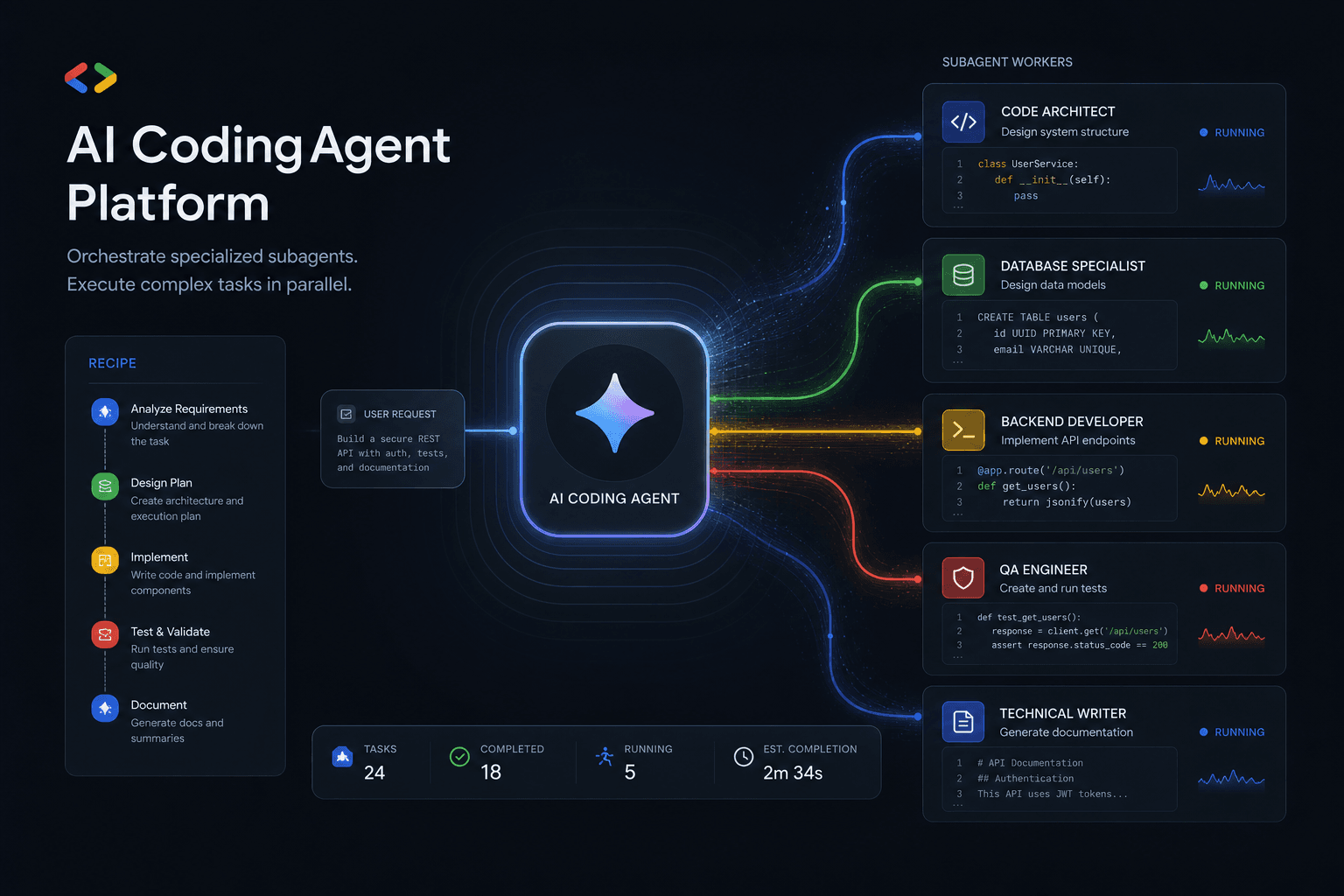
Antigravity 2.0 Subagent Recipes: How I Prompted Multi-Agent Workflows Day One
Five complete subagent recipes for Google Antigravity 2.0 that save 90+ minutes on Day One. From Friday audits to client onboarding, research briefs to migration assistants.
Claude Code Masterclass: Architecting Agentic Workflows, 1M Token Context, and The Death of Manual PR Reviews
Master Claude Code in this definitive 2026 guide. Discover how to use Opus 4.6, multi-agent teams, 1M token context, and automated PR reviews to radically scale your development workflows.

Google Antigravity Agents: The Complete Blueprint to Multi-Agent Orchestration and Enterprise Automation
The complete blueprint for deploying Google Antigravity multi-agent teams integrated with n8n. Build self-healing workflows, autonomous SEO pipelines, and lead gen systems that operate without human intervention.




