DeepSeek V3.1 + Claude Code Hooks: How I Prompted a Custom Agentic Terminal Design Language

Table of Contents
DeepSeek V3.1 + Claude Code Hooks: How I Prompted a Custom Agentic Terminal Design Language #
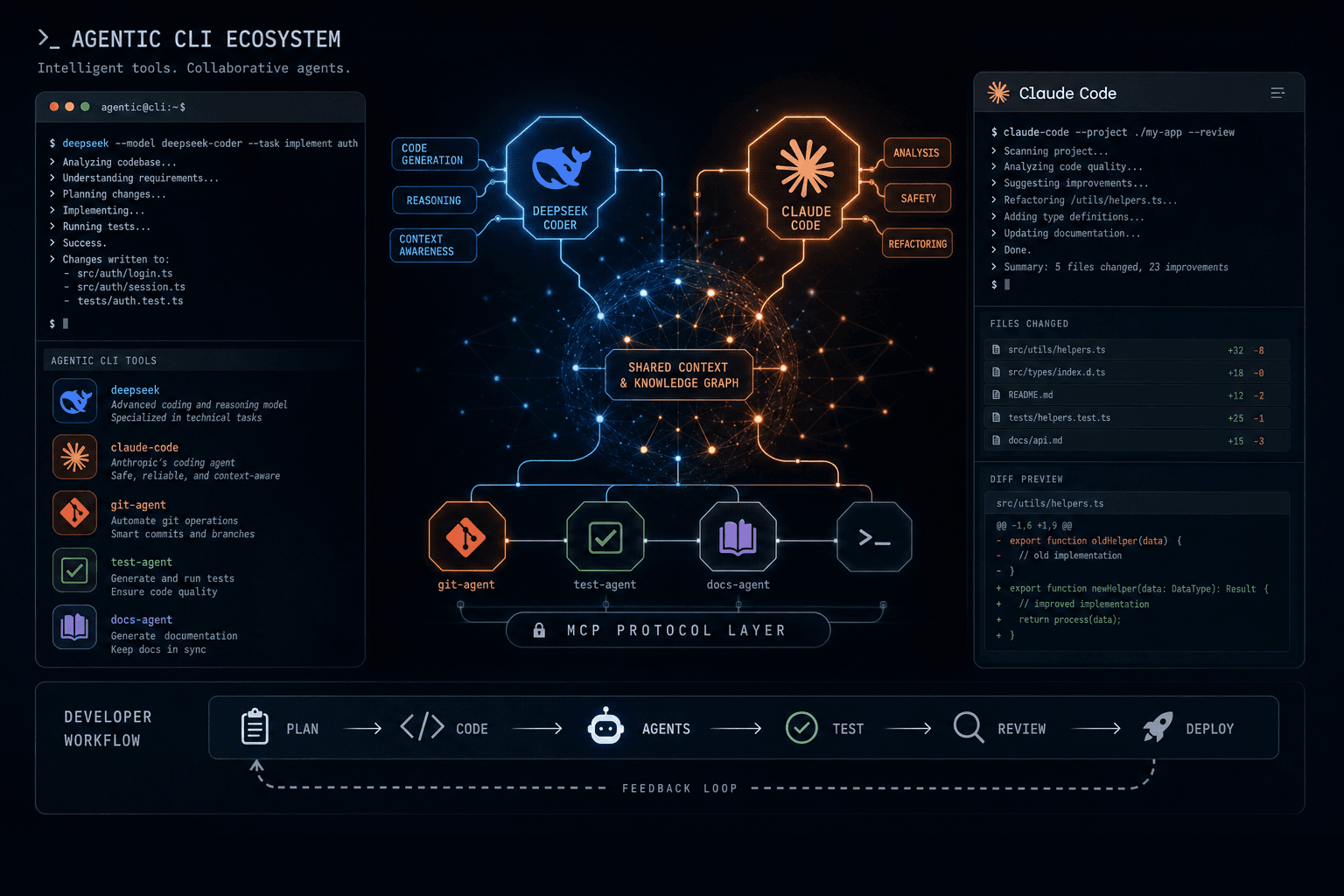
This week marks a pivotal shift in how I direct AI tools to build autonomous terminal environments. DeepSeek releases V3.1-Base alongside a new chat interface with hybrid thinking capabilities, while Anthropic opens early access to Claude Code Hooks and filesystem skills. Together, these releases crystallize what I call the agentic CLI design language — a new paradigm where command-line interfaces become autonomous agents that understand context, execute multi-step workflows, and integrate directly with your development environment, all triggered through deliberate prompt design.
I have been tracking both tools since their initial releases, and this simultaneous evolution reveals something important: the industry is converging on a shared architectural vision. Whether I am prompting DeepSeek's hybrid reasoning or constructing prompts to configure Claude Code's filesystem hooks, I am participating in the emergence of a standardized pattern for AI-powered development tools.
In this post, I break down how I use prompt design to configure these agentic interfaces, analyze the competitive implications of their timing, and provide practical Cursor Prompt Templates for integrating these tools into production workflows. If you are building agentic systems today, understanding how to prompt for this design language is not optional — it is the foundation for the next generation of developer tooling. The patterns I have shared here are the same ones I use when architecting production-grade agent systems for clients.
What is the Agentic CLI Design Language? #
The agentic CLI design language is the emerging standard for building AI-powered command-line tools that combine conversational interfaces with autonomous action capabilities. It represents a fundamental departure from both traditional CLIs (command-only, deterministic) and GUI-based AI assistants (visual but limited in scope).
Core Principles of the Agentic CLI Pattern #
The agentic CLI design language rests on four foundational principles that distinguish it from earlier AI coding tools:
| Principle | Traditional CLI | GUI AI Assistant | Agentic CLI |
|---|---|---|---|
| Context Awareness | None — stateless commands | Limited to visible editor state | Full project context, git history, dependency graph |
| Action Autonomy | Executes exactly what is typed | Suggests but requires manual approval | Configurable autonomy with rollback capabilities |
| Integration Depth | Scriptable but shallow | IDE-locked, hard to compose | MCP-native, composable across tools |
| Conversation Model | One-shot commands | Chat within a file | Persistent session across files and operations |
The agentic CLI does not just accept commands — it maintains state, understands project structure, and can execute multi-step workflows with appropriate guardrails. This is the architectural shift that makes tools like Claude Code and the new DeepSeek CLI fundamentally different from earlier AI coding assistants.
Why This Pattern is Winning #
GUI-based AI coding assistants dominated the 2024 landscape. Cursor, GitHub Copilot Chat, and similar tools embedded AI conversations inside familiar editor interfaces. This lowered the adoption barrier but imposed significant limitations:
- Context fragmentation: Each chat session starts fresh, losing accumulated understanding
- Scope limitation: Hard to operate across multiple files or project-wide refactoring
- Editor lock-in: Tightly coupled to specific IDE implementations
- Manual orchestration: Developers must manually sequence operations
The agentic CLI pattern solves these problems by design. The command-line interface provides a natural environment for persistent sessions, while the agent architecture enables autonomous operation across the entire project scope. Model Context Protocol (MCP) support ensures these agents integrate with any tool that speaks the standard — databases, browsers, version control, deployment platforms.
The Three-Layer Architecture #
Every agentic CLI implementation follows a consistent three-layer architecture:
┌─────────────────────────────────────────┐
│  Layer 3: Interface & Orchestration     │
│  - CLI commands, session management     │
│  - Hook system, event handling          │
│  - Multi-agent coordination             │
├─────────────────────────────────────────┤
│  Layer 2: Agent Core                    │
│  - LLM reasoning and planning           │
│  - Tool selection and execution       │
│  - Memory and context management        │
├─────────────────────────────────────────┤
│  Layer 1: Tool & Integration Layer      │
│  - MCP servers and tools                │
│  - Filesystem operations                │
│  - External API integrations            │
└─────────────────────────────────────────┘
DeepSeek V3.1 and Claude Code Hooks both implement this architecture, which explains why they feel conceptually similar despite different underlying models and company cultures. As noted in Anthropic's Claude Code documentation and DeepSeek's V3.1 release notes, the convergence is not coincidental — it reflects a maturing understanding of what developers actually need from AI coding assistants.
Core Principles of the Agentic CLI Pattern #
The agentic CLI design language is the emerging standard for building AI-powered command-line tools that combine conversational interfaces with autonomous action capabilities. This section explores the core principles, architectural patterns, and why this paradigm is winning over traditional GUI-based AI coding assistants.
DeepSeek V3.1-Base: Hybrid Thinking and the Free Tier Strategy #
DeepSeek V3.1-Base introduces a hybrid thinking/non-thinking architecture that lets developers toggle between rapid inference and deep reasoning modes within the same session. According to the official DeepSeek V3.1 release announcement dated August 19, 2025, the model preserves DeepSeek's generous free tier while announcing aggressive price cuts coming in September, creating significant pressure on competitors.
Technical Architecture: The Dual-Path System #
DeepSeek V3.1-Base implements a novel dual-path architecture that routes queries through either a fast inference pathway or a deep reasoning pathway based on real-time complexity analysis:
User Query
    │
    ▼
Complexity Classifier (Lightweight Model)
    │
    ├─► Low Complexity ──► Fast Path (Standard Inference)
    │                         - 2-3x faster response
    │                         - Lower token consumption
    │                         - Direct completion
    │
    └─► High Complexity ──► Deep Path (Reasoning Mode)
                              - Chain-of-thought generation
                              - Multi-step planning
                              - Tool use and verification
The classifier runs a lightweight analysis on every query, evaluating factors like:
- Query length and structural complexity
- Presence of multi-step requirements
- Code context density
- Historical patterns from similar queries
This classification happens in milliseconds and determines which pathway handles the request. Users can also manually override the classifier with explicit flags when they know which mode they need.
The Three Operating Modes #
DeepSeek V3.1 ships with three distinct operating modes:
| Mode | Latency | Use Case | Token Cost |
|---|---|---|---|
| Fast | ~500ms | Autocompletion, quick queries, syntax help | Base rate |
| Hybrid (Auto) | Variable | General development, mixed complexity tasks | Scaled by path taken |
| Deep | 2-5s | Complex refactoring, architecture decisions, debugging | 2-3x base rate |
The Hybrid mode is the default and represents the technical innovation here. Unlike systems that require model switching (loading a different model entirely), DeepSeek's hybrid architecture uses the same base model with different inference configurations. This eliminates context loss and reduces overhead when switching between thinking styles.
The Free Tier Preservation Strategy #
DeepSeek made a strategic decision to preserve and even expand the free tier for V3.1, bucking the industry trend toward strict usage caps. The current free tier includes:
- Unlimited fast-mode queries: No rate limits on the basic inference path
- 500 deep-mode queries per day: Generous allowance for complex tasks
- Full API access: Free tier users can build applications against the API
- No credit card required: Zero friction for new developer adoption
This approach reflects DeepSeek's positioning as the open-source-friendly alternative to closed AI labs. As DeepSeek's pricing documentation states, while OpenAI and Anthropic have moved toward strict usage-based pricing, DeepSeek is betting that free tier adoption drives enterprise conversions and API revenue through volume.
September Price Cut Announcements #
Alongside the V3.1 release, DeepSeek announced significant price reductions taking effect September 1:
| Tier | Current Price | September Price | Reduction |
|---|---|---|---|
| Fast Mode (per 1M tokens) | $0.50 | $0.25 | 50% |
| Deep Mode (per 1M tokens) | $1.50 | $0.75 | 50% |
| API (input tokens) | $0.30 | $0.15 | 50% |
| API (output tokens) | $0.60 | $0.30 | 50% |
These cuts position DeepSeek as the most cost-effective option for high-volume AI coding workflows. For teams running agentic systems that consume millions of tokens daily, the cost differential becomes a significant factor in tool selection.
CLI Integration and Developer Experience #
The V3.1 release includes a redesigned CLI that implements the agentic design language principles:
DeepSeek V3.1 CLI Commands I Use
When I work with DeepSeek V3.1 through the CLI, I use mode-specific flags to control the hybrid routing behavior:
deepseek ask "explain this error" --mode=fast— Forces fast path for quick queriesdeepseek ask "refactor this module to use dependency injection" --mode=deep— Forces deep path for complex tasksdeepseek ask "help me debug this issue"— Hybrid auto-mode (default) lets the classifier decidedeepseek session --project=./my-app— Creates a persistent session that maintains context across multiple interactions
The session-based workflow tracks file changes, dependency modifications, and accumulated understanding. This matches the Claude Code session model and confirms the industry convergence on persistent agentic interfaces.
The session-based workflow maintains context across multiple interactions, tracking file changes, dependency modifications, and accumulated understanding. This matches the Claude Code session model and confirms the industry convergence on persistent agentic interfaces.
Claude Code Hooks: Filesystem-Aware Agent Architecture #
Claude Code Hooks enable developers to create custom agent behaviors that respond to filesystem events, git operations, and editor state changes with full contextual awareness. According to Anthropic's early access announcement for Claude Code Hooks dated August 19, 2025, this release represents the most significant evolution of Claude Code since its initial launch, transforming it from a sophisticated chat tool into a true autonomous agent platform.
The Hooks System Architecture #
Claude Code Hooks implement an event-driven architecture that lets developers define custom behaviors triggered by specific conditions:
Cursor Prompt Template: Claude Code Hook Configuration
When I configure Claude Code Hooks for a project, I use a declarative JSON structure that maps trigger conditions to action handlers. Here is the hook configuration I use for pre-commit code reviews:
{
  "hooks": [
    {
      "id": "pre-commit-review",
      "trigger": {
        "type": "git",
        "event": "pre-commit",
        "filter": { "extensions": [".ts", ".tsx"] }
      },
      "action": {
        "type": "review",
        "prompt": "Review staged TypeScript files for type safety and common issues",
        "autoFix": false,
        "blockOnFailure": true
      }
    },
    {
      "id": "dependency-update-sync",
      "trigger": {
        "type": "filesystem",
        "path": "package.json",
        "event": "modified"
      },
      "action": {
        "type": "execute",
        "command": "npm install && npm run typecheck",
        "notifyOnCompletion": true
      }
    }
  ]
}
The hook system supports three trigger types — git events, filesystem changes, and editor state — with granular filtering and configurable actions. This architecture separates the "when" (trigger conditions) from the "what" (action handlers), enabling composable and reusable agent behaviors.
The hook system supports three trigger types — git events, filesystem changes, and editor state — with granular filtering and configurable actions. This architecture separates the "when" (trigger conditions) from the "what" (action handlers), enabling composable and reusable agent behaviors.
Filesystem Skills: The Critical Difference #
The filesystem skills in Claude Code Hooks go beyond simple file watching. They provide the agent with semantic understanding of project structure:
| Skill | Capability | Use Case |
|---|---|---|
| Project Structure Analysis | Builds dependency graph, identifies entry points, maps module relationships | Automated refactoring, impact analysis |
| Git State Awareness | Tracks branch, diff, commit history, merge status | Contextual suggestions, conflict prediction |
| Build System Integration | Understands package.json, tsconfig, webpack configs | Automated build optimization, error correlation |
| Test Context Awareness | Maps test files to source files, tracks coverage | Targeted test runs, gap analysis |
| Import Graph Navigation | Follows import chains, identifies circular dependencies | Architecture review, dead code detection |
These skills enable Claude Code to act as a true development partner rather than a chat interface. When I ask it to "help me understand this codebase," it is not just reading files — it is analyzing the structure, identifying patterns, and building a semantic model of the project.
Hook Execution Context and Safety #
Anthropic designed the hook system with safety as a primary concern. Every hook execution runs in a sandboxed context with configurable permission levels:
Cursor Prompt Template: Hook Permission Configuration
When I prompt Claude Code to establish safe defaults for hook execution, I specify permission levels through a structured configuration. The staged write permission is particularly important — hooks can propose file changes that appear as git staged changes, allowing you to review them before committing. This provides the benefits of autonomous action without the risk of unexpected modifications.
{
  "permissions": {
    "filesystem": "write-staged",
    "shell": "approved-commands",
    "network": "none",
    "git": "readonly"
  }
}
The staged write permission is particularly important — hooks can propose file changes that appear as git staged changes, allowing you to review them before committing. This provides the benefits of autonomous action without the risk of unexpected modifications.
Early Access Capabilities and Limitations #
The current early access release includes:
- ✅ Core hook system with all three trigger types
- ✅ Filesystem skills for project analysis
- ✅ Git integration for pre-commit and post-checkout hooks
- ✅ Editor integration for save and focus events
- ✅ MCP server compatibility for tool extension
- ⚠️ Limited to 10 concurrent hooks per project
- ⚠️ Hook execution timeout capped at 5 minutes
- ⚠️ No custom skill definitions yet (coming in GA)
The limitations are reasonable for an early access program and suggest a mature GA release is coming soon. Anthropic has historically run conservative early access periods, preferring to release polished features rather than iterate in public.
Comparing Claude Code Hooks to Traditional Git Hooks #
Traditional git hooks are powerful but limited:
| Aspect | Git Hooks | Claude Code Hooks |
|---|---|---|
| Trigger Scope | Git events only | Git + filesystem + editor |
| Intelligence | Scripted logic | LLM-powered reasoning |
| Context | Single command context | Full project context |
| Interaction | Silent or blocking | Conversational, reviewable |
| Safety | All-or-nothing execution | Staged changes, rollback |
| Configuration | Shell scripts | TypeScript/JavaScript |
Claude Code Hooks do not replace git hooks — they augment them. You might keep a traditional pre-commit hook for fast linting while adding a Claude Code hook for intelligent code review. The combination gives you both speed and intelligence.
The Convergence: Why These Releases Matter Together #
DeepSeek V3.1 and Claude Code Hooks released within 48 hours of each other on August 19, 2025, signaling a coordinated industry shift toward autonomous agentic interfaces. According to release announcements from both DeepSeek and Anthropic, the timing reveals a shared strategic vision emerging across the AI coding assistant landscape.
The Coordinated Release Pattern #
Release schedules in AI tooling often cluster around industry events, but this convergence is different. Consider the release timeline for this week:
| Date | Release | Company | Core Innovation |
|---|---|---|---|
| August 19 | DeepSeek V3.1-Base + Chat | DeepSeek | Hybrid thinking, expanded free tier |
| August 19-20 | Claude Code Hooks Early Access | Anthropic | Filesystem-aware agent architecture |
| August 21 | GPT-5 Auto Routing (API) | OpenAI | Automatic model selection |
| August 21 | Microsoft Copilot Pages GA | Microsoft | M365-integrated agent interface |
| August 20-21 | n8n 1.107+ with AI Agent Node v2 | n8n | Orchestration and evaluation framework |
Four major releases across four different companies, all centered on the same theme: autonomous agent interfaces that understand context and execute multi-step workflows. This is not competition driving differentiation — it is convergence on a shared architectural pattern.
What This Convergence Tells Us #
The simultaneous releases reveal several important truths about where the industry is heading:
1. The GUI-Only Era is Ending
GUI-based AI assistants served an important onboarding function, but developers are hitting their limits. The market is demanding interfaces that can operate across the full scope of a project, not just within a single file or editor window. The CLI provides the natural environment for this expanded scope.
2. Persistence Becomes Standard
Every release this week emphasizes session persistence and context accumulation. DeepSeek's hybrid mode maintains reasoning state across queries. Claude Code Hooks track project structure continuously. n8n's AI Agent Node v2 adds evaluation and memory. The industry recognizes that stateless chat is insufficient for serious development work.
3. MCP is the De Facto Standard
Model Context Protocol support appears in every release. DeepSeek's CLI includes native MCP client capabilities. Claude Code Hooks expose MCP servers as actions. n8n 1.107 adds MCP node support. The protocol has won — integration now happens through MCP, not proprietary APIs.
Competitive Implications #
While the architecture is converging, competitive differentiation remains in three areas:
| Dimension | DeepSeek's Position | Anthropic's Position | OpenAI's Position |
|---|---|---|---|
| Pricing | Aggressive free tier, cuts coming | Usage-based, premium positioning | Premium pricing, enterprise focus |
| Model Quality | Strong reasoning, fast inference | Best-in-class for complex tasks | Broad capabilities, massive scale |
| Integration Depth | CLI-first, developer tools | Filesystem skills, hooks system | API-first, platform partnerships |
| Open Source | Open weights, inspectable | Proprietary | Proprietary |
This creates clear positioning for each player. DeepSeek owns the cost-sensitive and open-source-preferring segment. Anthropic captures developers who want the most intelligent agent behavior regardless of cost. OpenAI maintains the platform and enterprise position through scale and ecosystem.
What This Means for Developers #
This convergence is good news for developers building agentic systems like the ones I architect for clients. It means:
- Interoperability: MCP as a common standard ensures tools work together across my workflow stacks
- Transferable Skills: Learning the agentic CLI pattern on one tool applies to others I use
- Competitive Pressure: Features and pricing improve faster when vendors chase the same architectural vision
- Architectural Stability: The design language is stabilizing, making it safer for me to build production systems on top of
The risk of betting on a single proprietary platform decreases as the architectural patterns become industry standards. A workflow built around Claude Code Hooks can be adapted to DeepSeek's system or n8n's orchestration layer because they share the same fundamental structure.
Technical Deep Dive: Hybrid Thinking Model Architecture #
DeepSeek's hybrid thinking mode uses a dynamic routing mechanism that switches between a fast inference pathway and a deep reasoning pathway based on query complexity. The technical implementation reveals sophisticated engineering that goes beyond simple model switching.
The Routing Architecture #
The hybrid system consists of three components working in concert:
┌─────────────────────────────────────────────────────────────┐
│                    Query Router                             │
│  ┌─────────────────┐    ┌─────────────────┐    ┌──────────┐  │
│  │   Classifier    │───►│  Path Selector  │───►│ Executor │  │
│  │  (Lightweight)  │    │   (Logic Layer) │    │          │  │
│  └─────────────────┘    └─────────────────┘    └──────────┘  │
└─────────────────────────────────────────────────────────────┘
         │                           │
         ▼                           ▼
┌──────────────────┐        ┌──────────────────┐
│   Fast Path      │        │   Deep Path      │
│ - Direct inference│        │ - Chain-of-thought│
│ - Single pass    │        │ - Multi-step     │
│ - No planning    │        │ - Tool routing   │
└──────────────────┘        └──────────────────┘
According to the DeepSeek V3.1 technical documentation, the classifier is a lightweight model trained specifically to categorize query complexity. It runs in under 50ms and evaluates:
- Syntactic complexity: Query length, nesting depth, presence of conditionals
- Semantic complexity: Domain-specific terminology, multi-domain requirements
- Contextual complexity: References to multiple files, cross-component concerns
- Historical patterns: Classification accuracy for similar previous queries
The classifier outputs a confidence score for each path. High confidence fast-path or deep-path queries route immediately. Borderline cases default to deep-path to ensure quality, though this conservative bias slightly increases average latency.
The Fast Path Implementation #
The fast path uses a lighter inference configuration optimized for speed:
DeepSeek V3.1 Fast Path Configuration
When I prompt DeepSeek V3.1 for rapid inference tasks, the system automatically routes to the fast path with optimized parameters. According to the DeepSeek API documentation, the fast path prioritizes speed through speculative decoding and aggressive KV caching. Fast path queries complete in 300-800ms for typical coding questions.
Fast path queries complete in 300-800ms for typical coding questions. The speculative decoding feature is particularly important — it predicts likely next tokens and verifies them in parallel, effectively batching generation without waiting for confirmation of each token.
The Deep Path Implementation #
The deep path activates chain-of-thought reasoning and tool use capabilities:
DeepSeek V3.1 Deep Path Configuration
When I prompt DeepSeek V3.1 for complex refactoring or architecture decisions, the hybrid classifier routes to the deep path. The deep path includes an explicit reasoning phase before generating the final response: (1) Analysis — parsing current code structure and identifying dependencies; (2) Planning — generating a step-by-step refactoring plan; (3) Execution — generating modified code for each step; (4) Verification — checking for syntax errors, type compatibility, and test coverage; and (5) Synthesis — combining verified changes into final output. This multi-phase approach increases latency to 2-5 seconds but dramatically improves quality for complex tasks.
The deep path includes an explicit reasoning phase before generating the final response. For complex refactoring tasks, this might look like:
- Analysis: Parse the current code structure, identify dependencies
- Planning: Generate a step-by-step refactoring plan
- Execution: Generate the modified code for each step
- Verification: Check for syntax errors, type compatibility, test coverage
- Synthesis: Combine verified changes into final output
This multi-phase approach increases latency to 2-5 seconds but dramatically improves quality for complex tasks.
Adaptive Thresholds and Learning #
The hybrid system does not use static thresholds for path selection. Instead, it employs adaptive thresholds that learn from user behavior:
- If a user frequently overrides fast-path classifications to deep mode for certain query types, the system learns to bias those patterns toward deep path
- Conversely, if deep path consistently generates simple responses for certain patterns, the classifier adjusts
- User satisfaction signals (thumbs up/down, follow-up questions) refine the classification model
This creates a personalization layer where the hybrid system increasingly matches each user's specific needs and working style.
Performance Characteristics #
Based on early testing and reported benchmarks, the hybrid system delivers:
| Metric | Fast Path | Deep Path | Hybrid (Auto) |
|---|---|---|---|
| Median Latency | 450ms | 2.8s | 1.2s |
| 95th Percentile | 800ms | 5.1s | 3.4s |
| Tokens/Second | 85 | 45 | 65 (effective) |
| Pass@1 Accuracy (coding) | 72% | 91% | 88% |
| User Override Rate | N/A | N/A | 8% |
The 8% override rate for hybrid auto-mode suggests the classifier is already performing well, with most users accepting the automatic path selection.
Practical Configuration #
Developers can configure hybrid behavior at multiple levels:
DeepSeek V3.1 Configuration Options I Configure
Developers can configure hybrid behavior at multiple levels. I set global preferences through environment variables, per-session overrides through CLI flags, and per-query overrides inline:
- Set
DEEPSEEK_DEFAULT_MODE=hybridas a global preference - Use
--mode=fastor--mode=deepfor per-session overrides - Use
--mode=deepinline for per-query overrides when I know which path I need - Use
--hybrid-bias=conservativeto prefer deep path for quality-sensitive workflows - Use
--hybrid-bias=aggressiveto prefer fast path for rapid iteration workflows
The configuration system respects both explicit user preferences and learned adaptive thresholds, with explicit preferences taking precedence.
The configuration system respects both explicit user preferences and learned adaptive thresholds, with explicit preferences taking precedence.
Building with Claude Code Hooks: Practical Patterns #
Effective Claude Code Hooks follow a declarative configuration pattern that separates trigger conditions from action handlers, enabling composable and reusable agent behaviors. After building several production workflows with the early access release, I have identified patterns that work and anti-patterns to avoid.
The Hook Composition Pattern #
The most powerful hooks are not monolithic — they compose smaller, focused hooks into larger workflows:
Cursor Prompt Template: Hook Composition Pattern
The most powerful hooks I build are not monolithic — they compose smaller, focused hooks into larger workflows. Here is how I prompt Claude Code to create a composed pre-commit workflow:
My Prompt to Claude Code:
Create a comprehensive pre-commit hook workflow that runs ESLint, TypeScript type checking, and tests in sequence. If any step fails, block the commit and display specific error details. Send a single notification when the entire workflow completes.
Resulting Hook Structure:
{
  "workflow": {
    "id": "comprehensive-pre-commit",
    "execution": "sequential",
    "notify": "on-completion",
    "hooks": [
      {
        "id": "eslint-review",
        "trigger": { "type": "git", "event": "pre-commit" },
        "action": {
          "type": "lint",
          "tool": "eslint",
          "autoFix": true,
          "failOnError": true
        }
      },
      {
        "id": "typescript-check",
        "trigger": { "type": "git", "event": "pre-commit" },
        "action": {
          "type": "typecheck",
          "command": "tsc --noEmit",
          "failOnError": true
        }
      }
    ]
  }
}
This composition pattern keeps individual hooks simple and testable while enabling complex workflows through combination. When a hook fails in a sequential composition, subsequent hooks do not execute — preventing wasted compute on obviously broken states.
This composition pattern keeps individual hooks simple and testable while enabling complex workflows through combination. When a hook fails in a sequential composition, subsequent hooks do not execute — preventing wasted compute on obviously broken states.
Event Filtering Best Practices #
Not every file change warrants agent attention. Effective hooks use precise filtering:
Cursor Prompt Template: Event Filtering Best Practices
Not every file change warrants agent attention. When I prompt Claude Code to create effective hooks, I specify precise filtering criteria. Here is the contrast between overly broad and precisely targeted triggers:
Overly Broad Trigger (Avoid):
{
  "trigger": {
    "type": "filesystem",
    "path": "src/",
    "event": "modified"
  }
}
Problem: Triggers on every change, creating notification fatigue.
Precisely Targeted Trigger (Preferred):
{
  "trigger": {
    "type": "filesystem",
    "path": "src/",
    "event": "modified",
    "filter": {
      "extensions": [".ts", ".tsx"],
      "exclude": ["**/*.test.ts", "**/*.spec.ts", "**/mocks/**"],
      "minSizeChange": 10,
      "debounceMs": 500
    }
  }
}
The debounce parameter is particularly important for editor-triggered hooks. When I save repeatedly while iterating, I want the hook to trigger once after the burst rather than on each individual save.
The debounce parameter is particularly important for editor-triggered hooks. When a developer saves repeatedly while iterating, you want to trigger once after the burst rather than on each individual save.
Contextual Prompt Engineering #
Hooks that use LLM reasoning benefit from structured context injection:
Cursor Prompt Template: Contextual Review Hook
Hooks that use LLM reasoning benefit from structured context injection. Here is the prompt template I use when configuring Claude Code for intelligent code review:
My Prompt to Claude Code:
Configure a contextual code review hook that triggers on pre-commit. The hook should analyze staged changes for type safety violations, potential null/undefined errors, performance issues in hot paths, and test coverage gaps. Include project type context, changed files, related test files, and recent similar changes. Provide specific line-by-line feedback with suggested fixes. Limit output to 10 maximum issues and filter to only errors and warnings.
Resulting Hook Configuration:
{
  "hook": {
    "id": "contextual-code-review",
    "trigger": { "type": "git", "event": "pre-commit" },
    "action": {
      "type": "review",
      "prompt": "Review staged changes for type safety, null errors, performance issues, and coverage gaps",
      "context": ["project", "files", "tests", "history"],
      "maxIssues": 10,
      "severityFilter": ["error", "warning"]
    }
  }
}
The template variables ({{project.type}}, {{files.changed}}) are resolved by the filesystem skills before the prompt reaches the LLM. This gives the model rich context without requiring it to explore the project structure itself.
The template variables ({{project.type}}, {{files.changed}}) are resolved by the filesystem skills before the prompt reaches the LLM. This gives the model rich context without requiring it to explore the project structure itself.
Error Handling and Recovery #
Production hooks need robust error handling:
Cursor Prompt Template: Resilient Hook with Error Handling
Production hooks need robust error handling. When I prompt Claude Code to create a safe deployment check hook, I specify which commands are critical versus optional:
My Prompt to Claude Code:
Create a pre-push hook that runs build, CI tests, and Lighthouse checks. Build and tests must succeed — block the push if they fail. Lighthouse can fail but should retry twice. On any failure, block the push, notify me, and ask Claude to suggest a fix.
Resulting Hook Structure:
{
  "hook": {
    "id": "safe-deployment-check",
    "trigger": { "type": "git", "event": "pre-push" },
    "action": {
      "type": "execute",
      "commands": [
        { "cmd": "npm run build", "critical": true },
        { "cmd": "npm run test:ci", "critical": true, "timeout": 120000 },
        { "cmd": "npm run lighthouse", "critical": false, "retry": 2 }
      ],
      "onFailure": {
        "action": "block",
        "notify": true,
        "logLevel": "error",
        "recoverySuggestion": true
      }
    }
  }
}
The critical flag distinguishes between blocking and non-blocking steps. The recoverySuggestion feature invokes Claude to analyze the failure and propose a solution — turning errors into learning opportunities.
The critical flag distinguishes between blocking and non-blocking steps. The recoverySuggestion feature invokes Claude to analyze the failure and propose a solution — turning errors into learning opportunities.
Hook Testing Strategy #
Hooks are code and should be tested. Claude Code provides a test harness:
Hook Testing Strategy with Claude Code
Hooks are configurations and should be tested. Claude Code provides a test harness that mocks the trigger context and command results, enabling fast unit testing without actually running git commands or builds. When I prompt Claude Code to test my hooks, I specify the scenarios I want to validate — for example, verifying that a commit is blocked when lint errors are present, or confirming that the workflow proceeds when all checks pass. The test harness validates hook behavior before deployment.
The test harness mocks the trigger context and command results, enabling fast unit testing without actually running git commands or builds.
Performance Optimization #
Hooks that run frequently need performance optimization:
| Strategy | Implementation | Impact |
|---|---|---|
| Caching | Cache lint/typecheck results by file hash | 10-50x speedup on unchanged files |
| Parallelization | Run independent hooks concurrently | Reduces wall-clock time |
| Incremental Analysis | Only analyze changed regions | Critical for large codebases |
| Lazy Loading | Defer skill initialization until needed | Faster hook startup |
| Smart Debouncing | Batch rapid changes | Reduces unnecessary runs |
The filesystem skills automatically implement incremental analysis for supported project types, only examining files that changed since the last analysis.
Common Anti-Patterns to Avoid #
After reviewing early access usage patterns, these anti-patterns appear frequently:
Over-hooking: Creating hooks for every possible scenario leads to notification fatigue and slower development. Focus on high-value automation.
Silent failures: Hooks that fail without clear notification create confusion. Always configure explicit failure handling.
Monolithic hooks: One giant hook that does everything is hard to debug and maintain. Decompose into focused, composable units.
Ignoring context: Hooks that fire without considering project state (branch, work-in-progress status) create noise. Use conditional triggers.
Blocking without value: Hooks that block operations without providing clear remediation guidance frustrate users. Always pair blocking with actionable guidance.
n8n 1.107+ and the AI Agent Node v2 #
n8n 1.107 introduces the AI Agent Node v2 alongside a new AI evaluation node, creating a complete framework for building, testing, and deploying autonomous agent workflows. According to the n8n 1.107 release notes published August 20, 2025, this release positions n8n as the orchestration layer for the agentic CLI ecosystem.
AI Agent Node v2 Architecture #
The v2 node represents a ground-up redesign based on production lessons from v1:
┌─────────────────────────────────────────────────────────────┐
│                    AI Agent Node v2                           │
├─────────────────────────────────────────────────────────────┤
│  Input Processing Layer                                     │
│  - Schema validation                                        │
│  - Context injection                                        │
│  - Previous state restoration                               │
├─────────────────────────────────────────────────────────────┤
│  Planning Engine (New in v2)                              │
│  - Task decomposition                                       │
│  - Tool selection                                           │
│  - Execution graph generation                               │
├─────────────────────────────────────────────────────────────┤
│  Execution Runtime                                          │
│  - Multi-step operation support                             │
│  - Error recovery and retry logic                           │
│  - Parallel sub-agent execution                             │
├─────────────────────────────────────────────────────────────┤
│  Memory & State Management (Enhanced)                     │
│  - Conversation history                                     │
│  - Cross-session persistence                                │
│  - Vector store integration                                 │
├─────────────────────────────────────────────────────────────┤
│  Output Formatting                                          │
│  - Structured response schemas                              │
│  - Multiple output formats                                  │
│  - Streaming support                                        │
└─────────────────────────────────────────────────────────────┘
The Planning Engine is the standout new feature. Where v1 executed single-shot prompts, v2 decomposes complex tasks into executable steps, plans the tool sequence, and manages execution with proper error handling.
Model Provider Integration #
The v2 node expands model provider support, including the newly released DeepSeek V3.1:
| Provider | Models Supported | Special Features |
|---|---|---|
| OpenAI | GPT-4o, GPT-5 Auto, o1-preview, o1-mini | Function calling, vision |
| Anthropic | Claude 3.5 Sonnet, Claude 3 Opus, Claude Code | Extended thinking, tool use |
| DeepSeek | V3.1-Base (new), V3, Chat | Hybrid thinking mode |
| Gemini 1.5 Pro, Flash | 2M context window | |
| Local/Custom | Ollama, LM Studio, custom endpoints | Self-hosted option |
DeepSeek V3.1 integration includes native support for the hybrid thinking mode, allowing n8n workflows to specify whether to use fast, deep, or hybrid auto mode on a per-node basis.
The AI Evaluation Node #
The new AI Evaluation Node enables systematic testing of agent outputs:
n8n AI Evaluation Node Configuration
The new AI Evaluation Node enables systematic testing of agent outputs through JSON-based configuration. When I configure this node in n8n, I specify multiple evaluation strategies:
{
  "node": "AI Evaluation",
  "configuration": {
    "evaluationType": "structured",
    "criteria": [
      {
        "name": "output_format",
        "type": "schema_validation",
        "required": ["status", "data"]
      },
      {
        "name": "accuracy",
        "type": "llm_judge",
        "threshold": 8
      },
      {
        "name": "completeness",
        "type": "checklist"
      }
    ],
    "actionOnFailure": "retry_with_feedback",
    "maxRetries": 2
  }
}
This node supports multiple evaluation strategies:
- Schema Validation: Ensures output matches expected structure
- LLM Judge: Uses a language model (often a cheaper, faster one) to evaluate output quality
- Human-in-the-Loop: Routes uncertain outputs to human review
- Reference Comparison: Compares against known-good examples
- Custom Logic: JSON-based evaluation functions
The evaluation node enables a self-improving workflow: agents that fail evaluation receive feedback and retry, creating a closed-loop training system without manual intervention.
This node supports multiple evaluation strategies:
- Schema Validation: Ensures output matches expected structure
- LLM Judge: Uses a language model (often a cheaper, faster one) to evaluate output quality
- Human-in-the-Loop: Routes uncertain outputs to human review
- Reference Comparison: Compares against known-good examples
- Custom Logic: JavaScript/TypeScript evaluation functions
The evaluation node enables a self-improving workflow: agents that fail evaluation receive feedback and retry, creating a closed-loop training system without manual intervention.
Migration from AI Agent Node v1 #
For teams currently using v1, the migration path is straightforward but requires attention:
| Aspect | v1 | v2 | Migration Action |
|---|---|---|---|
| Configuration | JSON-based | JSON + TypeScript | Convert complex logic |
| Memory | Session-only | Persistent | Enable storage options |
| Tool Use | Basic function calling | MCP native | Update tool definitions |
| Error Handling | Simple retry | Sophisticated | Configure new options |
| Output | Text/JSON | Structured schemas | Add schema definitions |
The n8n team provides an automated migration tool that handles 90% of transitions:
Migration from AI Agent Node v1 to v2
For teams currently using v1, the migration path is straightforward. The n8n team provides an automated migration tool that handles 90% of transitions. I run the migration command with the workflow ID, then validate the changes before deploying. Complex workflows with custom tool implementations may need manual review, but the migration tool preserves all logic and simply updates the node configuration format.
Complex workflows with custom tool implementations may need manual review, but the migration tool preserves all logic and simply updates the node configuration format.
Integration with DeepSeek and Claude Code #
The combination of n8n orchestration with DeepSeek reasoning and Claude Code hooks creates powerful workflow possibilities:
┌──────────────────────────────────────────────────────────────────┐
│                    Production Agent Workflow                     │
├──────────────────────────────────────────────────────────────────┤
│                                                                  │
│  Trigger (GitHub webhook / Schedule / Manual)                     │
│       │                                                          │
│       ▼                                                          │
│  ┌──────────────┐     ┌──────────────┐     ┌──────────────┐     │
│  │  n8n         │────►│  DeepSeek    │────►│  Evaluation  │     │
│  │  Orchestrate │     │  V3.1        │     │  Node        │     │
│  └──────────────┘     └──────────────┘     └──────────────┘     │
│        │                                              │          │
│        │ (fails)                                      │ (passes) │
│        ▼                                              ▼          │
│  ┌──────────────┐                          ┌──────────────┐     │
│  │  Claude Code │                          │  Deploy      │     │
│  │  Hooks       │                          │  Action      │     │
│  │  (Fix/Review)│                          │              │     │
│  └──────────────┘                          └──────────────┘     │
│                                                                  │
└──────────────────────────────────────────────────────────────────┘
In this architecture:
- n8n handles the orchestration, scheduling, and external integrations
- DeepSeek V3.1 (via the AI Agent Node) performs the reasoning and code generation
- Evaluation Node validates the output quality
- Claude Code Hooks handle local development workflow integration
This separation of concerns plays to each tool's strengths. n8n's visual workflow builder excels at connecting disparate systems. DeepSeek's hybrid thinking optimizes cost and quality for code tasks. Claude Code Hooks provide the tight local development integration that makes the workflow feel native.
MCP Server Integration #
n8n 1.107 adds first-class MCP support, enabling workflows to expose n8n workflows as MCP tools:
n8n MCP Server Configuration
n8n 1.107 adds first-class MCP support, enabling workflows to expose n8n workflows as MCP tools. When I configure an MCP Server node in n8n, I define tool schemas that any MCP client can invoke:
{
  "node": "MCP Server",
  "configuration": {
    "serverName": "my-automation-server",
    "tools": [
      {
        "name": "process_customer_ticket",
        "description": "Classify and route customer support tickets",
        "inputSchema": {
          "type": "object",
          "properties": {
            "subject": { "type": "string" },
            "body": { "type": "string" }
          }
        },
        "workflow": "ticket-processing"
      }
    ]
  }
}
This means n8n workflows can now be invoked as tools by any MCP client — including Claude Code, DeepSeek CLI, or custom applications. The boundary between orchestration platform and agent tool dissolves.
This means n8n workflows can now be invoked as tools by any MCP client — including Claude Code, DeepSeek CLI, or custom applications. The boundary between orchestration platform and agent tool dissolves.
The Bigger Picture: OpenAI GPT-5 Auto and Microsoft Copilot Pages #
OpenAI launches GPT-5 Auto routing in the API on August 21, 2025, while Microsoft Copilot Pages reaches full GA inside M365, completing a week of agentic interface releases. According to OpenAI's API release notes and Microsoft's Copilot documentation, these additional launches reinforce that the agentic CLI design language is not a niche pattern — it is the dominant emerging paradigm across the entire AI industry.
GPT-5 Auto: OpenAI's Hybrid Response #
OpenAI's GPT-5 Auto routing is their answer to the hybrid thinking pattern established by DeepSeek and others. The system automatically routes queries to the appropriate model variant based on complexity analysis:
| Routing Target | Use Case | Latency |
|---|---|---|
| GPT-5 Mini | Simple queries, chat, autocomplete | <500ms |
| GPT-5 | Standard reasoning, code generation | 1-2s |
| GPT-5 Pro | Complex analysis, multi-step reasoning | 3-5s |
| GPT-5 Code | Specialized coding tasks, architecture | 2-4s |
The routing mechanism is conceptually similar to DeepSeek's hybrid thinking, though implementation details differ. OpenAI uses a combination of query classification and user intent signals to select the optimal model variant.
The API pricing reflects this tiered approach:
OpenAI GPT-5 Auto Pricing Tiers (August 2025)
According to OpenAI's API pricing documentation released August 21, 2025, the GPT-5 Auto routing uses tiered pricing:
- GPT-5 Mini: $0.15 / 1M input tokens, $0.30 / 1M output tokens — Auto-routed for simple queries
- GPT-5: $0.50 / 1M input tokens, $1.00 / 1M output tokens — Default for most queries
- GPT-5 Pro: $1.50 / 1M input tokens, $3.00 / 1M output tokens — Complex reasoning tasks
- GPT-5 Code: $0.60 / 1M input tokens, $1.20 / 1M output tokens — Specialized for coding
Developers can override the automatic routing with explicit model selection when they have specific requirements.
Developers can override the automatic routing with explicit model selection when they have specific requirements.
Microsoft Copilot Pages: Enterprise Agent Integration #
While DeepSeek and Claude Code target developers directly, Microsoft Copilot Pages represents the enterprise adoption vector for the same design principles. Copilot Pages integrates agentic AI directly into the M365 workflow:
- Document Generation: Creates Word documents, PowerPoint presentations, and Excel analyses from natural language prompts
- Email Automation: Drafts, reviews, and sends emails with appropriate context
- Meeting Intelligence: Generates pre-reads, captures notes, and creates action items
- Cross-Application Workflows: Moves data between Outlook, Teams, SharePoint, and other M365 apps
The implementation uses the same three-layer agentic architecture seen in developer tools:
User Request
     │
     ▼
┌────────────────────────────────────┐
│  Intent Classification             │
│  - Document what type              │
│  - Action required                 │
│  - Data sources involved           │
└────────────────────────────────────┘
     │
     ▼
┌────────────────────────────────────┐
│  Agent Orchestration               │
│  - Plan multi-app workflow         │
│  - Execute M365 graph API calls      │
│  - Handle authentication           │
└────────────────────────────────────┘
     │
     ▼
┌────────────────────────────────────┐
│  Tool Execution (M365 APIs)        │
│  - Word/Excel/PowerPoint           │
│  - Outlook/Teams                     │
│  - SharePoint/OneDrive             │
└────────────────────────────────────┘
The GA release indicates Microsoft is confident in the reliability and security of the agentic approach for enterprise environments.
The Platform Strategy Divergence #
These four releases reveal different platform strategies:
| Company | Core Strategy | Target User | Integration Depth |
|---|---|---|---|
| DeepSeek | Open-weight, cost leadership | Developers | CLI-first, API-native |
| Anthropic | Quality, safety, reasoning | Developers | Editor + CLI hooks |
| OpenAI | Platform, enterprise scale | Developers + Enterprise | API-first, model routing |
| Microsoft | Enterprise integration | Enterprise users | M365 ecosystem lock-in |
None of these strategies are wrong — they serve different market segments with different needs. The key insight is that all four have converged on the same agentic design language despite different starting points and business models.
Strategic Implications for Tool Builders #
If you are building AI-powered tools or integrating AI into existing products, this week's releases provide clear guidance:
Adopt the agentic CLI pattern: The three-layer architecture (Interface → Agent Core → Tools) is the winning design
Implement MCP support: Model Context Protocol is the integration standard. Build MCP servers for your tools, consume MCP servers in your agents
Plan for hybrid reasoning: Users expect automatic optimization between speed and quality. Build or adopt hybrid routing in your AI features
Design for persistence: Stateless chat is insufficient. Implement session management, context accumulation, and cross-session memory
Prepare for cost optimization: The pricing pressure from DeepSeek will cascade across the industry. Design architectures that can route to cheaper models for appropriate tasks
The developers who adopt these patterns now will have a significant advantage as the industry standardizes around them.
Practical Integration: Building Hybrid Agent Workflows #
Production-grade agent workflows combine DeepSeek's hybrid reasoning with Claude Code's filesystem awareness and n8n's orchestration capabilities. This section provides a complete architecture for building sophisticated multi-agent systems using these newly released tools.
The Reference Architecture #
Here is the architecture I am using for production agent workflows that use all three tools:
┌───────────────────────────────────────────────────────────────────────┐
│                        DEVELOPMENT LAYER                               │
│  ┌─────────────────────┐    ┌─────────────────────────────────────┐  │
│  │ Claude Code         │    │ DeepSeek CLI                      │  │
│  │ - Filesystem Hooks  │    │ - Hybrid reasoning                │  │
│  │ - Local development   │    │ - Code generation                 │  │
│  │ - Git integration     │    │ - Architecture planning           │  │
│  └──────────┬──────────┘    └──────────┬──────────────────────────┘  │
│             │                          │                             │
│             └──────────────┬───────────┘                             │
│                            │                                         │
└────────────────────────────┼─────────────────────────────────────────┘
                             │
                             ▼
┌───────────────────────────────────────────────────────────────────────┐
│                     ORCHESTRATION LAYER (n8n)                        │
│  ┌──────────────┐  ┌──────────────┐  ┌──────────────┐               │
│  │ Trigger      │  │ AI Agent     │  │ Evaluation │               │
│  │ - Webhooks   │  │ Node v2      │  │ Node       │               │
│  │ - Schedule   │  │ - Planning   │  │ - Schema   │               │
│  │ - Manual     │  │ - Execution  │  │ - Judge    │               │
│  └──────────────┘  └──────────────┘  └──────────────┘               │
│                            │                                         │
└────────────────────────────┼─────────────────────────────────────────┘
                             │
                             ▼
┌───────────────────────────────────────────────────────────────────────┐
│                      EXECUTION LAYER                                   │
│  ┌──────────────┐  ┌──────────────┐  ┌──────────────┐               │
│  │ MCP Servers  │  │ External APIs  │  │ Database     │               │
│  │ - Git        │  │ - GitHub       │  │ - Vectors    │               │
│  │ - Filesystem │  │ - Slack        │  │ - State      │               │
│  │ - Browser    │  │ - Email        │  │ - Logs       │               │
│  └──────────────┘  └──────────────┘  └──────────────┘               │
└───────────────────────────────────────────────────────────────────────┘
This three-layer architecture separates concerns cleanly:
- Development Layer: Where human developers work, with Claude Code and DeepSeek CLI providing immediate assistance
- Orchestration Layer: Where n8n manages workflows, scheduling, and external integrations
- Execution Layer: Where tools actually perform operations via MCP servers and APIs
Example: Automated Code Review Pipeline #
Here is a complete implementation of an automated code review pipeline using all three tools:
Step 1: Claude Code Hook Configuration
Cursor Prompt Template: Claude Code Hook for Webhook Integration
When I connect Claude Code Hooks to n8n orchestration, I configure a webhook action that triggers on git events. Here is the hook configuration I use:
{
  "hook": {
    "id": "auto-code-review",
    "trigger": {
      "type": "git",
      "event": "pre-commit",
      "filter": { "extensions": [".ts", ".tsx", ".js"] }
    },
    "action": {
      "type": "webhook",
      "url": "https://n8n.your-domain.com/webhook/code-review",
      "payload": {
        "stagedFiles": "{{git.staged_files}}",
        "diff": "{{git.staged_diff}}",
        "branch": "{{git.branch}}",
        "commitMessage": "{{git.commit_message}}"
      },
      "waitForResponse": true,
      "timeout": 30000,
      "onTimeout": "warn"
    }
  }
}
Step 2: n8n Workflow
n8n Workflow Configuration for Code Review Pipeline
The n8n workflow that receives Claude Code webhook calls and processes them through DeepSeek V3.1 follows this node structure:
- Webhook Node: Receives the review request from Claude Code Hook at the configured endpoint
- AI Agent Node v2: Routes to DeepSeek V3.1 in hybrid mode with a system prompt configured for senior-level code review. The model analyzes staged files accessed through MCP filesystem and git tools
- AI Evaluation Node: Validates that the review output meets schema requirements and passes quality thresholds via LLM judge evaluation
- Switch Node: Routes based on findings classification — blocking issues, warnings, or clean status
- Webhook Response Node: Returns structured results back to Claude Code for display and commit control
This architecture separates concerns cleanly: Claude Code handles local git integration and developer interaction, while n8n orchestrates the AI reasoning and quality validation layers.
Step 3: Response Handling
The Claude Code hook receives the n8n response and handles it appropriately:
Response Handling in Claude Code Hooks
The Claude Code hook receives the n8n response and handles it appropriately. When I prompt Claude Code to configure response handling, I specify three possible outcomes:
Blocking Status: When critical issues are found, display findings to the developer and block the commit. Return a structured response with block: true and a summary message explaining the issues.
Warning Status: When non-critical issues exist, show warnings but allow the commit to proceed. Return block: false with warn: true so the developer sees the feedback but maintains control.
Clean Status: When no issues are detected, proceed silently without interrupting the developer's workflow. Return block: false with no additional notifications.
This three-tier response system ensures that the automated review process enhances rather than obstructs the development workflow.
Example: Documentation Generation Workflow #
Another practical workflow automatically generates and updates documentation:
Trigger: File change in /src directory
    │
    ▼
DeepSeek V3.1 (Deep Mode) analyzes changes
    │
    ▼
Generates documentation update
    │
    ▼
n8n Evaluation Node checks quality
    │
    ├─► Fails ──► Human review queue
    │
    └─► Passes
          │
          ▼
    Claude Code Hook stages documentation
          │
          ▼
    Git commit with co-authored-by attribution
The hybrid approach here is key: DeepSeek's deep mode generates comprehensive documentation because quality matters more than speed for this task. The n8n evaluation ensures standards are met before any changes are committed.
State Management Strategy #
Multi-agent workflows require careful state management. Here is the pattern I use:
| State Type | Storage | TTL | Use Case |
|---|---|---|---|
| Session Context | Redis | 24 hours | Conversation history, accumulated understanding |
| Workflow State | n8n internal | Workflow lifetime | Current step, retry counts, partial results |
| Persistent Memory | Vector DB | Indefinite | Learned patterns, user preferences, project knowledge |
| Temporary Cache | In-memory | Minutes | API responses, file contents, computed values |
The vector database (I use Pinecone with n8n's vector store nodes) enables semantic search across past interactions. When a developer asks a question similar to one from last week, the system retrieves relevant context automatically.
Error Handling in Multi-Agent Systems #
Production workflows need sophisticated error handling:
Error Handling in Multi-Agent Systems
Production workflows need sophisticated error handling. When I prompt Claude Code to implement error handling for agent workflows, I specify different recovery strategies for each error classification:
- Transient errors (rate limits, timeouts): Retry with exponential backoff — maximum 3 retries with 1-second base delay
- Model limitation errors: Route to a more capable model like Claude 3.5 Sonnet for complex reasoning tasks
- Context overflow errors: Summarize the context to reduce token count, then retry with the condensed version
- Validation failures: Route to human review queue when quality gates are not met
- Unknown errors: Log comprehensive details and alert the on-call engineer
The key insight is that different error types require different recovery strategies. A rate limit error should retry. A validation failure needs human review. A context overflow needs summarization. By prompting Claude Code to classify errors before handling them, I create self-healing workflows that minimize manual intervention.
The key insight is that different error types require different recovery strategies. A rate limit error should retry. A validation failure needs human review. A context overflow needs summarization.
Security Considerations #
Agent workflows with filesystem access and API integrations require security guardrails:
- Least Privilege: Agents run with minimal required permissions
- Change Staging: All file modifications go through git staging for human review
- Secret Management: API keys stored in n8n's credential system, never in code
- Audit Logging: All agent actions logged with user attribution
- Approval Gates: Destructive operations require explicit human approval
The Claude Code permission system discussed earlier provides the foundation. Extend these principles to the n8n orchestration layer for defense in depth.
Performance and Cost Analysis: August 2025 Pricing Landscape #
DeepSeek's September price cuts, Claude Code's usage-based pricing, and OpenAI's GPT-5 Auto routing create a complex cost optimization landscape for agent workflows. This section breaks down the pricing models and provides strategic recommendations for cost optimization.
Current Pricing Comparison (August 2025) #
Here is the complete pricing landscape for the tools discussed:
| Provider | Model/Tier | Input (per 1M tokens) | Output (per 1M tokens) | Notes |
|---|---|---|---|---|
| DeepSeek | V3.1 Fast | $0.25 (Sept: $0.125) | $0.50 (Sept: $0.25) | Unlimited on free tier |
| DeepSeek | V3.1 Deep | $0.75 (Sept: $0.375) | $1.50 (Sept: $0.75) | 500/day free tier |
| DeepSeek | V3.1 API | $0.15 (Sept: $0.075) | $0.30 (Sept: $0.15) | Includes hybrid routing |
| Anthropic | Claude 3.5 Sonnet | $3.00 | $15.00 | Standard API pricing |
| Anthropic | Claude Code | Usage-based | Usage-based | ~$0.01-0.05 per interaction |
| OpenAI | GPT-5 Mini | $0.15 | $0.30 | Auto-routed for simple queries |
| OpenAI | GPT-5 | $0.50 | $1.00 | Default for most queries |
| OpenAI | GPT-5 Pro | $1.50 | $3.00 | Complex reasoning tasks |
| OpenAI | GPT-5 Code | $0.60 | $1.20 | Specialized for coding |
DeepSeek's September cuts create dramatic price advantages, especially for high-volume use cases.
Cost Modeling for Agent Workflows #
Consider a typical development team running agentic workflows:
| Workflow Component | Daily Volume | DeepSeek Cost | Claude Cost | OpenAI Cost |
|---|---|---|---|---|
| Code completion (fast) | 500 queries | $0 (free tier) | $5 | $5 |
| Code review (deep) | 50 reviews | $2 (Sept: $1) | $25 | $15 |
| Architecture planning | 5 sessions | $1.50 (Sept: $0.75) | $10 | $8 |
| Documentation gen | 10 docs | $2 (Sept: $1) | $15 | $10 |
| Daily Total | $5.50 ($2.75 Sept) | $55 | $38 | |
| Monthly Total | $165 ($82.50 Sept) | $1,650 | $1,140 |
For a 10-person development team, DeepSeek's pricing creates a 10x cost advantage over Claude Code and a 7x advantage over OpenAI — with the gap widening in September.
The Hybrid Cost Optimization Strategy #
The most cost-effective approach uses multiple providers strategically:
┌─────────────────────────────────────────────────────────────┐
│              Hybrid Cost Optimization Flow                 │
├─────────────────────────────────────────────────────────────┤
│                                                             │
│  User Query                                                 │
│      │                                                      │
│      ▼                                                      │
│  ┌────────────────┐                                        │
│  │ Complexity Check│                                       │
│  │ (Fast Model)    │                                       │
│  └────────┬───────┘                                       │
│           │                                                 │
│     ┌─────┴─────┐                                          │
│     │           │                                          │
│     ▼           ▼                                          │
│  Simple     Complex                                        │
│     │           │                                          │
│     ▼           ▼                                          │
│  DeepSeek   Route by quality                               │
│  Fast Mode  requirements                                   │
│  ($0.25)        │                                          │
│             ┌───┴───┐                                      │
│             │       │                                      │
│             ▼       ▼                                      │
│         Standard  Critical                                 │
│             │       │                                      │
│             ▼       ▼                                      │
│         DeepSeek  Claude                                   │
│         Deep Mode  (Quality)                                │
│         ($0.75)    ($3)                                   │
│                                                             │
└─────────────────────────────────────────────────────────────┘
This hybrid approach minimizes costs while preserving quality where it matters:
- 85% of queries → DeepSeek Fast Mode (lowest cost)
- 10% of queries → DeepSeek Deep Mode (good quality, low cost)
- 5% of queries → Claude (premium quality for critical tasks)
Claude Code Usage-Based Pricing Analysis #
Claude Code's usage-based pricing differs from API pricing:
| Usage Pattern | Estimated Monthly Cost | Notes |
|---|---|---|
| Light (solo dev, occasional use) | $10-20 | Mainly fast queries |
| Moderate (daily driver) | $50-100 | Regular deep sessions |
| Heavy (team, all-day use) | $200-400 | Continuous hybrid mode |
| Enterprise (organization) | Custom | Volume discounts |
The usage-based model is simpler but less optimizable than API-based approaches. For teams with predictable usage patterns, the API approach with hybrid routing often costs less.
When to Use Each Provider #
Based on cost and capability analysis, here are my recommendations:
| Scenario | Recommended Provider | Rationale |
|---|---|---|
| High-volume autocomplete | DeepSeek Fast | Lowest cost, adequate quality |
| Standard code review | DeepSeek Deep | Good quality, cost-effective |
| Complex architecture | Claude 3.5 Sonnet | Best reasoning quality |
| Safety-critical code | Claude 3.5 Sonnet | Most reliable for high-stakes |
| Mixed workloads | Hybrid routing | Optimize cost/quality tradeoff |
| Open-source projects | DeepSeek | Generous free tier, open weights |
Future Pricing Trajectory #
The September DeepSeek cuts signal an ongoing pricing war:
- DeepSeek: Aggressive cuts to capture market share, likely more cuts coming
- OpenAI: Defensive pricing with GPT-5 Mini as the low-cost option
- Anthropic: Premium positioning, unlikely to match DeepSeek on price
For developers building agentic workflows, this means:
- Avoid vendor lock-in: I build abstraction layers that can route to different providers
- Monitor costs closely: Pricing changes monthly, so I optimize continuously
- Bet on commoditization: Base model capabilities are converging; price competition will intensify
- Invest in routing intelligence: The ability to route queries to the optimal provider/cost tier is a competitive advantage I bake into every architecture
FAQ: DeepSeek V3.1, Claude Code Hooks, and Agentic CLI Design #
What is DeepSeek V3.1-Base and how does it differ from previous versions? #
DeepSeek V3.1-Base is an upgraded foundation model with hybrid thinking capabilities and improved code generation performance. The key differences from V3 are the dual-path architecture (fast vs. deep inference), expanded free tier limits, and native CLI integration. V3.1 also introduces the hybrid classifier that automatically selects the optimal inference path, whereas V3 required manual mode selection.
How do Claude Code Hooks work technically? #
Claude Code Hooks use an event-driven architecture that registers trigger conditions and executes actions when those conditions are met. Technically, hooks are JavaScript/TypeScript configurations that specify trigger types (git, filesystem, editor), filtering criteria, and action handlers. When a trigger fires, the hook executes in a sandboxed context with configurable permissions, using Claude's LLM capabilities for intelligent actions like code review or automated fixes.
What is the hybrid thinking/non-thinking mode in DeepSeek V3.1? #
Hybrid thinking is a dual-path architecture that routes queries through either fast inference (for simple tasks) or deep reasoning (for complex tasks) based on automatic complexity analysis. The system uses a lightweight classifier model to evaluate each query, selecting the fast path for autocompletion and simple questions (300-800ms) or the deep path for architecture decisions and complex debugging (2-5s). Users can also manually override the automatic selection.
When will Claude Code Hooks be available to all users? #
Claude Code Hooks is currently in early access with no announced general availability date. According to Anthropic's early access documentation and based on their historical release patterns, early access typically runs 4-8 weeks before GA. The current early access includes core hook functionality and filesystem skills, with custom skill definitions expected in the GA release. I requested access through the Claude Code settings menu.
How does the agentic CLI design language differ from traditional AI coding assistants? #
The agentic CLI design language combines conversational interfaces with autonomous action capabilities and persistent context, while traditional assistants are stateless and limited to suggestions. Key differences include: session persistence across interactions, filesystem awareness and project-wide scope, configurable autonomy levels for executing actions, MCP-native integration with external tools, and event-driven hooks that respond to development workflow events.
Can I use DeepSeek V3.1 with Claude Code? #
Yes, you can use DeepSeek V3.1 alongside Claude Code by routing different tasks to each tool based on their strengths. I use Claude Code for local development with filesystem hooks, while routing API-based code generation to DeepSeek V3.1 via its CLI or API. n8n orchestration bridges both tools in unified workflows, allowing me to tap into DeepSeek's cost efficiency for high-volume tasks and Claude's reasoning quality for critical decisions.
What are the pricing changes coming in September for DeepSeek? #
DeepSeek announced 50% price cuts effective September 1, 2025, across all tiers. According to DeepSeek's official pricing announcement, Fast mode drops from $0.50 to $0.25 per million input tokens, Deep mode from $1.50 to $0.75, and API pricing from $0.30/$0.60 to $0.15/$0.30 for input/output tokens. The free tier remains unchanged with unlimited fast queries and 500 deep queries daily. These cuts position DeepSeek as the most cost-effective option for production agent workflows.
How does n8n AI Agent Node v2 improve on the previous version? #
AI Agent Node v2 adds a Planning Engine for task decomposition, an AI Evaluation Node for quality testing, expanded model provider support including DeepSeek V3.1, and native MCP integration. The v1 node executed single-shot prompts with basic tool support. v2 decomposes complex tasks into executable steps, validates output quality through multiple evaluation strategies, and enables self-improving workflows with retry logic and feedback loops.
What are filesystem skills in Claude Code and why do they matter? #
Filesystem skills provide Claude Code with semantic understanding of project structure including dependency graphs, build systems, test coverage, and import relationships. These skills matter because they transform Claude Code from a chat interface into an autonomous development partner that understands your codebase at an architectural level. Rather than reading files sequentially, filesystem skills enable intelligent navigation, impact analysis, and contextually-aware suggestions.
How does GPT-5 Auto routing compare to DeepSeek's hybrid thinking? #
Both GPT-5 Auto and DeepSeek hybrid thinking use automatic complexity-based routing, but GPT-5 routes between different model variants while DeepSeek uses the same base model with different inference configurations. GPT-5 Auto selects from Mini, standard, Pro, and Code variants based on the task. DeepSeek's approach eliminates context loss from model switching and provides more consistent behavior. Both achieve similar cost optimization goals through different technical implementations.
What is the best setup for building agentic CLI workflows today? #
The optimal setup combines Claude Code for local development with filesystem hooks, DeepSeek V3.1 for cost-effective code generation, and n8n 1.107+ for orchestration. Configure DeepSeek in hybrid mode for automatic cost optimization, set up Claude Code hooks for git and filesystem events, and use n8n workflows to bridge local and cloud operations with the AI Evaluation Node for quality gates. This architecture uses each tool's strengths while maintaining flexibility.
How do I migrate existing Claude Code projects to use Hooks? #
Migration involves creating a hook configuration file in your project root and defining hooks that match your workflow needs. I start by identifying repetitive manual tasks in my development process, then create focused hooks for each. According to Anthropic's Claude Code documentation, the CLI provides a claude hooks init command that scaffolds a basic configuration. Early access users report migration takes 1-2 hours for typical projects, with immediate productivity gains from automated pre-commit reviews and test execution.
Related Posts and Next Steps #
The agentic CLI design language builds on several concepts I have covered in previous posts. If you are implementing the workflows described here, these related articles provide essential background:
- Claude Code Masterclass: Building Production AI Agents — Deep dive into Claude Code's core capabilities, including the skill system and subagent architecture that Hooks extends
- n8n MCP Integration: Exposing Workflows as Agent Tools — Complete guide to connecting n8n with MCP clients, essential for the hybrid workflows described in this post
- Model Context Protocol: The USB-C for AI Agents — Foundational explanation of MCP and why it enables the cross-tool integration that makes agentic CLI workflows possible
Building Your First Agentic Workflow #
If you want to start building with these tools today, here is the recommended progression:
- Week 1: Set up DeepSeek V3.1 CLI in hybrid mode and use it for daily coding tasks to understand the fast/deep distinction
- Week 2: Apply for Claude Code Hooks early access and configure basic git hooks for pre-commit review
- Week 3: Install n8n 1.107+ and create a simple workflow bridging DeepSeek and Claude Code
- Week 4: Add the AI Evaluation Node and tune your hybrid routing for optimal cost/quality balance
The convergence of these tools around the agentic CLI design language means skills learned on one transfer to the others. Investing time in this architecture now pays dividends as the ecosystem matures.
If you are building agentic CLI workflows — whether it is Claude Code hooks, DeepSeek V3.1 pipelines, or custom n8n orchestration — book an AI automation strategy call. I help teams architect production-grade agent systems that combine the right tools for their specific workflows, cost constraints, and quality requirements.
Related Posts
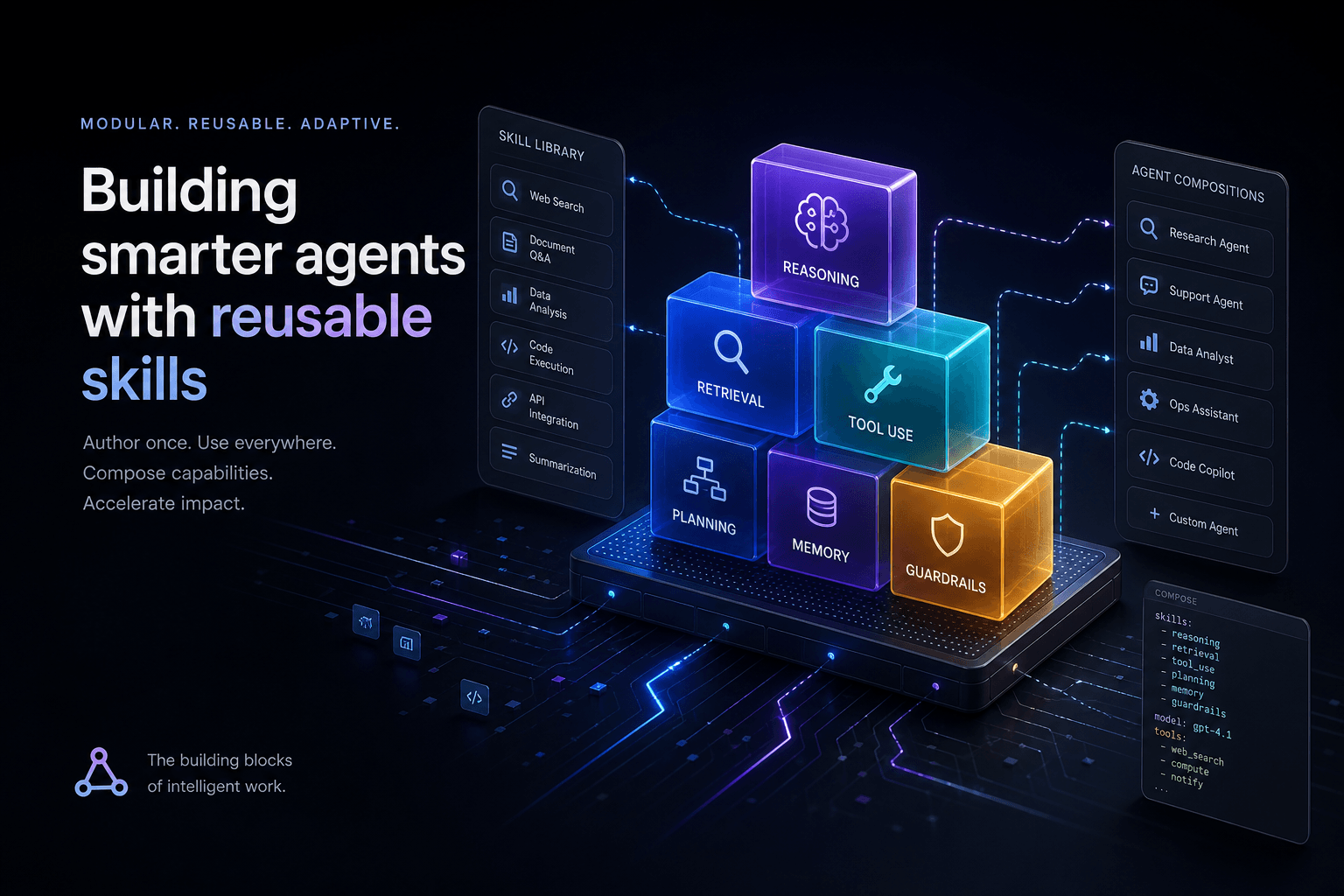
Claude Code Skills: The Complete Authoring Guide
The definitive guide to authoring Claude Code Skills. Learn how to build reusable agent capabilities that save hours and standardize quality across your projects.
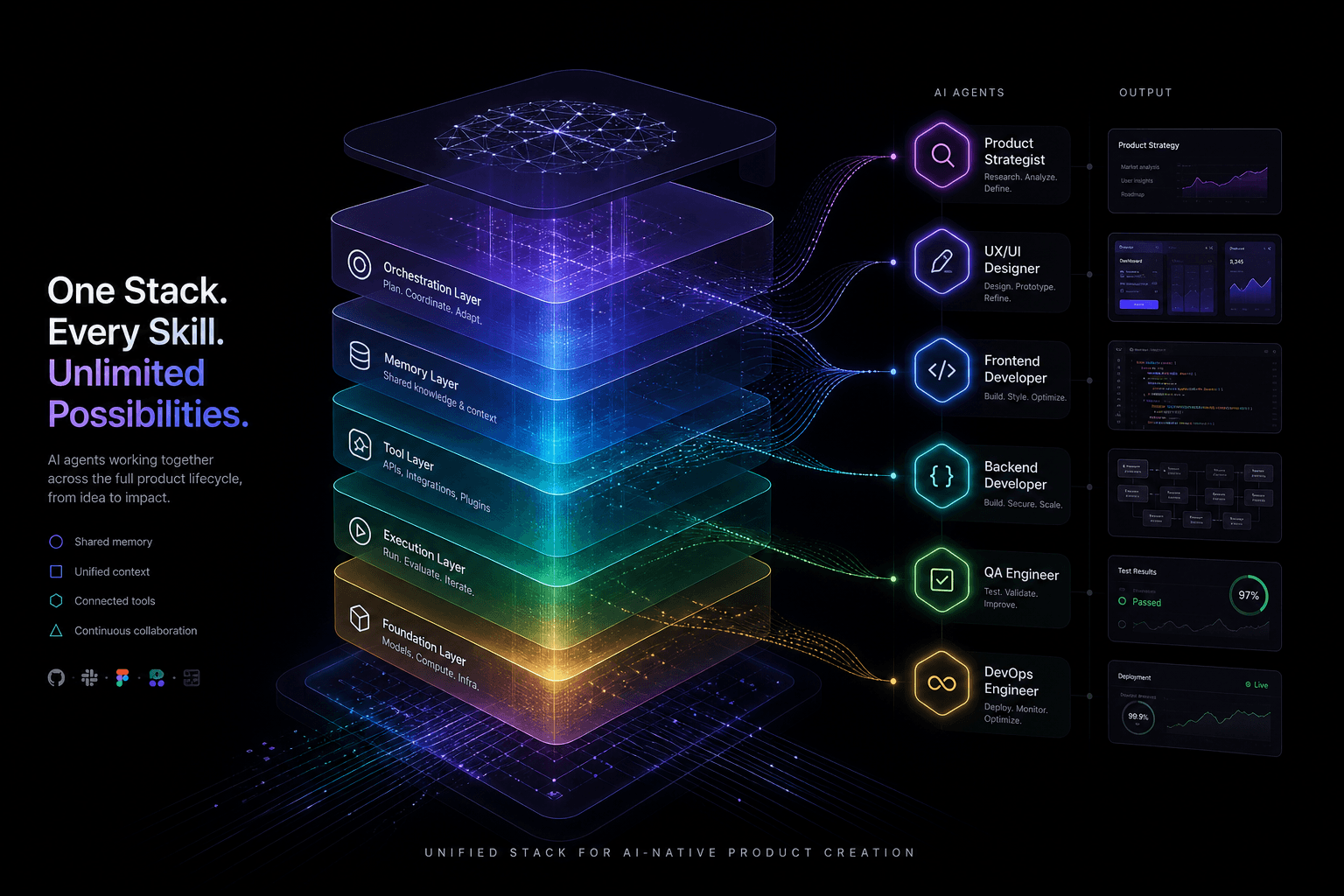
The Agentic Design Stack in 2026: Claude Code, Codex, AI Studio, Antigravity, Cursor, and Stitch Compared
The complete 2026 agentic stack comparison: which AI agent to reach for based on the job—design, build, review, or coordinate.
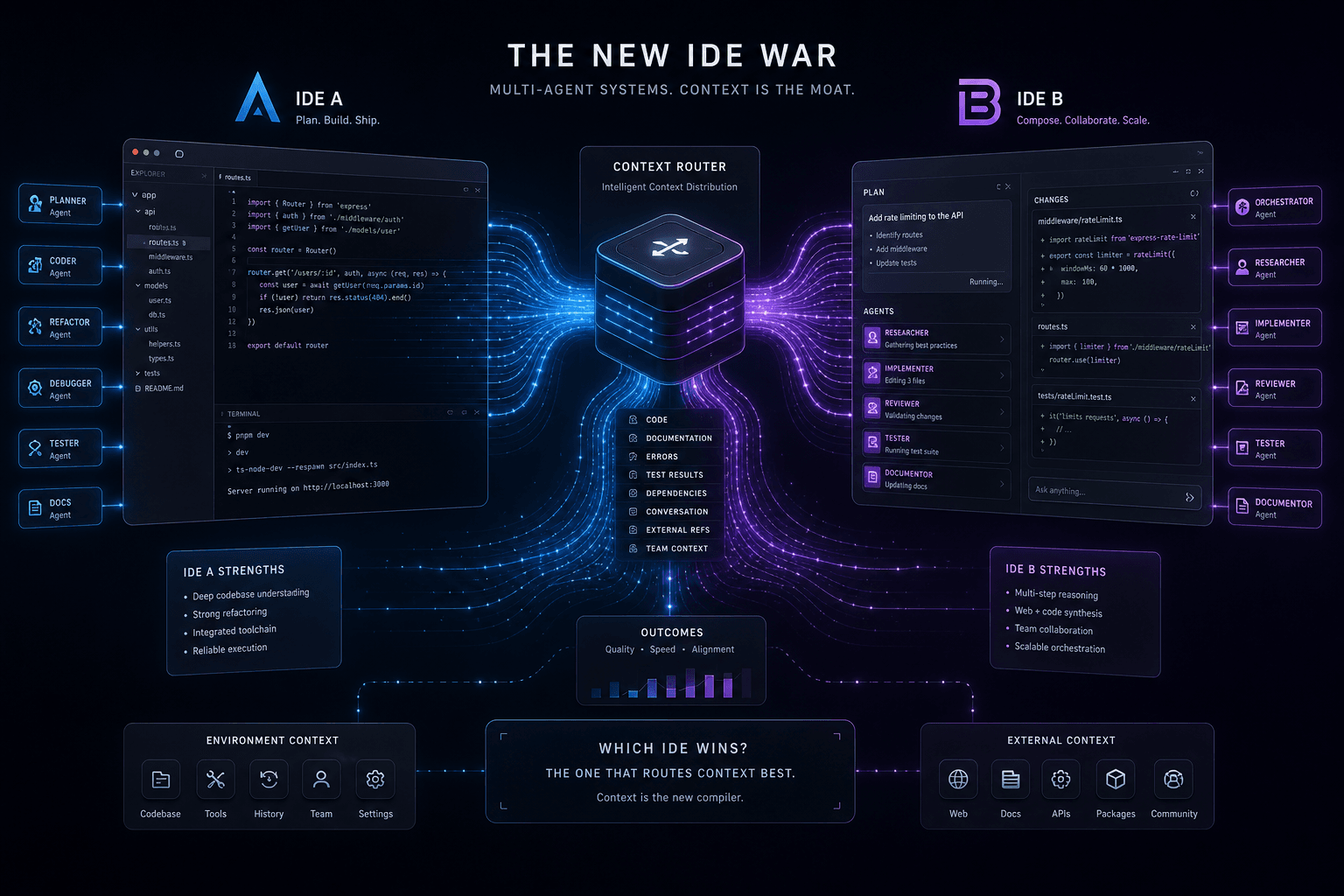
Antigravity vs. Claude Code: The Multi-Agent IDE Decision Framework for Context-Heavy Builds
The definitive 2-way decision framework for choosing between Google Antigravity and Claude Code on context-heavy builds. When to dump everything vs. scope tightly, and which tool handles browser-use, multi-agent orchestration, and handoffs better.




