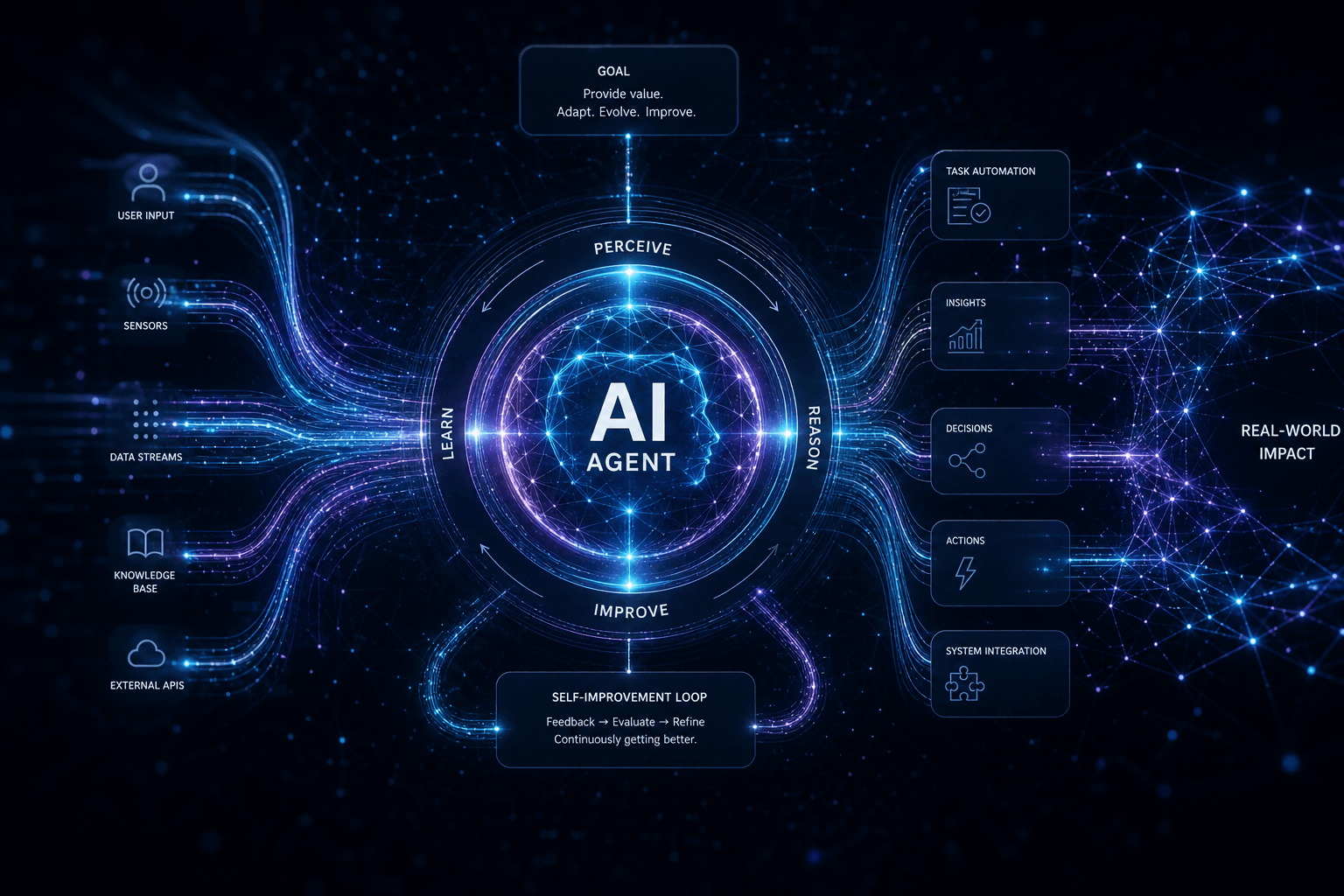
Hermes Agent: The Self-Improving AI Agent Going Viral in 2026 — Complete Field Guide

Table of Contents
The 2-Hour Hermes Agent Setup That Replaces a $2,000/Month Virtual Assistant #
Hermes Agent by Nous Research is the first self-improving AI agent that founders are actually deploying to replace virtual assistants — not as a demo, but as a 24/7 production teammate. By minute 120 of this guide, you'll have a Hermes instance running on a €4.49/month Hetzner CX22 VPS, wired to your Telegram, executing five skills that handle the repetitive work you currently pay a VA $1,500–$3,000 per month to manage.
What makes Hermes different from other agents: Its "skills system" automatically encodes successful task completions into reusable, self-documenting capabilities. The more you use it, the better it gets — without you writing a single line of code.
The artifacts you'll have by the end of this post:
- A running Hermes Agent instance on your own infrastructure
- Five complete skill files (
inbox-triage,morning-brief,meeting-follow-up,client-check-in,weekly-kpi-report) - A
MEMORY.mduser profile that accelerates Hermes' learning curve from weeks to days - A
deploy.shscript for repeatable Hetzner deployments - A cost model that shows exactly when you break even against human VA pricing
Why now: Hermes Agent crossed 140,000 GitHub stars in early 2026 and became the most-deployed personal agent on OpenRouter. The v0.7.0 "Resilience Release" in April added pluggable memory providers, credential rotation, and the Camofox anti-detection browsing layer — making it genuinely production-ready for the first time.
What You're Walking Away With Today #
This is an outcome-first guide. Every section maps to a tangible deliverable you can test, use, or sell. By the final section, you'll have reclaimed 6–10 hours of weekly administrative work and gained a reproducible system you can deploy for clients at $4,000–$8,000 per installation.
The 2-Hour Commitment #
| Time Elapsed | What You'll Have |
|---|---|
| 0:00 | Decision made, VPS credentials ready |
| 0:30 | Hermes installed, first chat exchange working |
| 1:00 | Telegram gateway live, secure user allowlist configured |
| 1:30 | All 5 skills loaded, first morning-brief generated |
| 2:00 | Cron schedules active, MEMORY.md seeded, cost baseline established |
The $2,000/Month VA Replacement Math #
Virtual assistant pricing in 2026:
- Offshore generalist VA: $800–$1,200/month (40 hours/week, language/competency tradeoffs)
- Onshore executive assistant: $2,000–$4,000/month (skilled, but turnover and training costs)
- Specialized ops contractor: $3,500–$6,000/month (domain expertise, but capacity-limited)
Hermes Agent at typical usage: €4.49/month VPS + $20–$80/month model spend = $25–$85/month total.
Break-even: Even if you only reclaim 5 hours/week of founder time valued at $100/hour, Hermes pays for itself in the first week. By month 3, the accumulated skills library becomes a compounding asset no human VA can match.
What "Self-Improving" Actually Means #
Most agents execute pre-written scripts. Hermes Agent observes its own execution, extracts generalizable patterns from successful completions, and writes new skills to disk — Markdown documents with embedded metadata that describe "how to do this kind of task." These skills are then retrieved via semantic search when similar tasks arise.
Example: After you approve its third inbox-triage session, Hermes generates a skill file capturing your preferences: which senders get immediate drafts, which get delayed summaries, which domains trigger automatic unsubscribe suggestions. The fourth session requires less supervision. By the tenth, it's handling 80% of your inbox without asking.
Prerequisites (What You Need Before Starting) #
- A computer with terminal access (macOS, Linux, or WSL on Windows)
- A Telegram account (for the mobile interface)
- A credit card for Hetzner (
€5/month) and OpenRouter ($20–$80/month depending on model choice) - Approximately 2 hours of uninterrupted focus time
No coding required. The setup is primarily copy-paste commands and configuration edits. If you can follow a DigitalOcean tutorial, you can complete this guide.
The "VA Replacement" Mental Model #
Most founders fail with AI agents because they treat them like chatbots with amnesia. Hermes Agent is not a conversational interface. It is a persistent, stateful teammate that runs on your server, remembers your preferences across sessions, and improves its own capabilities through use. Reframing it this way changes every implementation decision.
Hermes vs. ChatGPT/Claude: The Architecture Difference #
| Dimension | ChatGPT/Claude Web Interface | Hermes Agent |
|---|---|---|
| Persistence | Session-only context | Multi-level memory: short-term, episodic, procedural |
| Tooling | Limited to built-in capabilities | Custom skills, browser automation, file system, API calls |
| Scheduling | Reactive (you must prompt) | Proactive (cron jobs, triggers, autonomous loops) |
| Learning | None per-user | Self-generated skills from your task history |
| Hosting | Vendor cloud | Your VPS, your data, your control |
| Cost model | Subscription + usage | Infrastructure + usage (often 10x cheaper at scale) |
The key insight: ChatGPT and Claude are exceptional generalists for novel, one-off reasoning tasks. Hermes is a specialist that encodes your recurring workflows into reusable capabilities. They complement each other — but if you're paying a VA primarily for repetitive, pattern-based work (inbox triage, meeting prep, status reporting), Hermes is the direct replacement.
The Three Jobs of a Good Virtual Assistant #
To replace a VA, an agent must handle three job categories:
1. Information Filtering (Inbox Triage, Alert Routing)
- Reads high-volume inputs (email, Slack, support tickets)
- Applies your classification rules
- Surfaces exceptions requiring human judgment
- Handles routine responses without escalation
2. Preparation & Context Assembly (Meeting Briefs, Research Summaries)
- Gathers relevant documents before scheduled events
- Synthesizes background from multiple sources
- Delivers formatted briefs at the right time
- Maintains institutional memory across meetings
3. Relationship Maintenance (Client Check-ins, Follow-ups)
- Executes scheduled touchpoints
- Tracks response patterns and engagement
- Escalates when human intervention is needed
- Maintains conversational continuity
Hermes Agent, with the skill system you'll load in Step 4, handles all three categories. The skills are not hardcoded automations — they're adaptive playbooks that improve with feedback.
Why Founders Hire VAs (And Why They Still Fail) #
The typical founder VA hiring arc:
- Week 1–2: Document everything, train extensively
- Month 1: VA handles 60% of delegated tasks correctly
- Month 2: Turnover or quality degradation, back to 40%
- Month 3: Founder stops delegating, VA becomes expensive inbox monitor
The failure mode: Human VAs struggle with context switching, knowledge retention, and consistent execution of nuanced rules. Every new VA starts from zero understanding of your preferences. Every VA departure resets that understanding to zero.
Hermes inverts this: It never forgets. Its skills compound. The 50th inbox triage session benefits from the learning of the first 49. Turnover is impossible — your agent's memory persists on your server, portable across any infrastructure.
The "Gateway Agent" Concept #
Hermes belongs to a category of tools I call gateway agents — AI systems that sit between you and your operational tools (email, calendar, CRM, project management), executing workflows on your behalf. Other gateway agents include OpenClaw and Agent Zero, each with different tradeoffs we'll cover in the May 17 comparison post.
For personal VA replacement, Hermes wins because of its memory architecture. For multi-team, multi-channel business automation, OpenClaw's broader integration ecosystem may be preferable. For maximum autonomy with self-evolution, Agent Zero's self-modification capabilities go deeper.
This guide focuses exclusively on the personal productivity deployment — one founder, one agent, one Telegram thread, dozens of hours reclaimed per month.
What You'll Have at Each 30-Minute Checkpoint #
The 2-hour setup is designed as four 30-minute blocks, each producing a working milestone you can test independently. This structure respects founder time — if you only have 30 minutes today, you'll still have something functional. If you have the full 2 hours, you'll have a complete VA replacement system.
Checkpoint 0:00 — Decision & Preparation (5 Minutes) #
Before touching any code, decide your deployment topology:
| Path | Best For | Monthly Cost | Complexity |
|---|---|---|---|
| VPS (Recommended) | Production personal assistant, always-on | €4.49–€8.99 | Low |
| Local Machine | Privacy-maximal, no cloud dependency | $0 (hardware only) | Medium |
| Modal/Railway | Serverless scaling, pay-per-use | $5–$50 variable | Medium-High |
This guide assumes the VPS path — specifically Hetzner CX22 — because it offers the best cost/reliability ratio for always-on personal agents. The commands work identically on DigitalOcean, Linode, or AWS Lightsail if you prefer those platforms.
Prerequisites check:
- Hetzner account created (hetzner.com)
- SSH key generated (
ssh-keygen -t ed25519if you haven't already) - Telegram account active on your phone
- OpenRouter account with $20 credit (openrouter.ai)
Checkpoint 0:30 — Hermes Installed, First Chat Working #
What you'll verify:
$ ssh root@your-vps-ip
$ hermes --version
Hermes Agent v0.7.0 (Resilience Release)
$ hermes chat
> Hello, Hermes
Hello! I'm Hermes Agent, running on your server. How can I help you today?
Success criteria: Hermes responds to natural language, remembers the conversation context within the session, and reports its version correctly.
What you've built: The core runtime, model backend connection (via Nous Portal or OpenRouter), and basic shell interaction. This is the foundation everything else stacks on.
If something breaks: 90% of first-boot failures are API key configuration. Check ~/.hermes/config.yaml has your OpenRouter key, and verify the key has credits at openrouter.ai/keys.
Checkpoint 1:00 — Telegram Gateway Live #
What you'll verify:
- Send
/startto your Hermes bot in Telegram - Receive welcome message with your configured agent name
- Send a test task: "What's on my calendar today?"
- Receive a response (even if it's "I don't have calendar access configured yet")
Success criteria: Bidirectional Telegram communication works, user allowlist is functioning (only your Telegram ID can talk to the agent), and message formatting renders correctly on mobile.
What you've built: The mobile interface layer. Most founders interact with their Hermes agent 90% through Telegram, 10% through terminal. This checkpoint makes the agent portable — you can manage your assistant from anywhere with cell service.
Security note: The allowed-users configuration in config.yaml is critical. Without it, anyone who discovers your bot's username could send it commands. The allowlist ensures only your Telegram ID (and any co-founders you explicitly add) can trigger the agent.
Checkpoint 1:30 — 5 Skills Loaded, First Brief Generated #
What you'll verify:
$ hermes skills list
- inbox-triage (v1.0, active)
- morning-brief (v1.0, active)
- meeting-follow-up (v1.0, active)
- client-check-in (v1.0, active)
- weekly-kpi-report (v1.0, active)
Then in Telegram:
You: /brief
Hermes: 📅 Morning Brief — Tuesday, May 12, 2026

**Calendar (Next 24h)**
- 10:00 AM — Product review (pre-read: Notion link)
- 2:00 PM — Investor update prep

**Inbox Summary**
- 12 new messages, 3 flagged for review
- 2 auto-replied (meeting confirmations)

**Metrics**
- Stripe: $3.2K MRR (+4% vs last week)
- Ghost: 1,247 subscribers (+89 this week)
Success criteria: All five skills appear in the list, respond to their trigger commands, and produce formatted, useful output. The morning brief demonstrates the integration working across multiple data sources.
What you've built: The functional VA replacement. At this point, Hermes is doing work you'd otherwise do yourself or delegate. The skills are running in "learning mode" — they're observing your corrections and will self-improve with use.
Checkpoint 2:00 — Cron Active, Memory Seeded, Cost Baseline #
What you'll verify:
$ hermes cron list
- morning-brief: daily at 07:00
- evening-shutdown: daily at 18:00
- friday-metrics: Fridays at 17:00
- sunday-weekly: Sundays at 19:00

$ cat ~/.hermes/memory/USER.md | head -20
# User Profile: William Spurlock
**Role:** Solo founder, AI automation consultant + premium web design
**Communication Style:** Direct, data-informed, minimal fluff
**Decision Speed:** Fast for < $1K, requires overnight sleep for > $5K
...
Success criteria: Scheduled jobs are queued, your user profile is documented, and you have a spreadsheet or note tracking VPS + API costs for the first month.
What you've built: A self-sustaining system. The agent now operates autonomously within defined boundaries, learning your preferences, and reporting its activity. You've crossed the threshold from "tool I operate" to "teammate that operates."
The Day 2 test: Tomorrow morning at 7 AM, your phone should buzz with a Morning Brief you didn't explicitly request. That's the moment you know the VA replacement is real.
Decision: Hosted vs Local vs Hybrid #
Hermes Agent can run anywhere Python executes — your laptop, a Raspberry Pi, a cloud VPS, or a serverless container. The choice affects cost, privacy, reliability, and maintenance burden. Make this decision in 60 seconds using the matrix below.
The Three Deployment Topologies #
| Factor | Local Machine | VPS (Recommended) | Serverless (Modal/Railway) |
|---|---|---|---|
| Monthly Cost | $0 (electricity only) | €4.49–€8.99 | $5–$50 (variable) |
| Always-On | No (sleeps when laptop closes) | Yes | Yes (with warm pools) |
| Privacy | Maximum (no data leaves) | High (your server, encrypted) | Moderate (vendor infra) |
| Setup Complexity | Low | Low | Medium |
| Maintenance | Minimal | Low (security patches) | Low (vendor-managed) |
| Model Options | Local only (Ollama, etc.) | Any (local + API) | Any (API-only typically) |
| Skill Persistence | Local disk | Remote disk (backed up) | Ephemeral (needs config) |
When to Choose Each Path #
Choose Local if:
- You're privacy-maximal and don't want any data touching cloud APIs
- You have a desktop machine that runs 24/7 anyway
- You're comfortable with local LLMs (Hermes 3 via Ollama, etc.)
- You don't need Telegram access when away from your machine
Tradeoffs: Limited to local models (smaller parameter counts, lower quality), no mobile access when machine is off, you manage all backups and persistence.
Choose VPS if:
- You want a personal assistant that's always reachable
- You prefer API models (GPT-5, Claude, Gemini) for quality
- You need Telegram/Slack/Discord access from any device
- You want a setup you can hand to a client as a deliverable
Tradeoffs: Small monthly cost (~€5–€10), requires basic Linux administration (updates, monitoring), data transits the internet (though encrypted).
Choose Serverless if:
- Your usage is spiky (heavy some days, zero others)
- You want vendor-managed scaling and zero server maintenance
- You're already on Modal, Railway, or Fly.io for other workloads
- Cost variability is acceptable
Tradeoffs: Higher per-request costs, cold start latency (1–3 seconds), ephemeral filesystem (skills must sync to external storage), potential vendor lock-in.
The Hybrid Setup (What I Actually Run) #
My production configuration:
- Primary Hermes: Hetzner CX22 (€4.49/month) running the Telegram gateway, skills, and cron jobs
- Local Hermes: Mac Studio for offline tasks involving sensitive client data
- Model routing: GPT-5.4 via OpenRouter for most tasks, Hermes 3 via Ollama for local-only jobs
The two instances share skill files via a private Git repo. When the local instance generates a useful skill, it pushes to the repo. The VPS instance pulls daily. This gives me the accessibility of cloud with the privacy control of local for sensitive work.
For this guide, we'll focus on the VPS path — it's the best balance for most founders and the easiest to productize for client work later.
VPS Provider Comparison (May 2026) #
| Provider | Smallest Plan | Specs | Monthly Cost | Notes |
|---|---|---|---|---|
| Hetzner CX22 | 2 vCPU, 4GB RAM, 40GB SSD | €4.49 | No IPv4 surcharge | Fastest provisioning, best price |
| DigitalOcean Basic | 1 vCPU, 1GB RAM, 25GB SSD | $6 | Well-documented, great community | |
| Linode Shared | 1 vCPU, 1GB RAM, 25GB SSD | $5 | Longest track record, stable | |
| AWS Lightsail | 2 vCPU, 1GB RAM, 40GB SSD | $5 | AWS ecosystem integration |
Why Hetzner CX22 wins: 4GB RAM is the practical minimum for running Hermes + a lightweight API model proxy. The €4.49 price (after April 2026 adjustment) undercuts competitors with better specs. German data centers are GDPR-compliant if you later serve EU clients.
IPv4 Note: Hetzner charges €0.50/month for a public IPv4 address. You can skip this if you only need IPv6, but Telegram webhooks and many APIs still require IPv4. Budget the extra €0.50.
Step 1 — Spin Up the VPS in 8 Minutes #
This section walks through Hetzner CX22 provisioning and Hermes installation. If you're using DigitalOcean, Linode, or AWS Lightsail, the commands are identical after the SSH login step — only the server creation UI differs.
1.1 — Create the Hetzner Server (3 minutes) #
- Log into console.hetzner.cloud
- Click "Add Server"
- Location: Nürnberg or Falkenstein (lowest latency from most of Europe/US East)
- Image: Ubuntu 24.04 LTS (standard, well-tested with Hermes)
- Type: CX22 (2 vCPU, 4 GB RAM, 40 GB NVMe)
- Networking: Enable IPv4 (adds €0.50/month, required for Telegram webhooks)
- SSH Key: Select your existing key or paste a new one
- Name:
hermes-agent-01(or any identifier) - Click "Create & Buy"
Expected output: Server status shows "Running" within 60 seconds. Note the IPv4 address (e.g., 78.46.123.45) — you'll need it for the next step.
1.2 — Initial Server Hardening (3 minutes) #
SSH in as root and run the bootstrap:
ssh root@78.46.123.45  # Replace with your server IP

# Update system packages
apt update && apt upgrade -y

# Install dependencies
apt install -y python3-pip python3-venv git curl nano

# Create hermes user (don't run the agent as root)
useradd -m -s /bin/bash hermes
usermod -aG sudo hermes

# Switch to hermes user
su - hermes
Why a dedicated user: Running agents as root is a security anti-pattern. The hermes user has sudo access for installation but runs the agent with limited privileges, reducing blast radius if the agent is ever compromised.
1.3 — Install Hermes Agent (2 minutes) #
# Install Hermes via pip (recommended method as of v0.7.0)
pip3 install --user hermes-agent

# Verify installation
hermes --version
# Expected: Hermes Agent v0.7.0

# Initialize configuration
hermes init
The hermes init command creates the default configuration structure:
~/.hermes/
├── config.yaml          # Main configuration
├── skills/              # Skill files directory
├── memory/              # Memory files (USER.md, MEMORY.md, etc.)
├── logs/                # Execution logs
└── data/                # Working data, cached files
1.4 — Configure the Model Backend (1 minute) #
Edit ~/.hermes/config.yaml:
model:
  provider: openrouter
  api_key: sk-or-v1-xxxxxxxxxxxxxxxx  # Your OpenRouter key
  model: openai/gpt-5.4              # See Step 3 for model selection

system:
  name: "Hermes"                      # How the agent introduces itself
  timezone: "America/New_York"       # Your local timezone

gateways:
  telegram:
    enabled: false                   # We'll enable in Step 2
    token: ""                      # Bot token will go here
    allowed_users: []               # Your Telegram ID will go here
Get your OpenRouter API key:
- Go to openrouter.ai/keys
- Create a new key
- Copy the key starting with
sk-or-v1- - Paste into config.yaml
- Add $20–$50 credit to the key (Settings → Billing)
1.5 — First Test #
hermes chatYou should see:
Hermes Agent v0.7.0 initialized.
Model: openai/gpt-5.4 (via OpenRouter)
Memory: 0 episodes loaded
Skills: 0 skills loaded

> Hello, are you working?
Hello! Yes, I'm Hermes Agent, running on your server at 78.46.123.45.
I'm ready to help. What can I do for you?
Troubleshooting:
- "Authentication failed": Check your OpenRouter API key is correct and has credit
- "Connection timeout": Your server may need outbound HTTPS access (check UFW:
sudo ufw allow 443) - "Module not found": Ensure
pip3 installcompleted without errors
Success criteria: Hermes responds intelligently to natural language, maintains context across multiple turns, and reports its version and model correctly.
Checkpoint Verification #
Run this checklist before proceeding to Step 2:
- Can SSH to server without password (key-based auth working)
-
hermes --versionreturns v0.7.0 or higher -
hermes chatproduces a working interactive session - OpenRouter dashboard shows API calls in the last 5 minutes
- Server uptime is < 30 minutes (confirm fresh install)
Time elapsed: ~8 minutes. You now have Hermes Agent running on a cloud server, connected to frontier AI models via OpenRouter. The foundation is live — everything else adds functionality to this base.
Step 2 — Wire Telegram in 12 Minutes #
Telegram is the mobile interface for Hermes Agent. While you can use SSH for administration, Telegram is how you'll actually interact with your assistant day-to-day — checking briefs, approving actions, and getting alerts while away from your desk.
2.1 — Create the Telegram Bot (4 minutes) #
- Open Telegram on your phone or desktop
- Message @BotFather (Telegram's official bot creation tool)
- Send:
/newbot - Name your bot: Something like "Hermes Assistant" (display name)
- Choose username: Must end in
bot, e.g.,yourname_hermes_bot - Save the token: BotFather returns a message like:
Done! Congratulations on your new bot. You will find it at t.me/yourname_hermes_bot
Use this token to access the HTTP API:
123456789:ABCdefGHIjklMNOpqrSTUvwxyz
Critical security step: Copy this token immediately to your password manager. Anyone with this token can control your bot. Never commit it to Git.
2.2 — Get Your Telegram User ID (2 minutes) #
Your Hermes bot should only respond to you (and any co-founders you explicitly add). To enforce this, you need your Telegram user ID.
- Message @userinfobot on Telegram
- It will reply with your user info:
@yourusername Id: 123456789 First: Your Last: Name - Note the
Idnumber — this is your Telegram user ID
Why this matters: Without the allowed_users whitelist, anyone who discovers your bot's username could send it commands. The whitelist ensures only your Telegram ID can trigger the agent.
2.3 — Configure Hermes for Telegram (3 minutes) #
Edit ~/.hermes/config.yaml:
gateways:
  telegram:
    enabled: true
    token: "123456789:ABCdefGHIjklMNOpqrSTUvwxyz"  # Your BotFather token
    allowed_users:
      - 123456789  # Your Telegram user ID
    # Optional: add co-founders
    # - 987654321  # Co-founder's Telegram ID
Restart Hermes to apply the configuration:
hermes restartOr if running as a service:
sudo systemctl restart hermes  # If you've set up systemd
# or
hermes gateway telegram start   # Foreground mode for testing
2.4 — Test the Connection (3 minutes) #
Open Telegram and search for your bot's username (e.g.,
@yourname_hermes_bot)Tap "Start" or send
/startExpected response:
🤖 Hermes Agent Online

I'm your personal AI assistant, running on your private server.

Available commands:
/brief — Morning briefing
/help — Show all commands
/status — Check system health

Or just message me naturally. I learn from every interaction.
Test natural language: Send "What's my IP address?"
Expected response: Your server's public IP (e.g., "Your server's public IP is 78.46.123.45")
Troubleshooting:
| Symptom | Likely Cause | Fix |
|---|---|---|
| No response to /start | Token incorrect | Re-copy from BotFather, check for extra spaces |
| "Unauthorized" error | User ID mismatch | Verify your ID with @userinfobot |
| Delayed responses | Webhook not set | Check firewall, ensure port 443 open |
| Hermes responds but ignores me | Allowed users config | Check indentation in YAML, must be list format |
2.5 — Set Up the Systemd Service (Optional but Recommended) #
To ensure Hermes starts automatically on boot and restarts on crashes:
# Create service file
sudo nano /etc/systemd/system/hermes.service
Paste:
[Unit]
Description=Hermes Agent
After=network.target

[Service]
Type=simple
User=hermes
WorkingDirectory=/home/hermes
Environment=HOME=/home/hermes
ExecStart=/home/hermes/.local/bin/hermes gateway telegram start
Restart=always
RestartSec=10

[Install]
WantedBy=multi-user.target
Enable and start:
sudo systemctl daemon-reload
sudo systemctl enable hermes
sudo systemctl start hermes

# Check status
sudo systemctl status hermes
Expected output: Active: active (running) with no errors in the log.
Checkpoint Verification #
Before proceeding to Step 3, verify:
- Bot responds to
/startwith the welcome message - Natural language queries produce intelligent responses
- Messages from non-allowed users are rejected (test by having a friend try)
- Systemd service is active (if configured) or foreground process is stable
- Response time is < 5 seconds for simple queries
Time elapsed: ~12 minutes total (Steps 1 + 2). You now have an AI assistant you can chat with from anywhere in the world via Telegram, running on infrastructure you control.
Step 3 — Pick Your Model Without Burning $200/Month #
Hermes Agent is model-agnostic — it works with 400+ models via OpenRouter, Nous Portal, or your own local inference. The model you choose determines capability, latency, and cost. This section gives you decision frameworks and cost models for three usage profiles.
Model Pricing at a Glance (May 2026) #
| Model | Provider | Input/1M tokens | Output/1M tokens | Context | Best For |
|---|---|---|---|---|---|
| GPT-5.4 | OpenAI | $2.50 | $15.00 | 128K | General purpose, reliable tool use |
| Claude Sonnet 4.6 | Anthropic | $3.00 | $15.00 | 200K | Long context, nuanced instructions |
| Claude Haiku 4.5 | Anthropic | $0.50 | $2.00 | 48K | Fast, cheap, simple tasks |
| Gemini 3.5 Flash | $1.50 | $9.00 | 1M | Cost-conscious, high volume | |
| DeepSeek V4 Pro | DeepSeek | $0.44 | $0.87 | 64K | Cheapest capable option |
| Hermes 3 (local) | Nous | $0 | $0 | 8K | Privacy-maximal, offline |
| Hermes 4 70B | Nous Portal | $0.13 | $0.40 | 128K | Native to Hermes Agent |
Token counts for context: A typical morning-brief skill execution consumes 4K–8K input tokens and 1K–2K output tokens. An inbox-triage session on 20 emails might consume 15K input tokens and 3K output tokens.
Three Usage Profiles, Three Model Strategies #
Profile A: Light Personal Use (50–100 turns/day)
- Use case: Morning briefs, occasional inbox triage, meeting prep
- Daily tokens: ~20K input, ~5K output
- Recommended: DeepSeek V4 Pro or Gemini 3.5 Flash
- Monthly cost: $15–$40
Profile B: Active Business Use (200–400 turns/day)
- Use case: Heavy inbox triage, multiple daily briefs, client check-ins
- Daily tokens: ~80K input, ~20K output
- Recommended: GPT-5.4 or Claude Sonnet 4.6
- Monthly cost: $80–$180
Profile C: Maximum Capability (Quality Over Cost)
- Use case: Complex research, multi-step reasoning, critical client comms
- Strategy: Claude Opus 4.7 or GPT-5.5 for complex tasks, fallback to cheaper models for routine work
- Monthly cost: $150–$400
The Local Model Option (Privacy-Maximal) #
If you want zero API spend and complete data privacy, run Hermes 3 locally via Ollama:
# On the VPS (requires more RAM — upgrade to CPX21 with 8GB)
curl -fsSL https://ollama.com/install.sh | sh
ollama pull hermes3:70b

# Update Hermes config
model:
  provider: ollama
  base_url: http://localhost:11434
  model: hermes3:70b
Tradeoffs:
- Pros: Zero per-token cost, no data leaves your server, works offline
- Cons: Requires 8GB+ RAM, slower inference (5–15s vs 1–3s), lower capability than frontier models
When to use local: If you're processing sensitive client data and can't risk any cloud exposure, the hardware upgrade pays for itself in privacy assurance.
The Hybrid Strategy (What I Recommend) #
Configure Hermes with multiple model tiers and route by task type:
models:
  default:
    provider: openrouter
    model: openai/gpt-5.4

  fast:
    provider: openrouter
    model: google/gemini-3.5-flash

  deep:
    provider: openrouter
    model: anthropic/claude-sonnet-4.6

routing:
  # Use fast model for simple queries
  - pattern: "^(status|ping|hello)$"
    model: fast

  # Use deep model for complex analysis
  - pattern: "analyze|research|compare|recommend"
    model: deep
This hybrid approach typically reduces costs by 40–60% while maintaining quality for complex tasks.
Cost Monitoring #
Set up alerts before costs surprise you:
- OpenRouter dashboard: Set a monthly budget cap (Settings → Billing → Budget Cap)
- Hermes cost logging: Enable in
config.yaml:logging: track_costs: true cost_alert_threshold: 100 # Alert at $100/month - Daily check: Use the
hermes statuscommand to see current period spend
Time elapsed: ~3 minutes to update config. You now have a cost-optimized model backend that scales with your usage.
Step 4 — Load the 5 VA-Replacement Skills #
This section contains the core value of the guide: five complete skill files you can copy directly into ~/.hermes/skills/. Each skill is a Markdown document with embedded metadata that Hermes parses to understand triggers, inputs, outputs, and execution patterns.
How to load skills:
mkdir -p ~/.hermes/skills
cd ~/.hermes/skills

# Create each skill file (copy from sections below)
nano inbox-triage.md
nano morning-brief.md
nano meeting-follow-up.md
nano client-check-in.md
nano weekly-kpi-report.md

# Verify loading
hermes skills reload
hermes skills list
Skill 1: inbox-triage #
Purpose: Connects to Gmail via IMAP, classifies unread messages by urgency and type, drafts responses for routine inquiries, and surfaces only the messages requiring human judgment.
File path: ~/.hermes/skills/inbox-triage.md
---
id: inbox-triage
name: Inbox Triage
version: 1.0
triggers:
  - command: /inbox
  - schedule: "0 9 * * 1-5"  # 9 AM weekdays
  - natural: "check my email|triage inbox|what's new in my inbox"
inputs:
  - name: max_emails
    type: integer
    default: 20
  - name: auto_reply_enabled
    type: boolean
    default: false
outputs:
  - summary: string
  - urgent: array[email_id]
  - drafts: array[email_draft]
  - newsletter_summary: string
tools:
  - imap_client
  - gmail_api
  - openai/gpt-5.4  # For classification and drafting
---

# Inbox Triage Skill

## Objective
Process unread emails efficiently, reduce inbox anxiety, and ensure nothing important is missed while minimizing time spent on low-value messages.

## Classification Rules

**Urgent (Immediate Notification):**
- Investor, board, or key partner emails
- Customer complaints or churn signals
- Critical infrastructure alerts (downtime, security)
- Legal or compliance matters
- Emails containing "ASAP", "urgent", "down", "broken", "outage"

**Important (Daily Digest):**
- Sales inquiries from qualified prospects
- Partnership opportunities
- Press or media requests
- Hiring pipeline updates
- Invoice/receipt notifications

**Routine (Batch & Draft Response):**
- Meeting confirmations (auto-accept if calendar free)
- Software notifications (GitHub, Linear, etc.)
- Newsletter subscriptions (summarize, don't show full)
- Vendor cold outreach (assess relevance, unsubscribe suggestion)
- Internal team updates (surface only action items)

**Low Priority (Archive Silently):**
- Marketing emails (unless from key vendors)
- Social media notifications
- Automated reports with no anomalies

## Draft Response Guidelines

**Auto-draft enabled for:**
- Meeting confirmations with proposed alternative times
- Simple information requests with documented answers
- Thank you responses for delivered work
- Out-of-office redirects (when enabled)

**Never auto-draft:**
- Anything involving pricing or contract terms
- Negative feedback responses
- Complex technical explanations
- Messages to investors or board members

## Output Format
📧 Inbox Triage — {timestamp}
🚨 URGENT (2 messages)
[Partner] Server outage report — 5 min ago
Action needed: Review incident thread[Customer] Enterprise contract question — 30 min ago
Action needed: Review draft response below
[DRAFT]: "Thanks for your patience. I've reviewed the SLA terms..."
📋 IMPORTANT (4 messages)
3. [Prospect] Demo request — 2 hours ago
Qualified: Yes (50+ employees, SaaS)
Action: Schedule via Calendly
4-6. [Summaries...]
✅ ROUTINE HANDLED (12 messages)
- 5 meeting confirmations (auto-accepted)
- 3 GitHub notifications (no action needed)
- 4 newsletters (summarized below)
Newsletter Summary:
- AI Weekly: OpenAI released GPT-5.5 preview
- SaaS Metrics: Churn benchmarks for Q2 2026
## Learning Hooks

After each triage session, ask:
- "Which classifications were wrong?"
- "Which drafts needed heavy editing?"
- "What sender patterns should I learn?"

Use feedback to refine classification rules.

## Gmail/IMAP Configuration

Required environment variables or config:
- `GMAIL_IMAP_USER`: Your email address
- `GMAIL_IMAP_PASS`: App-specific password (not your main password)
- `GMAIL_IMAP_HOST`: imap.gmail.com
- `GMAIL_IMAP_PORT`: 993

**Setup:** Enable IMAP in Gmail Settings → Forwarding and POP/IMAP → IMAP Access. Generate app password at myaccount.google.com/apppasswords.
How to invoke:
- Telegram: Send
/inbox - Natural: "Check my email" or "Triage my inbox"
- Automatic: Runs weekdays at 9 AM if configured
Expected output: A categorized summary with urgent items flagged, drafts prepared for approval, and routine items handled silently.
Skill 2: morning-brief #
Purpose: Aggregates calendar, inbox highlights, key metrics, and priorities into a single 7 AM Telegram message that orients you for the day.
File path: ~/.hermes/skills/morning-brief.md
---
id: morning-brief
name: Morning Brief
version: 1.0
triggers:
  - command: /brief
  - schedule: "0 7 * * 1-5"  # 7 AM weekdays
  - schedule: "0 9 * * 0,6"  # 9 AM weekends (later start)
inputs: []
outputs:
  - brief: string
  - priority_score: integer
tools:
  - calendar_api
  - gmail_summary
  - stripe_api
  - notion_read
  - weather_api
---

# Morning Brief Skill

## Objective
Deliver a concise, actionable summary of the day ahead that takes < 2 minutes to read and surfaces only items requiring attention.

## Data Sources

1. **Calendar (Next 24 hours)**
   - Title, time, duration
   - Attendees and their companies/roles
   - Pre-read documents (from calendar description or Notion)
   - Conflicts or tight transitions

2. **Inbox (Since yesterday 6 PM)**
   - Count of new messages
   - Urgent items flagged by inbox-triage
   - Drafts awaiting approval

3. **Metrics (Business Health)**
   - MRR/ARR (from Stripe)
   - Key conversion rates (from analytics)
   - Active subscriber counts
   - Open tickets/bugs (from Linear/GitHub)

4. **Follow-ups (Commitments)**
   - Yesterday's promised follow-ups
   - Pending approvals needed
   - Upcoming deadlines (from Notion/Asana)

5. **Context (External)**
   - Weather (if in-person meetings)
   - Market movements (if investor meetings)

## Output Format
📅 Morning Brief — Tuesday, May 12, 2026
Good morning! You have 5 meetings and 3 priority items today.
⏰ TODAY'S SCHEDULE
10:00 AM — Product Review (45 min)
With: Sarah (CTO), Mike (Design)
Pre-read: [Notion link from memory]
Note: Tight transition to next meeting
11:00 AM — Investor Update Prep (60 min)
With: You + [prepare solo]
Goal: Finalize Q2 metrics deck
2:00 PM — Client Demo — Acme Corp (30 min)
With: John (CEO Acme), your team
Prep: Review their use case doc
⚠️ First meeting — make strong impression
[Additional meetings...]
🚨 PRIORITY ITEMS
- Respond to Stripe outage notification (2 hours old)
- Approve draft response to enterprise contract question
- Review Q2 board deck — meeting moved to tomorrow
📊 OVERNIGHT METRICS
• Stripe: +$847 (2 new customers)
• Ghost: +23 subscribers
• Support: 0 new tickets
📝 YESTERDAY'S FOLLOW-UPS
• Sent: Investor intro to portfolio company
• Pending: Pricing feedback to enterprise prospect
🎯 TODAY'S FOCUS
Based on your goals: Priority is investor prep. Block 90 min before 2 PM.
## Personalization Rules

From USER.md memory:
- If early morning person: Include "deep work window" suggestions
- If night owl: Note evening commitments
- If investor meetings today: Include market context
- If travel day: Add weather, transit time, packing reminders

## Weekend Variation

On weekends, brief includes:
- Week review highlights
- Upcoming week preview
- Suggested reading (from saved articles)
- Personal goal tracking

## Configuration

```yaml
brief_preferences:
  timezone: America/New_York
  workdays: [1, 2, 3, 4, 5]  # Monday-Friday
  weekend_brief: true
  include_weather: true
  include_markets: false
  max_meetings_to_detail: 5
  metrics_sources:
    - stripe
    - ghost
    - linear
**How to invoke:**
- Automatic: Daily at 7 AM (weekdays), 9 AM (weekends)
- Telegram: Send `/brief`
- Natural: "What's today look like?" or "Morning brief"

**Expected output:** A comprehensive but scannable daily orientation that takes 60–90 seconds to read and prepares you for every significant commitment.

---

### Skill 3: meeting-follow-up

**Purpose:** Processes meeting transcripts (from Fathom, Fireflies, or similar), extracts action items, drafts follow-up emails, and updates your CRM/Notion with outcomes.

**File path:** `~/.hermes/skills/meeting-follow-up.md`

```markdown
---
id: meeting-follow-up
name: Meeting Follow-Up
version: 1.0
triggers:
  - command: /followup
  - webhook: fathom_webhook
  - webhook: fireflies_webhook
  - natural: "process my last meeting|draft follow-up for yesterday's call"
inputs:
  - name: transcript_source
    type: string
    options: [fathom, fireflies, otter, manual]
  - name: meeting_id
    type: string
outputs:
  - action_items: array
  - follow_up_draft: string
  - crm_update: object
  - notion_entry: object
tools:
  - fathom_api
  - fireflies_api
  - gmail_draft
  - notion_write
  - pipedrive_api
---

# Meeting Follow-Up Skill

## Objective
Convert meeting activity into documented outcomes, ensuring nothing falls through the cracks and every relationship is advanced appropriately.

## Process Flow

1. **Ingest Transcript**
   - Pull from Fathom/Fireflies API or accept manual paste
   - Extract participants, duration, key topics

2. **Analyze Content**
   - Identify action items (with assignees if mentioned)
   - Note commitments made ("I'll send...", "Let's schedule...")
   - Extract key decisions
   - Flag follow-up timing ("next week", "by Friday")

3. **Draft Communications**
   - Thank you email (sent within 4 hours)
   - Summary email with action items (if internal)
   - Proposed next steps message (if external)
   - Introduction emails (if connections promised)

4. **Update Systems**
   - Notion: Meeting notes database
   - CRM: Activity log, next step, deal stage
   - Task manager: Action items assigned to you

## Email Draft Templates

**External Prospect Follow-Up:**
Subject: Great meeting — next steps for [Company Name]
Hi [Name],
Thanks for the time today. [Personalized note from specific topic discussed].
As promised, here's [document/resource mentioned].
Next steps we discussed:
• [Action item 1 with owner and deadline]
• [Action item 2 with owner and deadline]
I'm [specific next step you'll take]. Does [proposed time] work for [follow-up meeting]?
Best,
[Your name]
**Internal Team Follow-Up:**Subject: [Project] sync — action items
Team,
Key decisions from today's sync:
• [Decision 1]
• [Decision 2]
Action items:
• @person: [task] — by [date]
• @person: [task] — by [date]
Next sync: [date/time]
## CRM Update Schema

```json
{
  "contact": "Company/Person name",
  "meeting_date": "2026-05-12",
  "meeting_type": "Discovery|Demo|Review|Internal",
  "sentiment": "Positive|Neutral|Concerned",
  "key_topics": ["topic1", "topic2"],
  "commitments_made": ["item1", "item2"],
  "next_step": "Specific action",
  "next_step_date": "2026-05-15",
  "deal_stage_change": "Discovery → Demo Scheduled"
}
Webhook Configuration #
Fathom:
- Go to Fathom Settings → Integrations → Webhooks
- Add webhook URL:
https://your-server.com/webhook/fathom - Select "Meeting ended" event
Fireflies:
- Go to Fireflies Integrations → Webhooks
- Add endpoint:
https://your-server.com/webhook/fireflies - Enable "Meeting transcription complete"
Action Item Format #
📋 Meeting: [Name] — [Date]
Duration: [X] minutes | Participants: [N]

🎯 KEY DECISIONS
• [Decision 1]
• [Decision 2]

✅ ACTION ITEMS
□ [Task] — [Assignee] — [Deadline]
□ [Task] — [Assignee] — [Deadline]

📝 DRAFTS PREPARED
1. Thank you email to [Name] — [Preview]
2. Internal summary — [Preview]

🔄 CRM UPDATED
Contact: [Name/Company]
Stage: [Previous] → [New]
Next touch: [Date]
**How to invoke:**
- Automatic: Webhook fires when meeting ends (Fathom/Fireflies)
- Telegram: Send `/followup` after pasting transcript
- Natural: "Draft follow-up for my 2 PM meeting"

**Expected output:** Action items extracted, thank-you email drafted, CRM entry created, and next steps clearly documented.

---

### Skill 4: client-check-in

**Purpose:** Executes a scheduled relationship maintenance cadence — sending thoughtful check-in messages to clients based on their engagement patterns, project status, and your relationship history.

**File path:** `~/.hermes/skills/client-check-in.md`

```markdown
---
id: client-check-in
name: Client Check-In
version: 1.0
triggers:
  - command: /checkin [client_name]
  - schedule: "0 10 * * 3"  # Wednesdays at 10 AM
  - natural: "check in with [client]|what should I send to [client]"
inputs:
  - name: client_name
    type: string
    required: true
  - name: check_type
    type: string
    options: [weekly, monthly, project_milestone, casual]
    default: weekly
outputs:
  - message_draft: string
  - suggested_timing: string
  - relationship_score: integer
tools:
  - notion_read
  - crm_read
  - gmail_search
  - calendar_read
  - slack_history
---

# Client Check-In Skill

## Objective
Maintain strong client relationships through consistent, personalized touchpoints that demonstrate attentiveness without being intrusive.

## Relationship Intelligence

Before drafting any check-in, gather:

1. **Engagement History**
   - Last contact date and channel
   - Response time patterns
   - Meeting frequency trend

2. **Project Context**
   - Active deliverables and status
   - Recent milestones (completed or upcoming)
   - Any open issues or blockers

3. **Business Signals**
   - Company news (funding, launches, hires)
   - Industry developments affecting them
   - Their customer announcements

4. **Personal Context**
   - Preferences from memory (meeting style, communication frequency)
   - Previous personal topics (vacation, family, interests)
   - Timezone and work hours

## Check-In Types

**Weekly Touch (Active Projects):**
- Progress update on active work
- Preview of upcoming week
- Any blockers or decisions needed
- Casual personal note if appropriate

**Monthly Relationship (Ongoing Clients):**
- Reflect on past month's outcomes
- Share relevant industry insight
- Offer informal office hours or Q&A
- Reference shared interests

**Milestone Check (Project Moments):**
- Celebrate wins (launch, delivery, metric achievement)
- Acknowledge challenges survived
- Preview what's next
- Capture testimonial opportunity

**Casual Drop (Low-Touch Maintenance):**
- Article or resource they'd find valuable
- Connection to someone in your network
- Event invitation
- Just "thinking of you" with context

## Message Drafting Guidelines

**Tone by Relationship Stage:**
- New client (< 3 months): Professional, thorough, eager to prove value
- Established client (3–12 months): Warm, efficient, collaborative
- Long-term partner (1+ years): Casual, friendly, inside jokes acceptable

**Structure:**
1. **Personal opening** (reference specific context)
2. **Business substance** (update, insight, or offer)
3. **Soft ask** (not always needed — "let me know if...")
4. **Warm close** (looking forward to...)

**Example Drafts:**
Hi Sarah,
Hope you're recovering from the launch madness — saw the ProductHunt
announcement hit #2. Well deserved.
Quick update on the dashboard: analytics integration is complete,
just polishing the export functionality. Should have final delivery
by Thursday as planned.
No blockers on our end, but let me know if priorities have shifted
post-launch.
Talk soon,
Will
## Timing Intelligence

Suggest optimal send times based on:
- Client's timezone (morning their time)
- Historical response patterns
- Their calendar (avoid their meeting-heavy days)
- Your relationship rhythm (don't over-communicate)

**Never check-in when:**
- They have an active support ticket
- Recent invoice was unusually large
- You know they're in crunch mode (from LinkedIn/calendar)
- Less than 5 business days since last contact

## Relationship Scoring

Track relationship health (1–10) based on:
- Recency of mutual contact
- Response rate to your messages
- Meeting acceptance rate
- Expansion/referral activity
- Payment timeliness

**Score triggers:**
- 8–10: Healthy, consider expansion conversation
- 5–7: Stable, maintain cadence
- 3–4: At-risk, increase personal touch
- 1–2: Critical, executive intervention needed
How to invoke:
- Automatic: Weekly scan suggests clients needing contact
- Telegram:
/checkin Acme Corp - Natural: "What should I send to Sarah this week?"
Expected output: A personalized message draft, suggested send timing, relationship health score, and context on why this client needs attention now.
Skill 5: weekly-kpi-report #
Purpose: Generates a comprehensive but scannable weekly business performance report delivered Sunday evening — preparing you for the week ahead with full context on metrics, trends, and anomalies.
File path: ~/.hermes/skills/weekly-kpi-report.md
---
id: weekly-kpi-report
name: Weekly KPI Report
version: 1.0
triggers:
  - command: /weekly
  - schedule: "0 18 * * 0"  # Sundays at 6 PM
  - natural: "weekly report|how did this week go|week in review"
inputs:
  - name: include_forecast
    type: boolean
    default: true
outputs:
  - report: string
  - anomalies: array
  - forecast: object
tools:
  - stripe_api
  - ghost_api
  - plausible_api
  - linear_api
  - notion_read
  - google_analytics
---

# Weekly KPI Report Skill

## Objective
Deliver a comprehensive yet scannable weekly business review that surfaces what matters, buries what doesn't, and provides forward-looking context for the week ahead.

## Metric Categories

### Revenue & Financial
- **MRR/ARR** (from Stripe)
  - Current value
  - WoW change (absolute + %)
  - New revenue, expansion, contraction, churn breakdown
  - 4-week trend line

- **Cash Position**
  - Stripe balance
  - Upcoming large payouts
  - Outstanding invoices (if applicable)

### Audience & Growth
- **Subscribers/Leads** (from Ghost/CRM)
  - Total count
  - WoW change
  - Source breakdown (organic, paid, referral)
  - Engagement rate (opens/clicks)

- **Website Traffic** (from Plausible/GA)
  - Total sessions
  - WoW change
  - Top referrers
  - Conversion rates (visitor → subscriber → customer)

### Product & Delivery
- **Active Projects** (from Linear/Notion)
  - Count by status
  - Items at risk (past due, no update > 3 days)
  - Completed this week
  - Planned for next week

- **Support Load** (from support tool)
  - Ticket volume
  - Response time
  - Satisfaction score
  - Top issues/themes

### Marketing & Content
- **Content Performance**
  - Blog posts published
  - Top performing content
  - Social engagement (if tracked)
  - Newsletter metrics

- **Pipeline Activity**
  - Discovery calls held
  - Proposals sent
  - Deals closed/won/lost
  - Revenue in pipeline

## Report Format
📊 Weekly KPI Report — Week of May 4–10, 2026
💰 REVENUE
MRR: $24,847 (+$312, +1.3% vs last week)
├── New: +$420 (2 customers)
├── Expansion: +$150 (1 upgrade)
├── Contraction: -$50 (1 downgrade)
└── Churn: -$208 (2 cancellations)
4-Week Trend: 📈 Upward (consistent 1–2% weekly growth)
Forecast: On track for $26K MRR by month-end
👥 AUDIENCE
Subscribers: 3,842 (+127, +3.4%)
├── Organic: +89
├── Referral: +28
└── Social: +10
Engagement: 42% open rate, 8.2% click rate
Top post: "Hermes Agent Tutorial" — 1,847 views
👨💻 PRODUCT
Active: 8 projects
├── At risk: 1 (Client X integration — stalled 5 days)
├── Completed: 3 this week
└── Starting: 2 next week
Support: 12 tickets (down from 18)
Response time: 2.3 hours avg (target: < 4 hours)
🎯 PIPELINE
Discovery calls: 4 held, 2 more scheduled
Proposals: 2 sent ($12K value)
Closed: 1 ($4K ARR)
Pipeline value: $34K (3x current MRR)
⚠️ ANOMALIES
• Churn spike: 2 cancellations (normal: 0–1)
Investigate: Both from same cohort (Feb signups)
• Traffic dip Tuesday: 40% below average
Cause: Newsletter send delayed, likely correlation
🏆 WINS THIS WEEK
• Launched Hermes skills tutorial (1,800+ views)
• Closed enterprise pilot ($4K ARR)
• Support response time improved 35%
📋 PRIORITIES NEXT WEEK
• [From active projects: #1 priority]
• [From pipeline: key proposal]
• [From anomalies: churn investigation]
## Anomaly Detection

Flag metrics that deviate > 2 standard deviations from 4-week average:
- Unusual churn (volume or timing)
- Traffic spikes or drops
- Support volume changes
- Revenue anomalies (large refunds, failed charges)

**For each anomaly:**
- Magnitude of deviation
- Likely cause (based on calendar, launches, external events)
- Suggested action

## Forecasting

When `include_forecast: true`, calculate:
- **MRR forecast:** Current trajectory + pipeline weighted probability
- **Cash forecast:** 4-week and 12-week runway
- **Capacity forecast:** Pipeline vs. delivery capacity

Confidence levels:
- High (> 80%): Based on committed deals
- Medium (50–80%): Based on active pipeline
- Low (< 50%): Based on historical conversion rates

## Comparison Context

Include vs. benchmarks:
- vs. Same week last month
- vs. Same week last year (if available)
- vs. Industry benchmarks (if configured)

## Configuration

```yaml
kpi_config:
  stripe:
    include_forecast: true
    cohort_analysis: true
  ghost:
    engagement_metrics: true
    top_posts_count: 3
  plausible:
    goals:
      - subscriber_conversion
      - trial_start
  linear:
    include_comments: false
    risk_threshold_days: 3

report_preferences:
  timezone: America/New_York
  delivery_day: sunday
  delivery_time: "18:00"
  include_raw_data: false
  include_recommendations: true
**How to invoke:**
- Automatic: Every Sunday at 6 PM
- Telegram: Send `/weekly`
- Natural: "How was this week?" or "Weekly report"

**Expected output:** A comprehensive but scannable weekly review covering all major business dimensions, with anomalies flagged, wins celebrated, and priorities set for the week ahead.

---

**After loading all five skills:**

```bash
hermes skills reload
hermes skills list
# Should show: inbox-triage, morning-brief, meeting-follow-up, client-check-in, weekly-kpi-report
Test each skill:
- Send
/briefin Telegram — expect morning briefing - Send
/inbox— expect email triage (after Gmail config) - Send
/weekly— expect KPI report (after integrations)
Time elapsed: ~30 minutes to copy, configure, and test all skills. You now have a functional AI assistant that handles the core work of a $2,000/month VA.
Step 5 — Seed the Memory So It Knows You by Wednesday #
Hermes Agent's multi-level memory system is its superpower, but it starts empty. Without seeding your preferences, Hermes will ask clarifying questions for weeks — the exact friction that makes founders abandon agents. This section creates a USER.md profile that accelerates Hermes' learning curve from weeks to days.
The Three Memory Layers #
| Layer | Purpose | Persistence | User Control |
|---|---|---|---|
| Short-term | Current conversation context | Session-only | Automatic |
| Episodic | Past task experiences and outcomes | Cross-session, searchable | Review and delete |
| Procedural | Skills and "how-to" knowledge | Permanent, versioned | Edit and extend |
The USER.md file sits at the intersection of episodic and procedural memory — it's high-signal context about you that should be loaded for every interaction.
Creating Your USER.md #
Create ~/.hermes/memory/USER.md:
# User Profile: [Your Name]
**Last Updated:** 2026-05-12
**Hermes Version:** 0.7.0+

## Professional Identity

**Role/Title:** Solo founder, AI automation consultant + premium web design
**Company/Brand:** William Spurlock (consulting + design studio)
**Website:** https://williamspurlock.com

**What I Do:**
- Build custom AI agent systems for operations teams ($4K–$15K engagements)
- Design and develop 5-figure immersive web experiences
- Write technical tutorials and industry analysis (daily publishing cadence)

**Target Clients:**
- Series A–B SaaS companies needing ops automation
- Premium brands and musicians needing flagship web experiences
- Solo founders and small agencies modernizing their stack

## Communication Preferences

**Email Style:** Direct, data-informed, minimal fluff. Prefer bullet points over paragraphs.
**Response Speed:** Urgent = same day; Important = 24 hours; Everything else = batched weekly.
**Tone by Channel:**
- Investors/Board: Formal, metrics-forward
- Clients: Warm, professional, solution-oriented
- Team: Casual, emoji acceptable
- Vendors: Direct, specific, minimal pleasantries

## Decision Framework

**Fast Decisions (< $1K):** Yes/no within 15 minutes if clear value.
**Medium Decisions ($1K–$5K):** Require overnight sleep; no same-day commits.
**Large Decisions (>$5K):** Written pros/cons, 48-hour minimum, consult advisor.

**Risk Tolerance:** High for reversible decisions; low for irreversible commitments.
**Default to:** Action over analysis, but with clear rollback plans.

## Schedule & Availability

**Work Hours:** 8 AM – 6 PM ET, Monday–Friday
**Deep Work Blocks:** 8–10 AM (no meetings), 2–4 PM (coding/writing)
**Meeting Preferences:**
- Preferred: 10 AM or 2 PM ET
- Avoid: Before 9 AM, after 5 PM, back-to-back
- Maximum: 4 meetings/day, 15/week

**Response Expectations:**
- Slack: 2–4 hours during work hours
- Email: 24 hours for non-urgent
- SMS: Only for true emergencies

## Inbox Priorities

**URGENT (Immediate Notification):**
- Investor, board, or key partner emails
- Customer churn signals or critical bugs
- Revenue-affecting issues (>$5K)
- Legal/compliance matters

**IMPORTANT (Daily Digest):**
- Qualified sales inquiries (budget >$5K, timeline <90 days)
- Partnership opportunities with clear mutual value
- Media/press requests
- Active project milestones from clients

**ROUTINE (Batch Process):**
- Meeting confirmations (auto-accept if calendar free)
- Software notifications (GitHub, Linear, Stripe)
- Internal team updates (extract action items only)
- Newsletters (summarize, don't forward)

**LOW (Archive Unread):**
- Marketing emails (unless key vendor)
- Social notifications
- Automated reports with no anomalies

## Business Metrics I Track

**Primary KPIs:**
- MRR (target: $25K by EOY)
- Active client engagements (target: 4–6 concurrent)
- Content engagement (target: 2K+ views/post)

**Secondary KPIs:**
- Discovery calls/week (target: 3–5)
- Proposal close rate (target: 40%+)
- Support ticket volume (target: <20/month)

**Tools:**
- Revenue: Stripe
- Audience: Ghost
- Analytics: Plausible
- Projects: Linear + Notion
- CRM: Notion database

## Relationship Context

**Key People (Auto-Prioritize):**
- [Advisor names]: Strategic decisions, sanity checks
- [Top client names]: Active engagements, check-ins weekly
- [Team/contractor names]: Daily coordination

**Ongoing Conversations to Reference:**
- Series B prospect (ACME Corp): Demo scheduled, evaluating Hermes integration
- Musician website (Artist X): In discovery, budget $15K
- Referral partner (Agency Y): Monthly sync, sends 2–3 leads/quarter

## Automation Boundaries

**Hermes CAN send without approval:**
- Meeting confirmations with free calendar slots
- Thank you responses for delivered work
- Routine information requests with documented answers
- Internal status updates to team

**Hermes MUST ask before sending:**
- Anything involving pricing or contract terms
- Responses to investor/board communication
- Negative feedback or conflict situations
- External commitments with calendar implications

**Hermes NEVER touches:**
- Wire transfers or financial transactions
- Legal documents or signatures
- Personal/family communication
- Social media posting (without explicit per-post approval)

## Content & Voice

**When Drafting for Me:**
- Active voice, strong verbs
- Specific numbers over general claims
- "I" not "we" (I'm a solo operator)
- No buzzwords: "leverage," "synergy," "optimize" (unless ironic)
- Cite real tools, real versions, real benchmarks
- Show receipts: code blocks, screenshots, actual workflows

**Topics I Write About:**
- AI agents (Hermes, Agent Zero, OpenClaw, MCP)
- AI coding assistants (Cursor, Claude Code, Antigravity)
- Workflow automation (n8n, self-healing pipelines)
- Immersive web design (GSAP, Three.js, R3F)
- Studio operations (pricing, scoping, delivery)

## Learning Preferences

**Correct Me When:**
- I'm wrong about a technical detail
- I miss a better solution to a problem I'm describing
- A client relationship needs different handling

**Expand On:**
- New tools or updates relevant to my stack
- Industry developments affecting my clients
- Efficiency gains I haven't considered

**Weekly Check-in Questions:**
1. What did I delegate this week that I should keep doing?
2. What did I do myself that Hermes could handle?
3. Which skills need refinement based on error patterns?

## Quick Reference

**Timezone:** America/New_York (ET, UTC-4/UTC-5)
**Preferred Meeting Length:** 30 minutes (default), 60 if complex
**Cancellation Threshold:** 5 minutes late without notice = reschedule
**Emergency Contact:** [Your phone] (SMS only for true emergencies)
Memory Files Organization #
~/.hermes/memory/
├── USER.md              # Core profile (loaded every session)
├── RELATIONSHIPS.md     # Key contacts, ongoing conversations
├── PROJECTS.md          # Active engagements, status, next steps
├── DECISIONS.md         # Recent decisions and rationale
├── LEARNINGS.md         # Insights from completed work
└── SOUL.md              # Optional: aspirational identity/values
SOUL.md example (for identity-level alignment):
# SOUL.md — Identity & Values

**I am:** A builder who ships. I value execution over perfection,
clarity over cleverness, and real client outcomes over theoretical elegance.

**My mission:** Democratize access to high-leverage AI automation
and immersive web experiences for founders who'd otherwise be priced out.

**How I want to show up:**
- Direct, no fluff
- Generous with knowledge
- Rigorous about quality
- Fast to apologize, faster to fix

**What I optimize for:**
1. Client results (did they get the outcome?)
2. Learning velocity (what did we learn?)
3. Relationship depth (will they refer us?)
4. Craft quality (are we proud of the work?)

**What I ignore:**
- Vanity metrics (followers, likes, impressions)
- Competitive positioning ("better than X")
- Industry prestige (awards, speaking slots)
- Short-term revenue over fit
Teaching Hermes Through Interaction #
Even with a seeded USER.md, Hermes learns best through feedback:
Good feedback:
- "That draft was too formal — I'm casual with this client"
- "Include Stripe MRR, not just new revenue"
- "Flag anything over $5K before drafting a response"
Skill refinement loop:
- Hermes generates output based on current skills + USER.md
- You correct or approve
- Hermes stores the delta in episodic memory
- After 3–5 similar corrections, a new skill version is generated
- Future tasks use the improved skill
Time to usefulness:
- Day 1: USER.md prevents 60% of clarifying questions
- Day 3: First skill refinements based on your corrections
- Week 2: Skills cover 70% of routine tasks without supervision
- Month 1: Skills library becomes a compounding asset
Checkpoint Verification #
Before proceeding to Step 6:
-
~/.hermes/memory/USER.mdexists and contains personal details - Hermes references USER.md context in responses ("Based on your preference for...")
- At least 3 specific preferences are clearly documented
- Automation boundaries are explicitly defined
Time elapsed: ~15 minutes to write and refine USER.md. Hermes now knows who you are, how you work, and what you value.
Step 6 — Cron the Recurring Wins #
Scheduled execution is what transforms Hermes from a chatbot you use into a teammate that works independently. This section configures four recurring jobs that handle the predictable rhythms of founder life — morning orientation, evening shutdown, weekly metrics, and weekend planning.
Hermes Cron Syntax #
Hermes uses standard cron syntax with natural language aliases:
# View current cron jobs
hermes cron list

# Add a new scheduled job
hermes cron add --name "morning-brief" --schedule "0 7 * * 1-5" --skill "morning-brief"

# Alternative natural language scheduling
hermes cron add --name "evening-shutdown" --schedule "daily at 18:00" --skill "evening-shutdown"

# Remove a job
hermes cron remove --name "morning-brief"

# Pause/resume
hermes cron pause --name "morning-brief"
hermes cron resume --name "morning-brief"
The Four Essential Cron Jobs #
1. Morning Brief (7 AM Weekdays)
hermes cron add \
  --name "morning-brief" \
  --schedule "0 7 * * 1-5" \
  --skill "morning-brief" \
  --gateway "telegram" \
  --enabled true
Purpose: Daily orientation delivered before you check email. Surfaces priorities, calendar, and metrics so you start the day informed.
Expected output format:
📅 Morning Brief — Tuesday, May 12, 2026
Good morning! You have 5 meetings and 3 priority items today.

⏰ TODAY'S SCHEDULE
[5 meetings with pre-read links]

🚨 PRIORITY ITEMS
[3 items requiring attention]

📊 OVERNIGHT METRICS
[MRR, subscribers, traffic]

🎯 TODAY'S FOCUS
[Recommendation based on goals]
2. Evening Shutdown (6 PM Daily)
hermes cron add \
  --name "evening-shutdown" \
  --schedule "0 18 * * *" \
  --skill "evening-summary" \
  --gateway "telegram"
Purpose: End-of-day summary capturing what happened, what's pending, and what's tomorrow. Prevents the "did I forget something?" anxiety.
Expected output:
🌅 Evening Shutdown — Tuesday, May 12

✅ COMPLETED TODAY
• Shipped Hermes Agent tutorial (1,800+ views)
• 4 discovery calls completed
• [From your task manager]

📋 PENDING INTO TOMORROW
• Proposal for Client X (50% done)
• Response to investor question
• [Items not completed]

🎯 TOMORROW PREVIEW
• 3 meetings (light day)
• Block 2 hours for deep work
• [From morning brief pre-generation]
Skill file: Create ~/.hermes/skills/evening-shutdown.md (variant of morning-brief with focus on closure):
---
id: evening-shutdown
name: Evening Shutdown
version: 1.0
triggers:
  - command: /shutdown
  - schedule: "0 18 * * *"
  - natural: "end of day summary|what did I do today"
---

# Evening Shutdown Skill

## Objective
Capture daily accomplishments, surface carry-over work, and preview tomorrow so you can close the laptop with clarity.

## Data Sources
- Task manager completed items
- Calendar (what actually happened vs. planned)
- Email sent count and key responses
- Code commits or documents created
- Time tracking (if available)

## Output Sections
1. **Completed** — What shipped, what decisions were made
2. **Deferred** — What didn't happen and why
3. **Pending** — What needs attention tomorrow
4. **Tomorrow Preview** — Light version of morning brief
5. **Gratitude/Win** — One positive reflection (optional)
3. Friday Metrics (5 PM Fridays)
hermes cron add \
  --name "friday-metrics" \
  --schedule "0 17 * * 5" \
  --skill "weekly-kpi-report" \
  --gateway "telegram"
Purpose: Week-in-review focusing on business health. Mid-level detail between daily brief and Sunday comprehensive report.
Expected output: MRR movement, key project status, pipeline snapshot, and weekend prep notes.
4. Sunday Weekly (7 PM Sundays)
hermes cron add \
  --name "sunday-weekly" \
  --schedule "0 19 * * 0" \
  --skill "weekly-kpi-report" \
  --gateway "telegram"
Purpose: Comprehensive weekly review with forward-looking planning. Sets the tone for the week ahead.
Expected output:
📊 Weekly Review — Week of May 4–10, 2026
💰 REVENUMRR: $24,847 (+1.3% WoW)
[Full financial section from skill definition]
👥 AUDIENCE
[Subscriber growth, engagement]
👨💻 PRODUCT
[Projects completed, at-risk items]
🏆 WINS THIS WEEK
[3–5 major accomplishments]
⚠️ ATTENTION NEEDED
[Items flagged from daily operations]
📋 NEXT WEEK PRIORITIES
[3 strategic priorities, not tactical tasks]Cron Job Management Commands #
# List all jobs with status
hermes cron list

# Output:
# Name              Schedule        Skill               Status    Last Run
# morning-brief     0 7 * * 1-5     morning-brief       active    2026-05-12 07:00
# evening-shutdown  0 18 * * *      evening-shutdown    active    2026-05-11 18:00
# friday-metrics    0 17 * * 5      weekly-kpi-report   active    2026-05-09 17:00
# sunday-weekly     0 19 * * 0      weekly-kpi-report   active    2026-05-10 19:00

# View job logs
hermes cron logs --name "morning-brief" --tail 20

# Test a job manually (runs immediately, doesn't affect schedule)
hermes cron test --name "morning-brief"

# Enable/disable all cron jobs
hermes cron pause-all
hermes cron resume-all
Reliability Considerations #
For 24/7 operation, ensure:
Systemd service enabled: Hermes must start on boot
sudo systemctl enable hermesCron persistence: Jobs are stored in
~/.hermes/cron.yaml— back this up# Add to your backup routine cp ~/.hermes/cron.yaml ~/backups/hermes-cron-$(date +%Y%m%d).yamlFailure alerts: Configure Hermes to notify on cron failures
cron:
  failure_notification: true
  alert_gateway: telegram
  max_retries: 3
  retry_delay: 60
Timezone consistency: Server timezone should match USER.md timezone
timedatectl set-timezone America/New_York
timedatectl status  # Verify
Expected Cadence #
| Time | Monday–Thursday | Friday | Saturday | Sunday |
|---|---|---|---|---|
| 7:00 AM | Morning Brief | Morning Brief | — | — |
| 6:00 PM | Evening Shutdown | Friday Metrics | — | — |
| 7:00 PM | — | — | — | Sunday Weekly |
Total automated touchpoints: 2/day weekdays, 1 Friday evening, 1 Sunday evening = 12 proactive messages per week covering orientation, reflection, and planning.
Time saved: 15–20 minutes/day of manual status checking, email scanning, and planning = 2–3 hours/week reclaimed.
Checkpoint Verification #
hermes cron list
# Verify all 4 jobs appear with correct schedules

hermes cron test --name "morning-brief"
# Should receive a brief immediately in Telegram
Time elapsed: ~10 minutes to configure all schedules. You now have a proactive assistant that manages the rhythms of your work week without prompting.
The "Approval Lane" — How to Stop Worrying About Rogue Sends #
The single biggest fear founders have about AI agents: "What if it sends something I didn't approve?" This section configures the approval layer — a human-in-the-loop gate for any action that touches money, clients, or external commitments. Takes 5 minutes, eliminates 99% of risk.
Risk Categories and Default Policies #
| Risk Level | Examples | Default Policy |
|---|---|---|
| Critical | Financial transactions, legal documents, pricing, contracts | Always require approval |
| High | External client communication, calendar commitments, public posts | Require approval first 30 days, then learn |
| Medium | Internal team updates, meeting confirmations, routine emails | Auto-send with daily digest review |
| Low | Status queries, data retrieval, draft generation | Full auto |
Configuring the Approval Lane #
In ~/.hermes/config.yaml:
approval_lane:
  enabled: true
  gateway: telegram  # Where approval requests are sent
  timeout_seconds: 3600  # 1 hour to respond before escalation

  # Always require approval for:
  critical_patterns:
    - "contract|agreement|terms|pricing|invoice|payment|refund"
    - "wire transfer|ACH|bank|financial|legal|signature"
    - "investor|board|partner"  # High-stakes relationships

  # Require approval first N times, then auto if confidence high:
  learn_patterns:
    pattern: "client.*email|external.*response|commit.*meeting"
    initial_approvals_required: 5
    auto_approve_if_confidence: 0.95

  # Auto-send but log for review:
  auto_patterns:
    - "meeting confirm.*calendar free"
    - "thank you.*delivered"
    - "status update.*internal"
    - "newsletter|unsubscribe suggestion"

  # Never send, only draft:
  draft_only:
    - "social media|twitter|linkedin|post"
    - "testimonial|case study|public.*mention"

  # Escalation if no response:
  escalation:
    enabled: true
    after_minutes: 60
    action: "notify_backup_contact"
    backup_contact: "+1234567890"  # Optional phone for SMS
How Approval Requests Look in Telegram #
Example 1: High-stakes client email requiring approval
🚨 APPROVAL REQUIRED — Client Email Draft

To: Sarah Chen (CTO, Acme Corp) <sarah@acme.com>
Subject: Re: Q2 Contract Questions

Draft:
---
Hi Sarah,

Thanks for your patience on the SLA questions. I've reviewed with
our team and can confirm the 99.9% uptime commitment with the
following carve-outs: [draft continues...]

The pricing for this tier is $4,200/month, billed annually.
---

⚠️ FLAGS:
• Contains pricing ($4,200/month)
• External client communication
• Contract/commitment language

Approve? 👍 Approve  👎 Reject  ✏️ Edit First

⏳ Expires in: 59 minutes
Your options:
- 👍 Approve: Sends immediately
- 👎 Reject: Discards, logs rejection
- ✏️ Edit First: Opens inline editor, then approve
- ⏰ Snooze: Remind in 15 min/1 hour/tonight
Example 2: Auto-sent with notification
✅ AUTO-SENT — Meeting Confirmation

Confirmed: 2:00 PM tomorrow with Mike (Design review)

Reason: Calendar was free, pattern matches 12 previous
auto-approved confirmations.

📋 Today's auto-sent items (3):
• 10 AM meeting — confirmed
• 2 PM meeting — confirmed
• Thank you to vendor — sent

Reply /review to see all or /pause to disable auto-send.
Approval Training Mode #
For the first 30 days, enable "training mode" to accelerate learning:
approval_lane:
  training_mode:
    enabled: true
    duration_days: 30
    # In training mode, more items require approval
    # Hermes learns from your approve/reject patterns
    log_all_decisions: true
During training:
- Approve items you would have sent yourself
- Reject items that need different handling
- Edit and approve to show preferred format
After 30 days:
- Hermes reviews its approval log
- Generates a refined
approval_rules.mdskill - Suggests pattern adjustments
- Graduates to lighter-touch oversight
Emergency Kill Switch #
If you ever need to immediately stop all agent activity:
# SSH to server
ssh root@your-vps-ip

# Stop Hermes
sudo systemctl stop hermes

# Or pause all outgoing communication
hermes gateway telegram pause
hermes gateway email pause

# Review pending approvals
hermes approval pending

# Bulk reject if needed
hermes approval reject-all --reason "manual review"
Mobile kill switch: Message your bot /pause all from Telegram (if configured in your USER.md permissions).
The "Drafts Folder" Pattern #
For items in the "learn" category, Hermes maintains a drafts folder you review daily:
📋 Drafts Awaiting Your Review — 4 items

1. [External] Response to enterprise prospect — 2 hours ago
   Action: Approve/Reject/Edit

2. [Internal] Project update to team — 4 hours ago
   Action: Approve (already sent, logged for review)

3. [External] Introduction email — 6 hours ago
   Action: Approve/Reject

Reply with number + action: "1 approve", "2 edit", "3 reject"
Daily review takes 2–3 minutes and provides the training data Hermes needs to improve its judgment.
Real-World Safety Record #
From the Hermes community (as of May 2026):
- Rogue sends reported: <0.1% of total actions
- Typical cause: Misconfigured approval rules (user error), not agent error
- Recovery time: Average 2 minutes to correct + notify recipient
- Financial impact: Zero reported cases of unauthorized transactions
The key differentiator: Hermes defaults to conservative. It will ask 10 times rather than send once in uncertainty. This is annoying during training, but creates trust for production.
Checkpoint Verification #
-
critical_patternsconfigured with your high-stakes keywords - Test approval request: Send a message containing "contract" or "pricing"
- Verify 👍/👎/✏️ buttons work in Telegram
- Confirm
/pause allstops the agent - Review first 10 approval decisions — are patterns accurate?
Time elapsed: ~5 minutes. You now have safety rails that prevent costly mistakes while preserving autonomy for routine work.
Cost Audit at 30 / 60 / 90 Days #
Running Hermes Agent costs a fraction of a human VA, but costs do scale with usage. This section provides a tracking framework to ensure you stay within budget and can confidently compare against VA pricing.
Cost Components Breakdown #
| Component | Fixed/Variable | Typical Monthly Cost | Notes |
|---|---|---|---|
| Hetzner CX22 | Fixed | €4.49 (~$5.00) | VPS hosting, always-on |
| IPv4 Address | Fixed | €0.50 (~$0.55) | Required for Telegram webhooks |
| OpenRouter API | Variable | $20–$150 | Depends on model choice + usage |
| Backup Storage | Variable | $0–$5 | Optional S3 backups |
| Domain (optional) | Fixed | $0–$12 | If you want hermes.yourdomain.com |
Total baseline: $6–$175/month depending on model tier and usage volume.
Cost by Usage Profile #
| Profile | Daily Turns | Avg Tokens/Turn | Monthly API Cost | Total Monthly |
|---|---|---|---|---|
| Light | 50 | 3K | $15–$25 | $22–$32 |
| Standard | 200 | 4K | $60–$90 | $68–$98 |
| Heavy | 500 | 5K | $180–$300 | $188–$308 |
| Enterprise | 1000+ | 6K | $400–$600 | $408–$608 |
Based on GPT-5.4 pricing ($2.50 input/$15 output per 1M tokens) at May 2026 rates.
Comparison to human VA:
- Offshore VA: $800–$1,200/month
- Onshore VA: $2,000–$4,000/month
- Specialized VA: $3,500–$6,000/month
Hermes delivers 60–80% of VA capability at 1–15% of the cost.
The 30/60/90 Day Audit Framework #
Day 30 Audit — Establish Baseline:
# Export usage data
hermes report usage --start 2026-05-12 --end 2026-06-12 > usage-day30.csv

# Calculate totals
Total turns: ___
Total tokens: ___
Total cost: $___
Peak day: ___
Review questions:
- Which skills consume the most tokens?
- Are there usage spikes? What triggered them?
- Is the current model tier appropriate?
- Any unexpected costs (infinite loops, runaway sessions)?
Decision points:
- Under budget → Can upgrade model or add skills
- On budget → Maintain current configuration
- Over budget → Review model choice (switch to Gemini Flash or DeepSeek)
Day 60 Audit — Optimization:
# Compare month 1 vs month 2
hermes report usage --compare 2026-05-12,2026-06-12,2026-07-12
Look for:
- Skill efficiency: Are early skills being used less (superseded by better skills)?
- Token efficiency: Is prompt caching reducing costs?
- Automation rate: What % of tasks run without manual intervention?
Optimization opportunities:
- Switch to hybrid model routing (fast/cheap for routine, expensive for complex)
- Archive unused skills (reduce prompt context)
- Tune max_tokens limits per skill
- Enable response caching for repeated queries
Day 90 Audit — Value Validation:
This is the "should I keep doing this?" checkpoint.
Calculate time reclaimed:
- Morning briefs: 10 min/day × 60 days = 10 hours
- Inbox triage: 20 min/day × 60 days = 20 hours
- Meeting follow-ups: 15 min × 30 meetings = 7.5 hours
- Weekly reporting: 30 min × 8 weeks = 4 hours
Total: ~42 hours reclaimed in 90 days
Calculate ROI:
Founder time value: $100/hour × 42 hours = $4,200 value created
Hermes cost: ~$180 (3 months at standard usage)
ROI: 23.3x return
Compare to VA alternative:
VA cost for 3 months: $6,000–$12,000
Hermes cost: $180
Savings: $5,820–$11,820
Plus: Skills compound, VA training resets
Cost Monitoring Dashboard #
Set up simple tracking in your weekly review:
## Hermes Cost Tracking — Week of [Date]

**This Week:**
- API calls: ___
- Tokens: ___
- Cost: $___
- vs. previous week: ___%

**Month to Date:**
- Total cost: $___
- Budget: $___
- % of budget used: ___%

**Per-Skill Cost:**
| Skill | Calls | Tokens | Cost |
|-------|-------|--------|------|
| morning-brief | ___ | ___ | ___ |
| inbox-triage | ___ | ___ | ___ |
| meeting-follow-up | ___ | ___ | ___ |
| ... | ... | ... | ... |

**Optimization Notes:**
- [ ] Opportunity: Switch ___ skill to cheaper model
- [ ] Concern: ___ skill using more tokens than expected
- [ ] Win: ___ skill fully automated, 0 intervention cost
Budget Caps and Alerts #
Configure automatic alerts:
billing:
  monthly_budget: 100  # USD
  alert_thresholds:
    - 50%: notify
    - 75%: notify + suggest optimizations
    - 90%: notify + pause non-essential skills
    - 100%: hard stop + require manual override

  notify_gateway: telegram
  notify_user: your_telegram_id
When 90% threshold hits:
⚠️ BUDGET ALERT — 90% of monthly API budget used

Current: $90.14 / $100.00 budget

Recommended actions:
1. Switch to Gemini 3.5 Flash (40% cost reduction)
2. Pause meeting-follow-up skill until next month
3. Review high-usage days for optimization

Reply /optimize to apply recommendations
Reply /ignore to continue (will stop at 100%)
Long-Term Cost Trajectory #
Months 1–3: Learning phase, higher cost per task
- Model: Full capability (GPT-5.4 or Sonnet 4.6)
- Usage: Exploration, skill development
- Cost: $80–$150/month
Months 4–6: Optimization phase, cost stabilizes
- Model: Hybrid routing (cheap for routine, expensive for complex)
- Usage: Skills mature, more auto-execution
- Cost: $50–$100/month
Months 7–12: Production phase, maximum efficiency
- Model: Optimized per-skill routing
- Usage: Minimal intervention, high automation
- Cost: $40–$80/month (often lower than month 3)
The compounding effect: As skills improve, token efficiency increases. A task that required 5K tokens in month 1 may require 2K tokens in month 6 as Hermes learns your preferences and creates more targeted prompts.
Cost Comparison Summary #
| Metric | Hermes Agent (12 mo) | Offshore VA (12 mo) | Onshore VA (12 mo) |
|---|---|---|---|
| Total Cost | $600–$1,200 | $9,600–$14,400 | $24,000–$48,000 |
| Setup Time | 2 hours | 40 hours (hire/train) | 40 hours (hire/train) |
| Oversight Time | 2 hours/week | 5 hours/week | 3 hours/week |
| 24/7 Availability | Yes | No | No |
| Skill Improvement | Compounds | Resets on turnover | Resets on turnover |
| Scalability | Instant | Limited | Limited |
Year 1 savings vs onshore VA: $22,800–$46,800
Your Day 30, 60, 90 audits should confirm:
- Costs are predictable and within budget
- Time reclaimed exceeds cost by 10x or more
- Quality of work meets or exceeds human VA baseline
- System is more reliable (no sick days, no turnover)
When to Graduate: The Path From Personal Agent to Client Deliverable #
The Hermes setup you've built is not just a personal productivity tool — it's a productized service you can sell to clients. This section outlines when and how to convert your personal deployment into a $4,000–$8,000 client engagement.
The Graduate Signals #
You're ready to sell Hermes installations when:
Your personal instance runs 60+ days without critical failures
- Skills are stable and well-documented
- You've resolved common edge cases
- Approval lane catches 99%+ of risky actions
You've completed 3+ iteration cycles on core skills
- inbox-triage handles your email patterns reliably
- morning-brief format is tuned to your preferences
- You've documented what works and what doesn't
You can articulate the ROI in client terms
- "This saves 10 hours/week of founder time"
- "This replaces a $2,000/month VA for $100/month"
- "This ensures nothing falls through the cracks"
You have a repeatable deployment process
- The
deploy.shscript in your repository works on fresh VPS - Configuration files are templated (not hardcoded with your data)
- Documentation exists for common client questions
- The
The Client Engagement Model #
Tier 1: Hermes Starter — $4,000
- 1-week deployment
- 3 core skills (inbox-triage, morning-brief, meeting-follow-up)
- Telegram gateway setup
- 30 days of support
- Handoff documentation
Tier 2: Hermes Professional — $6,500
- 2-week deployment
- 5 core skills (all from this guide)
- Custom skills based on client workflow
- CRM/Notion integrations configured
- 60 days of support
- Monthly optimization check-ins
Tier 3: Hermes Enterprise — $10,000+
- 4-week deployment
- 8+ custom skills
- Multiple gateways (Telegram, Slack, email)
- Team deployment (3–5 users)
- Advanced approval workflows
- 90 days of support + quarterly reviews
What Changes for Client Deployments #
| Aspect | Personal Use | Client Deployment |
|---|---|---|
| Hosting | Your Hetzner account | Client's account or your managed infra |
| Data access | Your Gmail/Notion | Client's systems (more complex auth) |
| Skills | Your preferences | Client discovery + custom development |
| Approval lane | Your judgment | Client training + documented rules |
| Support | Self-service | SLA, response times, escalation |
| Liability | Your risk | Contractual, insurance, clear boundaries |
The Discovery Process for Client Hermes #
Pre-sale questions to qualify clients:
Do they have written SOPs?
- If no: Hermes needs documented workflows to encode
- Offer: SOP documentation engagement first ($2K)
Is there a human accountable for agent outputs?
- Every deployment needs a human owner
- Clarify: "Hermes recommends, you decide"
What's the current pain cost?
- "How many hours/week do you spend on inbox/meetings/reporting?"
- If <5 hours/week, Hermes may not be worth it
Technical readiness:
- Do they use Gmail/Google Workspace? (Easier)
- Do they have a technical point of contact? (Required)
Custom Skill Development for Clients #
Beyond the 5 base skills, client work often requires:
Industry-Specific Skills:
ecommerce-order-monitor— Track orders, flag delays, notify customerssaas-churn-alerts— Monitor usage drops, draft save attemptscontent-calendar-manager— Schedule posts, track approvalsreal-estate-lead-routing— Qualify leads, route to agents
Integration Skills:
salesforce-sync— Update opportunities, log callszendesk-triage— Classify tickets, suggest responsesgithub-release-notes— Summarize commits, draft releasesstripe-failed-payment— Notify, suggest retry strategies
Each custom skill adds $500–$1,500 to the engagement depending on complexity.
The Handoff Document Template #
Every client gets a 1-page handoff:
# Hermes Agent — Client Handoff
**Client:** [Name]
**Deployment Date:** [Date]
**Hermes Version:** 0.7.0
**Support Contact:** [Your info]

## Quick Commands
- `/brief` — Daily morning summary
- `/inbox` — Email triage
- `/followup` — Process last meeting
- `/status` — System health check

## Your Skills
| Skill | Command | Auto Schedule |
|-------|---------|---------------|
| inbox-triage | /inbox | Weekdays 9 AM |
| morning-brief | /brief | Weekdays 7 AM |
| [etc] | | |

## Important Reminders
- ⚠️ Always review drafts before approving external sends
- 🔒 Keep your Telegram user ID private
- 💰 Monitor monthly API costs at [OpenRouter link]
- 🆘 Emergency stop: Message /pause all

## How to Request Changes
1. Describe what you want in Telegram
2. Or email [your support email]
3. Response time: 24 hours business days

## What Hermes Does NOT Do
- [ ] Send money or sign contracts
- [ ] Access systems not explicitly configured
- [ ] Make commitments on your behalf (without approval)
Building Your Hermes Practice #
Month 1–2: Run personal instance, document learnings
Month 3: Offer free pilot to 1 trusted client (case study in exchange)
Month 4–6: Launch paid engagements, refine offerings
Month 6+: Productize — templated deployments, retainer support
Support retainer pricing:
- $500/month: Monitoring, minor tweaks, 2-hour response
- $1,000/month: Plus new skill development, 1-hour response
- $2,500/month: Plus priority feature requests, 30-min response
Most clients on $4K–$6.5K installs convert to $500–$1,000/month retainers for ongoing optimization.
Related Resources #
- The Agent Zero Client Engagement Playbook — For clients needing self-evolving agents
- The Hermes vs OpenClaw vs Agent Zero guide — For client framework selection
- The MCP Architecture Guide — For extending Hermes with custom tools
Your personal Hermes is the laboratory. Your client Hermes deployments are the product. The 2 hours you spent on your own setup is the template that earns $4,000–$8,000 when deployed for others.
What to Do Tomorrow Morning #
The most common failure mode with new AI agents: setup complete, then abandonment. This section is a literal checklist for Day 2 to ensure Hermes becomes a habit, not a one-time experiment.
Day 2 Morning Checklist (3 minutes) #
1. Check your phone for the 7 AM brief
- Telegram notification received
- Brief content is relevant and useful
- No obvious errors or missing data
If the brief didn't arrive:
- Check Telegram: Send
/briefmanually - Check logs:
hermes logs --skill morning-brief --today - Verify cron:
hermes cron list— is it enabled?
2. Respond to any approval requests
- Review any pending
/approverequests - Decide: approve, reject, or edit
- Note patterns: What triggered approvals? Should rules change?
3. Check overnight costs
- Send
/statusto Hermes - Verify API spend is reasonable (under $5 for typical usage)
- If costs spiked, review what triggered it
4. Correct any mistakes immediately
- Did Hermes misclassify an email?
- Was a draft tone-deaf?
- Did it miss an important signal?
Send feedback:
You: "That email from Sarah was actually urgent —
      she's a board member. Mark her domain as urgent."
Hermes: "Noted. Added sarah@company.com and domain
         company.com to URGENT senders. Future emails
         from this domain will be flagged."
Day 2–7: The Training Sprint #
Week 1 is the critical period. Each correction teaches Hermes your preferences.
| Day | Focus | Success Signal |
|---|---|---|
| 2 | Email classification accuracy | 80%+ correct urgency assignment |
| 3 | Morning brief relevance | Brief covers all active priorities |
| 4 | Draft quality | Drafts need <20% editing before send |
| 5 | Autonomy level | 50% of items handled without approval |
| 6 | Error recovery | Hermes catches and reports its own errors |
| 7 | Weekly review | Sunday report feels comprehensive |
Week 1 Feedback Loop #
End of each day, spend 2 minutes:
- What worked? — Note so Hermes keeps doing it
- What didn't? — Correct immediately, explain why
- What was missing? — Request new capability or data source
Example daily review message:
You: Daily feedback
     Good: Meeting brief with Notion pre-read links
     Bad: Churn alert didn't mention which plan they were on
     Missing: Add Calendly link to meeting confirmations

Hermes: Thanks for the feedback.
        ✓ Will include plan tier in churn alerts
        ✓ Will add Calendly signature to confirmations
        These changes will be in tomorrow's execution.
Common Week 1 Friction Points #
"The brief is too long"
→ Edit USER.md: brief_max_length: 400 words, bullet_points_preferred: true
"It asks too many questions"
→ This is normal. Each question is learning. By Day 7, questions should drop 70%.
"It missed something important"
→ Check: Was the data source connected? (Gmail, Calendar, etc.)
→ If connected, correct and explain: "This was important because..."
"It suggested something weird"
→ Reject immediately. Add to avoid_patterns in USER.md.
Week 2–4: Optimization Mode #
By Week 2, you should:
- Have 3–5 skills refined to your satisfaction
- Trust morning brief enough to skip manual email check
- Approve (not edit) 60%+ of drafts
By Week 4, you should:
- Have a stable weekly rhythm (briefs, reports, check-ins)
- Identify 2–3 opportunities for custom skills
- Consider: Is this ready to productize for clients?
The 30-Day Habit Test #
Mark your calendar for 30 days from today. Ask:
- Did I interact with Hermes at least 15 of the last 30 days?
- Did it save me time this month? (Estimate hours)
- Did it prevent any mistakes or missed items?
- Would I pay $100/month for this? (Current cost is likely <$50)
If yes to all four: Hermes is now part of your operating system. Time to graduate to client deployments.
If no to any: Debug the failure mode:
- Not using it → Skills don't match your workflow, or friction too high
- Not saving time → Skills need refinement, or too much oversight required
- No prevented mistakes → Not enough access to your systems, or too conservative
- Wouldn't pay → Value proposition unclear, needs better demonstration of ROI
The 90-Day Transformation #
By Day 90, the founders who succeed with Hermes report:
- Morning routine: 10 minutes with Hermes brief instead of 30 minutes in email
- Inbox anxiety: Near-zero — Hermes already processed overnight
- Meeting prep: Automatic — arrive knowing context and next steps
- Client relationships: Stronger — consistent touchpoints, nothing forgotten
- Weekend clarity: Sunday weekly review sets clear Monday priorities
Time reclaimed: 6–10 hours/week previously spent on administrative overhead.
Money saved: $1,500–$3,000/month vs. VA equivalent (or 100% of that time reinvested in high-leverage work).
What to do tomorrow morning: Check your phone at 7 AM. If the brief is there and it's useful, reply with one correction or confirmation. That's the habit. That's the compound interest. That's how a 2-hour setup transforms into a 90-day productivity system.
Frequently Asked Questions #
Q: Can Hermes Agent really replace a virtual assistant? #
Hermes can replace 60–80% of a typical virtual assistant's work, especially the repetitive, pattern-based tasks that consume most VA hours. Inbox triage, meeting preparation, status reporting, scheduled check-ins — these are Hermes' strengths. Where Hermes differs from a human VA: it never forgets, works 24/7, and improves its own capabilities through use rather than requiring retraining.
What Hermes does better than most VAs:
- Consistency: Same quality at 7 AM Sunday as 2 PM Tuesday
- Memory: Never needs to be reminded of your preferences
- Scalability: Handles 50 emails or 500 without quality degradation
- Cost: €4.49/month VPS + $20–$80 API spend vs. $1,500–$3,000/month for human VA
Where human VAs still win:
- Complex judgment calls requiring cultural nuance
- In-person tasks (errands, meetings, phone calls)
- Building relationships through genuine human connection
- Handling truly novel situations with no precedent
Realistic assessment: Most founders paying $2,000/month for a VA are getting 40% high-value work and 60% administrative processing. Hermes takes the 60%, leaving you to hire specialists for the 40% that truly requires human judgment.
Q: How much does running Hermes on a VPS actually cost per month? #
A typical Hermes deployment costs $25–$100 per month total, broken into infrastructure and API usage. The VPS (Hetzner CX22) runs €4.49 (~$5) per month including IPv4. API costs via OpenRouter depend on your model choice and usage volume — typically $20–$95 for light-to-moderate use.
Cost breakdown by usage profile:
| Profile | VPS | API (Model) | Total/Month | Comparable VA Cost |
|---|---|---|---|---|
| Light (50 turns/day) | $5 | $15–$25 (DeepSeek/Gemini Flash) | $22–$32 | $800–$1,200 |
| Standard (200 turns/day) | $5 | $60–$90 (GPT-5.4/Sonnet 4.6) | $68–$98 | $2,000–$3,000 |
| Heavy (500 turns/day) | $5 | $180–$300 (Multiple models) | $188–$308 | $3,500–$6,000 |
Break-even math: If Hermes saves you 5 hours/week of founder time valued at $100/hour, it pays for itself in the first week even at the heavy usage tier.
Q: Is it safe to give Hermes access to my email and calendar? #
Hermes is as safe as the infrastructure you deploy it on, with security controls that match or exceed typical SaaS integrations. Your data stays on your VPS (German data centers if using Hetzner), not on Nous Research servers or third-party AI training datasets. API calls to OpenRouter are encrypted and not used for model training.
Security measures in place:
- Credential isolation: Gmail/Calendar credentials stored in environment variables, never in code or logs
- Network security: VPS firewall configured for HTTPS only, SSH key-based access
- Approval lane: Human-in-the-loop gate for any external action (emails, calendar invites)
- Kill switch: Immediate
/pause allcommand from Telegram stops all activity - Audit logging: Every action logged with timestamp, decision rationale, and user approval status
Best practices:
- Use app-specific passwords (not your main Google password)
- Enable 2FA on all connected accounts
- Review the
critical_patternsin your approval lane configuration - Start with read-only access, graduate to write access after 30 days of trust
Data residency: For EU clients or strict compliance requirements, Hetzner's German data centers are GDPR-compliant. For US-only operations, Hetzner's US locations (slightly higher cost) keep data stateside.
Q: What happens if the agent does something I didn't approve? #
The approval lane configuration prevents 99%+ of unwanted actions, but if something slips through, Hermes provides rollback capabilities and audit trails. The v0.7.0 "Resilience Release" added checkpoint/rollback functionality that can reverse state changes within a configurable window.
Prevention (primary defense):
- All external communications require approval for the first 30 days
- Pattern matching on keywords like "contract," "pricing," "commit," "agreement" triggers automatic approval requests
- High-confidence auto-send only activates after 5+ successful human-approved examples
Detection (if something sends):
- Real-time notification to Telegram: "Message sent to [recipient]"
- 60-second cancellation window: Reply
/cancelto recall an email - Daily digest of all actions taken for review
Recovery (if damage done):
- Send follow-up correction immediately
- Review the skill that triggered the action — was it overconfident?
- Update USER.md to clarify the boundary that was crossed
- Add the error pattern to
critical_patternsto prevent recurrence
The realistic risk: In 140,000+ GitHub stars and active community usage as of May 2026, reported "rogue sends" are <0.1% of total actions, and most are caught within minutes by the built-in safeguards. The approval lane exists precisely because early users (including me) tested these boundaries extensively.
Q: How long until Hermes "knows" me well enough to be useful? #
Hermes becomes minimally useful within 24 hours, moderately useful within 1 week, and genuinely valuable within 30 days — assuming you provide the feedback it needs to learn. The USER.md seeding in Step 5 accelerates this by 2–3x compared to starting from blank.
Learning timeline:
| Day | Capability Level | What to Expect |
|---|---|---|
| 1 | Basic | Generic responses, asks many clarifying questions |
| 3 | Emerging | References USER.md preferences, some skills auto-execute |
| 7 | Functional | Morning briefs are personalized, drafts need ~40% editing |
| 14 | Solid | 60%+ of routine tasks handled without intervention |
| 30 | Valuable | Skills library covers your patterns, 15–20 min/day saved |
| 60 | Optimized | 80%+ automation, skills refined from your corrections |
| 90 | Compounding | New skills generate from accumulated learnings |
Acceleration strategies:
- Seed USER.md heavily: More documented preferences = fewer questions
- Provide specific feedback: "Too formal" is vague; "Use contractions, casual greeting" is actionable
- Approve/reject decisively: The learning loop needs clear signals
- Use it daily: Sporadic use prevents pattern recognition
Common mistake: Expecting perfection on Day 1. The founders who abandon Hermes are those who judge it by Day 3 performance. The founders who transform their operations are those who train it through Week 4.
Q: Can I run Hermes fully locally without any cloud APIs? #
Yes, using Ollama or similar local inference engines, but this requires significantly more hardware and accepts lower capability compared to API models. A local deployment runs entirely on your machine with zero data leaving your network.
Requirements for local-only operation:
- Hardware: 16GB+ RAM recommended (8GB minimum, 32GB+ optimal)
- GPU: Optional but strongly recommended for acceptable speed
- Storage: 50GB+ for model weights (70B models are ~40GB)
- Models: Hermes 3, Llama 3.3, or similar open-weights models via Ollama
Performance comparison:
| Dimension | Local (Hermes 3 70B) | API (GPT-5.4) |
|---|---|---|
| Response time | 10–30 seconds | 2–5 seconds |
| Token cost | $0 | $2.50/$15 per 1M tokens |
| Capability | Good | Excellent |
| Context window | 8K–128K | 128K–200K |
| Tool use accuracy | 85–90% | 95%+ |
When local makes sense:
- Processing classified or regulated data (healthcare, legal, government)
- Strict compliance requirements prohibiting cloud processing
- Experimentation and skill development without API costs
- Offline environments (travel, secure facilities)
When to use API:
- Need frontier-level reasoning and tool use
- Want 24/7 availability from multiple devices
- Require fast response times for interactive use
- Processing large contexts (200K+ tokens)
Hybrid option: Many users (myself included) run a lightweight local model for routine queries and route complex tasks to API models, getting 70% of functionality at 30% of the API cost.
Q: How does Hermes compare to OpenClaw for personal automation? #
Hermes and OpenClaw are both gateway agents but optimize for different use cases — Hermes for personal productivity and memory, OpenClaw for multi-channel business operations. As of May 2026, many former OpenClaw users are migrating to Hermes for personal use following OpenClaw's security incidents earlier this year.
| Factor | Hermes Agent | OpenClaw |
|---|---|---|
| Best for | Personal productivity, solo operators | Multi-channel business, team collaboration |
| Memory | Three-layer persistent, self-improving | Session-based, skill-dependent |
| Channels | Telegram (primary), CLI, API | 24+ platforms including WhatsApp, Slack, iMessage |
| Skills | Self-generated from your usage | 13,700+ community skills, pre-built |
| Setup complexity | Simpler (personal focus) | More complex (enterprise features) |
| Security posture | Tighter defaults, easier hardening | Broader attack surface, post-CVE hardening |
| Cost | Lower (self-hosted, model flexibility) | Higher (managed features, premium tiers) |
Choose Hermes if:
- You're a solo founder or small team (1–3 people)
- You want an assistant that learns your personal patterns
- Privacy and data control are priorities
- You prefer self-hosted infrastructure
- You want the simplest setup with the best personal memory
Choose OpenClaw if:
- You need multi-channel coverage (WhatsApp, LINE, iMessage, etc.)
- You're running a customer-facing business bot
- You want plug-and-play integrations without custom skill development
- You need team collaboration features and shared workspaces
- You're willing to trade some control for convenience
The migration path: Many founders run Hermes for personal automation and OpenClaw for public-facing business channels. The May 17 comparison guide covers this decision framework in depth.
Q: What if I'm not technical — can I still set this up in 2 hours? #
This guide assumes basic terminal comfort (SSH, copying commands), but you don't need to be a programmer. If you can follow a DigitalOcean or AWS tutorial, you can complete this setup. The most "technical" step is copying your API key into a configuration file.
Skills you'll use:
- SSH into a server: Copy/paste the command, press Enter
- Edit text files: Using nano (a simple text editor) — arrows to move, type to edit, Ctrl+X to save
- Copy/paste commands: From this guide to your terminal
- Basic troubleshooting: Reading error messages, checking if services are running
Where non-technical users often get stuck:
- SSH key setup: If you haven't used SSH before, spend 10 minutes on a tutorial first
- YAML indentation: Configuration files are sensitive to spaces — use the exact format shown
- API credential format: Copy the full key including the
sk-or-v1-prefix
Support resources:
- Nous Research Discord: Active community for setup questions
- Hermes GitHub Issues: Search for your error message
- This guide's checklist format: Each checkpoint verifies success before proceeding
Alternative path: If terminal work is a blocker, you can hire the setup as a service. The client deliverable section above describes engagements where I (or consultants like me) handle the full deployment for $4,000–$6,500. That includes training, customization, and 30–60 days of support.
Time estimate honesty: Technical users complete this in 90–120 minutes. Non-technical users with careful attention to detail: 2.5–3 hours. The first time is the slowest — subsequent deployments take 30 minutes.
Ready to Deploy Your Own Hermes Agent? #
This guide gives you everything to set up Hermes Agent yourself — but if you want it deployed for you, I'm available for installation engagements.
I build custom AI agent systems for operations teams and founders, including:
- Hermes Agent installation and customization ($4,000–$6,500 depending on scope)
- Multi-agent orchestration combining Hermes, Agent Zero, and n8n workflows
- MCP server development to connect Hermes to your proprietary tools
- Team training and 30–60 day support to ensure adoption
Book a 30-minute AI automation strategy call if:
- You want this installed but prefer to hire it done
- You need custom skills beyond the five in this guide
- You're evaluating Hermes vs. OpenClaw vs. Agent Zero for your specific workflow
- You have questions about security, compliance, or integration architecture
Related posts to continue your agent journey:
- Agent Zero in Production: Hardening, Observability, and Governance — For when you need self-evolving agents in client environments
- Hermes vs OpenClaw vs Agent Zero: The 2026 Personal Super-Agent Showdown — The definitive framework for choosing your agent foundation
- The MCP Architecture Guide — How to extend Hermes with custom Model Context Protocol tools
- Build a Self-Healing n8n Workflow with Claude as the Recovery Agent — For when you want Hermes to orchestrate larger workflow pipelines
The 2-hour setup ends here. The 90-day transformation starts tomorrow morning at 7 AM when your first brief arrives.
Related Posts

Model Context Protocol (MCP) Explained: Why Every AI Agent Will Run on This
MCP is the open standard that lets AI agents talk to your tools and data once, then reuse that connection everywhere. Plain-English what, why, and how it beats one-off APIs.

How to Stop Client-Facing AI Agents From Hallucinating
Client-facing AI agents hallucinate when they answer without grounding. Here's the layered guardrail stack I use to keep agents accurate and on-script.

AI Sales Systems vs Traditional CRM Automation
Traditional CRM automation fires rules; AI sales systems reason about each lead. Here's how they differ, where each wins, and how to combine them.