Making Your Brand Findable in Image, Video, and Voice AI Search

Table of Contents
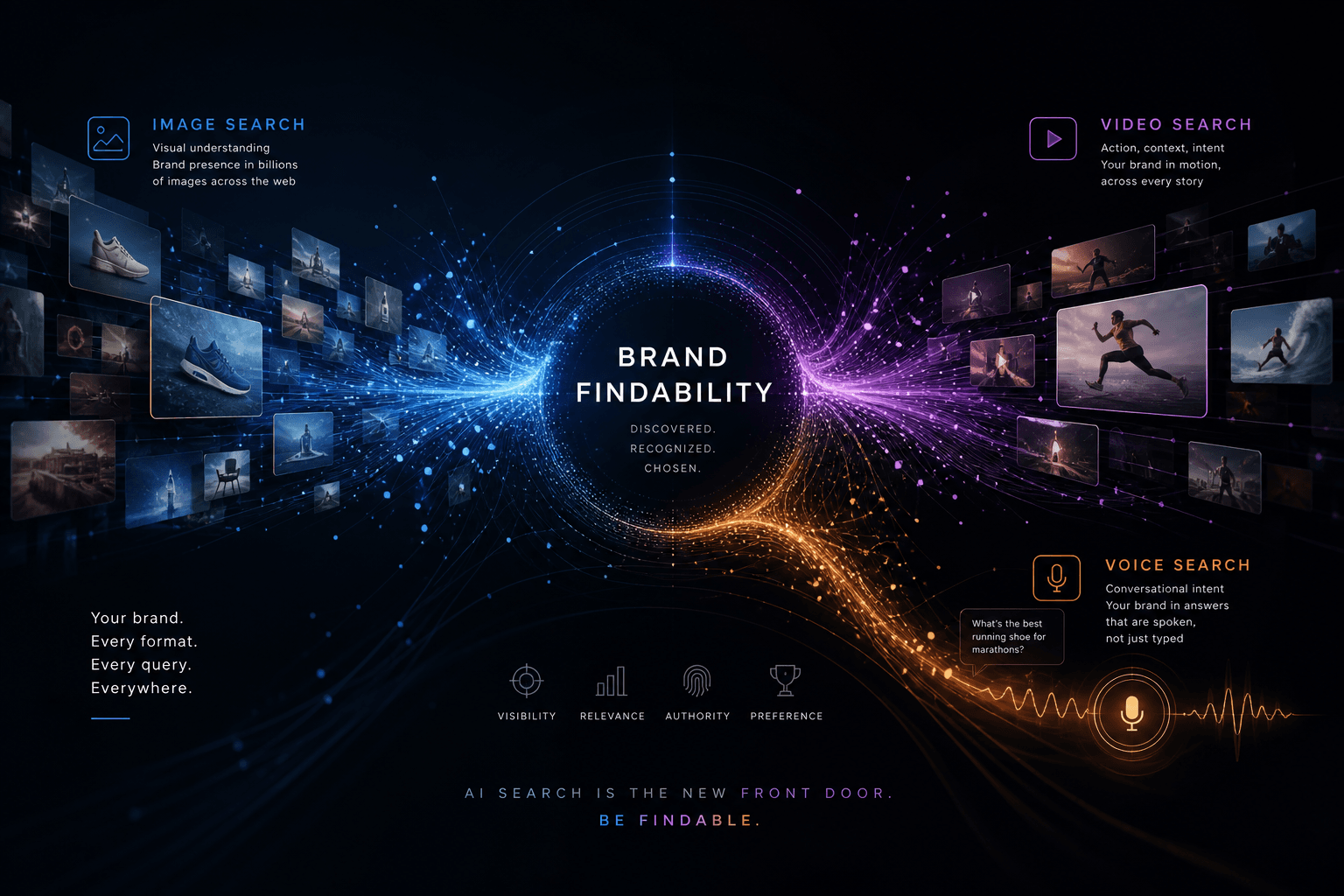
You make your brand findable in image, video, and voice AI search by putting crawlable pixels, captions, and spoken-query answers on pages Gemini visual search, ChatGPT/Gemini voice, and image-answer UIs can retrieve — not by publishing another written GEO article and hoping a camera or a microphone notices it. If the only artifact a model can lift is a paragraph, you are invisible the moment a buyer points a lens, plays a clip, or talks instead of types.
I'm William Spurlock — AI Solutions Architect, Fractional AI CTO, and studio founder. I've been SEO-certified since 2021; the work now sits under AEO, AIO, and GEO. I've shipped hundreds of production sites and logged 20,000+ hours inside agentic systems. I do not invent client names or fake citation lifts. I do tell owners when they paid for blog volume and still lose the photo, the clip, and the spoken ask.
This spoke sits next to does video content help or hurt AI visibility. That URL owns video as a content format versus written GEO — transcripts so ChatGPT and Perplexity can quote you. This URL owns the surfaces: Gemini visual search, Google Lens inside AI Mode, image answers in ChatGPT and Gemini, and voice UIs where the query arrives as audio. I am not retelling "does video help written citations." I am answering how a brand gets found when the input is a picture, a clip, or a spoken sentence.
The three-job map in GEO vs AEO vs AIO still holds. Multimodal search does not replace those jobs. It adds a retrieval path those jobs ignore if you only staff typed prompts.
Why a written GEO program still loses image, video, and voice surfaces #
A written GEO program still loses image, video, and voice surfaces because those UIs retrieve pixels, audio, and scene context — not only the lead sentence you optimized for a typed ChatGPT prompt. If your Friday ritual is "paste 20 questions into chat and screenshot the answer," you are scoring one input type and calling it AI visibility.
I still run that typed panel. I do not treat it as the whole board. Google's own site-owner guidance for AI features in Search (last updated December 10, 2025) tells you to make important content available in textual form and support that text with high-quality images and videos. Google's guide to optimizing for generative AI features is blunter: generative AI features can bring in relevant images and video, and if you already follow image SEO and video SEO, you are already optimizing for those features. Written-only GEO skips that half of the official list.
What the typed panel cannot see #
| What you shipped | Typed ChatGPT / Perplexity panel | Camera / Lens / image-answer UI | Voice / Live UI |
|---|---|---|---|
| FAQ-rich blog, no product photos | Often visible | Misses the object in the buyer's hand | Can read the FAQ if the spoken query matches |
Hero image, empty alt, CSS background |
Weak | Lens has pixels and almost no words | Voice has nothing visual to attach |
| YouTube file, 2-line description | Weak as a quote source | Video surfaces can still match the clip | Spoken how-to can hit the title, then stall |
| Photo + caption + SKU + same facts on the page | Strong | Strong — scene + name + page | Strong if the spoken ask uses the same words |
The failure mode I keep seeing: an owner "wins" a Perplexity citation on a how-to post, then a prospect photographs the product in a store or on a competitor's reel and Gemini names someone else. The written program did its job. The visual program was never staffed.
The opinion I will defend #
Written GEO is necessary. It is not sufficient. If your agency reports only typed citations, they are grading the homework they assigned themselves.
I send owners to how to get ChatGPT and Perplexity to recommend your business when the gap is named in a chat answer. I keep this post for the gap those chats never test: the photo, the clip, and the spoken ask.
What counts as image, video, and voice AI search in August 2026? #
Image, video, and voice AI search in August 2026 means any assistant or Search UI that accepts a photo, a clip, or spoken audio as the query — Google AI Mode with Lens, Gemini Live with camera, ChatGPT image inputs and Voice, and Circle to Search — not a synonym for "SEO with a microphone." If the buyer does not type, you are not in a classic results list. You are in a multimodal retrieval loop.
I date this from public product docs, not from a vendor score. On April 7, 2025, Google announced that AI Mode in Search adds multimodal search: snap or upload an image, ask a question about it, get a response with links. That experience "brings together powerful visual search capabilities in Lens with a custom version of Gemini." On April 14, 2025, Android documented camera and screen sharing inside Gemini Live. OpenAI's ChatGPT Voice and image inputs FAQ describe a parallel path: talk, attach a photo, stay in the same chat. I treat those as the surfaces. I do not treat "voice SEO 2016" as the same job.
The surface map I actually staff #
| Surface | Input the buyer uses | What has to exist for you to be findable | Who owns the product |
|---|---|---|---|
| Google AI Mode + Lens | Camera, upload, or on-screen select | Indexable page + real <img> + nearby text |
Google Search |
| Google Lens / Circle to Search | Point, circle, or screenshot | Visual match + page that names the object | Google Search / Android |
| Google AI Overviews (visual queries) | Typed or visual, then an Overview | Text eligible for a snippet, plus supporting media | Google Search |
| Gemini app / Gemini Live | Voice, camera, screen share | Public facts Gemini can retrieve; on-device scene | Google Gemini |
| ChatGPT image inputs | Upload or camera still | Page or third-party mention the model can browse; pixels it can describe | OpenAI |
| ChatGPT Voice / Live | Spoken query, optional image | Same as chat, plus short sentences a TTS path can say | OpenAI |
| YouTube inside AI answers | "Show me how" / visual how-to | Captions, chapters, and a URL that matches the clip | YouTube + Search |
I do not fold "will ChatGPT Voice recommend my business" into this table. That is a recommendation-channel question. This post owns whether those UIs can find you when the query is a picture, a clip, or audio. Recommendation shortlists are a different scoreboard.
What I refuse to count as "multimodal SEO" #
- A podcast with no transcript and no chapter page
- A brand reel that only lives in an app the crawler cannot open
- A 3D hero that never writes an
<img src>into the HTML - A "voice strategy" that is just shorter title tags from 2018
If you want the conversational-Search version of this map — typed follow-ups, query fan-out, AI Mode as a chat — use Google AI Mode explained. This section stops at the input type: photo, clip, speech.
How does Gemini visual search find a brand from a photo? #
Gemini visual search finds a brand from a photo by identifying objects in the scene, fanning out web queries for those objects, and grounding the answer in pages that both match the pixels and name the thing in text. If your photo is beautiful and your page never says the product name next to it, the model can describe the object and still attribute it to whoever published a labeled match.
Google's Search team described the split in how Google AI visual search works: the model is the "brain" that can see the image; the visual-search backend is the "library" of web results. Lens identifies objects. Query fan-out fires multiple searches for the scene and for items inside it. AI Mode then writes one response with links. That is retrieval, not magic brand recognition.
Google's April 7, 2025 AI Mode multimodal post adds the scene-level claim: Gemini's multimodal stack is meant to understand how objects relate — materials, colors, shapes, arrangements — not just one SKU crop. Circle to Search and Lens can now search multiple objects in one frame (an outfit, not only the shoes). Your job is to be the labeled page for each object you actually sell.
What I put on a page I want Lens to resolve #
- A real
<img>with asrcGoogle can fetch. Google's image SEO guide (last updated March 2, 2026) says Google indexes images in thesrcof animgelement and does not index CSS background images. A WebGL hero that never writes an image URL is a poster for humans, not a retrieval object. - A filename that is a name, not
IMG_4821.webp. Google calls filenames a light clue.black-canvas-work-boot-left.jpgbeatsfinal-final-hero.png. - Alt text that describes the object, not the campaign. Google uses alt text with computer vision and nearby page text. Keyword stuffing the
altis documented as a spam risk. "Tan full-grain leather belt, brass buckle, 32mm, Spurlock Studio product shot on oak desk" is useful. "best luxury belt buy belt belt" is not. - A visible caption and a sentence that repeats the brand + product + constraint. The model fans out text queries. Give those queries a page to hit.
- The same SKU, color, and material on the product page, the blog, and Merchant Center if you sell goods. Visual match without a consistent name is how you become "similar item" instead of the brand.
Photo queries I test on a phone #
- Point Lens at the product. Ask nothing. See who gets named.
- Point Lens at the product. Ask "who makes this" out loud while you shoot — Google's Lens tips explicitly support asking the question while you take the photo.
- Circle one part of a lifestyle shot (the hardware, the label, the kit). See whether fan-out still finds you when the hero object is not centered.
- Upload a competitor's photo of a similar object. If they win, your labeling is weaker than their catalog page, not your "brand vibe."
I do not promise a Knowledge Panel from one alt tag. I do promise that unlabeled pixels lose to a boring, labeled PDP.
How do image answers work in ChatGPT and Gemini? #
Image answers work by letting the model see the uploaded pixels, then retrieve or invent a label from training data plus whatever it can browse — so your brand shows up when a public page ties that visual to a name, not when you "trained the model" with a moodboard. ChatGPT and Gemini will happily describe a shoe. Naming your shoe is a retrieval problem.
OpenAI's ChatGPT image inputs FAQ states that ChatGPT can interpret images you add, that image inputs are available on Free and paid plans (with plan limits), and that you add them with the + control, drag-and-drop, or paste. The same FAQ separates still-image inputs from video-file attachments and from live camera / screen share in Voice. I treat those as three different findability jobs, not one "vision toggle."
Gemini's path is the Search-grounded one when the user is in AI Mode or Lens, and the app-grounded one when they are inside Gemini chat or Live. I do not invent a single "Gemini 3.1 Pro vision score." I test the UI the buyer uses.
How I want an image answer to resolve #
| Buyer action | What the model can do without you | What you have to publish |
|---|---|---|
| "What is this?" + product photo | Guess category, color, material | A page that says brand + product + those attributes next to a matching photo |
| "Is this safe for X?" + label photo | Read the label if the type is clear | The same constraints in HTML (ingredients, voltage, fit, hours) |
| "Find me this cheaper" + screenshot | Search lookalikes | Unique visual + unique name so you are not a generic match |
| "Compare these two" + two uploads | Describe both | Comparison copy and tables the model can lift after it recognizes the pair |
The image-answer stack I ship #
- One canonical product image URL reused everywhere you can. Google's image guide says consistent URLs help caching. ChatGPT and Gemini also see the same bytes more than once if press, retailers, and your site share a file.
- On-image text you actually want read. Packaging, serial plates, and price stickers become OCR. If the box says a dead SKU, the model will repeat the dead SKU.
- A short "what this is" paragraph under the image, not in a hover state. Hover is not a retrieval surface.
- Third-party photos that are labeled. If every review site uses a stock crop with no brand in the filename or caption, chat image answers will describe a category. Entity pages I write about in entity SEO still matter here — vision without a name graph is a mood board.
What I tell owners who "only sell visually" #
A jewelry brand, a furniture shop, a food producer — you do not get a pass. You get a harder job. The pixels are the query. The words next to the pixels are the answer. If your site is a gallery with "Shop" buttons and 12 words of copy, ChatGPT can see the ring and still recommend a competitor whose PDP has a 120-word spec block.
For catalog markup that makes the product machine-readable after the visual match, I point at product schema for AI. Schema does not replace the photo. It names the photo.
How do I make a brand findable on video AI surfaces? #
You make a brand findable on video AI surfaces by making the clip itself retrievable — cleaned captions, spoken product names, chapter labels, and a watch page Google can index — so AI Mode, Lens, and Gemini can match the footage, not so a written GEO article can quote you later. This is the camera-and-player job. The written-citation job already has its own URL.
Google's generative-AI guide says AI features can bring in relevant video and that following video structured data is how you optimize for that path. Google's AI features page still requires the supporting link to be indexed and snippet-eligible. A private Vimeo, a login wall, or an embed with no indexable watch URL is not a video surface. It is a file you paid to shoot.
I will not spend this section arguing whether video helps or hurts typed ChatGPT citations. That argument is already written. Here I only care whether a multimodal UI can find the clip when the query is visual or spoken ("show me how this latch closes," "what's that sound," "this looks like the teardown I saw").
Video-surface vs written-GEO (do not mix the scoreboards) #
| Decision | Video-surface findability (this post) | Written GEO + video-as-format (the parent spoke) |
|---|---|---|
| Win condition | The clip or its watch page appears in a visual / how-to / Live answer | A sentence gets quoted in a typed chat or Overview |
| Primary artifact | The media file + captions + chapters | The HTML passage |
| Typical query | "Show me," "what is this motion," Lens on a pause-frame | "Best X for Y" typed into ChatGPT |
| Failure mode | Unlabeled B-roll, no chapters, no indexable URL | Video-only, no companion article |
If you need the companion-page / transcript-as-quote system, go back to the video vs written visibility post. Stay here if the buyer is watching or pointing.
What I actually put on a clip I want found #
- Say the brand and the object in the first ten seconds. Captions become the text index of the file. If you never say the name, the index does not contain the name.
- Chapter the demo, not the vibe. "0:00 Hook" is packaging. "0:41 Replacing the capacitor on a 3-ton package unit" is a retrieve-able span.
- Edit auto-captions before you call it shipped. YouTube will invent SKUs. A visual engine that aligns speech to time will repeat the invention.
- Give the file a public watch URL with
VideoObject(name,thumbnailUrl,uploadDate,embedUrlorcontentUrl) per Google's video structured-data docs. I do not invent extra fields Google does not document for rich results. - Match a still from the video to the product image on your site. Pause-frame Lens queries are real. If the still and the PDP photo disagree on color or angle, fan-out may pick the clearer catalog.
Video queries I run in AI Mode and Gemini #
- Upload a pause-frame. Ask "what video is this from" and "who makes this."
- Speak "show me how to [exact task in your chapter title]" with no brand.
- In Gemini Live, point the camera at the physical object and ask for a video. If YouTube results appear, check whether your chapter is the one it picks.
A view spike is not a findability win. A named clip in the source drawer is.
How do I make a brand findable on voice AI surfaces? #
You make a brand findable on voice AI surfaces by publishing short, speakable answers that match how people talk, then putting those answers on pages and clips the voice UI already retrieves — Gemini Live, ChatGPT Voice, and spoken AI Mode — not by buying a "voice SEO" plugin. Voice is an input. It is not a separate ranking algorithm you can hack with 30-word titles from 2016.
OpenAI documents ChatGPT Voice as a live conversation that can take text and images in the same chat (availability depends on plan, region, and app version). Google documents Gemini Live as a spoken session that can turn on camera or screen share. Google's Lens tips let you ask the question out loud while you photograph. Those are the surfaces. I do not staff a fourth one called "Alexa featured snippets 2018."
I also do not treat this section as "how to get ChatGPT Voice to recommend you as the vendor." That is a recommendation-channel problem. Here I only care whether a spoken query can resolve to your page, your clip, or your labeled image.
Spoken query vs typed query — same facts, different shape #
| Axis | Typed chat / Search | Voice / Live |
|---|---|---|
| Query shape | Keywords, punctuation, "best X in Y 2026" | Full sentences, "near me," interruptions, follow-ups |
| Answer shape the UI can play | Paragraphs, tables, source lists | Two-sentence lead, then optional detail |
| Extra input | Rare | Camera, screen, ambient noise |
| What dies first | Buried paragraph seven | A 900-word throat-clear the TTS never reads |
What I write when I know the ask will be spoken #
- Lead with the answer in one breath. "We install residential heat pumps in Grand Traverse County, usually booked 8–14 days out" is a voice hit. A 60-word mission statement is not.
- Use the words people say, including the ugly ones. "AC not blowing cold" beats "HVAC airflow diagnostic engagement."
- Repeat the brand the way you want it pronounced. If the model hears "Spurlock" and your site only says "SS Digital," you taught it to miss.
- Keep NAP and hours in text, not in a PNG of the storefront. Voice UIs that ground on Search still need snippet-eligible text.
- Do not bet the program on Speakable schema. Google's Speakable (BETA) markup flags sections for Assistant text-to-speech. It is not documented as a ChatGPT Voice or Gemini Live ranking factor. I treat it as optional news-article hygiene, not a multimodal strategy.
Voice-surface tests I run in the car, not at a desk #
- Start Gemini Live. Ask the buyer question with no brand. Note whether you appear, and as what (name, category, wrong city).
- Start ChatGPT Voice. Same question. Do not paste. Talk.
- Repeat with the camera on the product or the truck. Now it is a voice+image surface — the overlap this post owns.
- Log findable / not findable / wrong entity. Do not log "the voice sounded friendly."
If you want the typed recommendation playbook after the spoken query gets transcribed, that is the ChatGPT/Perplexity post. If you want conversational Google as a Search UI, that is the AI Mode post. This section ends when the audio has been resolved to a URL.
What files, captions, and schema do multimodal engines actually read? #
Multimodal engines actually read fetchable image bytes, HTML alt and captions, video caption tracks, nearby page text, and a small set of documented schema types — they do not read your Figma file, your CSS background, or a llms.txt you added for luck. Google's generative-AI guide says you do not need special machine-readable files or extra schema.org types to appear in AI Overviews and AI Mode. The same guide says image SEO and video SEO are how you show up when those features pull media. Both sentences are true. Staff both.
I walk the stack in schema, structured data, and entity SEO when the job is entity clarity. This section is the multimodal subset: what a camera or a player can consume.
The read-order I assume in August 2026 #
| Artifact | Who documents reading it | What I put in it | What I stop doing |
|---|---|---|---|
<img src> (JPEG, PNG, WebP, AVIF, GIF, SVG, BMP) |
Google image SEO, updated March 2, 2026 | Real URL, sharp file, descriptive name | CSS backgrounds, canvas-only heroes |
alt |
Same guide — alt + computer vision + page text | Object, brand, constraint | Keyword stuffing; empty alts on product shots |
| Visible caption / figcaption | Same guide — captions and titles | One sentence a fan-out query can match | Captions that only say "image 4" |
og:image / primaryImageOfPage / image on the main entity |
Same guide — preferred preview | One representative photo, not the logo | Extreme aspect-ratio banners |
| Image sitemap | Same guide | URLs crawlers miss (CDN, lazy galleries) | Sitemap of icons and spacers |
| Video captions + chapters | YouTube + Google video docs | Edited speech, task-shaped labels | Untouched auto-captions |
VideoObject |
Video structured data | name, thumbnailUrl, uploadDate, embedUrl or contentUrl |
Invented properties "for AI" |
Product + image |
Merchant / product rich-result docs | The same SKU the photo shows | Schema that disagrees with the visible page |
SpeakableSpecification |
Speakable BETA | Optional CSS/XPath to a 2-sentence lead | Treating it as Gemini Live insurance |
llms.txt / custom AI files |
Google: ignored for Search AI features | Nothing I depend on | Selling it as a ranking lever |
A caption I will ship vs one I will reject #
- Ship: "Spurlock Studio walnut media console, 72-inch, cable pass-through on the left, photographed in daylight against a plaster wall."
- Reject: "Our story." / "Lifestyle." / the filename
export-final-v7.
Prompt I use when I ask an agent to draft alts (not a published code tutorial) #
I paste the product name, the SKU, three visible facts, and: "Write one alt under 125 characters. Name the object and the brand. Do not stuff keywords. Do not start with 'image of.'" Then I read every line. Models invent materials. I do not let a guessed "brass" become schema.
If the visible page says $1,200 and the caption says $890, you did not ship findability. You shipped a contradiction for query fan-out to argue about.
How do I build one page a camera, a clip, and a spoken query can all find? #
You build one page a camera, a clip, and a spoken query can all find by answering one buyer question in the first two sentences, placing a labeled photo and an embedded clip next to that answer, and repeating the same brand-object-constraint in alt text, captions, chapters, and FAQ. Three URLs for three modalities is how small teams ship drift. One URL with three retrieval objects is how I staff this.
Google's AI-features doc is the floor: important content in text, images and video in support, structured data that matches the visible page, crawl allowed. I do not add a "multimodal landing template" product. I add a checklist to a money page you already have.
The one-page layout I use #
- H1 = the spoken question or the object name, not a campaign line.
- Lead answer in two sentences a voice UI can read without gasping.
- Primary image in an
<img>,altfilled, caption visible, filename honest. Prefer this asprimaryImageOfPage/og:imageif it represents the page. - Embed the demo clip under a heading that matches a chapter title. Put
VideoObjecton this same URL if this is the watch page; otherwise pointembedUrlat the host and keep the transcript or chapter list on this page as visible text. - Spec table — size, material, city, hours, price band, constraint. Fan-out loves tables. Voice loves the first cell.
- FAQ with
### Question?headings you would actually say in a car. - NAP / entity block that matches the rest of the web.
Same facts, three encodings #
| Fact | Text on the page | Image encoding | Voice / video encoding |
|---|---|---|---|
| Brand | First sentence, title, schema name |
In the alt and on the packaging in-frame |
Spoken in the first ten seconds |
| Object | H1 or H2 | Isolated hero + lifestyle crop | Chapter named as the object |
| Constraint (city, fit, voltage) | Table row | Callout in the caption, not a 6pt overlay only | Said out loud once, caption-cleaned |
| Proof | Dated sentence | Photo of the actual unit, not stock | Hands-on clip of that unit |
What I refuse to split onto a "visual microsite" #
A separate "lookbook" subdomain with no text, no schema, and no NAP is not a multimodal strategy. It is a second site the fan-out may never align to the money page. If the brand is visual, the money page still has to talk.
I build these pages as AIO/AEO-ready sites when the theme hides the body in JavaScript or paints images as CSS. That is a foundation problem, not a caption problem. The offer at the end is the site, not another content calendar.
How do I measure findability across image, video, and voice? #
I measure multimodal findability with a fixed photo/clip/spoken panel plus Search Console — I do not buy a "visual GEO score" and I do not treat YouTube views as citations. If you cannot screenshot the UI and mark found / not found / wrong entity, you are decorating a dashboard.
Google says pages that appear in AI Overviews and AI Mode are included in Search Console's Performance report under the Web search type (AI features and your website, updated December 10, 2025). The later generative AI optimization guide points owners at the Generative AI performance report in Search Console for generative features on Search and Discover. I use those for Google. I do not pretend they log ChatGPT Voice or a Gemini Live camera session.
The panel I run every two weeks #
| Slot | Action | Pass | Fail |
|---|---|---|---|
| Image 1 | Lens / AI Mode on your product, no spoken extra | Your brand or your URL in the answer or links | Category-only, or a competitor's PDP |
| Image 2 | Same object, messy real-world photo (hand, store shelf) | Still named | Only works in studio lighting |
| Image 3 | Competitor or lookalike photo | You are not falsely attached | You get credited for someone else's goods |
| Video | Spoken "show me how to [chapter task]" in AI Mode | Your clip or watch page | A random how-to with your object unnamed |
| Voice A | Gemini Live, buyer question, no brand | Findable or honest "unknown" | Wrong city, wrong brand, invented hours |
| Voice B | ChatGPT Voice, same question | Same log | A fluent paragraph that names a competitor |
| Voice + camera | Live + point at the object | Name + next step | Describes the object, never you |
Fifteen to twenty-five rows is enough. More than that and a small team quits. I log date, UI, query, found / not found / wrong entity, and the URL shown. I do not log "sentiment."
What I refuse to call a KPI #
- Watch time, average view duration, thumbnail CTR
- "AI traffic" with no source UI
- A vendor visual-share number with no export of the photos they tested
- Assistant "impressions" from a 2019 voice-SEO deck
Typed citation share still matters. It is a different column. If you already keep a ChatGPT / Perplexity / Gemini typed panel from the GEO vs AEO vs AIO post, keep it. Add this panel beside it. Do not average them into one fake score.
A 30 / 60 / 90 I will stand behind (ranges, not a contract) #
- ~30 days: every money-page hero is a real
<img>with an honestaltand caption; two photos and one spoken query are in a log; Search Console is verified so the Generative AI report can populate - ~60 days: Lens on a messy real-world photo names you or a URL you own at least once; auto-captions on the demo clip are edited;
VideoObjectvalidates - ~90 days: Gemini Live and ChatGPT Voice stop inventing hours or city; a pause-frame from your clip resolves to your watch page or PDP more often than to a generic how-to
If nothing in the photo/clip/spoken columns moved at day 90 and you only published more blogs, you ran the written program again. Fix the files.
What mistakes make a brand invisible on multimodal surfaces? #
The mistakes that make a brand invisible on multimodal surfaces are unlabeled pixels, speech the caption file never captured, pages a crawler cannot snippet, and a typed-only measurement ritual — not "we need more content." Most of the owners I audit already publish. They publish in a format the camera cannot retrieve.
The failure list I keep seeing #
| Mistake | What the UI does | Fix this week |
|---|---|---|
| Product shots as CSS backgrounds or canvas | Google does not index CSS images | Real <img src> |
Empty or stuffed alt |
Vision + text disagree or look like spam | One honest object+brand alt |
| Stock photos that also appear on 40 other sites | Fan-out attributes the generic crop | Unique photos of your unit |
| Text baked into the image at 12px, nowhere in HTML | OCR maybe; retrieval usually not | Repeat the claim in a sentence |
| Auto-captions that rename the product | Video and voice surfaces repeat the error | Edit the track before publish |
| Video only in a social app | No indexable watch URL | Public URL + VideoObject |
| Hours and price only on a graphic | Voice invents or omits | HTML table |
| Schema that does not match the visible page | Google's AI-features doc: match visible text | Fix or delete the JSON-LD |
| Measuring only typed ChatGPT | You "win" text and lose the photo | Add the photo/clip/spoken panel |
| A lookbook subdomain with no entity | Visual match, wrong site | One money page, three encodings |
My opinion on "we're a visual brand" #
That sentence is usually an excuse for a 12-word PDP. Visual brands need more words next to the pixels, not fewer. The query is a picture. The answer is still a name.
My opinion on "we'll wait for the model to get better" #
Gemini visual search and ChatGPT image inputs are already in the products buyers use. Waiting is how you let a competitor's labeled catalog become the default match. I would rather ship a boring, labeled page this month than a cinematic site with no alt next quarter.
If the foundation cannot render those labeled objects — client-only images, blocked crawlers, a theme that hides the body — stop buying content. Fix the site. That is the CTA for a reason.
A 15-minute salvage if you ship nothing else this week #
- Pick one money-page hero. Confirm it is an
<img src>, not a background. - Write one honest
altand one visible caption with brand + object + one constraint. - Say those same three facts out loud in your existing demo. Re-export captions.
- Run Lens on the product and Gemini Live on the buyer question. Screenshot both.
Four steps. No new blog. If those four fail, the rest of the calendar will fail the same way.
FAQ #
Does answer engine optimization apply to voice search too? #
Yes — AEO applies to voice search when the voice UI still extracts a short, sourced answer, but the input is audio instead of a keystroke. Gemini Live, ChatGPT Voice, and spoken AI Mode transcribe or understand speech, then retrieve. If your page cannot be quoted in two sentences, the voice UI has nothing clean to say. AEO does not mean 2016 "voice SEO" title-tag tricks. It means the same extractable answer, shaped so a person can hear it.
What is the difference between AEO and voice search optimization? #
AEO is the job of becoming the quoted answer in any answer engine; "voice search optimization" is usually leftover Assistant/snippet advice and is not a separate ranking system I staff in 2026. Voice UIs (Gemini Live, ChatGPT Voice, spoken Lens) are surfaces. They still need snippet-eligible text, consistent names, and short leads. Google's Speakable docs cover Assistant TTS on marked sections — useful for some publishers, not a ChatGPT Voice switch. If a vendor sells "voice SEO" without naming the UI they test, they are renaming AEO.
How does visual search connect to AI product discovery in 2026? #
Visual search connects to AI product discovery when a photo becomes the query and the engine fans out to catalog pages, Merchant data, and labeled images — not when you "do Instagram harder." Google's April 7, 2025 AI Mode multimodal launch and the visual search explainer describe Lens identifying objects and query fan-out retrieving web results. Your product is discoverable if those results include a page that matches the pixels and names the SKU. A pretty grid with no specs is a mood board.
What is Speakable schema and does it affect AI or voice search? #
Speakable schema (SpeakableSpecification) is Google's BETA markup that flags article or page sections as suitable for Assistant text-to-speech — it is not documented as a ranking lever for ChatGPT Voice or Gemini Live. Google's Speakable documentation lets you point CSS selectors or XPaths at headlines and summaries. I treat it as optional for news-like pages. I do not treat a Speakable block as proof you are findable when someone talks to GPT-5.5 or Gemini 3.1 Pro. Write the two-sentence lead first. Markup second, if at all.
How does AEO apply to a business with mostly visual content? #
AEO for a visual business means every important photo has nearby text a model can lift — brand, object, constraint — so an image answer can name you after it sees you. Google's image SEO guide (updated March 2, 2026) says Google uses alt text, computer vision, and page content together. A gallery with 12 words of copy trains the model to describe a category. Put the spec table under the hero. Repeat the name in the caption. That is AEO for pixels.
How do I create content that answers both a spoken query and a typed chatbot query? #
You create one page that leads with a two-sentence spoken answer, then expands with tables and FAQ for the typed follow-up — you do not write a "voice version" and a "chat version." Spoken queries are longer and messier; typed queries are punchier. The facts must match. Google's AI-features guidance still wants important content in textual form. I write the breath-length lead for Gemini Live and ChatGPT Voice, then the table for Perplexity and AI Mode. Same URL. Same entity.
Do I need separate pages for image search, video search, and voice search? #
No — one money page with a labeled image, a retrievable clip, and a speakable lead beats three thin URLs that drift. Separate pages make sense only when the object is actually different (a course vs a SKU). Google's generative-AI guide warns against scaled variants written just to catch fan-out queries. I encode the same facts three ways on one URL. If you split, you will ship three names for one product.
Can ChatGPT or Gemini identify my product from a photo if my site is text-heavy? #
They can describe the object from pixels alone, but they name your product when a public page ties those pixels to a name — a text-heavy site without matching photos still loses the visual query. OpenAI's image inputs FAQ is about understanding uploaded images, not about guaranteeing a brand match. Gemini's Lens path retrieves a visual library, then text. Ship both. A 2,000-word essay with a logo in the header is not a catalog.
Does Google Lens use the same signals as Google AI Overviews? #
Lens and AI Overviews share Search's index and can share query fan-out, but they are not the same slot — Lens starts from pixels; Overviews start from a query Google decided was worth a generated block. Google's AI features page says Overviews and AI Mode may use different models and techniques, and Overviews often do not trigger. AI Mode multimodal explicitly wires Lens into AI Mode. I test both. Winning an Overview on a typed query does not mean Lens names you from a shelf photo.
How do I test whether my brand shows up in visual or voice AI search? #
You test by running a fixed panel: Lens/AI Mode on two photos, one spoken how-to, Gemini Live, ChatGPT Voice, and one camera-plus-voice pass — then log found / not found / wrong entity with a date. Do this logged into the consumer apps your buyers use. Search Console's Web and Generative AI reports cover Google Search features, not ChatGPT Voice. Fifteen to twenty-five rows every two weeks is enough. If you only paste typed prompts, you did not test this post.
Get findable on the surfaces buyers already point and talk to #
If your AI-visibility program only screenshots typed ChatGPT, you are grading one input and missing the photo, the clip, and the spoken ask. I do not want another quarter of unlabeled heroes. I want a site a camera can retrieve and a microphone can quote.
I run a fixed-scope AI Visibility Audit ($500) that includes the multimodal panel — Lens, AI Mode, Gemini Live, ChatGPT image and Voice — plus the typed citation grid. You get dated screenshots and a ranked fix list. The fee credits toward a build.
If the bottleneck is the foundation — CSS-only images, a theme that hides the body, no place to put a caption next to a SKU — I build AIO/AEO-ready custom sites so the pixels, the clip, and the spoken lead live on one URL an engine can fetch.
Book the audit or the site conversation. Bring one product photo, one demo clip, and the sentence a buyer would say in the car. I will tell you which surface is empty before anyone sells you a "voice SEO" package.
Related Posts

What to Include in an AI Visibility Monthly Retainer
What should I include in an AI visibility monthly retainer? I keep one operating card for what ships, what day 90 means, and the report that repeats it.
Why Voice Search and Multimodal AI Change How Customers Find You
How are voice search and multimodal AI changing how customers find local and online businesses? I use a three-door card so the same name comes back now.

One Brand, Many Languages: AI Visibility Without Rebuilding Your Site
How do I improve AI visibility in multiple languages without rebuilding my whole website? Keep one site name and a self-canonical URL for each language.