Microsoft Build 2024: Copilot+ PCs, Windows Recall, and the Privacy Firestorm

Table of Contents
Microsoft Build 2024: Copilot+ PCs, Windows Recall, and the Privacy Firestorm #
Microsoft's annual developer conference opens today with the most ambitious hardware-software integration play in the company's history — and immediately sparks a privacy debate that could define the AI PC era.
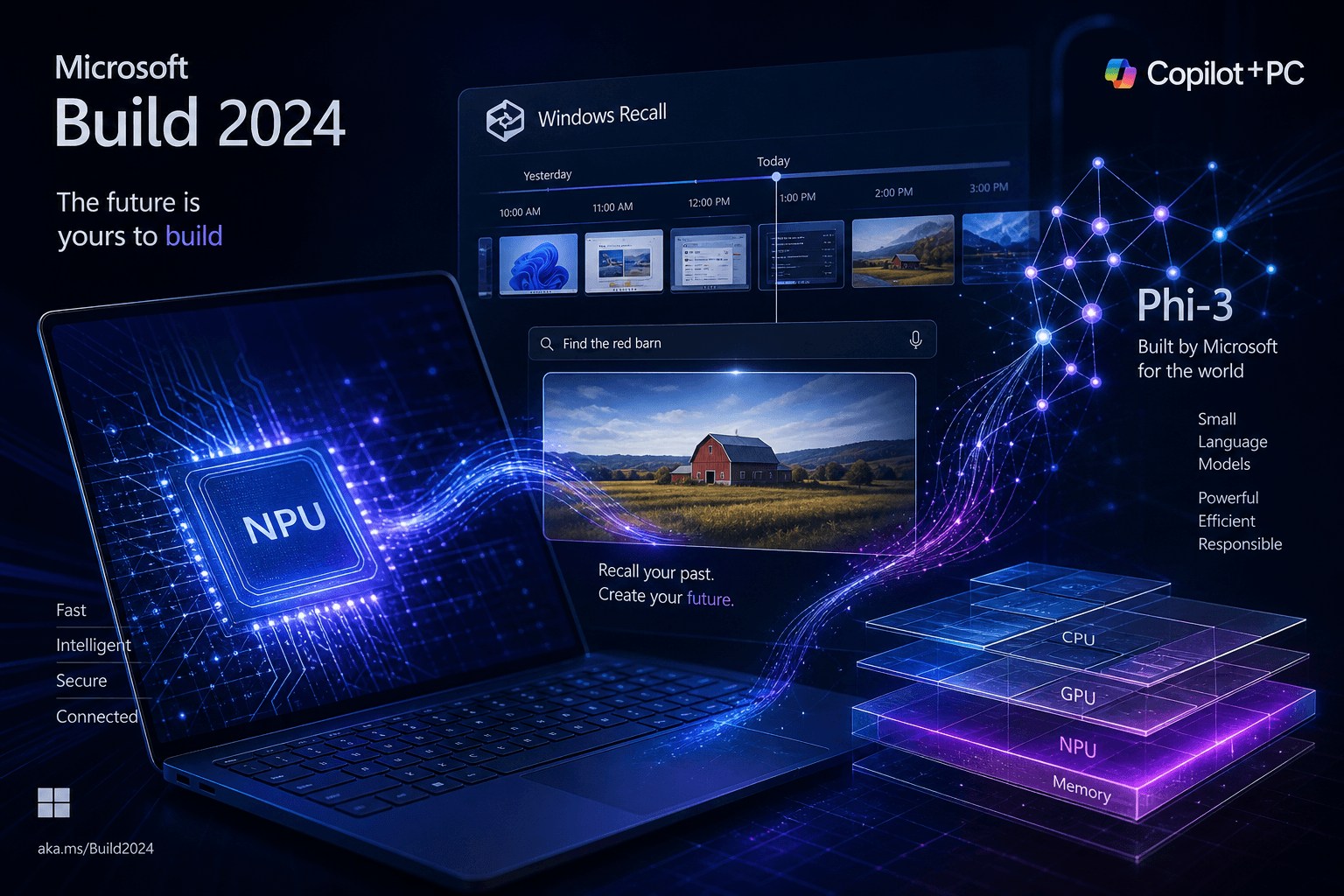
Today at Build 2024 in Seattle, Microsoft is unveiling Copilot+ PCs, a new category of Windows machines built around Neural Processing Units (NPUs) capable of 40+ trillion operations per second. Alongside the hardware, the company announced Windows Recall, a feature that screenshots everything you do for AI-powered search — and within hours, privacy advocates and security researchers raised alarms that could overshadow the entire launch.
In this comprehensive breakdown, I cover every major announcement from Day 1 of Build 2024: the Copilot+ PC specifications and launch partners, the Phi-3 model family bringing on-device AI to consumer hardware, the controversial Windows Recall feature and the immediate backlash, Team Copilot for enterprise collaboration, GitHub Copilot Workspace updates, Azure AI Studio improvements, and how Microsoft is positioning all of this against OpenAI's GPT-4o and Google's I/O announcements from last week.
Table of Contents #
The Copilot+ PC Vision: AI Hardware Finally Arrives
- What makes a PC "Copilot+" certified
- The Snapdragon X Elite and X Plus processors
- Performance claims and real-world implications
Phi-3: Microsoft's Small Model Gambit
- Phi-3 Mini, Small, Medium, and Vision variants
- On-device inference and why it matters
- How Phi-3 compares to GPT-4o and Gemini Nano
Windows Recall: The Feature That Stole the Headlines
- How Recall works: continuous screenshot capture
- The privacy implications and immediate backlash
- Microsoft's response and security architecture claims
Team Copilot: AI Collaboration Enters the Enterprise
- Meeting facilitation and note-taking capabilities
- Integration with Teams, Outlook, and Loop
- The shift from individual to collective AI assistance
GitHub Copilot Workspace: The End of File-By-File Coding?
- Natural language task specification
- Plan, code, and test in one unified interface
- Developer productivity implications
Azure AI Studio: Building Enterprise AI at Scale
- Real-time intelligence and custom model hosting
- Safety system improvements and content filtering
- Integration with Copilot+ PC capabilities
Microsoft's Competitive Positioning: vs GPT-4o and Google I/O
- The on-device vs cloud AI strategy
- How Build 2024 responds to last week's announcements
- The platform advantage Microsoft holds
The Privacy Firestorm: Analysis and Implications
- What security researchers are saying
- The enterprise vs consumer divide
- How Microsoft must respond
What This Means for Builders and Developers
- New APIs and capabilities to build for
- The NPU development landscape
- Opportunities in the Copilot+ ecosystem
Hardware Launch Partners and Availability
- Surface Laptop 7 and Surface Pro 11
- Third-party OEM partners
- Pricing and release timeline
The Road Ahead: Microsoft's AI Platform Play
- The 50+ AI models running on Copilot+ PCs
- Integration across the Microsoft ecosystem
- Long-term vision for AI-native computing
The Copilot+ PC Vision: AI Hardware Finally Arrives #
Microsoft is introducing an entirely new category of Windows PCs today, built from the silicon up for artificial intelligence. This isn't a marketing refresh or a spec bump—it's a fundamental rearchitecture of what a personal computer can do when AI capabilities are baked into the hardware, operating system, and application layer simultaneously.
Copilot+ PCs represent Microsoft's answer to a question the industry has been wrestling with for two years: what does AI-native computing actually look like? The answer, unveiled today at Build 2024, involves Neural Processing Units (NPUs) capable of 40+ trillion operations per second, a new system architecture that unifies CPU, GPU, and NPU workloads, and over 50 AI models running locally on the device without requiring a cloud connection.
What Makes a PC "Copilot+" Certified #
The Copilot+ certification isn't arbitrary branding—it establishes clear hardware requirements that developers can target and users can rely on. Every Copilot+ PC must meet the following baseline specifications:
| Requirement | Specification | Purpose |
|---|---|---|
| NPU Performance | 40+ TOPS (trillion operations per second) | Powers on-device AI inference for real-time experiences |
| System Memory | 16GB RAM minimum | Supports large language model loading and multitasking |
| Storage | SSD (specific capacity varies by OEM) | Fast model loading and snapshot storage for Recall |
| Security | Microsoft Pluton Security Processor enabled by default | Hardware-rooted security for AI-generated content and credentials |
| Operating System | Windows 11 24H2 or later | Required for Windows Copilot Runtime and new AI APIs |
These specifications ensure that any application built for the Copilot+ platform can rely on consistent NPU performance and memory availability. For developers, this is crucial—it means targeting a known hardware configuration rather than the fragmented landscape of consumer GPUs and varying CPU capabilities that have made on-device AI deployment challenging.
Microsoft is also introducing new Windows Copilot Runtime APIs that give developers direct access to the NPU, local SLMs (Small Language Models), and the semantic indexing capabilities that power features like Recall. This runtime layer abstracts the hardware differences between Snapdragon, Intel, and AMD implementations while exposing consistent capabilities to applications.
The Snapdragon X Elite and X Plus Processors #
The initial wave of Copilot+ PCs is powered by Qualcomm's Snapdragon X series processors, marking a significant bet on ARM architecture for Windows. Microsoft has worked closely with Qualcomm to deliver two variants:
Snapdragon X Elite
- 12-core Oryon CPU configuration
- 45 TOPS NPU performance
- Adreno GPU for graphics workloads
- Premium tier for high-performance devices
Snapdragon X Plus
- 10-core Oryon CPU configuration
- 45 TOPS NPU performance (same as Elite)
- Adreno GPU (slightly reduced configuration)
- Mainstream tier for broader price points
Both processors deliver the same 45 TOPS of NPU performance—the critical metric for AI workloads—while differing in CPU core count and graphics capabilities. This means even entry-level Copilot+ PCs can run the same on-device AI experiences as premium models, a democratizing choice that ensures developers can build for a consistent AI capability baseline.
The transition to ARM isn't without friction. Microsoft has addressed this through two parallel tracks: an expanded library of native ARM64 applications and a powerful new emulator called Prism. According to Microsoft's data, 87% of the total app minutes users spend today already have native ARM versions available, including critical productivity apps like Microsoft 365, Chrome, Spotify, Zoom, WhatsApp, Adobe Photoshop, Lightroom, Blender, and DaVinci Resolve. For everything else, the Prism emulator delivers what Microsoft claims is significantly better performance than previous Windows ARM emulation efforts.
Performance Claims and Real-World Implications #
Microsoft is making aggressive performance comparisons at Build 2024, and the numbers—if they hold up in real-world testing—represent a genuine competitive threat to Apple's MacBook Air dominance in the thin-and-light category.
Key Performance Claims:
| Metric | Copilot+ PC Claim | Comparison Target |
|---|---|---|
| Multithreaded Performance | Up to 58% faster | MacBook Air 15" with M3 |
| AI Workload Efficiency | Up to 100x more efficient | Traditional x86 PCs without NPUs |
| AI Workload Throughput | Up to 20x more powerful | Traditional x86 PCs without NPUs |
| Battery Life (Video) | Up to 22 hours | 20% more than MacBook Air 15" |
| Battery Life (Web) | Up to 15 hours | All-day productivity |
The 58% faster claim comes from Cinebench 2024 Multi-Core benchmark testing comparing Snapdragon X Elite 12-core and X Plus 10-core configurations against the MacBook Air 15" with M3. If validated by independent reviewers, this represents a significant shift in Windows PC competitiveness against Apple's ARM transition.
For developers specifically, the combination of sustained performance and all-day battery life changes the calculus of mobile development work. The ability to run local AI models—including code completion, documentation generation, and test automation—without draining battery or requiring a wall outlet addresses real pain points in current developer workflows.
The NPU's 45 TOPS capability also unlocks new categories of applications. Real-time background removal in video calls, AI-powered image generation in creative tools, live translation of any audio stream, and local semantic search across your entire computing history—all of these become feasible without cloud latency, subscription costs, or network dependency.
Phi-3: Microsoft's Small Model Gambit #
While OpenAI's GPT-4o dominated headlines last week with its multimodal capabilities, Microsoft is betting that smaller, specialized models will define the next phase of AI deployment. At Build 2024, the company is expanding its Phi-3 family of Small Language Models (SLMs) with new variants that run entirely on Copilot+ PCs—no cloud connection required, no API calls, no token costs.
This is a strategic divergence from the "bigger is always better" philosophy that has driven foundation model development. Microsoft believes that for many tasks—code completion, document summarization, basic reasoning—a 3.8 billion parameter model running locally at millisecond latency beats a 1.8 trillion parameter model accessed via API with network delays and usage charges.
Phi-3 Mini, Small, Medium, and Vision Variants #
The Phi-3 family announced today includes four distinct instruction-tuned models, each optimized for different deployment scenarios:
| Model | Parameters | Context Length | Best For |
|---|---|---|---|
| Phi-3-vision | 4.2B | 128K tokens | Multimodal tasks, image understanding, visual reasoning |
| Phi-3-mini | 3.8B | 128K or 4K tokens | On-device inference, memory-constrained environments |
| Phi-3-small | 7B | 128K or 8K tokens | Balanced performance and efficiency |
| Phi-3-medium | 14B | 128K or 4K tokens | Higher reasoning tasks, code generation |
The flagship Phi-3-mini achieves 69% on the Massive Multitask Language Understanding (MMLU) benchmark and scores 8.38 on MT-bench—performance metrics that challenge much larger models. Microsoft describes these as "the most capable and cost-effective small language models available," and early third-party testing suggests the claims hold merit.
Phi-3-vision is the standout new addition, bringing multimodal capabilities to the SLM category. With 4.2 billion parameters, it can process both language and image inputs, enabling applications like visual question answering, document analysis with charts and figures, and UI automation based on screen content. This is the model category that directly challenges GPT-4o's efficiency for vision tasks.
All Phi-3 models are available through Azure AI Studio, Hugging Face, and ONNX Runtime, with optimized versions for different hardware targets including NVIDIA GPUs, Intel accelerators, and the Snapdragon NPU found in Copilot+ PCs.
On-Device Inference and Why It Matters #
Running AI models locally isn't just about offline capability—it's about fundamentally different user experiences that cloud-based inference cannot deliver. Here's why on-device matters:
Latency Elimination: Cloud API calls incur round-trip delays, typically 100-500ms depending on network conditions and model load. Local inference on an NPU happens in milliseconds, enabling real-time applications like live captioning, instant code completion, and responsive voice assistants.
Privacy Preservation: When models run locally, sensitive data never leaves the device. Medical records, legal documents, proprietary code, personal photos—none of it needs to transit to a cloud API or be stored on external servers. This is particularly crucial for enterprise deployments with strict data sovereignty requirements.
Cost Predictability: Cloud AI pricing is metered per token, creating unpredictable scaling costs. Local inference has zero marginal cost per query—once you own the hardware, usage is free. For high-volume applications like real-time writing assistance or background noise suppression, this cost model is transformative.
Reliability: Network connectivity isn't guaranteed. Local models work on airplanes, in remote locations, during network outages, and in secure facilities without internet access. This reliability layer is essential for production deployments.
Microsoft's Phi-3 models are optimized for these deployment scenarios through ONNX Runtime and DirectML, with quantized versions that fit within the 16GB RAM baseline of Copilot+ PCs while leaving headroom for the operating system and applications.
How Phi-3 Compares to GPT-4o and Gemini Nano #
Microsoft's SLM strategy exists in a competitive landscape shaped by OpenAI's GPT-4o (announced last week) and Google's Gemini Nano (deployed on Pixel devices and Chrome browsers). The positioning is nuanced:
| Capability | Phi-3-mini | GPT-4o | Gemini Nano |
|---|---|---|---|
| Size | 3.8B parameters | ~1.8T parameters (estimated) | 3.2B parameters |
| Deployment | Local / Cloud | Cloud API | Local only |
| Multimodal | Via Phi-3-vision | Native | Limited |
| MMLU Score | ~69% | ~88% | ~55% |
| Latency | Sub-100ms | 200-500ms+ | Sub-100ms |
| Cost per 1K tokens | $0 (local) | $0.005 input, $0.015 output | $0 (local) |
The comparison reveals a clear strategic positioning: Microsoft is conceding the absolute capability crown to GPT-4o while competing aggressively on efficiency and deployment flexibility. For the majority of AI-powered features users interact with daily—email composition, meeting summaries, basic coding assistance, search enhancement—the Phi-3 family delivers sufficient capability at radically lower latency and cost.
Google's Gemini Nano, available on Android devices and through Chrome, represents the most direct comparison. Microsoft's advantage lies in platform integration: Phi-3 models can access the Windows Copilot Runtime, interact with application APIs, and tap into the semantic index that powers Recall. This tight OS integration gives Microsoft capabilities that browser-embedded or isolated mobile deployments cannot match.
The Phi-3 announcement also signals Microsoft's AI strategy bifurcation: GPT-4o and future OpenAI models for cloud-based heavy lifting, Phi-3 family for on-device and edge deployment. This dual-track approach lets Microsoft serve both high-complexity enterprise workloads and consumer-scale local AI without forcing either into suboptimal deployment patterns.
Windows Recall: The Feature That Stole the Headlines #
Microsoft executives spent months preparing for today's Copilot+ PC launch, but within hours of the announcement, one feature has overshadowed everything else: Windows Recall. What Microsoft positioned as a productivity breakthrough—an AI-powered "photographic memory" for your computing history—is already generating security researcher alarms, privacy advocate condemnations, and social media backlash that threaten to define the entire Build 2024 narrative.
The controversy is revealing a fundamental tension in AI-native computing: to deliver genuinely useful AI assistance, systems need visibility into user behavior that inevitably creates surveillance risks. Microsoft's challenge is convincing users that the productivity benefits outweigh the privacy trade-offs—a case that is proving harder to make than anticipated.
How Recall Works: Continuous Screenshot Capture #
Recall is, in technical terms, a continuous activity logging system with AI-powered semantic indexing. Here's the mechanism:
Capture Layer: Every few seconds, Recall takes a screenshot of the active window. These aren't full-screen captures but snapshots of what you're actually viewing and doing. The frequency varies based on activity—more captures during active work, fewer during idle periods.
Storage Layer: Screenshots are stored locally in an SQLite database within the user's profile folder. By default, Recall retains three months of activity history, though this is configurable. Microsoft estimates approximately 25GB of storage for three months of typical usage, though this varies significantly based on user behavior.
Indexing Layer: Using the NPU and local AI models, Recall performs optical character recognition (OCR) on each screenshot and builds a semantic index of the content. This index understands context, not just raw text—distinguishing between a password field and a document, recognizing application boundaries, and correlating related activities across sessions.
Query Layer: When you search Recall, you're querying this semantic index using natural language. "Find that email from Sarah about the Q3 budget" returns the relevant Outlook session. "Show me the spreadsheet I was working on Tuesday afternoon" surfaces the Excel window from that timeframe. The system understands relationships between activities—knowing that a browser session, a document edit, and a Teams chat were all part of the same workflow.
Microsoft emphasizes that all processing happens locally. Screenshots never leave the device, the semantic index is built on-device, and queries are processed without cloud interaction. This local-first architecture is presented as a privacy protection—the data that would be most valuable to attackers or intelligence agencies never transits networks or sits on external servers.
The Privacy Implications and Immediate Backlash #
Despite Microsoft's local-processing claims, security researchers and privacy advocates are raising alarms about Recall's fundamental architecture. The concerns fall into several categories:
Database Accessibility: Security researcher Kevin Beaumont immediately identified that Recall stores its screenshot database in the user's profile folder with accessible file permissions. Malware running with user-level privileges can read this database, extracting months of activity history including sensitive documents, passwords visible on screen, private messages, and browsing activity.
Beaumont's assessment is stark: "Recall enables threat actors to automate scraping everything you've ever looked at within seconds." The structured SQLite format makes automated extraction trivial compared to traditional forensic disk analysis.
Content Scope: Recall captures everything visible on screen—banking sessions showing account balances, medical portals displaying health records, confidential business documents, private chat messages, password managers (even if only briefly visible). The system doesn't distinguish between sensitive and benign content in its capture mechanism.
Forensic Value: The three-month retention window creates a comprehensive activity timeline that exceeds most traditional logging systems. For law enforcement, employers, or attackers with device access, this represents a goldmine of user behavior data that would previously have required sophisticated forensic recovery.
The "By Design" Problem: Perhaps most concerning to critics, Microsoft appears to view the security issues as acceptable trade-offs rather than design flaws. The company's response to early researcher findings—characterizing certain access patterns as "by design"—suggests a fundamental disagreement about acceptable risk levels.
Social media reactions have been swift and largely negative. Privacy advocates are comparing Recall to controversial past features like Windows 10's telemetry systems, though the scope and granularity of Recall data collection exceeds anything Microsoft has previously deployed. The comparison to dystopian surveillance scenarios—Black Mirror episodes, the "Telescreen" from 1984—are already proliferating across tech forums.
Microsoft's Response and Security Architecture Claims #
Microsoft is defending Recall's architecture with three primary arguments:
Local-Only Processing: Microsoft emphasizes that unlike cloud-based activity logging, Recall data never leaves the device. There's no Microsoft server storing your screenshots, no external database accessible via subpoena, no cloud service to compromise. The attack surface is limited to physical device access or local malware—threats that already have access to the live system.
User Control: Microsoft points to user-configurable settings that include:
- Complete Recall disablement at system level
- Application-specific exclusions (never capture specific apps)
- Website-specific exclusions via Edge integration
- Time-range deletion (remove specific periods from history)
- Individual snapshot deletion
- Pause controls accessible from system tray
Security Hard Claims: Microsoft states that the Recall database is protected through:
- Virtualization-based Security (VBS) enclaves for encryption keys
- Windows Hello authentication for Recall access
- BitLocker integration for storage encryption
- User consent requirements for initial activation
However, security researchers have already demonstrated that these protections have gaps. Alexander Hagenah's "TotalRecall Reloaded" tool showed that malware can trigger Recall access without explicit user authentication, extracting data through automated UI manipulation that Microsoft's architecture doesn't prevent.
Microsoft's official response to these demonstrations—that they "do not represent a bypass of a security boundary or unauthorized access to data"—indicates the company views certain access patterns as acceptable system behavior. This positions Recall security as a user-account security problem rather than an application-isolation problem, a framing that many security experts dispute.
The enterprise vs. consumer split is becoming apparent. Corporate IT departments may find value in Recall's productivity benefits while implementing additional DLP (Data Loss Prevention) controls around the database. Individual consumers, however, face a steeper trust curve—and Microsoft's messaging hasn't yet addressed their concerns at the depth required to overcome the visceral reaction to continuous screenshot capture.
Today's controversy reveals that Microsoft's AI strategy, however technically impressive, still faces a trust deficit that feature announcements alone cannot bridge.
Team Copilot: AI Collaboration Enters the Enterprise #
Microsoft is expanding Copilot from a personal productivity tool to a collaborative team member today, introducing Team Copilot as an AI participant that can be invited into meetings, group chats, and project workflows. This represents a significant evolution in how Microsoft positions its AI assistant—shifting from "tool you use" to "colleague you work with."
The announcement at Build 2024 signals Microsoft's intent to own the enterprise collaboration layer of AI deployment, competing not just with standalone AI products but with the emerging category of team-oriented AI agents that startups like Otter.ai, Fireflies, and various workflow automation platforms have been developing.
Meeting Facilitation and Note-Taking Capabilities #
Team Copilot's meeting capabilities extend far beyond simple transcription. When invited to a Teams meeting, the AI agent functions as an active facilitator with seven core capabilities:
1. Real-Time Meeting Summarization
Team Copilot generates living notes throughout the meeting, capturing key discussion points, decisions reached, and open questions. Unlike passive transcription, it structures information by topic and identifies action items as they emerge from conversation context.
2. Agenda Time Management
The agent tracks time against meeting agendas, providing gentle prompts when discussions exceed allocated slots. This prevents the common pattern where early agenda items consume disproportionate time, leaving rushed coverage of later topics.
3. Action Item Extraction and Assignment
As commitments are made during meetings—"I'll send the proposal by Friday," "We need legal review before launch"—Team Copilot identifies these, attributes them to speakers, and structures them as trackable tasks. Integration with Microsoft Planner and To Do means these action items don't disappear into meeting notes but become part of structured project workflows.
4. Information Retrieval During Meetings
Team Copilot can query shared documents, previous meeting notes, and organizational knowledge bases to answer questions that arise. "What did we decide about the pricing model in last month's strategy session?" becomes answerable without leaving the meeting context.
5. Chat Moderation and Highlights
In ongoing Teams group chats, Team Copilot surfaces important messages that users might have missed, summarizes thread discussions that grew too long for easy reading, and can answer questions about chat history without manual scrolling.
6. Contextual Web Search
When discussions reference external information—competitor products, industry benchmarks, technical specifications—Team Copilot can perform real-time web searches and summarize findings for the group.
7. Project Manager Integration
Through integration with Teams planning tools, Team Copilot tracks project progress against goals, identifies blockers mentioned in conversation, and suggests follow-up meetings when necessary.
Integration with Teams, Outlook, and Loop #
Team Copilot's value depends on its integration depth across the Microsoft 365 ecosystem, and Microsoft is emphasizing connections that extend its utility beyond isolated meeting assistance:
Microsoft Teams: Native integration as a meeting participant, with presence indicators showing when Copilot is "present" and active. Meeting hosts control Copilot's access level, with options ranging from silent observation to active facilitation.
Outlook: Meeting invitations can include Team Copilot as an optional or required attendee. Post-meeting, Copilot-generated summaries and action items automatically appear in meeting follow-up emails and calendar item descriptions.
Microsoft Loop: Team Copilot contributes to Loop workspaces, populating shared project pages with meeting outcomes, tracking component updates, and surfacing relevant information from across the Microsoft Graph.
SharePoint and OneDrive: The agent has contextual access to shared files referenced in meetings, enabling informed responses without requiring manual document sharing during conversations.
This integration strategy uses Microsoft's platform advantage—few competitors can match the breadth of connected productivity tools that Microsoft 365 provides. A standalone meeting assistant might transcribe better or offer slicker UI, but only Team Copilot can directly transition meeting outputs into project plans, task assignments, and document libraries.
The Shift from Individual to Collective AI Assistance #
Team Copilot represents a strategic pivot in Microsoft's AI positioning. The first wave of Copilot products—Microsoft 365 Copilot, GitHub Copilot, Windows Copilot—targeted individual productivity: helping you write your document, code your function, search your files.
Team Copilot targets collective productivity: helping groups make decisions, align on goals, track commitments, and maintain organizational memory. This shift has several implications:
Organizational Knowledge Persistence: Individual AI assistants disappear when the user leaves. Team Copilot creates persistent organizational memory—decision rationale, project history, action item tracking—that survives employee turnover and remains accessible to new team members.
Meeting Culture Transformation: The presence of an AI facilitator changes meeting dynamics. Agendas become harder to ignore when an AI tracks time against them. Action items become harder to forget when an AI follows up on them. The social pressure to be prepared increases when an AI can surface previous commitments.
New Privacy and Permission Boundaries: Team Copilot introduces complex questions about information access. What can the AI see? What should it share? If two team members have a side conversation about a third colleague, does Copilot reference that in meeting summaries? Microsoft's initial implementations include controls, but the social norms around AI meeting participation remain undefined.
Pricing and Deployment Complexity: Team Copilot requires enterprise licensing and IT configuration, unlike consumer Copilot features. This positions it as a premium enterprise feature requiring deliberate organizational adoption rather than organic individual uptake.
Microsoft's framing of Team Copilot as a "meeting facilitator" rather than a "meeting recorder" is strategically significant. The company is positioning the feature as enhancing meeting quality rather than merely documenting what happened—a distinction that matters for user adoption and organizational acceptance.
GitHub Copilot Workspace: The End of File-By-File Coding? #
GitHub is introducing Copilot Workspace today, a technical preview that fundamentally reimagines how developers translate ideas into software. Rather than completing code line-by-line or suggesting individual functions, Workspace enables developers to specify entire features in natural language and watch as Copilot generates comprehensive implementation plans spanning multiple files, dependencies, and test cases.
This isn't autocomplete on steroids—it's a different category of AI assistance that treats software development as systems architecture rather than character-level typing. GitHub's framing is deliberate: they want developers to operate as "systems thinkers" who specify what needs to happen while Copilot handles the mechanical translation into working code.
Natural Language Task Specification #
Copilot Workspace breaks from traditional IDE interaction patterns. Developers don't start with a cursor in a file—they start with a task description that can originate from multiple sources:
GitHub Issues: Clicking "Open in Workspace" from any GitHub Issue transforms the issue description into a structured development task. Copilot analyzes the issue text, comments, and linked references to understand requirements.
Pull Requests: Existing PRs can be imported into Workspace for revision, enabling natural language requests like "add error handling for the edge case discussed in the review comments."
Ad-Hoc Tasks: Developers can type free-form descriptions directly into Workspace: "Create a REST API endpoint for user authentication with JWT tokens, rate limiting, and input validation. Include unit tests and OpenAPI documentation."
The natural language processing goes beyond keyword matching. Copilot understands:
- Context from the existing codebase (architecture patterns, naming conventions, testing frameworks)
- Dependencies and how new code should integrate
- Implicit requirements that experienced developers would infer
- Scope boundaries—what to implement versus what to leave for future work
For the authentication API example above, Workspace would analyze the repository to determine: Is this an Express.js app? NestJS? FastAPI? What authentication library is already in use? What's the existing user model structure? It then tailors the implementation plan to match existing patterns rather than generating generic boilerplate.
Plan, Code, and Test in One Unified Interface #
Workspace organizes development into three editable phases, each visible in a unified interface:
Phase 1: Specification and Brainstorming
The initial stage lets developers refine requirements collaboratively with Copilot. You can ask questions about the codebase structure, explore different implementation approaches, and iterate on the task description until the scope is clear. This replaces the traditional "read the code, understand the architecture, figure out where to start" overhead that precedes actual implementation.
Phase 2: Implementation Planning
Once requirements are clear, Copilot generates a step-by-step plan identifying:
- Files that need modification
- New files that must be created
- Dependencies to install or update
- Changes required in each location
- Test cases that should be added
Critically, this plan is fully editable. Developers can reorder steps, add manual verification checkpoints, split complex changes into smaller chunks, or remove steps Copilot suggested that aren't actually needed. The plan serves as a collaboration artifact—a shared understanding of what will be done before any code changes occur.
Phase 3: Code Generation and Testing
Copilot executes the plan, generating actual code changes across all identified files. But unlike traditional code generation tools that output static results, everything in Workspace remains editable:
- Generated code can be modified line-by-line
- Natural language comments can refine specific sections ("make this function handle null inputs more gracefully")
- Test cases can be run directly via GitHub Codespaces integration
- Iterations loop back through the planning phase if the implementation reveals gaps
The testing integration is particularly significant. Workspace includes "build, run, and test" capabilities through GitHub Codespaces, allowing developers to verify that generated code actually works before committing to it. This closes the loop that often breaks traditional AI coding tools—generating code that looks correct but fails in practice.
Developer Productivity Implications #
Copilot Workspace represents a potential inflection point in software development workflows, with implications that extend beyond individual productivity metrics:
The Systems Thinking Shift: By handling implementation details, Workspace encourages developers to operate at higher levels of abstraction. The valuable work becomes architecture decisions, API design, and integration thinking—not syntax details, import statements, and boilerplate generation. This aligns with how senior developers already work, potentially accelerating junior developer growth toward architectural thinking.
Code Review Transformation: When Workspace generates multi-file changes with documented plans, code review becomes evaluation of architectural decisions rather than line-by-line correctness checking. Reviewers can assess "did we choose the right approach?" rather than "did we miss a semicolon?"
Documentation Synchronization: The natural language task descriptions and generated implementation plans serve as living documentation. Unlike code comments that drift out of sync with implementation, the Workspace plan represents the intended design that generated the actual code—a traceable link between requirements and implementation.
Barriers to Entry: GitHub's explicit goal is "lowering the barrier for who can build software." Workspace enables domain experts—product managers, designers, data analysts—to contribute working code for tasks within their expertise without learning full software engineering craft. This expands the pool of people who can ship software, potentially changing team composition dynamics.
Integration Risks: The danger of high-level specification tools is over-reliance on generated code developers don't fully understand. When code works but the generator's reasoning is opaque, debugging and maintenance become challenging. Workspace mitigates this through editable plans and explanations, but the tension between abstraction and understanding remains.
Competitive Positioning: Copilot Workspace enters a market increasingly crowded with AI coding tools—Cursor, Claude Code, Amazon CodeWhisperer, various startups. GitHub's advantage is integration depth: the direct connection to GitHub Issues, PRs, Actions, and Codespaces creates a unified workflow competitors struggle to match. For teams already embedded in GitHub's ecosystem, Workspace offers direct continuity.
The technical preview opened today for paying GitHub Copilot customers, with expansion plans based on usage feedback. Whether Workspace represents a genuine paradigm shift or incremental improvement will become clear as developers move beyond initial experimentation to production usage at scale.
Azure AI Studio: Building Enterprise AI at Scale #
Microsoft is announcing Azure AI Studio as generally available today, positioning it as the comprehensive platform for developing, deploying, and governing generative AI applications in enterprise environments. The platform combines model access, development tools, safety systems, and monitoring capabilities into a unified interface that Microsoft hopes will become the default environment for serious AI application development.
The announcements at Build 2024 focus on three areas: real-time intelligence capabilities for time-sensitive applications, enhanced safety and content filtering systems, and improved evaluation and monitoring tools for production deployments.
Real-Time Intelligence and Custom Model Hosting #
Azure AI Studio now includes Real-Time Intelligence as a preview workload within Microsoft Fabric, addressing the gap between batch AI processing and the demands of live, event-driven applications.
Streaming Event Processing: Real-Time Intelligence enables ingestion and analysis of high-volume, time-sensitive data streams with millisecond-scale latency. This targets scenarios like fraud detection in financial transactions, anomaly detection in IoT sensor networks, and real-time personalization in e-commerce applications where waiting for batch processing isn't viable.
Unified Data Architecture: The integration with Microsoft Fabric means AI applications can access the same data infrastructure used for analytics and business intelligence, eliminating the traditional split between "AI data pipelines" and "BI data warehouses." Models trained in Azure AI Studio can query data stored in OneLake, Microsoft's unified data lake architecture.
Custom Model Deployment: Azure AI Studio now supports custom model hosting with improved containerization and scaling capabilities. Organizations can deploy their own fine-tuned models, third-party models from the Azure Model Catalog, or Microsoft's Phi-3 family on dedicated compute with guaranteed throughput and latency SLAs.
Hybrid Cloud-Edge Deployment: The platform extends to support deployment patterns that span cloud and edge devices. Models trained in Azure AI Studio can be optimized for deployment on Copilot+ PCs through ONNX Runtime and DirectML, enabling hybrid workflows where lightweight inference happens locally and complex processing falls back to cloud endpoints.
Safety System Improvements and Content Filtering #
Microsoft's safety announcements reflect growing enterprise concern about AI risk management, particularly in regulated industries like healthcare, finance, and government where content generation failures carry significant liability.
Prompt Shields: New capabilities for detecting and blocking prompt injection attacks, including:
- Direct prompt injection detection (users attempting to override system instructions)
- Indirect prompt injection detection (malicious content embedded in retrieved documents or external data sources)
- User intent classification that identifies potentially harmful requests before they reach the model
The indirect prompt injection detection is particularly significant as enterprises increasingly deploy retrieval-augmented generation (RAG) systems where models process user queries alongside retrieved documents from potentially untrusted sources.
Groundedness Detection: A new capability for identifying "hallucinations" or unsupported claims in model outputs. The system compares generated content against source documents to flag statements that cannot be verified from the provided context. This addresses one of the most persistent problems in enterprise AI deployment—ensuring models don't generate plausible-sounding but incorrect information.
Safety System Messages: Pre-configured system prompts designed to steer model behavior toward safe, responsible outputs without requiring custom prompt engineering from developers. These cover common scenarios like content moderation, professional tone enforcement, and bias prevention.
Safety Evaluations: Tools for assessing model vulnerability to jailbreak attacks, measuring content risk across categories (violence, hate speech, sexual content, self-harm), and testing boundary adherence. These evaluations can be run automatically as part of CI/CD pipelines, catching safety regressions before deployment.
Risk and Safety Monitoring: Production monitoring capabilities that track model inputs and outputs triggering content filters, identify users consistently generating concerning requests, and surface potential safety incidents for human review. This addresses the governance gap that often emerges between "we tested safety before launch" and "we're monitoring safety in production."
Integration with Copilot+ PC Capabilities #
Azure AI Studio's most strategic integration announced today is the connection to Copilot+ PC on-device capabilities. This creates a hybrid AI architecture where cloud and edge complement each other:
Model Distillation Workflows: Azure AI Studio now supports workflows for distilling large cloud models (GPT-4, GPT-4o) into smaller Phi-3 variants optimized for local deployment. Organizations can fine-tune base Phi-3 models with proprietary data in the cloud, then deploy the resulting specialized models to employee Copilot+ PCs.
Semantic Index Synchronization: The semantic indexing capabilities that power Windows Recall can be extended with organizational knowledge bases hosted in Azure. This enables enterprise search scenarios where local device activity is searchable alongside SharePoint documents, Teams conversations, and other cloud-hosted content.
Unified API Surface: Applications built using Azure AI Studio can target both cloud endpoints and local model APIs through consistent interfaces. A single application can call GPT-4o for complex reasoning tasks, Phi-3-mini for low-latency completions, and device-specific capabilities like Recall—all through unified authentication and telemetry.
Security Boundary Management: For organizations concerned about data sovereignty, Azure AI Studio supports configurations where sensitive data never leaves the device. The platform can manage model deployment to on-premise infrastructure or air-gapped environments while maintaining governance visibility through the same management interfaces used for cloud deployments.
This hybrid architecture is Microsoft's distinctive offering against pure-cloud competitors like OpenAI and pure-device approaches like Apple's on-device AI. The pitch is simple: use the right compute layer for each task, with consistent developer experience and unified governance across both.
Microsoft's Competitive Positioning: vs GPT-4o and Google I/O #
Build 2024 unfolds in the shadow of two major competitive moves: OpenAI's GPT-4o launch last week and Google's I/O conference the week before. Microsoft's announcements today are best understood as a strategic response to both—positioning Copilot+ PCs and the Phi-3 family as differentiation against OpenAI's cloud dominance, while the breadth of ecosystem integration counters Google's Android and Search integration.
CEO Satya Nadella's opening keynote today explicitly frames this as a "golden age of systems," comparing the current AI transition to previous platform shifts like Win32, .NET, and Azure. The subtext is clear: Microsoft believes it holds structural advantages that pure AI model companies and search-centric competitors cannot easily replicate.
The On-Device vs Cloud AI Strategy #
The strategic divergence between Microsoft and OpenAI is becoming apparent despite their partnership. OpenAI is optimizing for maximum capability through scale—GPT-4o's impressive multimodal performance comes from massive cloud infrastructure with unified training across text, vision, and audio. Microsoft's Phi-3 strategy accepts capability trade-offs for deployment advantages:
| Dimension | OpenAI GPT-4o | Microsoft Phi-3 Strategy |
|---|---|---|
| Primary Deployment | Cloud API | On-device + Cloud hybrid |
| Latency | 200-500ms+ network roundtrip | Sub-100ms local inference |
| Cost Model | Per-token consumption | Fixed hardware cost, unlimited usage |
| Offline Capability | None | Full functionality without connectivity |
| Data Privacy | Transits OpenAI infrastructure | Stays on device unless explicitly sent |
| Peak Capability | Industry-leading reasoning | Good enough for common tasks |
Microsoft's pitch isn't that Phi-3 beats GPT-4o—it's that GPT-4o is overkill for most applications. Email composition, meeting summarization, basic code completion, search enhancement—these don't require frontier model capabilities. They require fast, cheap, reliable inference that works everywhere.
Google's I/O strategy sits between these poles. Gemini Nano runs on Android devices and Chrome browsers, offering on-device deployment similar to Phi-3. But Google's integration is primarily mobile and web-centric, while Microsoft's Copilot+ PC strategy targets the productivity workstation—where serious work happens, where enterprises spend IT budgets, and where Windows maintains dominant market share.
How Build 2024 Responds to Last Week's Announcements #
Microsoft's specific responses to recent competitive announcements include:
Response to GPT-4o: Azure AI Studio is adding GPT-4o support immediately, with Microsoft emphasizing pricing advantages—GPT-4o through Azure is 12x less expensive and 6x faster than the original GPT-4, according to Microsoft's claims. But the more significant response is positioning: while OpenAI owns the frontier model tier, Microsoft owns the deployment layer that puts frontier models to work.
The Copilot application on Copilot+ PCs will integrate GPT-4o for advanced tasks while using Phi-3 for baseline interactions. This hybrid tiering lets Microsoft claim GPT-4o capabilities—"have voice conversations that feel more natural"—while the differentiated value comes from local execution and OS integration that OpenAI cannot easily replicate.
Response to Google I/O AI Overviews: Google's move to generate AI answers directly in search results threatens Microsoft's Copilot web search integration. Microsoft's counter is Recall—the argument that searching your personal computing history is more valuable than searching the public web for many tasks. The framing: "Google helps you find information on the internet. Recall helps you find information you've already seen."
Response to Gemini Nano: Phi-3-vision directly competes with Gemini Nano's multimodal capabilities, but with the advantage of running on productivity PCs rather than mobile devices. The larger screen, better input methods, and professional use cases of Copilot+ PCs create应用场景 where local vision-language models deliver more value than phone-based deployment.
The Platform Advantage Microsoft Holds #
Microsoft's strategic positioning rests on a structural advantage no competitor can easily replicate: the company owns the entire productivity stack from silicon to cloud.
Operating System Ownership: Windows is the dominant enterprise desktop platform. Features like Recall, Cocreator, and the Windows Copilot Runtime require OS-level integration that no third-party application can match. Google owns Android and ChromeOS, but these are primarily consumer and education platforms, not enterprise productivity workstations.
Productivity Suite Integration: Microsoft 365—Teams, Outlook, Word, Excel, PowerPoint—represents the environment where knowledge workers spend their days. Team Copilot's integration depth is only possible because Microsoft owns both the AI assistant and the applications it assists within. Google's Workspace competes but at significantly lower enterprise market share.
Developer Platform Ownership: GitHub, Visual Studio, VS Code, and Azure create a continuous developer experience from code to deployment. GitHub Copilot Workspace integrates across this entire pipeline in ways that standalone coding assistants cannot match.
Enterprise Trust and Existing Relationships: Microsoft's existing enterprise contracts, IT management infrastructure (Intune, Endpoint Manager), and security certifications create deployment friction advantages. IT departments already know how to deploy and manage Windows devices; adding Copilot+ PCs requires minimal new process development compared to adopting entirely new platforms.
Hybrid Cloud-Edge Architecture: Neither OpenAI (cloud-only) nor Google (primarily cloud and mobile) can easily replicate Microsoft's hybrid strategy. The ability to offer unified development experiences spanning cloud models, on-device SLMs, and edge infrastructure is genuinely distinctive.
The competitive risk for Microsoft is execution complexity. Owning everything creates integration opportunities but also coordination challenges. If Windows updates break Copilot integration, if Azure AI Studio doesn't smoothly deploy to Copilot+ PCs, if GitHub Copilot Workspace doesn't interoperate with Teams—the platform advantage becomes a liability.
Today's announcements suggest Microsoft is managing this complexity well, but the real test comes over the next year as these systems move from preview to production at enterprise scale.
The Privacy Firestorm: Analysis and Implications #
The Windows Recall controversy that erupted within hours of today's announcement reveals a fundamental tension that will define AI-native computing: the gap between what technologists find acceptable and what the broader public will tolerate. Microsoft's engineers designed Recall with privacy protections that they genuinely believe are sufficient—local processing, user controls, encryption. But the visceral reaction to continuous screenshot capture suggests those protections don't address the emotional and psychological dimensions of surveillance technology.
This disconnect between technical and social acceptability will recur as AI becomes more pervasive. Understanding why Recall triggered immediate backlash, despite Microsoft's safeguards, is essential for anyone building AI products that touch sensitive user contexts.
What Security Researchers Are Saying #
The security research community's reaction to Recall has been unusually unified in criticism. Key concerns include:
The Insider Threat Problem: Security researcher Kevin Beaumont's analysis highlights that Recall creates perfect insider threat conditions. Employees with legitimate device access can extract comprehensive activity histories from colleagues' machines. In high-trust environments like startups, this risk might be acceptable. In regulated industries with strict separation of duties, it becomes a compliance nightmare.
Malware Amplification: Traditional keyloggers capture input. Screenloggers capture output. Recall captures both, continuously, with semantic organization that makes automated extraction trivially easy. Malware that previously would have required sophisticated forensic analysis can now simply read the Recall database.
Forensic Over-Collection: Digital forensics in legal discovery, law enforcement investigations, and incident response traditionally requires expertise, time, and specialized tools. Recall creates a pre-packaged, easily searchable record of everything a user did for months. This transforms forensic investigation from a targeted, expensive process into a trivial data export.
Encryption Limitations: Microsoft's claims about VBS enclaves and Windows Hello protection address some attack vectors but not all. Researcher demonstrations have shown that user-mode malware can trigger Recall access through UI automation, extracting data before encryption protections activate. The fundamental architecture—screenshots stored in an accessible database—creates attack surface that additional layers cannot fully eliminate.
The "Creep Factor" as a Security Indicator: Multiple researchers have noted that features that feel "creepy" to users often indicate genuine security risks. The instinctive negative reaction to Recall isn't irrational—it's pattern recognition from users who have learned that "convenient" features often become liability sources.
The Enterprise vs Consumer Divide #
The Recall reception is diverging sharply between enterprise and consumer contexts:
Enterprise Perspective: Corporate IT departments are evaluating Recall through different lenses than individual consumers. The considerations include:
- Productivity Justification: Does the time saved searching for documents justify security risks?
- Control Leverage: Enterprise management tools can disable Recall organization-wide if risks outweigh benefits
- DLP Integration: Existing Data Loss Prevention systems can monitor and control Recall database access
- Liability Assessment: Legal departments are evaluating whether Recall records become discoverable in litigation
- Employee Monitoring Boundaries: HR and legal teams are debating whether Recall constitutes inappropriate employee surveillance
Some enterprises will disable Recall entirely. Others will deploy it selectively for roles where information retrieval time significantly impacts productivity. The decision framework is primarily risk-reward calculation rather than emotional response.
Consumer Perspective: Individual users react through different frameworks:
- Trust Deficit: Microsoft's history of aggressive Windows 10 telemetry has created suspicion that undermines "your data stays local" claims
- Loss of Control: The sense that a computer is "watching" creates psychological discomfort regardless of technical safeguards
- Family and Shared Device Concerns: Home computers with multiple users create scenarios where Recall captures children's activities, spouse's browsing, or other sensitive contexts
- Normalization Concerns: Accepting continuous screenshot capture as normal creates precedent for more invasive surveillance technologies
The consumer backlash is less about specific technical vulnerabilities and more about what Recall represents—a computer that records everything rather than simply executing user commands.
How Microsoft Must Respond #
Microsoft's current response—emphasizing local processing and user controls—is insufficient to address the backlash. The company needs a more comprehensive approach:
Transparency Requirements: Microsoft must provide:
- Complete technical documentation of the screenshot capture mechanism, storage format, and indexing process
- Third-party security audits published publicly
- Clear explanations of edge cases (what happens during password entry, private browsing, sensitive document viewing)
- Honest assessment of residual risks after all safeguards
Granular Control Enhancement: Current controls are too coarse. Users need:
- Per-application capture policies with fine-grained exceptions
- Automatic exclusion of known sensitive contexts (banking sites, password managers, incognito modes)
- Temporary pause capabilities with single-keystroke activation
- Clear visual indicators of active capture status
Enterprise Kill Switch: Organizations must have definitive capability to prevent Recall activation through policy, not just configure it after the fact. The current "users can opt out" model creates unacceptable insider risk.
Independent Verification: Microsoft's security claims need validation from respected independent researchers, not just internal teams. Bug bounty programs specifically targeting Recall, third-party penetration testing, and published security architecture reviews would help rebuild trust.
Messaging Pivot: Microsoft must stop dismissing concerns as misunderstandings of a "secure" feature. The framing should shift from "this is safe, trust us" to "we understand your concerns, here's what we're doing to address them."
The Recall controversy serves as a warning for the broader AI industry. Features that seem technically sound in product planning can trigger backlash when they violate unspoken social contracts about privacy, surveillance, and control. Building AI that people actually want requires understanding these social dimensions as clearly as technical capabilities.
Microsoft's response to this crisis will determine whether Copilot+ PCs become the future of computing or a cautionary tale about moving too fast on AI integration without sufficient user trust.
What This Means for Builders and Developers #
Today's announcements create a new platform tier that developers must evaluate—one that offers genuine capability advantages but requires architecture decisions about cloud vs. edge deployment, NPU optimization, and AI integration depth. The Copilot+ PC isn't just new hardware; it's a new target platform with APIs, performance characteristics, and user expectations that differ fundamentally from traditional Windows development.
For developers building on the Microsoft stack, Build 2024 introduces both opportunities and decisions that will shape application architecture for the next decade.
New APIs and Capabilities to Build For #
Microsoft announced several new developer capabilities alongside the Copilot+ PC hardware:
Windows Copilot Runtime: A new API layer giving developers direct access to:
- NPU compute for custom model inference
- Local SLM deployment (Phi-3 and custom models)
- Semantic indexing capabilities similar to Recall
- AI accelerator abstraction that works across Snapdragon, Intel, and AMD implementations
This runtime is the foundation for building AI-native Windows applications. Rather than bundling your own ML runtime or calling cloud APIs, you can deploy models through Microsoft's optimized pipeline with hardware acceleration guaranteed on Copilot+ PCs.
Recall Integration APIs: Third-party applications can integrate with the Recall semantic index, enabling scenarios like:
- "Find the invoice I was viewing in your app last Tuesday"
- "Show me all the times I edited documents related to Project Phoenix"
- Cross-application workflow reconstruction
This creates opportunities for applications to become more discoverable and interconnected, though it also raises questions about data sharing boundaries that Microsoft will need to clarify.
Cocreator Integration: Paint and Photos are receiving Cocreator capabilities that combine user input (ink, selection, description) with local AI generation. Microsoft is signaling that similar integration points will be available for third-party creative applications, allowing direct NPU-accelerated generation without requiring separate AI service integration.
Live Captions Extension: The 40+ language live translation capability is exposed through APIs that applications can tap into. Video conferencing apps, media players, and accessibility tools can integrate with the system-level caption and translation services rather than building their own.
Studio Effects API: The camera and microphone enhancements (background blur, eye contact correction, voice focus) are accessible to any application, not just Teams. Third-party video apps can use these NPU-accelerated features without implementing their own ML pipelines.
The NPU Development Landscape #
Building for NPUs requires new skills and tooling compared to traditional CPU or GPU development:
Framework Support: Microsoft's primary frameworks for NPU development include:
- ONNX Runtime with DirectML execution provider— the standard path for deploying models to Windows NPUs
- Windows ML—higher-level API for common inference scenarios
- Qualcomm AI Stack—for Snapdragon-specific optimizations
Model quantization becomes critical. The 16GB RAM baseline of Copilot+ PCs supports running quantized models (INT8, INT4) but not full-precision floating point at scale. Developers need to understand quantization impact on model accuracy and plan validation accordingly.
Performance Characteristics: NPUs optimize for different workloads than GPUs:
- Excellent at: Matrix multiplication, convolution, transformer attention mechanisms
- Good at: Small batch inference, sustained throughput, power-constrained execution
- Poor at: Large batch training, dynamic graph execution, non-standard operations
Applications that fit the "excellent" category see dramatic speedups (10-100x) versus CPU execution. Applications outside it may see minimal benefit or even regression compared to GPU alternatives.
Debugging and Profiling: The NPU tooling ecosystem is immature compared to GPU development. Microsoft's Visual Studio and VS Code extensions are adding NPU profiling capabilities, but expect a period of tooling gaps and workarounds as the ecosystem matures.
Opportunities in the Copilot+ Ecosystem #
Build 2024 creates several distinct opportunity categories for developers:
AI-Native Application Categories: New hardware capabilities enable applications that weren't previously feasible:
- Real-time video analysis and manipulation without cloud dependency
- Local document analysis and comparison across hundreds of files
- Voice-driven computer control with privacy preservation
- Creative tools with unlimited AI generation (no per-image cloud costs)
Hybrid Cloud-Edge Architectures: The combination of Copilot+ PC local inference and Azure cloud APIs enables sophisticated tiering:
- Use Phi-3-mini for always-available, low-latency features
- Fall back to GPT-4o for complex reasoning tasks
- Cache frequent operations locally while maintaining cloud training pipelines
Enterprise AI Agents: Team Copilot's extensibility creates opportunities for:
- Custom meeting facilitation agents for specific industries
- Workflow automation that bridges meeting outcomes and project management
- Industry-specific knowledge retrieval integrated with Teams conversations
Recall-Enabled Workflows: Applications that can use the semantic timeline:
- Project management tools that automatically track related document access
- Time tracking applications that understand work context without manual entry
- Compliance and audit tools that reconstruct decision processes
The fundamental opportunity is that Copilot+ PCs create a known-capability baseline. Unlike the fragmented Android device ecosystem or the variable GPU landscape in traditional PCs, Copilot+ PCs guarantee 40+ TOPS of NPU performance, 16GB+ RAM, and consistent AI runtime availability. This lets developers build AI-first applications with confidence that target hardware actually exists in user hands.
The risk is fragmentation between Copilot+ and traditional Windows PCs. Applications must either gracefully degrade on non-Copilot+ hardware or accept limited addressable market until the installed base grows—a decision that will vary by application category and target user economics.
Hardware Launch Partners and Availability #
Copilot+ PCs aren't concept hardware—they're shipping products with pre-orders beginning today and general availability starting June 18, 2024. Microsoft has assembled a comprehensive hardware portfolio spanning its own Surface line and major OEM partners, with pricing starting at $999 and configurations ranging from ultraportable consumer devices to enterprise workstations.
The hardware launch strategy reveals Microsoft's intent to make Copilot+ PCs immediately accessible rather than treating them as a premium tier. With 20+ models shipping simultaneously across multiple vendors, the category aims for rapid market penetration.
Surface Laptop 7 and Surface Pro 11 #
Microsoft's first-party hardware leads the Copilot+ PC launch with two redesigned flagship devices:
Surface Laptop 7
Available in two display sizes with distinct processor configurations:
| Configuration | Display | Processor | Starting Price |
|---|---|---|---|
| 13.8-inch | 2304×1536 touchscreen | Snapdragon X Plus or X Elite | $999 |
| 15-inch | 2496×1664 touchscreen | Snapdragon X Elite only | $1,299 |
Both configurations deliver the full Copilot+ experience with 45 TOPS NPU performance. Microsoft claims up to 22 hours of local video playback on the 15-inch model and 20 hours on the 13.8-inch—battery life that, if validated, addresses a long-standing Surface weakness compared to Apple silicon.
Design updates include significantly reduced bezel sizes, a haptic touchpad, and AI-enhanced camera features powered by the NPU. Available colors include Ocean (blue), Violet, Platinum, and Black. The performance claims—50% faster than Surface Laptop 5—position this as a substantial generational leap rather than incremental refinement.
Surface Pro 11
The tablet-laptop hybrid category that Microsoft created receives its most significant update in years:
| Configuration | Display | Processor | Starting Price |
|---|---|---|---|
| LCD | 13-inch 2880×1920 | Snapdragon X Plus | $999 |
| OLED | 13-inch 2880×1920 HDR | Snapdragon X Elite | $1,499 |
The OLED variant represents a first for Surface—Microsoft has never offered OLED displays before, and the inclusion here signals the premium positioning of the top-tier Copilot+ PC experience. The HDR-capable OLED promises significantly better color accuracy and contrast for creative professionals.
A new Surface Pro Flex Keyboard launches alongside the device, designed to function both attached and detached from the tablet. This addresses a long-standing limitation where the Surface Pro keyboard was compromised when used detached. The keyboard includes integrated Slim Pen storage and charging, plus a haptic touchpad.
Third-Party OEM Partners #
Microsoft's OEM ecosystem has embraced Copilot+ PCs with launches across consumer, business, and premium categories:
Acer: The Swift 14 AI leads Acer's lineup with a 2.5K touchscreen targeting creative professionals. It features dedicated AcerSense button access to AI features, Acer PurifiedVoice 2.0 for noise cancellation, and Purified View for camera enhancement.
ASUS: The Vivobook S 15 emphasizes portability with an ultra-slim all-metal design, single-zone RGB backlit keyboard, and up to 1TB storage. The dual-fan cooling system addresses thermal concerns for sustained NPU workloads, while Wi-Fi 7 and presence-detection capabilities round out the feature set.
Dell: Five models spanning consumer and commercial lines:
- XPS 13 with Snapdragon X Elite and premium design
- Inspiron 14 and Inspiron 14 Plus for mainstream consumers
- Latitude 7455 (QHD+ display, quad speakers, $1,900) for enterprise
- Latitude 5455 for business value segment
Dell's commercial focus includes IT manageability features and AppAssure compatibility for enterprise deployment.
HP: The dual-brand strategy continues with:
- HP OmniBook X AI PC (consumer brand) with Snapdragon X Elite
- HP EliteBook Ultra G1q AI PC (commercial brand) with enterprise security features
Both feature 5MP cameras with automatic framing and Poly Studio audio for enhanced video conferencing. The EliteBook starts at $1,300, positioning it in the premium business segment.
Lenovo: Two distinct approaches:
- Yoga Slim 7x for creative professionals with 14.5" 3K Dolby Vision touchscreen, optimized for 3D rendering and video editing
- ThinkPad T14s Gen 6 for enterprise with webcam privacy shutter, Wi-Fi 7, up to 64GB RAM, and ThinkPad's traditional keyboard and durability focus
Lenovo's enterprise pricing starts at $1,200 for the ThinkPad configuration.
Samsung: The Galaxy Book4 Edge emphasizes ecosystem integration with Samsung's broader Galaxy AI features. A 3K Dynamic AMOLED 2X display, Wi-Fi 7, and up to 22 hours of video playback match the Surface's battery life claims. Samsung's positioning targets existing Galaxy phone users who want instant device handoff and shared AI capabilities.
Pricing and Release Timeline #
Pre-orders: Began May 20, 2024 immediately following the announcement
General Availability: June 18, 2024 across all OEM partners
Pricing Tiers:
- Entry Level: $999 (Surface Pro 11 LCD, Surface Laptop 7 13.8", select third-party models)
- Mid-Range: $1,200–$1,500 (OLED displays, higher storage configurations)
- Premium/Business: $1,500–$1,900 (Maximum RAM, enterprise security features, premium displays)
The $999 entry point is strategically significant—it matches the MacBook Air's starting price while offering the additional NPU capabilities that Apple doesn't currently provide (the M3's Neural Engine delivers approximately 18 TOPS versus the Snapdragon's 45 TOPS).
Microsoft claims Copilot+ PCs are "up to $200 less than similar spec'd devices," though this comparison is against Apple's current lineup. Versus Windows competitors, the Copilot+ premium appears modest—roughly $100–$200 over comparable non-NPU Snapdragon Windows devices.
Intel and AMD Copilot+ PC variants are promised "later in 2024," with Intel's Lunar Lake and AMD's Strix Point processors expected to add x86 compatibility benefits for applications that don't run well under ARM emulation. This creates a decision point for buyers: adopt ARM now for immediate availability, or wait for x86-native options that may offer broader software compatibility.
The hardware launch timing—just four weeks from announcement to availability—is aggressive by PC industry standards. Microsoft and its partners are clearly treating Copilot+ PCs as a strategic priority requiring rapid market establishment before competitive responses from Apple or Chromebook alternatives emerge.
The Road Ahead: Microsoft's AI Platform Play #
Today's announcements represent Microsoft's most coherent AI platform vision to date—one that spans from custom silicon to cloud infrastructure, from consumer devices to enterprise systems. Build 2024 isn't just announcing products; it's laying out the architecture for what Microsoft believes will be the next era of computing, where AI isn't an application you use but a layer that permeates everything.
Understanding this platform play requires looking past individual features to see how Microsoft is positioning for a decade-long transformation in how humans interact with computers.
The 50+ AI Models Running on Copilot+ PCs #
Copilot+ PCs ship with a comprehensive on-device model ecosystem that goes far beyond single-purpose inference:
Language Models:
- Phi-3-mini for general assistance and text generation
- Phi-3-small for more demanding reasoning tasks
- Phi-3-medium for code generation and complex analysis
- Windows Copilot's own specialized models for system integration
Vision Models:
- Phi-3-vision for image understanding and analysis
- OCR models for text extraction from screenshots (powering Recall)
- Object recognition models for Cocreator and Studio Effects
- Depth estimation for background blur and segmentation
Audio Models:
- Speech recognition for Live Captions (40+ languages)
- Voice activity detection for Studio Effects noise suppression
- Speaker identification for meeting transcription
- Translation models for real-time audio conversion
Specialized Task Models:
- Style transfer models for image restyling
- Super-resolution models for photo enhancement
- Document understanding for semantic indexing
- Code analysis models for Copilot integration
This model diversity enables the hybrid AI experiences Microsoft is promoting—tasks route to the smallest capable model rather than always calling the largest available. A simple text completion might use a 100M parameter model running in milliseconds, while complex reasoning escalates to Phi-3-medium or cloud-based GPT-4o.
The architecture implies a model management infrastructure that keeps these 50+ models updated, handles versioning, and manages memory residency. Microsoft hasn't fully detailed this infrastructure, but the presence of Windows Copilot Runtime suggests ongoing model lifecycle management as a platform service.
Integration Across the Microsoft Ecosystem #
Copilot+ PCs don't exist in isolation—they're nodes in Microsoft's broader ecosystem:
Xbox Integration: While not detailed at Build 2024, the NPU capabilities in Copilot+ PCs suggest future Xbox features like real-time game upscaling, AI-generated content for games, and voice-controlled interface navigation. The Windows-Xbox convergence that Microsoft has pursued for years gains new relevance with shared AI runtime capabilities.
Microsoft 365 Continuity: The semantic index that powers Recall will extend to cloud-hosted content through SharePoint and OneDrive. This creates a unified search experience spanning local activity (Recall), recent cloud documents (OneDrive), and organizational knowledge (SharePoint)—all accessible through the same natural language interface.
Azure Hybrid: Copilot+ PCs include features that bind them to Azure subscriptions:
- Azure AD authentication integration
- Conditional access policies that evaluate device AI capabilities
- Hybrid join capabilities for enterprise management
- Automatic VPN and secure tunneling for cloud resource access
Edge and Web: The same models running locally on Copilot+ PCs can accelerate Edge browser features—smarter summarization, better translation, on-page content generation—without requiring cloud API calls that impact page load performance.
Long-Term Vision for AI-Native Computing #
Satya Nadella's keynote today referenced "the most significant change to the Windows platform in decades." Understanding what Microsoft means requires reading between the lines of today's announcements:
The AI-First Operating System: Windows is being rearchitected with AI as a central design principle rather than a peripheral feature. The Copilot key on new keyboards—physical hardware dedication to AI assistance—symbolizes this centrality. Future Windows versions will likely assume AI capabilities as baseline, with traditional "dumb" PC features becoming legacy support.
Ambient Intelligence: The combination of Recall, continuous NPU availability, and cross-application integration suggests a vision where computers don't just respond to explicit commands but maintain awareness of user context, proactively surfacing relevant information and anticipating needs. This is the "photographic memory" framing of Recall extended across all computing activity.
The Platform Moat: Microsoft's deepest strategic play is making Copilot+ PC capabilities exclusive to the Windows ecosystem. If compelling AI features require 45 TOPS NPUs running Windows-specific runtimes, the PC platform becomes stickier against ChromeOS, macOS, and Linux alternatives. The hardware investment (NPU inclusion) becomes a software platform lock-in mechanism.
Developer Platform Dominance: By providing the most comprehensive AI development platform—spanning cloud training, edge deployment, and client-side inference—Microsoft hopes to capture the next generation of application development. If the most sophisticated AI applications require Azure AI Studio + Copilot+ PC integration, competitors struggle to match the development experience.
The Risk of Premature Platformization: Microsoft's challenge is timing. Building a platform before users want it creates the Windows Phone problem—technically sophisticated but without market traction. The privacy backlash against Recall demonstrates that "more AI" isn't automatically "better computing" in user perception. Microsoft's ability to navigate these social acceptance challenges will determine whether the platform vision materializes or fragments.
Today's announcements position Microsoft as the company most comprehensively betting on AI-native computing. Unlike OpenAI (models only), Google (fragmented across Android/Chrome/Cloud), or Apple (conservative on-device approach), Microsoft is executing across the full stack. The next 12 months will reveal whether this comprehensive approach translates to market leadership or collapses under execution complexity and user resistance.
Frequently Asked Questions #
What is a Copilot+ PC and how is it different from a regular PC? #
A Copilot+ PC is a new category of Windows PC designed specifically for AI workloads, featuring a Neural Processing Unit (NPU) capable of 40+ trillion operations per second (TOPS). Unlike traditional PCs that rely on CPU and GPU for all processing, Copilot+ PCs include dedicated AI acceleration hardware that enables local execution of large language models, real-time image generation, and continuous semantic indexing. The key differences include: always-available 45 TOPS NPU performance, 16GB RAM minimum, SSD storage requirements, and integration with Windows Copilot Runtime APIs. These specifications enable experiences like Recall (AI-powered memory), Cocreator (real-time image generation), and Live Captions with translation that aren't possible on traditional PCs without cloud dependency.
What are the minimum specifications for a Copilot+ PC? #
Every Copilot+ PC must meet these baseline specifications: an NPU delivering 40+ TOPS of AI compute performance, 16GB of system memory minimum, SSD storage (specific capacity varies by manufacturer), Windows 11 24H2 or later, and Microsoft Pluton Security Processor enabled by default. The initial wave uses Qualcomm Snapdragon X Elite or X Plus processors with 45 TOPS NPUs. Intel and AMD variants with equivalent NPU performance are expected later in 2024. The 16GB RAM requirement specifically supports loading small language models (like Phi-3-mini at 3.8B parameters) while maintaining normal system operation—this isn't arbitrary premium pricing but technical necessity for on-device AI.
How does Windows Recall work and what data does it collect? #
Windows Recall captures screenshots of your active window every few seconds, uses AI to extract text and context, and builds a searchable semantic index of your computing history. The system captures what you're viewing across applications, websites, documents, and communications, then uses local OCR and language models to understand content and relationships. Data stored includes screenshots, extracted text, application context, timestamps, and semantic correlations between activities. By default, Recall retains three months of history (approximately 25GB storage). Microsoft emphasizes that all processing happens locally—screenshots never leave your device, the semantic index is built on-device, and queries are processed without cloud connection. However, security researchers have identified that the SQLite database storing this data is accessible to user-level malware, creating potential privacy risks.
Is Windows Recall secure and can I turn it off? #
Yes, Windows Recall can be completely disabled, and Microsoft provides granular controls—but security researchers dispute whether these protections are sufficient. Users can disable Recall entirely at the system level, exclude specific applications from capture, exclude websites from Edge, delete individual snapshots or time ranges, and pause capture via system tray controls. Microsoft claims security through Virtualization-based Security (VBS) enclaves, Windows Hello authentication for access, and BitLocker integration. However, researchers including Kevin Beaumont and Alexander Hagenah have demonstrated that user-mode malware can access Recall data through UI automation and automated extraction tools. Microsoft's response—that these access patterns are "by design" and don't represent security bypasses—indicates the company views Recall as a user-account security problem rather than an application-isolation issue. Enterprise IT can disable Recall organization-wide through policy.
What is the Phi-3 model family and what are its capabilities? #
Phi-3 is Microsoft's family of Small Language Models (SLMs) designed for efficient on-device AI execution, with four variants announced today: Phi-3-mini (3.8B parameters, 128K/4K context), Phi-3-small (7B parameters, 128K/8K context), Phi-3-medium (14B parameters, 128K/4K context), and Phi-3-vision (4.2B parameters, multimodal with language and vision). These models achieve performance competitive with much larger models—Phi-3-mini scores 69% on MMLU and 8.38 on MT-bench—while fitting within Copilot+ PC memory constraints. Phi-3-vision specifically adds image understanding capabilities, enabling visual question answering and document analysis. All variants are instruction-tuned for assistant-style interactions and optimized through ONNX Runtime and DirectML for NPU deployment.
How does Phi-3 compare to GPT-4o? #
Phi-3 and GPT-4o represent fundamentally different optimization targets: efficiency versus capability. Phi-3-mini (3.8B parameters) achieves ~69% MMLU versus GPT-4o's ~88%, but deploys locally with sub-100ms latency and zero per-query cost. GPT-4o (estimated ~1.8T parameters) delivers superior reasoning, multimodal integration, and complex task performance, but requires cloud API calls with 200-500ms+ latency and consumption-based pricing. Microsoft's strategy uses both: Phi-3 for high-volume, low-latency, privacy-sensitive tasks where "good enough" performance suffices; GPT-4o for complex reasoning accessed through Copilot. The hybrid approach lets Microsoft compete on cost and latency for common AI interactions while maintaining access to frontier capabilities through OpenAI partnership.
What is Team Copilot and how does it work? #
Team Copilot is an AI meeting facilitator that can be invited into Microsoft Teams meetings and group chats as an active participant. Unlike the individual Copilot assistant, Team Copilot functions as a collaborative team member with seven core capabilities: real-time meeting summarization and note-taking, agenda time management with prompts for overrun discussions, automatic action item extraction and assignment with integration to Planner and To Do, information retrieval from shared documents and previous meetings, chat moderation with thread summaries and missed message highlights, contextual web search for referenced external information, and project manager integration with Teams planning tools. Team Copilot requires enterprise licensing and Microsoft 365 integration, positioning it as a premium organizational feature rather than individual productivity tool.
What is GitHub Copilot Workspace and when will it be available? #
GitHub Copilot Workspace is a technical preview that enables developers to specify entire software features in natural language and receive multi-file implementation plans with generated code. Available today for paying GitHub Copilot customers, Workspace operates through three editable phases: specification/brainstorming where developers refine requirements with Copilot; implementation planning where Copilot generates step-by-step execution plans identifying file changes, dependencies, and test cases; and code generation/execution where Copilot produces actual code with full editability and GitHub Codespaces integration for testing. Developers can start from GitHub Issues, pull requests, or ad-hoc descriptions. Everything Copilot proposes—from plans to code—remains fully editable and iteratively refinable.
Which hardware manufacturers are launching Copilot+ PCs? #
Microsoft and six major OEM partners are launching Copilot+ PCs simultaneously: Microsoft Surface (Surface Laptop 7 in 13.8" and 15" sizes, Surface Pro 11 with LCD and OLED display options), Acer (Swift 14 AI with 2.5K touchscreen), ASUS (Vivobook S 15 with premium design and RGB keyboard), Dell (five models including XPS 13, Inspiron 14 series, and Latitude 7455/5455 for commercial), HP (OmniBook X AI PC for consumers and EliteBook Ultra G1q AI PC for enterprise), Lenovo (Yoga Slim 7x for creatives and ThinkPad T14s Gen 6 for business), and Samsung (Galaxy Book4 Edge with AMOLED 2X display). Intel and AMD variants from these manufacturers are expected later in 2024 with Lunar Lake and Strix Point processors respectively.
How much do Copilot+ PCs cost and when can I buy one? #
Copilot+ PCs start at $999 with pre-orders beginning May 20, 2024 and general availability June 18, 2024. Entry-level configurations include Surface Pro 11 (LCD), Surface Laptop 7 (13.8"), and select third-party models at the $999 price point. Mid-range configurations with OLED displays, higher storage, or additional RAM range from $1,200–$1,500. Premium and business-focused models with maximum RAM, enterprise security features, and premium displays range from $1,500–$1,900 (e.g., Dell Latitude 7455 at $1,900, HP EliteBook starting at $1,300). Microsoft claims Copilot+ PCs are up to $200 less than similarly configured competitors, specifically comparing against Apple's MacBook Air lineup. The June 18 availability date is unusually aggressive, just four weeks from announcement.
What is Microsoft's response to the Windows Recall privacy concerns? #
Microsoft defends Recall through three primary arguments: local-only processing, user control, and security architecture. The company emphasizes that unlike cloud-based logging, Recall data never leaves the device—no Microsoft servers store screenshots, no external database is accessible via subpoena. Microsoft points to user-configurable settings including complete disablement, application-specific exclusions, website filtering, time-range deletion, and pause controls. Security claims include Virtualization-based Security (VBS) enclaves, Windows Hello authentication requirements, and BitLocker integration. However, Microsoft's official response to researcher demonstrations of data extraction—that certain access patterns are "by design" and don't represent security bypasses—has intensified criticism. The company has not announced specific changes to Recall's architecture in response to the backlash, maintaining that existing controls are sufficient while acknowledging that "privacy you can trust" requires ongoing validation.
How does Microsoft's AI strategy compare to Google's and OpenAI's? #
Microsoft pursues a hybrid cloud-edge strategy distinct from OpenAI's cloud-first and Google's mobile-web approaches. OpenAI focuses exclusively on frontier cloud models (GPT-4o) with maximum capability accessed via API—no on-device deployment, maximum power, metered pricing. Google distributes across Android (Gemini Nano on-device), Chrome (browser-embedded AI), and Cloud (Gemini Pro/Ultra), but with fragmented integration across these platforms. Microsoft uniquely owns the full stack: cloud infrastructure (Azure AI Studio with GPT-4o and Phi-3), productivity platform (Microsoft 365 with Team Copilot), operating system (Windows with Copilot+ PC and Recall), and developer platform (GitHub with Copilot Workspace). This platform depth lets Microsoft offer unified experiences spanning cloud and edge—frontier models when needed, local inference for latency-sensitive tasks, all within integrated workflows competitors cannot easily replicate. The risk is execution complexity across this broad surface area.
Building AI-Native Systems #
Today's announcements at Microsoft Build 2024 signal more than product launches—they represent a fundamental rearchitecture of computing around AI capabilities. The Copilot+ PC category, Phi-3 model family, and Windows Copilot Runtime create a platform foundation that will reshape how applications are built and how users interact with technology.
For organizations navigating this transition, the strategic questions aren't about individual features but about platform positioning. Do you build for cloud AI, edge AI, or the hybrid architecture Microsoft is promoting? Do you trust platform providers with deep visibility into user behavior, or do you prioritize data sovereignty? Do you adopt first-mover advantages in AI-native interfaces, or wait for standards to emerge?
If you're building AI-native systems for your organization—whether that's internal workflow automation, customer-facing intelligent applications, or the infrastructure to support AI-augmented teams—I can help you navigate these decisions and implement production-grade solutions.
I design and deploy custom AI automation systems using n8n, MCP protocols, and multi-agent orchestration. From semantic search pipelines that actually work to voice agents that handle real customer interactions, I build the infrastructure that turns AI capabilities into business outcomes.
Book an AI automation strategy call to discuss how these Build 2024 announcements impact your roadmap and where custom automation could unlock leverage for your team.
Related Reading #
- GPT-4o Launch Day: The Omni Model Goes Free Tier — My coverage of OpenAI's multimodal model announcement last week, providing context for how Microsoft positions Phi-3 and Azure GPT-4o integration against OpenAI's native offering
- GitHub Copilot Workspace Technical Preview — Earlier analysis of Copilot Workspace's development workflow implications, updated context for today's expanded access announcement
- Google I/O 2024: AI Count and Project Astra — Google's competing platform vision from last week's I/O conference, offering contrast to Microsoft's hybrid cloud-edge approach detailed in this article
William Spurlock writes about AI automation, workflow architecture, and the infrastructure of intelligent systems. He builds custom AI agents and automation pipelines for organizations working through the shift to AI-native operations.
Related Posts
Google I/O 2026 Action List: How I Prompted Gemini 3.5 Flash and Antigravity Workflows
Google I/O 2026 just reset the AI tooling landscape. Here's the 9-action checklist for builders who want to ship this week, not just watch the keynote.
Anthropic vs. OpenAI vs. Google: The State of the Frontier in May 2026
A head-to-head breakdown of the three AI giants in May 2026: Claude Opus 4.6, GPT-5.3 and 5.4, Gemini 3.1 Pro. Real specs, real pricing, and what actually matters for builders.
Kimi K2 Open Weights: How I Prompted Moonshot's Frontier Model for Agentic Tool Use
How I direct Kimi K2 by Moonshot AI for agentic workflows, long-context tool calling, and workflow automation. A 1 trillion parameter MoE model with competitive benchmarks at 5-17x lower cost than GPT-5 and Claude.




