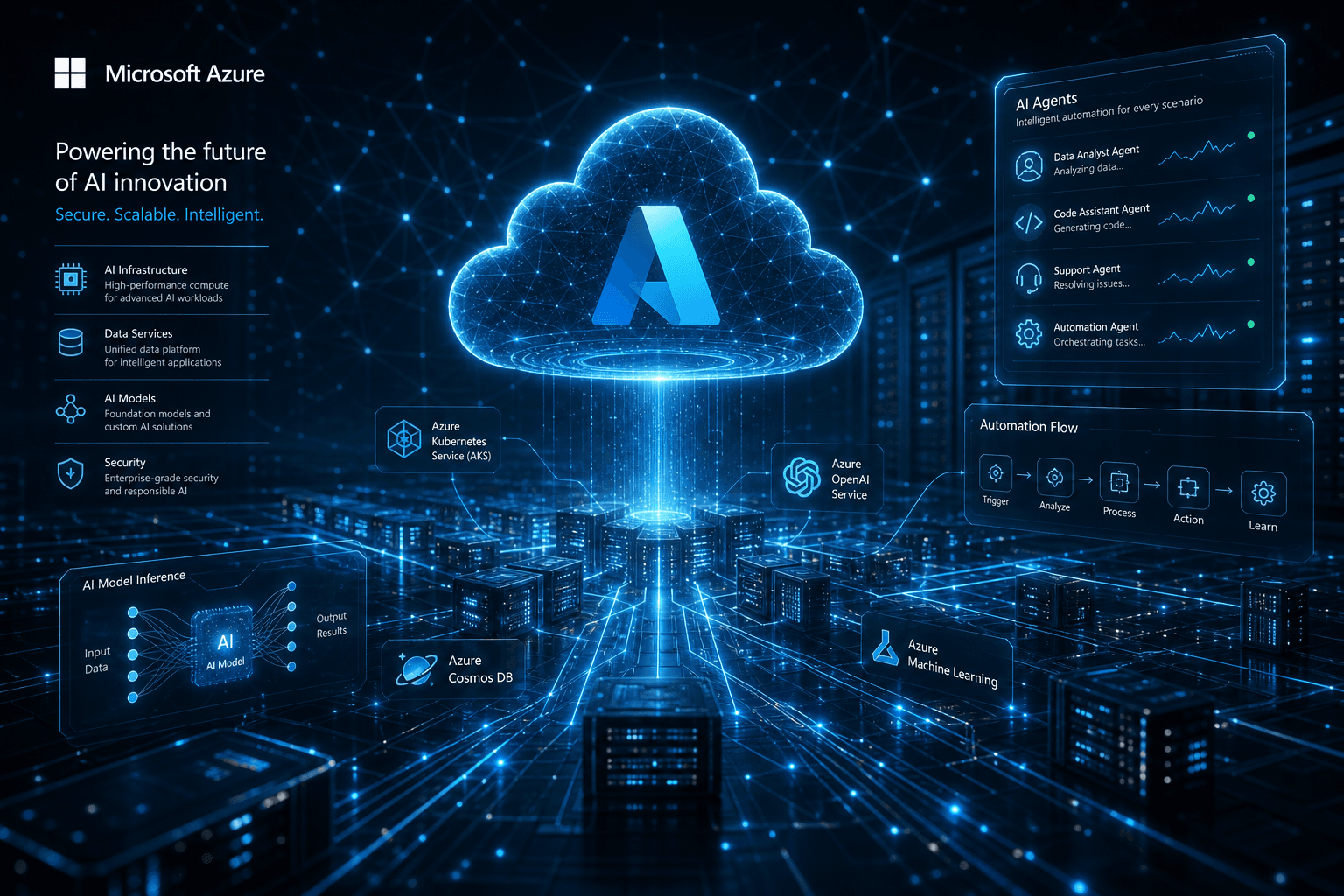
Microsoft Ignite Preview: Azure AI Foundry and the Agent Infrastructure Tease

Table of Contents
Microsoft Ignite Preview: Azure AI Foundry and the Agent Infrastructure Tease #
Microsoft Ignite 2024 kicks off next week in Chicago, and the pre-conference briefing materials are already painting a clear picture: this is Microsoft's biggest AI platform play yet. Between the Azure AI Foundry unification, Copilot Studio's leap into autonomous agents, and a refresh of the entire AI infrastructure stack, the announcements expected November 19-21 represent a coherent bet that enterprises want AI platforms—not just AI tools.
I have been tracking the build-up to this conference for weeks, digging through the technical previews, SDK drops, and whispered roadmap details. What emerges is a strategy that ties together everything from custom silicon to low-code agent builders into a single continuum. For builders working in the Azure ecosystem—or evaluating whether to enter it—this is the moment where the pieces start clicking into place.
This post covers what we know now, what the rumors suggest, and what the infrastructure reveals about Microsoft's vision for enterprise AI in 2025.
Table of Contents #
- The Ignite 2024 Context: Why This Year Matters — Setting the stage for Microsoft's platform unification strategy
- Azure AI Foundry: The Platform Unification Play — What Foundry is, what replaces what, and why it matters for developers
- The Azure AI Foundry SDK: Developer Experience First — Python, C#, JavaScript support and integration patterns
- Copilot Studio Autonomous Agents: Beyond Chatbots — The move toward self-directed enterprise agents
- Agent Infrastructure: What Powers the Automation — Azure AI Agent Service, M365 Agents SDK, and orchestration layers
- The Model Catalog Expansion: 1,800+ Models and Counting — OpenAI, Meta, Mistral, and industry-specific fine-tuned options
- AI Infrastructure Hardware: Maia, Cobalt, and Custom Silicon — The physical layer behind the platform
- Enterprise Governance and Safety Tooling — AI reports, evaluation SDK, and compliance features
- Integration Patterns: GitHub, Visual Studio, Copilot Studio — How the pieces connect in practice
- What This Means for Enterprise AI Strategy — Practical implications for 2025 planning
- FAQ: Microsoft Ignite 2024 and Azure AI Foundry — Direct answers to expected questions
- The Bottom Line — Service track CTA and next steps
The Ignite 2024 Context: Why This Year Matters #
Microsoft Ignite arrives November 19-21, 2024, in Chicago with 200,000 registered attendees and 14,000+ in-person participants. This is not merely a product launch event—it is a platform consolidation moment. The company has spent the past two years scattering AI capabilities across Azure OpenAI Service, Azure AI Studio, Copilot Studio, Semantic Kernel, and a half-dozen other touchpoints. The expectation going into Ignite is that Microsoft finally pulls these threads together into a coherent whole.
The timing is not accidental. According to Deloitte's latest enterprise AI research, nearly 70% of organizations have moved fewer than 30% of their generative AI experiments into production. The gap between proof-of-concept and production deployment is where platform vendors win or lose—and Microsoft is betting that Azure AI Foundry becomes the bridge.
What makes this Ignite different from previous years is the depth of infrastructure announcements expected alongside the platform layer. Microsoft is not just announcing APIs and SDKs. The conference pre-briefings reference custom silicon (Azure Maia AI accelerators and Cobalt CPUs), liquid cooling systems for GPU racks developed in collaboration with Meta, and new hardware security modules. This is vertical integration from the silicon to the SaaS layer.
For builders, the key question is not whether Microsoft has AI tools—it is whether they have the right integration surface for your stack. The signals suggest they are aiming for GitHub-native, VS Code-native, and Copilot Studio-native simultaneously, letting teams choose their abstraction level without leaving the Azure ecosystem.
Azure AI Foundry: The Platform Unification Play #
Azure AI Foundry is the new name for what happens when Azure AI Studio grows up and gets enterprise ambitions. The announcement expected at Ignite unifies the Azure AI Foundry portal (formerly Azure AI Studio) and introduces the Azure AI Foundry SDK as a single toolchain for designing, customizing, and managing AI solutions at scale.
What Replaces What #
| Old Name | New Name | Status |
|---|---|---|
| Azure AI Studio | Azure AI Foundry portal | Rebranded, expanded |
| Azure AI SDK (fragmented) | Azure AI Foundry SDK | New unified SDK |
| Azure OpenAI Service | Integrated into Foundry | Still exists, better connected |
| Copilot Studio agents | Foundry-connected agents | Deeper integration |
The portal evolution matters because it adds a management center experience that brings subscription information, connected resources, access privileges, and quota usage into a single pane of glass. For teams managing multiple AI projects across different Azure subscriptions, this consolidation eliminates a major friction point.
The real architectural shift is in how Foundry treats the development lifecycle. Rather than treating model selection, prompt engineering, evaluation, and deployment as separate workflows, Foundry wraps them into a continuous loop. The evaluation SDK can run locally during development, in the cloud for batch testing, and against production traces for ongoing monitoring—all feeding back into the same project workspace.
For organizations already invested in Azure AI Studio, the transition path appears to be a rebrand with expanded capabilities rather than a breaking change. Projects, deployments, and configurations should port forward. The new value is in the SDK unification and the cross-project governance tools.
The Azure AI Foundry SDK: Developer Experience First #
The Azure AI Foundry SDK is perhaps the most concrete deliverable expected at Ignite—a unified development interface available in Python and C# from day one, with JavaScript support coming shortly after. This is Microsoft's acknowledgment that AI development happens in code, not just in portals.
The SDK structure follows a project-centric model. Developers create an AI project in the Foundry portal, then reference it via connection string in their code:
pip install azure-ai-projects azure-identityThe project client becomes the gateway to all other capabilities: Azure OpenAI Service, model inference across the catalog, Azure AI Search, Azure AI Agent Service, evaluation, and tracing. This eliminates the current fragmentation where each service requires separate authentication, separate SDKs, and separate configuration patterns.
SDK Component Breakdown #
| Package | Purpose | Availability |
|---|---|---|
| azure-ai-projects | Project management and resource access | Preview |
| azure-ai-inference | Unified model inference (OpenAI, Meta, Mistral, etc.) | Preview |
| azure-ai-evaluation | Quality and safety evaluation | Preview |
| azure-ai-agent | AI Agent Service orchestration | Preview |
The inference package is particularly notable. It provides a consistent interface for accessing all models supported by Azure AI model inference service, meaning you can prototype with GPT-4o and switch to a fine-tuned Phi-3 model by changing a single parameter:
# GPT-4o
response = client.complete(model="gpt-4o", messages=messages)

# Switch to Phi-3-mini
response = client.complete(model="Phi-3-mini-4k-instruct", messages=messages)
For teams building production applications, the SDK includes tracing and evaluation hooks that integrate with OpenTelemetry. This means your AI application observability plugs into the same monitoring stack as the rest of your infrastructure.
Copilot Studio Autonomous Agents: Beyond Chatbots #
The most significant Copilot Studio announcement expected at Ignite is the preview of autonomous agents—agents that can operate without continuous human prompting, executing multi-step business processes and involving humans only for final review or when hitting exceptions.
This is a departure from the current Copilot Studio model, where every interaction is essentially a conversation. The new autonomous capabilities allow agents to:
- Monitor data sources (SharePoint, SQL databases, APIs) for trigger conditions
- Execute multi-step workflows across Microsoft 365 and third-party systems
- Handle exceptions by escalating to human reviewers
- Learn from resolved exceptions to improve future autonomous decisions
The agent library feature provides templates for common enterprise scenarios: leave management processing, sales order handling, IT ticket triage, and customer onboarding. These are not just conversation flows—they are state machines with decision logic.
Autonomous Agent Capabilities #
| Feature | Description | Availability |
|---|---|---|
| Agent library | Pre-built templates for common scenarios | Preview |
| Multi-modal inputs | Voice and image analysis | Private preview |
| Advanced knowledge tuning | Match instructions to knowledge gaps | Preview |
| Autonomous execution | Work without continuous prompts | Preview |
| Azure AI integration | Access to 1,800+ models via catalog | Private preview |
The voice-enabled agent capability is particularly interesting for customer service scenarios. Organizations can embed voice experiences directly into apps and websites, with the agent handling the speech-to-text, reasoning, and text-to-speech pipeline through GPT-4o's native audio capabilities.
For builders already using Copilot Studio, the upgrade path is incremental. Existing agents can be enhanced with autonomous capabilities without rewriting. The key decision point is whether your use case benefits from proactive agent behavior versus reactive chat responses.
Agent Infrastructure: What Powers the Automation #
Underneath the Copilot Studio autonomous agents sits the Azure AI Agent Service—a new orchestration layer that handles deployment, scaling, and enterprise integration for AI-powered automation. This is the infrastructure that makes autonomous agents viable in production environments.
The Azure AI Agent Service is designed around several enterprise requirements:
Bring Your Own Storage (BYOS): Agents can use customer-managed storage for conversation history, state management, and audit logging. This addresses data residency and compliance requirements that are non-negotiable for financial services, healthcare, and government deployments.
Private Networking: Agents can be configured to operate within private virtual networks, ensuring that data never traverses public internet paths during processing.
Tool Integration: The service connects to over 1,400 actions via Azure Logic Apps, plus direct integrations with SharePoint, Microsoft Fabric, Azure AI Search, and Bing. This is the mechanism by which agents actually do things in your environment—not just talk about them.
Model Flexibility: Unlike Copilot Studio's current tight coupling to OpenAI models, the Agent Service can leverage any model in the Azure AI catalog, including fine-tuned industry models and open-source alternatives.
The orchestration model uses a planning-execution pattern. When an agent receives a goal, it decomposes the task into steps, selects appropriate tools for each step, executes them, and handles failures through retry logic or human escalation. This is visible to developers through the SDK:
# Create an agent with file search capability
agent = project_client.agents.create_agent(
    model="gpt-4o",
    name="research-assistant",
    instructions="You are a research assistant...",
    tools=[{"type": "file_search"}]
)

# Create a thread and run the agent
thread = project_client.agents.create_thread()
run = project_client.agents.create_and_process_run(thread_id=thread.id, agent_id=agent.id)
The Microsoft 365 Agents SDK, also expected in preview, extends this capability to code-first scenarios. Developers can build enterprise-grade agents using the same orchestration primitives but with full programmatic control, then deploy them to Teams, web apps, or custom channels.
The Model Catalog Expansion: 1,800+ Models and Counting #
Azure AI Foundry's model catalog is expanding to over 1,800 models, with new additions from Bria, NTT DATA, and industry-specific providers including Bayer, Sight Machine, Rockwell Automation, and Paige.ai. The strategy is clear: provide frontier models from OpenAI alongside specialized models trained on domain-specific data.
Model Categories in Catalog #
| Category | Examples | Use Case |
|---|---|---|
| Frontier LLMs | GPT-4o, GPT-4o-mini | General reasoning, chat, content generation |
| Microsoft SLMs | Phi-3 family | Edge deployment, cost-sensitive scenarios |
| Open-source | Llama, Mistral, Code Llama | Custom fine-tuning, model ownership |
| Industry-specific | Bayer (healthcare), Rockwell (manufacturing) | Domain expertise without training |
| Specialized | Bria (images), Cohere (embeddings) | Specific modality or task optimization |
The industry-specific models are particularly significant for enterprises that lack the data science resources to fine-tune their own models. A manufacturing company can deploy the Rockwell Automation model and get predictions informed by decades of industrial operational data without building their own training pipeline.
Microsoft is also announcing new fine-tuning capabilities: vision fine-tuning for GPT-4o and distillation workflows that allow smaller models (like GPT-4o-mini) to replicate the behavior of larger models through fine-tuning rather than prompt engineering. This addresses the cost-performance tradeoff that every production AI deployment faces.
The model inference API provides a consistent interface across all catalog entries, meaning applications can swap models without code changes. This is a hedge against vendor lock-in and a practical necessity given the pace of model advancement. An application built on GPT-4 today might benefit from switching to a fine-tuned Phi-3 or a specialized industry model next quarter.
Collaborations with Weights & Biases, Gretel, Scale AI, and Statsig are also expected, covering the full model customization lifecycle from synthetic data generation through evaluation and production experimentation.
AI Infrastructure Hardware: Maia, Cobalt, and Custom Silicon #
The platform announcements rest on infrastructure improvements that matter for cost, performance, and sustainability. Microsoft is expected to detail advancements in its custom silicon program, cooling systems, and power distribution.
Custom Silicon Roadmap #
| Component | Purpose | Performance Claim |
|---|---|---|
| Azure Maia | AI accelerators | Training and inference optimization |
| Azure Cobalt | ARM-based CPUs | General purpose with AI workload efficiency |
| Azure Boost DPU | Data-centric workloads | 3x less power, 4x better performance |
| Azure Integrated HSM | Hardware security | Enhanced key management for AI workloads |
The Azure Boost DPU (Data Processing Unit) announcement is particularly relevant for AI workloads that involve heavy data movement—think retrieval-augmented generation pipelines that need to fetch, filter, and embed large document sets. The claimed efficiency gains (three times less power, four times better performance) translate directly to cost per inference.
The cooling announcement is equally practical: next-generation liquid cooling for GPU and AI accelerator racks, plus a disaggregated power rack design developed with Meta that enables 35% more AI accelerators per server rack. For Azure customers, this means higher density and lower colocation costs for AI training clusters.
These infrastructure improvements flow down to the platform layer. Better hardware efficiency means Azure can offer more competitive inference pricing. Higher rack density means more regions can support GPU-intensive workloads. The HSM improvements address the security requirements of regulated industries looking to deploy AI on sensitive data.
Enterprise Governance and Safety Tooling #
Production AI requires governance tooling that most organizations have not yet built. Azure AI Foundry addresses this with two expected announcements: AI reports for documentation and audit, and expanded risk and safety evaluations for image content.
AI Reports Capability #
AI reports enable developers to assemble key project details—model cards, model versions, content safety filter configurations, evaluation metrics—into a unified document that can be exported to PDF or SPDX formats. This serves several compliance workflows:
- Model approval gates: Compliance teams review reports before production deployment
- Audit trails: Ongoing documentation of which models power which applications
- Impact assessments: Structured documentation for regulatory submissions
The reports are generated through the Foundry SDK and portal, meaning they can be integrated into CI/CD pipelines as automated compliance checks.
Risk and Safety Evaluation Expansion #
The existing text-based evaluation capabilities in Azure AI are expanding to cover:
| Input Type | Output Type | Risk Assessed |
|---|---|---|
| Text | Image | Harmful image generation |
| Image + Text | Text | Multimodal reasoning safety |
| Image (with text, e.g., memes) | Text + Image | Combined content risks |
This covers the multimodal use cases that are becoming standard—applications that accept screenshots, documents, or mixed media and generate text, images, or both in response.
The evaluation SDK supports adversarial simulations, synthetic data generation for test datasets, and user simulators that model target user interactions. These can run locally during development or at scale in the cloud for pre-production validation.
Partnerships with Credo AI and Saidot extend these capabilities to organizations with complex governance requirements, integrating Azure AI with specialized AI governance platforms.
Integration Patterns: GitHub, Visual Studio, Copilot Studio #
The Azure AI Foundry SDK is designed to surface in the tools developers already use—GitHub, Visual Studio Code via the AI Toolkit extension, and Copilot Studio for low-code scenarios. This multi-surface approach lets teams choose their abstraction level without changing the underlying platform.
GitHub Integration #
GitHub Models, announced earlier this year, now connects directly to Azure AI Search for RAG capabilities. The workflow expected at Ignite:
- Start with models in the GitHub Models playground (free tier available)
- Upload your data directly—drag and drop documents
- Azure AI Search automatically provisions a free index
- Copy the code snippet to add RAG to your application
This is a zero-to-RAG experience that does not require Azure subscription setup until you are ready to scale.
Visual Studio Code Integration #
The AI Toolkit for VS Code provides a model playground directly in the editor. Developers can experiment with models, copy working code into their projects, and transition directly to the Azure AI Foundry SDK for production deployment.
Copilot Studio Integration #
The bridge between low-code and pro-code is where Microsoft's platform strategy shows its coherence. Copilot Studio agents can now:
- Access custom Azure AI Search indexes as knowledge sources
- Call models from the Azure AI catalog (1,800+ options)
- Be extended by code-first agents built with the M365 Agents SDK
This means a business analyst can build the initial agent in Copilot Studio, then hand it to a developer who extends it with custom code, custom models, and custom orchestration—without rebuilding from scratch.
What This Means for Enterprise AI Strategy #
The Ignite 2024 announcements, taken together, represent Microsoft's bid to own the full enterprise AI stack—from the silicon to the user interface. For organizations planning their 2025 AI strategy, several implications emerge.
Consolidation Pressure #
If you are currently using Azure OpenAI Service alongside separate vector databases, separate evaluation tools, and separate monitoring stacks, Foundry offers a unified alternative. The question is whether the integration benefits outweigh the switching costs. For new projects, the decision is easier—start with Foundry. For existing deployments, the migration path depends on how tightly coupled you are to current toolchains.
Agent-First Architecture #
The autonomous agent capabilities in Copilot Studio and the Azure AI Agent Service suggest a shift from chat-first to agent-first design patterns. Instead of building applications that respond to user queries, you are building applications that proactively monitor, decide, and act—with human oversight at exception points.
Model Portfolio Management #
With 1,800+ models available, the challenge shifts from "which model should we use?" to "how do we manage a portfolio of models for different tasks?" The Azure AI Foundry evaluation tools and unified inference API are designed for this operational reality—testing, deploying, and monitoring multiple models across different use cases.
Governance as Code #
The AI reports and safety evaluation capabilities enable governance to shift left into the development process. Compliance documentation becomes a build artifact rather than a post-hoc report. For regulated industries, this is the difference between deployable and theoretical AI applications.
FAQ: Microsoft Ignite 2024 and Azure AI Foundry #
What is Azure AI Foundry? #
Azure AI Foundry is Microsoft's unified AI platform that combines the Azure AI Foundry portal (formerly Azure AI Studio) with the new Azure AI Foundry SDK. It provides a single toolchain for designing, customizing, deploying, and managing AI applications and agents at enterprise scale. The platform unifies model access, evaluation, safety tooling, and governance capabilities that were previously scattered across separate Azure services.
When is Microsoft Ignite 2024 happening? #
Microsoft Ignite 2024 takes place November 19-21, 2024, in Chicago, Illinois. The conference features over 800 sessions, demos, and expert-led labs with 200,000 registered attendees globally and 14,000+ in-person participants. Keynote addresses from Satya Nadella and other Microsoft leaders are scheduled for the opening day.
What is the Azure AI Foundry SDK? #
The Azure AI Foundry SDK is a unified development kit available in Python and C# (with JavaScript coming soon) that provides a simplified coding experience for building AI applications. It includes packages for project management, model inference across the full catalog, AI agent orchestration, evaluation, and tracing. The SDK enables developers to integrate Azure AI capabilities from familiar tools like GitHub, Visual Studio, and Copilot Studio.
What are Copilot Studio autonomous agents? #
Copilot Studio autonomous agents are a new preview capability that enables AI agents to operate without continuous human prompting, executing multi-step business processes and involving humans only for review or exception handling. Unlike traditional chatbots, these agents can monitor data sources, trigger workflows automatically, and make decisions within defined guardrails. They represent a shift from reactive conversation to proactive automation.
How many models are in the Azure AI model catalog? #
The Azure AI model catalog now includes over 1,800 models, including frontier models from OpenAI, Microsoft's Phi family of small language models, open-source options like Llama and Mistral, and new industry-specific models from providers like Bayer (healthcare), Rockwell Automation (manufacturing), and NTT DATA. The catalog also features specialized models for image generation, embeddings, and code generation.
What is the Azure AI Agent Service? #
The Azure AI Agent Service is an orchestration layer that handles deployment, scaling, and enterprise integration for AI-powered agents. It supports bring-your-own-storage for data residency compliance, private networking for security, integration with over 1,400 actions via Azure Logic Apps, and access to the full model catalog. The service is designed for production deployments requiring enterprise-grade reliability and governance.
What infrastructure improvements is Microsoft announcing? #
Microsoft is announcing advancements in custom silicon (Azure Maia AI accelerators, Azure Cobalt CPUs, Azure Boost DPU), next-generation liquid cooling for GPU racks, and a disaggregated power rack design developed with Meta that enables 35% more AI accelerators per rack. The Azure Boost DPU specifically targets data-centric workloads with claims of 3x less power consumption and 4x better performance than existing servers.
What governance tools are included in Azure AI Foundry? #
Azure AI Foundry includes AI reports for compliance documentation, risk and safety evaluation SDK with adversarial simulation capabilities, and expanded evaluations for multimodal content (text-to-image, image-to-text). The platform also integrates with third-party governance solutions from Credo AI and Saidot. AI reports can be exported to PDF or SPDX formats for audit workflows.
How does Azure AI Foundry integrate with GitHub? #
Azure AI Foundry connects to GitHub Models for free model experimentation and will soon power RAG capabilities directly in GitHub Codespaces. Developers can start with models in the GitHub playground, upload data to automatically provision Azure AI Search indexes, and copy code snippets to transition to full applications. This provides a glide path from experimentation to production deployment without leaving the GitHub environment.
What is the Microsoft 365 Agents SDK? #
The Microsoft 365 Agents SDK is a new preview offering that enables developers to build enterprise-grade, scalable agents with code using the SDK. These agents can operate across multiple channels including Microsoft Copilot, Teams, and web applications. The SDK allows developers to extend Copilot Studio-built agents with code-first capabilities and leverage AI services from Azure AI Foundry, Semantic Kernel, or other vendors.
How does Copilot Studio connect to Azure AI Foundry? #
Copilot Studio integrates with Azure AI Foundry through two primary mechanisms: custom Azure AI Search indexes as knowledge sources and access to the Azure AI model catalog with 1,800+ models. This integration allows low-code agents built in Copilot Studio to use enterprise-grade retrieval and call industry-specific or fine-tuned models. Bring-your-own-knowledge is in preview and bring-your-own-model is in private preview.
What new fine-tuning capabilities are expected? #
Microsoft is announcing vision fine-tuning for GPT-4o and distillation workflows that allow smaller models like GPT-4o-mini to replicate the behavior of larger models through fine-tuning. These capabilities are available through the Azure OpenAI Service within Foundry. Distillation specifically addresses cost-performance optimization by capturing the essential knowledge of larger models in smaller, faster deployments.
The Bottom Line #
Microsoft Ignite 2024 is shaping up to be the moment when Azure's AI capabilities coalesce into a genuine platform rather than a collection of services. Azure AI Foundry, the autonomous agent infrastructure, and the deep integration with developer tools suggest a strategy aimed at the full spectrum—from no-code business users to ML engineers training custom models.
For teams building enterprise AI applications, the key decision is whether to adopt the full Foundry stack or cherry-pick specific components. The SDK-first approach means you can start small, integrating just the inference or evaluation capabilities you need, then expand as the platform matures.
If you are planning AI initiatives for 2025 and need help evaluating platform options, architecture decisions, or implementation details, book an AI automation strategy call. I work with teams to cut through the vendor hype and build AI systems that actually ship.
Related posts:
- n8n and Claude 3.5 Sonnet: Production AI Agent Tutorial — Building autonomous agents with open-source tools
- GitHub Universe 2024: Multi-Model Copilot and the Platform Play — GitHub's AI platform strategy
- Canvas vs Artifacts vs Cursor: The Interface Battle — Comparing AI coding interfaces
Related Posts

How to Stop Client-Facing AI Agents From Hallucinating
Client-facing AI agents hallucinate when they answer without grounding. Here's the layered guardrail stack I use to keep agents accurate and on-script.

AI Sales Systems vs Traditional CRM Automation
Traditional CRM automation fires rules; AI sales systems reason about each lead. Here's how they differ, where each wins, and how to combine them.

The Manual Workflows With the Highest ROI When Replaced by AI Agents
Not every task is worth automating. Here are the manual workflows with the highest ROI when you replace them with AI agents, ranked by payback speed.




