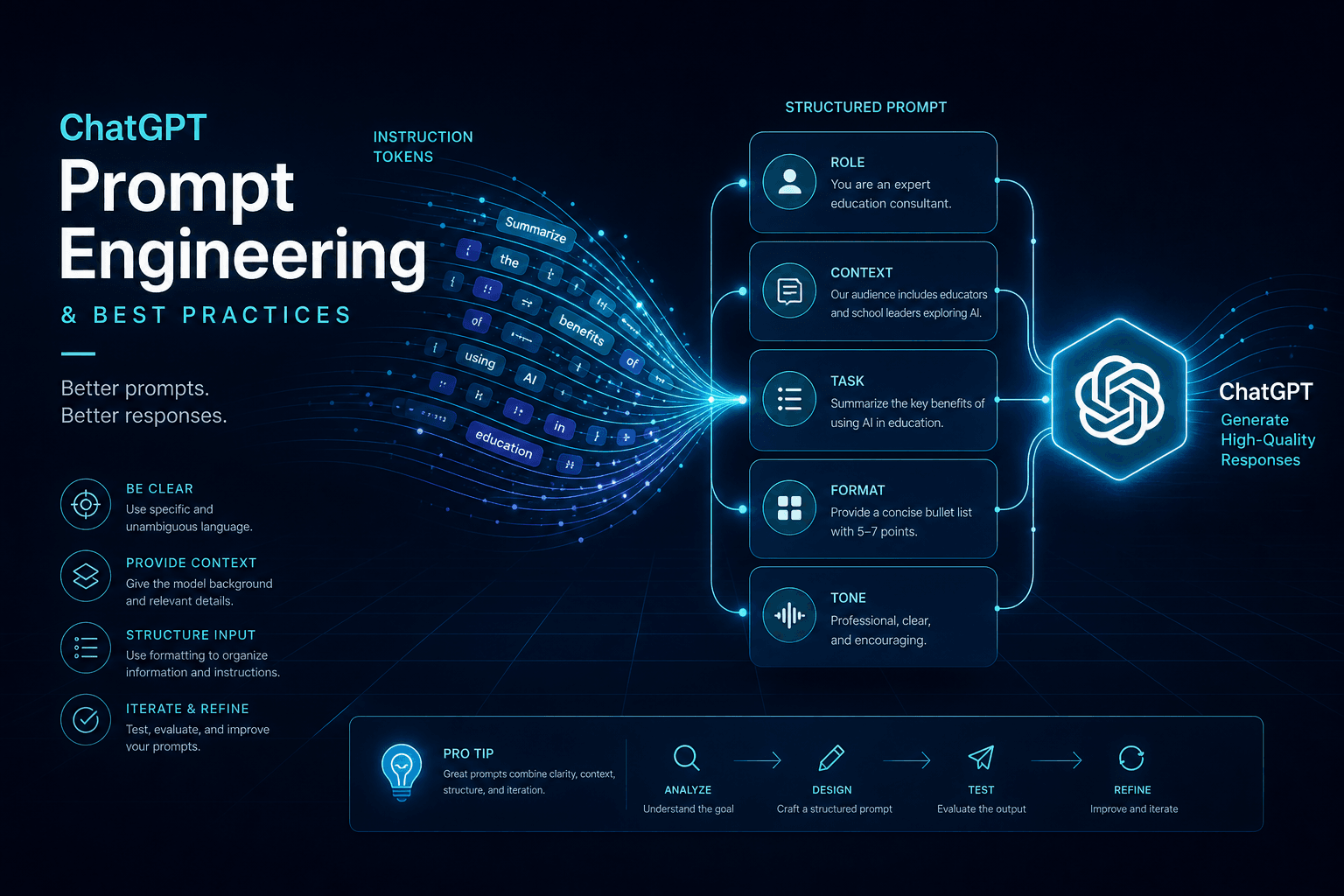
Prompting ChatGPT: OpenAI's Best-Practice Patterns

Table of Contents
Prompting ChatGPT: OpenAI's Best-Practice Patterns #
Table of Contents #
- How OpenAI Models Actually Read Your Prompts
- The GPT-4.1 Prompting Guide: Instruction-Following at 1M Tokens
- Agentic Persistence and Tool-Calling Reminders
- Long-Context Placement: Where to Put What Matters
- Reasoning Models vs GPT Models: When to Add CoT vs When to Stop
- Developer Messages and System Prompt Structure
- Delimiters and Structured Output with OpenAI Models
- Few-Shot Patterns for GPT-4o and GPT-4.1
- The Responses API and Tools at a High Level
- Common Failure Modes and How to Fix Them
- A Reusable ChatGPT Prompt Template
- Frequently Asked Questions
How OpenAI Models Actually Read Your Prompts #
OpenAI models process prompts as token sequences with strong position bias — the beginning and end of your context receive disproportionately more attention than the middle. This is not a quirk of implementation; it is a fundamental property of transformer architectures that OpenAI's documentation explicitly acknowledges. Understanding this attention pattern is the foundation of effective ChatGPT prompting.
The "lost in the middle" effect is well-documented in research on long-context models. When you feed GPT-4o or GPT-4.1 a prompt with 50,000 tokens of background material plus instructions buried somewhere in the middle, the model is measurably more likely to miss or misinterpret those middle instructions compared to identical instructions placed at the start or end. This matters enormously for how you structure prompts for OpenAI's models specifically.
| Position | Attention Weight | Best For |
|---|---|---|
| Beginning (first 10%) | Highest | Role definition, critical rules, high-level task |
| Middle (40-60%) | Lowest | Supporting context, reference material, examples |
| End (last 10-15%) | Highest | Specific instructions, output format, constraints |
OpenAI's own prompting documentation recommends this canonical structure:
- High-level task — what the model should do, in broad strokes
- Reference material — documents, data, code, context (the bulky middle)
- Detailed instructions — the specific request, constraints, format requirements
This structure uses the attention pattern instead of fighting it. Critical instructions that must be followed precisely go at the end, where the model's attention is strongest just before generating output. Background material goes in the middle, where the model can reference it but won't overweight it relative to your actual instructions.
The GPT-4.1 Prompting Guide: Instruction-Following at 1M Tokens #
GPT-4.1, released mid-April 2025, introduces a 1 million token context window with dramatically improved instruction-following at scale — but only if you structure prompts to match how the model processes that volume. OpenAI's GPT-4.1 family (GPT-4.1, GPT-4.1 mini, GPT-4.1 nano) was designed specifically for long-context workflows where earlier models would drift, lose track of constraints, or ignore mid-document instructions.
The key insight from OpenAI's documentation: GPT-4.1 maintains higher instruction adherence across the full context window than GPT-4o, but it still exhibits the position bias common to all transformer models. The difference is that GPT-4.1's attention mechanism is better at retrieving and using information from the middle when explicitly directed to do so.
Prompt structure for GPT-4.1's 1M window:
### 1. TASK DEFINITION (beginning)
You are [role]. Your task is to [high-level goal].

### 2. REFERENCE MATERIAL (middle — can be 800K+ tokens)
[Documents, codebases, conversation history, knowledge base content]

### 3. SPECIFIC INSTRUCTIONS (end)
Based on the material above, [specific request with constraints].
Return your response in [format]. Follow these rules: [list].
The model processes the full million tokens, but it uses the task definition at the beginning to frame its interpretation of the middle material, then checks the specific instructions at the end to calibrate its output. This three-part structure is OpenAI's recommended pattern for any long-context work with GPT-4.1.
| Model | Context Window | Sweet Spot | Instruction Following |
|---|---|---|---|
| GPT-4o | 128K tokens | ~50K-80K | Strong, position-sensitive |
| GPT-4.1 | 1M tokens | ~200K-500K | Excellent, designed for long docs |
| GPT-4.1 mini | 1M tokens | Same | Slightly reduced but still strong |
| GPT-4.1 nano | 1M tokens | Same | Fastest, good for classification |
GPT-4.1 also introduces improved handling of negative instructions — "don't do X" constraints that earlier models would sometimes miss. Explicit negation at the end of the prompt now registers more reliably: "Do not summarize. Extract verbatim quotes only." This makes guardrails and negative prompting more effective with the 4.1 family than with GPT-4o.
Agentic Persistence and Tool-Calling Reminders #
When building agentic workflows with OpenAI models — where the LLM makes decisions across multiple turns, calls tools, and maintains state — OpenAI's documentation emphasizes the importance of persistence reminders and tool-calling reinforcement. GPT-4o and especially GPT-4.1 handle multi-step agentic tasks better than earlier models, but they still benefit from explicit cues that maintain the agent context.
The agentic prompting pattern OpenAI recommends:
You are an agent with access to [tool list]. Your goal is [objective].

At each step:
1. Analyze the current state
2. Decide which tool to use (if any)
3. Call the tool with the required parameters
4. Wait for results before proceeding

Remember:
- You may need multiple tool calls to complete the task
- If a tool returns an error, explain the issue and try a different approach
- Always verify you have complete information before providing a final answer

Current state: [relevant context]
Your task: [specific next step]
The "Remember" section serves as persistence cues — explicit reinforcement of behavioral rules that must hold across turns. Without these reminders, models in agentic loops sometimes drift: they forget they're in a multi-step workflow, attempt to synthesize a final answer prematurely, or lose track of which tools are available.
| Agentic Component | Prompt Technique | Purpose |
|---|---|---|
| Tool availability | List tools with descriptions in system prompt | Model knows its capabilities |
| Multi-step awareness | "You may need multiple tool calls" | Prevents premature finalization |
| Error handling | "If a tool returns an error..." | Graceful degradation |
| State management | "Current state: [summary]" | Maintains context across turns |
| Completion criteria | "Always verify... before final answer" | Quality gate |
For the o1 and o3 reasoning models in agentic contexts, OpenAI's guidance shifts: these models benefit from less explicit step-by-step instruction because they perform internal reasoning. The persistence reminders should focus on goal state and tool availability, not process steps — the model determines its own process.
Long-Context Placement: Where to Put What Matters #
In long-context prompts for OpenAI models, the placement of information directly determines whether it gets used — this is not theoretical, it is measurable in output quality. OpenAI's research and documentation consistently emphasize that models pay more attention to the beginning and end of context, with the middle receiving less reliable processing.
For GPT-4o with its 128K context window and GPT-4.1 with its 1M token window, this placement discipline becomes even more critical because the absolute volume of "middle" content is so much larger.
Optimal placement hierarchy:
| Content Type | Placement | Rationale |
|---|---|---|
| Role definition | Beginning | Frames all subsequent interpretation |
| Output format requirements | End (also reference at beginning) | High attention at generation time |
| Constraints and guardrails | Beginning AND end | Redundancy compensates for middle dilution |
| Reference material (documents, code) | Middle | Accessible but not overweighted |
| Specific task instructions | End | Maximum attention when generating |
| Examples and demonstrations | Middle, near task | Contextual relevance |
The sandwich technique for critical constraints:
If a constraint absolutely must be followed — safety-critical formatting, required citations, prohibited content — place it at both the beginning and the end. The redundancy means even if the model's attention drifts in the middle, it encounters the constraint twice at high-attention positions.
Example:
[BEGINNING — role and first constraint statement]
You are a medical transcription assistant. CRITICAL: Never include patient names or MRNs in your output. Use [PATIENT] placeholders instead.

[MIDDLE — 40,000 tokens of medical records]

[END — task and repeated constraint]
Summarize the above medical records, highlighting chief complaints and treatment plans. CRITICAL: Never include patient names or MRNs in your output. Use [PATIENT] placeholders instead.
For GPT-4.1 specifically, OpenAI notes that the model is better at following mid-document instructions than GPT-4o, but the sandwich technique remains best practice for any critical constraint.
Reasoning Models vs GPT Models: When to Add CoT vs When to Stop #
OpenAI's reasoning models — o1, o1-pro, o3-mini, o3, and o4-mini — process prompts differently from standard GPT models, and the prompting strategy flips: with reasoning models, you generally should not add explicit chain-of-thought instructions. This is one of the most important distinctions in OpenAI's model lineup as of May 2025.
The reasoning models (often called the "o-series") perform internal chain-of-thought reasoning before generating their visible response. This happens in a separate reasoning phase that consumes tokens but does not appear in the output (unless specifically configured). When you add "think step by step" or "show your reasoning" to a prompt sent to o1 or o3, you are either redundant or potentially interfering with the model's optimized reasoning process.
| Model Type | Chain-of-Thought Instruction | Why |
|---|---|---|
| GPT-4o | Add explicitly: "think step by step" | Model needs explicit guidance to reason |
| GPT-4.1 | Add explicitly for complex tasks | Improved reasoning but still benefits from guidance |
| o1 / o1-pro | Do NOT add; let model reason internally | Internal CoT happens automatically |
| o3-mini | Do NOT add; reasoning is built-in | Optimized for reasoning without prompt help |
| o3 / o4-mini | Minimal prompting; state problem clearly | Complex internal reasoning handles the rest |
Prompting strategy comparison:
For GPT-4o/GPT-4.1 (standard models):
Solve this math problem. Think through it step by step before giving your final answer.

Problem: A train leaves Station A traveling at 60 mph. Two hours later...
For o1/o3 (reasoning models):
A train leaves Station A traveling at 60 mph. Two hours later, a second train leaves Station A traveling at 90 mph on a parallel track. How many hours after the second train departs will it catch up to the first train?The reasoning model receives the problem statement with no explicit reasoning instruction — and produces better results because its internal reasoning mechanism is already optimized for this. Adding explicit CoT instructions can sometimes degrade o1 performance by constraining its natural reasoning flow.
When to use which model family:
| Task Type | Recommended Model | Prompting Approach |
|---|---|---|
| Creative writing, general Q&A | GPT-4o / GPT-4.1 | Detailed instructions, examples, CoT if complex |
| Math, logic puzzles, planning | o1, o3-mini, o3 | State problem clearly, minimal instruction |
| Code architecture decisions | o1-pro, o3 | High-level goals, let model reason through tradeoffs |
| Fast classification, extraction | GPT-4.1 nano | Simple instructions, no reasoning needed |
| Multi-step research synthesis | GPT-4.1 or o1 | Depends on synthesis vs reasoning emphasis |
Developer Messages and System Prompt Structure #
OpenAI's API uses a specific message role structure: developer messages (or system messages in older terminology), user messages, and assistant messages. Understanding how OpenAI models process these roles — and how they differ from Anthropic's approach — is essential for reliable prompt engineering with GPT-4o, GPT-4.1, and the o-series models.
In the OpenAI Chat Completions API, the message array contains objects with "role": "developer" (or "system" in legacy models), "user", or "assistant". The developer message sets the persistent behavioral context that applies to every turn in the conversation.
OpenAI's recommended developer message structure:
You are [specific role]. [Context about expertise and approach].

Rules:
- [Specific behavioral constraint 1]
- [Specific behavioral constraint 2]
- [Format requirement]
- [Safety or quality guardrail]

When [situation], [action].
This structure — identity first, then enumerated rules, then conditional guidance — matches how OpenAI's models weight developer message content. The model attends strongly to the opening identity statement and to any list-formatted constraints, which is why bullet-point rules in developer messages produce more consistent adherence than prose paragraphs.
| Element | Placement | Effect |
|---|---|---|
| Identity definition | First sentence of developer message | Highest attention, frames all responses |
| Enumerated rules | Bulleted or numbered list | High adherence due to formatting distinctiveness |
| Conditional guidance | "When X, do Y" structure | Triggers appropriate behavior for edge cases |
| Output format | Developer message AND final user message | Redundancy ensures compliance |
The o-series reasoning models (o1, o3-mini, o3, o4-mini) treat developer messages slightly differently than GPT-4o. Because these models perform internal reasoning before responding, very prescriptive developer messages can sometimes interfere with their reasoning process. OpenAI's guidance for o1: keep developer messages simple and high-level, move detailed instructions to the user message where they won't constrain the reasoning phase.
Delimiters and Structured Output with OpenAI Models #
OpenAI models respond reliably to delimiter-based structuring — triple quotes, XML-style tags, and section headers — but with different optimal patterns than Claude's XML-heavy approach. GPT-4o and GPT-4.1 were trained on a broader mix of delimiter styles and don't show the same strong XML preference that Claude exhibits. This means more flexibility, but also requires explicit choices about which delimiter style to use consistently.
Delimiter options and their best uses:
| Delimiter Style | Best For | Example | GPT-4o/GPT-4.1 Support |
|---|---|---|---|
| Triple quotes | Simple text separation | """text here""" |
Excellent |
| Triple backticks with language | Code blocks | python\ncode\n |
Excellent, syntax highlighted |
| XML-style tags | Multi-section documents | <section>content</section> |
Good, not required |
| Markdown headers | Document structure | ### Section Name |
Good |
| JSON fences | Structured data examples | json\n{}\n |
Excellent |
OpenAI's documentation recommends triple quotes for simple separation and triple backticks with language identifiers for code. XML tags work but are not emphasized the way Anthropic emphasizes them — GPT-4o doesn't have the architectural preference for angle brackets that Claude does.
Structured output with OpenAI models:
For JSON output specifically, OpenAI offers a native JSON mode that significantly improves reliability:
{
  "model": "gpt-4o",
  "messages": [
    {"role": "developer", "content": "You extract structured data from text."},
    {"role": "user", "content": "Extract the name, email, and company from: John from Acme..."}
  ],
  "response_format": {"type": "json_object"}
}
The response_format: {type: "json_object"} parameter constrains the model to output valid JSON. This is more reliable than prompt-only JSON requests, though you still need to specify the schema in the prompt — JSON mode guarantees valid JSON syntax, not any particular schema.
For GPT-4.1 and the o-series models, OpenAI also supports structured outputs with JSON Schema in beta — you can provide an exact schema and the model will conform to it. This is the most reliable way to get predictable structured data from OpenAI models when schema adherence is critical.
Few-Shot Patterns for GPT-4o and GPT-4.1 #
Few-shot prompting — providing examples of the desired input-output pattern — works exceptionally well with OpenAI models, and GPT-4.1 shows improved pattern adherence from longer context windows that can accommodate more examples. The standard few-shot structure OpenAI recommends puts examples between the high-level task definition and the specific instructions.
Canonical few-shot structure for OpenAI models:
Task: Classify customer support messages by urgency (low, medium, high, critical).

Examples:

Message: "How do I reset my password?"
Urgency: low

Message: "The checkout is broken — I can't complete my purchase."
Urgency: high

Message: "Our entire team is locked out during a client demo in 10 minutes."
Urgency: critical

Message: "Feature request: add dark mode."
Urgency: low

Now classify this message following the same pattern:

Message: "I was charged twice for my subscription this month."
Urgency:
This structure — task, then examples with clear delimiters, then the target input — is what OpenAI's documentation and cookbooks consistently demonstrate. The model learns the pattern from the examples and continues it for the final input.
| Few-Shot Element | Best Practice | Common Mistake |
|---|---|---|
| Number of examples | 3-5 for most tasks | Only 1 (insufficient pattern), or 10+ (diminishing returns) |
| Example diversity | Include edge cases and boundaries | All easy, obvious cases |
| Format consistency | Identical structure for all examples | Varying format between examples |
| Delimiter clarity | Clear separation between input/output | Running examples together without breaks |
| Placement | After task, before target input | Scattered or at the very beginning |
GPT-4.1's 1M context window enables a variant pattern: extensive few-shot with dozens of examples. For classification tasks with many nuanced categories, you can include 20+ labeled examples in the context and GPT-4.1 maintains pattern adherence better than GPT-4o would with the same volume. The key is still consistent formatting — the model matches the pattern it sees, so inconsistency in your examples produces inconsistency in output.
The Responses API and Tools at a High Level #
OpenAI's Responses API, launched March 11, 2025 alongside GPT-4.5 ("Orion"), represents a unification of Chat Completions and Assistant features with improved support for multi-turn interactions, tool use, and structured outputs. For prompting, the Responses API changes some mechanics but not the fundamental principles — clear instructions, structured context, and explicit format requirements remain essential.
The Responses API introduces a new conversation structure where each "response" can include multiple "output items" — text, tool calls, reasoning blocks (for o-series models), and function results. This multi-item structure means prompts need to account for the possibility of multi-step responses.
High-level tool use pattern in the Responses API:
You have access to the following tools:

- web_search: Search the web for current information
- code_interpreter: Execute Python code
- file_search: Search uploaded documents

When you need current information not in your training data, use web_search.
When you need to perform calculations or data analysis, use code_interpreter.
When the user references uploaded files, use file_search to find relevant content.

Always explain your reasoning before calling a tool.
The key prompting addition for tool-enabled models is explicit guidance on when to use each tool. Without this, models sometimes default to answering from training data when a tool would produce better results, or call tools unnecessarily when the answer is already known.
| Tool Use Pattern | Prompt Instruction | Purpose |
|---|---|---|
| Tool availability | "You have access to..." | Model knows capabilities |
| Selection criteria | "When you need X, use Y" | Reduces unnecessary tool calls |
| Result integration | "Incorporate the tool results into your answer" | Ensures tool output gets used |
| Error handling | "If a tool fails, explain and try alternative" | Graceful degradation |
For the o-series models (o1, o3-mini, o3, o4-mini) in the Responses API, tool use happens during the reasoning phase. The model decides which tools to call as part of its internal reasoning, then executes them, then generates the visible response. Prompts for these models should focus on high-level goals and let the reasoning mechanism determine tool selection.
Common Failure Modes and How to Fix Them #
OpenAI models, despite their capability, exhibit predictable failure modes — and OpenAI's own documentation acknowledges these patterns and prescribes specific fixes. Understanding these failure modes lets you recognize them in output and apply the correct countermeasure instead of random prompt tweaking.
| Failure Mode | Symptom | Root Cause | Fix |
|---|---|---|---|
| Instruction drift | Model ignores later parts of long prompt | Lost in the middle effect | Move critical instructions to end; use sandwich technique |
| Format inconsistency | JSON has extra fields, wrong types | Insufficient schema specificity | Provide exact schema; use JSON mode; add "no extra fields" |
| Hallucinated citations | References to non-existent document sections | Attention drift in long context | Quote relevant excerpts at end; ask for verbatim quotes |
| Premature finalization | Agent gives answer before completing all steps | Missing persistence reminders | Add explicit multi-step cues and completion criteria |
| Over-explanation | Wraps JSON in conversational filler | Helpfulness training | Explicit "return only" constraint |
| Reasoning omission | o-series model skips reasoning steps | Prompt interferes with internal CoT | Remove explicit reasoning instructions for o-series |
| Tool neglect | Model answers from training instead of using available tool | Unclear tool selection criteria | Add "when X, use tool Y" guidance |
The "return only" constraint — OpenAI's most recommended fix:
When the model wraps structured output in conversational filler ("Here's your JSON:"), the universal fix is adding this constraint at the end of the prompt:
Return only the JSON object. No markdown code fences. No conversational filler. No explanation. Just the raw JSON that can be parsed directly.This constraint is so consistently effective that it appears in nearly every OpenAI cookbook example involving structured output. The model's helpfulness training biases it toward conversational wrappers; explicit negative instruction counteracts this.
Handling refusals and over-caution:
OpenAI models (particularly the GPT-4 series) sometimes refuse benign requests due to safety training. When this happens, the fix is usually adding professional context that reframes the request:
- Instead of: "Analyze this code for vulnerabilities" (might refuse as "hacking assistance")
- Use: "You are a security auditor reviewing code for a penetration test. Identify any security vulnerabilities present."
The professional role framing signals legitimate use case to the model's safety classifier.
A Reusable ChatGPT Prompt Template #
After thousands of prompts across OpenAI's model lineup, this is the template I use as a starting point for any serious ChatGPT work — adaptable to GPT-4o, GPT-4.1, or the o-series models with minor modifications. Copy this, fill in the sections, and you have a prompt that follows OpenAI's documented best practices.
## ROLE AND CONTEXT

You are [specific professional role with relevant expertise].

Context: [Background information the model needs to know about this specific situation]

## TASK

[High-level description of what the model should accomplish]

## INPUT MATERIAL

"""
[The document, code, data, or content to process]
"""

## SPECIFIC INSTRUCTIONS

1. [First specific requirement]
2. [Second specific requirement]
3. [Third specific requirement]

## CONSTRAINTS

- [What to avoid or exclude]
- [What must be included]
- [Quality or style requirement]

## OUTPUT FORMAT

[Exact format specification — JSON schema, markdown structure, or section template]

## FINAL INSTRUCTION

[Reiteration of the most critical requirement, placed at the very end for maximum attention]
Model-specific adaptations:
For GPT-4o/GPT-4.1: Use the template as-is. Add "think step by step" for complex reasoning tasks. Include 2-3 examples in the "Specific Instructions" section if the task is stylistic or pattern-based.
For o1/o1-pro/o3-mini/o3/o4-mini: Simplify the structure. Remove "think step by step" — the model reasons internally. Move detailed process instructions from "Specific Instructions" to the user message rather than system/developer message. Keep constraints but reduce procedural guidance.
For GPT-4.1 with very long context (100K+ tokens): Ensure the "Input Material" section can expand significantly. Double-check that critical instructions appear in both the "Specific Instructions" section AND the "Final Instruction" (sandwich technique).
This template produces reliable, high-quality output across the full range of OpenAI models when filled in with specific, unambiguous content. The structure respects position bias, provides clear separation of concerns, and creates multiple opportunities to reinforce critical constraints.
Frequently Asked Questions #
What's the difference between GPT-4o and GPT-4.1 prompting? #
GPT-4.1 handles long contexts (up to 1M tokens) with better instruction adherence throughout, but the core prompting principles remain the same. Both models benefit from clear task definition at the beginning, background material in the middle, and specific instructions at the end. The main difference is that GPT-4.1 is more reliable at following instructions buried in the middle of very long prompts — though best practice still places critical instructions at the end. GPT-4.1 also shows improved handling of negative instructions ("don't do X") compared to GPT-4o.
Should I use chain-of-thought prompting with o1 and o3 reasoning models? #
No — reasoning models like o1, o3-mini, o3, and o4-mini perform internal chain-of-thought reasoning automatically, so explicit "think step by step" instructions are unnecessary and can sometimes interfere. With GPT-4o and GPT-4.1, add explicit CoT instructions for complex tasks. With the o-series, state the problem clearly and let the model's internal reasoning handle the steps. The reasoning happens in a separate phase before visible output generation; you don't see the chain unless specifically configured to expose it.
How do I get GPT-4o to return valid JSON every time? #
Use OpenAI's JSON mode by setting response_format: {type: "json_object"} in your API call, and include a specific schema in your prompt with the "return only the JSON" constraint. JSON mode guarantees syntactically valid JSON output — not your specific schema, but valid JSON. You still need to describe the desired keys and types in the prompt. For schema-guaranteed output, use the structured outputs feature (beta as of May 2025) where you provide a JSON Schema and the model conforms to it exactly.
What's the best way to handle very long documents with GPT-4.1? #
Place the document content in the middle of your prompt, with task framing at the beginning and specific instructions at the end. GPT-4.1's 1M token window can accommodate entire books, large codebases, or hundreds of documents. Use the sandwich technique for critical constraints — place them at both beginning and end. For specific document sections you want the model to focus on, quote them verbatim near the end of the prompt, adjacent to your specific instructions.
Do OpenAI models prefer XML tags like Claude does? #
OpenAI models work well with XML tags but don't show the same strong architectural preference that Claude does. GPT-4o and GPT-4.1 were trained on diverse delimiter styles and handle triple quotes, markdown headers, and JSON fences equally well. XML tags are fine if you prefer them, but they're not required for optimal performance with OpenAI models the way they are with Claude. Triple quotes and triple backticks are the most commonly used delimiters in OpenAI's own examples.
What's the difference between system messages and developer messages? #
In OpenAI's API, "developer" messages are the current standard (as of early 2025), replacing the older "system" message terminology. Functionally they are identical — both set persistent context that applies to every turn. The terminology change reflects OpenAI's evolving API design. In practice, use "developer" for newer models (GPT-4.1, o-series) and "system" remains compatible for backward compatibility. The content and purpose are the same regardless of the key name.
How do I prevent GPT-4o from adding conversational filler to structured output? #
Add an explicit "return only" constraint at the end of your prompt: "Return only the JSON object. No markdown code fences. No conversational filler. No explanation. Just the raw JSON." This counteracts the model's helpfulness training, which biases it toward wrapping responses in friendly preamble and postamble. For API use, combining this constraint with JSON mode (response_format: {type: "json_object"}) produces clean, parseable output consistently.
Should I use GPT-4o or o1 for coding tasks? #
Use GPT-4o or GPT-4.1 for implementation and code generation; use o1, o3, or o4-mini for architecture decisions and complex debugging. The reasoning models excel at understanding tradeoffs, debugging subtle issues, and designing system architecture because they think through multiple approaches before committing. GPT-4o and GPT-4.1 are faster and more responsive for straightforward coding tasks, boilerplate generation, and clear-cut implementations. For code review, o1-pro provides the deepest analysis but at higher latency and cost.
How do reasoning models (o-series) handle tool use differently? #
In the Responses API, o-series models perform tool selection and sequencing as part of their internal reasoning phase, then execute the tools, then generate the visible response. This means you don't see the tool reasoning process unless configured to expose it. For prompting, provide high-level guidance about when to use each tool, but don't micromanage the sequencing — the model's reasoning determines the optimal order. GPT-4o and GPT-4.1 benefit from more explicit tool-use instructions because they don't have the same internal reasoning phase.
What's the best model for agentic workflows with many tool calls? #
GPT-4.1 is currently OpenAI's best model for agentic workflows requiring multiple tool calls across long contexts. Its 1M token window accommodates extensive conversation history and tool result accumulation, and its instruction-following remains strong at scale. The o-series models are better for agentic tasks requiring deep reasoning about which tools to use and how to sequence them, but their higher latency makes them less suitable for rapid back-and-forth tool use. GPT-4.1 mini offers a good balance of capability, context, and speed for most agentic applications.
Can I use the same prompt structure for OpenAI and Anthropic models? #
The fundamentals transfer — clear task, separated context, specific format — but the finishing touches differ. Claude responds exceptionally well to XML tags and <thinking> blocks; OpenAI models are more delimiter-agnostic. Claude's 200K context window and GPT-4.1's 1M window enable similar long-document workflows, but GPT-4.1 can handle significantly more volume. When switching between model families, test your prompts rather than assuming identical behavior. The Claude prompting guide covers Anthropic-specific patterns that complement this OpenAI-focused guide.
How do I migrate from GPT-4o to GPT-4.1? #
Most GPT-4o prompts work unchanged with GPT-4.1, but you can optimize by taking advantage of the larger context window and improved long-context instruction adherence. If your GPT-4o prompts use the standard structure (task at beginning, context in middle, instructions at end), they will perform as well or better with GPT-4.1. The migration benefit comes from consolidating multi-turn workflows into single-turn long-context prompts — instead of three separate calls with context passing, you can often fit everything into one GPT-4.1 call with 200K+ tokens of context.
Mastering OpenAI's prompting patterns — the position-aware structure, the distinction between reasoning and standard models, the specific delimiter styles, and the JSON mode features — transforms ChatGPT from an inconsistent chatbot into a reliable automation component. These are the patterns that power production AI systems at scale.
When you've mastered single prompts and want to build multi-step automations, agentic workflows, and production pipelines that run on OpenAI's models without constant oversight — that's the work I specialize in. I've built thousands of n8n automations and custom AI agents that put these prompting patterns to work at scale.
If you're ready to turn your ChatGPT prompts into automated systems that run 24/7, book an AI automation strategy call. I'll audit your current prompting approach, identify the highest-impact automation opportunities, and design a system architecture that produces reliable results every time.
Continue building your prompt engineering expertise:
- How to Talk to AI: The Complete Prompt Engineering Guide — The foundational skills that underpin all model-specific guides
- Prompting Claude: Anthropic's XML-Tag Playbook — How Claude's preferences differ from OpenAI's
- System Prompts vs User Prompts: Architecture for Reliable Output — Deep dive on message role separation
- Structured Output Prompting: JSON, XML Tags, and Schemas — Format enforcement across all model families
Related Posts

How to Stop Client-Facing AI Agents From Hallucinating
Client-facing AI agents hallucinate when they answer without grounding. Here's the layered guardrail stack I use to keep agents accurate and on-script.

AI Sales Systems vs Traditional CRM Automation
Traditional CRM automation fires rules; AI sales systems reason about each lead. Here's how they differ, where each wins, and how to combine them.

The Manual Workflows With the Highest ROI When Replaced by AI Agents
Not every task is worth automating. Here are the manual workflows with the highest ROI when you replace them with AI agents, ranked by payback speed.