How to Talk to AI: The Complete Prompt Engineering Guide for 2025

Table of Contents
Table of Contents #
- Why do most people get bad AI output?
- What is prompt engineering?
- How should you think about talking to AI?
- What are the five components of a strong prompt?
- Specificity: The Highest-Leverage Move
- Context Engineering: The Skill That Matters More Than Clever Wording
- Core Technique 1: Zero-Shot, Few-Shot, and Examples
- Core Technique 2: Chain-of-Thought and Reasoning
- Core Technique 3: Role and Persona Prompting
- Core Technique 4: Structured Output
- Core Technique 5: Decomposition and Prompt Chaining
- Model-Specific Playbooks: Claude, GPT, and Gemini
- Iteration: Prompting Is a Loop, Not a Lottery
- Common Failure Modes and How to Fix Them
- From Prompts to Systems: Where This Goes Next
- Frequently Asked Questions
Why do most people get bad AI output? #
The reason most people are unimpressed by AI is not the model. It is the prompt. They type a request the way they'd type a Google search — a few keywords, no context, no constraints — and then judge a frontier model on the generic, hedge-everything answer that produces. The model did exactly what it was told. It was told almost nothing.
I've watched this happen hundreds of times. Someone opens ChatGPT, types "write me a marketing email," gets back a beige template full of "elevate your brand" filler, and concludes AI is overhyped. The same person, given a model like Claude 3.5 Sonnet or GPT-4o and a properly engineered prompt, gets output that would take a junior copywriter half a day. Same model. Same session. The only thing that changed was how they talked to it.
This is the gap this guide closes. Learning to talk to AI is the highest-ROI skill you can pick up in 2025, and almost nobody has actually sat down to learn it. It is not hard. It is not magic. It is a small set of principles plus a handful of repeatable techniques. By the end of this guide you'll be able to walk up to any frontier model and reliably pull expert-grade output out of it — for writing, for code, for analysis, for whatever you do.
A quick map of what's ahead:
- First principles — what a prompt actually is, and the mental model that makes everything else click.
- The anatomy — the five components every strong prompt contains.
- Context engineering — the 2025 shift that matters more than clever wording.
- The five core techniques — few-shot, chain-of-thought, role prompting, structured output, and decomposition.
- Model-specific playbooks — what Claude, GPT, and Gemini each reward.
- Iteration and debugging — how to fix a prompt that's misbehaving instead of giving up.
Each section stands on its own, and each links out to a deeper spoke article when you want to go further. Start here, then branch.
What is prompt engineering? #
Prompt engineering is the practice of directing a language model toward a specific, high-value region of its possible outputs by controlling what you put in front of it. Strip away the hype and that's all it is. The model is a probability engine: given some text, it predicts the most likely continuation. Your prompt sets the conditions for that prediction. A vague prompt leaves the model to drift toward the statistical average — the blandest, most generic completion. A well-engineered prompt narrows the field until the most likely continuation is also the one you actually want.
It helps to be precise about the word "engineering." This is not creative writing and it is not incantation. There are no magic words. What there is: a transaction with predictable mechanics. You learn the mechanics, you get predictable results. That's engineering.
| What people think prompting is | What it actually is |
|---|---|
| Finding magic words that "unlock" the model | Supplying enough intent + context + constraints to remove ambiguity |
| A one-shot lottery — type and hope | A loop — observe the output, adjust one variable, re-run |
| Only for developers | A literacy skill for anyone who works with information |
| Made obsolete by smarter models | More valuable as models get more capable and context windows grow |
That last row matters. A common assumption in early 2025 is that prompt engineering is a temporary skill that smarter models will eventually make unnecessary. The opposite is happening. As models get more capable — as context windows stretch from 128K toward Gemini's 2M tokens, as reasoning models like OpenAI's o1 enter the mainstream — the gap between a good prompt and a bad one widens, because a capable model can do so much more with good direction. The ceiling went up. Prompt engineering is how you reach it.
How should you think about talking to AI? #
The single most useful mental model: a prompt is a program, the model is the interpreter, and natural language is now a real instruction set. When you write a prompt, you are programming. The "language" is messy and ambiguous compared to Python, but the goal is identical — get a machine to execute a specific task and return a specific result.
This reframe changes how you write prompts in three concrete ways:
- You think about inputs and outputs. A good program has a clear contract: given this input, produce that output in that shape. A good prompt does the same. Before you type, know what you're feeding the model and what you want back.
- You think about state and context. A function only knows what's in its scope. A model only knows what's in its context window — the system prompt, your message, any attached files, the conversation so far. Anything outside that window does not exist to the model. Managing that scope deliberately is the heart of context engineering.
- You debug instead of despair. When a program returns the wrong answer, you don't conclude programming is overhyped. You read the output, form a hypothesis about what went wrong, change one thing, and run it again. Prompting is the same loop.
The model is not reading your mind and it is not your colleague who shares years of shared context. It is an interpreter that knows an enormous amount about the world in general and nothing about your specific situation unless you put that situation in front of it. Internalize that and most prompting problems solve themselves.
There's one important way the analogy breaks, and it's worth naming. Code is deterministic; the same input produces the same output every time. Models are probabilistic; the same prompt can produce slightly different output on each run (controlled by a temperature setting). This is why prompting is a loop rather than a one-shot compile, and why we design prompts to be robust to variation rather than expecting pixel-perfect repeats. More on that in the iteration section.
What are the five components of a strong prompt? #
Every reliable prompt contains five components: a role, a task, context, constraints, and an output format. You don't need all five in every prompt — a quick question doesn't need a role — but when output matters, the more of these you supply, the less the model has to guess.
| Component | Question it answers | Example |
|---|---|---|
| Role | Who is the model being? | "You are a senior tax accountant specializing in US small business." |
| Task | What should it do? | "Review this expense list and flag anything that isn't deductible." |
| Context | What does it need to know? | "This is a single-member LLC, cash basis, tax year 2024." |
| Constraints | What are the rules and limits? | "Only cite IRS publications. If unsure, say so. Don't give legal advice." |
| Output format | What shape should the answer take? | "Return a table: expense, deductible (yes/no/maybe), reason." |
Stack those together and you get a prompt that leaves almost nothing to chance:
You are a senior tax accountant specializing in US small business. Review the expense list below and flag anything that likely isn't deductible. Context: this is a single-member LLC, cash basis, tax year 2024. Only reference IRS publications; if a call is genuinely ambiguous, mark it "maybe" and explain why. Return a markdown table with three columns: expense, deductible (yes/no/maybe), and reason.
Compare that to "is this stuff deductible?" with a pasted list. Same model, wildly different reliability. The five components are the difference between a coin flip and a contract.
A practical note on ordering: put the role and task near the top, context in the middle (this is where large pasted documents go), and constraints plus output format near the end. Models pay disproportionate attention to the beginning and end of a prompt — a known effect sometimes called "lost in the middle" — so the instructions you most need followed should bookend the bulky context, not get buried inside it.
Specificity: The Highest-Leverage Move #
If you only change one thing about how you prompt, make it radically more specific. Ambiguity is the enemy of quality, and most prompts are drowning in it. When you ask a model to "write a report," you've left thousands of decisions unspecified — length, audience, tone, structure, depth, what to include, what to leave out. The model fills every one of those gaps with the statistical average, and the average is always bland.
Specificity is how you narrow the probability field. Watch the same request tighten:
- ❌ "Write about productivity." → Could be anything. You'll get a listicle of clichés.
- 🟡 "Write a blog intro about productivity for founders." → Better. Audience defined.
- ✅ "Write a 120-word blog intro for solo founders who feel busy but unproductive. Open with a counterintuitive claim, no clichés about hustle, conversational but sharp. End on a question that sets up a guide about time-blocking." → Now the model has a target.
Each added constraint removes a category of generic output. Audience kills the "for everyone" mush. Length kills the rambling. Tone kills the wrong register. The structural cues ("open with," "end on") give the model a skeleton to fill instead of a blank page to drift across.
Specificity also applies to what you don't want. Telling a model what to avoid is often as powerful as telling it what to do: "no bullet points," "don't use the words 'leverage' or 'seamless,'" "avoid hedging — commit to a recommendation." This is negative prompting, and it's covered in depth in the spoke on guardrails and negative prompting.
The objection I always hear: "Isn't writing all that detail more work than just doing the task myself?" For a one-off, sometimes. But specificity compounds. The detailed prompt you write once becomes a template you reuse a hundred times — which is exactly how individual prompts grow into a reusable prompt library and eventually into automations.
Context Engineering: The Skill That Matters More Than Clever Wording #
Here is the most important idea in this entire guide: in 2025, what you put around the request matters more than how cleverly you word the request itself. That practice is context engineering, and it is where prompt engineering is heading. The clever-wording era — hunting for magic phrases — is largely over. Modern models are good enough at understanding plain instructions that the bottleneck has moved. The new bottleneck is information: does the model have the right facts, examples, and background in its context window to do the job well?
Think about the difference between a brilliant consultant who walks into your business knowing nothing about it, versus the same consultant after they've read your financials, talked to your team, and seen last quarter's numbers. The consultant didn't get smarter. They got context. Context engineering is the discipline of getting the model the second situation instead of the first.
Concretely, context engineering means deciding — deliberately — what goes into the context window:
| Context source | Example | Why it matters |
|---|---|---|
| Background facts | Your company's positioning, the project brief, the constraints | The model can't infer your situation; you have to supply it |
| Reference material | Pasted docs, transcripts, data, prior emails | Grounds the answer in your reality, not the model's training average |
| Examples | 2–3 samples of the output you want | Teaches tone and format faster than any description |
| Conversation history | What's already been said in the thread | Maintains coherence — but also accumulates noise |
| Retrieved knowledge | Chunks pulled from a database via RAG | Lets the model answer from a corpus far larger than the window |
And — just as important — what to keep out. A context window is finite and not free. Cramming in three irrelevant documents to answer a question about one of them dilutes the model's attention and invites it to pull from the wrong source. Good context engineering is as much curation as it is supply. The "lost in the middle" effect means a focused 2,000-token context often beats a sprawling 50,000-token dump.
This is why context windows became the headline spec of late 2024 and into 2025. Claude 3.5 Sonnet ships with a 200K-token window, GPT-4o with 128K, and Google's Gemini 1.5 Pro pushes to a 2M-token window — large enough to drop an entire codebase or a stack of contracts into a single prompt. But a bigger window is a bigger canvas, not a free lunch. The skill is using it deliberately.
A few context-engineering moves that pay off immediately:
- Front-load the brief, append the constraints. Put the situation up top, the bulky reference material in the middle, and the output rules at the bottom where the model attends most.
- Label your context. Wrap pasted material in clear delimiters —
<transcript>...</transcript>,### Reference Doc ###— so the model knows what's instruction and what's data. This single move prevents a huge class of confusion. - Prune the conversation. In long chats, the model is re-reading everything every turn. When a thread gets muddy, start fresh and paste only the context that still matters.
- Retrieve, don't dump. When your knowledge base is bigger than the window, the answer is RAG prompting — pull only the relevant chunks in at query time.
If you take one thing from this guide, take this: stop hunting for magic words and start engineering the context. The full treatment lives in the dedicated spoke, Context Engineering: The Skill That Beats Prompt Engineering in 2025, but the principle is simple enough to start using today — feed the model what it needs to know, label it clearly, and cut the rest.
Core Technique 1: Zero-Shot, Few-Shot, and Examples #
Examples are the fastest way to control tone and format, because showing beats telling. Three terms cover the spectrum:
- Zero-shot — you give the instruction with no examples. ("Classify this review as positive, negative, or neutral.") Works well for tasks the model already understands.
- One-shot — you give a single example of input → output before the real input. Useful when the format is specific.
- Few-shot — you give several examples. This is where the magic happens for anything stylistic or idiosyncratic.
The reason few-shot works so well is that examples demonstrate a pattern the model then continues. You can spend a paragraph describing the exact tone you want and still get it wrong; paste two samples of that tone and the model locks on instantly. Examples are dense, unambiguous instruction.
A few-shot prompt for a classification task looks like this:
Classify each support message by urgency (low/medium/high).
Message: "When you get a chance, how do I change my avatar?" → low
Message: "I've been charged twice this month." → medium
Message: "Our whole team is locked out before a client demo in 20 minutes." → high
Message: "The export button doesn't seem to work in Safari." →
The model now has a calibrated sense of your urgency scale — far better than the word "urgency" alone could convey. Two cautions: keep examples consistent (a contradictory example confuses the pattern), and make them representative of the real edge cases, not just the easy ones. The deep dive lives in Zero-Shot, Few-Shot, and Chain-of-Thought Prompting Explained.
Core Technique 2: Chain-of-Thought and Reasoning #
For anything involving logic, math, or multi-step analysis, telling the model to reason step by step before answering dramatically improves accuracy. The technique is called chain-of-thought (CoT), and in its simplest form it's just adding "think through this step by step before giving your final answer" to your prompt.
Why it works: a model generates one token at a time, and each token it produces becomes part of the context for the next. When you force it to lay out intermediate steps, those steps become scaffolding the final answer is built on. Skip the steps and the model tries to leap to a conclusion in a single bound — and on a hard problem, it often stumbles. Make it show its work and the work supports the answer.
A classic illustration is a word problem. "A store has 23 apples, sells 17, gets a delivery of 30, then sells half. How many are left?" asked cold often produces a wrong number. The same question with "reason step by step" makes the model walk 23 → 6 → 36 → 18, and it lands correctly.
There's a 2025 wrinkle worth understanding. A new class of reasoning models — OpenAI's o1, released to general availability in December 2024 — does chain-of-thought internally before responding. With these models, you generally should not add "think step by step," because they already do, and over-instructing can interfere. The rule of thumb: with standard models (GPT-4o, Claude 3.5 Sonnet, Gemini), prompt for reasoning explicitly; with reasoning models (o1), state the problem clearly and let them think. Knowing which model you're talking to is itself a prompting skill.
Core Technique 3: Role and Persona Prompting #
Assigning the model a role pulls its answers from a denser, more expert region of its training. "You are a senior security engineer reviewing this code for vulnerabilities" produces a sharper, more domain-aware review than "look at this code," because the role primes the model to weight expert-sounding, security-specific patterns over generic ones.
Roles do three things at once: they set the expertise (what knowledge to foreground), the perspective (whose concerns to prioritize — a CFO and a CMO read the same plan differently), and the register (how to sound). The more specific the role, the stronger the effect. "You are a copywriter" is weak. "You are a direct-response copywriter who studied under Gary Halbert and writes punchy, benefit-led B2B email" is strong — it carries a whole bundle of style and priorities.
You can also stack a persona with an audience: "You are a patient pediatrician explaining this to a nervous first-time parent." Now you've set both who's talking and who's listening, which shapes vocabulary, depth, and tone in one move. Role prompting pairs naturally with the constraints component from the anatomy section — give the role, then give it rules. Full treatment in Role and Persona Prompting.
Core Technique 4: Structured Output #
When you need output a machine or a process can use — not just a human-readable blob — tell the model the exact structure to return, and it will comply. Ask for "a JSON object with keys summary (string), sentiment (one of positive/negative/neutral), and action_items (array of strings)" and you'll get parseable JSON instead of prose you have to clean up by hand.
This is the technique that turns AI from a chat toy into an automation component. The moment output is structured, it can flow into the next step of a pipeline — a database write, an n8n node, a downstream prompt. A few patterns:
| Format | Best for | How to ask |
|---|---|---|
| JSON | Feeding into code, APIs, automations | "Return only valid JSON matching this schema: …" |
| Markdown table | Human-readable comparisons | "Return a markdown table with columns: …" |
| XML tags | Separating sections, especially for Claude | "Wrap the answer in <analysis> and the summary in <summary> tags." |
| Numbered steps | Procedures, checklists | "Return a numbered list, one action per line." |
Two reliability tips. First, give an explicit schema or example of the exact shape — don't just say "JSON," show the keys. Second, add a constraint like "return only the JSON, no preamble or explanation," or the model will helpfully wrap it in "Sure! Here's your JSON:" and break your parser. This is the foundation of Structured Output Prompting, and it's where prompting starts to merge with engineering.
Core Technique 5: Decomposition and Prompt Chaining #
Hard tasks fail in one giant prompt and succeed as a chain of small ones. If you ask a model to "research this market, identify the top three competitors, analyze their pricing, and write a positioning memo" in a single shot, you'll get a shallow pass at all four because it's juggling everything at once. Break it into a chain — research, then competitor list, then pricing analysis, then memo — feeding each step's output into the next, and the quality jumps because the model focuses fully on one job at a time.
This mirrors how you'd hand the work to a person: you don't dump a four-part deliverable in one breath and walk away. You sequence it. Decomposition is the same instinct applied to prompts.
The pattern looks like:
- Step 1 prompt → produces a structured intermediate (say, a list of competitors as JSON).
- Step 2 prompt → takes that list as input, analyzes pricing, outputs a table.
- Step 3 prompt → takes the table, writes the memo.
Each step is independently testable and fixable. When the final memo is off, you can see which step went wrong instead of debugging a monolith. And once a chain works, it's a short hop to automating it — which is exactly how prompt chaining becomes the backbone of multi-step agent workflows and n8n automations. Decomposition is the bridge between writing prompts and building systems.
Model-Specific Playbooks: Claude, GPT, and Gemini #
The three frontier model families reward slightly different prompting styles. The fundamentals transfer, but the finishing touches don't. Here's what each one wants in early 2025.
Claude (Anthropic — Claude 3.5 Sonnet). Claude loves structure, especially XML tags. Anthropic's own documentation recommends wrapping inputs in tags like <document> and <instructions> to help the model separate data from directives. Claude also responds well to being told to think inside <thinking> tags before answering, and it tends to follow detailed, explicit instructions faithfully — it rewards specificity and is comparatively cautious, so if you want it to commit to an opinion, tell it to. It handles long context (200K tokens) gracefully, making it strong for document analysis. Full playbook: Prompting Claude.
GPT (OpenAI — GPT-4o and o1). GPT-4o is fast, flexible, and forgiving of looser prompts, but it rewards clear formatting and explicit output specs. OpenAI's guidance leans on putting instructions at the top, using delimiters (like triple quotes or ###) to mark sections, and being explicit about the desired format. With the o1 reasoning models, the advice flips: keep prompts simple and direct, don't add chain-of-thought instructions, and give the model room to think. Don't prompt o1 the way you prompt 4o. Details in Prompting ChatGPT.
Gemini (Google — Gemini 1.5/2.0). Gemini's headline strength is its context window — up to 2M tokens on 1.5 Pro — so its playbook is built around feeding it a lot: whole codebases, long video transcripts, stacks of documents. It's strong at multimodal and long-context synthesis. The prompting style favors clear task framing plus generous, well-organized context, and it benefits from explicit structure when you're asking it to reason over a large input. More in Prompting Gemini.
| Family | Signature move | Watch out for |
|---|---|---|
| Claude 3.5 Sonnet | XML tags, <thinking> blocks |
Over-caution — tell it to commit |
| GPT-4o | Delimiters + explicit format specs | Don't over-instruct o1 the same way |
| Gemini 1.5 Pro | Huge context dumps, multimodal | A big window still needs curation |
The meta-lesson: when you switch models, don't assume your prompt transfers untouched. Re-test it. A prompt tuned for GPT-4o may underperform on Claude until you add the tags Claude prefers, and vice versa.
Iteration: Prompting Is a Loop, Not a Lottery #
The people who get great output aren't writing perfect prompts on the first try. They're iterating fast — and they treat a bad result as data, not as a verdict on AI. This is the mindset shift that separates power users from the "AI is overhyped" crowd. When the output is wrong, you don't shrug and give up. You debug.
The loop:
- Read the failure precisely. Don't react to "this is bad." Identify what is bad — too long? wrong tone? hallucinated a fact? ignored a constraint? missed the format? Each failure points to a different fix.
- Change one variable. Resist the urge to rewrite everything. Add the missing constraint, or supply the example, or move the instruction to the top. One change at a time tells you what actually moved the needle.
- Re-run and compare. Did the change help? Keep it. Did it hurt? Revert. This is the scientific method applied to a text box.
- Lock in what works. Once a prompt produces what you want, save it. That's the seed of a reusable prompt library.
A practical accelerator: ask the model to help debug its own output. "That answer was too generic — what additional context would help you make it specific to my situation?" Models are often good at diagnosing what they were missing, which is the basis of meta-prompting.
The lottery mindset — type once, hope, judge — is why most people underrate AI. The loop mindset is why a small number of people get consistently extraordinary results from the exact same models.
Common Failure Modes and How to Fix Them #
Almost every disappointing AI result falls into one of five failure modes, and each has a specific, repeatable fix. Learn to recognize them and you'll stop guessing.
| Failure mode | What it looks like | The fix |
|---|---|---|
| Hallucination | Confident, plausible, wrong facts | Ground it: paste the source material; instruct "only use the provided context; if it's not there, say you don't know." |
| Drift / generic output | Bland, "for everyone," off-target | Add specificity: audience, constraints, examples. Tighten the role. |
| Over-refusal | "I can't help with that" on a benign request | Add context that clarifies legitimate intent; rephrase to remove the trigger; state the professional use case. |
| Verbosity | Three paragraphs where one line would do | Constrain length explicitly: "answer in one sentence," "max 50 words, no preamble." |
| Format breakage | Won't return clean JSON / ignores structure | Show an exact schema; add "return only the JSON, no explanation"; use delimiters. |
A note on hallucination, since it's the failure people fear most. Models don't "know" things the way a database does — they predict plausible text. When they lack the real answer, they generate a plausible-sounding one. The fix is almost always context engineering: give the model the actual source and constrain it to that source. "Answer only from the document below; if the document doesn't cover it, say 'not specified'" turns a confident fabricator into a careful reader. The deep dive is in Guardrails and Negative Prompting and RAG Prompting.
The throughline across all five: a failure isn't the model being bad, it's a missing instruction or missing context. Find the gap, fill it, re-run.
From Prompts to Systems: Where This Goes Next #
Once you can reliably get great output from a single prompt, the next move is to stop typing it by hand. Good prompts want to become systems. This is the arc of everything in this guide. The five-component anatomy becomes a template. The template becomes a saved, versioned prompt library. The library feeds agent instructions and the system prompts that power custom assistants. And the decomposition chains you learned become the backbone of automation pipelines.
Here's the progression I'd put anyone on:
- Master single prompts — the anatomy and five techniques in this guide. (You're here.)
- Engineer context deliberately — context engineering is the force multiplier.
- Templatize and reuse — turn winning prompts into a library your whole team draws from.
- Chain and automate — wire prompt chains into tools like n8n so the pipeline runs without you. This is where prompting meets AI automation, and where a few good prompts start saving real hours every week.
- Build agents — at the far end, your prompts become the instructions that direct autonomous agents to do multi-step work on their own.
That's the whole game: it starts with learning to talk to the model, and it ends with systems that talk to the model for you. But none of the later steps work if the foundation is shaky — an automation built on a vague prompt just makes bad output faster. Get the prompting right first. Everything compounds from there.
Frequently Asked Questions #
What is prompt engineering in simple terms? #
Prompt engineering is the skill of giving an AI model clear enough instructions and context that it produces the specific output you actually want. A language model predicts likely text based on what you feed it, so a vague prompt produces a vague, average answer and a precise prompt produces a precise one. It's less about magic words and more about supplying intent, context, and constraints — the same way you'd brief a capable but uninformed assistant.
Is prompt engineering still relevant in 2025? #
Yes — more relevant, not less. As models get more capable and context windows grow (Claude 3.5 Sonnet at 200K tokens, Gemini 1.5 Pro at 2M), the gap between a good prompt and a bad one widens, because a stronger model can do far more with good direction. The skill is also evolving: the clever-wording era is fading and context engineering — managing what the model can see — is becoming the higher-leverage discipline.
What is the difference between prompt engineering and context engineering? #
Prompt engineering is how you phrase the request; context engineering is what information you put around it. In 2025, context engineering matters more. A perfectly worded question still fails if the model lacks the facts, examples, or reference material to answer it well. Context engineering is the deliberate practice of feeding the model the right background, labeling it clearly, and cutting the irrelevant rest. The full breakdown is in the dedicated spoke.
How long should a prompt be? #
As long as it needs to be to remove ambiguity, and no longer. A simple factual question needs one line. A nuanced writing or analysis task may need a role, detailed context, constraints, and examples — easily several paragraphs. The goal isn't brevity or length, it's completeness: does the model have everything it needs to do the job without guessing? Watch for diminishing returns — padding a prompt with irrelevant detail dilutes attention (the "lost in the middle" effect).
Do I need to learn different prompting for ChatGPT, Claude, and Gemini? #
The fundamentals transfer across all three; the finishing touches don't. Claude rewards XML tags and explicit structure, GPT-4o rewards delimiters and clear format specs (and o1 wants simpler prompts with no chain-of-thought instruction), and Gemini is built to absorb huge contexts. When you switch models, re-test your prompt rather than assuming it transfers untouched. Each family has a dedicated playbook: Claude, ChatGPT, Gemini.
What is the single most effective prompting technique? #
Radical specificity, closely followed by giving examples. Most bad output comes from leaving too many decisions unspecified, so the model defaults to the bland average. Defining the audience, format, tone, and constraints removes that ambiguity. When the task is stylistic or idiosyncratic, few-shot examples are even more powerful than description, because showing the model the pattern beats trying to describe it.
Can AI write my prompts for me? #
Yes, and it's one of the most underused techniques — it's called meta-prompting. You can ask a model to write or improve a prompt: "Write a detailed prompt I can use to get an expert-level competitive analysis," or "That output was too generic — what context would help you do better?" Models are often good at diagnosing what they were missing. The technique gets its own deep dive in Meta-Prompting.
How do I stop AI from making things up? #
Ground it in real source material and constrain it to that source. Hallucination happens when a model lacks the real answer and generates a plausible one instead. The fix is context engineering: paste the actual document, data, or facts, then instruct "answer only from the provided context; if it isn't covered, say 'not specified.'" For larger knowledge bases, RAG prompting retrieves the relevant chunks at query time so the model always has the right source in front of it.
Should I use chain-of-thought prompting with reasoning models like o1? #
No — reasoning models like OpenAI's o1 already reason internally, so adding "think step by step" can interfere. With standard models (GPT-4o, Claude 3.5 Sonnet, Gemini), explicitly prompting for step-by-step reasoning improves accuracy on logic and math. With o1-class reasoning models (generally available since December 2024), state the problem clearly and let the model do its own thinking. Knowing which type of model you're using is itself part of the skill.
How do I get consistent output formatting from AI? #
Show the model the exact structure you want and tell it to return only that. Don't just say "JSON" — provide the schema with named keys, or a sample of the precise shape. Then add a constraint like "return only the JSON with no preamble or explanation," which stops the model from wrapping it in conversational filler that breaks parsers. Markdown tables, XML tags, and numbered lists work the same way. Full treatment in Structured Output Prompting.
Talk to AI Like You Mean It #
Here's the bottom line: the people getting extraordinary results from AI in 2025 aren't using secret models. They're using the same ChatGPT, Claude, and Gemini everyone else has — they've just learned to talk to them. Specificity over vagueness. Context over clever wording. Iteration over the one-shot lottery. That's the whole skill, and you now have the map.
Start small. Take one task you do every week and write it a real prompt — role, task, context, constraints, format. Run it, read the failure, change one thing, run it again. Save the winner. Do that a dozen times and you'll have a prompt library that quietly makes you faster at everything.
And when you're ready to stop typing those prompts by hand — to turn the chains and templates into automations that run without you — that's exactly the work I do. I build custom AI agents and n8n automation pipelines that take the prompts you've perfected and put them to work on autopilot, saving teams real hours every week.
If you've got a workflow that's begging to be automated, book an AI automation strategy call. Bring the repetitive task; I'll show you what an engineered, automated version looks like.
Keep going with the cluster:
Related Posts

What an Agentic OS Means for Running Your Business Day to Day
An agentic OS is the standing layer that runs your inbox, calendar, CRM, and approvals every day — not a chatbot, not a search agent, and not a bake-off.
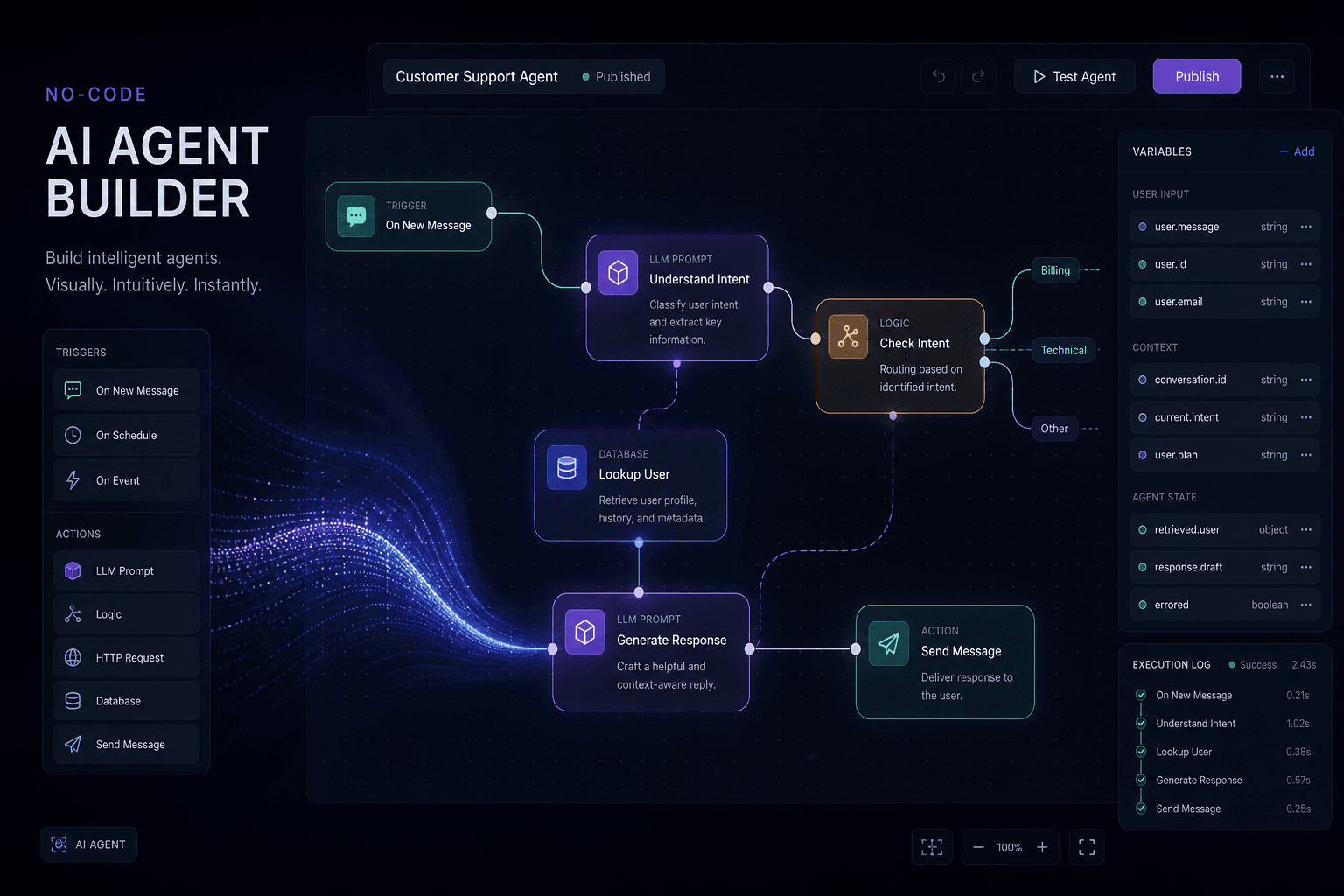
No-Code AI Agents: Drag, Click, Add the Variables, Run Until It Works
You build a no-code AI agent by dragging nodes, mapping variables, and hitting run until the output matches the job — n8n, Make, Zapier, Flowise-class.

The AI Already Inside Your Tools (And Why Most Owners Never Turn It On)
Most owners already pay for AI inside Notion, Airtable, HubSpot, Slack, Shopify, and Workspace — and still buy a new agent instead of turning it on first.