Prompting Gemini: Google's Long-Context Style

Table of Contents
Prompting Gemini: Google's Long-Context Style #
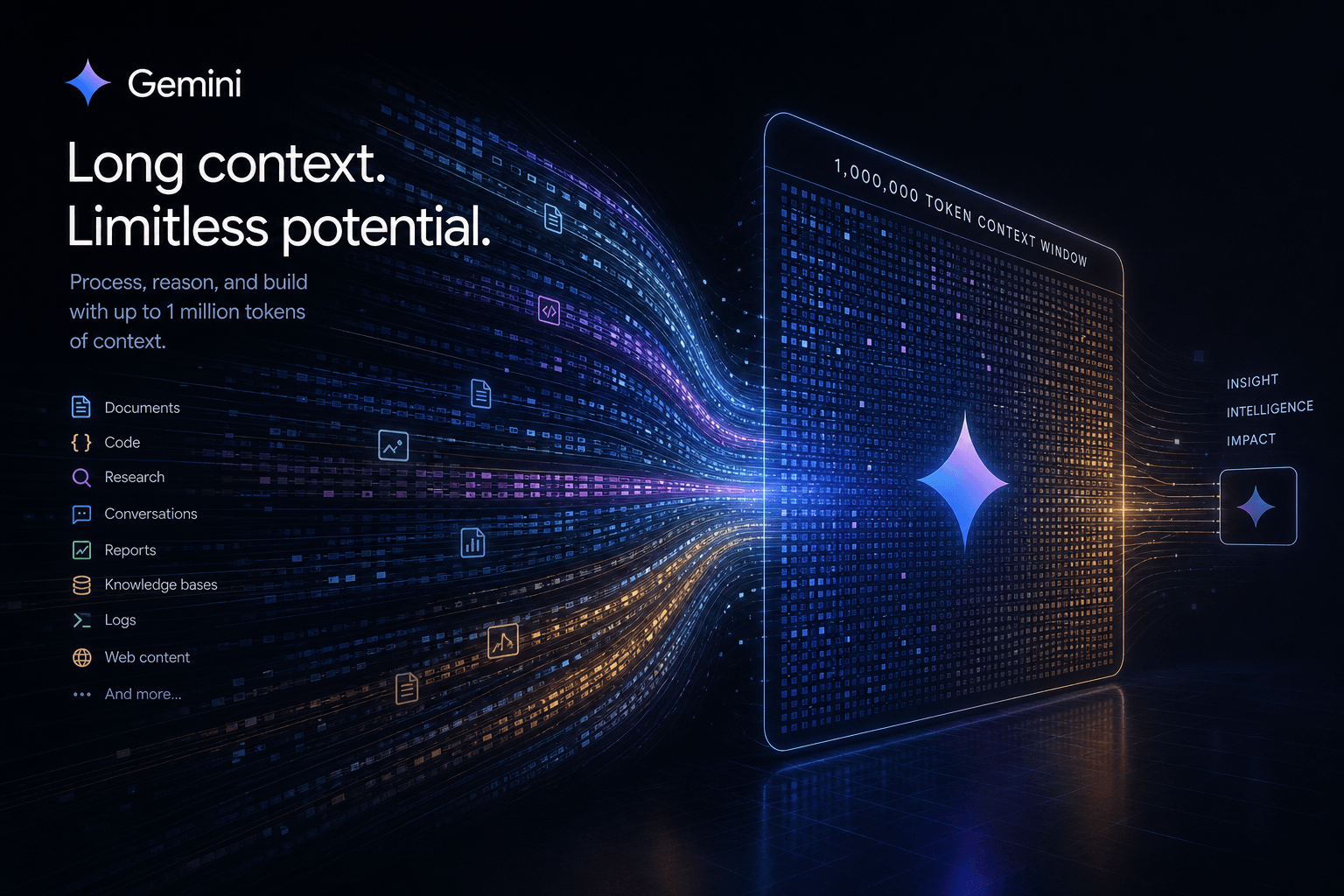
Google's Gemini models approach context differently than anything else on the market right now. With a 1 million token context window in Gemini 2.5 Pro—and a 2 million token roadmap already announced—the way you structure prompts for Gemini needs to flip your intuition about "short and sweet."
I have been building production automations with Gemini since the early 1.5 Pro days. The models have gotten dramatically better at reasoning over massive context dumps, but only if you understand how Google trained them to process information. This guide covers everything I have learned about prompting Gemini effectively: instruction placement strategies, multimodal context handling, Deep Think mode usage, structured outputs, and how Gemini's style differs from Claude and GPT-4.1.
Table of Contents #
- Why Gemini's Long Context Changes Everything
- The Golden Rule: Instruction Placement for Long Context
- Structuring Million-Token Prompts
- Working with Documents, Video, and Codebases
- Grounding and Citing Within Long Context
- Avoiding Lost-in-the-Middle Problems
- Deep Think Mode: When and How to Use It
- System Instructions in the Gemini API
- Structured Output and JSON Mode
- Context Caching for Cost Efficiency
- Reusable Long-Context Gemini Template
- Gemini vs Claude vs GPT-4.1: Prompting Style Differences
- Frequently Asked Questions
Why Gemini's Long Context Changes Everything #
Gemini's 1 million token window fundamentally alters what you can feed into a model in a single pass. Instead of chunking, summarizing, or building RAG pipelines for many use cases, you can dump entire codebases, research papers, video transcripts, or multi-hour meeting recordings directly into the prompt.
Here is what 1 million tokens actually means in practice:
| Content Type | Approximate Token Count | Fits in Gemini 2.5 Pro? |
|---|---|---|
| Average novel (80k words) | ~120,000 tokens | Yes, with room |
| 2-hour video transcript | ~30,000-50,000 tokens | Yes |
| Full codebase (50k lines) | ~150,000-300,000 tokens | Yes |
| 50 research papers (20 pages each) | ~500,000-800,000 tokens | Yes |
| 8-hour meeting recording + all Slack context | ~100,000-200,000 tokens | Yes |
| Entire Harry Potter series | ~1.2M tokens | Almost fits (2M window coming) |
This changes prompting strategy. With Claude or GPT-4.1, you carefully curate what goes into context. With Gemini, you often start with "here is everything" and let the model sort it out—provided you structure the prompt correctly.
The trade-off: Gemini can process massive context, but its attention mechanism works differently than Claude's. Where Claude uses sparse attention to maintain performance across long contexts, Gemini uses a mixture of local and global attention patterns. This means instruction placement and formatting matter more with Gemini than with Claude Opus 4.
The Golden Rule: Instruction Placement for Long Context #
For Gemini long-context prompts, put your actual query AFTER the massive context dump—not before. This is counterintuitive if you come from short-prompt habits, but it is essential for Gemini's attention architecture.
In traditional short prompting (and with most other models), you lead with instructions:
Analyze this codebase for security vulnerabilities.
[then paste 10,000 lines of code]
With Gemini and massive context, you flip it:
[Massive context dump: 50,000 lines of code, documentation, commit history]

---

Now analyze the above codebase for security vulnerabilities, focusing on:
1. SQL injection risks
2. Authentication bypass opportunities
3. Hardcoded secrets
Why this works: Gemini uses a mixture-of-experts architecture with specialized attention patterns. When processing long sequences, the model gives higher attention weights to content near the query. By placing instructions at the end, you ensure they are not diluted by the massive context that follows.
This pattern holds across document analysis, video understanding, and codebase review. I have tested both approaches extensively with production workflows. Placing queries at the end consistently produces more accurate, more complete responses when working with 100k+ token contexts.
| Prompt Structure | Works For | Fails For |
|---|---|---|
| Instructions → Context → Instructions | Short prompts (<10k tokens) | Long context (100k+ tokens) |
| Context → Instructions | Long context prompts | Multi-turn conversations |
| Context → Specific Query → Follow-up | Most Gemini workflows | Requires careful query framing |
Structuring Million-Token Prompts #
Break massive prompts into clear sections with explicit markers. Gemini parses structure visually—headers, delimiters, and formatting cues help the model chunk information internally.
Here is my standard structure for 100k+ token prompts:
<document_set>
[Full documents pasted here]
</document_set>

<video_transcript timestamp="true">
[Video transcript with timestamps]
</video_transcript>

<codebase file_tree="included">
[Full source files with paths]
</codebase>

---

TASK: [Specific, bounded query]

OUTPUT FORMAT:
[Desired structure]

CONSTRAINTS:
[Limitations or requirements]
Key formatting principles for Gemini:
Use XML-style tags for major sections. Gemini was trained on web documents; it understands
<section>tags intuitively. I use<document>,<transcript>,<codebase>,<query>consistently.Include metadata in tag attributes. Adding
timestamp="true"orfile_tree="included"signals to Gemini what to expect in that section.Separate context from query with a clear delimiter. I use
---on its own line to mark the transition from "here is data" to "here is what I want you to do."Number your constraints. Gemini handles enumerated lists well. "CONSTRAINT 1: ... CONSTRAINT 2: ..." performs better than paragraph constraints.
| Element | Purpose | Example |
|---|---|---|
| XML tags | Section boundaries | <research_papers>, <meeting_notes> |
| Attributes | Metadata hints | <code language="python"> |
| Delimiters | Context/query separation | ---, ===, TASK BEGINS |
| Numbered lists | Constraint clarity | 1., 2., 3. |
| Tables | Structured data | Markdown tables within context |
Working with Documents, Video, and Codebases #
Gemini natively handles PDFs, video files, and image sequences without pre-processing. Google AI Studio and the Gemini API accept direct file uploads, and the model reasons across modalities in the same context window.
PDF Analysis Strategy #
For research workflows, I upload PDFs directly rather than extracting text:
[Upload: 20 research papers as PDFs]

Papers provided above. Synthesize findings on:
1. Methodological approaches used
2. Key findings with contradictions noted
3. Gaps in the literature
4. Which 3 papers are most methodologically rigorous

Format as a structured research summary with citations to paper numbers.
Why PDFs beat extracted text: Gemini retains visual layout information—headers, figures, table structures. This improves citation accuracy and figure reference understanding.
Video Understanding #
Gemini 2.5 Pro processes video with native temporal understanding. My prompting approach:
[Upload: 2-hour product demo video]

Video provided above. Extract:
- All feature mentions with timestamps
- Technical specifications shown on screen
- Questions asked by participants
- Action items committed to by speakers

Include timestamps for every claim so I can verify in source.
The key: explicitly request timestamps. Gemini can provide them but defaults to summarizing without temporal references unless asked.
Full Codebase Analysis #
For codebase review, I use this structure:
<codebase>
Directory: /src
[file tree]

File: /src/auth/login.js
[content]

File: /src/api/routes.js
[content]

[...all files...]
</codebase>

---

Analyze the above codebase:
1. Security vulnerabilities (line numbers included)
2. Performance bottlenecks
3. Architecture patterns used
4. Refactoring recommendations prioritized by impact| Input Type | Upload Method | Special Handling |
|---|---|---|
| PDFs | Direct file upload | Retains layout, figures, tables |
| Video | Direct file upload | Request timestamps explicitly |
| Images | Direct or base64 | Works in sequences for comics, UI flows |
| Audio | Direct file upload | Transcription + content analysis |
| Code | Pasted with file paths | Include directory structure |
Grounding and Citing Within Long Context #
Explicitly request citations when accuracy matters. Gemini can get "creative" with details when working from massive context unless you constrain it.
My citation prompt template:
When answering, cite specific sources using this format:
- For documents: [Doc N, Page X, Paragraph Y]
- For video: [Video, HH:MM:SS]
- For code: [File: path/to/file, Line N]

If uncertain about a claim, state "Source unclear - verify manually" rather than guessing.
This dramatically improves accuracy for fact-checking workflows. Without explicit citation requirements, Gemini tends to synthesize confidently from "the general vibe" of the context rather than specific passages.
Grounding strategies for different use cases:
| Use Case | Citation Format | Accuracy Gain |
|---|---|---|
| Legal document review | [Document, Section X] | Critical - avoids misattribution |
| Medical research synthesis | [Paper N, Page X] | High - prevents conclusion conflation |
| Code audit | [File: path, Line N] | Critical - must be actionable |
| Meeting minute extraction | [Speaker, HH:MM:SS] | Medium - improves accountability |
| Literature review | [Author Year, Page X] | High - maintains academic rigor |
Avoiding Lost-in-the-Middle Problems #
Even with 1M tokens, important details can get buried. "Lost in the middle" refers to the phenomenon where information in the middle of long contexts gets less attention than information at the beginning or end.
Gemini handles this better than earlier models, but it is not immune. My mitigation strategies:
Repeat critical constraints at both start and end. If a specific requirement must be honored, mention it briefly in the context introduction and again in the explicit task section.
Use explicit importance markers. I add
[CRITICAL]tags to high-priority context sections:
<context_section importance="critical">
This section contains the security requirements that MUST be followed.
</context_section>
Break massive analysis into chunks. For 500k+ token contexts, I sometimes run two Gemini calls:
- Call 1: "Summarize these 100 papers, noting any security-related findings"
- Call 2: "Based on the summaries above, deep-dive into security implications"
Ask for self-verification. End prompts with: "Before finalizing your answer, verify that you have considered [specific section/file/requirement]."
| Context Length | Lost-in-Middle Risk | Mitigation Required |
|---|---|---|
| <50k tokens | Low | Standard prompting |
| 50k-200k tokens | Medium | Importance tags, section markers |
| 200k-500k tokens | High | Chunked analysis, verification requests |
| 500k-1M tokens | Very High | Pre-filtering, multi-pass workflows |
Deep Think Mode: When and How to Use It #
Google announced Deep Think mode for Gemini 2.5 Pro at I/O 2025 (May 20). It is a reasoning enhancement that spends more compute on difficult problems—similar to OpenAI's o3 or Claude's extended thinking.
Deep Think mode matters for:
- Complex multi-step reasoning (mathematical proofs, strategy analysis)
- Code generation requiring architectural decisions
- Creative tasks needing coherent long-form output
- Cases where standard Gemini gives "good enough but shallow" answers
When NOT to use Deep Think:
- Simple extraction tasks (wasted compute, slower response)
- Summarization where you want broad coverage, not deep insight
- Real-time applications (it is slower)
- Tasks where you already get good results from standard mode
My prompting pattern for Deep Think:
[Context provided above]

---

PROBLEM: [Complex, multi-faceted question requiring deep analysis]

Use extended reasoning. Before finalizing:
1. Identify all constraints and edge cases
2. Consider at least 3 approaches
3. Evaluate trade-offs explicitly
4. State confidence level for your conclusion
Explicitly requesting reasoning steps helps Deep Think allocate attention effectively.
| Task Complexity | Standard Mode | Deep Think Mode |
|---|---|---|
| Extraction/Summarization | Fast, accurate | Unnecessary |
| Code review | Good | Better for architectural issues |
| Math/Logic problems | Moderate | Excellent |
| Strategic analysis | Surface-level | Nuanced, multi-factor |
| Creative writing | Coherent | Exceptionally coherent |
| Multi-hop reasoning | Sometimes fails | Reliable |
System Instructions in the Gemini API #
Gemini supports system instructions, but they work differently than Claude's. In the Gemini API, system instructions set the behavioral baseline for the conversation, but they get less weight than the user prompt in long-context scenarios.
My Gemini system instruction template:
{
  "systemInstruction": {
    "parts": [
      {
        "text": "You are a technical analyst specializing in security audits. You prioritize accuracy over speed. You cite specific sources for all factual claims. You ask clarifying questions when requirements are ambiguous."
      }
    ]
  },
  "contents": [
    {
      "role": "user",
      "parts": [
        {
          "text": "[Massive context + task here]"
        }
      ]
    }
  ]
}
Key differences from Claude:
| Aspect | Claude System Prompt | Gemini System Instruction |
|---|---|---|
| Weight in context | High - shapes entire response | Moderate - baseline only |
| Override difficulty | Hard to override | Easy to override with user prompt |
| Format flexibility | Natural language | Natural language (same) |
| Best use | Persistent persona/behavior | Initial framing, safety guidelines |
For Gemini, I keep system instructions concise and put detailed requirements in the user prompt. The system instruction establishes tone; the user prompt carries the actual task weight.
Structured Output and JSON Mode #
Gemini's JSON mode is reliable for long-context extraction workflows. I use it heavily for converting massive unstructured inputs into structured data.
Basic JSON mode activation:
{
  "contents": [...],
  "generationConfig": {
    "responseMimeType": "application/json"
  }
}
With a schema:
{
  "contents": [...],
  "generationConfig": {
    "responseMimeType": "application/json",
    "responseSchema": {
      "type": "object",
      "properties": {
        "findings": {
          "type": "array",
          "items": {
            "type": "object",
            "properties": {
              "severity": {"type": "string", "enum": ["high", "medium", "low"]},
              "description": {"type": "string"},
              "location": {"type": "string"},
              "recommended_fix": {"type": "string"}
            },
            "required": ["severity", "description"]
          }
        }
      }
    }
  }
}
Long-context JSON tips:
Schema complexity limits. Very deep nesting with 1M token context can cause schema adherence issues. Keep nesting to 3-4 levels for reliable results.
Array size handling. If extracting from massive context, specify expected array bounds:
"maxItems": 50prevents runaway generation.Enum constraints. Gemini respects enums well—use them for categorization fields to improve consistency.
| Use Case | JSON Mode Reliability | Recommended Schema Depth |
|---|---|---|
| Entity extraction | High | 2-3 levels |
| Sentiment classification | Very High | 1-2 levels |
| Multi-document synthesis | Medium-High | 2-3 levels |
| Code analysis (AST-like) | Medium | 3-4 levels |
| Financial data extraction | High | 2-3 levels |
Context Caching for Cost Efficiency #
Google introduced context caching to reduce costs for repeated long-context queries. When you need to ask multiple questions about the same massive document set, caching prevents re-processing the context every time.
How it works:
- Upload and cache your large context (up to 1M tokens)
- Pay a storage cost (~$4.50/million tokens/day cached)
- Subsequent queries reference the cached context at reduced input token pricing
When caching pays off:
- Iterative code review (multiple questions about same codebase)
- Research analysis (exploring different angles on same paper set)
- Support ticket triage (referencing same knowledge base repeatedly)
- Document Q&A (user asking sequential questions about uploaded docs)
Cost comparison (Gemini 2.5 Pro, illustrative):
| Scenario | Without Cache | With Cache (10 queries) |
|---|---|---|
| 500k context, 1 query | ~$3.75 | ~$3.75 (no benefit) |
| 500k context, 5 queries | ~$18.75 | ~$8.50 (saves ~55%) |
| 500k context, 20 queries | ~$75.00 | ~$18.00 (saves ~76%) |
Caching prompt pattern:
[First query - establishes cache]
Upload and cache the above 50 research papers.

---

Query 1: Summarize methodological approaches.

[Subsequent queries - reference cache]
Using the previously cached papers: Identify contradictions between Paper 12 and Paper 34.
Reusable Long-Context Gemini Template #
Here is my production-ready template for 100k+ token Gemini prompts. Adapt the bracketed sections for your use case.
<context_set>
Source: [documents/code/video/audio description]
Uploaded: [timestamp or version]
Total size: [token count estimate]

<content>
[Massive context dump here - full documents, files, transcripts]
</content>

<metadata>
- Format: [PDF/video/code/transcript]
- Key entities: [list important names/terms]
- Priorities: [what matters most in this analysis]
</metadata>
</context_set>

---

TASK: [Specific, bounded task]

REQUIRED OUTPUT STRUCTURE:
[Format specification - use JSON schema if structured]

ANALYSIS REQUIREMENTS:
1. [Requirement 1]
2. [Requirement 2]
3. [Requirement 3]

CITATION FORMAT:
[Cite specific sources using: [Source, Location]]

CONSTRAINTS:
- [Constraint 1]
- [Constraint 2]

VERIFICATION STEP:
Before finalizing, confirm you have:
- [Check 1]
- [Check 2]
This structure works across document review, code audit, video analysis, and research synthesis. The metadata section helps Gemini prioritize attention; the verification step reduces omissions.
Gemini vs Claude vs GPT-4.1: Prompting Style Differences #
Each frontier model requires different prompting strategies for optimal results. I run all three in production and have developed distinct approaches for each.
Context Handling #
| Aspect | Gemini 2.5 Pro | Claude Opus 4 | GPT-4.1 |
|---|---|---|---|
| Max context | 1M tokens (2M roadmap) | 200k tokens | 1M tokens |
| Sweet spot | 100k-500k | 50k-100k | 100k-300k |
| Long-context accuracy | Good with right placement | Excellent natively | Good |
| Instruction placement | Put at END for long context | Put at BEGINNING | Either works |
| Multimodal native | Yes (video, audio, PDF) | Images only | Images, limited video |
Prompting Strategy Differences #
Gemini:
- Works best with XML-style section markers
- Instruction placement: context first, query last for long prompts
- Benefits from explicit formatting cues
- Handles direct file uploads exceptionally well
- Deep Think mode for complex reasoning
Claude:
- Natural language performs best
- Instruction placement: beginning for most prompts
- XML still helps but less critical
- Prefers conversational, direct prompts
- Extended thinking for complex problems
GPT-4.1:
- Structured markdown works well
- Instruction placement: either, but clear separation helps
- JSON mode reliable
- Good at following explicit output formats
- o3 for reasoning-heavy tasks
When to Use Which #
| Use Case | Best Model | Why |
|---|---|---|
| 500k+ token codebase analysis | Gemini 2.5 Pro | Native capacity, direct upload |
| Nuanced creative writing | Claude Opus 4 | Superior prose quality |
| Video content analysis | Gemini 2.5 Pro | Native video understanding |
| API integration workflows | GPT-4.1 | Broad tool ecosystem |
| Mathematical reasoning | o3 or Deep Think | Specialized reasoning modes |
| Multi-document legal review | Gemini 2.5 Pro | Context capacity, PDF handling |
| Long-form content generation | Claude Opus 4 | Coherence over 10k+ outputs |
| Structured data extraction | Any (JSON mode) | Comparable performance |
My hybrid approach: For workflows exceeding any single model's strengths, I chain them:
- Gemini for initial broad analysis of massive context
- Claude for nuanced synthesis and prose generation
- GPT-4.1 for structured extraction and API integration
Frequently Asked Questions #
Why does Gemini need the query at the end for long prompts? #
Gemini's attention architecture weights content near the query more heavily. In long contexts (100k+ tokens), placing instructions at the beginning causes the model to pay more attention to early context sections and potentially miss later relevant information. By placing the query at the end, you ensure both the task and the final context sections receive full attention. This is the opposite of Claude, which uses sparse attention patterns that work better with leading instructions.
How accurate is Gemini with 1 million tokens of context? #
Accuracy depends heavily on prompting technique. With proper instruction placement, explicit citation requests, and verification steps, Gemini maintains high accuracy up to ~500k tokens. Beyond that, "lost in the middle" effects increase without careful structuring. I recommend chunking analysis for 500k+ token contexts or using multiple passes. For critical applications (legal, medical, security), always verify key claims against source material regardless of context size.
Can Gemini 2.5 Pro handle video files directly? #
Yes—native video understanding is a major Gemini advantage. Upload MP4, MOV, or other video formats directly to Google AI Studio or the Gemini API. The model processes visual content, audio, and temporal sequences together. For best results, explicitly request timestamps in your prompt: "Include timestamps for every claim so I can verify in source." Gemini understands video at up to ~2 hours of content in a single pass.
What is the difference between Gemini 2.5 Pro and 2.5 Flash? #
Pro is optimized for quality; Flash for speed and cost. Gemini 2.5 Flash offers faster response times at lower cost with a reduced context window (typically 256k-1M depending on configuration). Use Flash for: high-volume extraction tasks, latency-sensitive applications, and preliminary analysis. Use Pro for: final deliverables, complex reasoning, nuanced analysis, and maximum context needs. Both support the same prompting strategies—just adjust expectations for depth vs. speed.
How does Deep Think mode compare to OpenAI's o3? #
Both are reasoning enhancements, but differ in availability and approach. Deep Think (announced I/O 2025, May 20) is integrated into Gemini 2.5 Pro rather than a separate model. o3 is a distinct model in OpenAI's lineup. Deep Think excels at step-by-step reasoning visible to the user; o3's reasoning is typically hidden. For transparent reasoning workflows where you want to see the model's work, Deep Think has advantages. For pure result quality on math/logic, both are competitive—test with your specific problem types.
Is context caching worth the setup complexity? #
Yes, for multi-query workflows on the same large context. If you are asking 3+ questions about the same 200k+ token document set, caching reduces total cost by 50-75%. The break-even is typically 2-3 queries for 100k+ contexts. For single-query analysis, caching adds overhead without benefit. Implementation is straightforward in the Gemini API—just specify cachedContent in your request after the initial cache creation.
How do I prevent Gemini from hallucinating when analyzing long documents? #
Require explicit citations and include a verification step. Add this to your prompts: "Cite specific sources using [Doc N, Page X] format. If uncertain, state 'Source unclear' rather than guessing." Then add: "Before finalizing, verify all claims have citations." This pattern reduces hallucination significantly. For critical workflows, spot-check 10-20% of citations manually until you trust the model's accuracy on your document types.
Can I use Gemini for production code generation from large codebases? #
Yes, with the right workflow. I use Gemini for: architecture review across full repos, refactoring recommendations with line-specific changes, and security audit reporting. For actual code generation, I typically use Gemini to analyze and plan, then Claude or GPT-4.1 for implementation—Gemini's code generation quality is good but slightly behind Claude Opus 4 for complex logic. The winning workflow: Gemini for analysis at scale, other models for implementation precision.
Ready to implement these prompting strategies in your AI automation workflows? I build production-grade AI systems that handle everything from document processing pipelines to multi-model orchestration. Book an AI automation strategy call and let's discuss how long-context Gemini can transform your document-heavy workflows.
Related guides: How to Talk to AI: The Prompt Engineering Guide | The Claude XML Playbook | Context Engineering vs Prompt Engineering
Related Posts

How to Stop Client-Facing AI Agents From Hallucinating
Client-facing AI agents hallucinate when they answer without grounding. Here's the layered guardrail stack I use to keep agents accurate and on-script.

AI Sales Systems vs Traditional CRM Automation
Traditional CRM automation fires rules; AI sales systems reason about each lead. Here's how they differ, where each wins, and how to combine them.

The Manual Workflows With the Highest ROI When Replaced by AI Agents
Not every task is worth automating. Here are the manual workflows with the highest ROI when you replace them with AI agents, ranked by payback speed.