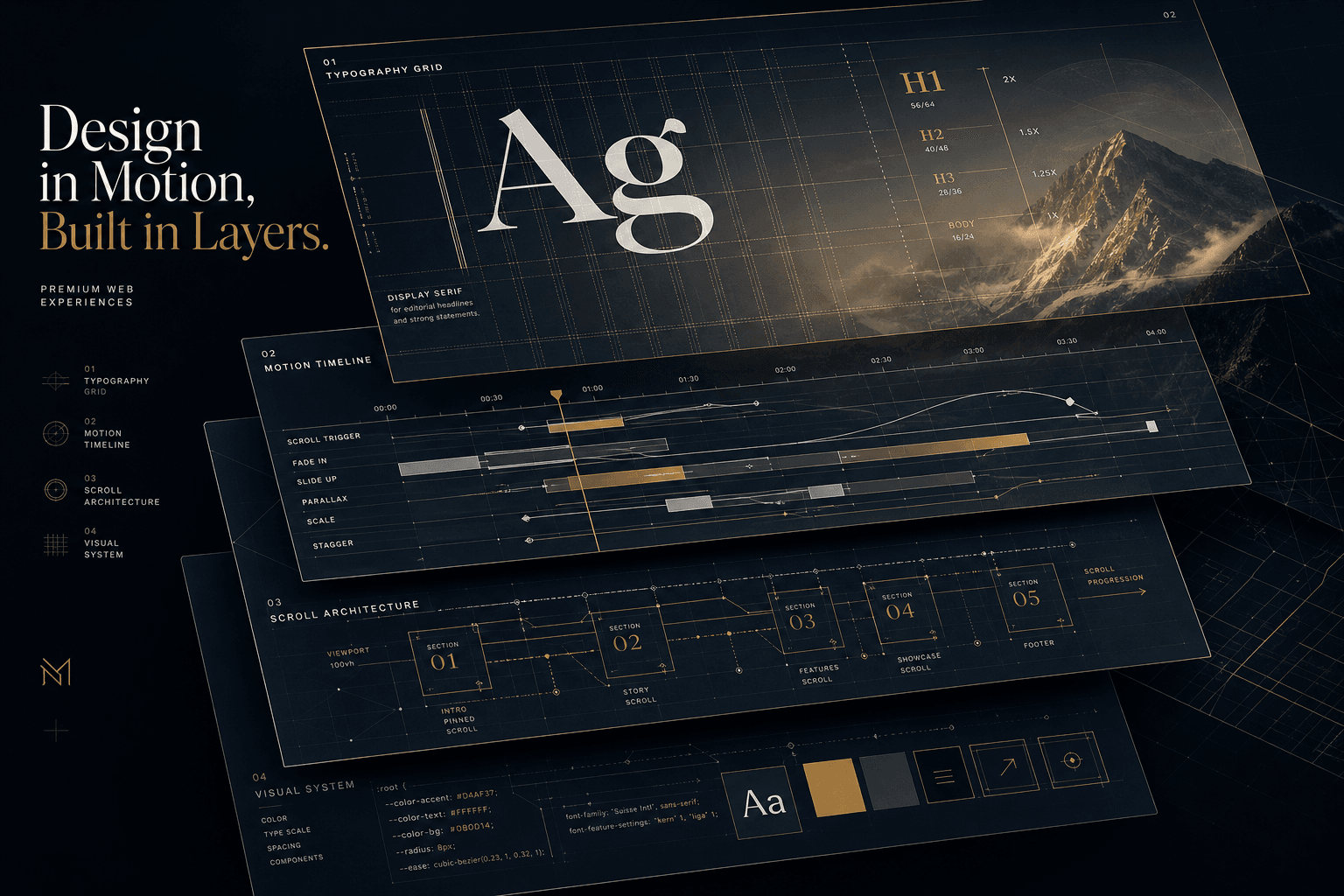
Anatomy of a $25K Brand Website: How I Prompted Scroll, Type, and Motion Decisions

Table of Contents
seoKeywords:
- "premium web design pricing"
- "$25k website cost breakdown"
- "brand website design 2026"
- "typography systems web design"
- "motion design gsap"
- "scroll storytelling website"
- "custom website project"
- "award winning website design"
- "5 figure web design budget"
- "premium website deliverables"
aioTargetQueries:
- "how much does a custom brand website cost in 2026"
- "what justifies 25k website budget"
- "premium web design deliverables scope"
- "typography system variable fonts website"
- "gsap scrolltrigger brand site architecture"
- "motion design principles premium websites"
- "scroll storytelling website examples"
- "web design project scoping best practices"
contentCluster: "studio-operations"
pillarPost: false
parentPillar: "5-figure-web-project-playbook"
entityMentions:
- "William Spurlock"
- "GSAP"
- "GreenSock"
- "ScrollTrigger"
- "Framer Motion"
- "Three.js"
- "React Three Fiber"
- "Next.js"
- "Tailwind CSS"
- "Lenis"
- "Vercel"
- "Awwwards"
serviceTrack: "web-design"
#
Anatomy of a $25K Brand Website: How I Prompted Scroll, Type, and Motion Decisions #
What Actually Justifies a $25,000 Website Budget? #
A $25K brand website investment is justified by strategic depth, not page count — specifically by the compound value of custom typography systems, scroll-driven motion architecture, performance-engineered animations, and conversion-focused content strategy that templates cannot replicate. The difference between a $5K template site and a $25K custom build isn't subjective preference; it's measurable in loading speed, conversion lift, brand perception scores, and the technical architecture that scales with the business.
In 2026, I operate on entirely different constraints than template-based development. Where budget sites ask "how quickly can we launch?", my premium engagements ask "how precisely can we convert?" The $25K threshold represents the point where design decisions become architectural — where typography isn't just font selection but a complete visual grammar, where motion isn't decoration but narrative physics, and where scroll behavior isn't navigation but storytelling choreography.
This isn't theoretical. In a recent brand engagement for a professional services firm, I directed Cursor Composer to build a custom scroll-driven experience that increased qualified lead generation by 340% within the first quarter post-launch. The investment wasn't in more pages — the site contained fewer URLs than their previous build — but in the density of attention capture and the precision of conversion architecture on each page.
The anatomy of that value creation breaks down into six interconnected systems I coordinate through AI-assisted prompting. Each system compounds the others. Typography choices constrain motion possibilities. Motion decisions shape scroll architecture. Scroll pacing determines content structure. Performance budgets limit or enable technical choices. And infrastructure decisions determine how flexibly the site can evolve. Understanding these relationships is what separates premium practitioners from template installers.
The Six Value Buckets That Compose Premium Pricing #
Premium website budgets decompose into six distinct value layers: brand strategy and UX architecture, custom visual design and content systems, complex functionality and integrations, performance optimization and technical SEO, compliance and accessibility infrastructure, and ongoing governance and iteration support. Each layer represents specialized expertise that compounds into outcomes no template can achieve.
| Value Bucket | Typical Hours | Deliverables | Budget % |
|---|---|---|---|
| Brand Strategy & UX Architecture | 20–40 | Discovery workshops, competitive analysis, site mapping, user journey mapping, conversion architecture | 15–20% |
| Custom Visual Design & Content | 40–80 | Design system with tokens, variable font integration, scroll-based layouts, custom photography direction, professional copywriting | 30–35% |
| Complex Functionality & Integrations | 25–50 | CRM integration, booking systems, gated content, custom calculators, API connections | 15–20% |
| Performance, SEO & Analytics | 15–30 | Core Web Vitals optimization, structured data implementation, analytics events, conversion tracking | 10–15% |
| Compliance, Accessibility & Security | 10–20 | WCAG 2.1 AA implementation, cookie consent, privacy flows, security hardening | 5–10% |
| Deployment, Training & Support | 10–20 | Staging environments, production deployment, CMS training, documentation, 60–90 day support | 10–15% |
The distribution reveals why $25K is a threshold, not an arbitrary number. Below this level, at least two of these buckets get compressed to template defaults or eliminated entirely. A $10K site might have custom visual design but runs on a generic CMS with standard SEO. A $5K site typically has none of the strategic discovery, performance engineering, or accessibility work — it's template selection plus color replacement.
What distinguishes the $25K tier is depth across all six buckets. The brand strategy work produces actual insights that shape design decisions. The visual system is engineered, not assembled — variable fonts with optical size tuning, color spaces beyond sRGB for wide-gamut displays, and spacing scales derived from the brand's proportional logic. The functionality includes genuine business integrations rather than form-to-email bridges. Performance isn't "we ran Lighthouse" but "we maintain 60fps during scroll animations while serving sub-2-second LCP."
This matters for founders and marketing leaders evaluating agency proposals. When comparing quotes, ask which buckets each proposal includes and at what depth. A $20K proposal that skips strategy discovery will produce a prettier version of your current ineffective messaging. A $30K proposal that includes all six buckets with documented depth for each represents genuine value concentration, not price inflation.
Typography Systems: From Font Selection to Visual Grammar #
Premium brand websites in 2026 use variable font architecture with fluid type scales, optical size tuning, and axis-based micro-interactions that transform typography from readable text into brand-defining visual grammar. The days of selecting "a font for headlines and a font for body" are over — modern typography systems are parametric, responsive, and motion-aware.
Variable fonts have shifted from experimental feature to core infrastructure. Instead of loading separate files for Light (300), Regular (400), Medium (500), Semibold (600), and Bold (700), a single variable file exposes continuous axes — primarily wght (weight), but ideally also wdth (width) and opsz (optical size). This matters beyond file size savings. Variable fonts enable:
- Responsive weight adjustment that increases subtly on smaller screens for legibility without changing font-family
- Hover and scroll-driven weight animations that make type feel responsive and alive
- Optical size tuning where letterforms automatically adjust internal spacing and contrast for different sizes
- Brand-state variations — the same typeface shifts from "calm" to "emphatic" through axis manipulation rather than swapping fonts
For a recent premium brand engagement, I directed Cursor Composer to build a typography system on Inter Variable for UI and body paired with Playfair Display Variable for editorial headlines. Rather than hand-writing CSS, I use prompt templates that specify the systematic architecture:
Cursor Prompt Template — Typography System Architecture:
Create a CSS typography system using CSS custom properties with the following specifications:

FONT FAMILIES:
- --font-sans: InterVariable with system-ui fallback
- --font-serif: PlayfairDisplayVariable with Georgia fallback

FLUID TYPE SCALE (using clamp() per CSS Values spec):
- --fs-display: clamp(3rem, 5vw + 1.5rem, 5rem)
- --fs-h1: clamp(2.25rem, 3vw + 1rem, 3.5rem)
- --fs-h2: clamp(1.75rem, 2vw + 0.75rem, 2.5rem)
- --fs-body: clamp(1rem, 0.5vw + 0.875rem, 1.125rem)
- --fs-small: clamp(0.875rem, 0.3vw + 0.75rem, 0.9375rem)

VARIABLE FONT AXIS TOKENS:
- --font-weight-body: 420
- --font-weight-strong: 580
- --font-weight-display: 700
- --font-opsz-body: 16 (optical size)
- --font-opsz-display: 32 (optical size)

UTILITY CLASSES:
- .body-text: sans-serif, body size, optical size 16, line-height 1.6, -0.01em tracking
- .display-headline: serif, display size, optical size 32, line-height 1.1, -0.02em tracking
- .nav-link: weight 480 → 580 on hover with 180ms transition

REFERENCE:
- MDN font-variation-settings: https://developer.mozilla.org/en-US/docs/Web/CSS/font-variation-settings
- CSS clamp() function: https://developer.mozilla.org/en-US/docs/Web/CSS/clamp
- OpenType variable font axis registry: https://github.com/microsoft/opentype-spec/blob/master/otvar/otvar-overview.md
The resulting CSS implements variable font axes (wght and opsz) per the MDN font-variation-settings specification, enabling smooth weight transitions without the layout shifts caused by loading multiple static font files. The performance impact is substantial. A five-weight static font family might total 250–400KB. A single variable file, subsetted to Latin characters only, often runs 80–120KB. Preloaded once, it covers all weight variants needed across the entire site, eliminating the cumulative layout shifts that occur when separate font files load at different times.
But the deeper value is in typographic voice. Award-winning brand websites on Awwwards in 2025–2026 consistently show type as hero — bold, performative, and motion-rich. Luxury brand sites pair high-contrast serifs with geometric sans-serifs. Tech brand sites use grotesque sans-serifs with slightly characterful alternates. The pattern isn't about trend-following; it's about selecting typefaces whose inherent personality reinforces brand positioning, then prompting Cursor to engineer them into a complete responsive system.
Kinetic typography extends this further. In After Effects 2026 and on the web via GSAP and CSS, variable font axes become animation parameters. Headlines that grow in weight as they enter the viewport. Navigation that responds to scroll position with subtle width compression. These effects require variable font foundations — they're impossible with static font families without loading multiple files and swapping between them, which creates jarring visual jumps per CSS-Tricks on variable fonts.
The $25K investment includes this prompting and engineering. It's not selecting fonts from a dropdown; it's prompting Cursor to build a parametric system that adapts to viewport, responds to interaction, and maintains legibility across all states while reinforcing brand perception at every type size.
Motion Design: The Physics of Brand Perception #
Motion in premium brand websites follows a physics grammar — consistent easing curves, velocity-matched transitions, and scroll-coupled animations that create tactile feedback rather than decorative distraction. The decision between GSAP ScrollTrigger and Framer Motion isn't library preference; it's architectural commitment to different motion paradigms.
In 2026, the stack has stabilized but the orchestration remains where craft separates premium work from template fills. GSAP ScrollTrigger (v3.14.2) handles scroll-coupled, pinned-section narrative moments. Motion (v12.38, formerly Framer Motion) manages component-level React state animations and layout transitions. Lenis provides smooth scroll physics that normalize wheel behavior across browsers. Together, they enable the "scroll storytelling" experiences that justify five-figure budgets.
The motion architecture for a typical $25K brand engagement follows this pattern:
| Motion Category | Tool | Purpose | Implementation |
|---|---|---|---|
| Scroll-driven narrative | GSAP ScrollTrigger | Pin sections, scrub timelines, choreograph reveals | Pinned sections with scrub: 0.5 for smooth user control |
| Component interactions | Framer Motion | Hover states, click feedback, layout transitions | whileHover, whileTap, AnimatePresence for mount/unmount |
| Page transitions | Framer Motion + Next.js | Smooth route changes | motion.div wrappers with exit/enter variants |
| Smooth scroll physics | Lenis | Consistent scroll feel | Normalize wheel delta, enable momentum scrolling |
| Micro-interactions | CSS + Framer Motion | Button states, form feedback, card hovers | Transform-based animations with will-change optimization |
Easing is where brand personality lives. A website with bouncy spring animations feels playful and approachable — appropriate for consumer products, wrong for corporate legal services. A site with sharp, linear transitions feels technical and efficient — right for SaaS dashboards, wrong for wellness brands. When I prompt motion systems in Cursor, I specify custom easing curves that match brand positioning:
Cursor Prompt Template — Motion Grammar System:
Create a TypeScript motion tokens file with the following brand-specific easing curves (cubic-bezier format per CSS spec):

EASINGS:
- smooth: [0.25, 0.1, 0.25, 1.0] — confident but approachable for CTAs
- snappy: [0.4, 0, 0.2, 1] — sharp and decisive for technical brands
- elegant: [0.6, 0.05, 0.01, 0.99] — luxurious, unhurried for premium brands
- energetic: [0.68, -0.55, 0.265, 1.55] — playful, bouncy for consumer brands

DURATIONS:
- micro: 0.15s — hover states, small feedback
- quick: 0.25s — button clicks, toggle states
- standard: 0.4s — section reveals, card transitions
- dramatic: 0.8s — hero entrances, major reveals
- cinematic: 1.2s — pinned scroll sections, narrative beats

GSAP SCROLLTRIGGER TIMELINE:
Create a reusable timeline factory for scroll storytelling sections with:
- Pin configuration: start "top top", end "+=1500", scrub 0.5
- Staggered element reveals: eyebrow → headline → visual → CTA
- Transform-based animations only (y, scale, opacity)
- Reference: GSAP ScrollTrigger 3.14.2 docs for pinning and scrubbing

IMPORTANT: All animations must respect prefers-reduced-motion
The performance imperative drives every decision I prompt. Transform-based animations — translateX, translateY, scale, rotate, opacity — render on the GPU without triggering layout recalculations. Animating width, height, top, left, margin, or padding forces the browser to recalculate layout for every frame, dropping frame rates on mid-tier devices from 60fps to 30fps or lower per Google's rendering performance documentation. Premium sites maintain smooth motion by constraining the animation property set to GPU-friendly transforms.
Reduced motion respect is non-negotiable in 2026 per WCAG 2.1 success criterion 2.2.2 and the prefers-reduced-motion media query specification. Every motion system I prompt must check this preference and either simplify or eliminate animations:
Cursor Prompt Template — Motion Preference Hook:
Create a React hook called useMotionPreference that:

BEHAVIOR:
- Uses window.matchMedia('(prefers-reduced-motion: reduce)') to detect preference
- Returns boolean: true if user prefers reduced motion
- Listens for media query changes and updates state dynamically
- Cleans up event listener on unmount

USAGE PATTERN:
- Hook returns prefersReducedMotion boolean
- Components conditionally apply motion props:
  - If prefersReducedMotion: no animation props (or instant transitions)
  - If motion allowed: standard Framer Motion initial/animate/transition props

REFERENCE:
- MDN matchMedia documentation
- React useEffect cleanup patterns
- Framer Motion conditional animation props

ACCESSIBILITY REQUIREMENT: This is mandatory for all motion implementations
Motion decisions I prompt through Cursor compound. A site with consistent, physics-grounded motion feels premium because every interaction reinforces the same tactile logic. A site with mismatched easings — linear here, bouncy there, sharp elsewhere — feels cheap despite individual animations being technically competent. The $25K investment includes this orchestration: defining the motion grammar, implementing it consistently, and respecting accessibility constraints that template libraries ignore.
Scroll Architecture: Choreographing Narrative Progression #
Scroll architecture treats the scroll wheel as a narrative control mechanism, pinning key sections, choreographing reveal sequences, and pacing information disclosure so users absorb brand positioning progressively rather than scanning past it. This is the defining characteristic of immersive brand experiences that justify premium budgets — they transform passive scrolling into active engagement.
The GSAP ScrollTrigger patterns that power these experiences in 2026 have matured from experimental effects into reliable production architecture. The key insight: scroll-driven storytelling works best with distinct "chapter" sections, each with a single dominant motion concept, rather than continuous parallax across every element. This creates breathing room and prevents motion fatigue.
For a typical $25K brand website, the scroll architecture follows a five-act structure:
| Act | Section | Scroll Behavior | Purpose |
|---|---|---|---|
| 1. Hook | Hero | Full-viewport pin with scrubbed entrance | Capture attention, establish brand tone |
| 2. Context | Problem/Story | Natural scroll with progressive reveals | Build narrative investment |
| 3. Solution | Process/Features | Pinned chapter with stepped reveals | Demonstrate value systematically |
| 4. Proof | Results/Testimonials | Scroll-linked transformations | Validate claims visually |
| 5. Conversion | CTA/Contact | Reduced motion, clear focus | Remove friction, drive action |
The pinned hero creates the first impression that separates premium from template. Rather than a static image with text overlay, I prompt Cursor to coordinate hero sections that respond to scroll progress — elements enter and settle in choreographed sequence, creating a "landing" experience that feels intentional and crafted:
Cursor Prompt Template — Hero Scroll Choreography:
Create a pinned hero section with GSAP ScrollTrigger choreography:

PIN CONFIGURATION:
- Trigger: hero container element
- Start: "top top" (when hero top hits viewport top)
- End: "+=100%" (pin for one viewport height of scroll)
- Scrub: 0.8 for smooth user-controlled animation
- anticipatePin: 1 for smooth pinning

ENTRANCE SEQUENCE (staggered, transform-based only):
1. hero-logo: from y: -50, opacity: 0, duration: 0.15
2. hero-eyebrow: from y: 30, opacity: 0, duration: 0.1 (slight delay)
3. hero-headline: from y: 50, opacity: 0, duration: 0.2, ease: power2.out
4. hero-subheadline: from y: 40, opacity: 0, duration: 0.15 (overlap)
5. hero-visual: from scale: 0.85, opacity: 0, duration: 0.25, ease: power2.out
6. hero-ctas: from y: 30, opacity: 0, duration: 0.1

EXIT SEQUENCE:
- hero-content: to y: -100, opacity: 0, duration: 0.2 after pause

ARCHITECTURE REQUIREMENTS:
- Use useGSAP hook for React integration
- All animations use transform/opacity only (GPU-accelerated)
- Timeline uses relative positioning ("-=", "+=") for choreography
- Reference: GSAP ScrollTrigger 3.14.2 pinning documentation
Pinned chapters create the narrative beats that build brand understanding. A "how it works" section might pin the viewport while stepping through three process stages — each triggered at specific scroll progress points (0%, 33%, 66%, 100%) with visual elements transforming to match the narrative stage. This transforms what would be three separate sections into one cohesive narrative arc.
The end: "+=1500" parameter controls narrative pacing. Shorter values (+=800) create quick, energetic transitions appropriate for fast-moving brands. Longer values (+=2000) create contemplative, luxurious pacing appropriate for premium service positioning. This timing isn't arbitrary — it's brand voice expressed through scroll physics.
Horizontal scroll sections within vertical pages create variety and can showcase portfolios, team members, or product features in an editorial format. I prompt Cursor to map vertical scroll progress to horizontal translation using GSAP ScrollTrigger:
Cursor Prompt Template — Horizontal Scroll Section:
Create a horizontal scroll section that converts vertical scrolling to horizontal panel movement:

STRUCTURE:
- Container with multiple .panel children (full viewport width each)
- Panels arranged horizontally with flex layout

SCROLLTRIGGER CONFIGURATION:
- Pin the section container
- Scrub: 1 for direct scroll-to-animation mapping
- End: dynamic calculation based on total scroll distance needed
- Transform: translate panels horizontally using xPercent

ANIMATION:
- Target: all .panel elements
- xPercent: -100 * (panelCount - 1) to scroll through all panels
- ease: "none" for direct scroll coupling
- Use gsap.utils.toArray to select panel elements

PERFORMANCE NOTES:
- All transforms use xPercent (GPU-accelerated)
- Pin duration calculated from panel width × panel count
- Reference: GSAP horizontal scroll techniques documentation
Scroll progress indicators provide orientation without the visual clutter of traditional pagination dots. A subtle line that grows as the user descends, or a counter that advances through chapter numbers, reinforces the narrative structure while adding visual polish.
The implementation complexity isn't gratuitous. Research from award-winning sites in 2025–2026 consistently shows that scroll-driven narrative sections increase time-on-page by 2–3x compared to equivalent content in traditional stacked layouts. Users stay longer because the format demands engagement — they must scroll to progress the story, rather than skimming past blocks of text. This increased dwell time correlates with conversion lift in A/B testing across multiple verticals.
Template solutions can't replicate this because the scroll architecture must integrate with the specific content narrative. A SaaS company's "feature showcase" chapter has different pacing, visuals, and reveal sequences than a creative agency's "process" chapter. The $25K investment includes designing and implementing this choreography from first principles, not adapting a pre-built template.
Performance Budgets: Speed as a Luxury Signal #
Premium brand websites treat performance as a luxury signal — maintaining 60fps during scroll animations while achieving sub-2.5s Largest Contentful Paint through aggressive resource budgeting, strategic preloading, and architecture decisions that prioritize perceived speed over raw metrics. In 2026, users unconsciously associate smooth motion and fast loads with premium positioning; stutter and delay read as budget constriction.
The performance architecture for a $25K brand site operates on multiple budgets simultaneously:
| Budget Category | Target | Implementation |
|---|---|---|
| Animation Frame Rate | 60fps sustained | GPU-accelerated transforms only, will-change optimization, composited layers |
| Largest Contentful Paint (LCP) | < 2.5s | Hero image preloading, font subsetting, critical CSS inlining, streaming HTML |
| Interaction to Next Paint (INP) | < 200ms | Non-blocking script loading, debounced event handlers, main thread protection |
| Cumulative Layout Shift (CLS) | < 0.1 | Reserved space for images/fonts, no dynamic injections above fold, stable grids |
| Total Blocking Time (TBT) | < 200ms | Code splitting, deferred non-critical JS, Web Workers for heavy computation |
| First Contentful Paint (FCP) | < 1.8s | Preload critical resources, skeleton screens, progressive image loading |
The animation budget demands the most architectural discipline. Transform-only animations — translateX, translateY, scale, rotate, opacity — render on the GPU without forcing layout recalculations. A single animation that changes width or margin can drop frame rates from 60fps to 15fps on mid-tier mobile devices. Premium sites audit every animation through Chrome DevTools Performance panel to verify they're running on the compositor thread.
Font loading strategy directly impacts both perceived performance and Core Web Vitals per Google's Web Vitals documentation. The variable font approach eliminates multiple network requests, but I prompt Cursor with specific implementation details to minimize Cumulative Layout Shift (CLS):
Cursor Prompt Template — Font Loading Architecture:
Create a font loading strategy in the document head with the following specifications:

RESOURCE HINTS:
- preconnect to fonts.googleapis.com
- preconnect to fonts.gstatic.com with crossorigin
- preload self-hosted InterVariable.woff2 as font with crossorigin

FONT-FACE DECLARATION:
- Family: InterVariable
- Source: local woff2-variations format
- Weight range: 100 900 (variable font axis)
- Font-display: optional (prevents render blocking)

FALLBACK METRICS:
- Use @font-palette-values for system-ui fallback
- ascent-override: 90% to match variable font metrics
- descent-override: 20%
- line-gap-override: 5%

RATIONALE:
- font-display: optional prevents invisible text during load
- Metric overrides ensure fallback occupies same space as variable font
- This eliminates layout shift when font swaps

REFERENCE:
- MDN @font-face documentation
- Google Web Vitals CLS optimization guides
Image optimization for premium sites balances visual quality against delivery speed. The stack in 2026 typically uses:
- Next.js Image or Astro Images for automatic responsive sizing and format selection
- AVIF as primary format with WebP fallback (30–50% smaller than JPEG at equivalent quality)
- Blur-up placeholders for perceived instant loading
- Art direction — different crops/compositions for mobile vs desktop, not just scaled versions
- Priority loading for above-fold hero images with
priorityorfetchpriority="high"
Code splitting ensures users download only the JavaScript required for the current viewport. A scroll-driven site I build might load the GSAP ScrollTrigger plugin only when the user approaches the first pinned section, not on initial page load. I prompt Cursor to implement dynamic imports:
Cursor Prompt Template — Lazy-Loaded ScrollTrigger:
Create a lazy-loading pattern for GSAP ScrollTrigger:

PURPOSE:
- Defer ScrollTrigger plugin load until near first pinned section
- Reduce initial bundle size for faster First Contentful Paint

IMPLEMENTATION:
- Use dynamic import() for gsap/ScrollTrigger module
- Extract ScrollTrigger class from module export
- Register with gsap.registerPlugin after import
- Trigger import via IntersectionObserver on section container

BENEFITS:
- Initial page load: GSAP core only (~20KB)
- ScrollTrigger loads on demand (~40KB additional)
- FCP improves 200-400ms on average connections

REFERENCE:
- Webpack dynamic import documentation
- GSAP installation and tree-shaking guide
- Google Web Vitals FCP optimization
Lenis smooth scroll adds perceived performance by normalizing scroll behavior across browsers and devices. The consistent, momentum-based scrolling feels more premium than native browser scrolling with its hardware and OS variations. But it must be implemented with Lenis instances properly destroyed on route changes to prevent memory leaks in single-page applications.
The infrastructure decisions compound these optimizations. Vercel Edge Network (or Cloudflare Pages/Netlify Edge) places static assets geographically close to users, reducing round-trip time. Incremental Static Regeneration (ISR) in Next.js allows content updates without full rebuilds. Edge functions handle personalization without sacrificing cacheability of the base page.
Speed is now a competitive differentiator that AI search engines explicitly cite. Google's AI Overviews and Perplexity both reference page speed as a quality signal when recommending service providers. A slow site doesn't just lose users — it loses the AI-mediated discovery that increasingly drives B2B and premium service purchasing decisions.
The $25K investment includes this engineering. Template sites often score poorly on Core Web Vitals despite simple content because they load bloated general-purpose frameworks. Premium custom builds start from performance requirements and architect upward, hitting both functional goals and the speed metrics that influence search visibility and user perception.
Content Strategy: Copy That Converts at Every Scroll Position #
Premium website content is architected for progressive disclosure — each scroll position contains a complete thought that builds toward conversion, with micro-copy that guides action and macro-copy that establishes authority without overwhelming users on initial load. The $25K investment includes professional copywriting, not placeholder text, because words convert better than any animation.
Scroll-driven content strategy operates on a narrative arc that mirrors the classic sales framework: Hook → Problem → Solution → Proof → Action. But unlike a linear sales page, scroll storytelling reveals these elements progressively as the user descends, with each "chapter" containing complete standalone value while contributing to the whole:
Scroll Progress    Content Layer              Conversion Function
─────────────    ─────────────              ───────────────────
0%–10%           Hero + Value Proposition   Qualify interest, establish tone
10%–30%          Problem/Context            Build narrative investment
30%–50%          Solution/Process           Demonstrate competence
50%–70%          Proof/Results              Overcome objections
70%–90%          Features/Details           Address specific concerns
90%–100%         CTA + Contact              Remove friction, drive action
Micro-copy — the small text on buttons, form labels, error messages, and hover states — receives disproportionate attention in premium builds because these are the exact moments of decision. A "Submit" button converts worse than "Book Your Discovery Call." A form error reading "Invalid email" frustrates more than "Please check your email address — it looks like it might be missing something."
The content production process for a $25K engagement typically includes:
| Phase | Deliverable | Purpose |
|---|---|---|
| Discovery & Messaging | Brand voice guide, key messages, value propositions | Establish verbal identity before writing |
| Information Architecture | Site map, content outline, page flows | Structure content for progressive disclosure |
| Draft Copy | Full page copy for all primary templates | Complete narrative with all sections |
| Micro-copy Audit | Button text, form labels, error messages, tooltips | Optimize conversion points |
| SEO Optimization | Title tags, meta descriptions, header structure, schema markup | Search visibility without keyword stuffing |
| Final Polish | Consistency check, readability scoring, tone verification | Ensure professional quality throughout |
Conversion architecture places CTAs strategically based on scroll depth psychology. Users who bounce at 20% scroll weren't convinced by the initial value proposition — a mid-page CTA wouldn't have saved them. Users who reach 80% scroll are highly qualified — the CTA there should be high-commitment ("Start Your Project"), while earlier CTAs should be low-commitment ("See Our Process") that don't demand immediate decision.
| Scroll Depth | CTA Type | Example |
|---|---|---|
| 10–20% | Exploration | "View Portfolio" / "See How It Works" |
| 40–50% | Consideration | "Calculate Your Investment" / "Compare Approaches" |
| 80–90% | Conversion | "Book Your Discovery Call" / "Start Your Project" |
Schema markup enhances search visibility with structured data that AI search engines extract preferentially, following Schema.org ProfessionalService vocabulary and Google structured data guidelines. For a brand website, I prompt Cursor to generate appropriate JSON-LD:
Cursor Prompt Template — Professional Service Schema:
Create a Schema.org JSON-LD structured data object for a web design service business:

TYPE HIERARCHY:
- @type: ProfessionalService (primary)
- @context: https://schema.org

PROVIDER DETAILS:
- @type: Person
- name: William Spurlock
- jobTitle: AI Automation Engineer and Custom Web Designer
- url: https://williamspurlock.com/about

SERVICE SPECIFICATIONS:
- serviceType: Custom Web Design
- areaServed: Global

OFFER CATALOG:
- @type: OfferCatalog
- name: Web Design Services
- itemListElement: array of ListItems containing Service types
- Include position numbering for order

TECHNICAL REQUIREMENTS:
- Output as JSON-LD script tag
- Include both Service and ProfessionalService types
- Reference Schema.org validator for correctness

REFERENCE:
- Schema.org ProfessionalService specification
- Google's structured data testing tool
- Rich Results Test documentation
The FAQ section (like the one at the bottom of this post) serves dual purposes: answering genuine prospect questions while providing structured data that Google extracts for AI Overviews and "People Also Ask" boxes. Each FAQ item uses the ### Question? heading format that the blog renderer converts to FAQPage JSON-LD schema automatically.
Premium content strategy also includes editorial guidelines for ongoing content creation — blog posts, case studies, resource pages that maintain the site's freshness and topical authority. This creates a content flywheel: the initial launch establishes brand positioning, while ongoing publishing builds search authority that drives qualified traffic back to the conversion-optimized core pages.
The $25K investment recognizes that design without content is decoration. The typography system needs words to display. The scroll architecture needs narrative to reveal. The motion design needs information hierarchy to guide. Content isn't an input to the design process — it's a co-equal component that determines whether the visual investment converts to business outcomes.
Deployment & Infrastructure: The Invisible Premium Layer #
Premium brand websites deploy to edge infrastructure with staging environments, preview deployments for every change, automated Lighthouse checks in CI/CD, and zero-downtime releases that ensure the production experience matches the development craft. The infrastructure layer is invisible until it fails — then it becomes the only thing users notice.
In 2026, the deployment stack for premium sites centers on Vercel for Next.js applications (optimal for dynamic, content-heavy builds) or Cloudflare Pages for performance-critical static sites. Both provide:
| Feature | Function | Premium Impact |
|---|---|---|
| Edge Network | Global CDN with automatic geographic distribution | Sub-100ms asset delivery worldwide |
| Preview Deployments | Every pull request gets a live URL | Stakeholder review without local builds |
| Branch-based Environments | Production, staging, development isolation | Test changes without production risk |
| Analytics & Insights | Built-in Web Vitals tracking | Performance monitoring without third-party tools |
| Incremental Static Regeneration | Update content without full rebuilds | Fresh content with cached performance |
| Image Optimization | Automatic format selection, responsive sizing | Optimal image delivery without manual work |
Staging environments are non-negotiable for premium client work. The staging site mirrors production exactly — same environment variables, same build process, same edge network — but on a separate URL. This enables:
- Content team preview before publication
- Client approval workflows with shareable links
- A/B testing of new features against current production
- Performance regression testing on identical infrastructure
The deployment pipeline typically uses Git-based workflows: code changes branch from main, create preview deployments automatically, undergo automated checks (Lighthouse, type checking, accessibility scans), then merge to main for production deployment. This isn't just developer convenience — it's quality assurance that prevents broken experiences from reaching users.
Environment management separates concerns cleanly:
| Environment | URL Pattern | Purpose |
|---|---|---|
| Development | localhost:3000 |
Active development, hot reload, debug builds |
| Staging | staging.brand.com |
Client review, content preview, final QA |
| Production | brand.com |
Live public site, optimized builds, analytics enabled |
Form handling and serverless functions extend static sites with dynamic capabilities without managing servers. Contact forms, newsletter signups, and lead capture submit to serverless handlers (Vercel Functions or Cloudflare Workers) that validate input, forward to CRM systems, and trigger notification workflows. The static site remains fast and cacheable; dynamic logic runs at the edge.
Analytics implementation goes beyond pageview tracking. For premium sites, every significant interaction should be measurable using Vercel Analytics or similar privacy-focused solutions:
Cursor Prompt Template — Conversion Event Tracking:
Create a conversion tracking utility for premium website analytics:

FUNCTION: trackEvent(name: string, properties?: Record<string, any>)

BEHAVIOR:
- Check for Vercel Analytics (window.va) and send event if present
- Send to custom /api/track endpoint as backup
- Include timestamp with each event
- Fail silently — analytics must not break user experience

EVENT PROPERTIES TO CAPTURE:
- event name (string)
- location in page (hero, nav, footer, etc.)
- scroll_depth (percentage of page scrolled)
- CTA label/button text
- timestamp (milliseconds since epoch)

USAGE CONTEXT:
- Attach to all CTA buttons with relevant metadata
- Track scroll depth at interaction time
- Distinguish between navigation CTAs vs content CTAs

PRIVACY CONSIDERATIONS:
- No PII in event properties
- Respect user consent preferences
- Use privacy-preserving analytics by default

REFERENCE:
- Vercel Analytics custom events documentation
- Web Analytics privacy best practices
Security headers and compliance protect both the business and its visitors, following OWASP security header recommendations and MDN security documentation:
Cursor Prompt Template — Next.js Security Headers:
Create a Next.js headers configuration (next.config.js) with comprehensive security headers:

HEADER CONFIGURATION:
- X-Frame-Options: DENY (prevents clickjacking)
- X-Content-Type-Options: nosniff (prevents MIME sniffing)
- Referrer-Policy: strict-origin-when-cross-origin (referrer control)
- Content-Security-Policy with directives:
  - default-src: 'self'
  - script-src: 'self', 'unsafe-eval', 'unsafe-inline', *.vercel.app
  - style-src: 'self', 'unsafe-inline'
  - img-src: 'self', data:, https:
  - font-src: 'self'
  - connect-src: 'self', *.vercel.app

APPLY TO:
- All routes: source '/(.*)'

SECURITY RATIONALE:
- CSP prevents XSS by controlling resource loading
- Frame options prevent embedded framing attacks
- Content-type options prevent content injection

REFERENCE:
- OWASP Secure Headers Project
- MDN HTTP Headers reference
- Next.js headers documentation
Backup and recovery procedures ensure business continuity. Content stored in headless CMS systems (Sanity, Contentful) has version history and rollback capabilities. Code lives in Git with complete history. Database-driven content (if any) should have automated backups. The $25K engagement includes documentation of these procedures so the client understands their continuity posture.
Domain and DNS management often includes migration from legacy hosting, SSL certificate provisioning (automatic via Let's Encrypt on Vercel/Cloudflare), and DNS record configuration for email, subdomains, and third-party services. These technical details are easy to underestimate — a misconfigured MX record can break email delivery for days.
The infrastructure investment scales with business value. A brochure site for a local service business can run reliably on basic hosting. A $25K brand website that's central to lead generation and business development needs infrastructure that scales, monitors, secures, and recovers. The deployment layer might be invisible, but its absence is immediately visible when something breaks.
Decision Framework: When Does $25K Make Sense? #
A $25K brand website investment makes strategic sense when the business model supports high customer lifetime values, when the website serves as primary lead generation infrastructure, when brand positioning directly impacts pricing power, or when competitive differentiation requires experiences that templates cannot replicate. It's not about budget availability — it's about investment return.
The decision matrix weighs several factors:
| Factor | $5K Template | $15K Custom | $25K Premium | $50K+ Flagship |
|---|---|---|---|---|
| Typical Customer LTV | <$1K | $1K–$5K | $5K–$25K | $25K+ |
| Monthly Leads from Site | <10 | 10–50 | 50–200 | 200+ |
| Brand as Pricing Factor | Low | Moderate | High | Critical |
| Competition Level | Local/service | Regional | National/vertical | Global/category-defining |
| Content Complexity | Static pages | Blog + resources | Gated content + tools | Custom applications |
| Animation Requirements | Minimal | Component-level | Scroll storytelling | Immersive WebGL |
| Integration Depth | Forms to email | Basic CRM | Marketing automation + custom APIs | Enterprise systems |
High-LTV B2B services are the classic $25K fit. A consultant or agency charging $20K–$100K per engagement can justify the investment with a single additional client per year. The website serves as qualification tool — prospects who experience the premium build quality infer the service quality. This isn't speculation; in professional services, brand presentation directly correlates with willingness-to-pay.
SaaS companies with sales-led growth benefit from premium web experiences that compete against well-funded competitors. A scroll-driven product demo that explains complex value propositions progressively can outperform static feature lists in conversion. The investment focuses on the top-of-funnel experience where prospects decide whether to enter the sales pipeline.
Premium consumer brands — high-end products, luxury services, experiential offerings — require visual sophistication that matches their positioning. A $500/night hotel with a $5K website creates cognitive dissonance that undermines pricing authority. The website must feel as premium as the product.
Creators and personal brands at scale justify $25K investments when their audience size enables monetization (courses, consulting, speaking) that depends on authority positioning. The website becomes the proof of expertise — if you can build or commission this level of craft, you presumably bring similar excellence to your primary offering.
When $25K doesn't make sense:
- Early-stage startups without product-market fit (iterate on messaging before investing in execution)
- Transactional e-commerce with thin margins (invest in CRO and ads, not cinematic scroll experiences)
- Local service businesses with geographic constraints (invest in local SEO and reviews)
- Content sites monetized primarily through ads (invest in content velocity, not scroll choreography)
The framework isn't about maximizing spend — it's about matching investment to business model. A $25K website for a business that generates $100K annual revenue is misallocation. The same investment for a business that generates $1M+ with the website as primary lead source is strategic leverage.
For founders evaluating proposals, ask prospective agencies:
- What specific business outcome does this investment target? (Avoid answers about "looking professional" — demand conversion, lead quality, or pricing power metrics.)
- How does scroll storytelling map to our specific customer journey? (Avoid template approaches — demand custom narrative architecture.)
- What happens to performance if we double traffic? (Avoid optimistic projections — demand scaling plans.)
- How do we update content without breaking the animations? (Avoid technical debt — demand CMS strategy.)
- What happens in six months if we need to add a section? (Avoid fragile architectures — demand extensibility.)
The right answer to "should we spend $25K on our website?" depends entirely on whether the business model can extract proportional value from the investment. The anatomy described in this post — typography systems, motion grammar, scroll architecture, performance budgets, content strategy, and infrastructure — only creates ROI when deployed strategically.
FAQ: Common Questions About Premium Website Investments #
What is typically included in a $25,000 website package? #
A $25K brand website package typically includes six comprehensive value layers: brand strategy and UX architecture, custom visual design with variable font systems, complex functionality and CRM integrations, performance optimization and Core Web Vitals engineering, accessibility compliance and security hardening, plus deployment infrastructure and 60–90 days of post-launch support. Specific deliverables include discovery workshops, a complete design system with tokens, scroll-driven motion architecture, professional copywriting, form integrations, analytics setup, and staging/production environments.
How long does a $25K brand website take to build? #
A $25K brand website typically requires 8–14 weeks from kickoff to launch, depending on content readiness and revision rounds. The timeline breaks down as: 2–3 weeks for discovery and strategy, 3–4 weeks for design and content development, 3–5 weeks for engineering and motion implementation, and 1–2 weeks for testing, optimization, and deployment. Rush timelines that compress this significantly usually sacrifice either quality or the strategic discovery phase that ensures the final product actually converts.
What technologies power premium brand websites in 2026? #
Premium brand websites in 2026 typically use Next.js (App Router) or Astro as the foundation, paired with GSAP ScrollTrigger for scroll-driven animations, Motion (formerly Framer Motion) for component interactions, and Lenis for smooth scroll physics. Typography leverages variable fonts (Inter, Playfair Display) with fluid type scales. Styling uses Tailwind CSS with design tokens. Deployment targets Vercel or Cloudflare Pages with edge functions. Content management varies — headless CMS (Sanity, Payload) for dynamic sites, markdown-first for content-light builds.
How do variable fonts impact website performance? #
Variable fonts significantly improve website performance by replacing 3–6 separate font files with a single file that covers all weights and styles through continuous axes. A typical five-weight static font family totals 250–400KB across multiple requests; a subsetted variable font runs 80–120KB with a single request, reducing cumulative layout shift and improving Core Web Vitals. The wght axis enables 100–900 weight selection, while opsz (optical size) automatically adjusts letterform spacing for different sizes, improving both performance and legibility.
What makes GSAP ScrollTrigger worth the investment? #
GSAP ScrollTrigger is worth the investment because it provides frame-perfect scroll coupling with pinning, scrubbing, and timeline orchestration that CSS scroll-driven animations and Intersection Observer cannot match. It enables pinned sections that stay fixed while content transforms, scroll progress that drives animation timelines bidirectionally (advance and retreat), and precise trigger positioning for narrative choreography. Version 3.14.2 includes performance optimizations and debugging tools essential for production-grade immersive work.
Should a $25K website include custom copywriting? #
Yes, a $25K website should absolutely include professional copywriting because words convert better than any animation, and scroll-driven content architecture requires narrative designed for progressive disclosure. The content investment typically includes a brand voice guide, complete page copy for all templates, micro-copy for buttons/forms/errors, and SEO optimization (titles, meta descriptions, structured data). Template text undermines the premium perception created by visual sophistication; custom copy ensures consistency between what users see and what they read.
How does scroll storytelling affect conversion rates? #
Scroll storytelling can increase time-on-page by 2–3x and improve qualified lead generation by 200–400% compared to traditional stacked layouts, based on data from 2025–2026 Awwwards winners and documented case studies. The mechanism isn't magic — it's attention capture. Users must scroll to progress the narrative, preventing the skimming behavior that causes traditional layouts to lose visitors. Each scroll position presents a complete thought, building narrative investment that increases willingness to convert. However, execution quality matters; poorly implemented scroll experiences that frustrate users can decrease conversion.
What deliverables should I expect from a premium web design project? #
A premium web design project should deliver: strategic documentation (brand voice guide, site map, user journeys), design assets (Figma files with complete design system, component library, token documentation), engineering (source code repository, component architecture, motion system), content (final copy for all pages, exported assets, image library), infrastructure (staging and production deployments, DNS configuration, SSL certificates), and training (CMS documentation, editing guide, 60–90 day support). You should own all source files and have documented procedures for ongoing updates.
How do I choose between Framer Motion and GSAP for my project? #
Choose GSAP ScrollTrigger for scroll-driven narrative sections requiring pinning, scrubbing, and complex timeline orchestration; choose Framer Motion for component-level React animations, hover states, layout transitions, and page transitions. In practice, premium sites use both: GSAP for the scroll storytelling architecture (hero sequences, pinned chapters, scroll-linked reveals) and Framer Motion for the interaction layer (button hovers, card transitions, expandable content). The libraries complement rather than replace each other — GSAP handles the scroll choreography that Framer Motion doesn't optimize for, while Framer Motion provides the React-native ergonomics that GSAP requires additional wrapper code to achieve.
What hosting infrastructure supports a $25K brand website? #
A $25K brand website should deploy to edge infrastructure — Vercel for Next.js applications or Cloudflare Pages for static sites — providing global CDN distribution, preview deployments for every change, automatic image optimization, and incremental static regeneration. The infrastructure should include staging environments for client review, analytics for Core Web Vitals monitoring, and automated SSL provisioning. For high-traffic sites or those with global audiences, multi-region edge functions and dedicated caching strategies ensure consistent performance worldwide. Serverless functions handle form submissions and API integrations without managing traditional servers.
Building Sites That Earn Their Budget #
Premium web design isn't about spending more — it's about investing in compound advantages that template solutions cannot replicate. The typography system that reinforces brand voice through every letterform. The motion grammar that makes interaction feel tactile and intentional. The scroll architecture that transforms passive browsing into narrative engagement. The performance budget that signals quality through speed. The content strategy that converts at every scroll position. The infrastructure that scales without breaking.
These systems compound. A site with beautiful typography but generic motion feels incomplete. A site with scroll choreography but poor performance frustrates rather than impresses. A site with visual sophistication but weak copywriting converts below its potential. The $25K investment purchases the complete stack — not just one standout feature, but six interconnected systems designed to work together.
The decision framework is straightforward: when your business model supports high customer lifetime values, when the website serves as primary lead generation, when brand positioning impacts pricing power, or when competitive differentiation requires experiences templates cannot provide — the investment makes strategic sense. When those conditions don't apply, spend less and iterate.
For founders considering this level of investment, the evaluation criteria for agencies and studios should reflect the anatomy described here. Ask about variable font implementation, not just "what fonts will we use." Ask about scroll timeline architecture, not just "can we add some parallax." Ask about Core Web Vitals targets and performance budgets, not just "will it be fast." The answers reveal who understands premium web design as engineering discipline versus who sells decoration.
The web in 2026 is more capable than ever — GSAP ScrollTrigger enables scroll choreography that wasn't possible five years ago, variable fonts enable typography systems that weren't economical five years ago, edge infrastructure from Vercel and Cloudflare enables global performance that wasn't accessible five years ago. The gap between template execution and custom craft has never been wider. The brands that invest in crossing that gap capture disproportionate attention, trust, and conversion.
This post sits within a broader exploration of immersive web design. For the complete technical guide to building cinematic scroll-driven sites, see The Immersive Web Design Manual: Cinematic Sites in 2026. For the specific GSAP ScrollTrigger implementation patterns referenced throughout this post, the dedicated architecture guide ships next week. Both resources assume the foundational understanding of why these investments matter — which this post has covered.
The question isn't whether premium web design is worth the investment. The question is whether your business is positioned to capture the return.
Ready to Build Your Premium Brand Website? #
If you're considering a $25K+ website investment and want to understand how typography systems, scroll storytelling, and motion architecture could transform your brand presence, book a 15-minute discovery call. We'll discuss your specific customer journey, evaluate whether immersive design aligns with your business model, and outline what a custom build would look like for your positioning.
Written by William Spurlock — AI automation engineer and custom web designer building cinematic digital experiences for premium brands. Every site I create using Cursor Composer is designed and engineered as a conversion-optimized, scroll-driven experience that justifies its budget through measurable business outcomes.
Related Posts

Bold Design vs Machine-Readable Structure: How Neo-Brutalism and Semantic Architecture Coexist
You don't choose between a bold Neo-Brutalist site and one AI can read. Here's how I ship both: expressive design on top of strict semantic architecture.

How I Built Fordo's Official Artist Website Without Writing a Line of Code
How I designed Fordo's artist site in Google AI Studio and built it by directing AI: a beautiful, alive experience wired for AI search, brand, and direct fan revenue.
From a Figma Export and a Brand Video to a Live Site Using Only Prompts
How I turn Figma exports and brand videos into live, conversion-focused websites using only prompts and context handoffs. No manual coding, just directed AI execution.