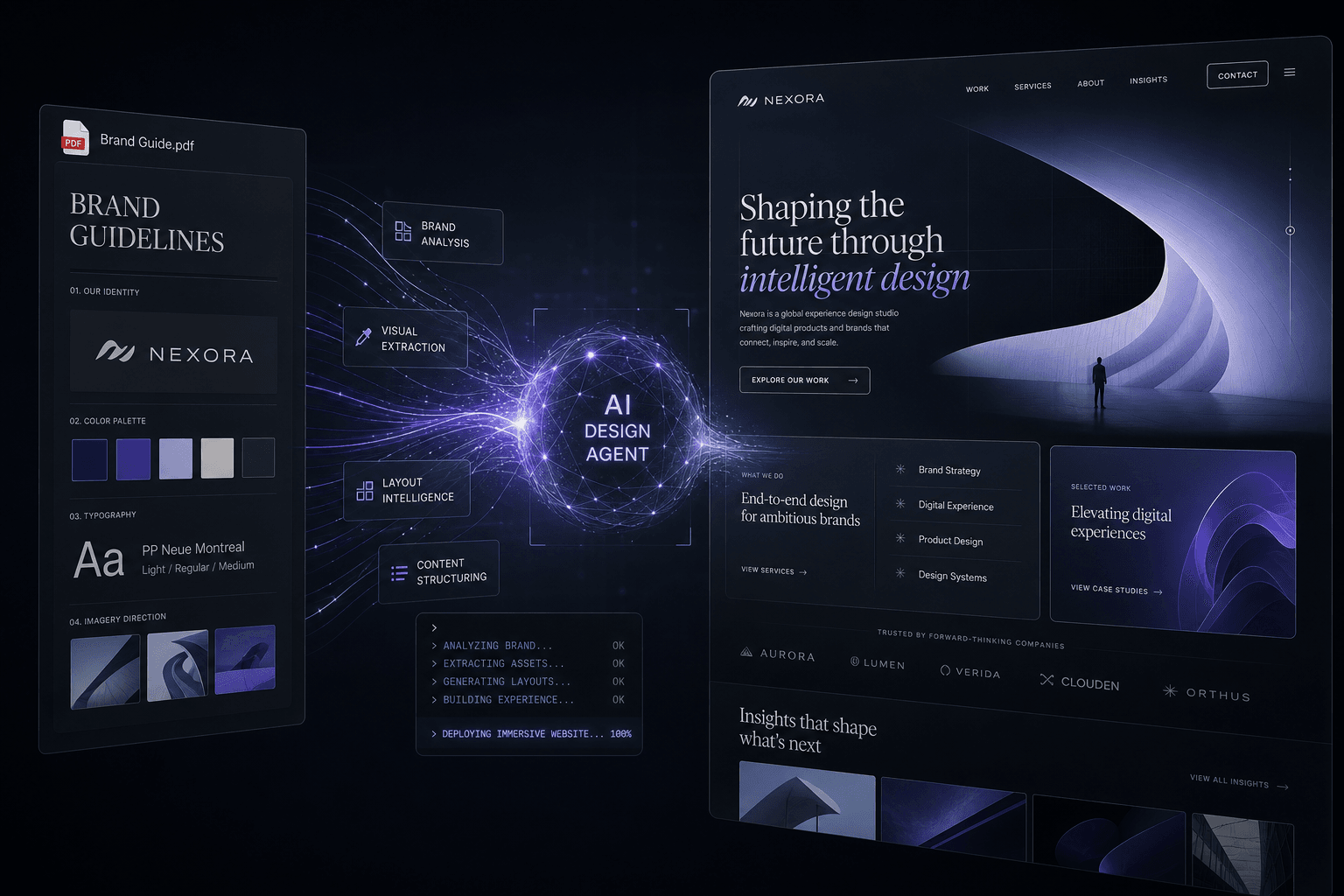
How I Prompt Google Stitch + AI Studio to Design an Immersive Site From a Single Brand PDF

Table of Contents
How I Prompt Google Stitch + AI Studio to Design an Immersive Site From a Single Brand PDF #
The craft of building immersive websites has shifted from animation code to context assembly. I now design conversion-focused, scroll-driven experiences by feeding a single brand PDF into Google Stitch and AI Studio, then directing every visual decision through carefully scoped prompts and reference media. No GSAP timelines written by hand. No Framer Motion components typed out. The work is the context handoff — the prompt sequence that transforms brand documentation into an immersive digital experience.
Why Context-First Design Changes Everything #
Context-first design compresses the brand-to-website pipeline from weeks to days by making the prompt the primary interface. Instead of hand-translating brand guidelines into design systems and then into animation code, I now upload a single brand PDF to Google Stitch, describe the conversion goal in plain language, and iterate on the visual output through natural language prompts. The shift is fundamental: the craft moves from pixel-pushing and keyframe-tweaking to context assembly and prompt precision.
The traditional workflow demanded three distinct skill stacks. First, the designer translated brand strategy into Figma frames — color palettes, type scales, component libraries. Then the developer hand-wrote animation code to bring those static frames to life. Finally, the client reviewed the result and requested changes that rippled back through both stacks, creating revision cycles measured in days, not hours.
Google Stitch — the free AI UI design tool from Google Labs — eliminates this fragmentation. Built around an AI-native infinite canvas powered by Gemini, Stitch generates high-fidelity responsive UIs from text prompts, images, or existing sites. As of May 2026, Stitch offers approximately 350 design generations per month on its free tier, with full access to multi-screen flows, interactive prototyping, and production-ready code export. The tool is currently available at no cost through Google Labs.
The new workflow: upload the brand PDF, prompt Stitch with the conversion goal and reference media, review the generated UI on the infinite canvas, iterate via voice or text prompts, and export either to Figma for refinement or directly to code via the built-in MCP server integration. Design iteration happens in conversation — "make the hero feel more premium," "tighten the vertical rhythm," "add scroll-driven reveals" — rather than in code commits.
The speed difference is substantial. A landing page that previously required two weeks of design exploration, client feedback cycles, and animation implementation now stabilizes in 2–3 days of focused prompting and iteration. The quality difference is equally significant: because the AI respects brand constraints from the source PDF while optimizing for the stated conversion goal, the output arrives already aligned with both aesthetic and business objectives.
The Brand PDF as Design Context #
A well-structured brand PDF functions as a complete design system specification that AI agents can read and apply with minimal translation. When I feed Stitch or AI Studio a brand document, I am not just handing over a PDF — I am providing color tokens, typographic hierarchies, spacing scales, imagery direction, voice guidelines, and competitive positioning, all encoded in a format the agent can reference throughout the design process.
The key is understanding which elements within the PDF serve as the strongest signals for AI design agents. I prioritize these components when assembling or requesting brand documentation:
| Brand PDF Element | What the AI Extracts | Design Application |
|---|---|---|
| Primary/Secondary Color Values | Hex codes, Pantone references, gradient definitions | Applied to buttons, backgrounds, accents, hover states |
| Typography Hierarchy | Font families, weight scales, size progressions (H1–H6, body, captions) | Used for type scale generation across all screen sizes |
| Logo Variations | Lockups, clear space, minimum sizes, placement rules | Hero layouts, nav positioning, footer treatment |
| Imagery Style Guide | Photography direction, illustration style, texture patterns | Image generation prompts, background treatments, iconography |
| Voice & Tone Markers | Brand personality descriptors, key messages, taglines | Microcopy generation, CTA language, headline framing |
| Competitive Positioning | Who the brand is for, what it promises, key differentiators | Information architecture, section ordering, value proposition placement |
| Application Examples | Existing collateral, packaging, prior web screenshots | Reference media for style matching, composition inspiration |
I have found that AI Studio with Gemini 3.5 Flash — which Google describes as having "frontier-level coding and visual capabilities" — handles these PDF inputs with particular sophistication. Replaced globally in May 2026, Gemini 3.5 Flash ranks at the top of web development and agentic benchmarks (including 76.2% on Terminal-Bench 2.1), making it especially effective at translating brand documentation into working UI.
The PDF format matters less than its information density. A 12-page brand deck with explicit color values, type specimens, and application examples produces better results than a 60-page strategy document with buried specifications. I typically request or create brand PDFs that include: a one-page identity summary, a one-page color and type specification, two to three pages of application examples, and one page of voice and messaging guidelines. This density gives the AI enough constraint to stay on-brand without overwhelming context windows.
Setting Up the Stitch → AI Studio Pipeline #
Stitch and AI Studio operate as sequential agents in a unified design-to-build chain, with Stitch handling visual generation and AI Studio managing code implementation and refinement. Understanding how to hand off context between these tools unlocks a design velocity that remains impossible in traditional workflows. As of May 2026, Google has explicitly built integration points between these products through the MCP (Model Context Protocol) server and SDK, allowing coding agents and IDEs to pull designs and push changes programmatically.
The workflow architecture follows a clear progression. Stitch functions as the design exploration layer — generating UI from text prompts, images, and PDFs on an AI-native infinite canvas. AI Studio serves as the implementation layer — taking stabilized designs and producing production-ready code through Gemini 3.5 Flash's front-end capabilities. The handoff between them relies on structured exports rather than manual recreation.
Stitch's built-in DESIGN.md export format serves as the primary handoff artifact. When a design stabilizes on the Stitch canvas, the tool generates a Markdown file summarizing the design system, component specs, styling rules, and tokens in both natural language and structured formats. This DESIGN.md can be imported directly into AI Studio, where Gemini 3.5 Flash interprets the specification and generates corresponding React, HTML/CSS, or framework-specific implementations.
The MCP server integration extends this pipeline further. Coding agents including Cursor and Claude Code can connect directly to Stitch's MCP endpoint, pulling design specifications and generated UI components without manual export/import steps. This means a prompt in Stitch like "create a SaaS pricing page with annual toggle" can flow directly into Cursor as both visual reference and code specification, where the editor agent implements the design in the production codebase.
For web design workflows specifically, I configure the pipeline in three stages:
- Exploration in Stitch: Upload brand PDF, generate initial UI concepts via text prompts, iterate using voice commands or annotation tools, stabilize on the infinite canvas
- Export to DESIGN.md: Generate the structured specification file that captures colors, typography, components, and layout rules
- Implementation in AI Studio/Cursor: Feed DESIGN.md plus the original brand PDF to Gemini 3.5 Flash via AI Studio, or connect Cursor to Stitch's MCP server for direct design-to-code generation
The integration capabilities continue expanding. Google's I/O 2026 announcements emphasized tighter coupling between Stitch, AI Studio, Antigravity, and Firebase Studio, with shared context passing and unified agent memory across the design-to-deployment pipeline. For immersive web projects, this means the scroll-driven animation concepts explored visually in Stitch can translate more directly into GSAP or Framer Motion implementations without manual keyframe recreation.
Building Your Context Manifest #
The context manifest is the single most important document in my AI design workflow — a structured brief that tells every agent exactly what to consider before generating output. Without it, I am trusting the AI to infer brand constraints and business goals from a single PDF upload. With it, I am providing scoped, prioritized context that produces dramatically better results in fewer iterations.
A context manifest is not the brand PDF itself. The brand PDF is the source material; the context manifest is my interpretation of which elements matter most, how they should be applied, and what the design must achieve. It functions as the canonical briefing document that I feed to Stitch, AI Studio, Cursor, or any other agent involved in the project.
My standard context manifest includes these sections:
# Context Manifest: [Project Name]

## Brand Core
- Brand PDF path: [file location]
- Primary value proposition: [one sentence]
- Target audience: [3-5 descriptors]
- Competitive differentiation: [key differentiator]

## Visual System
- Primary palette: [key colors from PDF]
- Typography mood: [descriptors from brand]
- Imagery direction: [style descriptors]
- Spacing/composition: [tight, airy, editorial, dense]

## Conversion Goals
- Primary CTA: [desired action]
- Key objections to address: [list]
- Trust signals needed: [testimonials, logos, data]
- Navigation priority: [what must be findable]

## Reference Media
- Award sites to study: [URLs]
- Motion studies: [video files]
- Prior brand applications: [screenshots]

## Technical Constraints
- Framework: [React, Next.js, etc.]
- Animation approach: [GSAP, Framer Motion, CSS]
- Performance budget: [Core Web Vitals targets]
- Accessibility requirements: [WCAG level]
This manifest serves multiple purposes beyond the immediate project. It creates a repeatable template for future work with the same brand, a handoff document for client reviews that explains design decisions in business terms, and a training artifact for refining my own prompting strategies across projects.
When I feed this manifest into Stitch alongside the brand PDF, the agent generates UI that respects both aesthetic constraints and business objectives. When I later hand the same manifest to Cursor for implementation, the code agent understands not just what components to build, but how they must function to drive conversions.
The manifest evolves through the project. Initial prompts may reveal gaps in the brand PDF or new conversion insights. I update the manifest in real time, treating it as a living document that captures the project's accumulated context. By project completion, the manifest contains not just the starting brief but the accumulated design decisions and rationale that inform future iterations.
Prompting Stitch From a Brand PDF #
The prompt is the interface in Stitch, and specificity determines whether you get generic templates or brand-aligned conversion machines. When I upload a brand PDF to the infinite canvas, I follow it immediately with a structured prompt that connects brand constraints to business outcomes. Vague requests produce mediocre results. Precise prompts that reference specific elements from the PDF generate UI that feels designed, not assembled.
Stitch accepts inputs in multiple modalities — text prompts, voice commands, image uploads, and direct annotation on the canvas. I typically begin with a comprehensive text prompt that establishes the foundation, then refine through voice or annotation as the design takes shape.
My opening prompt template follows this structure:
[Upload brand PDF to canvas]

Design a [page type: landing page, product page, pricing page] for [brand name]
based on the attached brand guidelines.

BRAND CONTEXT:
- Primary value: [value prop from context manifest]
- Target user: [audience description]
- Mood: [2-3 adjectives from brand voice]

CONVERSION GOAL:
- Primary action: [what should users do]
- Key message: [what must they understand]
- Trust approach: [how do we establish credibility]

DESIGN REFERENCES:
- Study: [2-3 award site URLs for aesthetic direction]
- Motion preference: [scroll-driven, hover-reactive, minimal]

OUTPUT:
- Generate 3 hero section variants
- Include: navigation, hero, social proof, CTA section, footer
- Style: [editorial, bold, minimal, premium, etc.]
This prompt structure gives Stitch enough constraint to stay on-brand while providing creative freedom within those bounds. The reference to award sites (Awwwards, FWA, Site of the Day winners) establishes a visual quality benchmark without mandating specific design choices.
Stitch's design agent tracks project history and canvas context, so it reasons about the design over time rather than treating each prompt in isolation. This means I can iterate conversationally — "make the hero feel more editorial," "the CTA needs more visual weight," "tighten vertical spacing by 20%" — and the agent applies changes while maintaining coherence with prior decisions.
For immersive experiences specifically, I add motion grammar specifications to the prompt: "hero section with scroll-driven parallax on headline and image," "section transitions using subtle fade-and-slide," "interactive elements with magnetic cursor attraction." Stitch interprets these as interaction specifications that flow through to the prototype and eventually to the DESIGN.md export where they inform implementation decisions.
Iterating on Color, Type, and Motion Through Prompts #
Design iteration in Stitch happens through natural language refinement rather than manual adjustments, collapsing the revision cycle from hours to minutes. When I want to adjust color, typography, spacing, or motion, I describe the desired change in plain language and let the design agent reinterpret the UI accordingly. This is not delegation of creative decisions — it is directing the agent with taste-level precision using verbal rather than manual tools.
Stitch supports multiple input modes for iteration. Voice Canvas allows speaking directly to the design agent: "Make the navigation denser," "Increase the hero headline size," "Add a testimonials section between features and pricing." The agent interprets these commands, applies them to the current canvas state, and presents the updated design. For visual thinkers, the Annotate tool enables circling elements, drawing arrows, and writing notes directly on the UI — Gemini interprets the markup and applies contextual changes.
My iteration prompts follow a consistent taxonomy that I have refined across projects:
| Design Element | Iteration Prompt Pattern | Example |
|---|---|---|
| Color | "Shift [element] toward [mood descriptor]" | "Shift the CTA button from standard blue to a richer, more premium deep indigo that feels editorial" |
| Typography | "Adjust [element] to feel [descriptor]" | "Make the headline feel more commanding by increasing weight and reducing letter-spacing" |
| Spacing | "Tighten/loosen [region] by [percentage or relative term]" | "Tighten the vertical rhythm between sections by 20% for a denser, more modern feel" |
| Hierarchy | "Elevate [element] relative to [comparison]" | "Elevate the testimonial quote above the attribution so it reads as the primary message" |
| Motion | "Add [motion type] that feels [descriptor]" | "Add scroll-driven reveals that feel editorial and unhurried, not flashy" |
| Composition | "Shift layout to emphasize [element]" | "Shift the hero layout to emphasize the product image over the headline for visual impact" |
The Theme sidebar in Stitch provides global token management for systematic iteration. When I update the primary color, corner radius, or font selection in the Theme panel, the change propagates across all generated screens automatically. This is particularly powerful for A/B testing — I can generate multiple variant sets with different theme configurations and compare them side-by-side on the infinite canvas.
For motion specifically, I have found that describing the feeling rather than the technical specification produces better results. "Scroll-driven reveals that feel editorial and unhurried" gives the agent more interpretive freedom than "add 300ms fade-in with 50px translateY." The agent translates the qualitative description into appropriate timing, easing, and trigger points that maintain consistency across the experience.
Voice iteration becomes especially efficient during client reviews. I can present three variants on the canvas, discuss preferences with the stakeholder, capture their feedback verbally, and immediately prompt Stitch to generate a refined version. A feedback session that previously generated pages of annotated screenshots and a week of revision time now produces a finalized design direction in a single meeting.
Using Reference Media to Control Motion Grammar #
Reference media is how I teach an agent the motion language before implementation starts. A still image helps with layout taste, but short clips and annotated screenshots tell Stitch or AI Studio how sections should enter, linger, layer, and hand off to the next beat.
| Reference Asset | What It Controls | What I Tell the Agent |
|---|---|---|
| Static screenshots | Composition, spacing, contrast, density | "Match this editorial density and hero balance, not the exact copy or layout." |
| 5–12 second scroll captures | Reveal order, parallax depth, pacing | "Study how the headline moves slower than the image and keep that layered rhythm." |
| Micro-interaction clips | Hover behavior, cursor response, CTA feedback | "Use this button hover energy for primary CTAs, but keep it cleaner and more premium." |
| Annotated stills | Specific focal points | "Preserve this oversized headline treatment and the way the media locks the eye on scroll." |
| Negative references | Boundaries and anti-patterns | "Avoid this flashy pace, excessive blur, and game-like motion style." |
The mechanism matters. If I only say "make it immersive," the agent usually over-indexes on visual noise: too many reveals, too much parallax, and motion that competes with the CTA. When I attach two or three motion references and describe the exact grammar I want, the output gets tighter. I am not asking for animation code. I am defining the relationship between sections: which element leads, which trails, how long each section holds attention, and where the primary CTA needs stillness so the page can convert.
I usually break motion grammar into five controllable decisions: entry order, scroll speed differential, section transition style, hover intensity, and restraint rules. That last one is easy to skip, and it is usually where AI-made experiences go sideways. You need to tell the agent where not to animate. Pricing, forms, and trust sections usually need calmer behavior than the hero, otherwise the page feels expensive without feeling persuasive.
My default prompt pattern for reference-driven motion looks like this:
REFERENCE MEDIA PACK
- Brand PDF: [attach]
- Screenshot set: [attach 2-4 stills]
- Scroll clips: [attach 2-3 short videos]
- Negative reference: [attach 1 example to avoid]

TASK
Study the attached media and extract the motion grammar, not the exact layout.

MOTION RULES
- Hero should feel [editorial / cinematic / restrained]
- Keep reveals in this order: [headline] -> [supporting visual] -> [CTA]
- Use depth through scroll-speed contrast, not through excessive effects
- Keep pricing, testimonials, and forms calmer than the hero
- Avoid flashy transitions, heavy blur, and constant movement

OUTPUT
- Describe the motion system section by section
- Apply it to this brand's layout and conversion goal
- Preserve brand tone from the PDF while matching the reference pacing
This is also where I decide whether the page wants one dominant motion idea or several smaller ones. In most premium client work, one dominant motion idea wins: maybe a restrained parallax hero, maybe image panels that reveal on scroll, maybe typography that shifts depth as the user moves. The agent gets better results when I give it a single motion thesis and then a few supporting behaviors, instead of a shopping list of effects.
From AI Studio Export to Cursor Implementation #
The AI Studio export becomes useful only when I hand it to Cursor with the full build context, not as a detached design artifact. Cursor is still my preferred implementation layer here because it is model-agnostic, lets me pick the right model per subtask, and gives me cloud-agent depth when a handoff needs a longer production pass; Claude Code can still do the job, but it remains the premium Anthropic-locked all-in-one bundle, not my default editor surface.
| Handoff Asset | Why It Matters in Cursor | Failure Mode If Missing |
|---|---|---|
| AI Studio export / DESIGN.md | Gives the agent the design system, section structure, and component intent | The agent invents spacing, hierarchy, or component behavior |
| Brand PDF | Keeps implementation aligned with voice, palette, and visual rules | The site drifts off-brand during refinement |
| Context manifest | Connects design choices to business goals and constraints | The agent builds a pretty page that ignores conversion priorities |
| Reference media pack | Carries the motion grammar into implementation | Motion feels generic or disconnected from the approved design |
| Repo path + existing components | Grounds the build in the actual production codebase | The agent outputs clean-looking work that does not fit the project |
The practical handoff is simple: I point Cursor at the export, the original PDF, the media pack, and the exact production destination. Then I scope the job by section or by concern. One prompt handles layout implementation. Another handles motion pass. Another handles content hierarchy and CTA states. Breaking the handoff into bounded passes keeps the agent from smearing design decisions across the whole codebase in one shot.
I do not ask Cursor to "rebuild this design." I ask it to implement a specific production outcome from a bounded context packet. That distinction matters. "Rebuild this design" invites invention. "Implement the hero and social-proof sections from the attached AI Studio export using the existing site architecture, preserve brand tokens from the PDF, and match the motion pacing from clip 2" gives the agent enough context to stay accurate.
My standard implementation packet looks like this:
# Cursor Handoff Packet

## Production Goal
- Build the approved landing page experience in the existing site
- Preserve the brand system from the attached PDF
- Match the motion grammar from the attached reference clips

## Attach / Point To
- AI Studio export or DESIGN.md: [path]
- Brand PDF: [path]
- Context manifest: [path]
- Reference media pack: [paths or URLs]
- Existing repo areas to use: [paths]

## Constraints
- Keep the current site architecture
- Reuse existing components where possible
- Treat reference media as motion guidance, not layout to copy
- Keep primary CTA sections calmer and clearer than the hero
- Optimize for conversion, performance, and maintainability

## Implementation Pass
- This pass covers: [hero / nav / social proof / pricing / footer]
- Do not change unrelated sections
- Explain any places where the export conflicts with the existing architecture
Once the first implementation pass lands, I use review prompts instead of rewrite prompts. I will ask Cursor to compare the built section against the design export, call out mismatches in hierarchy or pacing, and tighten only those gaps. That review loop is where model choice matters. A fast model is usually enough for structure and cleanup. If a section needs deeper reasoning around motion, layout tradeoffs, or multiple files, I can switch models or use a cloud agent without leaving the same workspace.
That is the real advantage of Cursor in this pipeline. The design export does not live in a vacuum. It becomes one more context source inside an editor already connected to the repo, the rules, the media, and the production target.
Conversion-Focused Prompt Patterns #
A conversion-focused prompt gives each section a job, an objection to remove, and one primary action to support. If I leave any of those out, the agent defaults to generic SaaS furniture. If I spell them out, the layout, copy hierarchy, and motion all start pulling in the same direction.
| Section Type | Conversion Job | Prompt Pattern |
|---|---|---|
| Hero | Establish value and move the right visitor deeper | "Design a hero that makes [audience] understand [core outcome] in five seconds and pushes them to [primary CTA]." |
| Social proof | Reduce skepticism | "Build a proof section that makes the offer feel credible fast, using the strongest trust signals before the user reaches pricing." |
| Features / services | Turn interest into clarity | "Show the offer as outcomes, not a feature dump, and tie each block to a concrete buyer question." |
| Pricing | Reduce decision friction | "Create a pricing section that makes the default choice obvious and answers the top cost objection before it stalls the click." |
| FAQ / objections | Prevent exit | "Add an objection-handling section that removes hesitation around [risk], [timeline], and [fit]." |
| CTA band / form | Capture intent | "Design the final CTA so the action feels low-friction, specific, and safer than waiting." |
The practical pattern is that I prompt for psychology before I prompt for layout. I tell the agent what belief needs to change, what fear needs to calm down, and what action should feel easiest once the section is read. That shifts the output from "nice design" to "useful persuasion." A premium site still needs taste, but taste without a conversion job is just decoration.
I also define how aggressive the page should be. Some offers need a hard, obvious CTA early. Others need a slower trust build. If I do not specify that pacing, the agent often spreads equal weight across every section, which flattens the experience. The best results come when I define the page as a sequence of decisions: first clarity, then trust, then proof, then action.
My default conversion prompt template is this:
DESIGN THIS SECTION FOR CONVERSION

## Section
- [hero / proof / pricing / CTA / FAQ]

## Audience State
- What they know coming in: [state]
- What they are worried about: [state]
- What they need to believe next: [state]

## Conversion Goal
- Primary action: [book / buy / inquire / sign up]
- Primary objection to remove: [objection]
- Trust signal to emphasize: [case study / metric / logo / testimonial]

## Design Direction
- Keep visual emphasis on: [headline / proof / CTA]
- Motion should support attention, not distract from action
- Preserve the brand tone from the PDF

## Output
- Generate the section with hierarchy, copy direction, and CTA emphasis aligned to the conversion goal
- Explain why the layout supports the next click
These prompts compound because the agent starts building a page where every section inherits the same commercial logic. The hero earns attention. The proof blocks stabilize trust. The pricing section narrows choice. The final CTA removes hesitation. That is how I get immersive pages that still sell.
FAQ #
What is Google Stitch and how does it differ from other AI design tools? #
Google Stitch is an AI-native infinite canvas that functions as a design agent rather than a static layout tool. Unlike Figma or Framer which require manual layer management, Stitch generates responsive UIs directly from brand PDFs and prompts while maintaining a live connection to implementation code. It treats the design as a reasoning task, allowing you to iterate on visual hierarchy and interaction grammar through conversation rather than pixel-pushing.
Can I really design a complete website from just a brand PDF? #
Yes, provided the PDF contains high-density design tokens like color hex codes, typographic scales, and application examples. The AI uses the PDF as a constraint engine to ensure every generated component remains on-brand while it optimizes the layout for your stated conversion goals. I've shipped 5-figure sites where the entire visual foundation was extracted from a single 12-page brand deck in under ten minutes.
How do I structure a brand PDF for optimal AI consumption? #
Prioritize information density over page count by including explicit color values, type specimens, and high-fidelity application examples. A 10-page document with clear hex codes and spacing rules produces better results than a 50-page strategy deck with buried specifications. I always include a "Quick Reference" page that summarizes the visual identity in a single view to keep the agent's context window focused on the essentials.
What conversion-focused prompts should I include for high-converting sites? #
Direct the agent to "reduce decision friction" and "prioritize the primary value proposition" in every section prompt. Instead of asking for a pricing table, I prompt for a "conversion-optimized pricing matrix that highlights the most popular tier and addresses common price objections." This forces the AI to reason about user psychology rather than just generating a generic UI component.
How do I control motion and animation through prompts instead of code? #
Describe the qualitative "feeling" and "rhythm" of the motion rather than technical easing values or millisecond durations. Prompting for "editorial, unhurried scroll-driven reveals" gives the agent a better aesthetic target than specifying raw CSS values. These interaction descriptions flow into the DESIGN.md export, which implementation agents like Cursor then translate into GSAP or Framer Motion code.
When should I use Google AI Studio versus Claude Code or Cursor for design work? #
Use Google AI Studio for the initial translation of design specs into working front-end code, then move to Cursor for production refinement. AI Studio's Gemini 3.5 Flash integration is currently the gold standard for interpreting high-fidelity UI exports from Stitch. Once the core components are generated, I pull them into Cursor to wire up the business logic and finalize the implementation.
What is a context manifest and why is it essential for AI design workflows? #
The context manifest is your canonical briefing document that translates raw brand data into actionable design instructions. It bridges the gap between a brand PDF and a finished site by defining conversion goals, audience descriptors, and technical constraints in a structured format. Without it, you're trusting the AI to guess your business objectives; with it, you're directing the entire design-to-build chain with precision.
How do I iterate on design feedback without writing code? #
Use the Voice Canvas or Annotate tools in Stitch to speak or draw your revisions directly onto the infinite canvas. You can circle a hero section and say "make this feel more premium and increase the vertical rhythm," and the agent will regenerate the UI in real-time. This collapses the feedback loop, allowing you to finalize design directions during a single client meeting rather than waiting days for manual revisions.
What reference media works best for controlling visual output quality? #
Screenshots of award-winning sites and video captures of specific scroll behaviors provide the strongest visual anchors for AI agents. I feed the agent URLs or images from Awwwards or Site of the Day to establish a "taste-level" benchmark. This prevents the AI from defaulting to generic SaaS templates and pushes it toward the high-end, immersive aesthetic required for premium client work.
How long does the brand-PDF-to-website workflow typically take? #
A high-end landing page that used to take two weeks now stabilizes in 2–3 days of focused prompting and iteration. The time saved isn't just in the initial generation, but in the elimination of manual design-to-code handoffs and revision cycles. You spend your time on the higher-value work: context assembly and prompt design, rather than fighting with CSS keyframes.
Can this workflow handle complex immersive scroll experiences? #
Yes, by using Stitch to define the interaction grammar and AI Studio to generate the underlying GSAP or Three.js implementation. While the design happens through prompts, the output is production-ready code that handles complex parallax, horizontal scrolling, and SVG morphing. The key is providing clear reference media so the agent understands the specific motion patterns you're aiming to achieve.
How do I handle client revisions in a prompt-driven design process? #
Treat client feedback as new context for the agent, updating the manifest and prompting for real-time adjustments on the canvas. Instead of going back to the drawing board, you refine the existing design by adding the client's specific concerns to the prompt sequence. This makes the revision process collaborative and immediate, significantly increasing client trust and project velocity.
Related Reading #
- The Immersive Web Design Manual
- Award-Worthy Hero with React Three Fiber + GSAP
- Anatomy of a $25K Brand Website
Ready to ship an immersive, high-converting digital experience for your brand? Book a custom website discovery call and let's build something that moves the needle.
Related Posts

Bold Design vs Machine-Readable Structure: How Neo-Brutalism and Semantic Architecture Coexist
You don't choose between a bold Neo-Brutalist site and one AI can read. Here's how I ship both: expressive design on top of strict semantic architecture.

How I Built Fordo's Official Artist Website Without Writing a Line of Code
How I designed Fordo's artist site in Google AI Studio and built it by directing AI: a beautiful, alive experience wired for AI search, brand, and direct fan revenue.
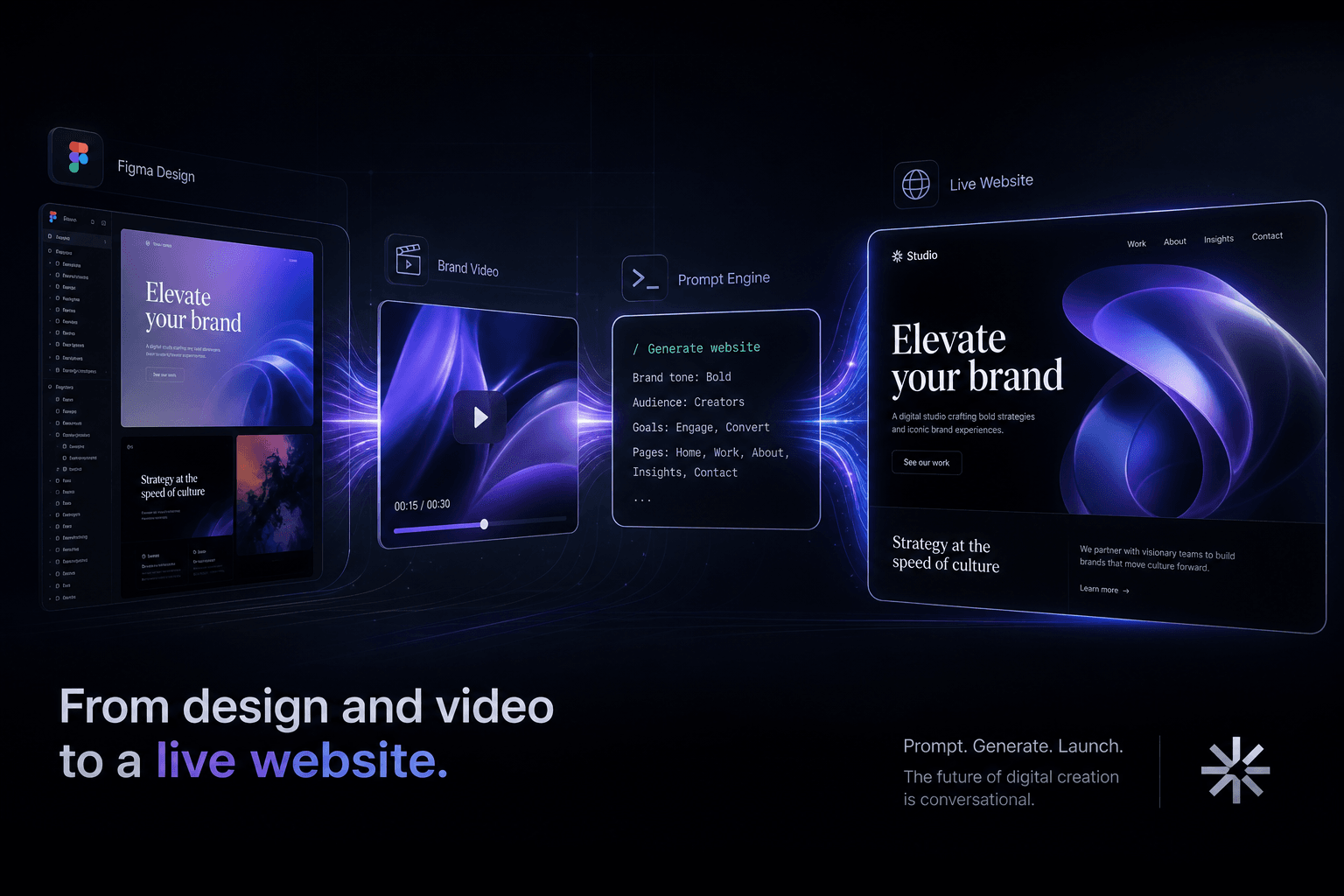
From a Figma Export and a Brand Video to a Live Site Using Only Prompts
How I turn Figma exports and brand videos into live, conversion-focused websites using only prompts and context handoffs. No manual coding, just directed AI execution.