Cursor 0.43 / Composer Matures: The IDE That Keeps Shipping

Table of Contents
Cursor 0.43 / Composer Matures: The IDE That Keeps Shipping #
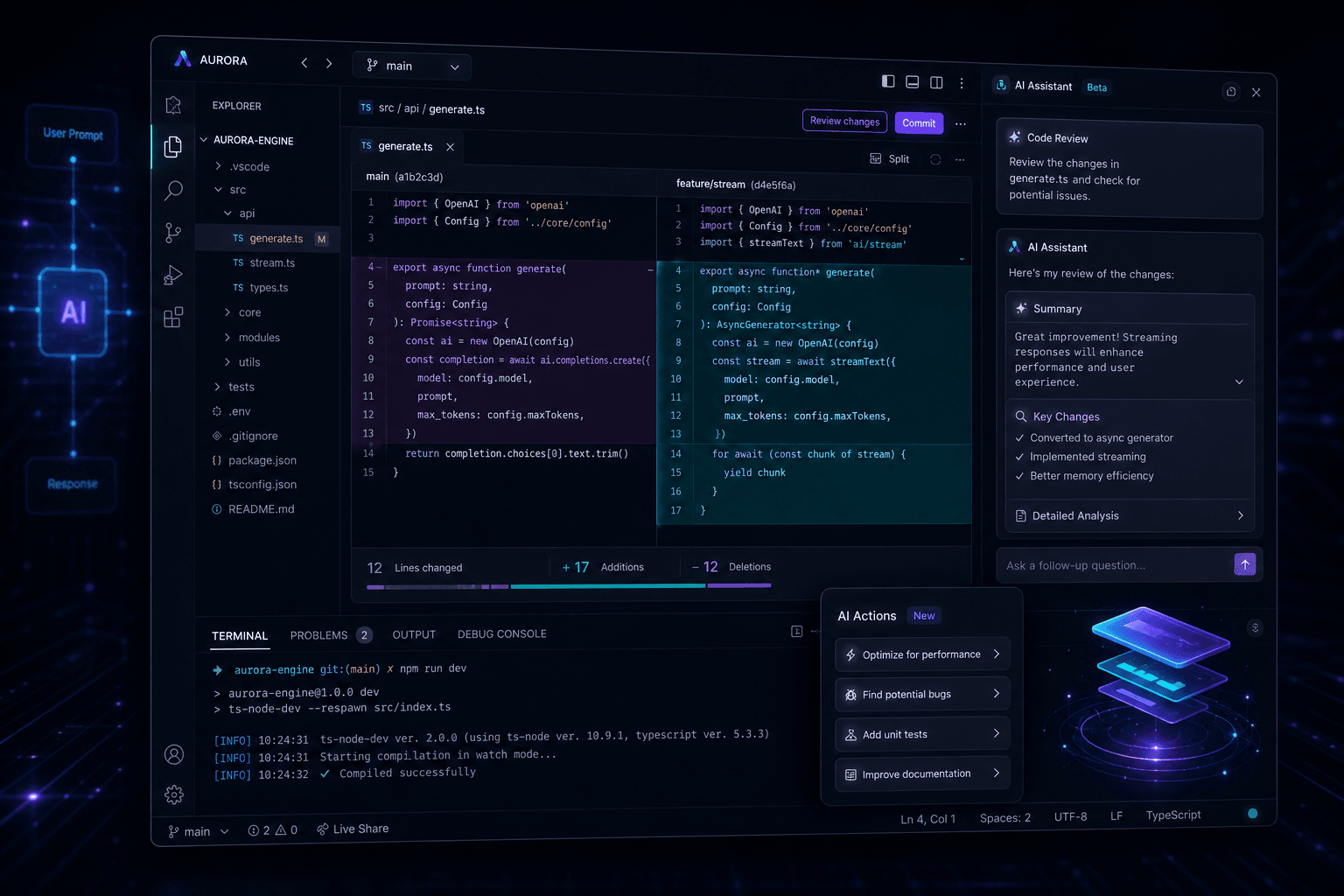
Cursor 0.43 lands today with the most significant Composer overhaul since the feature debuted, introducing an integrated sidebar UI with inline diffs, early agent capabilities that can autonomously select context and execute terminal commands, and automated git commit message generation. This November 24, 2024 release marks a maturation point for Cursor's multi-file editing interface while offering a preview of the autonomous agent workflows that will define the editor's next evolution phase.
The release timing matters. Anysphere—the company behind Cursor—closed a $60 million Series A at a $400 million valuation just four months ago in August 2024. The velocity since that funding has been relentless: substantial updates shipping multiple times per month, each delivering tangible workflow improvements rather than incremental polish. Version 0.43 represents this cadence at its most disciplined, bundling UI refinements, AI capability expansions, and developer experience enhancements into a coherent package that rewards daily use.
For teams and individual developers already invested in Cursor, 0.43 changes how Composer feels—transforming it from a powerful but occasionally unwieldy multi-file interface into a cleaner, review-friendly editing environment. The addition of autonomous agent capabilities, even in this early form, signals where Anysphere is placing its long-term bets: on AI systems that don't just respond to prompts but actively participate in development workflows.
Table of Contents #
- The Composer UI Transformation — Sidebar integration and inline diff review
- Early Agent Mode: The Autonomous Turn — Self-directed context selection and terminal use
- Git Commit Message Generation — Automated commit hygiene
- Smart Context Features: @Recommended and File Pills — Semantic search and intelligent suggestions
- Performance and Quality of Life Improvements — Latency reductions and image handling
- Beta Preview: The Bug Finder Feature — Sneak peek at upcoming capabilities
- The Shipping Velocity Context — How Anysphere sustains this release cadence
- Migration and Compatibility Notes — What changes in your workflow
- FAQ — Direct answers on features, capabilities, and limitations
- Looking Ahead — What 0.43 signals for Cursor's trajectory
The Composer UI Transformation #
The headline feature of Cursor 0.43 is Composer's relocation from a floating interface to an integrated sidebar tab with inline diff visualization, fundamentally changing how developers review and approve multi-file changes. This architectural shift transforms Composer from a dialogue-based interaction into a code review workflow that feels native to the editing experience.
Prior to 0.43, Composer operated as a modal or floating panel—a powerful space where you could describe features and receive coordinated changes across multiple files, but one that required context switching between the conversational interface and the actual code. The new sidebar integration collapses this distance. Composer now lives alongside your file explorer and search panels, presenting proposed changes as inline diffs directly within the editor surface.
The inline diff system works across all files Composer modifies. When you request a feature—say, "Add authentication middleware with JWT token validation, protected route wrappers, and a login page"—Cursor generates the implementation and presents it as a unified diff view. You can review each file's changes line by line, accept or reject specific modifications, and apply the entire batch with a single confirmation. This review-before-commit model brings software engineering rigor to AI-assisted coding.
Sidebar Integration Architecture #
The technical implementation reveals Anysphere's strategy for unifying AI assistance with traditional editing workflows:
| Component | Pre-0.43 Behavior | 0.43 Behavior |
|---|---|---|
| Composer Location | Floating panel or modal overlay | Dedicated sidebar tab |
| Change Review | Summarized list of file modifications | Inline diff within editor |
| Approval Flow | Accept all or reject all | Granular file-by-file control |
| Context Visibility | Separate from file explorer | Integrated with codebase navigation |
| Keyboard Navigation | Limited shortcuts | Full sidebar keybinding support |
The sidebar integration matters for teams adopting Cursor at scale. Previous Composer workflows required training developers on a separate interface with its own interaction patterns. The 0.43 model maps to familiar code review mental models: changes appear in a reviewable format, you inspect them in context, and you merge when satisfied. This familiarity reduces friction for organizations transitioning from traditional IDEs with AI plugins to Cursor's AI-native environment.
Workflow Impact #
For daily development, the Composer UI changes translate into measurable workflow improvements:
- Reduced cognitive load: No context switching between chat panel and code view—changes appear where you edit
- Faster review cycles: Inline diffs allow rapid scanning of modifications without opening individual files
- Better error catching: Visual diff presentation makes unintended changes immediately apparent
- Improved batch operations: Multi-file refactors that previously required sequential Composer sessions now present as unified changesets
The sidebar integration also sets the foundation for the agent capabilities introduced in this release. By anchoring Composer to a persistent panel rather than an ephemeral modal, Anysphere creates the interface real estate where autonomous agents can report progress, request decisions, and present intermediate results.
Early Agent Mode: The Autonomous Turn #
Cursor 0.43 introduces an early version of an autonomous agent within Composer that can independently select its own context and execute terminal commands, representing the first steps toward fully self-directed AI development assistance. This isn't the full agent mode that Cursor will ship in future releases—it's a preview of the architecture, available now for experimentation and feedback.
The agent capabilities in 0.43 operate within specific boundaries. When enabled, the Composer agent can:
- Autonomously identify relevant files: Rather than requiring you to manually specify which files to include via @-mentions, the agent analyzes your request, searches the codebase, and selects the files it believes are relevant to the task
- Execute terminal commands: The agent can run shell commands in the integrated terminal, enabling it to install dependencies, run tests, execute build scripts, and perform other command-line operations
- Iterate based on output: When terminal commands produce output (test failures, compilation errors, linter warnings), the agent can read that output and propose fixes
This represents a qualitative shift from the prompt-response model that has defined AI coding assistants. Traditional Composer workflows require you to act as the orchestrator: you identify what needs changing, you specify which files matter, you run the tests, you interpret the results, and you request fixes. The early agent mode experiments with AI systems that can handle portions of this orchestration themselves.
Autonomous Context Selection #
The self-directed context selection is particularly significant. Previously, effective Composer use required skill in prompt engineering—knowing which files to reference with @-mentions to give the AI sufficient background. The 0.43 agent can perform semantic searches across your codebase to identify relevant context automatically.
When you ask the agent to "fix the authentication bug," it doesn't wait for you to specify which files contain the authentication logic. Instead, it queries the codebase index, identifies files related to authentication, reads their contents, and formulates an understanding of the bug before proposing fixes. This mirrors how a senior developer would approach the task: investigating the codebase to locate relevant code rather than requiring a detailed briefing.
Terminal Integration #
The terminal command execution capability expands what the AI can accomplish without human intermediation. Examples of autonomous terminal workflows in 0.43 include:
- Dependency management: Installing packages when it detects missing imports
- Test execution: Running test suites to verify changes and reading failure output
- Build validation: Executing build scripts and interpreting error messages
- Linting: Running linters and fixing reported issues automatically
This integration requires explicit trust boundaries—the agent doesn't have unlimited terminal access, and sensitive operations still require confirmation. But for routine development tasks, the ability to execute and respond to command-line workflows without manual handoffs removes friction from the development cycle.
The Roadmap Implication #
The early agent mode in 0.43 is explicitly positioned as a preview. Anysphere's release notes describe it as an "early version," signaling that the full agent architecture—likely including multi-step planning, long-running background tasks, and deeper tool integration—is still in development. What 0.43 provides is a testbed for the interaction patterns that will define future releases.
For developers using Cursor, this means two things: first, the agent capabilities available today are genuinely useful for specific workflows even in this early form; second, the feedback and usage patterns from 0.43 will shape what Cursor's full agent mode becomes. Using the early agent is participation in the product development process.
Git Commit Message Generation #
Cursor 0.43 adds automated git commit message generation that analyzes staged changes and writes descriptive, context-aware commit messages, eliminating one of development's most persistent friction points. The feature operates through the existing git integration, appearing as an option when you have staged changes ready to commit.
The commit message generator examines the diff of your staged changes, identifies the files modified and the nature of those modifications, and composes a commit message that describes what changed and why. For multi-file changes, it identifies the unifying theme—whether it's a feature addition, bug fix, refactor, or configuration update—and structures the message accordingly.
How It Works #
When you stage changes and open the git panel, Cursor 0.43 presents a "Generate Commit Message" option. Clicking it sends the staged diff to the AI, which returns a formatted commit message following conventional commit standards:
feat(auth): add JWT token validation middleware

- Implement token extraction from Authorization header
- Add validation against JWT secrets
- Create protected route wrapper for authenticated endpoints
- Update environment variable documentation
The generator respects your project's commit message conventions. If your repository uses conventional commits (feat:, fix:, refactor:, docs:), the AI detects this pattern from previous commits and follows it. If you prefer terse one-line messages, the generator adapts to that style based on commit history.
Beyond Trivial Messages #
The value isn't in saving keystrokes for simple commits—it's in the quality improvement for complex changes. When you've modified fifteen files across three directories implementing a feature, writing a comprehensive commit message that explains the architectural decisions and component interactions is cognitively demanding. The AI generator handles this enumeration consistently:
- Scope identification: Recognizing which subsystems were touched
- Change categorization: Separating refactoring from feature additions
- Dependency awareness: Noting when changes require corresponding updates elsewhere
- Breaking change flagging: Identifying modifications that might affect consumers of the code
For teams with strict commit hygiene requirements, this feature significantly improves adherence to standards without adding overhead to the development process.
Smart Context Features: @Recommended and File Pills #
Cursor 0.43 introduces two intelligent context features—@Recommended semantic search and file pill recommendations—that reduce the manual work of telling the AI which files matter for a given task. These capabilities represent incremental but meaningful improvements in how Cursor understands and surfaces codebase context.
@Recommended Semantic Search #
The @Recommended feature appears in both chat and Composer as a new context option. When you type @Recommended, Cursor performs a semantic search across your codebase to identify files relevant to your current conversation or task. Unlike keyword search, semantic search understands conceptual relationships—if you're discussing user authentication, it finds not just files with "auth" in the name but files dealing with sessions, tokens, permissions, and user state management.
This feature is particularly valuable in large codebases where you might not know exactly which files contain the logic you need. Rather than hunting through directories or guessing file names, @Recommended surfaces the relevant context automatically. The search operates against Cursor's local codebase index, meaning results appear instantly without API latency.
File Pill Recommendations #
File pill recommendations provide proactive context suggestions as you work. When you reference a concept in chat or Composer—say, mentioning "the payment processor"—Cursor displays recommended files as interactive pills below the input area. Clicking a pill adds that file to the context.
The recommendation engine considers multiple signals:
- Recent edits: Files you've modified recently are more likely to be relevant
- Import relationships: Files that import or are imported by currently open files
- Semantic similarity: Files with embeddings similar to your query terms
- Conversation history: Files that were relevant in recent chat sessions
These recommendations reduce the @-mention tax—the cognitive overhead of remembering exact file paths and typing them correctly. Instead of typing @src/components/payments/StripeProvider.tsx, you click the "StripeProvider" pill that appears automatically.
Context Management Evolution #
Together, @Recommended and file pills represent Cursor's continued investment in context intelligence. The progression across recent releases is clear:
| Release | Context Capability |
|---|---|
| Pre-0.40 | Manual @-mentions only |
| 0.40+ | Recent files panel |
| 0.42 | Semantic search improvements |
| 0.43 | @Recommended + File Pills |
The trajectory points toward a future where AI assistants require less explicit context management—where the system understands enough about your codebase and workflow to surface relevant information proactively rather than waiting for you to specify it.
Performance and Quality of Life Improvements #
Cursor 0.43 delivers multiple performance optimizations including latency reductions for AI responses and improved image handling, alongside the headline features. These improvements accumulate into a meaningfully snappier editing experience, particularly for users on the free tier where response speed directly impacts productivity.
Latency Reductions #
The 0.43 release includes several under-the-hood optimizations that reduce the time between sending a request and receiving a response:
- Faster context assembly: Improved algorithms for selecting and formatting relevant codebase context
- Streaming response optimizations: Reduced chunk processing overhead for more fluid response display
- Local indexing improvements: Faster semantic search through vector index optimizations
- Model routing efficiency: Smarter model selection that balances capability against response time
For daily use, these changes translate to reduced waiting time at AI interaction points. Tab completions feel more instantaneous, Composer responses stream faster, and chat interactions maintain flow without the pauses that previously interrupted thought processes.
Image Handling Improvements #
The improved image-dropping experience addresses a workflow that has become increasingly common: including screenshots, diagrams, and design mockups in AI conversations. When you drop an image into Cursor's chat or Composer in 0.43, the interface provides clearer feedback about the image being processed and integrates it more smoothly into the conversation flow.
This matters for frontend development workflows where you might drop a screenshot of a UI bug, a Figma export showing the target design, or a whiteboard sketch of an architecture diagram. The improved handling includes:
- Visual thumbnails: Clear preview of dropped images in the conversation
- Faster upload processing: Reduced time between dropping and the image being available for AI reference
- Better error handling: Clearer messages when image formats aren't supported or uploads fail
- Size optimization: Automatic compression for large images to stay within model context limits
Beta Preview: The Bug Finder Feature #
Cursor 0.43 includes a beta sneak peek at an upcoming bug detection feature that analyzes code for potential issues without requiring explicit prompting, signaling Anysphere's expansion into proactive code quality assistance. The feature appears in limited preview, available to select users for testing and feedback.
The bug finder operates as a background analysis engine that scans your codebase—either on demand or continuously—and identifies potential bugs, anti-patterns, and code smells. Unlike linter tools that check against static rulesets, the bug finder uses AI reasoning to identify logical errors that might pass syntax checks but fail at runtime.
Detection Capabilities #
Early reports from beta testers suggest the bug finder identifies categories of issues including:
- Logic errors: Null pointer risks, off-by-one errors, unreachable code paths
- Type mismatches: JavaScript/TypeScript runtime type issues not caught by compilation
- Async/await problems: Unhandled promise rejections, missing awaits, race condition risks
- Resource leaks: Unclosed connections, file handles, or event listeners
- Security issues: SQL injection risks, XSS vulnerabilities, hardcoded secrets
The beta implementation appears to integrate with the editor through diagnostic panels and inline highlighting, similar to how TypeScript or ESLint present issues—though with the expanded scope that AI analysis enables.
Positioning Against Existing Tools #
The bug finder enters a landscape populated by established static analysis tools: ESLint, Prettier, SonarQube, and various security scanners. Cursor's approach differentiates through:
- AI-powered reasoning: Understanding code intent rather than just pattern matching
- IDE-native integration: No separate configuration or CI pipeline required
- Contextual awareness: Understanding your specific codebase patterns rather than applying universal rules
- Interactive fixing: Proposing specific fixes rather than just flagging issues
The beta preview suggests this feature will mature significantly before general availability, but its inclusion in 0.43 indicates the direction: Cursor expanding from reactive assistant (responding to prompts) to proactive collaborator (identifying issues before you encounter them).
The Shipping Velocity Context #
Cursor 0.43 arrives just four months after Anysphere's $60 million Series A funding announcement in August 2024, continuing a shipping cadence that has delivered meaningful updates multiple times per month throughout the year. Understanding this velocity helps contextualize why 0.43 matters—not just for its features, but as evidence of an organization executing at scale.
The 2024 Release Cadence #
Anysphere's shipping pattern in 2024 has been relentless. Major version releases have arrived with metronomic regularity:
| Version | Release Date | Headline Feature |
|---|---|---|
| 0.40 | August 2024 | Major Composer improvements |
| 0.41 | September 2024 | Performance and stability focus |
| 0.42 | October 2024 | Enhanced model integration |
| 0.43 | November 24, 2024 | Composer UI overhaul + Agent preview |
Between these major versions, patch releases have delivered weekly improvements—bug fixes, latency optimizations, and incremental features that compound over time. This cadence contrasts sharply with traditional IDE development cycles, where point releases might arrive quarterly.
Why Velocity Matters #
The shipping velocity isn't just a metric for developer relations—it's a product strategy. In the AI coding assistant market, capabilities evolve weekly as model providers release new versions and interaction patterns mature. A slow release cycle means shipping obsolete assumptions. Anysphere's pace allows Cursor to:
- Adapt to model improvements: When Claude 3.5 Sonnet shipped with enhanced coding capabilities, Cursor integrated and optimized for it rapidly
- Respond to competitive pressure: GitHub Copilot announcements trigger immediate Cursor counter-features
- Iterate on user feedback: Features proposed by the community in Discord or Reddit threads appear in production within weeks
- Maintain momentum: The perception of a rapidly improving product attracts developers who want to ride the capability curve
The August 2024 funding from a16z and Thrive Capital—with OpenAI as a strategic participant—provides the resources to sustain this velocity. Anysphere has grown from a seed-stage startup to a $400 million valuation company while maintaining the shipping cadence of a much smaller team, suggesting the funding is being deployed into engineering and infrastructure rather than administrative expansion.
The Competitive Implications #
Cursor's shipping velocity creates competitive pressure across the AI coding assistant landscape. GitHub Copilot, backed by Microsoft's resources, has traditionally shipped on a slower cycle aligned with VS Code's quarterly releases. Cursor's weekly improvements force a recalibration of expectations—users now expect AI coding tools to improve continuously rather than waiting for major version bumps.
This velocity also affects enterprise adoption patterns. Organizations evaluating AI coding tools face a moving target with Cursor: the product they pilot today will be meaningfully different in a month, usually in positive ways. This creates both opportunity (demonstrating commitment to improvement) and challenge (documentation and training materials require frequent updates).
Migration and Compatibility Notes #
Cursor 0.43 maintains backward compatibility with existing projects and workflows, requiring no migration steps for most users while introducing optional new capabilities that can be adopted incrementally. The changes are primarily additive—you can continue using Composer exactly as before while gradually exploring the new features.
Composer Workflow Changes #
The most significant change for existing users is the new Composer sidebar location. When you update to 0.43:
- Old Composer panels automatically migrate to the new sidebar tab
- Keyboard shortcuts remain unchanged (Cmd+I on macOS, Ctrl+I on Windows/Linux)
- Existing Composer history persists across the update
- Custom keybindings for Composer continue to work
The inline diff view becomes the default presentation for Composer changes, but you can toggle between inline and split views depending on your preference. The granular approval flow—accepting or rejecting changes file by file—is available immediately for all Composer sessions.
Agent Mode Opt-In #
The early agent capabilities require explicit activation. By default, Composer operates in the traditional prompt-response mode. To enable agent features:
- Open Cursor settings (Cmd+, on macOS)
- Navigate to the "Features" section
- Enable "Early Agent Mode" under Composer settings
- Review the trust boundaries for autonomous terminal access
This opt-in approach allows users to explore agent capabilities at their own pace while maintaining stable workflows for those who prefer the established interaction model.
Configuration Changes #
No configuration migration is required for 0.43. Existing settings—including:
- Model preferences (Claude, GPT-4, etc.)
- API key configurations
- Custom rules and .cursorrules files
- Extension installations
- Keybinding customizations
All persist unchanged across the update. The new features respect existing settings: for example, commit message generation follows the commit message template configured in your git settings, and file pill recommendations respect any ignore patterns you've established.
FAQ #
What is the biggest change in Cursor 0.43? #
The sidebar-integrated Composer UI with inline diffs is the most visible change, transforming how developers review and approve multi-file changes. This moves Composer from a floating panel to a native editor tab, presenting changes as reviewable diffs rather than file lists.
Is the agent mode in 0.43 fully autonomous? #
No, the agent mode in 0.43 is an early preview with bounded capabilities. It can autonomously select context and execute terminal commands, but it operates within trust boundaries and still requires human confirmation for significant operations. Full agent autonomy is slated for future releases.
How does automated commit message generation work? #
The feature analyzes your staged git changes and composes descriptive commit messages following your project's conventions. It identifies the scope of changes, categorizes them (feat/fix/refactor/docs), and structures the message with a summary line and detailed bullet points when appropriate.
What is @Recommended in Cursor 0.43? #
@Recommended is a semantic search feature that finds files relevant to your current task without requiring explicit @-mentions. When you type @Recommended in chat or Composer, Cursor searches your codebase using semantic embeddings to identify files conceptually related to your conversation.
Does 0.43 improve performance? #
Yes, 0.43 includes multiple performance optimizations including reduced AI response latency and faster context assembly. These improvements make tab completions feel more instantaneous and reduce waiting time during Composer sessions.
What is the bug finder feature? #
The bug finder is a beta feature that proactively scans your code for potential issues using AI reasoning rather than static rules. It identifies logic errors, type mismatches, async problems, and security issues without requiring explicit prompting. The feature is in limited preview and not yet generally available.
Do I need to change my workflow to use 0.43? #
No, 0.43 is fully backward compatible—existing workflows continue unchanged while new features are available for incremental adoption. The Composer changes are the default experience, but they map to familiar code review patterns rather than requiring new skills.
How does Anysphere ship so frequently? #
Anysphere maintains a rapid shipping cadence through focused engineering investment, automated testing, and feature-flag-driven deployment. The August 2024 Series A funding provided resources to scale this velocity, with multiple meaningful releases shipping each month throughout 2024.
Is Cursor 0.43 stable for production use? #
Yes, 0.43 is a stable release suitable for production development. The "early agent" label applies only to the new autonomous features, which are opt-in. Core Composer, tab completion, and chat features are production-ready and widely tested.
Will there be a 0.44 release soon? #
Anysphere has not announced specific timing for 0.44, but the 2024 release pattern suggests new features will continue arriving on a monthly cadence. Historical patterns indicate substantial updates ship every 4-6 weeks, with patch releases delivering incremental improvements between major versions.
How does the new Composer UI compare to GitHub Copilot? #
Cursor 0.43's Composer with inline diffs provides a more integrated multi-file editing experience than GitHub Copilot's current chat-based interface. Copilot operates primarily as a sidebar assistant with single-file completions, while Composer handles coordinated changes across multiple files with visual diff review.
Can I disable the agent features if I don't want them? #
Yes, agent features are opt-in and disabled by default. You can use Cursor 0.43 with the traditional Composer workflow indefinitely. Agent capabilities are controlled through settings and require explicit activation before they become available.
Looking Ahead #
Cursor 0.43 is both a maturation release and a preview of the platform's trajectory—consolidating existing capabilities while offering glimpses of the autonomous agent workflows that will define the editor's next phase. The combination of a refined Composer experience with early agent capabilities suggests Anysphere's roadmap: moving from AI-assisted editing to AI-partnered development.
The features shipping today set the foundation for what comes next. The sidebar-integrated Composer with inline diffs creates the interface structure where autonomous agents will report progress and request decisions. The commit message generator demonstrates AI understanding of code changes at a level that enables higher-order automation. The @Recommended semantic search shows the context intelligence that will power agent self-direction.
For developers building with Cursor, 0.43 represents a stable platform with an expanding frontier. The core editing experience—tab completion, multi-file editing, intelligent context—is production-ready and improving incrementally. The agent capabilities, while early, offer a playground for experimenting with more autonomous workflows and shaping how these features mature.
The broader context matters: Anysphere's $60 million Series A in August 2024 (with a reported additional $100 million Series B closing in December 2024) provides the resources to sustain this velocity. Cursor is not a side project or a feature bolted onto an existing IDE—it's a fundamental bet on AI-native development, and 0.43 demonstrates that bet paying dividends in daily use.
For teams considering AI coding tools, the release cadence itself is a signal. In a market where capabilities shift weekly, choosing a platform that ships meaningful improvements monthly versus one that updates quarterly has strategic implications. Cursor 0.43 isn't just a version number—it's evidence of an organization executing at the pace the AI landscape demands.
Ready to implement AI-powered development workflows in your organization? I build custom AI automation systems and developer tooling integrations that leverage the latest capabilities from Cursor, Claude Code, and the broader AI coding ecosystem. Whether you need team-wide Cursor deployment, custom agent workflows, or AI-assisted development pipelines, book an AI automation strategy call to discuss your specific requirements.
Related reading:
- Cursor Composer + OpenAI o1 Tutorials Go Viral: The Multi-File Generation Revolution — October 2024's breakout workflow
- The Cursor Playbook: How Anysphere Built a $400M Company in 18 Months — Product strategy analysis from August 2024
- Cursor Raises $60M Series A at $400M Valuation — Funding breakdown and investor analysis
Related Posts
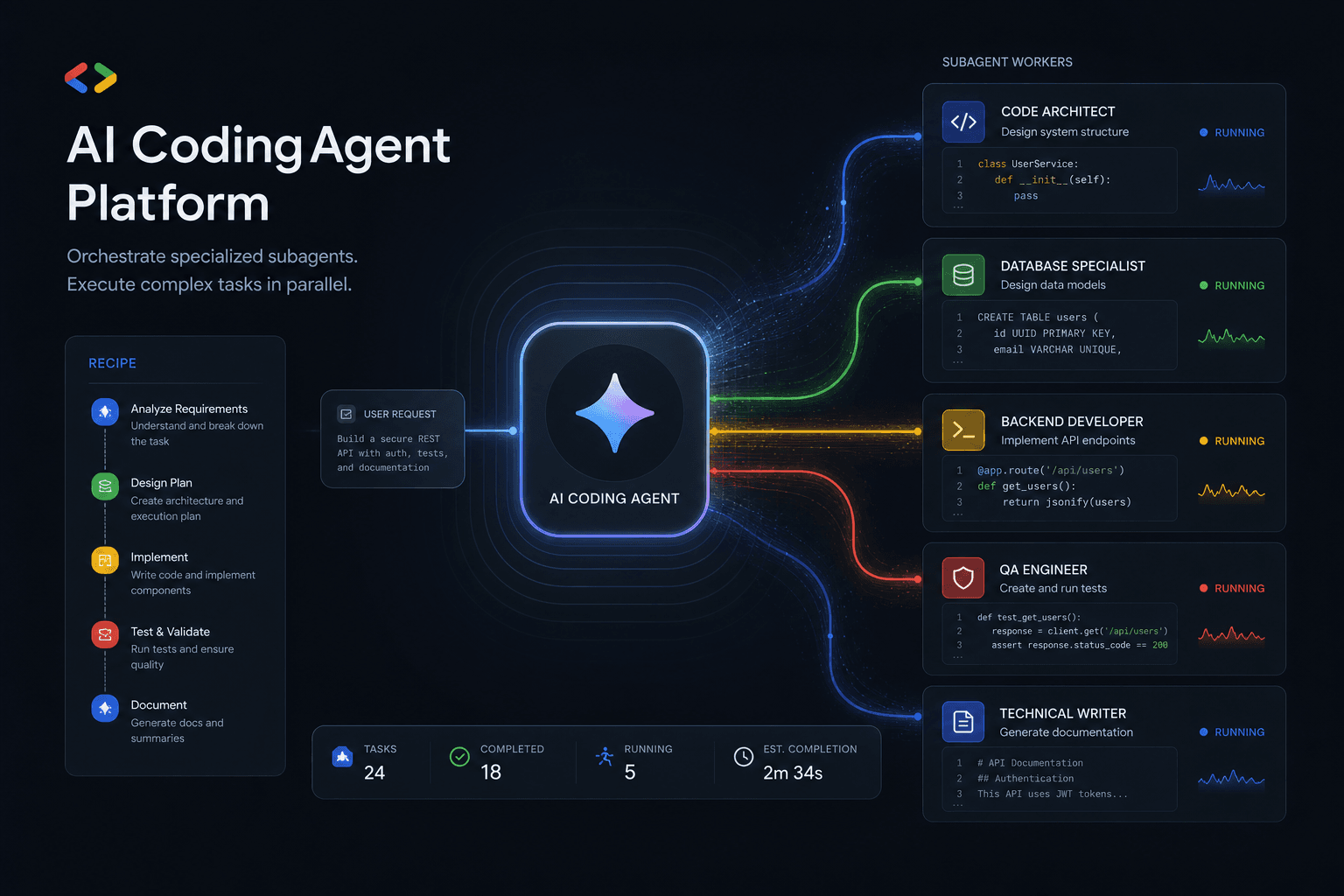
Antigravity 2.0 Subagent Recipes: How I Prompted Multi-Agent Workflows Day One
Five complete subagent recipes for Google Antigravity 2.0 that save 90+ minutes on Day One. From Friday audits to client onboarding, research briefs to migration assistants.
Claude Code Masterclass: Architecting Agentic Workflows, 1M Token Context, and The Death of Manual PR Reviews
Master Claude Code in this definitive 2026 guide. Discover how to use Opus 4.6, multi-agent teams, 1M token context, and automated PR reviews to radically scale your development workflows.

Google Antigravity Agents: The Complete Blueprint to Multi-Agent Orchestration and Enterprise Automation
The complete blueprint for deploying Google Antigravity multi-agent teams integrated with n8n. Build self-healing workflows, autonomous SEO pipelines, and lead gen systems that operate without human intervention.




