Getting Started with n8n: A Beginner's Guide to Visual Workflow Automation

Table of Contents
Getting Started with n8n: A Beginner's Guide to Visual Workflow Automation #
If you have realized that manual data entry is destroying your productivity, you're ready for workflow automation. While tools like Zapier have popularized the concept of simply passing data from Point A to Point B, n8n is rapidly becoming the platform of choice for teams that want powerful, scalable, and cost-effective operational infrastructure. You are no longer just sending emails when a spreadsheet updates; you are building entire serverless backends visually.
Building an automation can seem intimidating at first, especially when presented with a blank canvas of nodes, webhooks, and raw JSON inputs. However, once you understand the core mechanics of how n8n operates, the learning curve flattens significantly. This massive guide will hold your hand through the transition from absolute beginner to competent automation engineer, teaching you how to architect robust, failsafe systems.
1. The Shift in Thinking: From Manual to Visual Automation #
Automation requires a foundational shift in how you view digital work. You must stop seeing software as isolated tools and start seeing them as interconnected nodes.
The Problem with Context Switching #
Every time you move data from your CRM to your email marketing tool, or from Slack to an Asana board, you are wasting cognitive energy. Context switching is one of the most expensive hidden taxes on modern businesses. Visual automation platforms like n8n eliminate this by allowing you to structurally link these applications together, effectively executing the "copy-paste" routine at machine speed.
The Rise of No-Code and Low-Code #
Historically, connecting two APIs required a dedicated software engineer writing custom Python or Node.js bridge scripts. Today, visual logic editors allow standard operators to drag and drop API endpoints onto a canvas. You are now visually programming.
2. What Exactly is n8n? Breaking Down Fair-Code Automation #
Not all automation platforms are created equal. n8n sits in a very unique, highly desirable spot in the current automation market.
Open-Source vs. Fair-Code #
n8n uses a "fair-code" model. While the source code is heavily open and available on GitHub, there are certain restrictions on embedding it into a commercial SaaS product. For the everyday user and standard businesses, this means you get all the benefits of open-source tools (rapid community updates, deep security auditing) without the massive licensing fees of enterprise software.
The 200+ Native Integrations Ecosystem #
While n8n might have fewer native integrations compared to traditional giants like Zapier, it focuses heavily on high-quality, deep API support. Rather than just offering a "Create Row" action, n8n frequently opens up the entire REST API potential of an application within its native node, giving you maximum control.
3. The Node-Based Architecture Advantage #
If you have used linear automation tools, n8n's canvas will look slightly alien. It uses a node-based architecture.
What is a Node? #
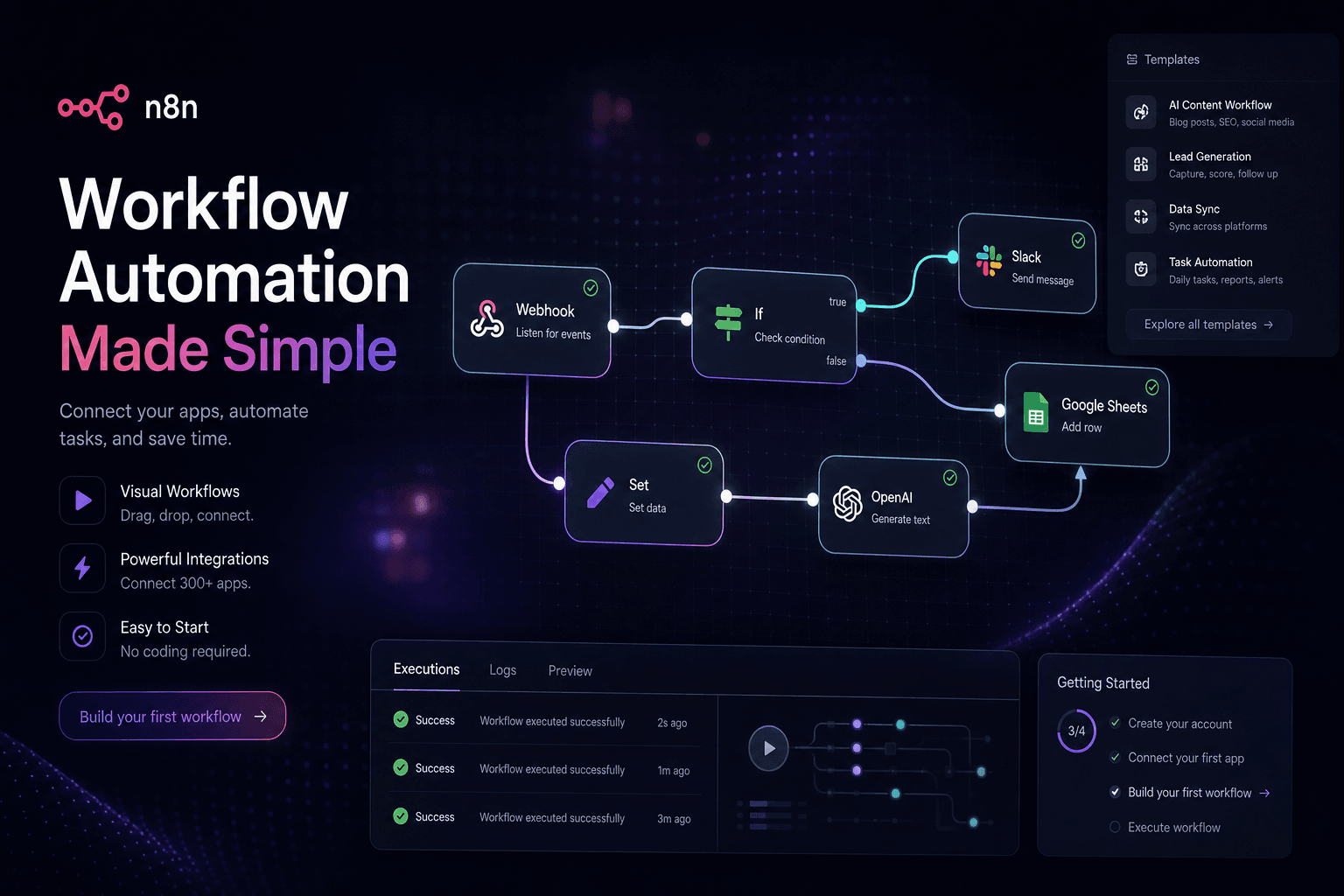
A node is an individual block on your canvas. It represents a single action, trigger, or logical transformation. By dragging a line from the output of Node A to the input of Node B, you pass data directly between them.
Non-Linear Workflows #
Because you are linking nodes together visually, you are not forced into a straight line. You can branch your automation. A single incoming customer lead can be routed left to update Mailchimp, routed right to ping Slack, and routed downwards to update Salesforce—all simultaneously in the same visual space.
4. Triggers: The Ears of the Automation Engine #
Nothing happens in automation without an inciting event. In n8n, these inciting events are managed by Trigger nodes.
Polling vs. Webhooks #
There are two primary ways n8n listens for data. Polling is when the trigger node "asks" an app (like Gmail) every 5 minutes: "Do you have new data?" A webhook, conversely, is passive. It sits silently until another application actively "pushes" data directly to it. Understanding the difference is critical for workflow timing and resource limits.
Scheduled Triggers #
You aren't restricted to waiting for user input. The "Schedule" trigger allows you to act like a cron job. You can build advanced workflows that run every Friday at Midnight to compile massive analytics reports and email them directly to stakeholders.
5. Actions: Executing the Workflow #
Once a trigger successfully fires, the batons are handed to the Action nodes to actually accomplish work.
Modifying State Across Apps #
Action nodes take the JSON payload passed to them from previous steps, manipulate it via parameters, and execute API calls. This might be updating a row in PostgreSQL, creating a customer profile in Stripe, or drafting a complex document in Google Drive.
Execution Order and Failure Logging #
In a complex n8n canvas, actions execute sequentially along their wire paths. If an action fails (e.g., an API key was revoked), n8n visually halts the flow at that specific node and clearly logs the exact payload that caused the failure, making debugging extremely painless.
6. Designing Logic: Branching and Flow Control #
Real-world business processes are almost never linear. You need "If/Else" logic to handle reality.
Using the Switch and If Nodes #
The If node is your primary decision-maker. It evaluates the incoming data (e.g., "Is the Lead Score > 50?") and physically splits the workflow into a "True" path and a "False" path. The Switch node allows for even more complex, multi-route routing based on dozens of potential variables.
The Merge Node #
If you branch a workflow to execute five different actions simultaneously, you often need to bring that data back together before moving on. The Merge node waits for all incoming logical branches to finish their execution, bundles the returning data, and passes a unified payload forward to the next step.
7. Handling Data: The Power of JSON in n8n #
You cannot escape JSON if you want to master n8n. It is the lifeblood of the platform.
What is JSON and Why Does it Matter? #
JSON (JavaScript Object Notation) is a lightweight standard for formatting data. Every single node in n8n outputs JSON. It looks like a dictionary of keys and values. Understanding how to read the JSON preview window inside of n8n is the absolute fastest way to level up your automation skills.
Using n8n's Expression Editor #
You do not have to write raw code to manipulate JSON. n8n uses an expression editor where you can drag and drop variables (like {{ $json.email }}) directly into inputs. It fundamentally bridges the gap between raw API coding and visual no-code mapping.
8. Self-Hosting vs. n8n Cloud Deployment #
Unlike Zapier, which mandates you use their servers, n8n gives you infrastructure flexibility.
The Benefits of n8n Cloud #
For standard users, n8n Cloud is the fastest, easiest way to begin. You pay a monthly fee, and the n8n team manages the servers, the updates, and the uptime. You log in via a browser and start building instantly without worrying about Docker containers or reverse proxies.
The Power of Self-Hosting #
For enterprise users or those handling highly sensitive data (like HIPAA-compliant health records), you can self-host n8n on your own DigitalOcean or AWS servers. This keeps all automation data entirely internal to your network, maximizing security and entirely removing execution-cap pricing structures.
9. Essential Nodes Every Beginner Should Master #
To navigate the canvas effectively, you should familiarize yourself with the structural core of n8n's utility nodes.
The HTTP Request Node #
This is the single most powerful node on the platform. Even if n8n lacks a native integration for your obscure CRM, you can use the generic HTTP Request node to manually GET, POST, or PUT data directly to that CRM’s API. It makes the platform essentially limitless.
The Set and Code Nodes #
The Set node allows you to manually declare or overwrite specific JSON variables mid-workflow. If you need hyper-complex data manipulation (like running extensive RegEx over an incoming email), you can drop a Code node into the canvas and write raw JavaScript or Python to parse the data before letting the visual workflow resume.
10. Building Your Very First Workflow: Step-by-Step #
Let's put this theory into practice and build a daily weather notification bot.
Step 1: Setting the Trigger #
Drag a "Schedule" Trigger node onto your empty canvas. Configure the node to trigger every day at 8:00 AM. This gives our workflow an inciting incident.
Step 2: Fetching the Data #
Drag in an HTTP Request node and connect it to the Schedule trigger. Set the method to GET, and enter the URL of a free public weather API (like OpenWeatherMap). Provide your city parameters.
Step 3: Pushing the Output #
Take the incoming JSON data from the Weather API, and connect it to a Slack Action node. Use the expression editor to write a dynamic message: "Good morning! Expect a high of {{ $json.main.temp_max }} degrees today." Click test, and you have officially built your first automated architecture.
11. Real-World Use Cases: From Concept to Production #
Understanding n8n's mechanics is essential, but seeing how these pieces fit together in actual business scenarios reveals the platform's true value. Here are five battle-tested automation patterns that deliver measurable ROI.
Lead Capture and Instant Enrichment #
When a prospect submits a contact form on your website, every minute of delay reduces conversion probability. A production-grade n8n workflow triggers instantly via webhook when the form submits, routes the data through a Clearbit or Apollo enrichment API to append company size and role data, creates a qualified lead record in your CRM, and simultaneously notifies the sales team in Slack with a formatted message containing the enriched context. This eliminates manual data entry and ensures sales reps engage within the critical five-minute window.
Content Pipeline Automation #
For content teams managing multiple platforms, n8n orchestrates the entire publishing workflow. A single Google Sheets row containing article metadata can trigger a cascade: the workflow generates a draft in your headless CMS, creates a corresponding task in Notion with the editorial checklist, schedules social media posts via Buffer's API, and sends a Discord notification to the design team that hero images are needed. What previously required four separate manual touchpoints now executes automatically.
E-commerce Order Processing #
Shopify store owners use n8n to bridge gaps between their storefront and back-office operations. When an order comes in, the workflow checks inventory levels via Airtable, routes high-value orders to a special fulfillment queue, sends personalized thank-you emails through SendGrid with dynamic product recommendations, and logs the transaction to a Google Sheets revenue tracker. For one recent e-commerce client, this automation recovered twelve hours per week previously spent on manual order management.
Customer Support Ticket Triage #
Support teams drowning in incoming requests deploy n8n as a first-line filter. Incoming emails hit a webhook, and the workflow uses OpenAI's GPT-4 API to classify the sentiment and category, routes urgent issues directly to a PagerDuty on-call rotation, assigns routine questions to specific agents based on keyword matching, and archives resolved threads to a searchable Notion database. Response time drops from hours to minutes.
SaaS User Onboarding Sequences #
When a user signs up for your product, n8n manages the entire welcome experience. The workflow waits for the user creation webhook, delays for ten minutes to avoid overwhelming new signups, sends a personalized welcome email with dynamic content based on their selected use case, creates a onboarding checklist task in their project management tool, and triggers a follow-up sequence three days later if they haven't completed key activation steps.
12. Error Handling and Debugging: Building Resilient Workflows #
Production automations fail. APIs timeout, credentials expire, and unexpected data formats crash nodes. The difference between amateur and professional n8n implementations is robust error handling.
Understanding Execution Modes #
n8n offers two execution modes that affect error behavior. In "production" mode, workflows execute completely or fail atomically. In "manual" testing mode, you can step through node by node. Understanding this distinction matters because a workflow that works perfectly in testing may behave differently under production load, especially when dealing with race conditions or API rate limits.
The Error Workflow Pattern #
Professional implementations route failed executions to dedicated error-handling workflows. Configure this in your workflow settings by specifying an "Error Workflow" that triggers whenever the main flow crashes. This secondary workflow receives the execution ID, the specific error message, and the failed node's name. From there, you can build sophisticated alerting: posting detailed error contexts to Slack, creating PagerDuty incidents for critical failures, or logging structured error data to a monitoring database for pattern analysis.
Retry Logic and Exponential Backoff #
Not all failures require human intervention. Transient API timeouts often resolve on retry. n8n's built-in retry configuration allows you to specify the number of retry attempts and the wait interval between them. For external APIs with known rate limits, implement exponential backoff by combining the Wait node with workflow variables that double the delay on each retry attempt. This respects third-party infrastructure while maximizing successful completion rates.
Execution History Deep-Dive #
When debugging, the execution history panel is your primary diagnostic tool. Every workflow run logs the complete JSON payload at each node, the execution timestamp, and the exact error stack trace when failures occur. Click into any failed execution to see precisely which node halted and what data it received. For intermittent bugs, compare successful versus failed executions side-by-side to identify data patterns that trigger crashes.
Credential Rotation Without Downtime #
API keys expire. OAuth tokens refresh. When credentials fail, workflows break silently or noisily depending on your error handling. The professional approach is using n8n's built-in credential management with multiple credential sets. For critical integrations, maintain primary and backup credentials, implementing fallback logic that switches credential sets when the primary returns authentication errors. This pattern ensures continuous operation even during credential transitions.
13. Advanced Tips for Power Users #
Once you have mastered the fundamentals, these advanced patterns give you access to n8n's full capabilities for sophisticated automation architectures.
Sub-Workflows: Modular Architecture #
Complex workflows become unmaintainable when they exceed fifty nodes. The Execute Workflow node solves this by allowing you to call separate workflows as modular functions. Build a standalone workflow that handles just email notifications, another that manages CRM updates, then compose them together in a master orchestration flow. This separation of concerns enables code reuse, simplifies testing, and makes debugging dramatically easier when issues arise in specific functional areas.
Webhook Debugging and Local Development #
Developing webhook-triggered workflows presents a challenge: external services need public URLs, but you are building locally. Use tools like ngrok or localtunnel to expose your local n8n instance via a temporary public HTTPS endpoint. Configure your source application to send webhooks to this tunnel URL, allowing real-time debugging with full access to execution logs. Remember to regenerate tunnel URLs frequently as they expire, and never commit tunnel endpoints to production configurations.
Credential Management at Scale #
As your automation footprint grows, credential sprawl becomes a security risk. Implement a credential naming convention that includes environment indicators (prod, staging, dev) and service identifiers. Use n8n's credential sharing features carefully, restricting access to sensitive integrations only to users who absolutely require them. For enterprise deployments, integrate with external secret managers like HashiCorp Vault or AWS Secrets Manager via environment variables rather than storing sensitive tokens directly in n8n's database.
Data Transformation with the Function and Code Nodes #
While the visual expression editor handles simple transformations, complex data normalization requires code. The Function node executes JavaScript against the incoming payload, enabling operations like array filtering, object restructuring, and date formatting that would require multiple visual nodes. For even more power, the Code node runs in an isolated sandbox with full access to Lodash utilities, allowing sophisticated data pipelines that rival custom backend services.
Performance Optimization for High-Volume Workflows #
When processing thousands of items, default n8n behavior executes sequentially, which can be slow. Enable "Execute Once" options where applicable, and use the Split In Batches node to process large datasets in manageable chunks. For workflows that trigger frequently on high-volume webhooks, consider implementing deduplication logic using a Redis or PostgreSQL store to prevent processing the same event multiple times during retries or redeliveries.
FAQ Section #
Q: Do I absolutely need to know how to code to use n8n? #
A: No, coding is not strictly necessary. n8n’s visual canvas and expression editor allow for deep drag-and-drop integration. However, knowing basic JavaScript and JSON will let you use the platform's most advanced capabilities.
Q: How does n8n's pricing differ from Zapier's? #
A: Zapier charges per "task" (every single step in a workflow costs a task). n8n Cloud charges per "workflow execution." A workflow with 50 nodes executing once counts as a single execution, making n8n radically more cost-effective for complex automations.
Q: What is the core difference between a webhook and polling? #
A: Polling operates on a schedule, actively checking an API for new data every few minutes regardless of whether it exists. Webhooks are passive listeners that receive incoming data instantly the moment an event occurs on the external platform.
Q: Can I run n8n on my own servers? #
A: Yes, n8n is "fair-code," meaning it can be completely self-hosted via Docker or npm on platforms like AWS, DigitalOcean, or even a local Raspberry Pi. This provides total data sovereignty.
Q: What happens in n8n if an API goes down temporarily? #
A: If a node encounters a critical error, n8n halts execution locally and clearly highlights the specific node in red. It keeps a comprehensive execution log, allowing you to manually retry the failed workflow later once the API is back online.
Q: Is n8n capable of handling complex branching logic? #
A: Absolutely. n8n was designed specifically for complex logic. Using built-in nodes like If, Switch, and Merge, users can architect incredibly intricate, non-linear flow structures.
Q: What do I do if n8n doesn't natively support an app I use? #
A: You can easily use the native HTTP Request node. As long as your desired application has a public API, you can authenticate and perform custom GET, POST, or PUT requests manually within the canvas.
Q: Are n8n automations secure for enterprise business data? #
A: Yes. Self-hosted instances can be locked down behind proprietary enterprise firewalls and VPNs. All credentials stored within n8n (like API keys and OAuth tokens) are securely encrypted within the database before use.
Q: Can I write custom JavaScript directly inside an n8n workflow? #
A: Yes. The native Code node allows developers to break out of the no-code paradigm completely, injecting pure JavaScript (or Python) to handle highly complex data parsing or array looping mid-flight.
Q: Where can I find templates for common n8n workflows? #
A: n8n maintains a massive open-source community workflow repository. Users can browse thousands of pre-built automation templates and copy-paste them directly onto their personal canvases with a single click.
Conclusion #
The jump from manual, redundant tasking to automated orchestration is nothing short of a superpower. By familiarizing yourself with n8n's visual, node-based approach, you equip yourself with the exact tools required to build highly technical, incredibly resilient backend systems. Start small, build a few personal automations, master your JSON mapping, and quickly expand into orchestrating your entire enterprise.
Ready to Automate Your Operations? #
This guide covers the fundamentals, but production-grade automation architecture is where n8n truly shines. Whether you need to orchestrate complex multi-step workflows, integrate AI agents into your existing stack, or build self-healing automation systems that scale with your business, I help teams implement automation that actually works in the real world.
Book an AI automation strategy call — let's discuss your current operations, identify the highest-impact automation opportunities, and build a roadmap to get you running on autopilot.
Related Reading #
- n8n vs Make: The Non-Coder's AI Workflow Showdown — A head-to-head comparison of the two leading visual automation platforms for teams building AI-powered workflows without writing code.
- Zapier vs n8n: Choosing the Right Automation Platform — An honest breakdown of when Zapier's simplicity wins and when n8n's power and flexibility become essential.
- Running Llama 3 Locally with Ollama and n8n — How to combine self-hosted language models with n8n workflows for completely private AI automation pipelines.
Related Posts

How to Stop Client-Facing AI Agents From Hallucinating
Client-facing AI agents hallucinate when they answer without grounding. Here's the layered guardrail stack I use to keep agents accurate and on-script.

AI Sales Systems vs Traditional CRM Automation
Traditional CRM automation fires rules; AI sales systems reason about each lead. Here's how they differ, where each wins, and how to combine them.

The Manual Workflows With the Highest ROI When Replaced by AI Agents
Not every task is worth automating. Here are the manual workflows with the highest ROI when you replace them with AI agents, ranked by payback speed.




