Prompt Engineering for Image Models: Midjourney, DALL-E, and Flux

Table of Contents
Prompt Engineering for Image Models: Midjourney, DALL-E, and Flux #
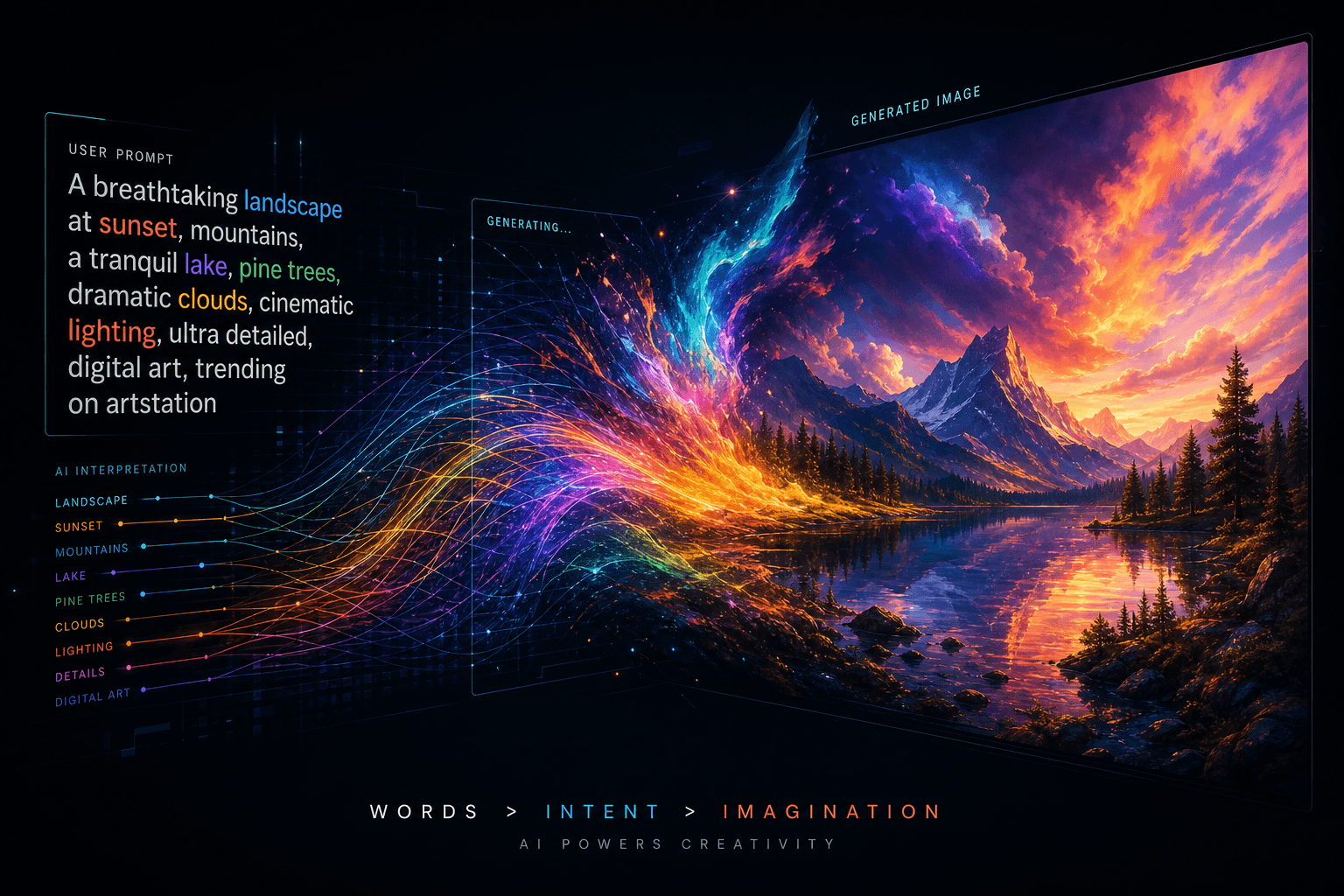
Image generation models read your words differently than text LLMs. Where Claude or GPT-4 parse instructions and execute step-by-step logic, image models—Midjourney v7, OpenAI's gpt-image-1 (the DALL-E lineage), Flux.1 from Black Forest Labs, and others—treat your prompt as a weighted description of visual attributes. Same underlying concept as how to talk to AI in general, but the mechanics demand a completely different approach.
This guide breaks down how each major image model interprets prompts, what syntax they expect, and how to write prompts that generate exactly what you see in your head—whether that's brand visuals, editorial illustrations, product mockups, or automated content pipeline imagery.
Table of Contents #
- Image Models Read Prompts as Weighted Descriptions, Not Instructions
- The Anatomy of a Strong Image Prompt
- Midjourney v7: Syntax, Parameters, and Style Control
- DALL-E and gpt-image-1: Natural Language Conversational Prompting
- Flux from Black Forest Labs: Prompt Adherence and Text Rendering
- Negative Prompts: What to Exclude Across Models
- Meta-Prompting: Using LLMs to Write Image Prompts
- Style Consistency Across Multiple Images
- Aspect Ratios and Use Cases
- Reusable Image Prompt Template
- Platform Comparison: Midjourney vs DALL-E vs Flux
- Advanced Techniques: Multi-Prompts, Image Prompts, and Remixing
- Frequently Asked Questions
Image Models Read Prompts as Weighted Descriptions, Not Instructions #
Text LLMs follow instructions. Image models parse weighted visual descriptors. This distinction changes everything about how you write.
When you prompt Claude with "Explain quantum computing," it recognizes an instruction and produces explanatory text. When you prompt Midjourney with "Explain quantum computing," it attempts to render a visual scene containing those words as objects—possibly a person explaining something near a quantum computer, or text floating in space, or complete nonsense.
| Text LLM Prompting | Image Model Prompting |
|---|---|
| "Write a summary" → executes instruction | "Write a summary" → tries to render text saying "summary" |
| Step-by-step logic works | Step-by-step logic breaks; descriptive weight matters |
| Context windows accumulate meaning | Token position and repetition affect visual weight |
| Questions yield answers | Questions yield confused or literal interpretations |
| System prompts set behavior | "Style" and "aesthetic" keywords set visual behavior |
Early words carry more weight in most image models. Midjourney and Flux both emphasize subjects mentioned at the prompt's start. DALL-E via gpt-image-1 is more forgiving but still responds to ordering.
Specificity beats abstraction. "A beautiful landscape" returns generic results. "Misty alpine valley at golden hour, jagged granite peaks reflected in a still lake, shot on medium format film, Kodak Portra 400 color palette, subtle grain, 8k detail" gives the model concrete visual anchors to render.
The Anatomy of a Strong Image Prompt #
Every strong image prompt contains 7-9 core components. Omit any and you cede control to the model's training bias.
| Component | Purpose | Example |
|---|---|---|
| Subject | What is in the frame | "Elderly fisherman mending nets" |
| Composition | How elements are arranged | "Rule of thirds, subject left third, negative space right" |
| Style / Medium | Artistic treatment | "Oil painting, impasto technique, visible brushstrokes" |
| Lighting | Quality and direction of light | "Soft diffused window light, Rembrandt lighting on face" |
| Color Palette | Dominant hues and treatment | "Muted earth tones, desaturated teal shadows, warm amber highlights" |
| Mood / Atmosphere | Emotional quality | "Melancholic, contemplative, quiet solitude" |
| Camera / Lens | Technical capture specs | "85mm portrait lens, f/1.4, shallow depth of field, bokeh" |
| Quality Modifiers | Resolution and finish | "8k, highly detailed, professional photography, crisp focus" |
| Aspect Ratio | Frame dimensions | "--ar 16:9" or " widescreen cinematic format" |
Order matters. Lead with subject, then composition, then style. Save technical specs and quality modifiers for the end—they still influence output but carry less conceptual weight.
Example: Complete Prompt Breakdown #
Raw prompt:
Cinematic portrait of a weathered deep-sea captain, three-quarter view,
illuminated by warm tungsten light from ship's lantern, dramatic shadows
across face, salt-stained wool coat, shallow depth of field, background
fog and rigging softly blurred, shot on Arri Alexa 65, anamorphic lens
flares, teal and orange color grade, film grain, mood of weary
determination, photorealistic, 8k detail --ar 2:3
Anatomical breakdown:
| Segment | Component |
|---|---|
| "Cinematic portrait of a weathered deep-sea captain" | Subject + quality hint |
| "three-quarter view" | Composition |
| "illuminated by warm tungsten light from ship's lantern, dramatic shadows across face" | Lighting |
| "salt-stained wool coat" | Subject detail |
| "shallow depth of field, background fog and rigging softly blurred" | Technical + atmosphere |
| "shot on Arri Alexa 65, anamorphic lens flares" | Camera / lens |
| "teal and orange color grade" | Color |
| "film grain, mood of weary determination" | Texture + mood |
| "photorealistic, 8k detail" | Quality |
| "--ar 2:3" | Aspect ratio |
This prompt gives the model zero ambiguity about what to render. The captain won't randomly become a woman, the lighting won't shift to daylight, the color grade won't default to oversaturated neon.
Midjourney v7: Syntax, Parameters, and Style Control #
Midjourney v7 (released April 2025) prioritizes natural language understanding while retaining parameter-driven precision. It remains the most stylistically versatile image model available.
Core Parameters #
| Parameter | Function | Valid Range | Example |
|---|---|---|---|
--ar |
Aspect ratio | Any ratio | --ar 16:9, --ar 9:16, --ar 1:1 |
--stylize |
Artistic interpretation strength | 0-1000 | --s 250 (balanced), --s 750 (highly stylized) |
--chaos |
Variation between grid results | 0-100 | --c 25 (subtle variety), --c 80 (wild divergence) |
--seed |
Reproducibility seed | 0-4294967295 | --seed 12345 (same prompt + seed = similar result) |
--no |
Negative prompt | Text | --no blur, text, watermark, cropped |
--iw |
Image prompt weight | 0-3 | --iw 2 (strong image influence) |
--repeat |
Batch generation | 1-40 | --r 4 (4 variations) |
--style raw |
Less Midjourney "polish" | On/off | --style raw (truer to prompt, less auto-enhancement) |
Style Reference (--sref) #
Style references let you clone aesthetics from existing images. Upload or link an image, and Midjourney extracts its visual style—color palette, texture, lighting quality—without copying the subject.
[your prompt] --sref [image URL] --sw 100--sw Value |
Effect |
|---|---|
| 0 | Style reference disabled |
| 100 | Balanced style influence (default) |
| 1000 | Maximum style adherence; output closely matches reference aesthetic |
Use case: Brand consistency across 50 blog post covers. Generate one hero image in your desired style, then --sref that image for all subsequent illustrations.
Character Reference (--cref) #
Character references maintain consistent faces/figures across multiple images. Essential for comic creation, storyboards, or branded character assets.
[your prompt] --cref [character image URL] --cw 100--cw Value |
Effect |
|---|---|
| 0 | Face only (character can wear different clothes, change pose) |
| 100 | Full character match (face, clothes, general appearance) |
Personalization (--p) #
Midjourney v7 supports personalization codes trained on your rating history. Use --p or --p [code] to apply aesthetic preferences you've built through consistent feedback.
Prompting Best Practices for Midjourney v7 #
DO:
- Start with subject and action
- Use comma-separated descriptive phrases
- Specify art medium explicitly ("digital art," "oil painting," "3D render")
- Include "photorealistic" or "cinematic" for realistic output
- Use
--style rawwhen Midjourney's default "beautification" drifts from your intent
DON'T:
- Ask questions ("Can you draw...?")
- Use instructional language ("Make sure to include...")
- Expect text rendering without specifying (Midjourney still struggles; use Ideogram 3.0 or Flux for text)
- Overload with contradictory terms ("dark bright shadows")
Example Midjourney v7 Prompts #
Product photography:
Minimalist product shot of frosted glass skincare bottle with silver
pump, floating on reflective black surface, single softbox overhead
lighting, subtle caustics, monochromatic palette, 100mm macro lens,
f/8 for sharp detail, luxury cosmetics aesthetic --ar 4:5 --s 150
Concept art:
Abandoned orbital station interior, massive shattered viewport showing
nebula and distant stars, zero-gravity debris floating, emergency red
lighting, rust and decay textures, cinematic composition, concept art
style, Syd Mead influence, dramatic perspective, 8k render --ar 21:9 --s 400
Editorial illustration:
Editorial illustration of a human brain as an expanding neural network
garden, synapses blooming into flowers and digital nodes, pastel
color palette, flat vector style with subtle gradients, New Yorker
illustration aesthetic, clean negative space, abstract yet readable --ar 4:3 --s 200
DALL-E and gpt-image-1: Natural Language Conversational Prompting #
OpenAI's image generation—accessed via gpt-image-1 in ChatGPT, GPT-4o's native image capabilities, or the Images API—prefers conversational, descriptive prompts over parameter-heavy syntax.
Unlike Midjourney's parameter syntax, DALL-E/gpt-image-1 accepts natural language instruction. The model parses intent from full sentences and conversational phrasing.
Key Differences from Midjourney #
| Aspect | DALL-E / gpt-image-1 | Midjourney |
|---|---|---|
| Syntax | Natural language, full sentences | Comma-separated descriptors + parameters |
| Parameters | Limited native support (size, quality via API) | Extensive parameter ecosystem |
| Style control | Describe style in words; no --sref equivalent |
--sref, --p, style codes |
| Conversation | Maintains context across turns in ChatGPT | Stateless per-generation |
| Refinement | "Change the lighting to..." works in-chat | Requires new prompt + seed juggling |
| Text rendering | Significantly better than Midjourney | Poor; use other tools |
| Consistency | Variable; no native character reference | --cref for character locking |
Effective DALL-E Prompting Patterns #
1. Conversational setup:
Generate a photorealistic image of a modern minimalist coffee shop
interior. The space should have concrete floors, warm wood accents,
large industrial windows with morning light streaming in, and a few
potted fiddle-leaf figs. The mood should be calm and inviting.
Wide-angle perspective, architectural photography style.
2. Iterative refinement (in ChatGPT):
That looks great, but make the lighting warmer—golden hour instead of
morning. Also add a person sitting at the counter with a laptop, but
keep them out of sharp focus. Background blur at f/2.8.
3. Explicit style anchoring:
Create an image in the style of 1980s synthwave album art: neon grid
floor, chrome sphere reflecting palm trees, purple and cyan gradient
sky, retro-futuristic aesthetic, VHS scanlines and subtle chromatic
aberration for vintage feel.
DALL-3 vs gpt-image-1 (March/April 2025) #
OpenAI shipped native image generation in GPT-4o around March-April 2025, superseding the standalone DALL-E 3 interface. gpt-image-1 (the underlying model) offers:
- Improved prompt adherence over DALL-E 3
- Better text rendering capabilities
- Native integration with ChatGPT's conversational flow
- Consistent character generation across a single conversation
Practical implication: If you're using ChatGPT for image generation in November 2025, you're likely using gpt-image-1 capabilities. The prompting strategy remains conversational description.
API Differences #
When calling OpenAI's Images API directly (for automation pipelines), you still specify prompts as strings:
{
  "model": "gpt-image-1",
  "prompt": "A photorealistic studio portrait of a confident executive,
             three-quarter view, neutral gray background, soft diffused
             lighting, professional headshot style, shallow depth of field",
  "size": "1024x1536",
  "quality": "hd"
}
Flux from Black Forest Labs: Prompt Adherence and Text Rendering #
Flux.1, developed by Black Forest Labs (founded by Stability AI alumni), prioritizes literal prompt adherence and coherent text rendering. Released in 2024 with ongoing updates through 2025, Flux competes directly with Midjourney for quality while solving specific pain points.
Flux Strengths #
| Capability | Flux Performance | Notes |
|---|---|---|
| Prompt adherence | Excellent | Follows complex multi-subject prompts accurately |
| Text rendering | Superior | Legible text, typography, signage—rare among image models |
| Anatomy accuracy | Strong | Fewer extra limbs, distorted hands than competitors |
| Prompt length | Handles long, detailed prompts well | 500+ character prompts remain coherent |
| Open weights | Flux.1 [dev] and [schnell] available locally | Run on consumer hardware via ComfyUI, etc. |
Flux Variants (as of Nov 2025) #
| Variant | Access | Use Case |
|---|---|---|
| Flux.1 [pro] | API / partners | Maximum quality, commercial use |
| Flux.1 [dev] | Open weights, local | Research, local pipelines, customization |
| Flux.1 [schnell] | Open weights, fastest | Rapid iteration, 1-4 steps, local testing |
| Flux1.1 [pro] | API | Latest iteration, improved coherence |
Prompting Flux Effectively #
Flux prefers dense, literal description over flowery language. Be specific about:
- Spatial relationships ("to the left of," "behind," "in the foreground")
- Exact text content ("sign reads 'OPEN' in red neon letters")
- Technical specifications ("35mm focal length," "ISO 800 grain")
Example Flux prompt:
Magazine cover layout, bold sans-serif masthead at top reading
"MONOLITH" in heavy black letters, centered portrait of woman
architect in hard hat below, geometric brutalist building under
construction fills background, cyan and concrete gray color scheme,
clean grid layout, professional editorial design, 8k detail
Notice the explicit text instruction: "masthead at top reading 'MONOLITH' in heavy black letters." Flux renders this reliably. Midjourney would likely produce gibberish text or omit the masthead entirely.
Flux vs Midjourney Decision Matrix #
| Your Need | Recommended Model | Why |
|---|---|---|
| Brand imagery with embedded text | Flux | Text legibility |
| Complex multi-element scenes | Flux | Spatial prompt adherence |
| Artistic interpretation, aesthetic exploration | Midjourney | Superior stylization, --sref ecosystem |
| Character consistency across series | Midjourney | --cref functionality |
| Local/offline generation | Flux [dev]/[schnell] | Open weights |
| Automation pipelines needing API | Either | Both offer API access |
| Comic/graphic novel panels | Flux | Text bubbles, sound effects render correctly |
Negative Prompts: What to Exclude Across Models #
Negative prompts tell the model what NOT to generate. They're essential for cleaning up common failure modes: extra fingers, blurry regions, unwanted watermarks, or distorted faces.
Negative Prompt by Model #
| Model | Syntax | Effectiveness |
|---|---|---|
| Midjourney v7 | --no [terms] |
Moderate; --no reduces probability but doesn't eliminate |
| DALL-E / gpt-image-1 | Describe exclusions in positive prompt | Limited native negative support; better to specify what you want |
| Flux | Include in prompt: "without..." or use ComfyUI negative conditioning | Strong with proper node setup; open-weight flexibility |
| Stable Diffusion 3.5 | Explicit negative prompt field | Excellent; SD's native negative conditioning is mature |
Universal Negative Terms (append to relevant models) #
ugly, deformed, noisy, blurry, distorted, out of focus, bad anatomy,
extra limbs, poorly drawn face, poorly drawn hands, missing fingers,
low quality, watermark, signature, text, cropped, out of frame
Model-Specific Exclusions #
Midjourney:
[your main prompt] --no text, watermark, signature, cropped,
mutated hands, extra fingers, deformed, ugly
Flux (ComfyUI/local):
Negative prompt field: blurry, lowres, bad anatomy, bad hands, text,
error, missing fingers, extra digit, fewer digits, cropped, worst
quality, low quality, normal quality, jpeg artifacts, signature,
watermark, username
DALL-E / gpt-image-1:
Don't rely on negative prompting. Instead, strengthen the positive description:
Professional portrait with natural, anatomically correct hands clearly
visible and perfectly proportioned, sharp focus on face, no text or
watermarks, full frame composition...
Meta-Prompting: Using LLMs to Write Image Prompts #
Meta-prompting—using a language model to generate your image prompts—produces more detailed, structured results than writing raw. I covered this strategy in depth in meta-prompting for any output type; here's how to apply it specifically to image generation.
The Meta-Prompt Structure #
Feed an LLM (Claude, GPT-4, Gemini 2.5 Flash) this template:
I need a detailed image generation prompt for [SUBJECT].

Please write a prompt optimized for [IMAGE MODEL: Midjourney v7 / Flux / DALL-E]
that includes:
- Clear subject description
- Composition and framing
- Lighting setup
- Art style or medium
- Color palette
- Camera/lens specifications (if photorealistic)
- Mood and atmosphere
- Quality/resolution indicators

The image should feel [MOOD/STYLE]. Avoid: [ANY NEGATIVES].
Example Meta-Prompt Exchange #
User to Claude:
I need a Midjourney v7 prompt for a hero image for my AI automation
blog. The theme is "workflow automation." Should feel professional
but not corporate, tech-forward but human. Include parameters.
Claude returns:
Abstract visualization of automated workflow, flowing data streams
connecting geometric nodes, soft gradient background shifting from
deep purple to electric blue, subtle human silhouette integrated
into the flow, glass-morphism UI elements floating, clean vector
aesthetic with subtle depth, studio lighting, modern tech editorial
style, 8k crisp detail, optimistic yet professional mood --ar 16:9
--s 350 --style raw
Result: A structured, comprehensive prompt that hits all anatomical components without you manually remembering each one.
Automation Pipeline Application #
In content automation workflows, meta-prompting becomes essential:
- Content analysis: LLM extracts themes from blog post draft
- Image concept generation: LLM proposes 3 visual concepts based on themes
- Prompt engineering: LLM writes detailed image prompts for each concept
- Image generation: Prompts fed to Midjourney/Flux API
- Selection: Best image auto-selected or queued for human review
This pipeline generates unique, relevant imagery for hundreds of posts without manual prompt writing per piece.
Style Consistency Across Multiple Images #
Generating consistent visual style across a blog series, brand campaign, or product line requires specific techniques. Random prompting produces random aesthetics.
Technique 1: Seed Values (Midjourney) #
[your prompt] --seed 8675309 --ar 16:9Using the same seed + similar prompts produces stylistically related images. Not identical—Midjourney seeds affect noise initialization, not style locking—but cohesive.
Technique 2: Style Reference Images (--sref) #
Step 1: Generate or select a "style anchor" image representing your desired aesthetic.
Step 2: Reference it in all subsequent prompts:
Blog cover about machine learning ethics --sref [style-anchor-url] --sw 200 --ar 16:9
Blog cover about API automation --sref [style-anchor-url] --sw 200 --ar 16:9
Blog cover about n8n workflows --sref [style-anchor-url] --sw 200 --ar 16:9
All three covers share color palette, texture, lighting quality, and general aesthetic while depicting different subjects.
Technique 3: Prompt Template Anchors #
Create a reusable template with locked style components:
[SUBJECT SPECIFIC TO POST], [COMPOSITION SPECIFIC TO POST], editorial
illustration style, deep navy and warm amber color palette, soft
textured shading, clean linework, modern tech publication aesthetic,
8k detail --ar 16:9 --s 250
Only the bracketed sections change per post. Style components remain constant.
Technique 4: Character References (--cref) #
For branded characters or recurring figures:
[Scene description] --cref [character-anchor-url] --cw 0 --ar 16:9Character appears in different scenes, outfits, poses while remaining recognizable.
Technique 5: Model-Specific Style Locking #
| Model | Consistency Method |
|---|---|
| Midjourney v7 | --sref + --seed + prompt templates |
| Flux | Consistent prompt structure + style descriptors; less native support |
| DALL-E / gpt-image-1 | In-chat conversation context; request "same style as previous" |
| Stable Diffusion 3.5 | LoRA fine-tuning (advanced); consistent negative prompts + seeds |
Aspect Ratios and Use Cases #
Different content formats demand different dimensions. Image models support various aspect ratios, but each has visual implications.
Standard Aspect Ratios #
| Ratio | Dimensions | Best For |
|---|---|---|
| 1:1 | 1024x1024 | Instagram posts, profile images, product thumbnails |
| 4:5 | 1080x1350 | Instagram portrait posts, Pinterest |
| 3:2 | 1536x1024 | Classic photography, blog inline images |
| 2:3 | 1024x1536 | Portrait photography, phone wallpapers |
| 16:9 | 1792x1024 | YouTube thumbnails, blog covers, hero images, presentations |
| 21:9 | 2560x1080 | Ultrawide displays, cinematic headers |
| 9:16 | 1080x1920 | TikTok/Reels covers, Stories, phone-first content |
| 4:3 | 1440x1080 | Classic slides, documents, iPad displays |
Platform-Specific Recommendations #
Blog hero images (this site):
- Ratio: 16:9 or 2:1 (wide cinematic)
- Midjourney:
--ar 16:9or--ar 2:1 - Flux: Specify "wide cinematic composition" in prompt
- Focus area: Center or left third (text overlays right third)
Social media:
- LinkedIn posts: 1.91:1 (1200x627) or 16:9
- Twitter/X: 16:9 or 2:1
- Instagram feed: 4:5 for max real estate, 1:1 for consistency
- Instagram Stories/Reels: 9:16
Print/presentations:
- US Letter landscape: 4:3 or 11:8.5
- A4 landscape: 297:210 (~1.414:1, close to 3:2)
- Slides (16:9 standard): 16:9 exactly
Aspect Ratio Prompting Tips #
Midjourney: Use --ar parameter. Model adapts composition intelligently to ratio.
Flux: Mention in prompt: "composed for 16:9 widescreen format, subject positioned for text overlay on right third"
DALL-E / gpt-image-1: Limited native control; describe composition needs in prompt and crop post-generation.
Reusable Image Prompt Template #
Copy this template. Fill bracketed sections. Generate consistent, high-quality images across any model.
[SUBJECT]: [Who/what is the primary focus? Be specific.]
[POSE/ACTION]: [What are they doing? How are they positioned?]
[COMPOSITION]: [Framing: rule of thirds, centered, wide shot, close-up?]
[ENVIRONMENT]: [Where is this happening? What's in the background?]
[LIGHTING]: [Quality and direction: soft diffused, harsh direct, golden hour, studio strobe?]
[COLOR PALETTE]: [Specific hues: warm earth tones, cool blues and grays, neon pink and cyan?]
[STYLE/MEDIUM]: [Photorealistic, oil painting, 3D render, editorial illustration, anime?]
[CAMERA/LENS]: [If photorealistic: focal length, aperture, film stock, camera model]
[MOOD]: [Emotional quality: serene, chaotic, nostalgic, futuristic?]
[QUALITY]: [Resolution and finish: 8k, highly detailed, sharp focus, cinematic]
[ASPECT RATIO]: [--ar X:Y or describe format]
[MODEL PARAMS]: [--s, --c, --sref, etc. if Midjourney]
Template in Action #
Filling the template:
| Field | Input |
|---|---|
| [SUBJECT] | Single-origin espresso shot extracting into ceramic cup |
| [POSE/ACTION] | Crema forming in swirling pattern, steam rising |
| [COMPOSITION] | Macro close-up, cup fills lower third, negative space above |
| [ENVIRONMENT] | Blurred coffee bar background, warm wood tones |
| [LIGHTING] | Warm side lighting from cafe window, soft shadows |
| [COLOR PALETTE] | Rich browns, warm cream, subtle copper highlights |
| [STYLE/MEDIUM] | Food photography, shallow depth of field |
| [CAMERA/LENS] | 100mm macro lens, f/2.8, shot on Canon EOS R5 |
| [MOOD] | Cozy, artisanal, morning ritual |
| [QUALITY] | 8k detail, sharp focus on crema texture |
| [ASPECT RATIO] | 4:5 |
| [MODEL PARAMS] | --s 150 |
Final prompt:
Macro close-up of single-origin espresso shot extracting into ceramic
cup, crema forming in swirling pattern with steam rising, cup fills
lower third with negative space above, blurred coffee bar background
with warm wood tones, warm side lighting from cafe window with soft
shadows, rich brown and warm cream color palette with subtle copper
highlights, food photography style, shallow depth of field, 100mm
macro lens f/2.8 shot on Canon EOS R5, cozy artisanal morning ritual
mood, 8k detail with sharp focus on crema texture --ar 4:5 --s 150
Platform Comparison: Midjourney vs DALL-E vs Flux #
| Feature | Midjourney v7 | DALL-E / gpt-image-1 | Flux.1 [pro] |
|---|---|---|---|
| Pricing | Subscription ($10-120/mo) | ChatGPT Plus / API pay-per-image | API / credits |
| Best at | Artistic style, aesthetics | Conversational iteration, text | Prompt adherence, text rendering |
| Prompt style | Descriptive + parameters | Conversational natural language | Dense, literal description |
| Parameters | Extensive (--ar, --s, --sref, etc.) |
Limited | Minimal native |
| Style consistency | --sref, --cref, seeds |
Conversation context | Prompt structure discipline |
| Text in images | Poor | Good | Excellent |
| Anatomy accuracy | Good | Good | Excellent |
| Speed | ~1 min per upscale | Seconds to ~30s | ~10-30s depending on variant |
| API available | Yes (limited) | Yes | Yes |
| Open weights | No | No | Yes ([dev], [schnell]) |
| Ease of use | Moderate (learn parameters) | High (conversational) | Moderate |
| Output quality ceiling | Very high | High | Very high |
When to Choose Which #
Choose Midjourney v7 when:
- Aesthetic exploration matters most
- You need
--sreffor brand style locking - You're creating art, concept designs, or mood boards
- Character consistency (
--cref) is critical
Choose DALL-E / gpt-image-1 when:
- You're already in ChatGPT workflow
- Iterative conversation ("make it blue instead") speeds iteration
- You need decent text rendering without switching tools
- Team members struggle with parameter syntax
Choose Flux when:
- Prompt adherence trumps artistic interpretation
- Text in images is required (signage, logos, typography)
- You need local/open-weight deployment
- Complex multi-element scenes with specific spatial requirements
Advanced Techniques: Multi-Prompts, Image Prompts, and Remixing #
Multi-Prompts (:: weights in Midjourney) #
Syntax: concept1::weight1 concept2::weight2
forest::2 cyberpunk city::1 neon lights::0.5 --ar 16:9This prompt weights "forest" at 2x strength, "cyberpunk city" at 1x, "neon lights" at 0.5x. Result: a forest-dominated image with subtle cyberpunk and minimal neon.
Use case: Balancing competing concepts or forcing one element to dominate.
Image Prompts (Midjourney) #
Upload an image or provide URL at the start of your prompt:
[image-url] new subject in same pose and lighting --iw 1.5 --ar 16:9--iw value |
Influence |
|---|---|
| 0.25 | Subtle influence (default for non-image prompts) |
| 1.0 | Balanced |
| 2.0 | Strong (image characteristics dominate) |
| 3.0 | Maximum (close to style transfer) |
Use case: Swapping subjects while keeping composition, or transferring style from a reference photo.
Remix Mode (Midjourney) #
/settings → enable Remix. When you click "Vary" buttons, you can edit the prompt before generation. Enables iterative refinement without retyping.
Pan, Zoom, and Region Variations (Midjourney) #
- Pan: Extend image in one direction (arrow buttons under upscaled images)
- Zoom Out: 2x or custom zoom with
--zoomparameter - Vary Region: Inpaint selected area with new prompt segment
These features support building complex scenes through progressive generation rather than single massive prompts.
Frequently Asked Questions #
What's the difference between Midjourney and DALL-E prompting? #
Midjourney expects comma-separated descriptive phrases with parameter flags. You write: "cinematic portrait, golden hour lighting, 85mm lens --ar 16:9 --s 250." DALL-E prefers conversational sentences: "Create a cinematic portrait shot during golden hour using an 85mm lens, widescreen format." Midjourney offers granular control through parameters; DALL-E prioritizes accessibility and natural iteration.
Why do my image prompts produce different results each time? #
Image generation is probabilistic. Each run starts with random noise that the model progressively denoises into your image. Unless you specify a --seed (Midjourney) or use identical negative prompts with fixed seeds (Stable Diffusion/Flux local), the initialization differs, producing variation. This is a feature for exploration, but use seeds when consistency matters.
How do I get consistent characters across multiple images? #
Midjourney: Use --cref [character-image-url] with --cw (character weight) values. --cw 0 preserves face only; --cw 100 preserves full appearance. Flux/DALL-E: Consistent prompting helps but isn't guaranteed. For production character consistency, consider fine-tuning Stable Diffusion with LoRAs or using specialized character-locked services.
Can image models generate readable text? #
Flux handles text best, followed by gpt-image-1/DALL-E, with Midjourney trailing. For reliable text: 1) Use Flux for signage, logos, or typography-heavy images. 2) In any model, specify exact text in quotes. 3) Keep text short (1-5 words). 4) Expect to regenerate multiple times even with optimal models. For critical text, plan on post-editing in Photoshop/Figma.
What's the best image model for blog cover images? #
Midjourney v7 wins for pure aesthetic quality and the --sref style-locking ecosystem. Flux wins if your covers include text overlays or specific compositional requirements. DALL-E/gpt-image-1 works if you're already generating in ChatGPT and prefer conversational iteration. Most professional workflows use Midjourney for hero imagery and Flux for text-heavy assets.
How do I automate image generation for content at scale? #
Build a pipeline: 1) LLM analyzes content and generates image concepts. 2) LLM writes detailed prompts using your brand template. 3) API calls to Midjourney/Flux generate images. 4) Auto-selection or human review queue. 5) Images placed in CMS with post. For hundreds of posts monthly, this automation maintains visual consistency without manual prompt engineering per piece.
Do negative prompts actually work? #
Effectiveness varies by model. Stable Diffusion has mature negative conditioning that reliably suppresses unwanted elements. Midjourney's --no reduces probability but doesn't guarantee elimination. Flux and DALL-E have limited native negative support. Best practice: strengthen positive descriptions rather than relying solely on negatives, use --no in Midjourney for common failure modes (extra limbs, blurry), and handle persistent issues through post-selection or inpainting.
What's the best aspect ratio for different uses? #
16:9 for blog covers, hero images, YouTube thumbnails. 4:5 for Instagram portrait posts (maximizes screen real estate). 1:1 for profile pictures, carousels, and grid consistency. 9:16 for Stories, Reels, TikTok. 2:3 for Pinterest and phone wallpapers. Match your output ratio to your display context or plan to crop post-generation.
Can I use AI-generated images commercially? #
Check each platform's terms. Midjourney: Paid plans grant commercial rights; free trial does not. DALL-E / gpt-image-1: OpenAI's terms grant full ownership and usage rights to the creator. Flux [pro]: Commercial use via API. Flux [dev]/[schnell]: Apache 2.0 license permits commercial use. Always review current terms—licensing evolves.
How do I write prompts that match my brand aesthetic? #
Develop a style anchor: 1) Generate or curate 5-10 images representing your brand look. 2) Identify common elements: color palette, lighting quality, composition style, texture. 3) Write these into a reusable prompt template. 4) In Midjourney, use --sref with your best style image. 5) Document your template and train team members. Consistency comes from disciplined repetition, not accidental alignment.
Ready to Automate Your Visual Content Pipeline? #
Image generation is just one component of a comprehensive AI content strategy. The same systems that produce these prompts can run fully automated content pipelines—generating blog posts, social visuals, and distribution workflows without daily manual intervention.
If you're publishing regularly and spending hours on prompt engineering, image selection, and asset management, there's a better way. I design and implement AI automation systems that handle content creation end-to-end, including the prompt engineering, image generation, and brand consistency systems covered in this guide.
Book a strategy call to discuss how automated content pipelines could work for your brand.
Related reading:
Related Posts

How to Stop Client-Facing AI Agents From Hallucinating
Client-facing AI agents hallucinate when they answer without grounding. Here's the layered guardrail stack I use to keep agents accurate and on-script.

AI Sales Systems vs Traditional CRM Automation
Traditional CRM automation fires rules; AI sales systems reason about each lead. Here's how they differ, where each wins, and how to combine them.

The Manual Workflows With the Highest ROI When Replaced by AI Agents
Not every task is worth automating. Here are the manual workflows with the highest ROI when you replace them with AI agents, ranked by payback speed.