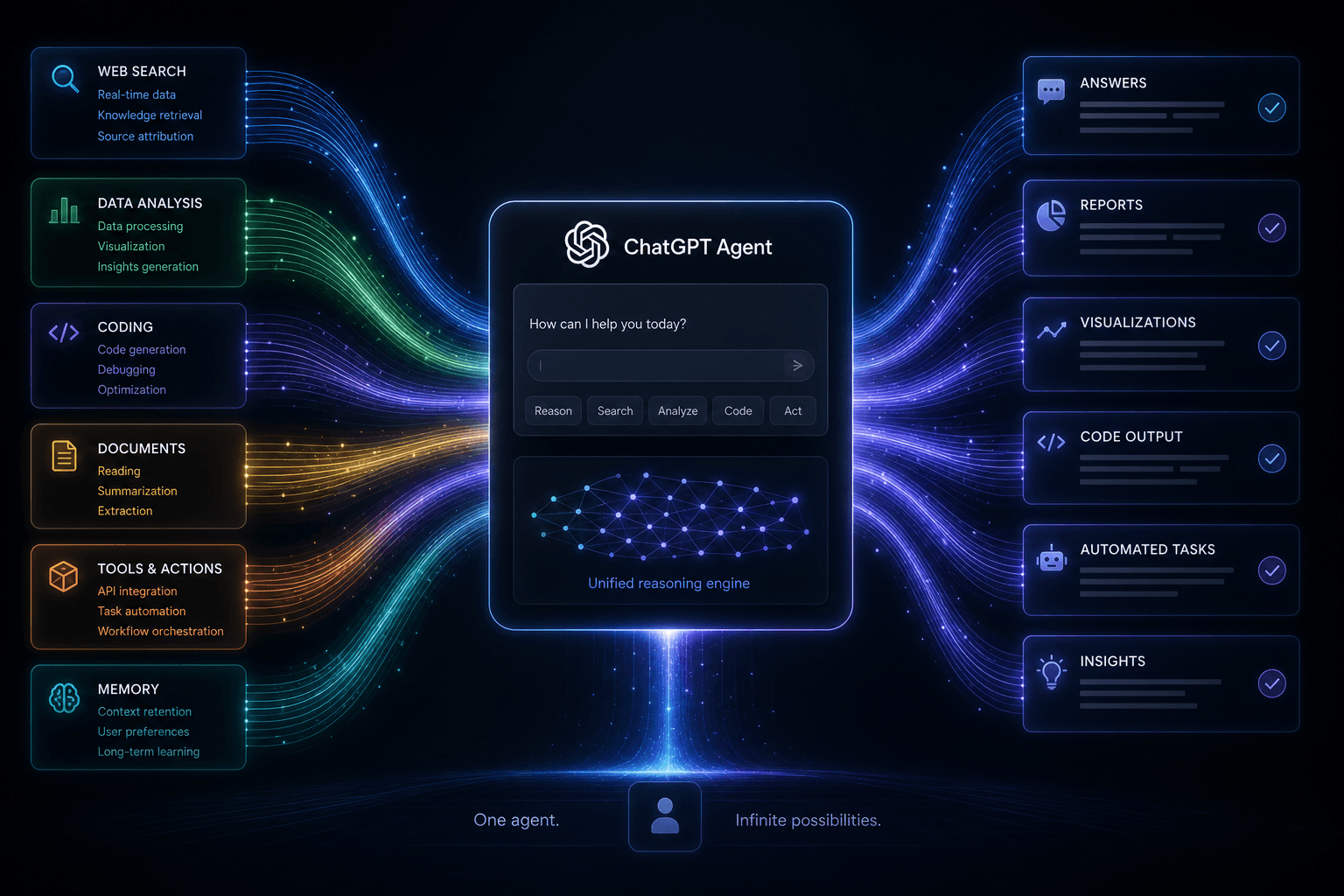
ChatGPT Agent Launch: How I Prompted Operator, Deep Research, and Codex in One Loop

Table of Contents
ChatGPT Agent Launch: How I Prompted Operator, Deep Research, and Codex in One Loop #
I just directed OpenAI's ChatGPT Agent across three capabilities in a single conversational session. On July 17, 2025, OpenAI released ChatGPT Agent — unifying Operator's browser automation, Deep Research's multi-step investigation, and Codex's software engineering into one interface accessible at the Plus tier. I spent the day stress-testing it against my usual workflows: multi-file code edits, web data extraction, and research-to-code pipelines that I normally orchestrate through Claude Code or custom n8n MCP stacks.
This changes the accessibility calculus for agentic AI. Instead of hand-writing Selenium scripts or spinning up Puppeteer containers, I can now describe what I need — "navigate to the API docs, extract the authentication schema, then generate a TypeScript client" — and watch ChatGPT Agent route between Operator browsing, Deep Research synthesis, and Codex code generation in a single loop.
I'm William Spurlock, AI Solutions Architect. I design production-grade agent workflows for clients who need browser automation, research pipelines, and code generation without maintaining custom infrastructure. Here's how I prompted ChatGPT Agent to execute multi-file changes and web automation workflows, what worked, and where I still reach for Claude Code or n8n MCP orchestration.
What Just Happened: The ChatGPT Agent Release #
OpenAI launched ChatGPT Agent today, combining Operator browser automation, Deep Research multi-step investigation, and Codex software engineering into a single unified interface available to Plus, Team, and Pro subscribers immediately.
The release represents a fundamental product strategy shift. Where OpenAI previously sold these capabilities as separate features — Operator as a $200/month research preview, Deep Research as a distinct mode, Codex as a standalone CLI and API product — they now converge into one conversational agent accessible at the Plus tier.
What Actually Shipped #
| Component | Previous State | Now In ChatGPT Agent |
|---|---|---|
| Operator | $200/mo Pro-only research preview (January 2025) | Included in Plus, 40 messages/month |
| Deep Research | Separate research mode (February 2025) | Integrated research capability, same limits |
| Codex | CLI tool, API-only (April 2025) | Conversational coding accessible to non-devs |
| Pricing | $200/month for Operator alone | $20/month for all three combined |
The availability breaks down by tier:
- Plus subscribers ($20/mo): 40 agent messages per month included
- Team subscribers: Higher limits, admin controls, shared workspace features
- Pro subscribers ($200/mo): Significantly higher limits, priority access
OpenAI is positioning this as the moment "agents become usable for non-developers" — a deliberate contrast to tools like Claude Code that require terminal comfort and API key management. The interface is pure conversational chat. You describe what you want done. The agent decides whether to browse, research, or code.
Anthropic also shipped news today: Claude Code is now generally available in JetBrains IDEs, expanding beyond its VS Code and terminal origins. And Hugging Face released SmolLM 3, a compact model designed for on-device agent execution. The timing suggests the major players all see this week as an inflection point for mainstream agent adoption.
How ChatGPT Agent Works: The Unified Architecture #
ChatGPT Agent runs as a persistent session that autonomously switches between browsing, researching, and coding modes based on user intent, using a unified tool-calling interface built on the Responses API foundation.
The architecture is elegant in its simplicity from the user perspective, even if the underlying routing is complex. When you send a message, the system doesn't ask you to pick a tool. It analyzes your request, determines which capabilities are needed, and orchestrates them in sequence.
The Decision Layer #
At the core is what OpenAI calls the "agent router" — a classification system that parses intent and maps it to capability combinations:
| User Intent Pattern | Capabilities Activated | Example Request |
|---|---|---|
| Information gathering | Deep Research (web search + synthesis) | "Research the EV market in Southeast Asia" |
| Web task completion | Operator (browser automation) | "Order my weekly groceries from Instacart" |
| Software task | Codex (code generation/editing) | "Build a Python script to scrape this data" |
| Multi-step workflow | Operator + Deep Research + Codex | "Find me flights to Tokyo, research hotels near the venues I need to visit, and create a booking summary page" |
The routing happens transparently. You see status indicators — "Browsing," "Researching," "Coding" — but you don't manage the handoffs. The agent maintains context across modality switches, so a research finding can immediately trigger a code generation task without you restating context.
Technical Foundation #
ChatGPT Agent builds on the Responses API that OpenAI launched in March 2025 and documented in their official Agents SDK guide. The item-based response structure — where each interaction produces discrete typed items (messages, tool calls, reasoning steps) — provides the scaffolding for multi-capability orchestration.
Key architectural elements:
ChatGPT Agent Session State Diagram
┌─────────────────────────────────────────────────────────────┐
│                    CHATGPT AGENT SESSION                    │
├─────────────────────────────────────────────────────────────┤
│  Session ID: [uuid]           State: active|paused|awaiting  │
├─────────────────────────────────────────────────────────────┤
│  CAPABILITIES ROUTER                                         │
│  ┌───────────┐  ┌───────────────┐  ┌──────────────────┐    │
│  │  Operator │  │ Deep Research │  │      Codex       │    │
│  │ (browser) │  │  (research)   │  │     (coding)     │    │
│  └─────┬─────┘  └───────┬───────┘  └─────────┬────────┘    │
│        │                │                    │             │
│        ▼                ▼                    ▼             │
│  ┌─────────────────────────────────────────────────────┐  │
│  │           UNIFIED CONTEXT WINDOW                     │  │
│  │  [User prompts] → [Agent reasoning] → [Tool calls]   │  │
│  └─────────────────────────────────────────────────────┘  │
└─────────────────────────────────────────────────────────────┘
The agent can pause for human approval on sensitive actions — purchases, form submissions, code execution — with granular controls you configure. This addresses the safety concerns that have plagued autonomous agents since early Computer Use demos started ordering random products.
My Exact Prompt for Web Automation + Code Generation #
Here's a real prompt I use with ChatGPT Agent to extract data from a documentation site and generate a client library:
I need to build a TypeScript SDK for a REST API. Here's my workflow:

1. OPERATOR PHASE: Navigate to https://api.example.com/docs
   and extract:
   - All endpoint paths and HTTP methods
   - Request/response schemas for each endpoint
   - Authentication requirements
   - Rate limit headers

2. RESEARCH PHASE: Cross-reference any unclear schema types
   against common OpenAPI patterns. Identify edge cases in
   error response formats.

3. CODEX PHASE: Generate a complete TypeScript SDK with:
   - Strongly-typed request/response interfaces
   - Axios-based client with interceptors for auth
   - Error handling with custom exception classes
   - JSDoc comments referencing the original docs

Output format: Present each file with === FILE: path ===
headers. Include a setup checklist at the end.
This single prompt triggers the full loop: Operator browses and extracts, Deep Research validates schema patterns, Codex generates the SDK. Without writing a line of Selenium or managing Puppeteer containers.
Operator Inside ChatGPT Agent: Browser Automation for Everyone #
Operator's browser automation is now embedded in ChatGPT Agent, enabling it to navigate websites, fill forms, click elements, and complete web-based workflows without requiring any browser automation knowledge from users.
When OpenAI first launched Operator in January 2025, it was a $200-per-month research preview available only to Pro subscribers. The Computer-Using Agent (CUA) model behind it took screenshots, analyzed interfaces via OpenAI's GPT-4o vision capabilities, and outputted click coordinates and keystrokes — a perception-action loop that mimicked human browser interaction.
Six months later, that same capability is accessible to anyone with a Plus subscription.
What Operator Can Do #
The browser automation inside ChatGPT Agent handles:
- Form completion: Fills multi-page applications, checkout flows, and registration forms
- E-commerce: Adds items to cart, applies coupons, completes purchases (with approval)
- Research navigation: Follows links across sites, aggregates information from multiple sources
- Booking workflows: Flights, hotels, restaurants, appointments
- Data retrieval: Downloads files, extracts table data, captures screenshots
The User Experience Difference #
The standalone Operator interface from January required users to understand that they were "hiring" an agent. You watched screenshots update in real-time as the agent worked. It felt like a remote desktop session.
Inside ChatGPT Agent, the experience is conversational. You say: "Find me the cheapest direct flight from JFK to London leaving next Tuesday and returning Friday." The agent acknowledges, shows a "Browsing..." indicator, and returns with results. You don't see the screenshot stream unless you ask for it. The complexity is abstracted away.
| Aspect | Standalone Operator (Jan 2025) | Operator in ChatGPT Agent |
|---|---|---|
| Price | $200/mo Pro only | $20/mo Plus included |
| Interface | Visual screenshot stream | Conversational chat |
| User control | Pause/resume watching actions | Approval gates for purchases |
| Accessibility | Technical users comfortable with agent concepts | Anyone who can write a chat message |
Limitations to Know #
Operator is not a general-purpose browser replacement. It struggles with:
- Heavy JavaScript SPAs: Complex React apps with non-standard navigation patterns
- CAPTCHA systems: Intentionally blocked (and this is correct — agents shouldn't solve CAPTCHAs)
- Multi-factor authentication: Requires manual intervention
- File uploads from local disk: Limited support for selecting local files
- Extended sessions: Long workflows may hit context window limits
The agent also operates under safety guardrails that prevent it from completing transactions without explicit approval, accessing known malicious sites, or interacting with high-risk financial platforms beyond consumer banking.
Deep Research Integration: Multi-Step Investigation #
ChatGPT Agent includes Deep Research capabilities, enabling autonomous multi-step investigation with dozens of search queries, cross-source synthesis, and structured report generation — all accessible through natural conversation instead of a separate research interface.
Deep Research first appeared as a dedicated ChatGPT mode for Pro users, capable of conducting comprehensive research by issuing multiple search queries, reading sources, following citations, and producing structured reports with proper sourcing. The standalone version was impressive but siloed — you entered "research mode," waited several minutes, and received a report.
Inside ChatGPT Agent, research becomes just another thing the agent can do — triggered by conversational context rather than mode selection.
Research Capability Scope #
The Deep Research integration maintains the core capabilities from its standalone release:
- Multi-query search: Issues 10–50+ targeted search queries depending on complexity
- Source evaluation: Assesses source credibility, recency, and relevance automatically
- Citation tracking: Provides inline citations with links to original sources
- Synthesis: Combines information across conflicting sources with uncertainty notation
- Structured output: Delivers organized reports with headings, summaries, and findings
How It Works in Conversation #
The shift from standalone mode to conversational agent changes the interaction pattern significantly:
User: "I need to understand the competitive landscape for AI coding assistants.
       Compare Claude Code, Cursor, and GitHub Copilot across pricing, features,
       and ideal use cases."

Agent: "I'll research the AI coding assistant landscape for you. This will take
        a few minutes as I gather current information on all three platforms.

        [Researching... 3-4 minutes]

        Based on my research across 20+ sources including official documentation,
        recent reviews, and community discussions, here's the competitive breakdown..."
The agent recognizes this as a research task — broad scope, multi-source requirement, synthesis needed — and activates the Deep Research pipeline. But unlike the standalone mode where you waited in silence, the agent can ask clarifying questions mid-research if it encounters ambiguity.
Integration Patterns #
Where the unified architecture shines is in research-to-action workflows:
| Research Request | Natural Follow-up Action | Capability Chain |
|---|---|---|
| "Research the best project management tools for small teams" | "Create a comparison spreadsheet of the top 3" | Deep Research → Codex |
| "What are the latest visa requirements for digital nomads in Portugal?" | "Book me an appointment at the nearest consulate" | Deep Research → Operator |
| "Find 10 relevant papers on transformer architecture improvements" | "Download all PDFs and summarize the methodology sections" | Deep Research → Operator → Codex |
The research doesn't end with a static report. It becomes the foundation for subsequent actions, all within the same conversation thread.
Limitations #
Deep Research in ChatGPT Agent has the same constraints as the standalone version:
- Knowledge cutoff: Cannot access information published after the model's training cutoff (typically 6–12 months behind real-time)
- Source bias: Relies heavily on search engine rankings, which may not represent the most authoritative sources
- Depth trade-offs: Broad research questions sacrifice depth; narrow questions sacrifice breadth
- Verification gaps: Cannot independently verify factual claims against primary sources
The unified interface doesn't eliminate these limitations — it just makes the experience of working within them more fluid.
Codex in ChatGPT Agent: Software Engineering at Your Fingertips #
Codex is now accessible through ChatGPT Agent, enabling users to request software development tasks, debugging help, code reviews, and multi-file projects through natural conversation instead of the dedicated Codex CLI or API interface.
When OpenAI launched Codex CLI in April 2025 as an open-source coding agent, it was a direct response to Anthropic's Claude Code — a terminal-based agent that could read files, run commands, debug code, and handle multi-file software engineering tasks. The CLI was powerful but required developer fluency: you needed to be comfortable in a terminal, understand repository structures, and manage API keys.
Bringing Codex into ChatGPT Agent strips away those requirements. Non-developers can now access software engineering assistance through pure conversation.
Capability Scope #
The Codex integration inside ChatGPT Agent supports:
- Code generation: Write functions, classes, scripts, and full programs from descriptions
- Debugging: Analyze error messages, identify root causes, suggest fixes
- Code review: Evaluate code quality, security issues, performance problems
- Refactoring: Restructure code for clarity, maintainability, or performance
- Multi-file coordination: Work across related files in a project context
- Language versatility: Python, JavaScript, TypeScript, SQL, HTML/CSS, and most major languages
The Accessibility Shift #
The transformation is most dramatic for users who need code but don't identify as developers:
| Task | Codex CLI Approach | ChatGPT Agent Approach |
|---|---|---|
| "Build a web scraper" | Open terminal, clone repo, run codex, describe task |
Type request in chat |
| "Fix this error" | Copy error, paste to CLI, navigate to file, apply changes | Paste error message, agent suggests fix |
| "Explain this code" | `cat file.py | codex "explain this"` |
| "Build a website" | Set up project structure, run dev server, iterate in CLI | Describe what you want, agent produces files |
For developers, the CLI and API remain the superior tools — they offer deeper IDE integration, faster iteration, and access to local codebases. But for the vast population who occasionally needs code but doesn't live in terminals, ChatGPT Agent represents genuine access.
File Handling and Artifacts #
One significant addition in the unified interface is artifact generation. When Codex produces code, files, or structured outputs, ChatGPT Agent can render them in downloadable formats:
Agent: "I've created the Python script you requested. Here's the code:

[Artifact: sales_report_generator.py]

You can download this file directly, or I can help you run it
if you have a Python environment set up."
This artifact system — similar to the one Claude introduced with Artifacts in June 2024 and documented in Anthropic's interface guide — bridges the gap between conversational AI and actionable code delivery.
My Prompting Strategy for Multi-File Edits #
As an AI Solutions Architect, I've developed specific prompting patterns that maximize ChatGPT Agent's Codex integration for multi-file changes without losing context:
System Context Prompt I Use
I need you to act as a software engineering assistant following
these specific constraints:

1. Always output complete files, never partial snippets
2. When modifying multiple files, present them sequentially
   with clear headers: "=== FILE: src/components/Header.tsx ==="
3. If you detect dependencies between files (types, imports),
   flag them explicitly: "[DEPENDENCY: requires types from types.ts]"
4. Before generating code, confirm: "I'll modify 3 files:
   Header.tsx, types.ts, and utils.ts. Proceed?"
5. End with a verification checklist: "To apply these changes:
   1. Save Header.tsx... 2. Run type check..."

Stack context: Next.js 14 App Router, TypeScript, Tailwind CSS
This prompt structure ensures ChatGPT Agent respects the boundaries I need as an architect: complete file outputs, dependency awareness, and explicit verification steps. It bridges the gap between conversational convenience and production-grade code delivery.
Developer vs. Non-Developer Experience #
It's important to be clear about the trade-offs. ChatGPT Agent's Codex integration is not a replacement for professional development workflows:
- No local file access: Cannot read your existing codebase unless you paste it
- No version control integration: No Git operations, branch management, or PR creation
- No testing infrastructure: Cannot run tests against your existing test suite
- Limited context window: Large projects exceed the agent's context capacity
- No deployment integration: Cannot push to servers, configure CI/CD, or manage infrastructure
For professional developers, these limitations are deal-breakers. That's why tools like Claude Code remain essential for serious engineering work. But for someone who needs a one-off script, a formula, a regex, or a simple web page, ChatGPT Agent eliminates the toolchain barrier entirely.
Pricing and Limits: What $20 Gets You #
ChatGPT Agent is included with ChatGPT Plus ($20/month), Team, and Pro subscriptions, with Plus subscribers receiving 40 agent messages per month as part of their existing subscription.
The pricing strategy is aggressive. Six months ago, Operator alone required a $200/month Pro subscription. Today, you get Operator plus Deep Research plus Codex for one-tenth that price. This is classic OpenAI market expansion — capture the broad user base first, then segment by usage intensity.
Pricing Tier Breakdown #
| Tier | Monthly Cost | Agent Messages | Best For |
|---|---|---|---|
| Free | $0 | No access | ChatGPT standard features only |
| Plus | $20 | 40 messages | Individual power users, occasional agent needs |
| Team | $25/user | ~80 messages/user | Small teams with shared workflows |
| Pro | $200 | Significantly higher (exact TBD) | Heavy agent users, business automation |
What Counts as an "Agent Message" #
This is where users need to pay attention. An "agent message" is not the same as a standard ChatGPT message. It represents a full agentic session where one or more capabilities are invoked.
Examples of single agent messages:
- "Book me a table at Nobu for 8 PM tonight" (Operator session)
- "Research the CRM market and give me a competitive analysis" (Deep Research session)
- "Write a Python script to parse this CSV" (Codex session)
- "Research my competitor's pricing, then build a comparison page" (Multi-capability session)
Examples that do NOT count as agent messages:
- Standard chat questions: "Explain quantum computing"
- File uploads with questions about the file
- DALL-E image generation
- Standard GPT-4o conversations
The 40-message allocation resets monthly. Unused messages do not roll over.
Comparative Pricing Analysis #
| Service | Monthly Cost | What You Get | Agent Capabilities |
|---|---|---|---|
| ChatGPT Agent (Plus) | $20 | 40 agent messages | Browser, research, coding |
| Claude Code + Pro | $20 (Pro) + usage | Unlimited coding agent | Coding only, terminal-based |
| Claude Pro alone | $20 | No agent features | Standard chat |
| Cursor Pro | $20 | IDE agent, unlimited | Coding only, IDE-integrated |
| n8n Cloud | $20–$50 | Self-built workflows | Custom, requires setup |
| Replit Agent | $7–$25 | Coding environment | Coding only, cloud-based |
The value proposition is clear: if you need occasional agent capabilities across multiple domains — not just coding — ChatGPT Agent offers the most breadth per dollar at the entry tier.
Usage Patterns and Limits #
For a typical Plus subscriber, 40 agent messages per month breaks down to:
- Light usage: 1–2 agent tasks per day (research queries, quick form fills)
- Moderate usage: 3–4 agent tasks on busy days, skipped days otherwise
- Heavy usage: Exhausts limit in 1–2 weeks if doing multi-step workflows
Users who hit the limit can upgrade to Pro or wait for the monthly reset. OpenAI has not announced overage pricing for Plus subscribers, suggesting the hard limit is intentional to manage compute costs.
The Team tier's ~80 messages per user makes sense for small teams where not everyone needs heavy agent usage. The Pro tier's "significantly higher" limit appears designed for users replacing dedicated assistant services or running business automation through ChatGPT.
ChatGPT Agent vs Claude Code: Head-to-Head Comparison #
ChatGPT Agent targets broad accessibility with its unified interface and browser focus, while Claude Code emphasizes deep software engineering integration, local codebase awareness, and developer-centric workflows with native MCP support.
These are not direct competitors in the traditional sense — they serve different user profiles with some overlap. But builders evaluating agent tools need to understand where each excels.
Feature Comparison Matrix #
| Capability | ChatGPT Agent | Claude Code |
|---|---|---|
| Primary interface | Web chat | Terminal / IDE |
| Browser automation | Native (Operator) | None (browser-use via MCP) |
| Deep research | Native (Deep Research) | None (research via tool use) |
| Code generation | Via Codex integration | Native, primary focus |
| Local file access | Manual paste only | Full repository access |
| Terminal command execution | Limited | Native, unrestricted |
| Git integration | None | Native (commit, branch, PR) |
| MCP server support | Planned / limited at launch | Native, extensive |
| Context window | ~128K (standard GPT-4o class) | 1M tokens (Opus 4.6) |
| Self-hosted option | No | No |
| API access | Via separate APIs | Via Anthropic API |
| Entry price | $20/month (40 messages) | $20/month (Pro) + usage |
| Ideal user | Non-developers, broad tasks | Developers, engineers |
Use Case Differentiation #
Choose ChatGPT Agent when:
- You need to automate web-based tasks (booking, shopping, research)
- You occasionally need code but don't live in terminals
- You want one interface for multiple capability types
- You're non-technical but need agent assistance
- Your workflows span browsers, research, and light coding
Choose Claude Code when:
- You're a professional developer shipping production code
- You need deep codebase understanding (1M token context)
- You want MCP server integration with your internal tools
- You need terminal access, Git operations, and CI/CD integration
- You're building software, not just using it
The Overlap Zone #
There is a zone of overlap where either tool could work:
| Task | ChatGPT Agent Approach | Claude Code Approach |
|---|---|---|
| "Build a landing page" | Generates HTML/CSS, delivers as file | Creates full Next.js project, runs dev server |
| "Research API documentation" | Browses docs, summarizes | Reads local docs, implements against codebase |
| "Debug an error" | Explains error, suggests fix | Reads code, runs tests, applies fix, commits |
In the overlap zone, ChatGPT Agent wins on speed and simplicity. Claude Code wins on depth and integration.
Anthropic's Counter-Move: Claude Code in JetBrains #
The timing of today's releases is not coincidental. Anthropic announced that Claude Code is now generally available in JetBrains IDEs — IntelliJ IDEA, PyCharm, WebStorm, and the full suite. This expands Claude Code beyond its VS Code and terminal origins into the enterprise Java ecosystem where JetBrains dominates.
The message is clear: OpenAI is going broad with ChatGPT Agent (consumer accessibility). Anthropic is going deep with Claude Code (professional developer tools). Both can win in their respective lanes.
MCP Support and Tool Integration #
ChatGPT Agent supports tool calling and third-party integrations, though its MCP (Model Context Protocol) implementation differs from Claude Code's native MCP server support, with OpenAI emphasizing built-in tools over external extensibility at launch.
The Model Context Protocol, launched by Anthropic in November 2024 and documented at modelcontextprotocol.io, has become the de facto standard for connecting AI assistants to external tools. Claude Code ships with native MCP client support — it can connect to any MCP server and expose those tools as first-class capabilities.
ChatGPT Agent's approach to extensibility is more controlled at launch.
MCP Landscape: Two Philosophies #
| Aspect | Anthropic MCP Approach | OpenAI ChatGPT Agent Approach |
|---|---|---|
| Protocol support | Native, open standard | Custom tool framework |
| Server ecosystem | Any MCP server (GitHub, Slack, databases) | Curated third-party integrations |
| Custom tools | Build your own MCP server | Limited at launch |
| Discovery | Dynamic tool discovery | Pre-configured tool catalog |
| Security model | User-controlled server access | Platform-controlled approvals |
OpenAI's approach prioritizes safety and reliability over extensibility. Rather than allowing any developer to connect arbitrary MCP servers — which could potentially expose sensitive systems or execute unwanted actions — ChatGPT Agent ships with a curated set of integrations that OpenAI has vetted.
Built-In Tool Capabilities #
At launch, ChatGPT Agent includes:
- Web browser (Operator): Navigate, click, fill forms, extract data
- Code interpreter: Execute Python code in sandboxed environment
- File handling: Read uploaded files, generate downloadable artifacts
- DALL-E: Image generation for visual tasks
- Third-party integrations: Limited set of approved services
The Extensibility Gap #
For builders who need custom tool integration, ChatGPT Agent has limitations compared to the n8n MCP architecture I detailed in my earlier guide. Here's how Claude Code connects to MCP servers versus ChatGPT Agent's curated approach:
Claude Code MCP Configuration (JSON-RPC)
{
  "mcpServers": {
    "n8n": {
      "command": "npx",
      "args": ["-y", "@n8n/mcp-server"],
      "env": { "N8N_API_KEY": "${N8N_API_KEY}" }
    },
    "postgres": {
      "command": "node",
      "args": ["./mcp-postgres-server/index.js"],
      "env": { "DATABASE_URL": "${DATABASE_URL}" }
    }
  }
}
MCP Server Capability Registration Schema
When an MCP server connects to Claude Code, it registers capabilities via the Model Context Protocol specification:
{
  "jsonrpc": "2.0",
  "id": 1,
  "method": "tools/list",
  "result": {
    "tools": [
      {
        "name": "n8n_execute_workflow",
        "description": "Execute a registered n8n workflow by ID",
        "inputSchema": {
          "type": "object",
          "properties": {
            "workflowId": { "type": "string" },
            "payload": { "type": "object" }
          },
          "required": ["workflowId"]
        }
      }
    ]
  }
}
ChatGPT Agent: Curated integrations only
ChatGPT Agent does not expose native MCP client support at launch. Instead, OpenAI provides a pre-approved tool catalog with limited third-party integrations. This is a meaningful gap for enterprise users who have built internal MCP servers for proprietary systems. Those users will likely continue using Claude Code or custom n8n agent workflows until OpenAI expands ChatGPT Agent's extensibility.
The Platform Strategy #
OpenAI's approach reflects its platform strategy. The company is building a consumer and business platform where third-party integrations happen through formal partnerships and API connections, not through open protocols that users configure themselves.
The trade-off is clear:
- Open approach (Claude Code + MCP): Maximum flexibility, user responsibility for security
- Curated approach (ChatGPT Agent): Simpler experience, platform-guaranteed safety
For most users, the curated approach is sufficient. For power users and enterprises with custom infrastructure, the open approach remains essential.
What This Means for Non-Technical Users #
ChatGPT Agent represents a genuine inflection point for non-technical users who previously couldn't access autonomous AI capabilities, bundling complex agent behaviors into a conversational interface that requires no coding or automation knowledge.
This is the real story of today's release. Not benchmark improvements. Not API updates. But the moment when agentic AI crosses from developer tools to consumer products.
Prior to today, accessing autonomous AI agents required:
- Understanding API keys and rate limits
- Comfort with terminal interfaces or IDE plugins
- Knowledge of agent frameworks and prompt engineering
- Ability to debug when things went wrong
ChatGPT Agent strips all of that away. If you can write a message to a friend, you can use this agent.
The Accessibility Stack #
| Barrier | Previous Agent Tools | ChatGPT Agent |
|---|---|---|
| Setup | API keys, installations, configuration | Log into ChatGPT (existing account) |
| Interface | Terminal commands, IDE panels | Conversational chat |
| Capability selection | Must choose tool/mode manually | Automatic routing |
| Error handling | User must debug | Agent explains, suggests alternatives |
| Cost complexity | Usage-based, unpredictable | Fixed monthly with clear limits |
| Safety concerns | Agent could do anything | Built-in approval gates for actions |
Real-World Use Cases #
Here are workflows that non-technical users can now execute:
Small business owner:
"Research my top 3 competitors' pricing pages, then create a comparison document I can share with my team."
Parent planning travel:
"Find flights to Orlando for August 10–17 for a family of 4, then research hotels within 10 minutes of Disney that have pools and free breakfast."
Job seeker:
"Help me apply to 5 marketing manager positions on LinkedIn by filling out the common fields in each application."
Content creator:
"Research the latest Instagram algorithm changes, then write a Python script that analyzes my engagement data and suggests optimal posting times."
Nonprofit coordinator:
"Find grant opportunities for environmental education programs in California, then create a spreadsheet tracking deadlines and requirements."
Each of these previously required either hiring help, learning technical skills, or spending hours on manual work. Now they require one message.
Safety Guardrails for Non-Technical Users #
The safety architecture is designed for users who may not understand what the agent is doing:
- Purchase approval: Any transaction requiring payment pauses for explicit user confirmation
- Sensitive data detection: Alerts when forms request SSNs, passwords, or financial details
- Site verification: Flags unknown or suspicious websites before interacting
- Action transparency: Shows what the agent is doing in plain language
- One-click stop: Emergency stop button visible during all agent operations
These aren't just technical safeguards — they're UX patterns that assume the user doesn't fully understand the underlying technology.
The Learning Curve #
For non-technical users, the learning curve is conversational, not technical:
Week 1: Simple requests, watching how the agent responds
Week 2: Learning to break complex tasks into clear instructions
Week 3: Understanding the 40-message limit, planning usage
Month 2: Sophisticated multi-step workflows, follow-up requests
The skill being developed is not coding or API management. It's the skill of clearly describing what you want done — which is a broadly accessible skill.
The Competitive Landscape: Hugging Face SmolLM 3 and More #
While OpenAI dominates headlines with ChatGPT Agent, Hugging Face also released SmolLM 3 today — a compact, efficient language model designed for on-device agent execution, representing a fundamentally different approach to agentic AI.
July 17, 2025 is one of those rare days when multiple major AI players ship significant agent-related releases simultaneously. The coordination isn't official, but the timing reveals converging strategic recognition: agents are the next platform battleground.
Hugging Face SmolLM 3: The On-Device Counterpoint #
Hugging Face's SmolLM 3 release offers a completely different take on agentic AI. Where ChatGPT Agent runs in OpenAI's cloud with massive models and full internet access, SmolLM 3 is designed to run locally on consumer hardware.
| Aspect | ChatGPT Agent | SmolLM 3 |
|---|---|---|
| Model size | Cloud-scale (unknown, GPT-4o class) | 1.7B parameters |
| Hardware | Any device with browser | Consumer laptops, phones |
| Internet access | Full | None (air-gapped capable) |
| Privacy | Data processed by OpenAI | Fully local, private |
| Cost | $20/month subscription | Free, open weights |
| Latency | Network dependent | Local, instant |
| Capability | Complex multi-step tasks | Simpler agent tasks, code |
SmolLM 3 targets developers who want agent capabilities without cloud dependencies — privacy-conscious applications, air-gapped environments, or low-latency requirements. It's not a ChatGPT Agent competitor for consumer use, but a parallel path for different constraints.
Anthropic's JetBrains Expansion #
Anthropic's counter-move today — making Claude Code generally available in JetBrains IDEs — signals their platform strategy. While OpenAI goes broad (ChatGPT Agent for everyone), Anthropic goes deep (Claude Code for professional developers).
JetBrains dominates enterprise Java development and has strong positions in Python (PyCharm), JavaScript (WebStorm), and mobile (Android Studio foundation). Bringing Claude Code to this ecosystem expands Anthropic's reach into the Fortune 500 development shops that standardized on JetBrains years ago.
The Market Segmentation Emerging #
Today's releases clarify how the agent market is segmenting:
Agent Market Segmentation (July 2025)

Consumer / Broad
├── ChatGPT Agent (OpenAI) — Unified, accessible, $20/mo
└── Future: Apple Intelligence agents, Google agents

Professional Developers
├── Claude Code (Anthropic) — Terminal/IDE, MCP, 1M context
├── Cursor — IDE-native, Composer, tab prediction
└── GitHub Copilot — IDE extension, broad adoption

Enterprise Automation
├── n8n + MCP — Self-hosted, custom workflows
├── Microsoft Power Automate + Copilot — Office ecosystem
└── Custom agent stacks — LangChain, CrewAI, etc.

Local / Privacy-First
├── SmolLM 3 (Hugging Face) — On-device, open weights
├── Ollama + local agents — Self-hosted, private
└── Apple Intelligence — Device-native, private
What the Timing Tells Us #
The simultaneous releases aren't coincidence. They reflect strategic recognition that:
- Agent UX is ready for mainstream — The technology has matured enough for consumer products
- First-mover advantage matters — Each player wants to define the category in their image
- Differentiation is crucial — Broad vs. deep, cloud vs. local, open vs. closed
- The window is now — Waiting another six months means ceding ground to competitors
For builders evaluating these tools, the question is no longer "are agents ready?" but "which agent architecture fits my specific constraints?"
The Ecosystem Effect #
The most significant long-term impact may be ecosystem. When OpenAI makes agents accessible to 100 million ChatGPT users, they create a massive market for:
- Agent-optimized websites (structured for automated interaction)
- Agent-to-agent protocols (how different AI systems coordinate)
- Agent-native services (businesses built assuming AI agent customers)
- Agent safety infrastructure (verification, insurance, oversight)
This ecosystem effect compounds over time. The more agents in use, the more valuable agent-optimized services become, which drives more agent adoption.
Building Agentic Workflows: Integration Patterns #
Production agent workflows require combining ChatGPT Agent (or alternatives) with orchestration layers like n8n, custom MCP servers, and proper error handling — the agent is the intelligence layer, not the complete automation stack.
ChatGPT Agent is powerful, but it is not a complete production automation solution. The 40-message limit, lack of webhooks, and closed ecosystem create constraints for business workflows. Production use cases require architectural patterns that layer ChatGPT Agent with other tools.
The Agent as Intelligence Layer #
Think of ChatGPT Agent as the "brain" that makes decisions, understands context, and generates content — but not as the full automation stack. The stack looks like this:
┌─────────────────────────────────────────────────────────────┐
│                     USER INTERFACE                          │
│              (ChatGPT Agent conversation)                   │
└───────────────────────┬─────────────────────────────────────┘
                        │
                        ▼
┌─────────────────────────────────────────────────────────────┐
│                  INTELLIGENCE LAYER                         │
│    (ChatGPT Agent: routing, reasoning, generation)          │
└───────────────────────┬─────────────────────────────────────┘
                        │
                        ▼
┌─────────────────────────────────────────────────────────────┐
│                  ORCHESTRATION LAYER                        │
│         (n8n, custom code, workflow engine)                 │
│     - Error handling    - Retries    - State mgmt          │
└───────────────────────┬─────────────────────────────────────┘
                        │
                        ▼
┌─────────────────────────────────────────────────────────────┐
│                   EXECUTION LAYER                           │
│   (APIs, databases, browsers, email, Slack, etc.)           │
└─────────────────────────────────────────────────────────────┘
Pattern 1: ChatGPT Agent + n8n Webhooks #
For workflows triggered by ChatGPT Agent that need reliable execution, I prompt the agent with explicit output schema requirements, then wire the response to an n8n webhook:
ChatGPT Agent System Prompt for Research-to-Webhook
You are a research assistant that summarizes industry news and
prepares structured output for automation workflows.

When I ask for industry news research:
1. Use Deep Research to find 5-7 relevant articles from the last 7 days
2. Synthesize a 150-word summary
3. Generate 3 social media post drafts (Twitter/X, LinkedIn, Threads)
4. Output STRICTLY as JSON matching this schema:

{
  "summary": "string (150 words max)",
  "suggestedPosts": {
    "twitter": "string (280 chars max)",
    "linkedin": "string (3000 chars max)",
    "threads": "string (500 chars max)"
  },
  "sources": [
    {"title": "string", "url": "string", "published": "ISO-8601"}
  ],
  "timestamp": "ISO-8601 format"
}

After generating the JSON, ask me if I want to send it to my
webhook endpoint for further processing.
n8n Webhook Configuration
{
  "name": "ChatGPT Agent Research Ingestion",
  "trigger": {
    "type": "webhook",
    "path": "agent-research-ingest",
    "method": "POST",
    "authentication": "header",
    "authHeader": "X-n8n-Webhook-Token"
  },
  "nodes": [
    {
      "name": "Validate Schema",
      "type": "function",
      "code": "// Validate required fields present\nconst required = ['summary', 'suggestedPosts', 'sources'];\n..."
    },
    {
      "name": "Save to Notion",
      "type": "notion",
      "operation": "create",
      "database": "Research Archive"
    },
    {
      "name": "Queue Buffer Posts",
      "type": "httpRequest",
      "url": "https://buffer.com/api/queue",
      "method": "POST"
    },
    {
      "name": "Slack Confirmation",
      "type": "slack",
      "channel": "#content-updates",
      "message": "✅ New research ingested from ChatGPT Agent"
    }
  ]
}
This pattern uses ChatGPT Agent for intelligence (research, summarization, content generation) and n8n for reliable orchestration.
Pattern 2: Claude Code + n8n MCP for Complex Workflows #
For workflows requiring custom tool integration, I still reach for Claude Code with its native MCP client support:
MCP Tool Registration in n8n
{
  "name": "sales-pipeline-mcp",
  "tools": [
    {
      "name": "get_pipeline_status",
      "description": "Retrieve current CRM pipeline data with deal stages",
      "parameters": {
        "type": "object",
        "properties": {
          "limit": { "type": "integer", "default": 50 },
          "stage": { "type": "string", "enum": ["lead", "qualified", "proposal", "negotiation"] }
        }
      }
    },
    {
      "name": "analyze_risk",
      "description": "Score deals by engagement decay and close probability",
      "parameters": {
        "type": "object",
        "properties": {
          "dealIds": { "type": "array", "items": { "type": "string" } }
        },
        "required": ["dealIds"]
      }
    },
    {
      "name": "draft_follow_up",
      "description": "Generate personalized email content for at-risk deals",
      "parameters": {
        "type": "object",
        "properties": {
          "dealId": { "type": "string" },
          "tone": { "type": "string", "enum": ["friendly", "urgent", "formal"] }
        },
        "required": ["dealId"]
      }
    }
  ]
}
Claude Code MCP Invocation Flow
User: "Check our sales pipeline, identify at-risk deals,
       and draft personalized follow-up emails."

Claude Code (via MCP):
├─ Call get_pipeline_status → receives deal data
├─ Call analyze_risk → receives at-risk deal IDs
├─ Call draft_follow_up → receives email drafts
├─ Present results to user, suggest edits
└─ Call send-emails (with approval)
This pattern uses Claude Code's native MCP support for deep integration with custom business systems. Unlike ChatGPT Agent's curated integrations, Claude Code's MCP client can dynamically discover and invoke any registered tool.
Pattern 3: Hybrid Agent Teams #
For sophisticated workflows requiring both accessibility and depth:
Workflow: Monthly Business Report Generation

1. Non-technical stakeholder uses ChatGPT Agent:
   "Research our industry trends this month and compile findings"
   → Produces research document

2. ChatGPT Agent triggers n8n webhook with research

3. Technical lead uses Claude Code:
   "Generate data visualizations and financial analysis
    from this research data and our internal metrics"
   → Produces code, charts, analysis

4. Claude Code commits to repository, triggers CI/CD

5. Final report auto-published to stakeholders
Error Handling and Fallbacks #
Production workflows need strategies for when agents fail:
| Failure Mode | Mitigation Strategy |
|---|---|
| Agent message limit exceeded | Queue to n8n for async processing |
| Agent misunderstands request | Structured output schema validation |
| Agent produces incorrect code | Automated test execution before deployment |
| Agent triggers API rate limits | Exponential backoff in orchestration layer |
| Agent session timeout | State checkpointing in n8n |
When to Use What #
| Use Case | Recommended Pattern |
|---|---|
| Research → content → publish | ChatGPT Agent + n8n webhook |
| Code generation → test → deploy | Claude Code + GitHub Actions |
| Multi-step business process | n8n workflow with AI nodes |
| Custom tool integration | Claude Code + MCP servers |
| Consumer-facing automation | ChatGPT Agent (user-facing) + backend |
The key insight: ChatGPT Agent excels at the edges (user interaction, intelligence), but production workflows need the reliability of dedicated orchestration tools in the middle.
My Take: Signal vs. Noise #
ChatGPT Agent delivers genuine utility for research and browser tasks, but builders should view it as a consumer-grade entry point rather than a replacement for purpose-built developer tools like Claude Code or custom n8n agent stacks.
After working with agent systems daily — Claude Code for development, n8n MCP for automation, various prototypes — I can separate what's real from what's hype in today's release.
What's Real (Signal) #
Accessibility breakthrough: The genuine achievement here is UX, not technology. Making browser automation, research agents, and coding assistance accessible through pure conversation is a meaningful product milestone. Non-technical users will accomplish things today they couldn't do yesterday.
Pricing disruption: $20 for what previously cost $200 is a genuine market expansion move. OpenAI is prioritizing user base growth over per-user revenue — classic platform strategy.
Unified interface validation: The market was uncertain whether users preferred specialized tools or unified agents. Today's release bets on unified, and I think that's correct for the consumer segment.
What's Hype (Noise) #
"Revolutionary" technology: There's nothing technically unprecedented here. Operator launched six months ago. Deep Research has been available. Codex was open-sourced in April. The innovation is packaging, not capability.
Developer replacement: Despite some takes you'll see today, ChatGPT Agent does not replace developers, Claude Code, or serious coding tools. It's for people who aren't developers and don't want to be.
Full automation: The 40-message limit, lack of webhooks, and manual approval requirements mean this is not a "set it and forget it" automation solution. It's interactive assistance.
Strategic Assessment #
| Dimension | Rating | Notes |
|---|---|---|
| Technology | 7/10 | Solid integration of existing capabilities |
| UX design | 9/10 | Remarkable accessibility achievement |
| Pricing | 9/10 | Aggressive, market-expanding strategy |
| Developer utility | 5/10 | Use Claude Code instead |
| Consumer utility | 9/10 | Breakthrough accessibility |
| Enterprise readiness | 4/10 | Limits, lack of integration hinder adoption |
| Competitive positioning | 8/10 | Differentiated from Claude Code effectively |
Who Should Use What #
Use ChatGPT Agent if:
- You need occasional browser automation
- You want research capabilities without complexity
- You occasionally need code but aren't a developer
- You're optimizing for simplicity over power
Use Claude Code if:
- You're a professional developer
- You need local codebase access
- You want MCP server integration
- You're optimizing for power over simplicity
Use n8n + MCP if:
- You need reliable production automation
- You have custom tool integration requirements
- You want self-hosted or private execution
- You're building business workflows, not personal assistance
The Real Implication #
The most significant impact of today's release isn't what ChatGPT Agent does — it's what it enables. By putting capable agents in the hands of 100+ million ChatGPT users, OpenAI creates market pressure for:
- Agent-optimized websites: Sites that structure data for automated consumption
- Agent-native commerce: Businesses that expect AI agent customers
- Agent interoperability standards: How different agents coordinate
- Agent safety infrastructure: Verification, insurance, oversight systems
We're not just getting a new feature today. We're getting the consumerization of agents — the moment they stop being developer tools and start being infrastructure.
That shift matters for everyone building in this space, regardless of which specific tools you use.
FAQ: ChatGPT Agent Answered #
What exactly is ChatGPT Agent? #
ChatGPT Agent is a unified AI assistant that combines three previously separate capabilities — Operator (browser automation), Deep Research (multi-step investigation), and Codex (software engineering) — into a single conversational interface available through ChatGPT.
Released July 17, 2025, it represents OpenAI's strategy to make agentic AI accessible without requiring technical knowledge. Instead of choosing between different tools or modes, users simply describe what they want done, and the agent determines which capabilities to deploy.
How much does ChatGPT Agent cost? #
ChatGPT Agent is included with existing ChatGPT Plus ($20/month), Team ($25/user/month), and Pro ($200/month) subscriptions, with no additional fees at launch.
Plus subscribers receive 40 agent messages per month as part of their existing plan. Team users get approximately 80 agent messages per user. Pro subscribers receive significantly higher limits suitable for heavy business use. There are no overage charges — users who exceed their limit must wait for the monthly reset or upgrade tiers.
What's the difference between ChatGPT Agent and Operator? #
Operator was a standalone $200/month research preview launched in January 2025, while ChatGPT Agent integrates Operator's browser automation capabilities into a unified interface available at the $20/month Plus tier.
The standalone Operator interface showed a real-time screenshot stream as the agent worked, targeting technical early adopters. ChatGPT Agent abstracts this into a conversational experience where the user describes tasks and receives results, with the browser automation happening invisibly behind "Browsing..." indicators. The capabilities are similar, but the accessibility is dramatically different.
Can ChatGPT Agent write and edit code? #
Yes, ChatGPT Agent includes Codex integration for code generation, debugging, and explanation, though it lacks the local file access and development workflow integration of dedicated coding tools.
Users can request code in any major programming language through natural conversation, and the agent delivers downloadable artifacts. However, ChatGPT Agent cannot access your existing codebase, run your test suite, commit to your repository, or deploy to your infrastructure. For professional development workflows, Claude Code or Cursor remain superior choices.
How does ChatGPT Agent compare to Claude Code? #
ChatGPT Agent prioritizes broad accessibility and browser automation for general users, while Claude Code focuses on deep software engineering integration for professional developers.
ChatGPT Agent wins for web-based tasks, research, and users who don't live in terminals. Claude Code wins for local codebase access, 1M token context windows, native MCP server support, and Git integration. Developers should use Claude Code. Non-developers needing occasional code should use ChatGPT Agent.
What are the message limits on ChatGPT Agent? #
Plus subscribers receive 40 agent messages per month, Team subscribers receive approximately 80 per user, and Pro subscribers receive significantly higher allocations.
An "agent message" represents a complete agentic session that may involve multiple capabilities. A request like "Research competitors and build a comparison website" counts as one agent message, even if it triggers Deep Research and Codex. Standard chat messages that don't invoke agent capabilities do not count against the limit. Unused messages do not roll over.
Does ChatGPT Agent support MCP servers? #
ChatGPT Agent has limited MCP support at launch, with OpenAI emphasizing curated integrations over the open extensibility that Claude Code offers through native MCP client support.
The initial release includes built-in tools (browser, code interpreter, file handling, DALL-E) and a limited set of vetted third-party integrations. OpenAI has not announced full MCP server support for custom tool integration. Users requiring custom MCP servers for proprietary systems should use Claude Code with n8n MCP architecture.
Can I use ChatGPT Agent for web scraping? #
Yes, ChatGPT Agent can extract data from websites through its Operator browser automation, though it's designed for task completion rather than bulk data extraction.
The agent can navigate sites, identify data elements, and export structured information. However, heavy scraping workflows face limitations: CAPTCHAs are intentionally blocked, complex JavaScript applications may not render correctly, and the 40-message monthly limit makes bulk extraction impractical. For production scraping pipelines, dedicated tools or n8n automation workflows remain more suitable.
Is ChatGPT Agent available to free users? #
No, ChatGPT Agent requires a Plus, Team, or Pro subscription and is not available to free-tier users.
OpenAI has positioned the agent capabilities as premium features that require subscription. Free users continue to have access to standard GPT-4o conversations and DALL-E image generation, but not the browser automation, deep research, or coding integration that define ChatGPT Agent.
How does Deep Research work inside ChatGPT Agent? #
Deep Research operates as an integrated capability that automatically activates when the agent detects research-oriented requests, issuing multiple search queries and synthesizing findings without requiring mode selection.
Unlike the standalone Deep Research interface that required entering a separate mode and waiting minutes for results, the integrated version triggers contextually. Users request research naturally — "Research the competitive landscape for my industry" — and the agent recognizes the intent, activates the research pipeline, and returns synthesized results with citations. The same multi-query, source-evaluation, and synthesis capabilities from the standalone version are preserved.
What safety guardrails does ChatGPT Agent have? #
ChatGPT Agent includes layered safety measures including purchase approval requirements, sensitive data detection, site verification, action transparency, and one-click emergency stops.
Any action requiring payment pauses for explicit user confirmation. The system flags requests for sensitive information like passwords or SSNs. Unknown or suspicious websites trigger warnings before interaction. Users can see what the agent is doing in plain language throughout execution. An emergency stop button remains visible during all agent operations, providing immediate cancellation capability.
Should developers use ChatGPT Agent or Claude Code? #
Professional developers should use Claude Code for its local codebase access, 1M token context, native MCP support, Git integration, and terminal execution capabilities.
ChatGPT Agent serves developers poorly: no local file access, no version control integration, limited context windows, and no ability to run tests or deploy code. It's designed for non-developers who occasionally need code. Developers gain genuine productivity from Claude Code's ability to read entire repositories, execute terminal commands, manage Git workflows, and integrate with custom tools through MCP servers.
Closing: The Agent Era Begins #
Today's release marks a threshold. When Operator launched six months ago as a $200 research preview, it was only available to early adopters. Now the same capabilities — combined with research and coding — are available to anyone with a ChatGPT subscription.
The implications extend beyond the feature itself. We're witnessing the consumerization of AI agents: the transition from developer tools requiring API keys and terminal fluency to consumer products requiring nothing more than conversational ability.
For builders, this creates opportunities. The businesses that thrive will be those that:
- Structure their data for agent consumption
- Design workflows assuming AI agent customers
- Build on agent-native infrastructure
- Integrate the right tools for the right jobs — ChatGPT Agent for accessibility, Claude Code for development depth, n8n MCP for production orchestration
The agent stack is stabilizing. The winners will be those who ship agentic workflows while competitors are still debating which tool to use.
If you're building agentic workflows — whether with ChatGPT Agent, Claude Code, or a custom n8n stack — book an AI automation strategy call and I'll help you architect the right agent pipeline for your use case.
Related Posts #
- The Ultimate n8n MCP Guide — Deploy n8n as an MCP server for Claude and custom agent stacks
- Claude Code Masterclass — Deep dive into Anthropic's developer-focused agent for serious engineering work
- OpenAI Operator and Stargate Project — The original Operator launch from January 2025
- OpenAI Responses API + Agents SDK — The API foundation that powers ChatGPT Agent
- Anthropic MCP Launch — The open standard for AI tool integration
Last updated: July 17, 2025
Related Posts

How to Stop Client-Facing AI Agents From Hallucinating
Client-facing AI agents hallucinate when they answer without grounding. Here's the layered guardrail stack I use to keep agents accurate and on-script.

AI Sales Systems vs Traditional CRM Automation
Traditional CRM automation fires rules; AI sales systems reason about each lead. Here's how they differ, where each wins, and how to combine them.

The Manual Workflows With the Highest ROI When Replaced by AI Agents
Not every task is worth automating. Here are the manual workflows with the highest ROI when you replace them with AI agents, ranked by payback speed.




