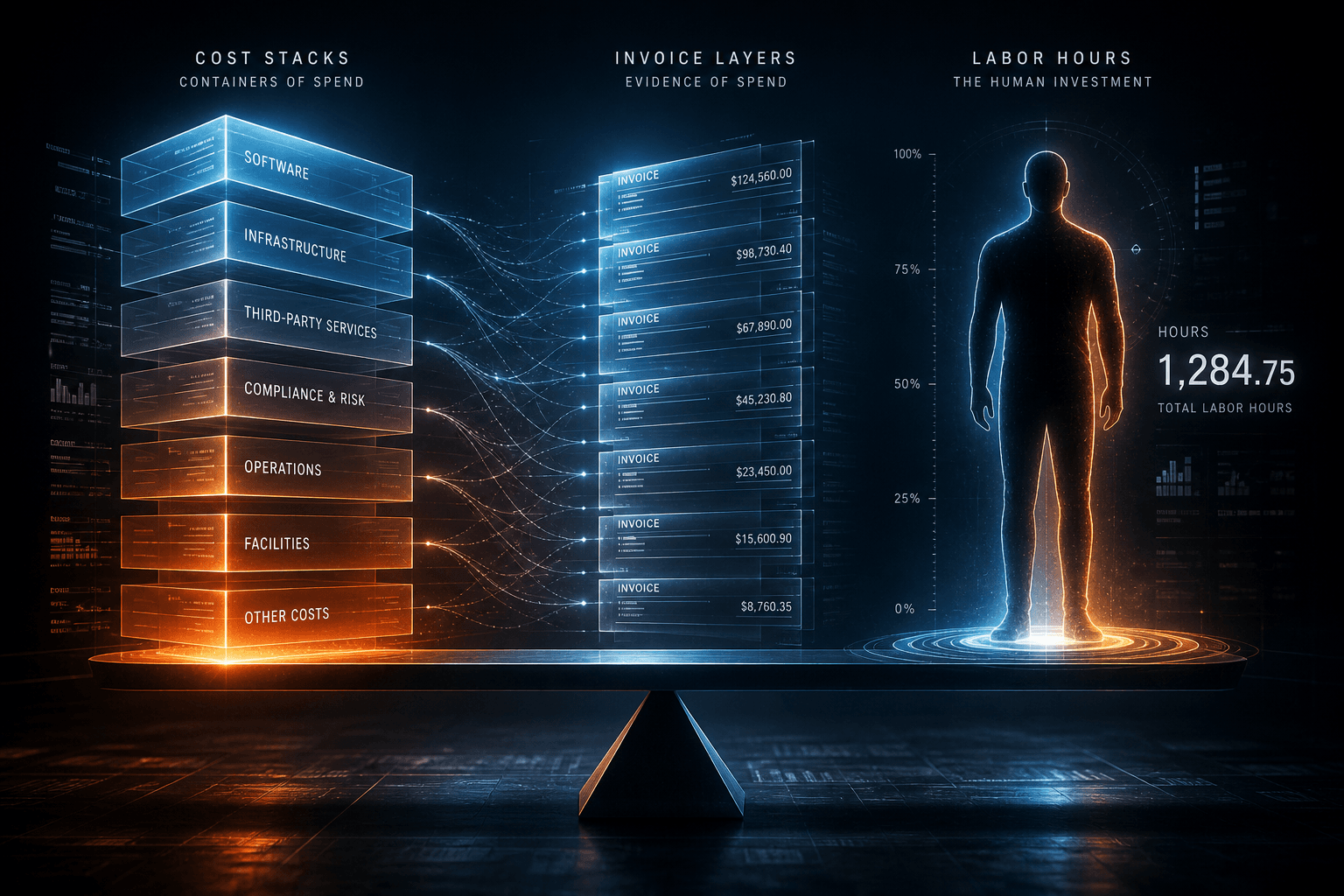
Pricing 5-Figure Web Projects: Value-Based Scoping in 2026

Table of Contents
Pricing 5-Figure Web Projects: Value-Based Scoping in 2026 #
Hourly billing caps your income by the number of hours you can work. Value-based pricing ties your fee to the business outcome you create—unlocking $10K–$50K projects for the same (or less) effort. This is how I scope and price immersive, conversion-focused web builds in 2026.
Why Hourly Billing Is Broken for Premium Work #
Charging by the hour penalizes efficiency and creates a ceiling you cannot break through. The best web designers get faster with experience—hourly rates actually pay them less for better work.
I've watched this play out over years of client work. Early in my practice, I quoted a complex ecommerce build at 120 hours × $100/hour = $12,000. Two years later, the same scope took me 60 hours because I'd built better component libraries, optimized my workflows with Cursor and Claude Code, and learned which shortcuts didn't compromise quality. At the same hourly rate, I would have earned half as much for delivering twice the value.
The fundamental problem: Hourly billing treats time as the product. In reality, the client is buying a business outcome—a website that generates leads, converts customers, or elevates brand perception. The time required is irrelevant to the value received.
Consider the math. A 20-hour website project that increases a client's qualified leads by 40% (worth $80,000 annually) is worth far more than a 200-hour project that changes nothing meaningful. Yet hourly billing would price the valuable project at one-tenth the cost.
What hourly billing incentivizes:
- Working slowly to justify higher bills
- Avoiding automation and efficiency tools
- Padding estimates with "just in case" hours
- Competing on price against slower, less skilled competitors
What value-based pricing incentivizes:
- Investing in tools and workflows that increase efficiency
- Focusing on high-impact work over billable busywork
- Becoming genuinely better, faster, and more valuable
- Competing on outcomes, not hourly rates
Industry benchmarks for web design hourly rates in 2026 range from $75/hour for mid-level freelancers to $200+/hour for senior specialists. But even at premium hourly rates, your income remains capped by available hours. There are only 168 hours in a week, and you cannot bill all of them.
The shift starts with mindset: Your expertise, taste, and ability to translate business goals into effective digital experiences is what clients pay for. The hours are merely the container that expertise arrives in.
The Value-Based Pricing Framework #
Price based on the business value your website creates, not the hours you spend building it. The standard benchmark is 15–25% of the client's first-year realized revenue or value uplift.
Value-based pricing requires understanding three variables before you quote: the client's current state, their desired future state, and the economic gap between them. This framework works because it aligns your incentives with the client's success. When the website performs better, both parties win.
The core formula:
Annual Value Created × 15-25% = Project Price RangeExample 1: Lead Generation Site
A B2B services client currently generates 20 qualified leads monthly from their website. With 30% close rate and $6,000 average project value, that's $36,000 monthly or $432,000 annually.
A redesigned site targeting improved messaging, clearer conversion paths, and better trust signals might increase qualified leads to 35 monthly—a 75% improvement.
New annual value: $756,000
Incremental value created: $324,000
Value-based range (15–25%): $48,600–$81,000
Even at the conservative end, this justifies a $25K–$50K project fee if the scope includes strategy, custom design, and conversion optimization.
Example 2: Ecommerce Brand
An established brand with $2M annual online revenue sees a 2.5% conversion rate. Improved UX, faster load times, and optimized checkout flow could push this to 3.5%—a 40% revenue increase.
Incremental annual revenue: $800,000
Value-based range (15–25%): $120,000–$200,000
This is why enterprise ecommerce projects regularly command $50K–$150K+ budgets. The website isn't a cost center—it's a revenue lever.
The practical pricing matrix I use:
| Client Type | Typical Annual Value Uplift | Project Range |
|---|---|---|
| Solo professional / personal brand | $10K–$30K | $3K–$8K |
| Small B2B service business | $50K–$150K | $8K–$25K |
| Established SMB / mid-market B2B | $150K–$500K | $20K–$50K |
| Ecommerce brand ($1M+ revenue) | $300K–$1M+ | $40K–$100K+ |
| SaaS / high-growth startup | $500K–$2M+ | $50K–$150K+ |
When value-based pricing works:
- Client has measurable current performance (traffic, conversions, revenue)
- Business model has clear unit economics (customer value, close rates, LTV)
- Website directly impacts revenue (lead gen, ecommerce, SaaS conversions)
- Timeline urgency justifies premium investment
When to use fixed-fee instead:
- New business with no performance baseline
- Portfolio/credibility sites without direct revenue tie
- Brand-building projects where ROI is long-term and unmeasurable
- Clients who cannot articulate business goals beyond "we need a new site"
The Discovery Call: Your Pricing Intelligence Gathering #
The discovery call isn't a sales pitch—it's a diagnostic interview that surfaces the numbers you need to price on value. Ask the right questions, and the client will tell you exactly what the project is worth to them.
The discovery call structure I use runs 30–45 minutes and follows a 70/30 rule: the client talks 70% of the time. Your job is to surface information, not to sell. The selling happens naturally when you demonstrate understanding of their business and articulate the gap between where they are and where they want to be.
Call Framework:
1. Frame and Agenda (2–3 minutes)
Set expectations immediately:
"The goal today is to understand your business, the role your website currently plays, and what you'd need to see 6–12 months from now to call this project a success. I'll ask some questions about your current situation and goals, then share what I'd recommend if we decide to work together. Sound good?"
This positions you as an expert conducting an assessment, not a vendor requesting requirements.
2. Business Context (5–7 minutes)
Questions that establish economic context:
- "Tell me about your business—who do you serve and what do you sell?"
- "What are your top 1–3 priorities for the next 12 months?"
- "What does 'success' look like for you this year?"
- "How does your website currently fit into your customer acquisition?"
Listen for revenue streams, growth goals, and how central the website is to their business model.
3. Current State Diagnosis (7–10 minutes)
Questions that surface problems and quantify current performance:
- "What's the biggest challenge with your current website?"
- "How much traffic are you seeing monthly, roughly?"
- "How many leads or inquiries come through the site now?"
- "What's a new customer worth to you, on average?"
- "What have you already tried to fix this?"
The metrics questions are critical for value-based pricing. If they don't know, ask: "Is that something we could find out? It would help me understand the potential impact of improvements."
4. Desired Future State (5–7 minutes)
Questions that define the goal and the gap:
- "If the new website worked perfectly, what would need to be true 6–12 months from now?"
- "What specific metrics would you want to improve?"
- "What's this costing you by not being fixed?"
- "Why is now the right time to invest in this?"
The cost-of-inaction question surfaces urgency. The timing question reveals whether there's genuine commitment or just casual interest.
5. Constraints and Decision Process (5–7 minutes)
Questions that qualify the opportunity:
- "Have you worked with a web designer or agency before? How was that experience?"
- "Is there a specific deadline or event we're working toward?"
- "What's your ideal timeline for having this live?"
- "Who else is involved in the decision?"
- "Have you set aside a budget range for this project?"
Budget questions make some designers nervous. I ask directly: "For the type of work we're discussing, my projects typically range from $15K to $50K depending on scope. Does that align with what you were expecting to invest?"
If they say no, you've saved hours of proposal work. If they say yes, you've established an anchor. If they deflect, it's usually a signal to dig deeper on decision authority or timeline urgency.
6. Recap and Gap Summary (3–5 minutes)
Before pitching anything, summarize what you've heard:
"Let me make sure I've got this right. You're currently getting [X leads/month] worth approximately [$Y annually]. The main issue is [problem]. You'd like to be at [Z leads/month] by [timeline], and you're looking for [specific outcomes]. You need this live by [date] and your budget range is approximately [$X–$Y]. Did I get that right?"
This recap achieves three things: it proves you were listening, it surfaces any misunderstandings before you propose, and it gets them confirming their own goals out loud—which psychologically commits them to the outcome.
7. High-Level Recommendation and Next Steps (5 minutes)
Only now do you share direction:
"Based on what you've shared, I see three priorities: 1) [specific outcome tied to their words], 2) [specific outcome], and 3) [specific outcome]. The approach I'd recommend is [brief description of methodology]. For a project like this, the investment typically falls in the [range] range. I can prepare a detailed proposal with specific options—would that be useful?"
Notice: you haven't proposed specific deliverables yet. You've proposed outcomes. The deliverables come in the written proposal after you've had time to think through the best approach.
Red Flags That Disqualify Prospects:
- Cannot articulate business goals beyond "we need a new site"
- Unwilling to share any budget context (not the specific number—just the range)
- Decision-maker won't attend the discovery call
- Previous agency relationships all ended badly (pattern recognition)
- Wants to start immediately but has no clear goals (panic hiring)
- Asks for free spec work or "just a quick mockup" before committing
Not every lead deserves a proposal. The discovery call is your filter.
How to Scope Immersive Builds Without Underbidding #
Immersive scroll experiences, custom WebGL, and cinematic motion design look expensive because they are. Scope these builds by mapping every interaction to a business outcome, not by estimating animation hours.
Immersive websites—GSAP ScrollTrigger narratives, WebGL hero sections, magnetic cursor interactions, scroll-driven typography shifts—command premium pricing because they require specialized expertise and significantly more development complexity than standard marketing sites. But clients don't pay for complexity. They pay for results. The key is connecting the cinematic experience to conversion outcomes.
The Immersive Scoping Framework:
Every immersive element needs a business justification. If you can't articulate why the WebGL distortion shader or the parallax layer stack matters to conversion, it shouldn't be in scope.
| Immersive Element | Business Justification | Complexity Tier |
|---|---|---|
| Scroll-driven narrative (GSAP ScrollTrigger) | Increases time-on-page, builds trust through storytelling | Medium |
| WebGL hero section | Differentiates premium brand, creates shareable moments | High |
| Magnetic cursor / custom cursor states | Signals attention to detail, increases perceived value | Low |
| Parallax depth layers | Creates memorable brand impression, supports narrative | Medium |
| Variable font kinetic typography | Draws attention to key messaging, modern brand signal | Medium |
| Scroll-linked page transitions | Maintains immersion, reduces bounce between sections | Medium |
| Custom scroll physics | Differentiates from template sites, luxury perception | High |
Pricing Tiers for Immersive Work:
| Tier | Description | Typical Scope | Price Range |
|---|---|---|---|
| Core Immersive | Strategic scroll experiences, custom animations, motion typography | GSAP ScrollTrigger narratives, Framer Motion interactions, variable fonts | $15K–$25K |
| Advanced Immersive | WebGL integration, custom shaders, complex scroll orchestration | Three.js/React Three Fiber hero sections, shader effects, multi-layer parallax | $25K–$40K |
| Bespoke Digital Experience | Full cinematic treatment, custom physics, brand-defining moments | Custom WebGL pipeline, scroll-linked 3D scenes, unique interaction patterns | $40K–$75K+ |
Scoping Rules for Immersive Builds:
1. Prototype the Riskiest Parts First
For WebGL or complex scroll sequences, I build proof-of-concepts during the estimate phase—not to deliver free work, but to validate feasibility and surface hidden complexity. A 30-minute shader prototype prevents a 30-hour surprise during development.
2. Define Performance Budgets in the SOW
Immersive work fails when it tanks Core Web Vitals. Specify targets:
"All animations maintain 60fps on modern devices. First Contentful Paint under 1.8s. Largest Contentful Paint under 2.5s. Cumulative Layout Shift under 0.1."
3. Cap Revision Rounds Tightly
Immersive work is subjective. What feels "buttery smooth" to one client feels "too slow" to another. Limit rounds:
"Up to 2 rounds of animation timing adjustments. Additional rounds billed at hourly rate."
4. Separate Motion from Content
Structure deliverables so content changes don't require re-engineering animations:
- Component-based animation triggers (not hardcoded to specific copy)
- CMS-driven content areas that animate consistently regardless of text
- Design systems where motion patterns are reusable across sections
5. Document Browser Support Explicitly
Immersive features often require progressive enhancement:
"Full immersive experience supported in Chrome, Firefox, Safari (latest 2 versions), Edge (latest). Reduced motion fallback for users with prefers-reduced-motion enabled. Mobile experiences adapted for touch interaction and performance constraints."
Common Underbidding Mistakes:
- Estimating animation by the page: A "5-page site" with scroll-driven storytelling might have 20+ animated sections. Scope by section complexity, not page count.
- Ignoring mobile adaptation: WebGL effects and scroll triggers need touch-friendly alternatives. This is additional scope, not automatic.
- Underestimating content dependencies: Immersive designs require finalized content earlier than standard sites. Content delays cascade through the entire build.
- Not accounting for design iteration: Cinematic work requires more design rounds because there are no established patterns. Budget for exploration.
The Value Argument:
Clients investing in immersive experiences aren't buying code—they're buying differentiation. A WebGL hero section that costs $8K to develop is worth $30K if it becomes a brand-defining moment that competitors can't replicate. Frame the investment against:
- Time competitors will spend copying a template design (zero)
- Time competitors will spend matching a custom shader experience (effectively infinite)
- Brand perception lift from award-worthy execution
- Organic sharing and backlink value from distinctive experiences
For more on the technical implementation of these experiences, see The Immersive Web Design Manual: Cinematic Sites in 2026.
Milestone Payment Structures That Protect Cash Flow #
Milestone-based payments (40/30/20/10 or 50/50 splits) align incentives and protect your cash flow on long projects. Never wait until launch to collect the majority of your fee.
Cash flow kills more freelance practices than lack of clients. A $30K project paid entirely at launch means you've financed the client's website build for 8–12 weeks. Milestone payments ensure you're compensated as value is delivered, not at the finish line.
Standard Milestone Structures:
| Structure | Best For | Risk Profile |
|---|---|---|
| 50/50 | Projects under $15K, established client relationships | Higher risk—50% carries to launch |
| 40/30/20/10 | Standard 5-figure projects, new clients | Balanced—60% collected before launch |
| 30/30/30/10 | Complex builds, risk-averse clients | Lower risk—90% collected before launch |
| 25/25/25/25 | Enterprise projects, long timelines | Lowest risk—but may feel bureaucratic |
My Preferred 4-Milestone Structure:
Milestone 1: Project Kickoff — 40%
- Deliverable: Signed SOW, discovery workshop completed
- Client action: Deposit + kickoff meeting
- Why it matters: Covers upfront design work and protects against early cancellations
Milestone 2: Design Approval — 30%
- Deliverable: Approved high-fidelity designs (all key templates)
- Client action: Written sign-off on designs
- Why it matters: The design phase is where most iteration happens; getting paid before development starts protects against endless revision cycles
Milestone 3: Staging Complete — 20%
- Deliverable: Fully functional staging site, content integrated
- Client action: Review and approve staging
- Why it matters: Development work is complete; remaining 10% is launch risk only
Milestone 4: Launch + Handoff — 10%
- Deliverable: Live site, documentation, training
- Client action: Final payment before domain/DNS cutover (or immediately after)
- Why it matters: Small enough that you can afford to waive it if needed to preserve relationship; large enough that client stays engaged through launch
Payment Terms to Include:
"Payment is due within 7 business days of milestone completion. Work pauses if payment is not received within 14 days. Late payments subject to 1.5% monthly service charge. Final launch deliverables (DNS cutover, full admin access) provided upon receipt of final payment."
Retainer vs. Project Billing:
After the initial build, ongoing work shifts to a retainer model:
| Model | Structure | Best For |
|---|---|---|
| Project | Fixed fee, milestone payments | Initial builds, defined scope |
| Retainer (Hours) | Monthly fee for guaranteed hours | Ongoing support, unpredictable needs |
| Retainer (Deliverables) | Monthly fee for defined outputs | Regular updates, content needs |
Retainer Pricing in 2026:
- Light support (8–12 hrs/month): $1,500–$2,500/month
- Growth retainer (16–24 hrs/month): $3,000–$5,000/month
- Full partnership (32–40 hrs/month): $6,000–$10,000/month
The Hybrid Model I Use:
- Initial build: Fixed project fee, milestone payments
- Launch month: Included support (bug fixes, minor adjustments)
- Month 2+: Optional retainer or ad-hoc hourly
This structure lets clients test the working relationship before committing to ongoing investment. It also creates natural upsell conversations: "The site is live—now let's talk about optimization and growth."
When to Say No to Net-30:
Large companies often demand payment terms of Net-30 or longer. My policy: Net-15 for new clients, Net-30 only for established relationships with proven payment history. For enterprise clients insisting on longer terms, I add 5–10% to the project fee to cover the financing cost.
Handling Late Payments:
- Day 7: Friendly reminder email
- Day 14: Work pauses notification (deliverables still provided, but new work stops)
- Day 21: Formal notice with late fees specified
- Day 30: Collections consideration (rare, but necessary for repeat offenders)
The key is consistency. If you waive late fees once, you've trained the client that terms are optional.
SOW Language That Prevents Scope Creep #
Scope creep destroys margin on fixed-fee projects. Your Statement of Work needs explicit inclusions, explicit exclusions, and a formal change order process.
Scope creep isn't always malicious. Often it's well-intentioned: "While you're in there, could we just..." But every "small" addition consumes time and attention that wasn't priced. The cumulative effect turns profitable projects into loss leaders.
The Anatomy of a 5-Figure SOW:
1. Project Overview & Objectives
Lead with business outcomes, not deliverables:
"This project will redesign [Client]'s website to increase qualified lead generation by an estimated 40–60% through improved messaging, simpler conversion paths, and enhanced trust signals. The new site will position [Client] as the premium choice in [market] and support their growth goal of [X] new customers monthly."
This framing makes scope decisions easy: does the requested change support the stated objectives? If not, it's a change order.
2. Explicit Inclusions
Be granular. Every assumption is a potential dispute.
DESIGN INCLUSIONS:
- Up to 8 unique page templates (Home, About, Services,
  Service Detail, Case Studies, Case Study Detail,
  Contact, Blog Index)
- Up to 2 rounds of revisions per template
- Mobile-responsive design (breakpoints: 1920px, 1440px,
  1024px, 768px, 375px)
- Design system documentation (colors, typography,
  components)

DEVELOPMENT INCLUSIONS:
- Next.js 16 App Router implementation
- Headless CMS integration (Sanity)
- Form handling (up to 3 forms: contact, consultation
  request, newsletter)
- GA4 + conversion tracking setup
- Core Web Vitals optimization (LCP < 2.5s, CLS < 0.1,
  INP < 200ms)
- Cross-browser testing (Chrome, Firefox, Safari, Edge,
  latest 2 versions)

CONTENT INCLUSIONS:
- Content strategy workshop (1 × 90 minutes)
- Copy deck templates and guidance
- Up to 30 pages of content migration from existing site
- Basic image optimization (up to 50 images)
3. Explicit Exclusions (Critical Section)
This section saves more margin than any other:
EXPLICITLY OUT OF SCOPE:
- Custom backend development or API creation
- Native iOS or Android app development
- Multi-language localization beyond English
- Custom illustration or photography (stock only,
  included)
- Copywriting beyond guidance and templates (client
  provides all copy)
- Ongoing SEO campaigns or link building
- Third-party platform fees (hosting, CMS, plugins)
- Content migration beyond 30 pages (additional pages
  billed at $150/page)
- Design revisions beyond 2 rounds per template
  (additional rounds billed at $250/hour)
- Browser support beyond specified versions
- Accessibility audit beyond WCAG 2.1 AA basics
4. Assumptions & Dependencies
Protect against client-caused delays:
PROJECT ASSUMPTIONS:
- Client will designate a single decision-maker with
  authority to approve deliverables
- Client will provide all required content (text, images,
  brand assets) within 7 days of request
- Client will provide timely access to hosting, DNS, and
  third-party accounts
- Third-party vendors respond to integration questions
  within 2 business days
- Feedback on deliverables provided within 5 business
  days

DEPENDENCY IMPACT:
If assumptions are not met, timeline and budget
adjustments will be proposed via Change Order.
5. Change Order Process
Define the escalation path:
CHANGE ORDER PROCESS:
1. Any work outside the Scope of Work is considered a
   change request.
2. Change requests submitted via email to
   [contact@email.com].
3. Impact assessment provided within 2 business days
   (timeline + cost).
4. Change Order document issued for signature.
5. Work begins only upon signed approval and payment
   (if additional cost).

Standard change order minimum: $1,500
6. Acceptance Criteria
Define "done" before starting:
ACCEPTANCE CRITERIA:
The website will be deemed complete when:
- All designs match approved mockups within
  pixel-perfection standards
- Site functions correctly in specified browsers
- All forms submit and route to designated endpoints
- Core Web Vitals meet specified targets
- Client provides written approval via email or
  signature on deliverable

Deemed Acceptance: If no feedback received within 5
business days of deliverable presentation, work is
considered approved and project proceeds to next phase.
Real SOW Language That Prevents Common Creep:
| Creep Request | SOW Prevention Language |
|---|---|
| "Can you add just one more page?" | "Up to 8 unique templates included. Additional templates require Change Order." |
| "The copy isn't ready—can you just write something for now?" | "Client provides all copy. Copywriting services available via Change Order at $250/hour." |
| "Can we try a completely different direction?" | "Up to 2 rounds of revisions per template. Additional rounds billed at $250/hour." |
| "Our CEO wants to see it with real content first." | "Content must be provided by [date] to maintain timeline. Delays extend schedule proportionally." |
| "Can you also set up our email marketing?" | "Email marketing setup explicitly out of scope. Available via separate engagement." |
The "Freeze" Milestones:
Two points in the project where requirements lock:
- Design Freeze: After design approval, structural changes (new sections, page additions) require Change Order.
- Development Freeze: After staging approval, new features or significant scope additions push to Phase 2.
Communicate these freezes clearly:
"Design approval locks the visual direction and structure. Changes after this point require re-estimation. Development approval locks functionality. New features discovered during final testing are documented for Phase 2 engagement."
Documentation Habits That Reduce Disputes:
- Summarize every call in writing within 24 hours
- Attach meeting notes to the project management record
- Reference specific SOW sections when discussing scope
- Create a "decisions log" for major directional choices
When scope creep requests arise, respond with the SOW reference, not resistance:
"Great idea—that would definitely enhance the site. Per Section 4.3 of our SOW, this would be handled via Change Order. I'll prepare an impact assessment by tomorrow."
Professional, documented, non-personal.
The Three-Tier Packaging Strategy #
Three-tier pricing anchors the middle option as the "smart choice" and makes premium budgets feel reasonable. Good/Better/Best frameworks reliably increase average project value.
The three-tier structure—often called "Good, Better, Best" or "Silver, Gold, Platinum"—exploits a well-documented cognitive bias: the decoy effect. When presented with three options, most buyers avoid the extremes and select the middle. Your job is to make the middle option the one you actually want to sell.
The Psychology:
- Option 1 (Good): Reasonable price, limited scope. Exists primarily to make Option 2 look like smart value.
- Option 2 (Better): The target. Comprehensive enough to feel like the "real" solution, priced to hit your revenue goals.
- Option 3 (Best): Premium tier for clients with budget and ambition. Makes Option 2 feel like a bargain.
Example: Lead Generation Website for B2B Services Firm
| Tier | Deliverables | Investment |
|---|---|---|
| Essential | 6-page strategic site, template-based design system, basic conversion optimization, contact + quote forms, GA4 setup, 30-day launch warranty | $12,000 |
| Growth (RECOMMENDED) | 10-page custom-designed site, scroll-driven narrative sections, custom animations (GSAP), advanced conversion strategy, CMS integration, CRM connection, split-testing framework setup, 60-day support | $22,000 |
| Transformation | 15+ page bespoke experience, immersive scroll storytelling, WebGL hero integration, full brand system extension, custom component library, advanced analytics + monthly optimization report, A/B testing infrastructure, 90-day post-launch optimization retainer included | $38,000 |
Notice how the middle tier doubles the investment but feels like 3× the value? That's the anchor working. The premium tier exists partly to make the middle tier feel like a responsible choice, not an extravagant one.
Structuring Tier Differences:
Effective tier differentiation combines several dimensions:
| Dimension | Tier 1 | Tier 2 | Tier 3 |
|---|---|---|---|
| Page Count | 4–6 pages | 8–12 pages | 15+ pages |
| Design Customization | Template-based | Custom design | Bespoke artistry |
| Motion/Interaction | Basic | GSAP animations | WebGL + custom physics |
| Strategy Depth | Light discovery | Full workshop | Multi-session deep dive |
| Integrations | Basic forms | CRM + automation | Custom API work |
| Support Period | 30 days | 60 days | 90 days + ongoing |
| Revision Rounds | 1 round | 2 rounds | 3 rounds |
The key is that each tier is genuinely different—not just the same work at different prices. A client choosing Tier 1 gets a different (still valuable) outcome than Tier 3.
Naming Tiers Strategically:
| Naming Style | Examples | Best For |
|---|---|---|
| Metallic | Silver, Gold, Platinum | Traditional B2B |
| Outcome | Foundation, Growth, Scale | Growth-focused clients |
| Process | Launch, Optimize, Transform | Clients valuing methodology |
| Positioning | Essential, Professional, Enterprise | Corporate buyers |
I prefer outcome-based names. "Foundation" tells the client what they're getting; "Silver" is just a label.
The "Recommended" Badge:
Explicitly mark your target tier:
Growth Package — $22,000 (RECOMMENDED)
Most clients choose this package for the optimal balance of strategic depth, design distinction, and conversion optimization.
This social proof cue nudges undecided buyers toward your preferred option.
When to Present Three Tiers vs. One:
| Client Type | Approach |
|---|---|
| Explicit budget shared | Three tiers around that budget (one below, one at, one above) |
| Budget unknown, open exploration | Three tiers spanning your range ($12K / $22K / $38K) |
| Tight budget, specific need | Single tier only—don't overwhelm |
| Enterprise buyer, RFP process | Three tiers with detailed specs + optional line-item add-ons |
Handling "Can We Mix and Match?"
Clients often want Tier 2 scope at Tier 1 price. The answer:
"The tiers are designed as complete solutions. If the Growth package has elements you don't need, we can adjust, but removing features doesn't proportionally reduce price—the value is in the integrated approach. Alternatively, we could start with the Essential package and add specific enhancements via Change Order as Phase 2."
This preserves tier integrity while offering a path forward.
Pricing Tier Spacing:
The ratio between tiers matters:
| Tier 1 | Tier 2 | Tier 3 | Ratio |
|---|---|---|---|
| $8K | $15K | $28K | ~2× jump |
| $12K | $22K | $38K | ~1.8× jump |
| $15K | $25K | $45K | ~1.7× jump |
Tier 2 should be approximately 1.7–2× Tier 1. Tier 3 should be approximately 1.5–1.7× Tier 2. Smaller gaps make the up-sell feel trivial; larger gaps make Tier 2 feel like a compromise.
The "Phase 2" Upsell Path:
Not every client needs the full package immediately. Structure your proposal so Tier 1 is valuable, but Tier 2 is clearly the "complete" solution:
"The Essential package gets you a solid foundation that outperforms your current site. Many clients start here, then upgrade to Growth features in Phase 2 once they see initial results."
This reduces decision friction and creates natural expansion revenue.
When to Say No (And How to Do It Gracefully) #
Not every lead deserves a proposal. Red flags in the discovery call—budget misalignment, scope ambiguity, decision-maker confusion—are gifts that let you exit early.
Saying no is a skill that separates sustainable practices from struggling ones. Every bad-fit client consumes time and energy that could go to good-fit clients. Worse, they often result in negative outcomes that damage reputation and morale. The red flags are always visible early—you just have to be willing to see them.
The Red Flag Checklist:
| Red Flag | Why It Matters | How to Test |
|---|---|---|
| No budget range shared | Likely price shopping or can't afford professional work | Ask directly: "What range have you allocated?" |
| Timeline is "ASAP" | Unrealistic expectations, poor planning | "What happens if this isn't live by [date]?" |
| Decision-maker won't attend call | You're talking to an influencer, not a buyer | "Who will make the final decision on this investment?" |
| Previous 3+ agencies all "didn't get it" | Client is the common denominator | "What specifically didn't work with previous partners?" |
| Wants free spec work | Doesn't value design as expertise | "We can explore that in a paid discovery workshop." |
| Scope keeps expanding during call | Scope creep starts before project starts | Summarize: "So we're discussing X, Y, and Z—is that right?" |
| Focuses entirely on cost | Views you as commodity, not partner | "What's the cost of staying with the current site?" |
| Vague business goals | Can't measure success, will be dissatisfied regardless | "If this works perfectly, what changes 12 months from now?" |
| Wants to start immediately, no contract | Commitment issues, payment risk | "I can prepare a proposal for review this week." |
| Disrespects your process | Will micromanage and second-guess | "Here's how I work with clients—does that fit your style?" |
How to Say No Gracefully:
The Budget Mismatch:
"Based on what you've shared, this sounds like a great project. My engagements typically range from $15K–$50K for this type of work, which may be higher than what you're looking to invest. I'd be happy to refer you to some talented designers who work in a lower range, or if your budget changes, let's reconnect."
The Scope/Timeline Mismatch:
"The timeline you're describing would require rushing critical phases—strategy, design exploration, and testing—which I believe would compromise the outcome. I want this to succeed for you, and I'd rather be honest that the timeline doesn't allow for the quality of work you deserve. If there's flexibility on launch date, let's discuss what a realistic schedule looks like."
The Bad-Fit Gut Feeling:
"After our conversation, I want to be transparent: I don't think I'm the best fit for this project. [Specific reason]. I'd rather refer you to someone better suited than take this on and deliver less than you deserve. I can suggest a few alternatives if that would help."
The "Let Me Think About It" Loop:
"I'm getting the sense that the timing might not be right for this investment. That's completely fine—I'd rather check back in a few months when priorities have shifted than keep following up if now isn't the moment. Can I reach out in [timeframe] to see where things stand?"
Referral Relationships:
Build a network of designers at different price points and specializations. When you decline a project, offer a referral:
- Budget too low → Emerging designer hungry for portfolio pieces
- Timeline too compressed → Larger agency with bench capacity
- Scope outside expertise → Specialist in that area
- Personality mismatch → Designer with different communication style
Referrals earn goodwill both ways. The client appreciates the help. The referred designer may return the favor.
The "Paid Discovery" Filter:
For uncertain prospects, offer a paid discovery workshop as a trial engagement:
"Before committing to a full project, many clients find it valuable to start with a Strategy Workshop—2 hours where we map the opportunity, define success metrics, and outline approach. It's $1,500, and if we proceed with the full project, it's credited against the total. Would that be a good next step?"
Three outcomes:
- They agree: You get paid to scope, they get value regardless, and you both test the working relationship.
- They decline: They weren't serious buyers. You saved hours of proposal work.
- They negotiate: Signal of how they'll behave during the main project.
Trust Your Gut:
After hundreds of projects, I've learned to trust the feeling that something is off. When a prospect triggers that sense, I pay attention. The times I've ignored it and taken the project anyway have been the most problematic engagements of my career.
The best projects—creative satisfaction, financial reward, strong outcomes, positive relationships—almost always start with prospects who:
- Respect your expertise and process
- Share goals openly and honestly
- Treat you as a partner, not a vendor
- Have realistic budgets aligned with their ambitions
- Communicate clearly and respond promptly
Your time is finite. Spend it with clients who value it.
From Proposal to Signed Contract: The Closing Sequence #
The proposal is a formality if the discovery call was done right. Send it within 24 hours, include tiered options, and ask for the close before the call ends.
The proposal doesn't sell the project. The discovery call does. The proposal documents what was already agreed to in principle and makes it easy to say yes. Speed matters—momentum decays quickly after a good call.
The 24-Hour Rule:
Send the proposal within one business day of the discovery call. Same day is ideal. The conversation is fresh in their mind, enthusiasm is high, and you demonstrate responsiveness.
Proposal Structure:
1. Recap (1 page)
Summarize what they told you:
"You shared that your current site generates approximately 20 qualified leads monthly, representing roughly $400K in pipeline. Your goal is to increase this to 35+ leads while improving lead quality through clearer positioning. The redesigned site needs to support your expansion into [market] and position [Company] as the premium option."
This proves listening and sets up the solution.
2. Recommended Approach (1–2 pages)
Outline methodology without technical jargon:
"Based on your goals, I recommend a strategy-first approach: 1) Deep-dive discovery to define messaging and conversion strategy, 2) Custom design focused on trust-building and clarity, 3) Development with conversion tracking and CRM integration, 4) Launch with A/B testing framework for ongoing optimization."
3. Tiered Options (1 page)
Present the three packages with the middle one marked "RECOMMENDED."
4. Process & Timeline (1 page)
Visual timeline showing phases and decision points.
5. Investment & Terms (1 page)
Clear pricing, payment milestones, and what's included.
6. Next Steps (1 page)
Single call-to-action: "To proceed, sign the SOW and submit the initial payment. I'll then schedule our kickoff within 3 business days."
Proposal Psychology:
| Technique | Why It Works |
|---|---|
| Lead with their words | People love hearing their own language reflected back |
| Visual timeline | Makes abstract process concrete and trustworthy |
| Middle tier marked "Recommended" | Social proof + removes decision paralysis |
| Single CTA | Multiple options dilute action; one clear path forward |
| Expiration date (optional) | "Valid for 14 days" creates gentle urgency |
The Closing Conversation:
Before ending the discovery call, ask:
"Assuming the proposal aligns with what we've discussed today, what would your timeline be for making a decision?"
This surfaces any hidden hurdles (other stakeholders, budget approval cycles, competing priorities) before you write the proposal.
When sending the proposal, use this email structure:
Subject: Proposal: [Project Name] — [Company Name]

Hi [Name],

Thanks again for the conversation yesterday. I've attached
the proposal for your [project type] project.

As discussed, I've structured three options:
- Essential: Solid foundation, $X
- Growth: Complete solution with [key differentiator], $Y (RECOMMENDED)
- Transformation: Full bespoke experience, $Z

The proposal is valid for 14 days. I'm holding availability
for a [Month] start if you'd like to move forward.

Questions or adjustments? I'm happy to discuss. If this
looks right, the next step is signing the SOW and the
initial payment to lock in the timeline.

Talk soon,

[Signature]
Handling Objections:
| Objection | Response |
|---|---|
| "This is more than we expected" | "Many clients start with the Essential package and add features in Phase 2. Would that work?" |
| "We need to think about it" | "Of course. What specific questions can I answer to help with the decision?" |
| "Can you do it for less?" | "I can adjust scope to fit your budget—which elements are most important to keep?" |
| "We want to talk to other agencies" | "Makes sense. When do you expect to make a decision? I'll hold availability until [date]." |
| "The timeline is too long" | "Which phases feel long? We might be able to compress without compromising [specific part]." |
The Follow-Up Sequence:
- Day 2: "Following up on the proposal—any questions I can answer?"
- Day 5: "Checking in. I'm holding [Month] availability but want to make sure this is still a priority."
- Day 10: "Wanted to touch base. If timing has shifted, no problem—let me know and I'll check back in [future timeframe]."
- Day 14: Final check: "Proposal expires today. If you need an extension or want to discuss, let me know. Otherwise, I'll assume timing has shifted and follow up next quarter."
After 14 days, move the lead to nurture sequence. Don't chase indefinitely.
The Signed SOW Checklist:
Before starting work, confirm:
- SOW signed by authorized decision-maker
- Initial payment (usually 40–50%) received and cleared
- Kickoff meeting scheduled within 3 business days
- Access credentials requested (hosting, DNS, CMS, analytics)
- Project management workspace created (Notion/Linear/Asana)
- Team introductions scheduled if multiple stakeholders
Never start work without the signed SOW and initial payment. The exception: established clients with proven payment history.
FAQ: Pricing Premium Web Projects #
Q: What qualifies as a "5-figure" web project? #
A: A 5-figure web project is any engagement priced between $10,000 and $99,999, though in practice most solo practitioners and small studios use the term for projects in the $15K–$50K range. The distinction isn't arbitrary—projects at this tier typically include strategic discovery, custom design (not template-based), content management system integration, conversion optimization, and launch support. At $25K+, you often see immersive scroll experiences, custom animations, WebGL integration, or complex third-party integrations. The "5-figure" threshold signals that the website is a business-critical asset, not just a digital brochure.
Q: How do you calculate value-based pricing for a lead generation website? #
A: Multiply the expected first-year value uplift by 15–25%. Start by calculating: (Current monthly leads × close rate × average deal size × 12 months) = current annual value. Then estimate the improved performance: (Target monthly leads × same close rate × same deal size × 12 months) = projected annual value. The difference is your value created. A lead gen site increasing qualified leads from 15/month to 30/month, with a 25% close rate and $8,000 average project value, creates $360,000 in additional annual value. 15–25% of $360,000 = $54,000–$90,000—justifying a $25K–$50K project fee. Always validate the client's current metrics before using this formula.
Q: What's the difference between fixed-fee, retainer, and hourly billing? #
A: Fixed-fee (milestone-based) charges a set price for defined deliverables, paid at project milestones—best for one-time builds with clear scope. Retainer charges a recurring monthly fee (typically $2K–$6K+) for ongoing access or guaranteed hours—best for continuous optimization, maintenance, or growth work. Hourly charges for actual time spent at a set rate ($75–$200+/hour)—best for undefined small tasks, consulting, or new client exploration. Most premium studios use fixed-fee for initial builds, then transition successful clients to retainers. Hourly should be the exception, not the rule—it caps your income by your available hours.
Q: How many revision rounds should be included in a premium web design project? #
A: Two rounds of revisions per major deliverable (design concept, page templates, staging site) is the industry standard for premium projects. This balances client collaboration with project velocity. Specify this in your SOW: "Up to 2 rounds of revisions per template; additional rounds billed at $X/hour." One round is too few—clients need space to reflect. Three+ rounds signal approval process dysfunction or unclear requirements. The key is defining what constitutes a "revision round" (consolidated feedback, not individual emails) and protecting against complete directional changes masquerading as revisions.
Q: What should a web design SOW include to prevent scope creep? #
A: Explicit inclusions, explicit exclusions, assumptions, and a change order process. Your Statement of Work must list exactly what's included (8 page templates, 2 revision rounds, CMS integration), what's explicitly excluded (copywriting, SEO campaigns, native app development), and assumptions that, if violated, trigger timeline/cost adjustments. Most importantly, define a formal change order process: any work outside scope requires written request, impact assessment, signed approval, and payment before work begins. Without an exclusion section and change order clause, scope creep is inevitable. See the full SOW template structure earlier in this guide.
Q: How do you handle clients who want to negotiate your price down? #
A: Never lower price without removing scope. If a client says "we love this but our budget is $X," respond: "I can adjust scope to fit your budget—which elements are most important to keep?" This preserves the value relationship. Avoid the trap of reducing price to win the project, then delivering the full scope at reduced margin. If they need lower investment, propose the Essential tier from your three-tier structure, or suggest a Phase 1/Phase 2 approach where core work happens first and enhancements follow. Walking away from bad-fit negotiations preserves capacity for better opportunities. The clients who negotiate hardest often consume the most time post-sale.
Q: What's a typical milestone payment structure for a $20K website project? #
A: 40% kickoff / 30% design approval / 20% staging complete / 10% launch is the standard structure for mid-range premium projects. For a $20K project: $8,000 due at contract signing, $6,000 due on design approval, $4,000 due when staging is ready, and $2,000 due at launch. This ensures 90% of revenue is collected before launch, protecting against the all-too-common "just one more thing" delays that push final payment out indefinitely. For established client relationships, a simpler 50/50 split works. For higher-risk clients or complex builds, a 30/30/30/10 structure spreads risk more evenly.
Q: When should you walk away from a potential web design client? #
A: Walk away when you see red flags that predict problematic engagements: no budget range shared (usually means can't afford professional work), timeline is "ASAP" (unrealistic expectations), decision-maker won't attend calls (you're not talking to the buyer), all previous agencies "didn't get it" (client is the problem), demands free spec work (doesn't value expertise), or vague business goals (can't define success). Trust your gut—when something feels off, it usually is. Declining gracefully: "Based on what you've shared, I don't think I'm the best fit for this project. I'd rather refer you to someone better suited than take this on and deliver less than you deserve." Offer a referral if appropriate.
Q: How do you price immersive scroll experiences and WebGL elements? #
A: Immersive work tiers at $15K–$25K for Core (GSAP ScrollTrigger, Framer Motion), $25K–$40K for Advanced (WebGL hero, custom shaders), and $40K–$75K+ for Bespoke (full cinematic treatment). Price by complexity tier, not animation hours. Each immersive element needs a business justification—don't add WebGL just because it looks cool, add it because it differentiates the brand and creates shareable moments. Scope immersive builds by section complexity, not page count—a "5-page" immersive site might have 20 animated sections. Always prototype riskiest parts during estimation to surface hidden complexity before committing to fixed pricing.
Q: Should you include ongoing maintenance in the initial project price? #
A: Include only a short post-launch warranty (30–60 days) in the initial price, then transition to a separate retainer or ad-hoc arrangement. The initial project fee should cover bug fixes and minor adjustments as the site settles in. Ongoing maintenance—content updates, security patches, feature additions, optimization—belongs in a monthly retainer or billed hourly. This protects your margin (maintenance scope is unpredictable) and creates natural expansion revenue. Pitch the retainer during the build: "After launch, most clients find value in a monthly support plan to keep the site optimized and current." See The Hybrid Studio Stack for more on service packaging.
Q: How do you justify premium pricing to cost-conscious clients? #
A: Anchor against business value and cost of inaction, not competitor prices. Don't compare your $25K proposal to a $5K Fiverr bid—compare it to the $400K in additional annual revenue the website will generate. Ask: "What's this problem costing you by not being fixed?" and "What's a new customer worth to you annually?" Frame the website as a revenue asset, not a cost center. The three-tier packaging strategy also helps—when clients see a $38K option, $22K feels reasonable, not extravagant. Finally, social proof: "Most clients in your position choose the Growth package for the optimal balance of strategic depth and design distinction."
Q: What's the most common pricing mistake web designers make? #
A: Underbidding based on effort rather than value. Most designers estimate hours, multiply by hourly rate, and present that as the price—ignoring the business impact their work creates. This caps income at (hours × rate) regardless of outcome. The second most common mistake: insufficient scope definition leading to unchecked scope creep. A 20-hour revision round that wasn't budgeted turns profitable projects into losses. Third: not collecting payment milestones, leaving 50%+ of fees outstanding at launch when clients disappear or demand endless tweaks. All three mistakes stem from the same root: treating the transaction as selling time instead of selling transformation.
Closing: From Hourly to Value-Based #
Every web designer capable of 5-figure work eventually hits the hourly ceiling. The shift to value-based pricing isn't just a pricing change—it's a positioning change. You're no longer selling time. You're selling business outcomes wrapped in exceptional digital experiences.
The practices that feel risky—quoting based on value rather than hours, saying no to misaligned prospects, packaging three tiers instead of one custom quote—are exactly the practices that separate sustainable 6-figure studios from struggling freelancers cycling through low-budget projects.
The discovery call framework, SOW templates, milestone structures, and pricing psychology I've shared here aren't theoretical. They're the systems I use on every premium project. They've evolved through real client conversations, scope-creep battles, and the occasional painful lesson. Use them as starting points, adapt them to your style, and build your own playbook.
The goal isn't to charge more for the same work. It's to deliver more strategic value, more thoughtful design, and more impactful outcomes—then price in alignment with that value. When you help a client generate $500K in additional annual revenue through a website redesign, a $40K project fee is a 12.5% commission on success. That's the math of value-based pricing.
Related Reading #
- Anatomy of a $25K Brand Website: Scroll, Type, and Motion Decisions — A teardown of a recent immersive build
- The Hybrid Studio Stack: Running an AI + Web Design Practice Solo — How I structure workflows and capacity
- The Immersive Web Design Manual: Cinematic Sites in 2026 — Technical implementation of premium experiences
Ready to discuss your project? Book a 15-min discovery call to explore what's possible.
Related Posts

Spurlock Studios LLC Is Live. This Site Stays the Operator Blog.
Spurlock Studios LLC is live at spurlockstudios.com. This site stays the operator blog. Four lanes, published floors, and which site to use when you book.
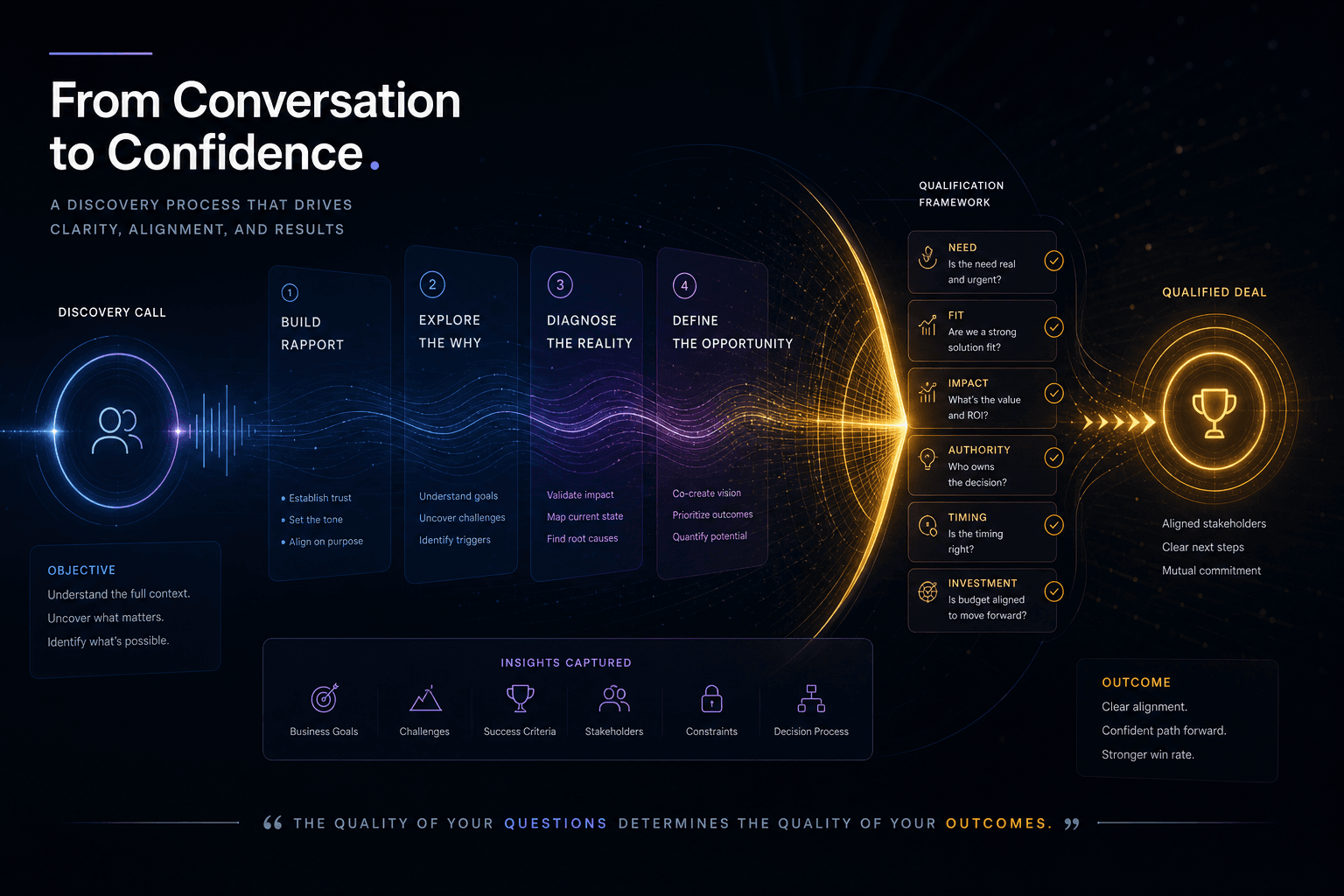
The Discovery Call Template I Use to Close High-Value Custom Web Projects
The exact discovery-call structure I run to close high-value custom web projects — opening, qualifying questions, budget surfacing, and the close.
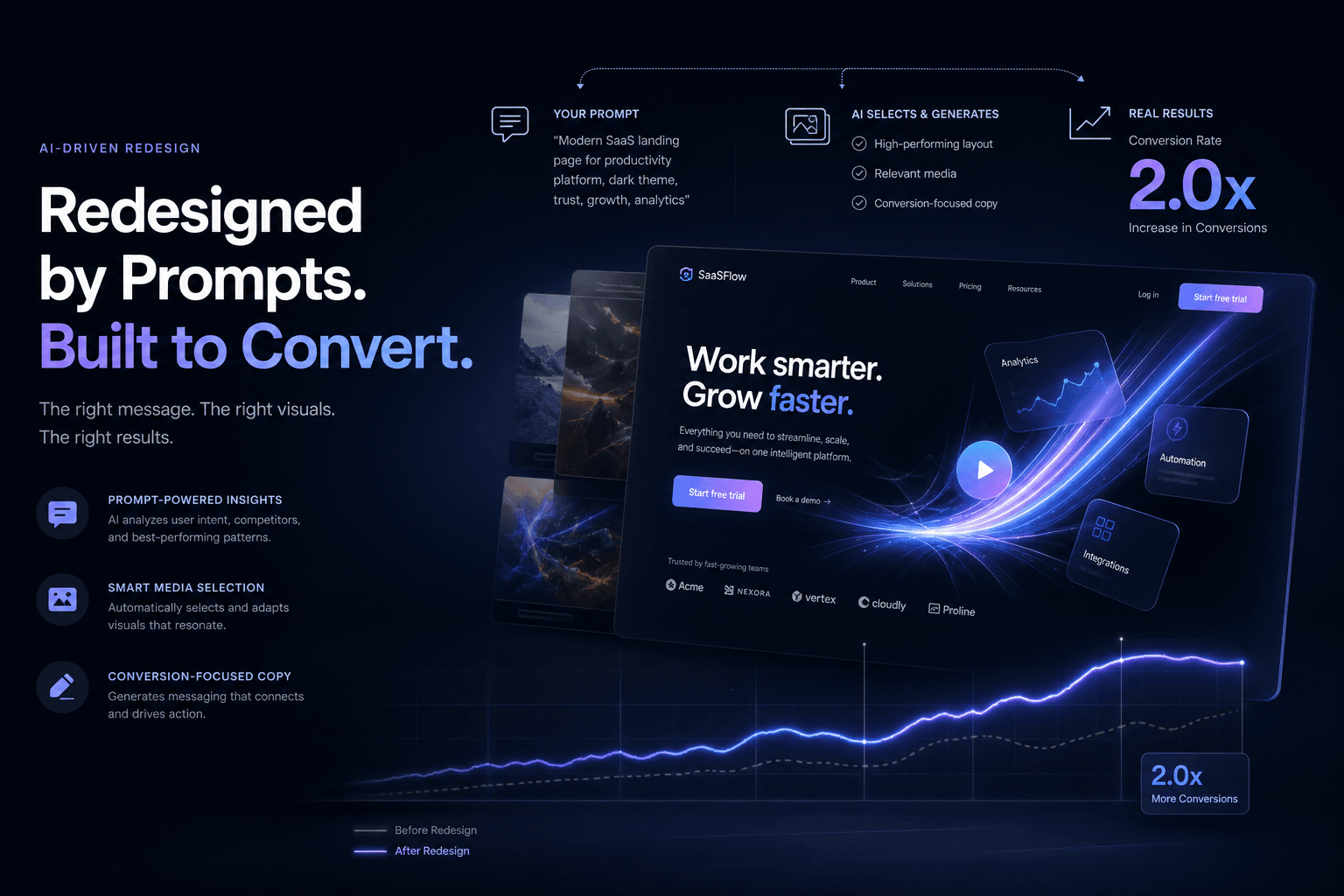
A SaaS Landing Page Redesign That Doubled Trial Signups — Directed Entirely Through Prompts and Reference Media
How I directed a complete SaaS landing page redesign using only prompts, screenshots, and brand context—no manual coding—and doubled trial signups in 30 days.